Skip to content
  • Categories
  • Recent
  • Popular
  • Support
  • MyRoute-app
Collapse
Brand Logo

MRA Community Forum

  1. Home
  2. Announcements
  3. New MRA Mobile Update 3.2.3

New MRA Mobile Update 3.2.3
Scheduled Pinned Locked Moved Announcements
23 Posts 10 Posters 12.0k Views 2 Watching
  • Oldest to Newest
  • Newest to Oldest
  • Most Votes
Reply
  • Reply as topic
Log in to reply
This topic has been deleted. Only users with topic management privileges can see it.
  • Corjan Meijerink Corjan Meijerink

    @Jack-van-Tilburg Thanks for sharing those, like mentioned those issues concern the website. Yes, that needs improvement. No, that won’t be done tomorrow 😉

    Hope you all can still appreciate the actual improvements made within the app itself 🙂

    Herko ter Horst
    Herko ter Horst
    Herko ter Horst
    wrote on last edited by
    #21

    @Corjan-Meijerink please note that the distinction between "the app itself" and "using the website through the app" will be lost on most users.

    1 Reply Last reply
    1
    • TorqueRider TorqueRider

      @Nick-Carthew
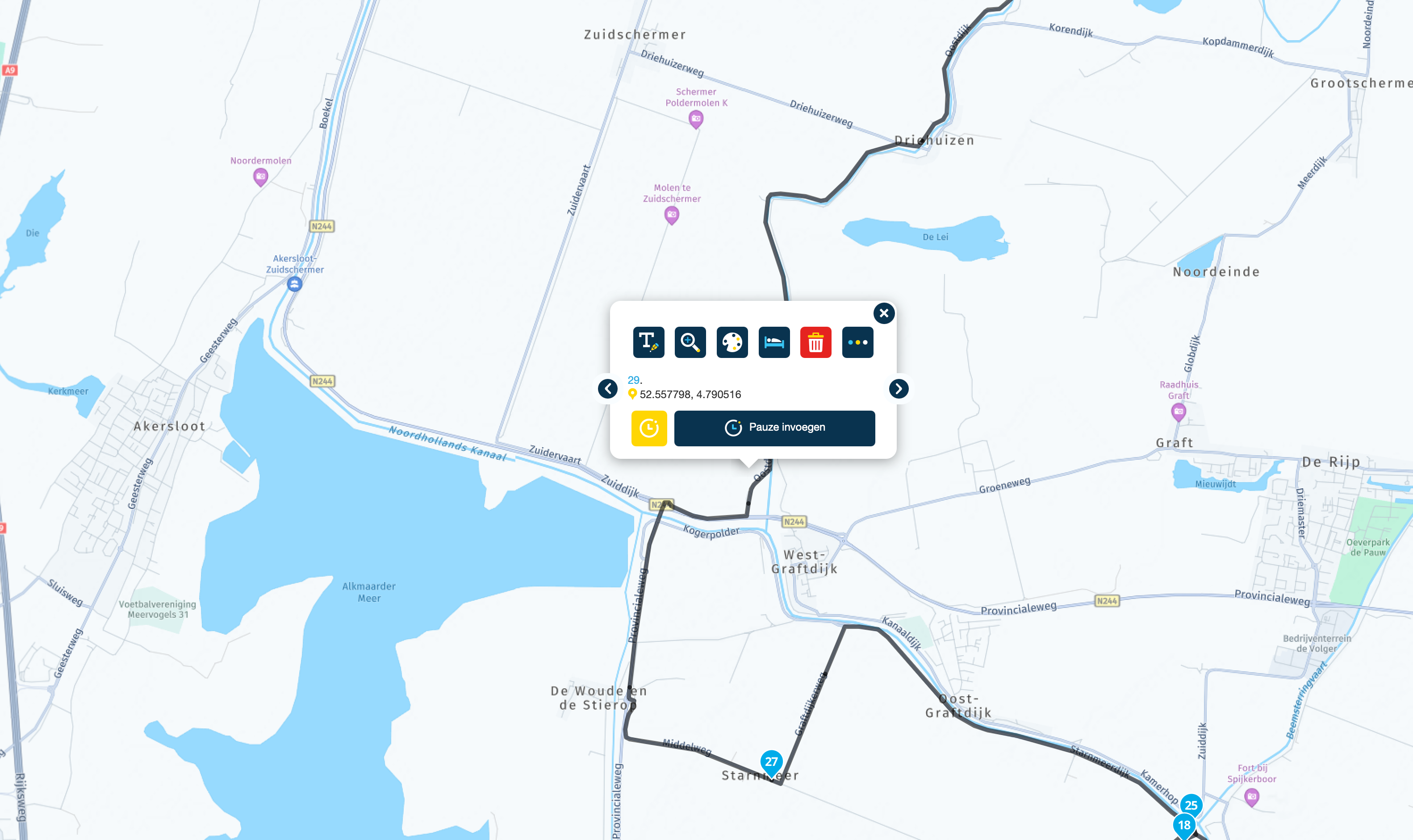
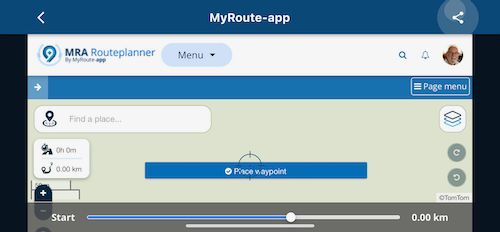
      I know. But even then the function buttons on the left side of the map can not be used. Or am I missing something?

      IMG_1392.jpeg

      Stanisław
      Stanisław
      Stanisław
      Valued contributor
      wrote on last edited by
      #22

      @Jack-van-Tilburg said in New MRA Mobile Update 3.2.3:

      @Nick-Carthew
      I know. But even then the function buttons on the left side of the map can not be used. Or am I missing something?

      IMG_1392.jpeg

      Thank you for this picture, it is like this on my screen. I tried the landscape mode only to check if last bottom button (my current location) is better visible on my screen, which is with non-default scaling to have bigger icons.
      I suppose portrait mode is better in general, so I will us it, not landscape one.
      I can see that it is web view only shown by application, so there is less possibilities to tune it, the responsiveness is also worse. By the way - will I go to this screen when I will want to switch from navigation screen in MRA NEXT to whole route view, to check how it is going ahead of my current location?

      --
      Regards
      Staszek

      TorqueRider 1 Reply Last reply
      0
      • StanisÅ‚aw StanisÅ‚aw

        @Jack-van-Tilburg said in New MRA Mobile Update 3.2.3:

        @Nick-Carthew
        I know. But even then the function buttons on the left side of the map can not be used. Or am I missing something?

        IMG_1392.jpeg

        Thank you for this picture, it is like this on my screen. I tried the landscape mode only to check if last bottom button (my current location) is better visible on my screen, which is with non-default scaling to have bigger icons.
        I suppose portrait mode is better in general, so I will us it, not landscape one.
        I can see that it is web view only shown by application, so there is less possibilities to tune it, the responsiveness is also worse. By the way - will I go to this screen when I will want to switch from navigation screen in MRA NEXT to whole route view, to check how it is going ahead of my current location?

        TorqueRider
        TorqueRider
        TorqueRider
        wrote on last edited by
        #23

        @Stanisław
        For creating or editing your routes you best use the landscape mode indeed.

        1 Reply Last reply
        0
        • Corjan Meijerink Corjan Meijerink unpinned this topic on

        Hello! It looks like you're interested in this conversation, but you don't have an account yet.

        Getting fed up of having to scroll through the same posts each visit? When you register for an account, you'll always come back to exactly where you were before, and choose to be notified of new replies (either via email, or push notification). You'll also be able to save bookmarks and upvote posts to show your appreciation to other community members.

        With your input, this post could be even better 💗

        Register Login

        Reply
        • Reply as topic
        Log in to reply
        • Oldest to Newest
        • Newest to Oldest
        • Most Votes


        • 1
        • 2
        ACTIVE USERS
        Corjan Meijerink
        Corjan Meijerink
        Stanisław
        Stanisław
        Drabslab
        Drabslab
        Nick Carthew
        Nick Carthew
        Bouke Ent
        Bouke Ent
        HABVEN aka MrMRA
        HABVEN aka MrMRA
        Herko ter Horst
        Herko ter Horst
        TorqueRider
        TorqueRider
        Bruno Friedmann
        Bruno Friedmann
        MyRoute-app community
        MyRoute-app community
        POPULAR TOPICS
        • Copy tracks into tracklog folder
          TomOnTour
          TomOnTour
          2
          8
          103

        • F017 New now of the group import and unexplained limits that is unsightly
          Ã’scar
          Ã’scar
          0
          15
          82

        • what is the best way to view navigation from app?
          John S Parry
          John S Parry
          0
          14
          767

        • Routepunten niet zichtbaar op kaart
          Rob Veerman
          Rob Veerman
          0
          6
          119

        • Pay for beta?
          MotoCon
          MotoCon
          0
          17
          839

        • Live tracking problem on Android tablet
          Jörgen
          Jörgen
          0
          3
          18

        • Approximately how long should it take to synchronize all routes?
          MotoCon
          MotoCon
          0
          9
          241

        • Suggestion -> Statistics
          Brian McG
          Brian McG
          0
          3
          50

        MY GROUPS
        • Login

        • Login or register to search.
        • First post
          Last post
        0
        • Categories
        • Recent
        • Popular
        • Support
        • MyRoute-app