Samsung Active tab 2
-
@con-hennekens Now there’s a thing… I haven’t found that to be the case. On both iPhone and iPad, if I am offline, I am unable to load any route, regardless of having used it previously. Could this be an iOS/Android disparity perhaps?

@pad-0, that is strange. To illustrate that, I just opened two routes in my Navigation (did not even start routing). Then I closed the Navigatin App, put the device in flightmode and re-opened Navigation to find the two routes I viewed earlier can be opened without issues.
I am just an enthusiastic MRA user, and hope you will be one too!
Most motorcycle problems are caused by the nut that connects the handlebar to the saddle.
Check out RideSleepRepeat.eu, a biker community for sharing stays across Europe
-
@pad-0, that is strange. To illustrate that, I just opened two routes in my Navigation (did not even start routing). Then I closed the Navigatin App, put the device in flightmode and re-opened Navigation to find the two routes I viewed earlier can be opened without issues.
Maybe you put Navigation in the Background rather than closing it?
-
Maybe you put Navigation in the Background rather than closing it?

@steve-lynch @Con-Hennekens Yes, I think it’s something along those lines. If the Navigation app is closed without exiting the route and flight mode is switched on, reopening the app sees the route still running. Likewise if wifi and cellular data are turned off. So maybe crossed wires over your meaning, Con? I thought you meant once a route had been opened, it remained accessible in Navigation for future use even when navigation had been exited.
So at least that's halfway there. Unfortunately it does mean that if navigation is lost and no data signal or wifi is available, users are stuffed. It would be great to be able to install a route onto a device for use in Navigation though. In fact, it would be a great leap in terms of competing with dedicated sat navs which, of course, do very much that as a matter of course.
-
Maybe you put Navigation in the Background rather than closing it?
@steve-lynch said in Samsung Active tab 2:
Maybe you put Navigation in the Background rather than closing it?
@pad-0 said in Samsung Active tab 2:
So maybe crossed wires over your meaning, Con?
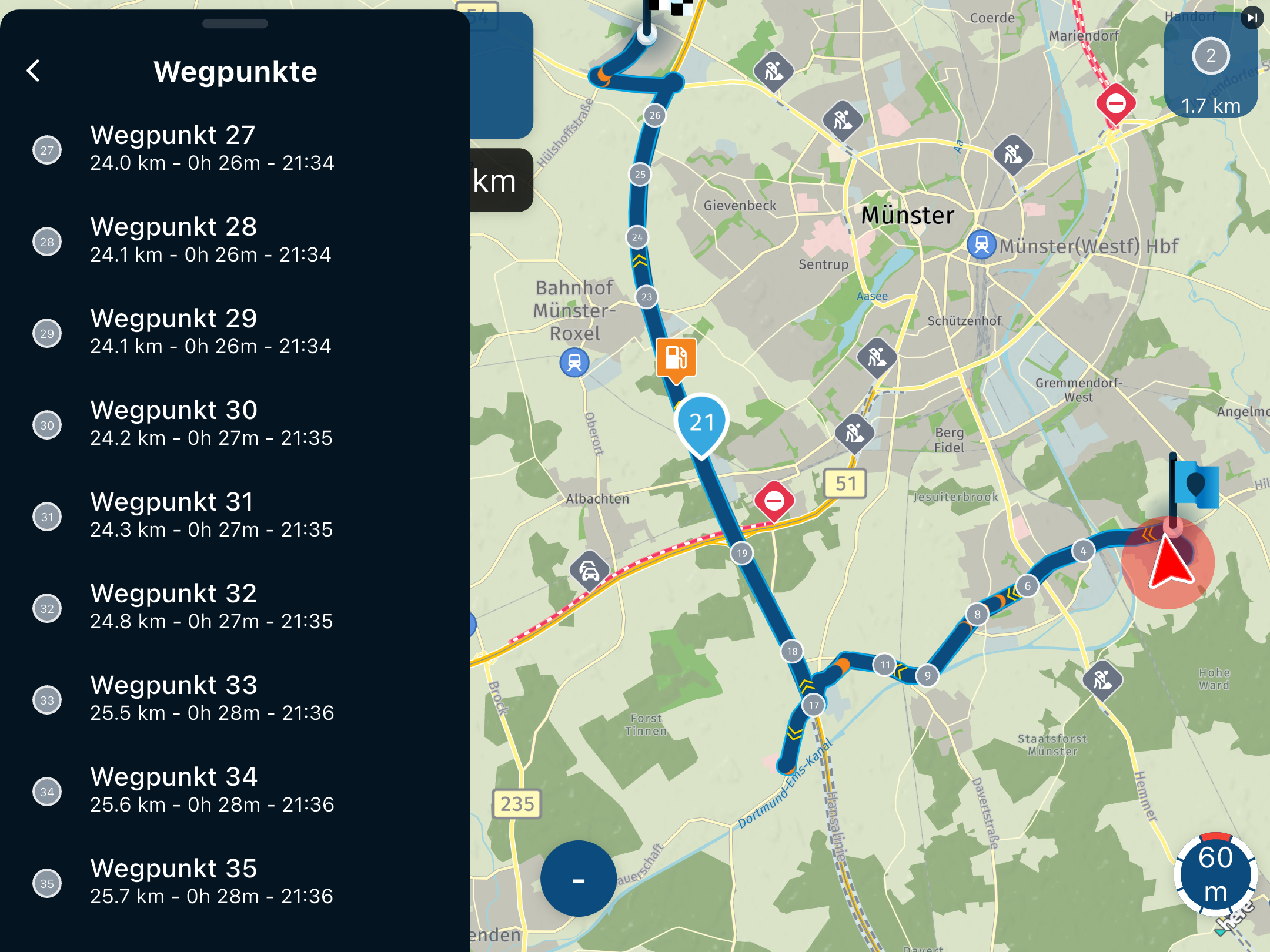
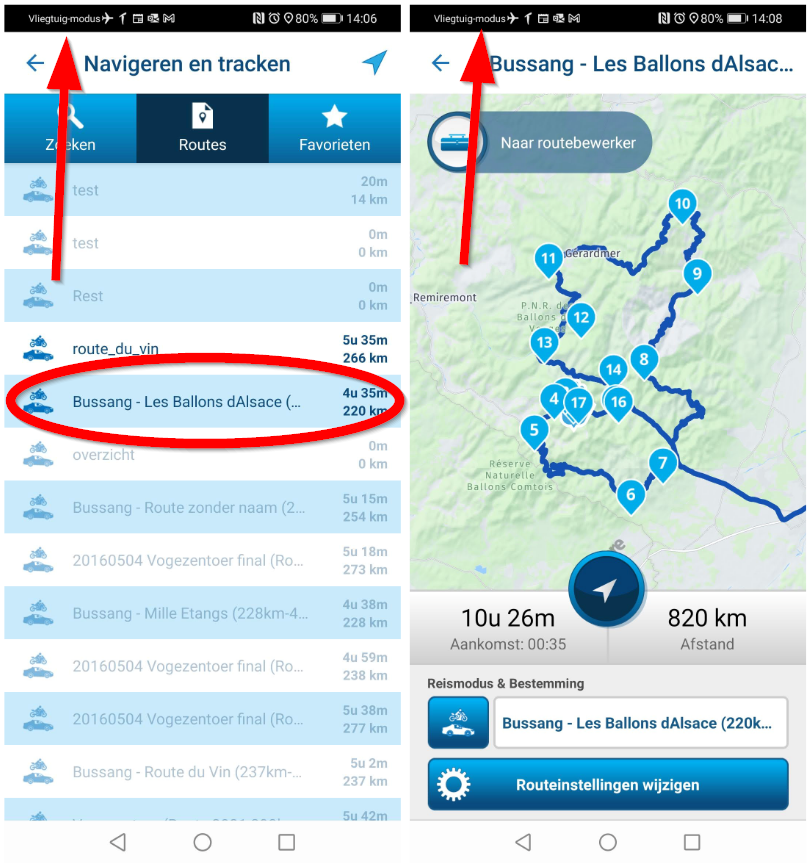
No, definitely not! I just checked again, turning on flightmode first, and the routes are still usable. I also rebooted my P30 Pro in flightmode, and the routes I had been using before are still accessible, and routable. Except those to Bussang, like the ones in the picture above. That is because I do not have the map of France off-line anymore. The route loads and shows, but can't be calculated. Routes I do have the maps off-line for have no problem loading AND calculating without internet connection. There might be some kind of maximum period that routes are kept locally though, since routes I have been using months ago are not accessible anymore. They show up in the list, but are greyed out.
I am just an enthusiastic MRA user, and hope you will be one too!
Most motorcycle problems are caused by the nut that connects the handlebar to the saddle.
Check out RideSleepRepeat.eu, a biker community for sharing stays across Europe
-
@steve-lynch said in Samsung Active tab 2:
Maybe you put Navigation in the Background rather than closing it?
@pad-0 said in Samsung Active tab 2:
So maybe crossed wires over your meaning, Con?
No, definitely not! I just checked again, turning on flightmode first, and the routes are still usable. I also rebooted my P30 Pro in flightmode, and the routes I had been using before are still accessible, and routable. Except those to Bussang, like the ones in the picture above. That is because I do not have the map of France off-line anymore. The route loads and shows, but can't be calculated. Routes I do have the maps off-line for have no problem loading AND calculating without internet connection. There might be some kind of maximum period that routes are kept locally though, since routes I have been using months ago are not accessible anymore. They show up in the list, but are greyed out.
Not sure what I did wrong above, probably the order that I did it was messed up.
But on trying again you are correct, routes previously used are still available even with flight mode on.
However after powering down my phone I can see the routes but I cannot navigate them.You don’t stop riding when you get old, you get old when you stop riding.
-
Not sure what I did wrong above, probably the order that I did it was messed up.
But on trying again you are correct, routes previously used are still available even with flight mode on.
However after powering down my phone I can see the routes but I cannot navigate them.
@steve-lynch @Con-Hennekens Same here to a limited extent. The two routes I opened while testing all this recently are available, no others. It would seem there is a small cache. Something that seems strange is that if I open either of those two routes for navigation in offline mode, with no wifi or data on, and with no cellular signal available, if I exit them (via three dots icon and red ‘exit’ tile), I cannot re-open the routes for navigation. Nor can I do so by quitting the app and re opening it. That is as far as I went the other day.
Yet I discovered just now that if I quit the Navigation app, then completely stop it from running in the background (i.e. double tap the iPad/iPhone home button, then swipe up on the app ‘tile’), then re-open it, re-open either route from the routes list and set it running for navigation, it works - all in offline mode. I can’t get my head around why, when doing less to disturb the whole process doesn’t??? It seems completely counter intuitive, but somehow it does!
So another step in the right direction, but still hit and miss. And compared to being able to download routes onto a device and having it there with certainty, it still falls short.
-
@steve-lynch @Con-Hennekens Same here to a limited extent. The two routes I opened while testing all this recently are available, no others. It would seem there is a small cache. Something that seems strange is that if I open either of those two routes for navigation in offline mode, with no wifi or data on, and with no cellular signal available, if I exit them (via three dots icon and red ‘exit’ tile), I cannot re-open the routes for navigation. Nor can I do so by quitting the app and re opening it. That is as far as I went the other day.
Yet I discovered just now that if I quit the Navigation app, then completely stop it from running in the background (i.e. double tap the iPad/iPhone home button, then swipe up on the app ‘tile’), then re-open it, re-open either route from the routes list and set it running for navigation, it works - all in offline mode. I can’t get my head around why, when doing less to disturb the whole process doesn’t??? It seems completely counter intuitive, but somehow it does!
So another step in the right direction, but still hit and miss. And compared to being able to download routes onto a device and having it there with certainty, it still falls short.
@pad-0 said in Samsung Active tab 2:
Something that seems strange is that if I open either of those two routes for navigation in offline mode, with no wifi or data on, and with no cellular signal available, if I exit them (via three dots icon and red ‘exit’ tile), I cannot re-open the routes for navigation. Nor can I do so by quitting the app and re opening it. That is as far as I went the other day.
Yet I discovered just now that if I quit the Navigation app, then completely stop it from running in the background (i.e. double tap the iPad/iPhone home button, then swipe up on the app ‘tile’), then re-open it, re-open either route from the routes list and set it running for navigation, it works - all in offline mode.
That is strange indeed. I tried to do the same on my Android, but can't seem to find any "three dots menu" that allows me to quit Navigation the way is considered the right one. Therefore I ALWAYS quit Navigation by hard-stopping the program.
So another step in the right direction, but still hit and miss. And compared to being able to download routes onto a device and having it there with certainty, it still falls short.
It works for me, but I agree that this is an omission, and could be improved and documented much better.
I am just an enthusiastic MRA user, and hope you will be one too!
Most motorcycle problems are caused by the nut that connects the handlebar to the saddle.
Check out RideSleepRepeat.eu, a biker community for sharing stays across Europe
-
@pad-0 said in Samsung Active tab 2:
Something that seems strange is that if I open either of those two routes for navigation in offline mode, with no wifi or data on, and with no cellular signal available, if I exit them (via three dots icon and red ‘exit’ tile), I cannot re-open the routes for navigation. Nor can I do so by quitting the app and re opening it. That is as far as I went the other day.
Yet I discovered just now that if I quit the Navigation app, then completely stop it from running in the background (i.e. double tap the iPad/iPhone home button, then swipe up on the app ‘tile’), then re-open it, re-open either route from the routes list and set it running for navigation, it works - all in offline mode.
That is strange indeed. I tried to do the same on my Android, but can't seem to find any "three dots menu" that allows me to quit Navigation the way is considered the right one. Therefore I ALWAYS quit Navigation by hard-stopping the program.
So another step in the right direction, but still hit and miss. And compared to being able to download routes onto a device and having it there with certainty, it still falls short.
It works for me, but I agree that this is an omission, and could be improved and documented much better.
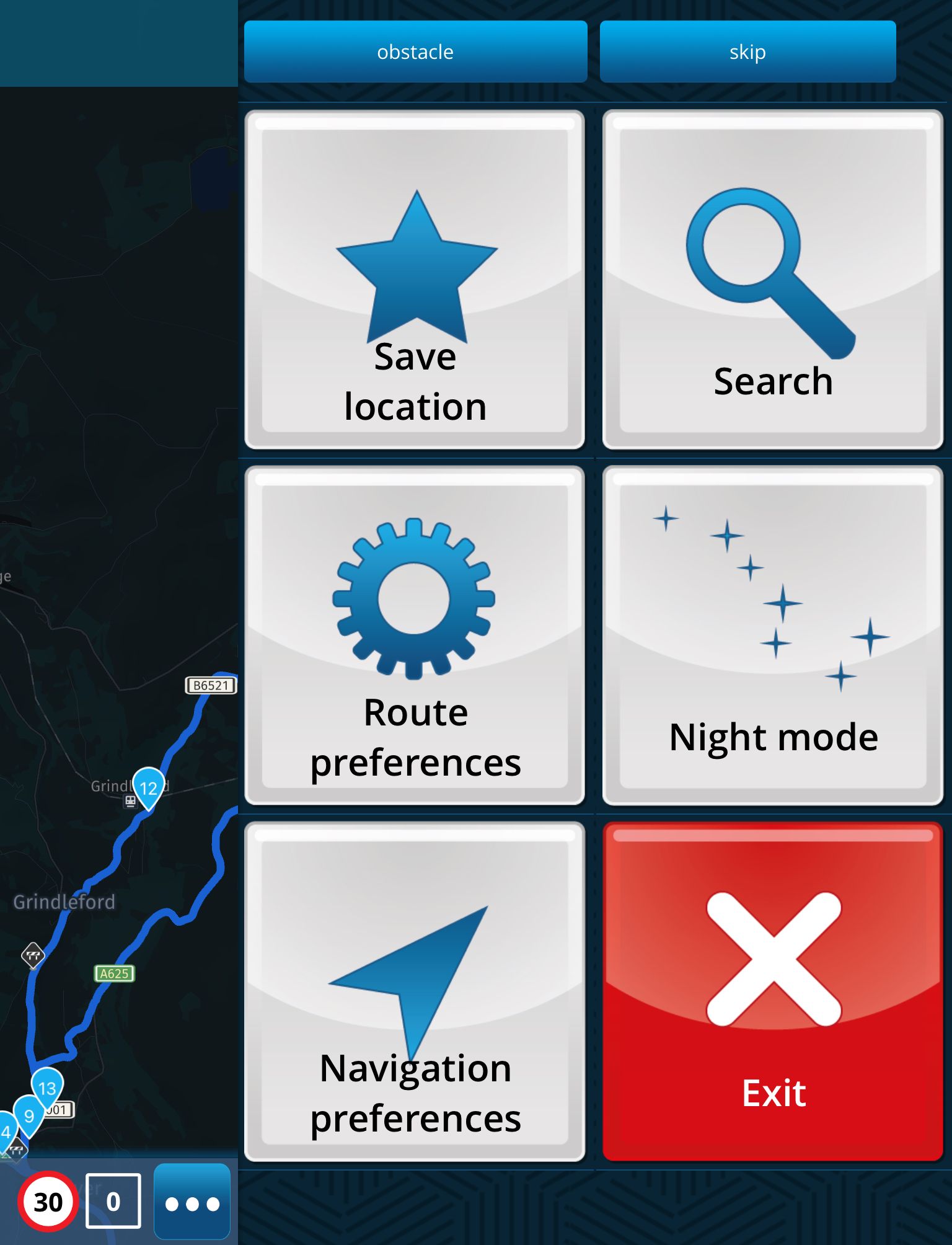
@con-hennekens Very odd that the Android version of the app seems not to have an exit button.
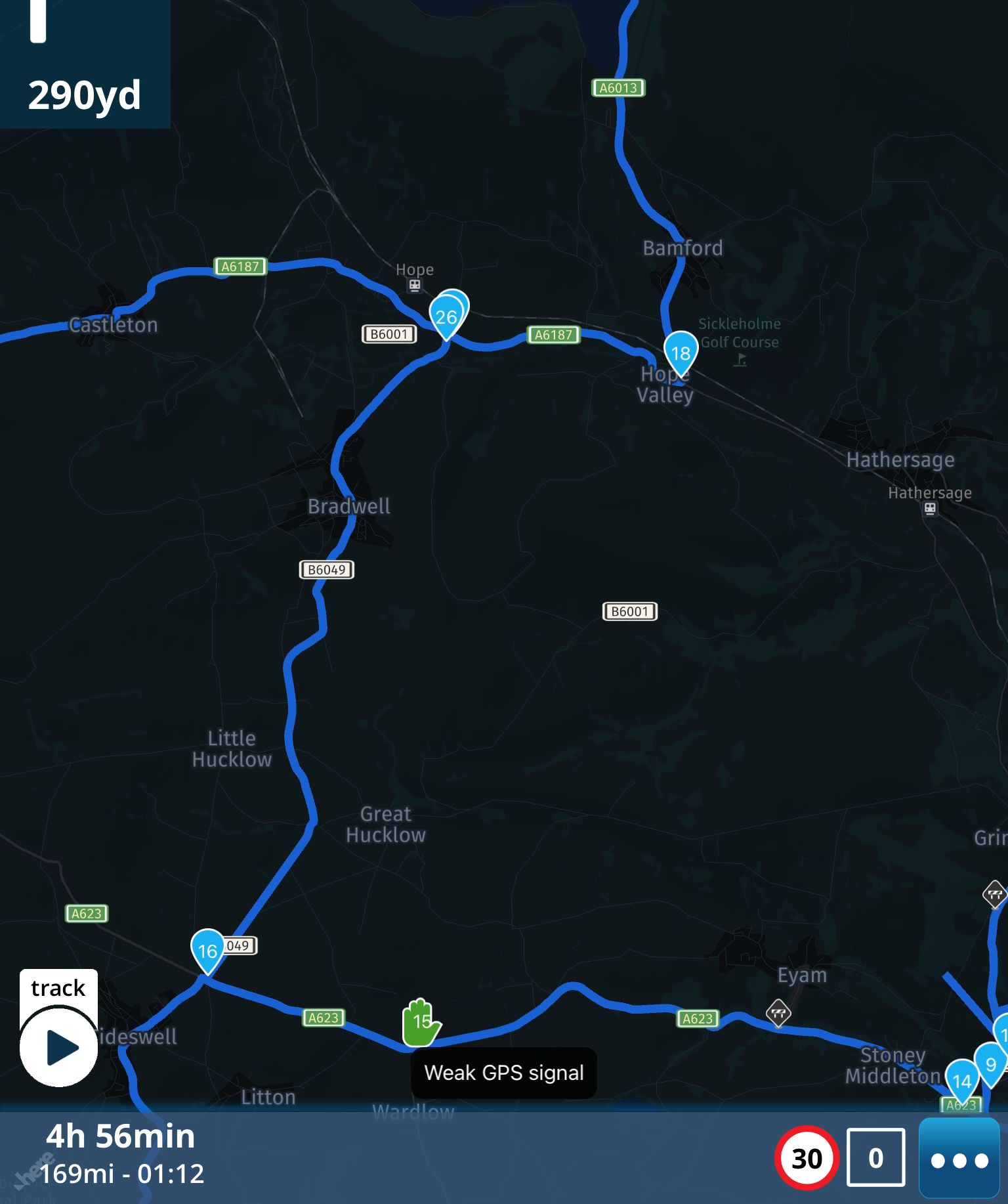
For reference, here’s how my iOS looks:
-
@con-hennekens Very odd that the Android version of the app seems not to have an exit button.
For reference, here’s how my iOS looks:
@pad-0 said in Samsung Active tab 2:
@con-hennekens Very odd that the Android version of the app seems not to have an exit button.
Yes, like @Matt-Flaming shows, the Android version DOES have a "3-dot menu" ONLY while navigating. If one presses the EXIT button there, it quits navigating, but not the entire program. It takes you back to the route overview from where you can start navigating the route again (the screen with the arrow).
-
@matt-flaming said in Samsung Active tab 2:
But to exit out of the application, you just use the back button (or gesture if you are on a newer version of Android). You don't have to kill the app in recents menu.
Yes, but then the program stays active in the background, it does not close that way. The theory here was that after a program-exit the routes would not be usable without internet connection. Keeping it live in the background does not simulate that.
I am just an enthusiastic MRA user, and hope you will be one too!
Most motorcycle problems are caused by the nut that connects the handlebar to the saddle.
Check out RideSleepRepeat.eu, a biker community for sharing stays across Europe
-
@matt-flaming said in Samsung Active tab 2:
But to exit out of the application, you just use the back button (or gesture if you are on a newer version of Android). You don't have to kill the app in recents menu.
Yes, but then the program stays active in the background, it does not close that way. The theory here was that after a program-exit the routes would not be usable without internet connection. Keeping it live in the background does not simulate that.
This is such a convoluted matter that it’s little wonder there is confusion!
In my view, it shouldn’t be necessary to be discussing it at all, given that providing the ability to load routes onto devices to enable offline mode fully would be a complete cure…
However… With both iPhone and iPad, in relation to @Con-Hennekens’ last post, what I have found is the opposite. I know it seems illogical (to put it mildly!) but, IN OFFLINE MODE, I am unable to return to a route UNLESS I DO CLOSE THE APP COMPLETELY BY STOPPING IT RUNNING IN THE BACKGROUND! If I don’t do this, I can’t return to navigation from the “route overview” screen - I just get endless buffering.
My brain hurts.
Hello! It looks like you're interested in this conversation, but you don't have an account yet.
Getting fed up of having to scroll through the same posts each visit? When you register for an account, you'll always come back to exactly where you were before, and choose to be notified of new replies (either via email, or push notification). You'll also be able to save bookmarks and upvote posts to show your appreciation to other community members.
With your input, this post could be even better 💗
Register Login-
 912412.0k
-
 01039
01039
-
 01336
01336
-
0622
-
 0519
0519
-
 0517
0517
-
 05141
05141
-
1420