Locking routes.
-

BREAKING NEWS
MyRoute-app news: Lock waypoints for routes
Over the past couple of years, we have received great feedback and suggestions from our MyRoute-app community. One of the most suggested features has been the ability to lock waypoints. We can now present our newest feature that enables just that.
By locking in your waypoints for a route, you will no longer have any accidental: placements/edits/deletion of your waypoints. We’ve ensured that the locking of waypoints can be enabled and disabled at any time, meaning that you can lock and unlock waypoints on the fly!
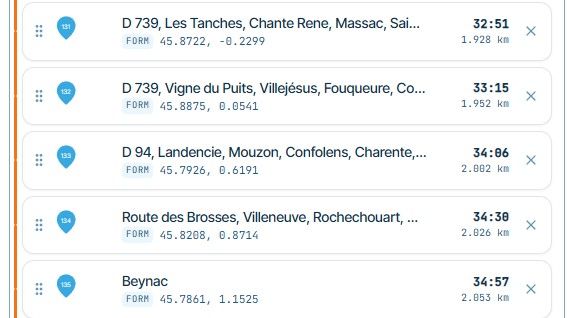
There are 2 ways that you can lock/unlock your waypoints. The first being possible inside of your route list (on your MRA-profile). There will now be a new lock icon, located on the right of each route inside of your route list. By clicking on this lock-icon, you will disable editing of waypoints for that specific route. As stated previously, you can easily disable the waypoints lock by clicking on the unlock-icon.
It is also possible to lock waypoints while using the route editor. You will now be able to see a new lock icon on the left of your screen, while editing your route. By clicking on this lock icon, all waypoint editing will be disabled. You can also easily unlock the waypoints of your route, by clicking on the unlock icon.
Well done MRA

-

Horray - new development

But I'm not happy at all...
About new 2 introduced places, to see lock Icon, I can only see the Icon on the map in route editor. The Icon, located on the right of each route inside of my route list, I can't see.But this is not the crucial point. More important is: if route is locked, you can't click on the waypoint - not in map and not in waypoint list - to see Details of waypoint.
For example: if route is locked, but if I simply want to read Detail of waypoint like Web address of Hotel - it's not possible. You need to unlock it at first. But then, it's open und you can again do accidently changes!Locking is good. But I still wanted to see all things - simply write protected! Most needed for work at mobile devices!
So, please enhance this new development.

Hello! It looks like you're interested in this conversation, but you don't have an account yet.
Getting fed up of having to scroll through the same posts each visit? When you register for an account, you'll always come back to exactly where you were before, and choose to be notified of new replies (either via email, or push notification). You'll also be able to save bookmarks and upvote posts to show your appreciation to other community members.
With your input, this post could be even better 💗
Register Login-
 0743
-
0533
-
 0301.1k
-
0434
-
 1472
-
 0445
-
05122
-
0423