Skip to content
  • Categories
  • Recent
  • Popular
  • Support
  • MyRoute-app
Collapse
Brand Logo

MRA Community Forum

  1. Home
  2. General Discussion
  3. How to share route with another member.

How to share route with another member.

Scheduled Pinned Locked Moved General Discussion
10 Posts 6 Posters 132 Views 3 Watching
  • Oldest to Newest
  • Newest to Oldest
  • Most Votes
Reply
  • Reply as topic
Log in to reply
This topic has been deleted. Only users with topic management privileges can see it.
  • John Cassidy Offline
    John Cassidy Offline
    John Cassidy
    wrote last edited by
    #1

    I want to share a route with a friend on the app. I realize the person can go into my routes and hunt for it, but how do I tell the person what the name of the route is or what folder it is in?

    Peter Zehentreiter Con Hennekens 2 Replies Last reply
    0
    • John Cassidy John Cassidy

      I want to share a route with a friend on the app. I realize the person can go into my routes and hunt for it, but how do I tell the person what the name of the route is or what folder it is in?

      Peter Zehentreiter Offline
      Peter Zehentreiter Offline
      Peter Zehentreiter
      wrote last edited by
      #2

      @John-Cassidy The easiest way to do this is with the Friends feature.
      If your friend isn't signed up for My Route yet, they'll need to do so first.

      Send them an invitation using the “Friends” feature.

      Once they’ve accepted the invitation, they’re officially your friend and can now see all the routes you’ve shared with friends.

      The following options are available:
      Private (only you can see the route)
      Friends (your friends can see the routes)
      Public (Anyone can see your routes)

      Only you can make changes to the routes. If your friend wants to make a change, they must first save it to their own library.

      When they make changes, they do so only to their own route.
      Yours always remains unchanged.

      BMW R 1250 GS
      MRA Navigation & SilverFox C1 Controller
      DMD-NOR7E 7"
      SPC Universal mount
      Motorola Edge 40 "offline"
      Sena SLR 3
      Sena 50 R

      John Cassidy 1 Reply Last reply
      0
      • Peter Zehentreiter Peter Zehentreiter

        @John-Cassidy The easiest way to do this is with the Friends feature.
        If your friend isn't signed up for My Route yet, they'll need to do so first.

        Send them an invitation using the “Friends” feature.

        Once they’ve accepted the invitation, they’re officially your friend and can now see all the routes you’ve shared with friends.

        The following options are available:
        Private (only you can see the route)
        Friends (your friends can see the routes)
        Public (Anyone can see your routes)

        Only you can make changes to the routes. If your friend wants to make a change, they must first save it to their own library.

        When they make changes, they do so only to their own route.
        Yours always remains unchanged.

        John Cassidy Offline
        John Cassidy Offline
        John Cassidy
        wrote last edited by
        #3

        @petia-hanssens reiter I do understand all that. I wasn't clear enough. I have friends but can't communicate with them the name of the route or folder to look at on my page. I had wanted to say that, after noticing a route they made up, that they mihht like a particular route (by name) I made up.

        Peter Zehentreiter 1 Reply Last reply
        0
        • John Cassidy John Cassidy

          @petia-hanssens reiter I do understand all that. I wasn't clear enough. I have friends but can't communicate with them the name of the route or folder to look at on my page. I had wanted to say that, after noticing a route they made up, that they mihht like a particular route (by name) I made up.

          Peter Zehentreiter Offline
          Peter Zehentreiter Offline
          Peter Zehentreiter
          wrote last edited by
          #4

          @John-Cassidy To be honest, I don't know how that's supposed to work automatically.

          You'll have to let your friends know through other channels (email, WhatsApp, phone, etc.) that you've shared new routes with them.

          BMW R 1250 GS
          MRA Navigation & SilverFox C1 Controller
          DMD-NOR7E 7"
          SPC Universal mount
          Motorola Edge 40 "offline"
          Sena SLR 3
          Sena 50 R

          1 Reply Last reply
          0
          • BertM Offline
            BertM Offline
            BertM
            wrote last edited by
            #5

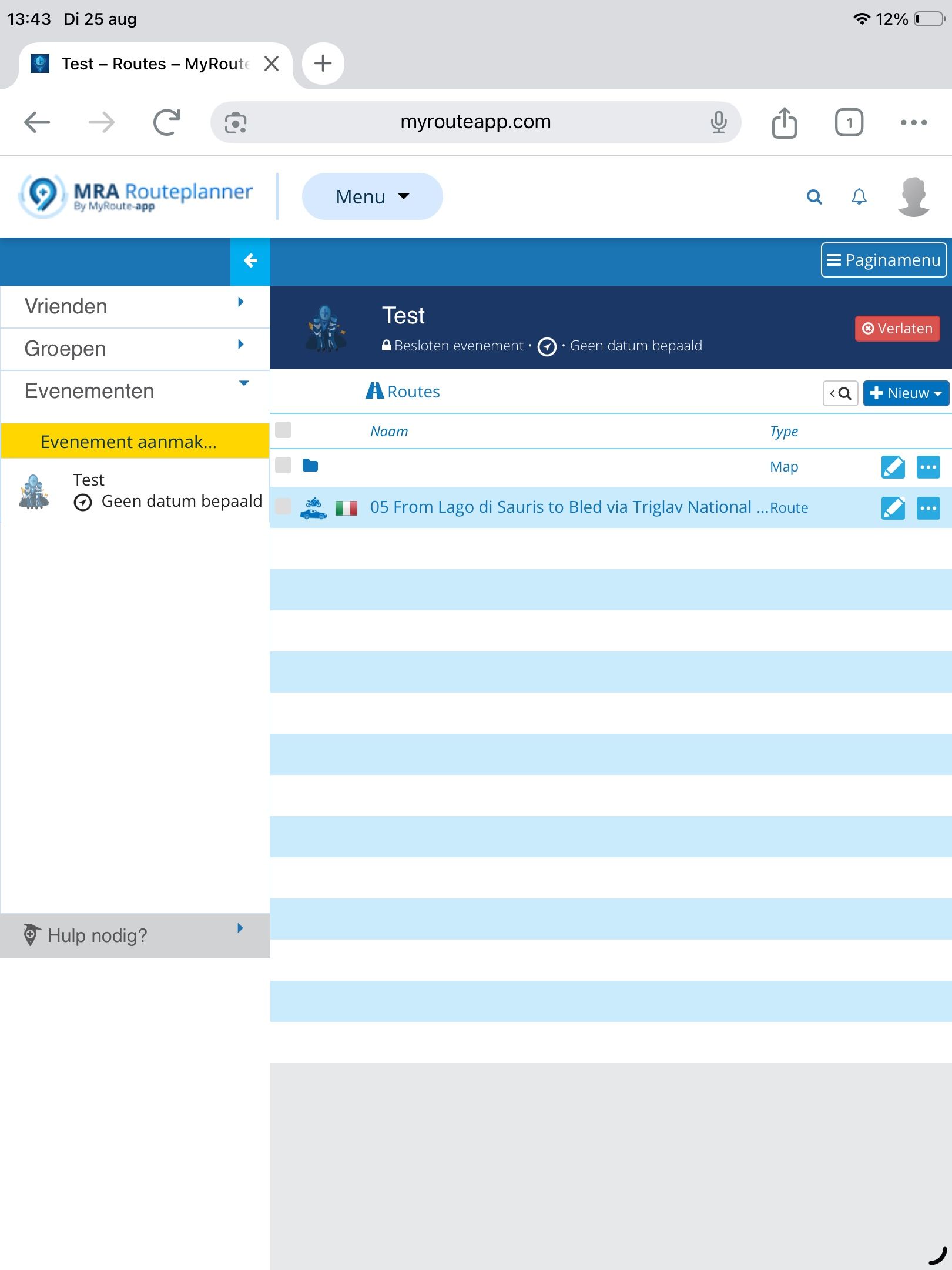
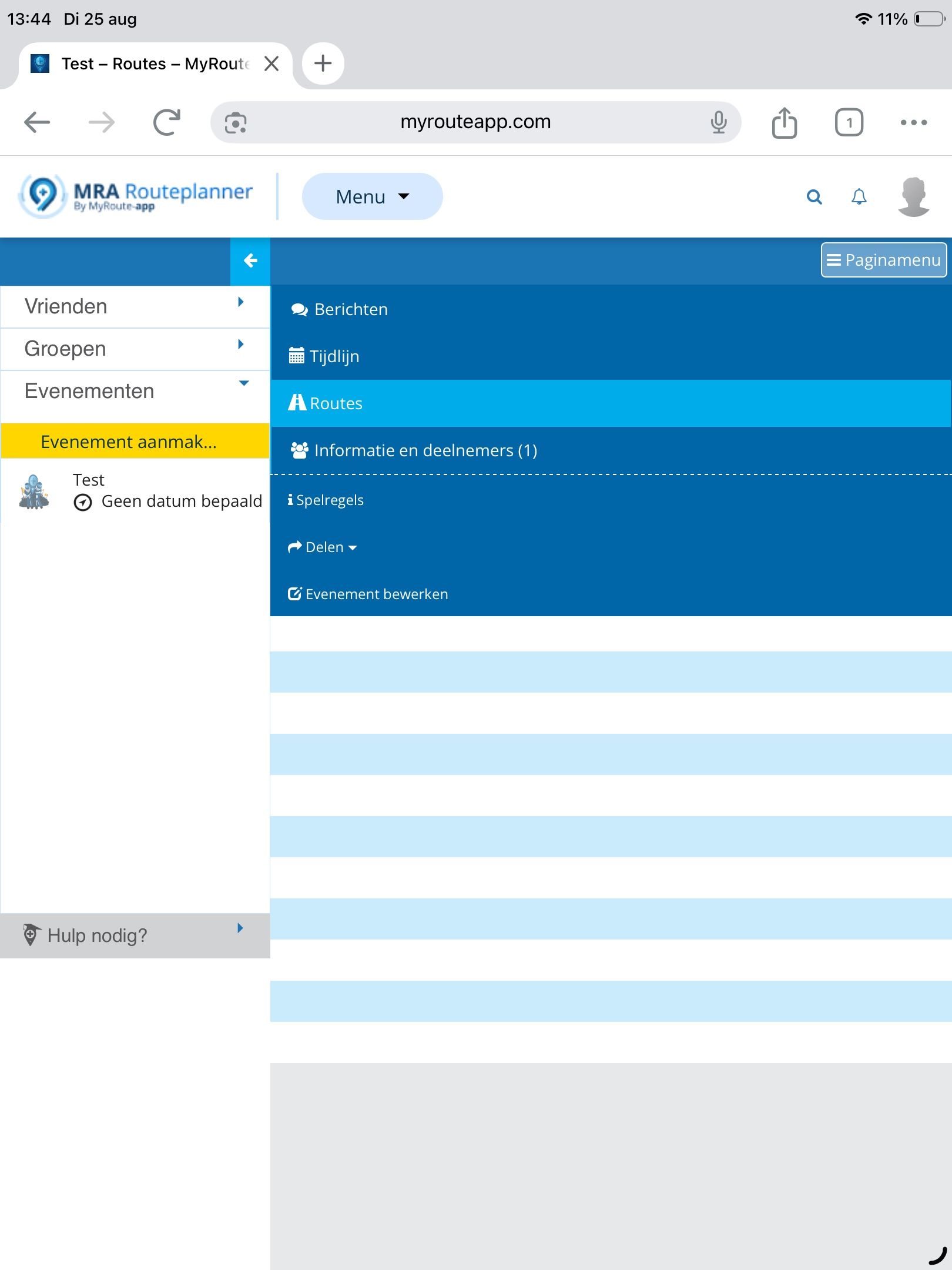
            Make a (closed) event and add your friends.
            There you can share items in the group or link routes

            1 Reply Last reply
            0
            • BertM Offline
              BertM Offline
              BertM
              wrote last edited by BertM
              #6

              38543d09-ff02-4120-9826-328a30b064fc-image.jpeg

              f3754214-3705-4169-b505-3fadbfb0b40a-image.jpeg

              1 Reply Last reply
              0
              • John Cassidy John Cassidy

                I want to share a route with a friend on the app. I realize the person can go into my routes and hunt for it, but how do I tell the person what the name of the route is or what folder it is in?

                Con Hennekens Offline
                Con Hennekens Offline
                Con Hennekens
                Alpha tester
                wrote last edited by
                #7

                @John-Cassidy, there is a share function at the three dots menu behind a route:
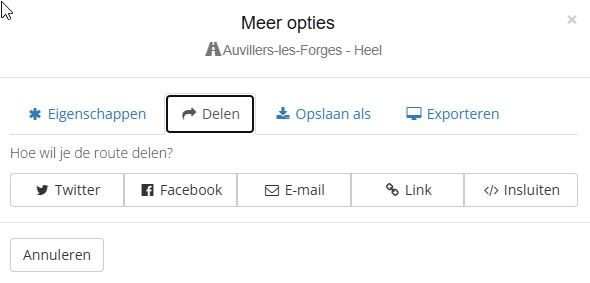
                5b0ce5b2-e2ac-4bb2-bfdf-8d78c86cdd42-image.jpeg

                Send a link through an app, or mail it to him.

                The same function is visible one a route has been opened in the editor, at the top right

                I am just an enthusiastic MRA user, and hope you will be one too!

                Most motorcycle problems are caused by the nut that connects the handlebar to the saddle.

                Check out RideSleepRepeat.eu, a biker community for sharing stays across Europe

                John Cassidy 1 Reply Last reply
                0
                • Con Hennekens Con Hennekens

                  @John-Cassidy, there is a share function at the three dots menu behind a route:

                  5b0ce5b2-e2ac-4bb2-bfdf-8d78c86cdd42-image.jpeg

                  Send a link through an app, or mail it to him.

                  The same function is visible one a route has been opened in the editor, at the top right

                  John Cassidy Offline
                  John Cassidy Offline
                  John Cassidy
                  wrote last edited by
                  #8

                  @Con-Hennekens I hit email and nothing happens. I'm not on social media so the other options aren't an option.

                  Brian McG 1 Reply Last reply
                  0
                  • John Cassidy John Cassidy

                    @Con-Hennekens I hit email and nothing happens. I'm not on social media so the other options aren't an option.

                    Brian McG Offline
                    Brian McG Offline
                    Brian McG
                    wrote last edited by
                    #9

                    @John-Cassidy clicking the "Link" option it will give you a URL path, you can then copy & paste this URL into an email or distribute it via whatever comms system you prefer

                    BlackView BV7100, Android 12
                    Navigate "Routes as Tracks" in Offline mode with Offline Maps
                    No Wifi, no internet, no interruptions, works well

                    1 Reply Last reply
                    0
                    • Guzzist Offline
                      Guzzist Offline
                      Guzzist
                      Valued contributor
                      wrote last edited by
                      #10

                      ...sending the link as @con-hennekens wrote, is fine for let me say single action. If it happens often, I prefer to have a dedicated folder "for friends" - always with access right "for friends", as @peter-zehentreiter wrote.
                      If it's needed to share a route, I simply move or copy my root into this folder. My friends knows about this folder...

                      Nothing is impossible ;-)
                      In past: GARMIN Zumo 210->GARMIN Zumo 395->GARMIN XT=> now: DMD T865-X + MyRoute-App, LocusMaps, OsmAnd.
                      In past: GARMIN MapSource ->GARMIN BaseCamp->Tyre->Kurviger->Calimoto=> now: MRA-Routplanner.

                      1 Reply Last reply
                      0

                      Hello! It looks like you're interested in this conversation, but you don't have an account yet.

                      Getting fed up of having to scroll through the same posts each visit? When you register for an account, you'll always come back to exactly where you were before, and choose to be notified of new replies (either via email, or push notification). You'll also be able to save bookmarks and upvote posts to show your appreciation to other community members.

                      With your input, this post could be even better 💗

                      Register Login
                      Reply
                      • Reply as topic
                      Log in to reply
                      • Oldest to Newest
                      • Newest to Oldest
                      • Most Votes


                      ACTIVE USERS
                      Guzzist
                      Guzzist
                      Brian McG
                      Brian McG
                      John Cassidy
                      John Cassidy
                      Peter Zehentreiter
                      Peter Zehentreiter
                      Con Hennekens
                      Con Hennekens
                      BertM
                      BertM
                      POPULAR TOPICS
                      • How to share route with another member.
                        Guzzist
                        Guzzist
                        0
                        10
                        132

                      • Route doesn’t recalculate to my destination
                        Peter Zehentreiter
                        Peter Zehentreiter
                        0
                        5
                        83

                      • Skipping waypoints for no reason
                        Brian McG
                        Brian McG
                        0
                        10
                        527

                      • No navigation instructions
                        Brian McG
                        Brian McG
                        0
                        3
                        70

                      • Routes en verblijf Zwitserland
                        Con Hennekens
                        Con Hennekens
                        0
                        23
                        730

                      • One time glitch after lost gps signal
                        Guzzist
                        Guzzist
                        0
                        9
                        224

                      • Offline navigeren
                        0
                        1
                        15

                      • Ideetje voor kaartthema van Google Maps
                        0
                        1
                        45

                      MY GROUPS
                      • Login

                      • Login or register to search.
                      • First post
                        Last post
                      0
                      • Categories
                      • Recent
                      • Popular
                      • Support
                      • MyRoute-app