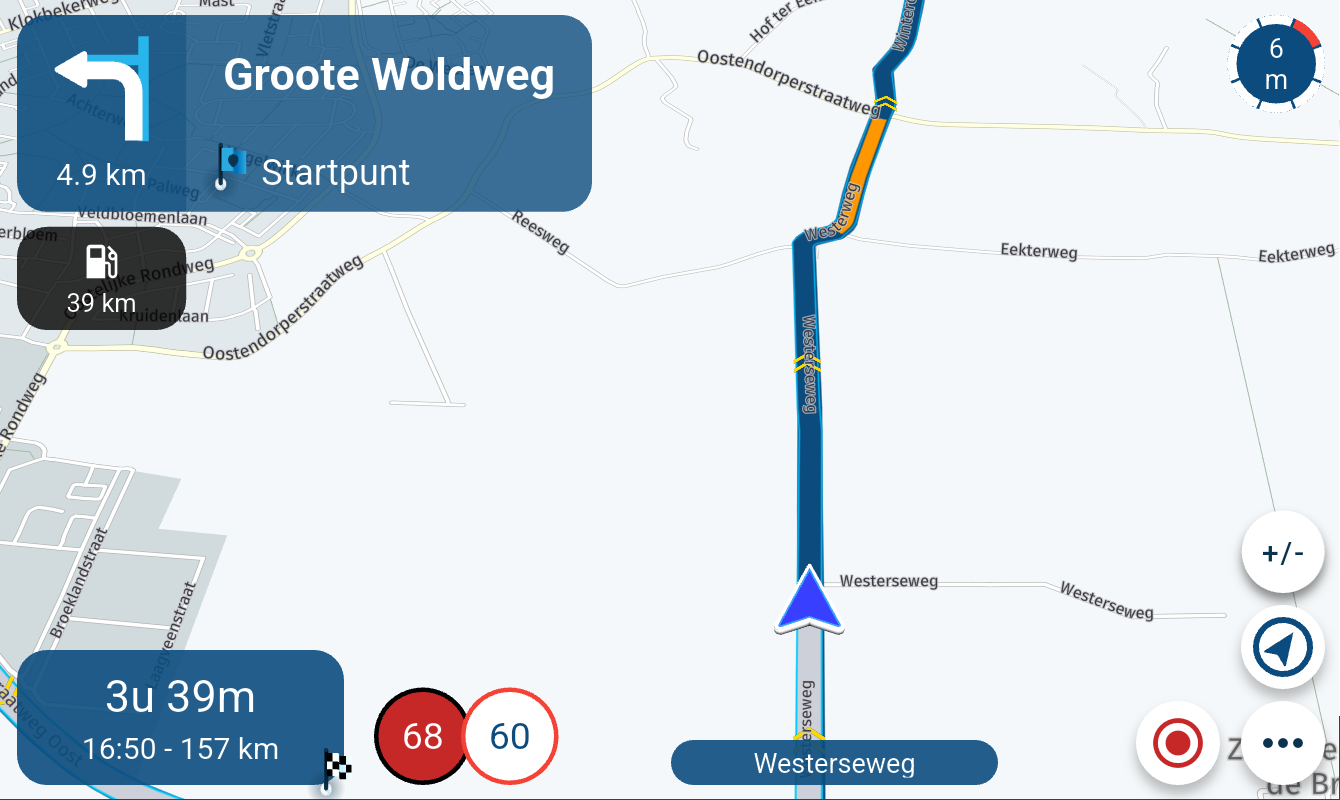
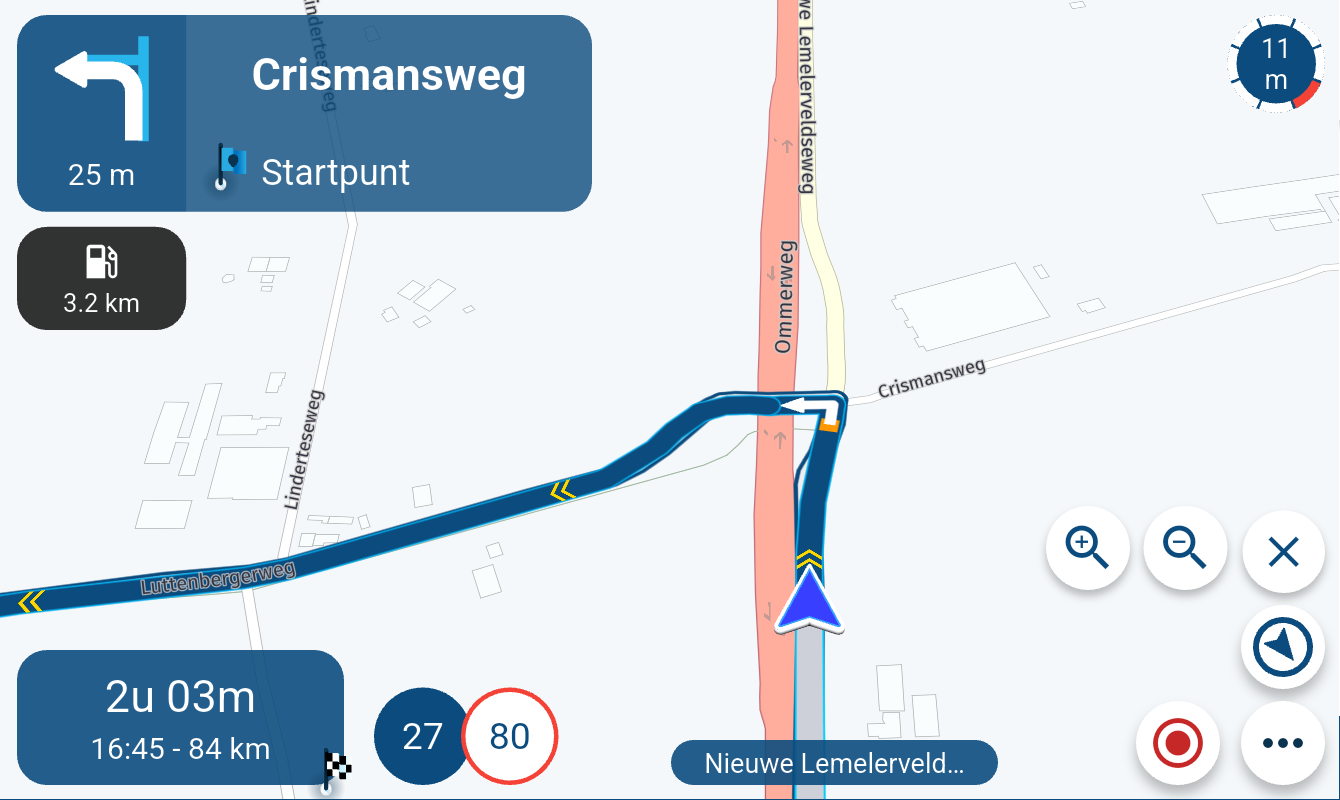
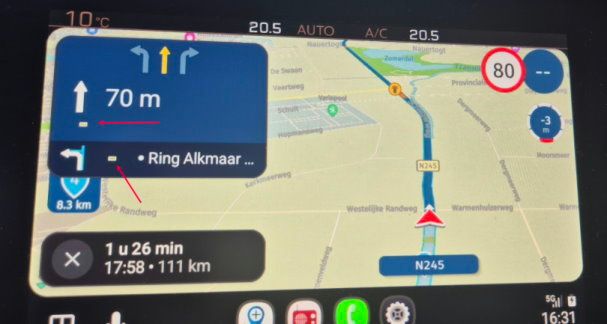
Different route guidance between the route lab and the MRA route planner
-

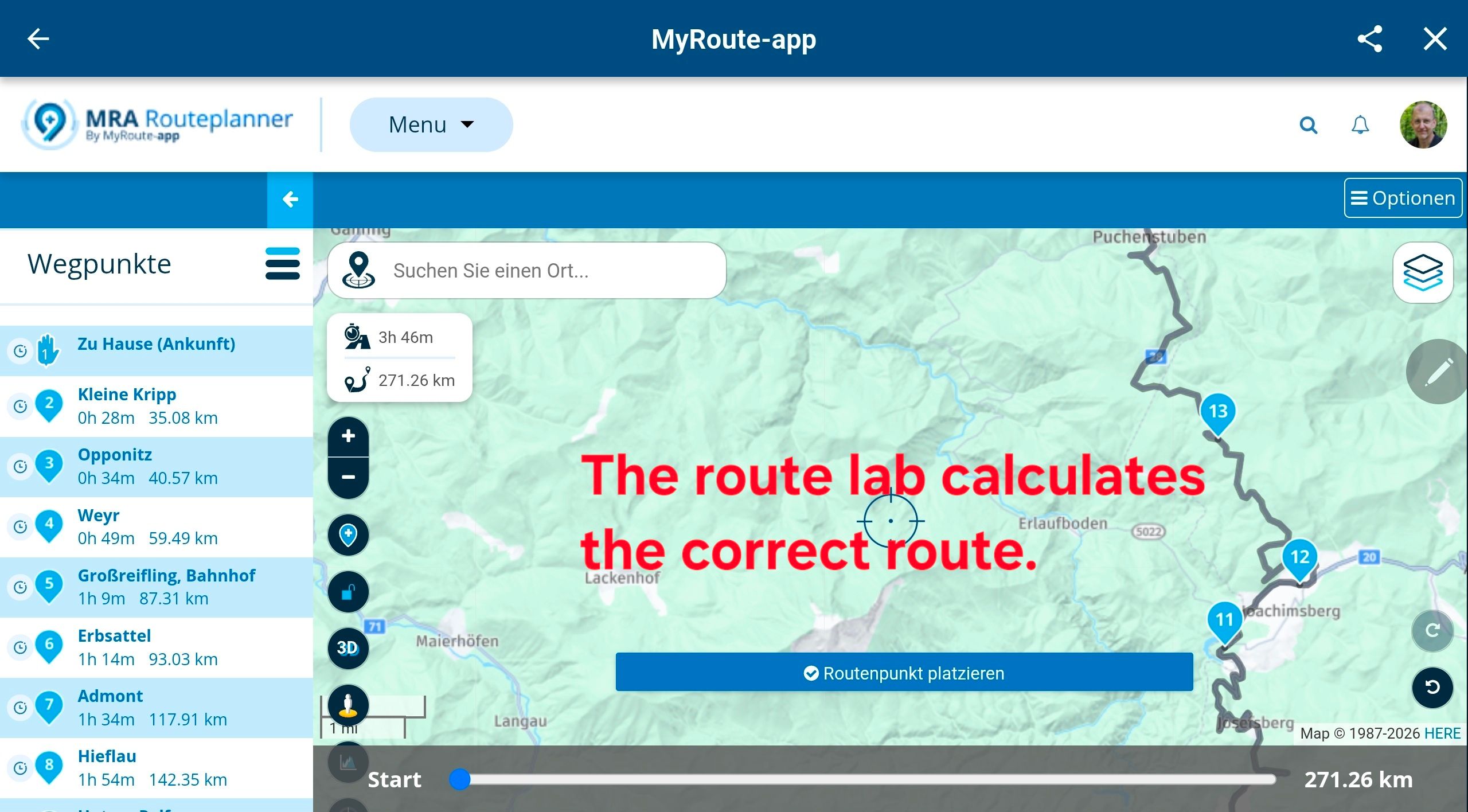
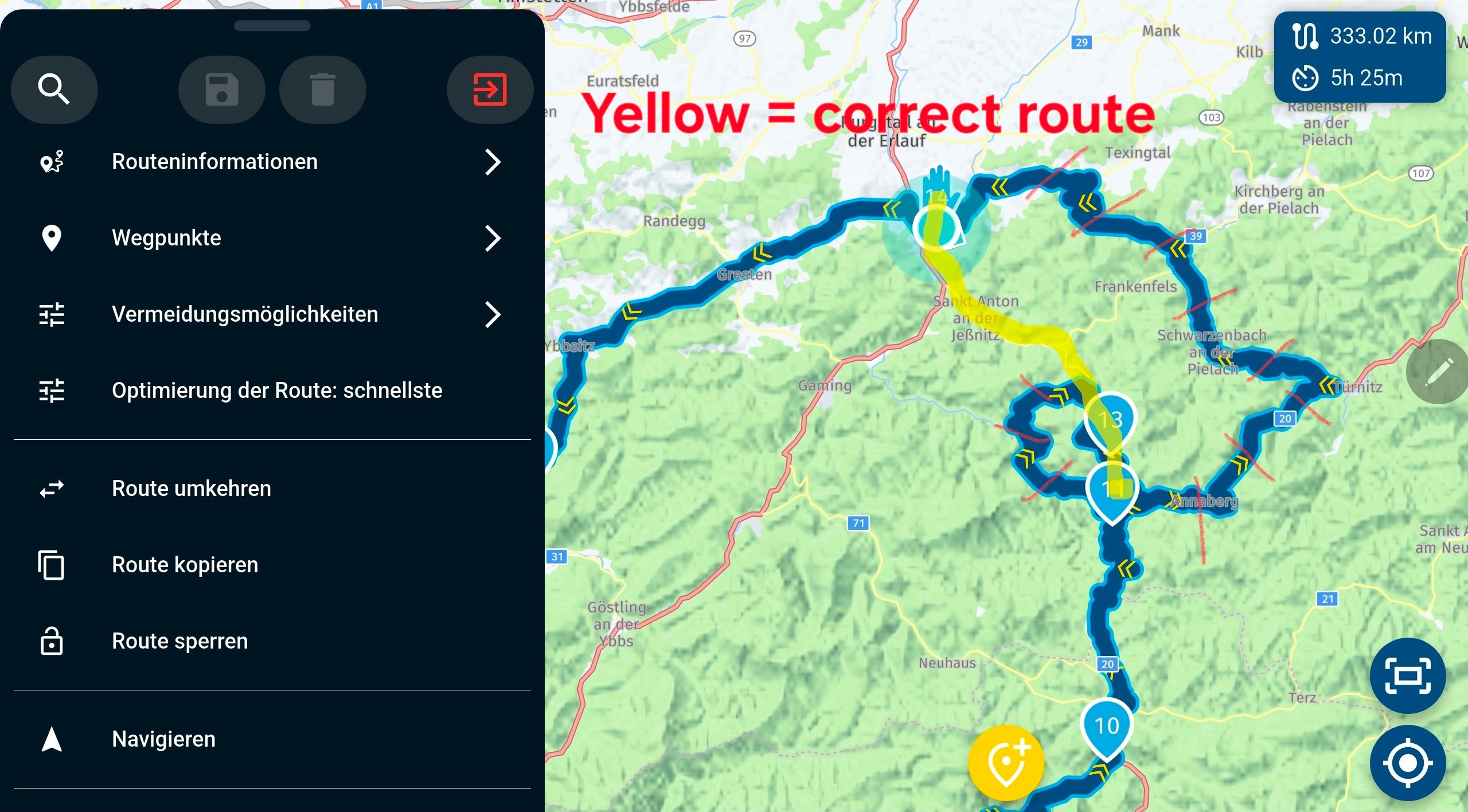
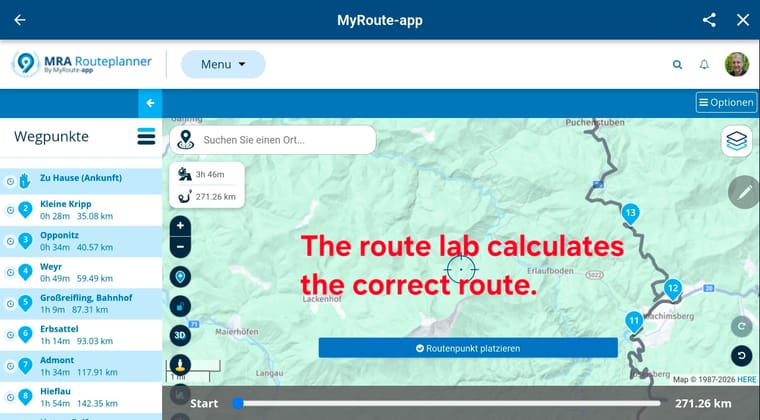
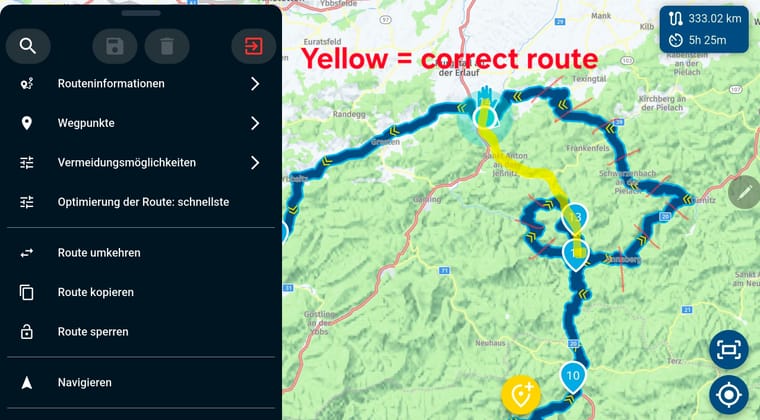
I've noticed that the MRA Route Lab and the MRA Route Planner use different routing data. I still prefer planning with the Route Lab because it's clearer for me. When I later open a route in the MRA, the planned route is displayed correctly, but as soon as I click "edit" or "navigate," the route can change. In my specific case, this is a problem because the MRA Route Planner (and therefore the navigation app) is providing incorrect data. This has led me astray several times recently. How can this be resolved?
-

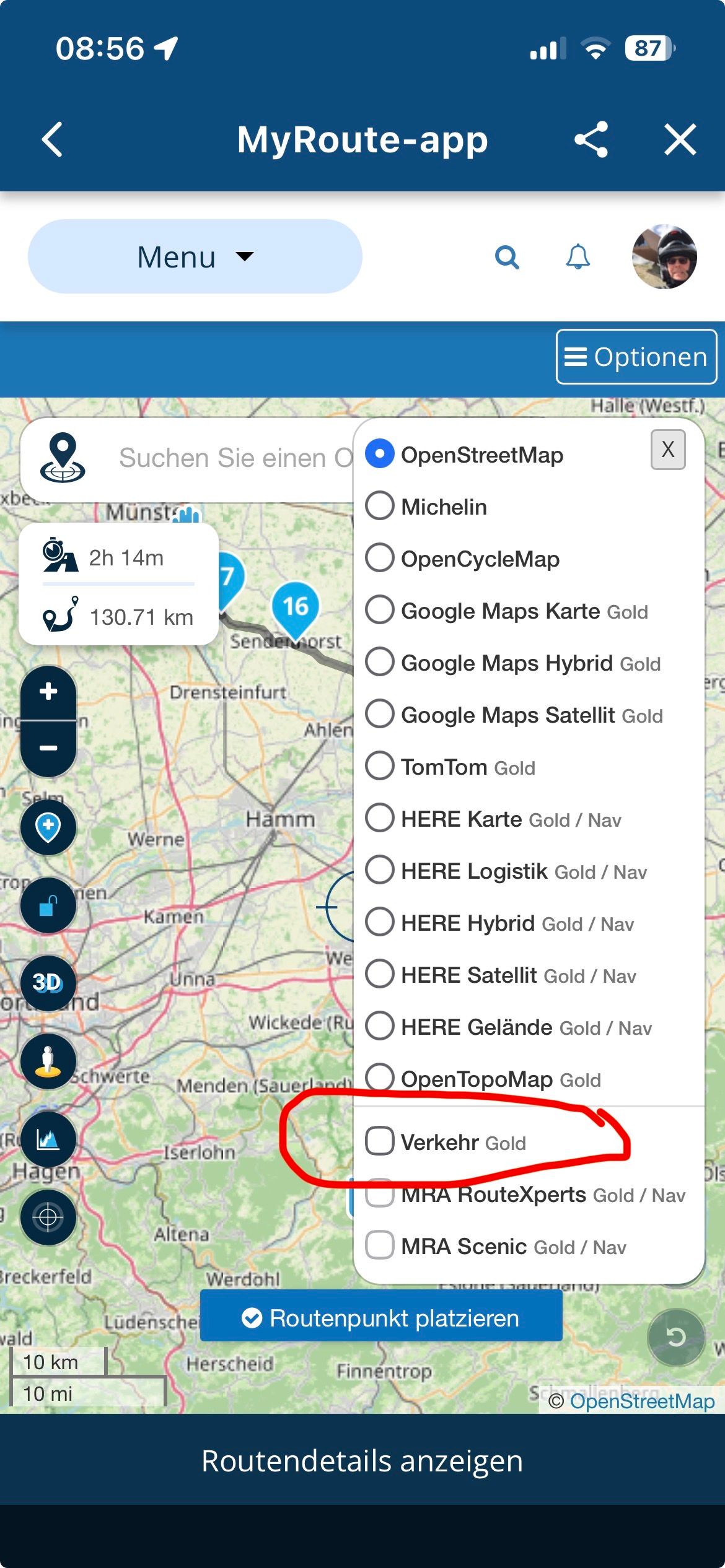
Solution: in the route planner...
-
Activate traffic data
-
Disable seasonal lockdowns
This is how the route planner behaves exactly like the app, I suspect construction sites or seasonal closures on the route ...
——-
Lösung: im Routenplaner…
- Verkehrsdaten aktivieren
- Saisonale Sperrungen deaktivieren
So verhält sich der Routenplaner genau so wie die App, ich vermute Baustellen oder Sperrungen Saisonal auf der Strecke …
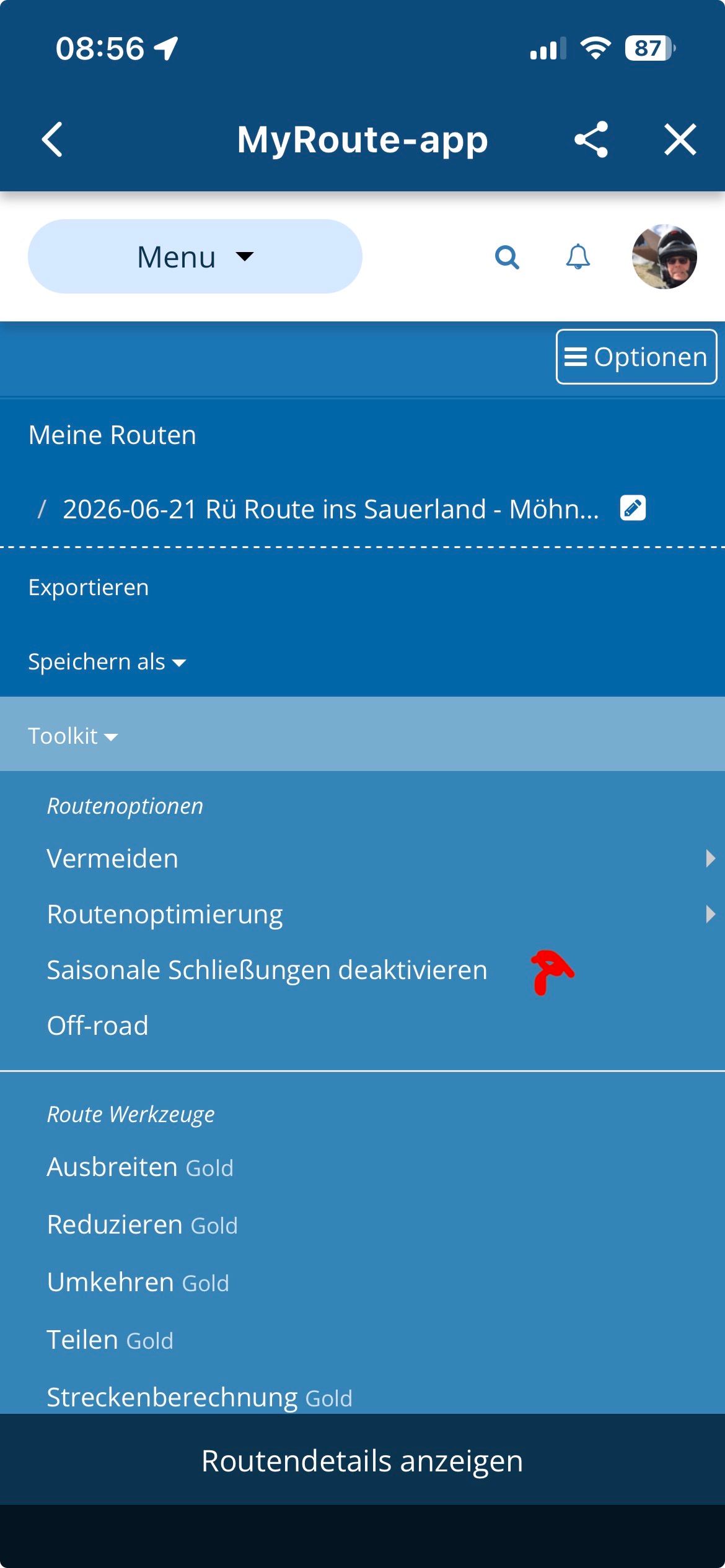
VG Hubert
Beta Test "Next App" dazu die Hardware .
iPad 9. Gen iOS 27.0.1/ iPhone 16e iOS 27.0.1/ Navi iPhone Xr iOS 18.7.10 / PC mit MS Win11 /❗️MyRoute-App im Cradel und Remotek-One❗️ Info zu MRA & Remotek One -
-
Solution: in the route planner...
-
Activate traffic data
-
Disable seasonal lockdowns
This is how the route planner behaves exactly like the app, I suspect construction sites or seasonal closures on the route ...
——-
Lösung: im Routenplaner…
- Verkehrsdaten aktivieren
- Saisonale Sperrungen deaktivieren
So verhält sich der Routenplaner genau so wie die App, ich vermute Baustellen oder Sperrungen Saisonal auf der Strecke …

Yes, both modules has different configurations for routing and I always deactivate seasonal closures when planning.
Solution: in the route planner...
Activate traffic data

Disable seasonal lockdowns
but... Perhaps you mean "RouteLab" and not "RoutePlanner", isn't it?
At least, the images provided to deactivate seasonal closures and traffic layer are from RouteLab (WebPlanner)
Regards
-
-
Solution: in the route planner...
-
Activate traffic data
-
Disable seasonal lockdowns
This is how the route planner behaves exactly like the app, I suspect construction sites or seasonal closures on the route ...
——-
Lösung: im Routenplaner…
- Verkehrsdaten aktivieren
- Saisonale Sperrungen deaktivieren
So verhält sich der Routenplaner genau so wie die App, ich vermute Baustellen oder Sperrungen Saisonal auf der Strecke …
@Hubert-Thoring Thank you for the detailed response. I have now traced the steps and, for testing purposes, disabled the "Deactivate seasonal closures" option in the web planner; this yielded the same result as in the Android app. However, the result is incorrect. There is no seasonal closure or (total) closure in that area. It is unfortunate that the Android app does not respond when enabling or disabling seasonal closures; in either case, it always produces the same incorrect result.
Vielen Dank für die ausführliche Antwort. Ich habe das jetzt nachvollzogen und im Web-Planer den Menüpunkt "Saisonale Schließungen deaktivieren" testweise deaktiviert und kam damit zum selben Ergebnis wie in der Android App. Jedoch ist das Ergebnis falsch. Es gibt in dem Gebiet keine saisonale Schließung und es gibt keine (Total)sperre. Schade ist, dass die Android App nicht reagiert, wenn man Saisonale Schließungen aktiviert oder deaktiviert. Es kommt in diesem Fall immer dasselbe falsche Ergebnis heraus.
-
-

Are you using the Here maps in routelab?
-

There seems to be some road closures on the stretch from Joachimsberg to Sankt Anton.
(I use MRA Next only on Android Auto. Every comment, suggestion, etc will be based on my usage with Android Auto)
-
There seems to be some road closures on the stretch from Joachimsberg to Sankt Anton.
@M.-Schrijver Yes, the image looks like it. There was indeed a road closure there at one time, but it's long since been lifted. I use the HERE map for route planning in the Route Lab (website), which is already up-to-date in that area. The data in the Android app seems to be outdated. It's a problem when you plan a route and the navigation system shows a different way. As I understand it, the web planner and the Android app should use the same map data.
Ja, die Abbildung sieht danach aus. Es gab dort tatsächlich einmal eine Straßensperre, die aber schon lange nicht mehr aktuell ist. Ich verwende im Routen Labor (Website) die HERE Karte für die Planung, die ist in dem Bereich bereits akutell. Die Daten der Android App scheinen veraltet zu sein. Es ist halt ein Problem, wenn man ein Route plant, und das Navi einen anderen Weg anzeigt. Die Web-Planer und die Android App sollten nach meinem Verständnis dasselbe Kartenmaterial verwenden.
-
Are you using the Here maps in routelab?
@RetiredWingMan Yes, I use HERE maps for planning.
-
I've found the best solution for myself: If I know a route is open and MyRouteApp displays it differently, I now use the "Track Navigation" function in the navigation settings. While I would prefer it to work via "Route Navigation" as well, I have little control over the data as a user. I did find a way to report map errors to HERE, which works, but the planner integrated into the MRA uses different data.
Ich habe für mich die beste Lösung gefunden: Wenn ich von einer Strecke weiß, dass sie offen ist und MyRouteApp das anders anzeigt, verwende ich nun bei den Navigationseinstellungen die Funktion "Track-Navigation". Es wäre mir zwar lieber, wenn das auch über "Routen-Navigation" funktionieren würde, aber auf den Datenstand habe ich als Benutzer nur wenig Einfluss. Ich habe zwar eine Möglichkeit gefunden Kartenfehler bei HERE zu melden, was auch funktioniert, aber der in der MRA integrierte Planer verwendet abweichende Daten.
-
I've found the best solution for myself: If I know a route is open and MyRouteApp displays it differently, I now use the "Track Navigation" function in the navigation settings. While I would prefer it to work via "Route Navigation" as well, I have little control over the data as a user. I did find a way to report map errors to HERE, which works, but the planner integrated into the MRA uses different data.
Ich habe für mich die beste Lösung gefunden: Wenn ich von einer Strecke weiß, dass sie offen ist und MyRouteApp das anders anzeigt, verwende ich nun bei den Navigationseinstellungen die Funktion "Track-Navigation". Es wäre mir zwar lieber, wenn das auch über "Routen-Navigation" funktionieren würde, aber auf den Datenstand habe ich als Benutzer nur wenig Einfluss. Ich habe zwar eine Möglichkeit gefunden Kartenfehler bei HERE zu melden, was auch funktioniert, aber der in der MRA integrierte Planer verwendet abweichende Daten.

@Reinhard-Punz I think the system is working pretty much as intended
Any avoidance setting set in the MRA web planner is set the same in the MRA app for that route,
the settings are part of the route & are synchronised in your accountWhen planning if you want to ignore road closures then "Disable Seasonal Closure" option should be enabled
this way you can plan the path you want to take regardless of what the road situation maybe today,
in 6 months or a year from now
The term "Seasonal" is a poor description of what the function does, originally it was for winter high mountain passes but its function has been expanded so now it also ignores temporary road closuresIf in the navigation app you decide to be online allow traffic aware route calculations of course the app will recalculate the route with the current data it has available
As you have correctly discovered if you want to ride a route exactly as you have planned then you have to ride the path as a track & for complete peace of mind be in offline mode, that way nothing can interfere with your plan
If you want to ride as a route then your open to changes being made to the planned path
You cant blame the app for doing what you tell it to doIn your settings you may find it useful to enable the function "Navigation Settings > Screen Layout > Lines > Show Original Route"
This displays a white line of the original route/track on the background of the map so you can easily see where the directional path is deviating from the original planed path
Hello! It looks like you're interested in this conversation, but you don't have an account yet.
Getting fed up of having to scroll through the same posts each visit? When you register for an account, you'll always come back to exactly where you were before, and choose to be notified of new replies (either via email, or push notification). You'll also be able to save bookmarks and upvote posts to show your appreciation to other community members.
With your input, this post could be even better 💗
Register Login-
07148
-
 0538
0538
-
 0442
0442
-
 04130
04130
-
 0416
0416
-
 6324.3k
-
037
-
 1343
1343