Skip to content
  • Categories
  • Recent
  • Popular
  • Support
  • MyRoute-app
Collapse
Brand Logo

MRA Community Forum

  1. Home
  2. Export assistance
  3. [Export] Garmin
  4. GPX Versions 1.1 vs 1.2 for Garmin Visually Explained

GPX Versions 1.1 vs 1.2 for Garmin Visually Explained
Scheduled Pinned Locked Moved [Export] Garmin
gpx 1.1gpx 1.2garmin xt
190 Posts 21 Posters 28.0k Views 4 Watching
  • Oldest to Newest
  • Newest to Oldest
  • Most Votes
Reply
  • Reply as topic
Log in to reply
This topic has been deleted. Only users with topic management privileges can see it.
  • Marinus van Deudekom Marinus van Deudekom

    @John-S-Parry said:

    There is no specific need for using HERE as the base map when creating a GPX. It doesn't matter at all for 1.2, and if you have enough shaping points, it shouldn't make a difference using 1.1.

    That's not true. If you want to use the 1.2 file Here map is mandatory.
    Since there is quite a difference between Here and TomTom you will certainly have a bad route using OSM of TomTom for you planning.
    On top of that all Garmin systems are Here based

    John S Parry Offline
    John S Parry Offline
    John S Parry
    wrote last edited by
    #147

    @Marinus-van-Deudekom Interesting. Here is an OSM route I just put together:

    https://www.myrouteapp.com/route/open/14123994

    I exported this GPX in 1.2 format. I then Imported the 1.2 route into my Garmin XT3. No problems. I verified that the route in the XT3 exactly mirrored the original MRA Routplanner route in every way. To no surprise, an exact match.

    Finally, I started the route on my XT3. No issues whasoever.

    The only difference between base maps how they calculate in their respective environments. If you have enough shaping points defined, any map can be imported into a Garmin device and recalculate as you into intend.

    Please explain how you came to your conclusions.

    1 Reply Last reply
    1
    • Simon James Hancock Simon James Hancock

      As I understand it if I make it a via point I will have to stop there otherwise will be rerouted back.
      I just want to add the location of petrol stations for referance when I might need them along the route.

      Steve Jarrell Offline
      Steve Jarrell Offline
      Steve Jarrell
      Valued contributor
      wrote last edited by
      #148

      @Simon-James-Hancock Good question. When you add a via point your don't have to stop there, you just have to go past that position.

      If you add the petrol stations along your route where you may want to stop and you just ride past them you'll be fine. If you do get off of your route the Garmin will try to route you back to them, and as we've discussed, when you skip the via point then the Garmin recalculates your route based on it's own logic and not your shaping points.

      If you want to follow your original route, your only option at that point is stop the route, restart it and select "Closest Entry Point" and it will put you back on your route past the petrol station via point that you bypassed and it will preserve your original route.

      I typically only put via points for petrol (gas over here) stations in my route if they're going to be scarce where I'm going to be so I rarely skip them. Otherwise for me they're more hassle than what they're worth.

      There are other workarounds using Points of Interest but frankly they're way more trouble than what they're worth. The MRA app doesn't have this (or other) limitation but that an entirely different conversation! 🙂

      Steve Jarrell
      Western North Carolina US

      Lifetime Routeplanner Gold & Navigation Next
      2025 BMW R1300GS
      2025 Can-Am Spyder
      DMD T865-X 8" Tablet
      Garmin XT3

      1 Reply Last reply
      0
      • Simon James Hancock Simon James Hancock

        As I understand it if I make it a via point I will have to stop there otherwise will be rerouted back.
        I just want to add the location of petrol stations for referance when I might need them along the route.

        Carl Lee Offline
        Carl Lee Offline
        Carl Lee
        wrote last edited by Carl Lee
        #149

        @simon-james-hancock

        @Simon-James-Hancock said:
        I just want to add the location of petrol stations for referance when I might need them along the route.

        As I previously mentioned, try placing a POI on MRA. You can give it a petrol pump symbol and call it Fuel. No need for a via point if you don't need to be prompted and it will display on your Zumo.
        Edit: I've just read your post @steve-jarrell - I use MRA POIs regularly and find them really useful. Easy to place and a visual reminder on the Zumo map. And yes you're right, so long as you ride through them, a via point will not turn you back.

        @john-s-parry @marinus-van-deudekom I've found 1.2 to be way more forgiving of route point placement when calculating. And I would have it the other way round - HERE is probably more necessary using 1.1 when poor route point placement often results in "cannot calculate the route".

        My experience anyway.

        John S Parry 1 Reply Last reply
        0
        • Carl Lee Carl Lee

          @simon-james-hancock

          @Simon-James-Hancock said:
          I just want to add the location of petrol stations for referance when I might need them along the route.

          As I previously mentioned, try placing a POI on MRA. You can give it a petrol pump symbol and call it Fuel. No need for a via point if you don't need to be prompted and it will display on your Zumo.
          Edit: I've just read your post @steve-jarrell - I use MRA POIs regularly and find them really useful. Easy to place and a visual reminder on the Zumo map. And yes you're right, so long as you ride through them, a via point will not turn you back.

          @john-s-parry @marinus-van-deudekom I've found 1.2 to be way more forgiving of route point placement when calculating. And I would have it the other way round - HERE is probably more necessary using 1.1 when poor route point placement often results in "cannot calculate the route".

          My experience anyway.

          John S Parry Offline
          John S Parry Offline
          John S Parry
          wrote last edited by
          #150

          I've found 1.2 to be way more forgiving of route point placement when calculating. And I would have it the other way round - HERE is probably more necessary using 1.1 when poor route point placement often results in "cannot calculate the route".

          @carl-lee Im not sure I understand the above. Why is HERE any more necessary than OSM or TomTom when using 1.1 ??

          Poor route point placement is going to be a problem regardless of underlying base map. Again, I want to understand why HERE in particular is being inserted into the discussion.

          Steve Jarrell Marinus van Deudekom 2 Replies Last reply
          0
          • John S Parry John S Parry

            I've found 1.2 to be way more forgiving of route point placement when calculating. And I would have it the other way round - HERE is probably more necessary using 1.1 when poor route point placement often results in "cannot calculate the route".

            @carl-lee Im not sure I understand the above. Why is HERE any more necessary than OSM or TomTom when using 1.1 ??

            Poor route point placement is going to be a problem regardless of underlying base map. Again, I want to understand why HERE in particular is being inserted into the discussion.

            Steve Jarrell Offline
            Steve Jarrell Offline
            Steve Jarrell
            Valued contributor
            wrote last edited by
            #151

            @John-S-Parry The general consensus is for the most compatibility between MRA and Garmin devices you should use the HERE maps when you're saving your .gpx files from MRA to be used by the Garmin. This is discussed in a number of threads including this one.

            A search in this forum for Here Maps should turn up a lot of information.

            Steve Jarrell
            Western North Carolina US

            Lifetime Routeplanner Gold & Navigation Next
            2025 BMW R1300GS
            2025 Can-Am Spyder
            DMD T865-X 8" Tablet
            Garmin XT3

            John S Parry 1 Reply Last reply
            0
            • Steve Jarrell Steve Jarrell

              @John-S-Parry The general consensus is for the most compatibility between MRA and Garmin devices you should use the HERE maps when you're saving your .gpx files from MRA to be used by the Garmin. This is discussed in a number of threads including this one.

              A search in this forum for Here Maps should turn up a lot of information.

              John S Parry Offline
              John S Parry Offline
              John S Parry
              wrote last edited by
              #152

              @Steve-Jarrell said:

              @John-S-Parry The general consensus is for the most compatibility between MRA and Garmin devices you should use the HERE maps when you're saving your .gpx files from MRA to be used by the Garmin. This is discussed in a number of threads including this one.

              Many moons ago withe the earlier Garmin GPS devices, there was a more-or-less a direct compatibly between Basecamp and the GPS units. With the XTs, that HERE route calculation Equivalency has slowly degraded. In the years I used the XT, it wasn’t unusual to find my route to recalculate slightly different from what I developed in BC. It happened enough where I had to always double check after route transfer, and then adjust shaping points to get the platforms in sync.

              The fact is that MRA HERE and Garmin HERE are not identical, and suffer the same occasional calculation differences. It’s not a debatable point. I can show you several routes I’ve developed in Routeplanner HERE that needed required additional shaping points to calculate correctly on the XT side.

              So, you can argue that MRA HERE is closer, but this isn’t horseshoes or hand grenades. The development platform (MRA Routeplanner) either calculates 100% the same as the GPS device, or it doesn’t.

              The forum is littered with endless problems associated with HERE. If you like the search function, check that out yourself.

              With route creation, it comes down to taking responsibility for overloading shaping points so that the calculation routines have no choice but to calculate the way you want. I think you understand that from what I read in your posts. In Routeplanner, I have found OSM to be a terrific base map for route creation. Dozens of complex routes successfully created and executed tells me so. Overload with shaping points, and it simply works without the drama that sometimes gets inserted by MRA HERE.

              I hope this explains where I’m coming from.

              Steve Jarrell 1 Reply Last reply
              1
              • John S Parry John S Parry

                @Steve-Jarrell said:

                @John-S-Parry The general consensus is for the most compatibility between MRA and Garmin devices you should use the HERE maps when you're saving your .gpx files from MRA to be used by the Garmin. This is discussed in a number of threads including this one.

                Many moons ago withe the earlier Garmin GPS devices, there was a more-or-less a direct compatibly between Basecamp and the GPS units. With the XTs, that HERE route calculation Equivalency has slowly degraded. In the years I used the XT, it wasn’t unusual to find my route to recalculate slightly different from what I developed in BC. It happened enough where I had to always double check after route transfer, and then adjust shaping points to get the platforms in sync.

                The fact is that MRA HERE and Garmin HERE are not identical, and suffer the same occasional calculation differences. It’s not a debatable point. I can show you several routes I’ve developed in Routeplanner HERE that needed required additional shaping points to calculate correctly on the XT side.

                So, you can argue that MRA HERE is closer, but this isn’t horseshoes or hand grenades. The development platform (MRA Routeplanner) either calculates 100% the same as the GPS device, or it doesn’t.

                The forum is littered with endless problems associated with HERE. If you like the search function, check that out yourself.

                With route creation, it comes down to taking responsibility for overloading shaping points so that the calculation routines have no choice but to calculate the way you want. I think you understand that from what I read in your posts. In Routeplanner, I have found OSM to be a terrific base map for route creation. Dozens of complex routes successfully created and executed tells me so. Overload with shaping points, and it simply works without the drama that sometimes gets inserted by MRA HERE.

                I hope this explains where I’m coming from.

                Steve Jarrell Offline
                Steve Jarrell Offline
                Steve Jarrell
                Valued contributor
                wrote last edited by Steve Jarrell
                #153

                @John-S-Parry I totally understand and I mostly agree. I've used both the OSM and HERE maps extensively in MRA.

                However I do believe that the "lowest common denominator" between MRA and Garmin are the HERE maps, and my best chance of seeing my exact route that I planned in MRA on my Garmin device is using the HERE map in MRA. I think that this belief is echoed by many of the top MRA experts on this forum (which I AM NOT!). 🙂

                Is it perfect using HERE maps on both MRA and Garmin? NO, absolutely not!

                Is it better than using the OSM map in MRA, then saving the route as a .gpx file and importing it into a Garmin which uses the HERE maps as its base maps and not the OSM maps? Based on my experience.... YES.

                I really like the OSM maps.... don't get me wrong. My goal when I create a route in MRA and transfer it to my Garmin is to follow the route EXACTLY as I planned it in MRA.

                In MY experience, MY very best chance of accomplishing that goal is to:

                • Plan the route in the online version of MRA using the HERE map, and put via points where I definitely want to stop or at least pass by (petrol/gas stations, overlooks, monuments, restaurants, or whatever)
                • Put enough shaping points in MRA to shape the route exactly like I want to ride it. This is where MRA excels and makes creating exactly the route that I want easier than any other application that I have ever used.
                • Save the route using the .gpx 1.2 format
                • Import the .gpx 1.2 route into the Garmin and place it into a collection along with the track so that I can see both of them simultaneously (this is for the XT2 and XT3.... previous models don't use collections so there are other methods for showing routes and tracks simultaneously)
                • Avoid skipping via points as much as possible, and if I must then I just restart the route and enter at the closest entry point.

                I think that we all realize that EVERYTHING we do between MRA and GARMIN involves compromises. If there is a "perfect" solution I most certainly don't know what it is, nor have I ever heard of anyone who does.

                I believe that the best we can do is weigh all of the variables and do what we think is best for our application. There are really no right or wrong definitive answers!

                The key is understanding the options and limitations so that you can make an intelligent choice, and I'm very thankful for all of the expertise and thoughtful input everyone has provided here. I have learned a lot!

                Steve Jarrell
                Western North Carolina US

                Lifetime Routeplanner Gold & Navigation Next
                2025 BMW R1300GS
                2025 Can-Am Spyder
                DMD T865-X 8" Tablet
                Garmin XT3

                John S Parry 1 Reply Last reply
                0
                • Carl Lee Offline
                  Carl Lee Offline
                  Carl Lee
                  wrote last edited by
                  #154

                  @john-s-parry Base maps and their specifics is not a lecture I feel qualified to give. What I have observed is that the mapping is more akin to the XT2 and that each of them have their own routing logic which you can see with the 'Compare' function. Likewise, I've been led to believe by people more expert than me that it's the informed choice.

                  I do swap between layers when planning with the HERE base map and I find OSM useful to see where certain roads lead and their travel direction (if one-way etc.). When doing this, my black route line is often not on the OSM road and sometimes way off. I get round this by placing my route point on the black line then checking back on the HERE overlay to make sure it's on the road. Route points not on the road (or line) have resulted in calculating errors on my XT2. I hope that explains better what I was trying to say.

                  What I will stand by is that GPX1.2 is way more forgiving of MRA planning errors than GPX1.1. A very quickly put together MRA route planned (with or without via points) on HERE and transferred with 1.2 always seems to calculate and run whereas 1.1 needs a lot more attention to detail. And like I said, just my experience but I'm always open to new ideas.

                  I won't argue that planning with the OSM base map and 'overloading' shaping points will work and I'll certainly try it.

                  Steve Jarrell 1 Reply Last reply
                  0
                  • John S Parry John S Parry

                    I've found 1.2 to be way more forgiving of route point placement when calculating. And I would have it the other way round - HERE is probably more necessary using 1.1 when poor route point placement often results in "cannot calculate the route".

                    @carl-lee Im not sure I understand the above. Why is HERE any more necessary than OSM or TomTom when using 1.1 ??

                    Poor route point placement is going to be a problem regardless of underlying base map. Again, I want to understand why HERE in particular is being inserted into the discussion.

                    Marinus van Deudekom Offline
                    Marinus van Deudekom Offline
                    Marinus van Deudekom
                    RouteXpert
                    wrote last edited by
                    #155

                    @John-S-Parry Although the 1.2 export doesn't show the shaping points on your Garmin. The track that is the base of your 1.2 export consist of thousands of invisible shaping points. Of the original shaping points in MRA are off the route the result will be accordingly thus giving Garmin the possibility to mess up your day

                    Honda Goldwing GL1500,
                    Honda Silverwing GL 650
                    DMD2 T865X 8 inch Android tablet using MRA next for navigation
                    Garmin XT sold
                    Samsung S24FE mounted on a Quadlock and using Android Auto in my car

                    1 Reply Last reply
                    0
                    • Steve Jarrell Steve Jarrell

                      @John-S-Parry I totally understand and I mostly agree. I've used both the OSM and HERE maps extensively in MRA.

                      However I do believe that the "lowest common denominator" between MRA and Garmin are the HERE maps, and my best chance of seeing my exact route that I planned in MRA on my Garmin device is using the HERE map in MRA. I think that this belief is echoed by many of the top MRA experts on this forum (which I AM NOT!). 🙂

                      Is it perfect using HERE maps on both MRA and Garmin? NO, absolutely not!

                      Is it better than using the OSM map in MRA, then saving the route as a .gpx file and importing it into a Garmin which uses the HERE maps as its base maps and not the OSM maps? Based on my experience.... YES.

                      I really like the OSM maps.... don't get me wrong. My goal when I create a route in MRA and transfer it to my Garmin is to follow the route EXACTLY as I planned it in MRA.

                      In MY experience, MY very best chance of accomplishing that goal is to:

                      • Plan the route in the online version of MRA using the HERE map, and put via points where I definitely want to stop or at least pass by (petrol/gas stations, overlooks, monuments, restaurants, or whatever)
                      • Put enough shaping points in MRA to shape the route exactly like I want to ride it. This is where MRA excels and makes creating exactly the route that I want easier than any other application that I have ever used.
                      • Save the route using the .gpx 1.2 format
                      • Import the .gpx 1.2 route into the Garmin and place it into a collection along with the track so that I can see both of them simultaneously (this is for the XT2 and XT3.... previous models don't use collections so there are other methods for showing routes and tracks simultaneously)
                      • Avoid skipping via points as much as possible, and if I must then I just restart the route and enter at the closest entry point.

                      I think that we all realize that EVERYTHING we do between MRA and GARMIN involves compromises. If there is a "perfect" solution I most certainly don't know what it is, nor have I ever heard of anyone who does.

                      I believe that the best we can do is weigh all of the variables and do what we think is best for our application. There are really no right or wrong definitive answers!

                      The key is understanding the options and limitations so that you can make an intelligent choice, and I'm very thankful for all of the expertise and thoughtful input everyone has provided here. I have learned a lot!

                      John S Parry Offline
                      John S Parry Offline
                      John S Parry
                      wrote last edited by
                      #156

                      @Steve-Jarrell @carl-lee @marinus-van-deudekom First, thanks for the conversation. I get passionate about this stuff, so sometimes I hit back harder than I should. In my defense, this is my hobby. I love studying maps and their relative behaviors. With due respect, sometimes things are said/implied by "experts" that have no basis in reality and are simply accepted as the gospel by many. In my experience, the value of using "HERE" as a base map for import to Garmin devices is one of them.

                      The route below is a very recent example:

                      2fe09775-1f04-47e1-8fa2-2a3971fdf49e-image.jpeg

                      The black line shows the HERE map route line. You can clearly see with an OSM overlay that the route section around WP#7 is significantly off from where the physical road actually exists. In other words, it's a HERE cartography error that really screwed up running the HERE version of the route. I'd like to say this is the first time I have encountered this kind of HERE error, but I can't. In any case, if you're interested in the details, you can review the topic:

                      https://forum.myrouteapp.com/topic/11297/another-erratic-routing-incident?page=1

                      I won't rehash much of what I've already said. But in short, HERE (to me) has too many deficiencies to trust as a base map for Routeplanner development. There is a laundry list of other serious HERE problems I could list but won't do here.

                      I'll finish by emphasizing that there is too much fear of non-HERE route development. In addition to using OSM in Routeplanner, I also develop routes using a Mac Desktop planner called inRoute, which is completely Apple Maps based. I can export a GPX from inRoute, import it into a Garmin GPS, and have 100% confidence that everything is OK. Again, proven over years of development using that platform. It comes down to having the right mix of shaping points for an accurate recalculation on the Gamin side.

                      From a cartography and GPS coordinates point of view, I'll take OSM or Apple based maps every time over HERE. This is all from personal experience and not conjecture. As always, I want to learn and if there is something I'm missing here, I'm all ears.

                      1 Reply Last reply
                      1
                      • Marinus van Deudekom Offline
                        Marinus van Deudekom Offline
                        Marinus van Deudekom
                        RouteXpert
                        wrote last edited by
                        #157

                        This whole topic is about getting routes into Garmin devices. Garmin uses Here as road map. Its a known and multiple proved fact that routes created with OSM or TomTom cause problems on those Garmin devices.
                        Im certainly not stating that the Here map is perfect. Far from that BUT it's the map Garmin uses.
                        If you want to use OSM be my guest.
                        By the way my Garmin devices are all sold
                        Im a MRA RouteXpert so yes I'm promoting MRA. Is it perfect no but pretty damn near close and as far as I'm concerned the number 1 app to navigate with.

                        Honda Goldwing GL1500,
                        Honda Silverwing GL 650
                        DMD2 T865X 8 inch Android tablet using MRA next for navigation
                        Garmin XT sold
                        Samsung S24FE mounted on a Quadlock and using Android Auto in my car

                        Stevedo 6 0 John S Parry 2 Replies Last reply
                        0
                        • Carl Lee Offline
                          Carl Lee Offline
                          Carl Lee
                          wrote last edited by Carl Lee
                          #158

                          @john-s-parry ok, I can see from your link that you've had a very similar conversation before.

                          I've just had a little play with the base maps and overlays and it's as you say; a route point placed on the road and on the route line in OSM is not necessarily on the route line when you change the base map to HERE even if it appears that way on the OSM/HERE layer. I hope that makes sense - it does to me.

                          This is probably something I gleaned some time ago and forgot but it leads me to conclude that I'm probably better off sticking to the HERE base map and utilising the OSM layer as a planning aid. I navigate with an XT2.

                          Route points not placed directly on the HERE roads have given me grief in the past. Don't worry about hitting back, so long as we can all get something out of it all is good.

                          I'm still working out what my way of going forward is with GPX files for a tour. At the moment I'm favouring GPX1.1 on the SD card as a backup then a quick check to see if it will calculate through Tread too. If it's taking ages, transfer through Tread as GPX1.2 which seems to be much quicker.

                          Anyway, Road Closures. Any idea if one will promulgate a full route recalculation? I think that's my only major unknown re GPX1.2 and why you may have to disable Traffic.

                          1 Reply Last reply
                          0
                          • Marinus van Deudekom Marinus van Deudekom

                            This whole topic is about getting routes into Garmin devices. Garmin uses Here as road map. Its a known and multiple proved fact that routes created with OSM or TomTom cause problems on those Garmin devices.
                            Im certainly not stating that the Here map is perfect. Far from that BUT it's the map Garmin uses.
                            If you want to use OSM be my guest.
                            By the way my Garmin devices are all sold
                            Im a MRA RouteXpert so yes I'm promoting MRA. Is it perfect no but pretty damn near close and as far as I'm concerned the number 1 app to navigate with.

                            Stevedo 6 0 Offline
                            Stevedo 6 0 Offline
                            Stevedo 6 0
                            wrote last edited by
                            #159

                            @Marinus-van-Deudekom Your assertion that Garmin devices use HERE maps is only true if you choose not to load other maps, which is very easy to do. I exclusively use OSM maps on my Garmin devices and have done so in North, Central and South America, New Zealand, Europe including most of Scandinavia and the Baltics and lastly North Africa. I'm currently planning a trip to Australia and will continue to use MRA planner for planning but use my Garmin for navigation. There are currently just too many issues with the Next app for me.

                            I do not have issues in creating routes in planners that use OSM maps that I can then easily load and use on my Garmin devices.

                            I'm also currently evaluating the beta version of DMD2 Next and frankly it knocks the spots off MRA.

                            I currently recommend MRA planner to anyone that asks but actively dissuade people from using MRA Next.

                            Before anyone replies, please remember that my experiences, views and recommendations are just as valid as yours. I've seen how dismissive MRA jihadists can be of anyone who doesn't fully share their love for anything MRA.

                            1 Reply Last reply
                            0
                            • Carl Lee Carl Lee

                              @john-s-parry Base maps and their specifics is not a lecture I feel qualified to give. What I have observed is that the mapping is more akin to the XT2 and that each of them have their own routing logic which you can see with the 'Compare' function. Likewise, I've been led to believe by people more expert than me that it's the informed choice.

                              I do swap between layers when planning with the HERE base map and I find OSM useful to see where certain roads lead and their travel direction (if one-way etc.). When doing this, my black route line is often not on the OSM road and sometimes way off. I get round this by placing my route point on the black line then checking back on the HERE overlay to make sure it's on the road. Route points not on the road (or line) have resulted in calculating errors on my XT2. I hope that explains better what I was trying to say.

                              What I will stand by is that GPX1.2 is way more forgiving of MRA planning errors than GPX1.1. A very quickly put together MRA route planned (with or without via points) on HERE and transferred with 1.2 always seems to calculate and run whereas 1.1 needs a lot more attention to detail. And like I said, just my experience but I'm always open to new ideas.

                              I won't argue that planning with the OSM base map and 'overloading' shaping points will work and I'll certainly try it.

                              Steve Jarrell Offline
                              Steve Jarrell Offline
                              Steve Jarrell
                              Valued contributor
                              wrote last edited by
                              #160

                              @Carl-Lee "What I will stand by is that GPX1.2 is way more forgiving of MRA planning errors than GPX1.1. A very quickly put together MRA route planned (with or without via points) on HERE and transferred with 1.2 always seems to calculate and run whereas 1.1 needs a lot more attention to detail. And like I said, just my experience but I'm always open to new ideas."

                              You are 100% correct. It's a fact that a route created in the Garmin using the 1.2 format is FAR more likely to follow the route that's shown in MRA than one created with the 1.1 format unless you use a LOT of shaping points.

                              But why would you? I gave a couple of very clear examples of this at the beginning of this post.

                              Using the 1.1 vs. the 1.2 format to create the exact route that you planned in MRA in the Garmin, regardless of the map layer, is very tedious and requires that you send the route to the Garmin, let it create the route, then double check it against the track to ensure that it's what you planned in MRA.

                              I used 1.1 and did it this way many times until I understood exactly what the 1.2 format was how it works. The 1.2 format was created specifically to address this issue and allow you to create a route with far fewer shaping points while ensuring that the route precisely follows the track that you intended.

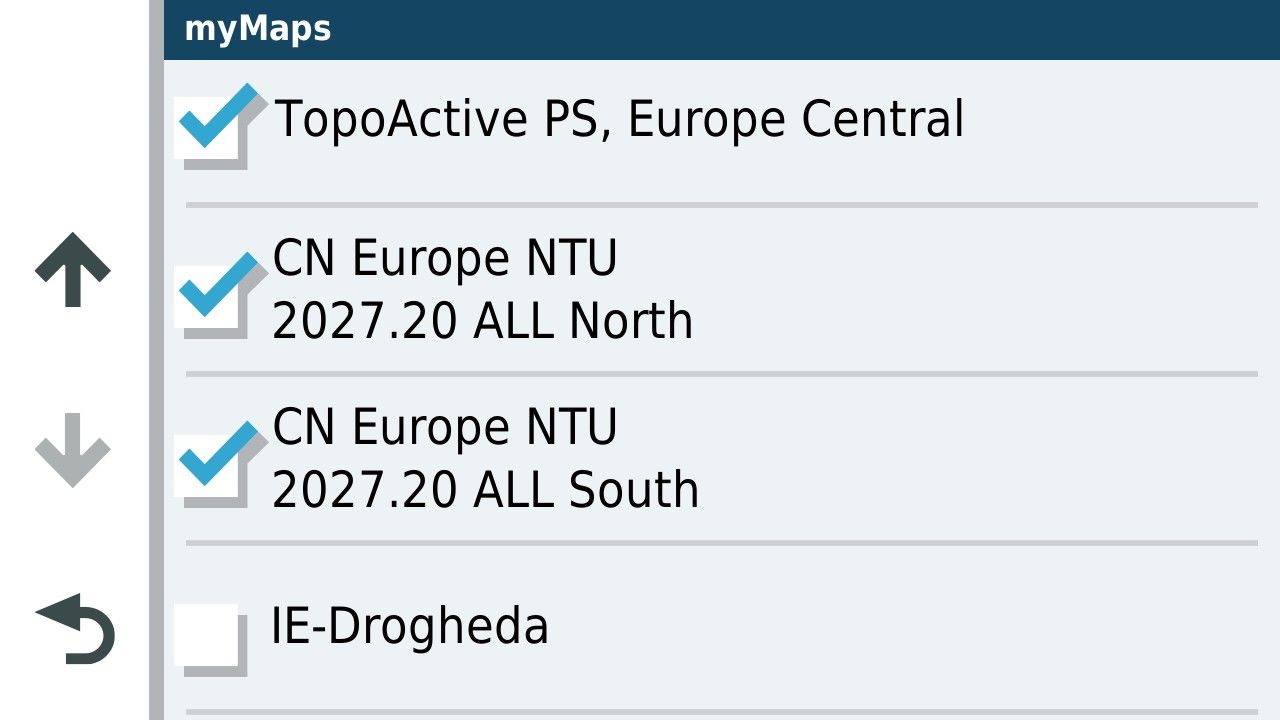
                              Here's another interesting fact that I learned just today. My Garmin XT3 actually uses HERE AND OSM mapping data. I have no idea when it uses either one, but it doesn't really concern me as I just want my route to follow my intended track as closely as possible, that the 1.2 format does that the best for me.

                              2026-08-06_111058_225362.png

                              Steve Jarrell
                              Western North Carolina US

                              Lifetime Routeplanner Gold & Navigation Next
                              2025 BMW R1300GS
                              2025 Can-Am Spyder
                              DMD T865-X 8" Tablet
                              Garmin XT3

                              1 Reply Last reply
                              0
                              • Marinus van Deudekom Marinus van Deudekom

                                This whole topic is about getting routes into Garmin devices. Garmin uses Here as road map. Its a known and multiple proved fact that routes created with OSM or TomTom cause problems on those Garmin devices.
                                Im certainly not stating that the Here map is perfect. Far from that BUT it's the map Garmin uses.
                                If you want to use OSM be my guest.
                                By the way my Garmin devices are all sold
                                Im a MRA RouteXpert so yes I'm promoting MRA. Is it perfect no but pretty damn near close and as far as I'm concerned the number 1 app to navigate with.

                                John S Parry Offline
                                John S Parry Offline
                                John S Parry
                                wrote last edited by
                                #161

                                @Marinus-van-Deudekom said:

                                This whole topic is about getting routes into Garmin devices. Garmin uses Here as road map. Its a known and multiple proved fact that routes created with OSM or TomTom cause problems on those Garmin devices.
                                Im certainly not stating that the Here map is perfect. Far from that BUT it's the map Garmin uses.
                                If you want to use OSM be my guest.
                                By the way my Garmin devices are all sold
                                Im a MRA RouteXpert so yes I'm promoting MRA. Is it perfect no but pretty damn near close and as far as I'm concerned the number 1 app to navigate with.

                                If "it's a known and multiple proved fact that routes created with OSM or TomTom cause problems on those Garmin devices", where is the documentation? Proven facts are usually outlined somewhere for public consumption. This is the second time you've made this assertion, but again provide no context to what "causes problems" means. We all want to learn, but simply throwing out assertions that fly in the face of what others have actually experienced is not helpful.

                                But I'll take a stab at what you're trying to communicate. If in Routeplanner you create a route using OSM or TomTom, and in that route you minimize the use of shaping points and instead allow OSM/TomTom to make route calculation decisions for you, problems may in fact occur on a Garmin. You're then allowing Garmin, which has different route calculation algorithms, to possibly choose different paths between Via Points. I'd argue that the problem is more with the route creator than with OSM/TomTom. If you're actually talking about something else, please bring some substance that would be helpful.

                                Mzokk 1 Reply Last reply
                                1
                                • John S Parry Offline
                                  John S Parry Offline
                                  John S Parry
                                  wrote last edited by
                                  #162

                                  @steve-jarrell I want to take this opportunity to again thank you for what's essentially been a tutorial on the GPX 1.2 format. I feel like a kid at Christmas. I'll never go back to 1.1 format routes again.

                                  With all the dismissive talk about using OSM as the base map, I created a quick route riding the bad HERE cartography road section I outlined earlier. The route I created was with OSM and saved in the 1.2 format.

                                  I imported the route manually into my XT3 without issue. The link to the route is below:

                                  https://www.myrouteapp.com/route/open/14129162

                                  I proceed to ride the XT3 route for educational purposes. It ran without ever triggering the off-route recalculation dialog box, which it did running under 1.1 HERE. The XT3 clearly showed me riding the track of the real path alongside the HERE mapped road that was in the wrong location. It was fun to watch and spoke to the sophistication of the 1.2 format.

                                  Thanks again!

                                  Steve Jarrell 1 Reply Last reply
                                  1
                                  • John S Parry John S Parry

                                    @steve-jarrell I want to take this opportunity to again thank you for what's essentially been a tutorial on the GPX 1.2 format. I feel like a kid at Christmas. I'll never go back to 1.1 format routes again.

                                    With all the dismissive talk about using OSM as the base map, I created a quick route riding the bad HERE cartography road section I outlined earlier. The route I created was with OSM and saved in the 1.2 format.

                                    I imported the route manually into my XT3 without issue. The link to the route is below:

                                    https://www.myrouteapp.com/route/open/14129162

                                    I proceed to ride the XT3 route for educational purposes. It ran without ever triggering the off-route recalculation dialog box, which it did running under 1.1 HERE. The XT3 clearly showed me riding the track of the real path alongside the HERE mapped road that was in the wrong location. It was fun to watch and spoke to the sophistication of the 1.2 format.

                                    Thanks again!

                                    Steve Jarrell Offline
                                    Steve Jarrell Offline
                                    Steve Jarrell
                                    Valued contributor
                                    wrote last edited by Steve Jarrell
                                    #163

                                    @John-S-Parry You're very welcome. Hopefully I have helped others here just a little just like many others have helped me!

                                    We're all learning constantly (otherwise we wouldn't be here!) and the knowledge that we gain from our collective experience and viewpoints benefits all of us!

                                    Steve Jarrell
                                    Western North Carolina US

                                    Lifetime Routeplanner Gold & Navigation Next
                                    2025 BMW R1300GS
                                    2025 Can-Am Spyder
                                    DMD T865-X 8" Tablet
                                    Garmin XT3

                                    1 Reply Last reply
                                    0
                                    • John S Parry John S Parry

                                      @Marinus-van-Deudekom said:

                                      This whole topic is about getting routes into Garmin devices. Garmin uses Here as road map. Its a known and multiple proved fact that routes created with OSM or TomTom cause problems on those Garmin devices.
                                      Im certainly not stating that the Here map is perfect. Far from that BUT it's the map Garmin uses.
                                      If you want to use OSM be my guest.
                                      By the way my Garmin devices are all sold
                                      Im a MRA RouteXpert so yes I'm promoting MRA. Is it perfect no but pretty damn near close and as far as I'm concerned the number 1 app to navigate with.

                                      If "it's a known and multiple proved fact that routes created with OSM or TomTom cause problems on those Garmin devices", where is the documentation? Proven facts are usually outlined somewhere for public consumption. This is the second time you've made this assertion, but again provide no context to what "causes problems" means. We all want to learn, but simply throwing out assertions that fly in the face of what others have actually experienced is not helpful.

                                      But I'll take a stab at what you're trying to communicate. If in Routeplanner you create a route using OSM or TomTom, and in that route you minimize the use of shaping points and instead allow OSM/TomTom to make route calculation decisions for you, problems may in fact occur on a Garmin. You're then allowing Garmin, which has different route calculation algorithms, to possibly choose different paths between Via Points. I'd argue that the problem is more with the route creator than with OSM/TomTom. If you're actually talking about something else, please bring some substance that would be helpful.

                                      Mzokk Offline
                                      Mzokk Offline
                                      Mzokk
                                      wrote last edited by
                                      #164

                                      @John-S-Parry said:

                                      @Marinus-van-Deudekom said:

                                      This whole topic is about getting routes into Garmin devices. Garmin uses Here as road map. Its a known and multiple proved fact that routes created with OSM or TomTom cause problems on those Garmin devices.
                                      Im certainly not stating that the Here map is perfect. Far from that BUT it's the map Garmin uses.
                                      If you want to use OSM be my guest.
                                      By the way my Garmin devices are all sold
                                      Im a MRA RouteXpert so yes I'm promoting MRA. Is it perfect no but pretty damn near close and as far as I'm concerned the number 1 app to navigate with.

                                      If "it's a known and multiple proved fact that routes created with OSM or TomTom cause problems on those Garmin devices", where is the documentation? Proven facts are usually outlined somewhere for public consumption. This is the second time you've made this assertion, but again provide no context to what "causes problems" means. We all want to learn, but simply throwing out assertions that fly in the face of what others have actually experienced is not helpful.

                                      But I'll take a stab at what you're trying to communicate. If in Routeplanner you create a route using OSM or TomTom, and in that route you minimize the use of shaping points and instead allow OSM/TomTom to make route calculation decisions for you, problems may in fact occur on a Garmin. You're then allowing Garmin, which has different route calculation algorithms, to possibly choose different paths between Via Points. I'd argue that the problem is more with the route creator than with OSM/TomTom. If you're actually talking about something else, please bring some substance that would be helpful.

                                      Interesting discussion so far. With regard to the point above I'd have to concur with @marinus-van-deudekom. If you use the OSM or Tom tom mapping on a Garmin Device using Here mapping you may get unexpected results. This is because the road lines are projected in slightly different ways depending on the map set.

                                      85d578b5-6092-4eb8-8f65-83cf4ca3d8c4-image.jpeg.

                                      This is not a good example, but you can see that the map road lines don't quite line up. This is a google maps underlay with Here (black), TomTom red, and OSM blue road lines. The divergence is not bad in this example but I have encountered bits of road where the divergence is 10-15M. This can cause a problem particularly if a waypoint is inadvertently placed on the opposite carriageway because of map differences, or occasionally the route might direct you down a track you don't want to be on as OSM and Here categorise what constitutes a "Road" slightly differently :D. or you might have the occasional turn up a sideroad that is unintended. These issues are not serious but could be irritating. Long story short you will get better results if you use the map set that matches the maps on your device.
                                      When I used my Garmin devices for navigation I often used OSM maps to keep old discontinued units for which Garmin no longer produce mapping up to date, and to make maps for places like Canada and the US, for which I had no mapping.

                                      A write up I did explaining this can be found here.

                                      https://www.ukgser.com/community/threads/using-open-street-maps-on-old-and-new-garmin-devices.439311/

                                      Finally I notices a post on FrankB's excellent trip planner tool. This is indeed good but its use is dependant on having access to a computer to turn the routes on a Zumo XT to saved routes. There is another way to do this on the device itself. I take no credit for this Oop North John on the Zumo website discovered this. Basically if you have an imported route and you want to make it into a saved route to avoid potential RUT issues do this.

                                      1. Send the calculated route to the XT

                                        1. Open it up in the Trip Planner

                                        2. Select Go!

                                        3. Select the next via / way point, then Start

                                        4. Then go back into Trip Planner

                                        5. Select Saved trips

                                        6. Select My Active Route and Save it. Unfortunately the original name is lost, but c'est la vie

                                        7. Then select the trip you just saved in the Saved Trips area

                                      Again interesting thread which hopefully we will all learn from. That said if MyRoute app POI track handling was more functional I'd have no use for my Garmin devices at all. 😊

                                      1 Reply Last reply
                                      0
                                      • John S Parry Offline
                                        John S Parry Offline
                                        John S Parry
                                        wrote last edited by
                                        #165

                                        @mzokk Thanks for your comprehensive response. You clearly have a grasp of "in the weeds internals" that I don't possess. I'm more of a "test and observe" kind of route planner. I look for instances of repeated routing behavior (both success and failures) across different terrain scenarios. I have multiple IBA (Iron Butt Association) awards where routing precision and mapping accuracy couldn't be compromised. I also lead multi-day rides across technical terrain in the US with very experienced riders who will not tolerate following "bad" routing. I bring this up not to beat my chest, but to indicate my required standards for building routes.

                                        With respect, your response is filled with a lot of "ifs, and buts". I'm not challenging what you presented as anything other than real possibilities. What I am saying is that in my years of creating hundreds of routes using OSM for export to Garmin devices (XT, XT3) I have never encountered any of the behaviors you outlined. I wish I had so that I could pick your brain for further understanding.

                                        I'm glad that you brought up the Zumo XT Forum. It's probably the best resource for learning everything XT out there. The main characters in the forum are incredibly knowledgeable. "jfheath" in particular has been very helpful in my XT learning journey. But even there, I sometimes scratch my head with some of the XT behaviors discussed. I have personally never experienced the infamous RUT behavior. That's over a 5-years period of continuous XT/XT3 route planning. Ironically, if you read through the forum, a couple of the regulars have sheepishly admitted they haven't experienced the behavior either. Again, this isn't questioning that it can happen, but it's clearly not a global pervasive problem.

                                        Going back to HERE, I agree that in a perfect world that you would use the same maps for development that are used in execution. So within MRA, why not just use HERE?

                                        If you didn't see my discussion on HERE map inaccuracies, start with the route below:

                                        https://www.myrouteapp.com/route/open/14129162

                                        Open this OSM route up, and compare with HERE. You'll quickly see that the HERE cartography has the road deviating in a completely wrong location. I can't imagine a more serious vendor map sin than not getting a road location right. Beyond this specific HERE snafu, there are several other MRA HERE flaws that I find unacceptable:

                                        1. Too much of a lag time in recognizing closed roads that are now open.
                                        2. Showing roads open that have been closed sometimes for years.
                                        3. Calculating random route off/on deviations where the Freeway/Interstate continues straight, sometimes for hours.
                                        4. I can go on, but I'll spare you.....

                                        Given all this, for me, it's a matter of picking your poison. I can use HERE for development and know I'll get randomly tripped up, probably at the most inopportune time. Or instead use OSM, which has proven through extensive actual use to be reliable.

                                        Just my thoughts on the matter.......

                                        Mzokk 1 Reply Last reply
                                        2
                                        • Mzokk Mzokk

                                          Tracks can be set at various widths on the Garmin Unit for the XT at least (the XT2/3 might be similar) the maximum track width is too thin to be seen beneath the route unless the route diverges. To change the displayed track width you need to edit a Theme file. These files are stored on the XT and can be accessed and changed here on the unit. I created a theme called Widetrack which means that the track is always wider than the magenta route line and easily seen. By default this is not the case.

                                          316739c0-4698-427e-a0c6-5a7c18738870-image.jpeg

                                          There are several themes available on the unit and the default for UK units is unsurprisingly United Kingdom.

                                          To change the Default width of the track I copied the United Kingdom theme on the unit these are .kmtf files and can be read and edited by a text editor such as Notepad.

                                          They are accessed by connecting your unit to a computer.

                                          c510484a-24af-495b-9c18-32e1900c2c52-image.jpeg

                                          22d0af53-b3c5-4896-a086-380765992644-image.jpeg

                                          This is a list of the themes onthe UK units and there might be a layout you like more than the one you are using. I copied the uk theme and changed the name to Widetrack.kmtf.

                                          to Edit the >kmtf files open in notepad

                                          And scroll down to the track width parameter in the text file. The default for the parameter of track width is "1.00" by default I changed this by trial and error to "2.50" you can fiddle with this yourself to devise a width that suits.

                                          aabdf215-ecfb-4ef1-ab68-08f7ec1dd4dc-image.jpeg

                                          For comparison this is the same parameter in the original file. You can mess with all of the parameters and as long as its with a named file of your own making you can't break anything.

                                          2b376b6d-7ef7-45f3-8d8a-85085b54ef0f-image.jpeg

                                          Don't forget to change the name of the theme at the top of the file in the text editor so that you can select it in the menu on the unit and it does not overwrite the theme file you altered.

                                          0b3fc596-7cac-4b94-8ae6-fdf01e2da210-image.jpeg

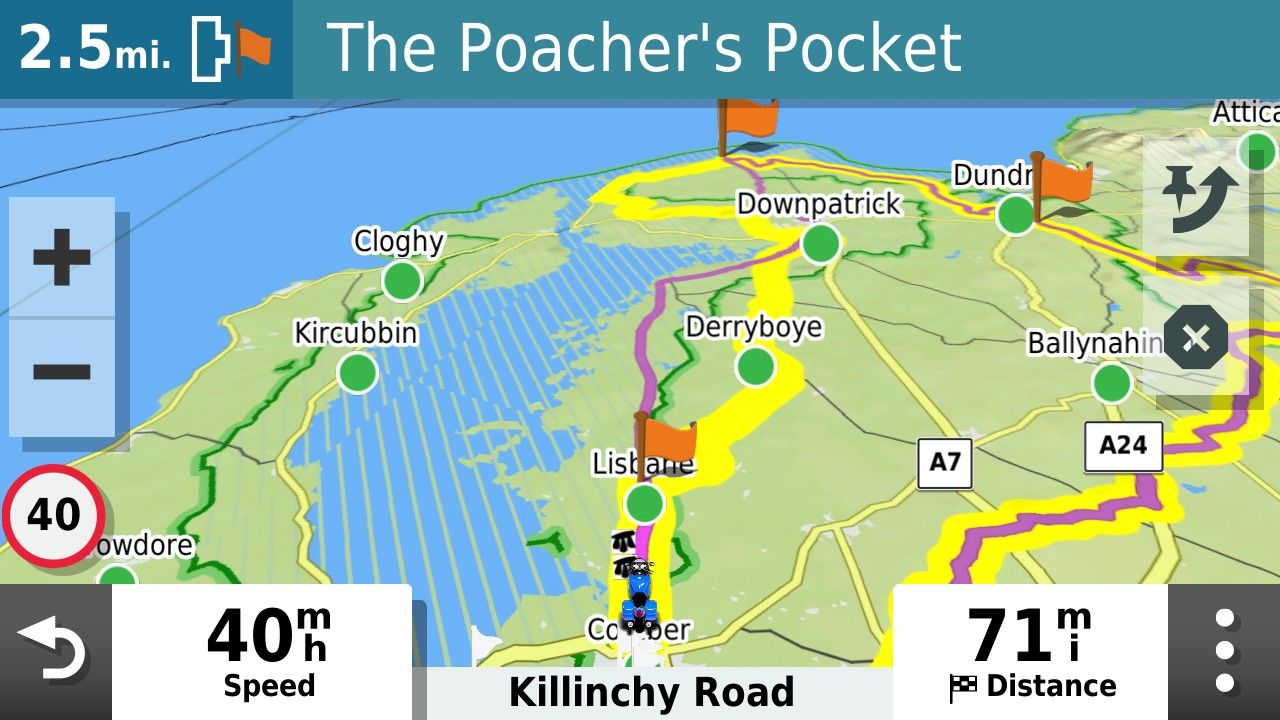
                                          With the wider track in the theme you can have it look like this during navigation.

                                          db954c3c-22b5-4d9e-938e-f8d4b804c9c4-image.jpeg

                                          I usually select yellow but you can pick whatever track colour you prefer.

                                          Guzzist Online
                                          Guzzist Online
                                          Guzzist
                                          Valued contributor
                                          wrote last edited by
                                          #166

                                          @Mzokk ...I know about this text file to define colours and width of tracks and routes.
                                          That's what I would love to have it in MyRouteApp too 😁

                                          Nothing is impossible ;-)
                                          In past: GARMIN Zumo 210->GARMIN Zumo 395->GARMIN XT=> now: DMD T865-X + MyRoute-App, LocusMaps, OsmAnd.
                                          In past: GARMIN MapSource ->GARMIN BaseCamp->Tyre->Kurviger->Calimoto=> now: MRA-Routplanner.

                                          1 Reply Last reply
                                          0

                                          Hello! It looks like you're interested in this conversation, but you don't have an account yet.

                                          Getting fed up of having to scroll through the same posts each visit? When you register for an account, you'll always come back to exactly where you were before, and choose to be notified of new replies (either via email, or push notification). You'll also be able to save bookmarks and upvote posts to show your appreciation to other community members.

                                          With your input, this post could be even better 💗

                                          Register Login
                                          Reply
                                          • Reply as topic
                                          Log in to reply
                                          • Oldest to Newest
                                          • Newest to Oldest
                                          • Most Votes


                                          • 1
                                          • 2
                                          • 6
                                          • 7
                                          • 8
                                          • 9
                                          • 10
                                          ACTIVE USERS
                                          Nick Carthew
                                          Nick Carthew
                                          Steve Jarrell
                                          Steve Jarrell
                                          Mzokk
                                          Mzokk
                                          Stevedo 6 0
                                          Stevedo 6 0
                                          Marinus van Deudekom
                                          Marinus van Deudekom
                                          Travellexxie
                                          Travellexxie
                                          Guzzist
                                          Guzzist
                                          Con Hennekens
                                          Con Hennekens
                                          LennyO
                                          LennyO
                                          nomko
                                          nomko
                                          John S Parry
                                          John S Parry
                                          Carl Lee
                                          Carl Lee
                                          Reinhard-32
                                          Reinhard-32
                                          Simon James Hancock
                                          Simon James Hancock
                                          smfollen 0
                                          smfollen 0
                                          Phil Ellis
                                          Phil Ellis
                                          Jim Foster
                                          Jim Foster
                                          Will Brooks
                                          Will Brooks
                                          Sam Ellis
                                          Sam Ellis
                                          Papasmurf2
                                          Papasmurf2
                                          OkayJim
                                          OkayJim
                                          POPULAR TOPICS
                                          • Duur van de route klopt niet
                                            Nick Carthew
                                            Nick Carthew
                                            0
                                            10
                                            106

                                          • It was not possible to find a correct route to Wheels Through Time
                                            Stevedo 6 0
                                            Stevedo 6 0
                                            0
                                            7
                                            85

                                          • Gidday from New Zealand.
                                            Marinus van Deudekom
                                            Marinus van Deudekom
                                            1
                                            5
                                            99

                                          • Beeld loopt achter
                                            Marinus van Deudekom
                                            Marinus van Deudekom
                                            0
                                            8
                                            132

                                          • Carpuride BMW unit stalling or restarting
                                            Maarten van de Wijdeven
                                            Maarten van de Wijdeven
                                            0
                                            14
                                            348

                                          • GPX Versions 1.1 vs 1.2 for Garmin Visually Explained
                                            Steve Jarrell
                                            Steve Jarrell
                                            7
                                            190
                                            28.0k

                                          • Opening Route Direct from Android Auto Screen
                                            Mzokk
                                            Mzokk
                                            0
                                            4
                                            171

                                          • Traject controle
                                            Nick Carthew
                                            Nick Carthew
                                            0
                                            2
                                            45

                                          MY GROUPS
                                          • Login

                                          • Login or register to search.
                                          • First post
                                            Last post
                                          0
                                          • Categories
                                          • Recent
                                          • Popular
                                          • Support
                                          • MyRoute-app