
Route made through roadworks and blocked roads
-

I've experienced this as well. During my long road trip last month there was at least one location where the app stated there was a known route violation road closure, yet it directed me through that violation anyway without offering a detour. I don't know if it would have tried redirecting me back through it, because I manually looked up the best detour route and changed the route to account for it.
-
I might be wrong but I think that MRA does this "by design", but only if you navigate a route as track.
The reason behind: Closures are temporary and MRA sort of assumes that by the time you start riding the closure should be gone. If not, follow the signs on the road to guide you around.But there are 2 reasons why I think this is not how it should be :
1st : MRA cannot know when you start riding and simply cannot make any assumption about whether the closure is gone or not.
2nd : if the road is for example a mountain road then the detour starts long before the closure, there will be no signs for you to follow.Navigating a route as route might help out here. but honestly I think that mra should reconsider the design too.
-

The roadblocks reported aren't always real, sometimes they may already be over, or you can get through on a motorbike but not on a car. It's happened several times, including last week, that MRA reported a roadblock but then in reality there was nothing on the road...
-
The roadblocks reported aren't always real, sometimes they may already be over, or you can get through on a motorbike but not on a car. It's happened several times, including last week, that MRA reported a roadblock but then in reality there was nothing on the road...
@Aiello-antonino Sure, but ignoring them (in route-as-track navigation) isn't really solving the issue either.
-
@Aiello-antonino Sure, but ignoring them (in route-as-track navigation) isn't really solving the issue either.

@Herman-Veldhuizen I have noticed the following...
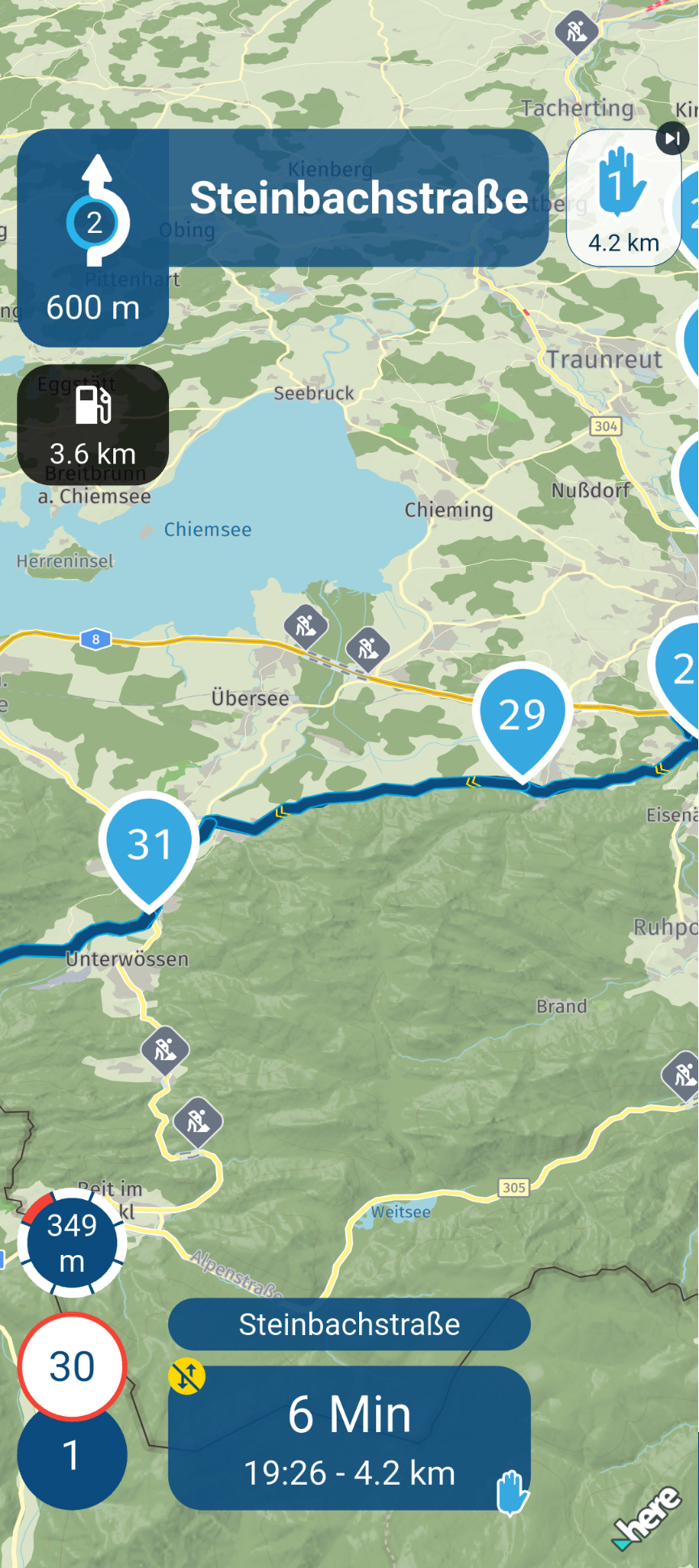
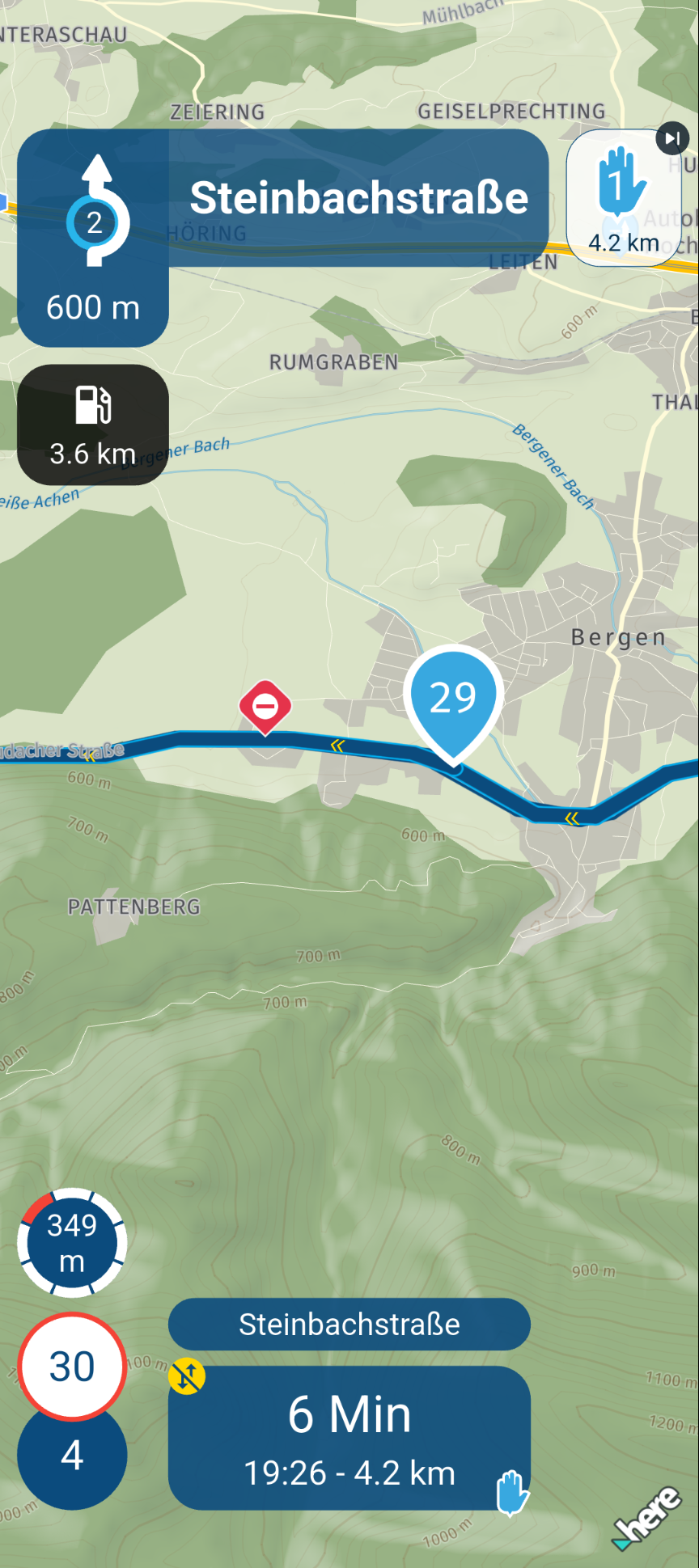
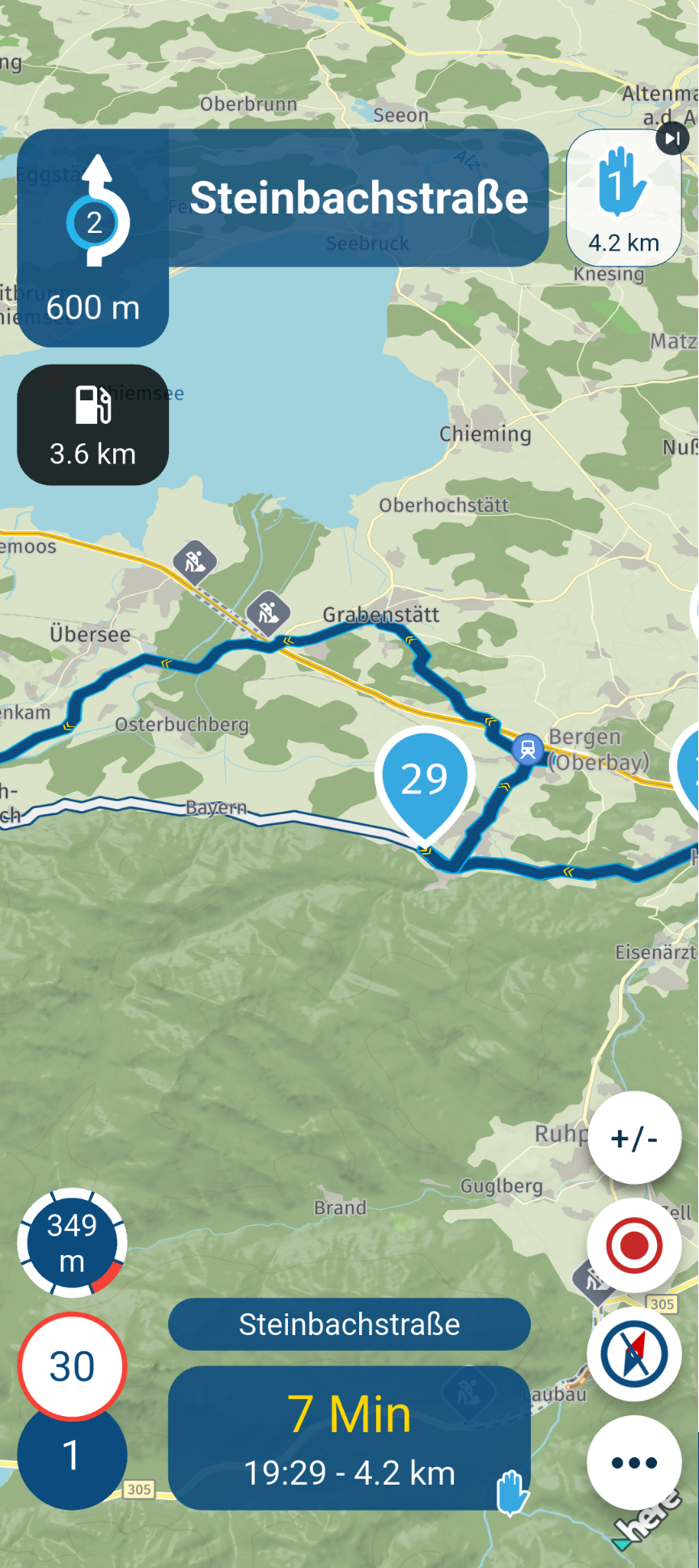
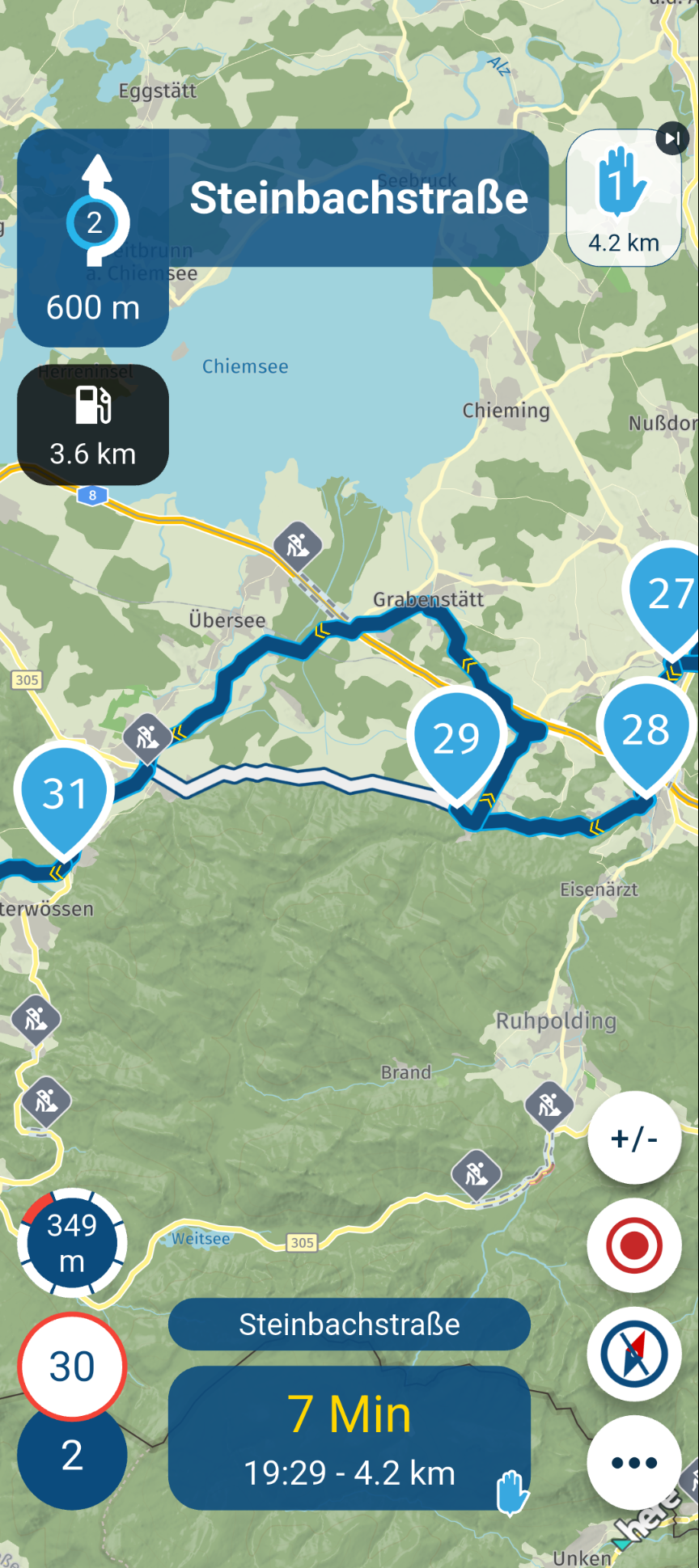
When I’m navigating online and Here is aware of a road closure, the app automatically creates a detour to bypass it.
However, when I navigate the exact same route offline, a message does appear to indicate the closure on the route, but the app does not automatically bypass it.
BMW R 1250 GS
MRA Navigation & SilverFox C1 Controller
DMD-NOR7E 7"
SPC Universal mount
Motorola Edge 40 "offline"
Sena SLR 3
Sena 50 R -
@Herman-Veldhuizen I have noticed the following...
When I’m navigating online and Here is aware of a road closure, the app automatically creates a detour to bypass it.
However, when I navigate the exact same route offline, a message does appear to indicate the closure on the route, but the app does not automatically bypass it.
@Peter-Zehentreiter Road closures come from online information not from the latest map update. Thats why you get different results. Why you in your example still can see that the road is closed, while being offline, is something I dont know. Just guessing: it might be that HERE cashes road closure info (so it downloaded it for you when you were online) or the road in your example is marked as closed in different ways in online and offline map data. The road is closed in both but the app maybe only checks one way and therefore the inconsistency.
In your example you navigate a route as route. If you navigate a route as track the closure (i think) is always ignored and no alternative road is presented to you. -
@Peter-Zehentreiter Road closures come from online information not from the latest map update. Thats why you get different results. Why you in your example still can see that the road is closed, while being offline, is something I dont know. Just guessing: it might be that HERE cashes road closure info (so it downloaded it for you when you were online) or the road in your example is marked as closed in different ways in online and offline map data. The road is closed in both but the app maybe only checks one way and therefore the inconsistency.
In your example you navigate a route as route. If you navigate a route as track the closure (i think) is always ignored and no alternative road is presented to you.
If you navigate a route as track the closure (i think)
Yes, I agree... a route saved as a track should work like that too.
My point was to show that, using the offline function, you can more or less follow road closures on the Here map as they are (though you should check first whether the closure is actually shown on Here).
Online, you then have the familiar issue of skipping waypoints in roadworks, and so on.BMW R 1250 GS
MRA Navigation & SilverFox C1 Controller
DMD-NOR7E 7"
SPC Universal mount
Motorola Edge 40 "offline"
Sena SLR 3
Sena 50 R -
If you navigate a route as track the closure (i think)
Yes, I agree... a route saved as a track should work like that too.
My point was to show that, using the offline function, you can more or less follow road closures on the Here map as they are (though you should check first whether the closure is actually shown on Here).
Online, you then have the familiar issue of skipping waypoints in roadworks, and so on.
@Peter-Zehentreiter Is the track saved when I navigate a route as track (its a route, not a track)? From what I understand the track in that case is only created when I tap Navigate.
I question the fact that the way a route is navigated (as route or as track) should have an effect on how closures are handled. The issue of the topic starter @metalhead was that the app did not provide a route around the closure. -
@Peter-Zehentreiter Is the track saved when I navigate a route as track (its a route, not a track)? From what I understand the track in that case is only created when I tap Navigate.
I question the fact that the way a route is navigated (as route or as track) should have an effect on how closures are handled. The issue of the topic starter @metalhead was that the app did not provide a route around the closure.
The issue of the topic starter @metalhead was that the app did not provide a route around the closure.
Yes, that’s right...
But I don’t think this is necessarily just down to the route being set as a track.When I navigate an offline route as a route, I’m not offered a detour as an option either – just a red marker on the map – but it still navigates me into the road closure.
At least, that’s what I’ve found...
-
My issue is two old. First, the route is made through a known violation of the route and second, it kept on directing me through the road closure without offering an alternative. The app was in online mode and it was a route, not a track. I tried to skip waypoints, but could not find how to do so.
-
The issue of the topic starter @metalhead was that the app did not provide a route around the closure.
Yes, that’s right...
But I don’t think this is necessarily just down to the route being set as a track.When I navigate an offline route as a route, I’m not offered a detour as an option either – just a red marker on the map – but it still navigates me into the road closure.
At least, that’s what I’ve found...
@Peter-Zehentreiter Then the only advice to the topic starter is to be online and to NOT navigate a route as track. I dont think it should be that way. He doesnt have this choice when using a generated round trip
-
My issue is two old. First, the route is made through a known violation of the route and second, it kept on directing me through the road closure without offering an alternative. The app was in online mode and it was a route, not a track. I tried to skip waypoints, but could not find how to do so.
tried to skip waypoints, but could not find how to do so.
Do you meanwhile know how to skip a waypoint or start from a certain waypoint?
Hello! It looks like you're interested in this conversation, but you don't have an account yet.
Getting fed up of having to scroll through the same posts each visit? When you register for an account, you'll always come back to exactly where you were before, and choose to be notified of new replies (either via email, or push notification). You'll also be able to save bookmarks and upvote posts to show your appreciation to other community members.
With your input, this post could be even better 💗
Register Login


-
 0728
0728
-
0867
-
 81655.4k
-
0345
-
01089
-
 0579
0579
-
1833
-
0258

