Font for the distance to the next turn to smal
-

Maybe Carpuride, combined with the myRoute app via Android Auto, could be a solution for me... we'll see. In that scenario, however, the myRoute app apparently doesn't offer as many features—at least, that's what I read somewhere. Does anyone have any experience with this?
-
Carpuride with AA certainly does not show the next fuel stop icon.
-
Carpuride with AA certainly does not show the next fuel stop icon.

@richard-3v, but it does... along with a "next waypoint" tile.
It's in the public update to v5.1, 3 weeks ago
https://forum.myrouteapp.com/post/77330 -
Last weekend, I rode several routes using the myRoute app—comparing it against my Rider 400 and the Calimoto app—in order to determine the best navigation method for my needs. I navigated solely by following the on-screen instructions, without using headphones inside my helmet.
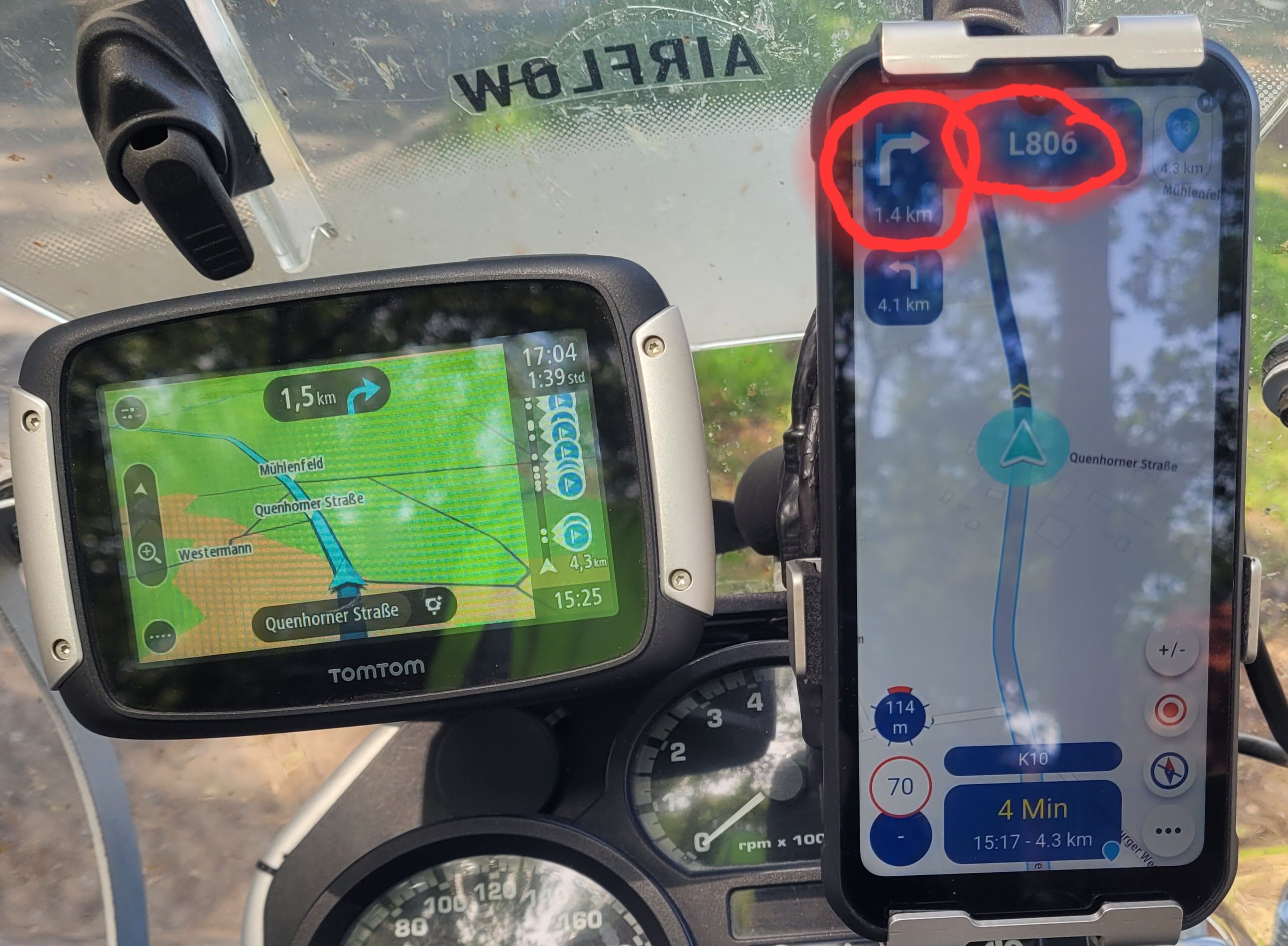
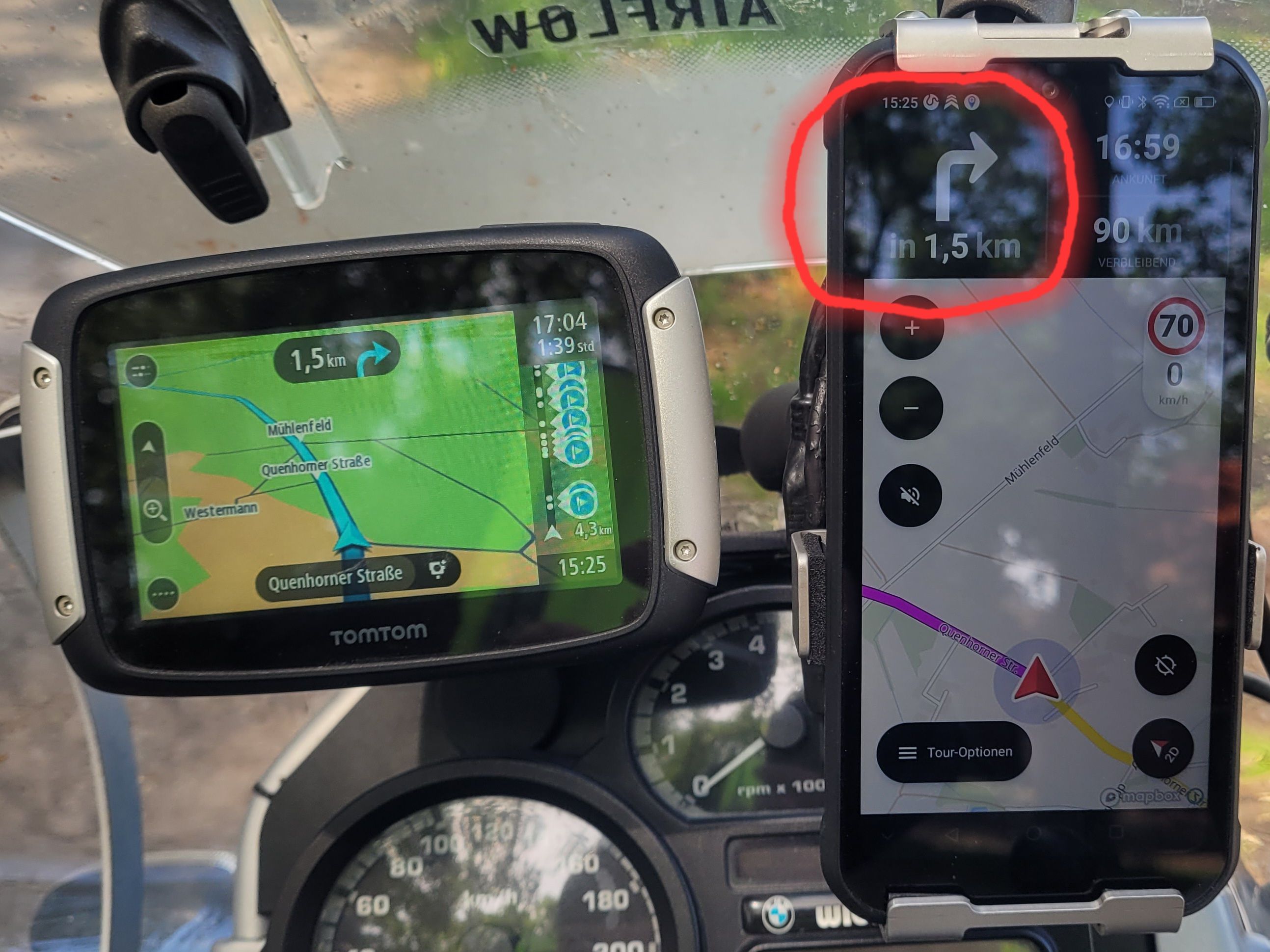
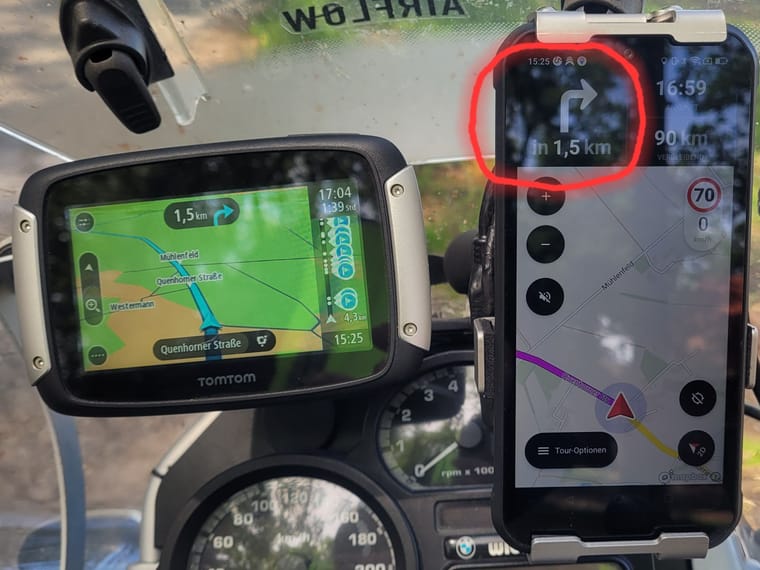
In doing so, I found that the font size for the "next turn" indication in the myRoute app is simply too small. On a mobile phone screen, it is almost impossible to make out. Calimoto handles this much better; their turn-by-turn prompts are significantly larger, and I experienced no issues with visibility.
My request is this: Please adjust the font size for the "next turn" indication—making it at least as large as the street name.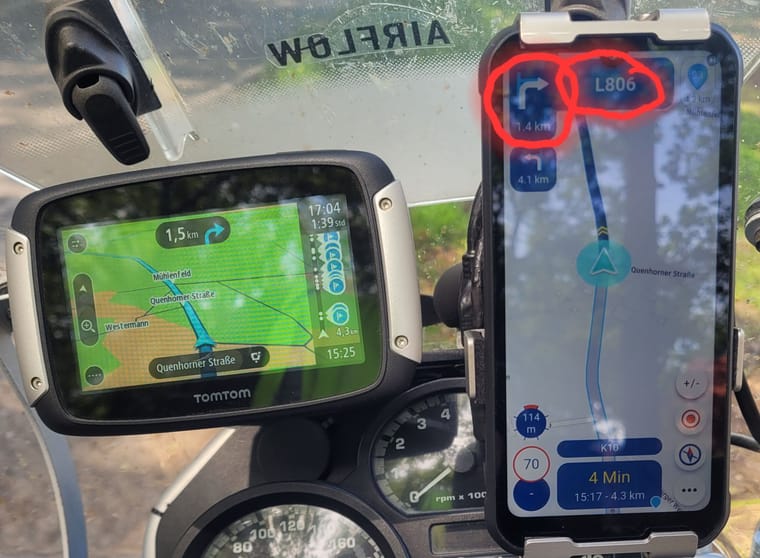
Here is the comparison... much easier to see on Calimoto.

without using headphones inside my helmet.
Haven’t you fitted one, or did you not want to use it to test the font size?
If you haven’t fitted a headset, I’d rather invest the money in a headset than in a Carpuride.
AA does work, but there are more settings to adjust, and due to the manufacturer’s restrictions, fewer functions are available – and even then, only via workarounds.
The app without AA offers more options if you use it natively and works seamlessly.
-
... Or maybe we’re just at the age where we need reading glasses.

Nice point to raise and it shouldn't matter. Reading glasses are for when the focusing muscles in the eyes weaken, which highlights a concern often dismissed by interface designers; you should not need to use refocusing muscles in a vehicle anyway. They are too slow.
Large font is not just for old people - it's for speed. This is why fighter jets and airliners have Heads-up-displays optically focused at infinity, so the muscles are not needed.
UI designers want to make the best of available screen space, naturally, but they are usually designing sitting at a desk, not doing 120kph, and it can result in the wrong priorities.
Most healthy young people will not have a problem with this.
If your eyes have trouble focusing near or far, it is time for glasses, and that is one of the reasons glasses exist. We can also hardly ask the government to provide all traffic signs with a larger font. Furthermore, some people find a font large enough and others do not; it remains a matter of personal preference.
HUD is a dream for motorcyclists; I recently read an article that they are actually working on HUD in helmets.
Most healthy young people will not have a problem with this.
You misunderstand. I'm not referring to an eye problem, it's how all vision works. In a perfectly healthy and young human, like a fighter pilot, refocusing take time. It might be fractions of a second, but it's enough that companies invest hundreds of millions in solving it. It's just that it doesn't normally factor in personal vehicles.
The situation for personal vehicles is to ensure text is readable in everyone's peripheral vision, without the need to refocus. That is what we do in the vehicle design industry. It's highly documented, e.g.:
ISO 15008:2017
ISO 4513
MIL-M-18012B
NHTSA Visual-Manual Driver Distraction GuidelinesThere is even a minimum pt size for fonts in the Android Automotive OS Design Guidelines
-
@richard-3v, but it does... along with a "next waypoint" tile.
It's in the public update to v5.1, 3 weeks ago
https://forum.myrouteapp.com/post/77330
@richard-3v, but it does... along with a "next waypoint" tile.
It's in the public update to v5.1, 3 weeks ago
https://forum.myrouteapp.com/post/77330The screenshots of MyRoute-App running on Android Auto—from the link you provided—look very promising. In my opinion, they’ve handled the font size issue exceptionally well there. That could be the ideal solution for me. The only downside is that the Carpuride unfortunately doesn't have a built-in battery. I’m not too keen on that aspect.
-
@richard-3v, but it does... along with a "next waypoint" tile.
It's in the public update to v5.1, 3 weeks ago
https://forum.myrouteapp.com/post/77330The screenshots of MyRoute-App running on Android Auto—from the link you provided—look very promising. In my opinion, they’ve handled the font size issue exceptionally well there. That could be the ideal solution for me. The only downside is that the Carpuride unfortunately doesn't have a built-in battery. I’m not too keen on that aspect.
@Daniel-7, It's not just promising, it's already available in the last public update

I am just an enthusiastic MRA user, and hope you will be one too!
Most motorcycle problems are caused by the nut that connects the handlebar to the saddle.
Check out RideSleepRepeat.eu, a biker community for sharing stays across Europe
-
@Daniel-7, It's not just promising, it's already available in the last public update
@Daniel-7, It's not just promising, it's already available in the last public update
I have been an MRA user for a very long time, and back in the day, I purchased the Lifetime version for both components (the Web Planner and Navigation). Until now, however, I have only used the MRA Web Planner to plan my routes for my TomTom Rider 400. My intention was to use my ruggedized smartphone as an alternative device for MRA Navigation—something I recently put to the test. However, I found that the display showing the distance to the next turn instruction was simply too small on my smartphone screen. I can read this information without any trouble on my TomTom Rider 400, but not when using MRA Navigation on my phone. I have since noticed, though, that this information is displayed in a larger format when using Android Auto. To take advantage of that, however, I would need to acquire yet another new device (a Carpuride unit).
-
@richard-3v, but it does... along with a "next waypoint" tile.
It's in the public update to v5.1, 3 weeks ago
https://forum.myrouteapp.com/post/77330
@Con-Hennekens Ooops, indeed it does. My apologies for posting duff information

-

Here's one I mocked up 3 years ago exactly as you suggested:
https://forum.myrouteapp.com/topic/4307/suggestions-for-next-turn-boxStill looking foward to it!
-
I fully support the idea. The size of the text in the ETA box has also been up for discussion.
And yes I know this is a boring thing to do for developers. But it can help to make the app usable on different devices when done right.
more settings isnt a problem as long as they are easy to understand and sensibly grouped. -
Here's one I mocked up 3 years ago exactly as you suggested:
https://forum.myrouteapp.com/topic/4307/suggestions-for-next-turn-boxStill looking foward to it!
Here's one I mocked up 3 years ago exactly as you suggested:
https://forum.myrouteapp.com/topic/4307/suggestions-for-next-turn-boxStill looking foward to it!
It is a shame that nothing has been done about this problem in the three years since your post. Apparently, listening to individual users and their issues is not a high enough priority for the myRoute development team.
-
@Corjan-Meijerink
It would be great if someone from the myRoute team could comment on this. -
@Corjan-Meijerink
It would be great if someone from the myRoute team could comment on this.
@Daniel-7 It’s vacation season. There will be for sure no awnser the next 14 days!
-
Here's one I mocked up 3 years ago exactly as you suggested:
https://forum.myrouteapp.com/topic/4307/suggestions-for-next-turn-boxStill looking foward to it!
It is a shame that nothing has been done about this problem in the three years since your post. Apparently, listening to individual users and their issues is not a high enough priority for the myRoute development team.
Here's one I mocked up 3 years ago exactly as you suggested:
https://forum.myrouteapp.com/topic/4307/suggestions-for-next-turn-boxStill looking foward to it!
It is a shame that nothing has been done about this problem in the three years since your post. Apparently, listening to individual users and their issues is not a high enough priority for the myRoute development team.
Oh, Corjan and the team definitely listen! I definitely wasn't complaining at the level of support - it's truly outstanding for the app world.
It's just that particular issue seems to have slipped through the net.
There is, of course, the possiblity that we're both wrong, and the rest of the world can easily read it on a shaking phone at 60/70mph.

-
Here's one I mocked up 3 years ago exactly as you suggested:
https://forum.myrouteapp.com/topic/4307/suggestions-for-next-turn-boxStill looking foward to it!
It is a shame that nothing has been done about this problem in the three years since your post. Apparently, listening to individual users and their issues is not a high enough priority for the myRoute development team.
Oh, Corjan and the team definitely listen! I definitely wasn't complaining at the level of support - it's truly outstanding for the app world.
It's just that particular issue seems to have slipped through the net.
There is, of course, the possiblity that we're both wrong, and the rest of the world can easily read it on a shaking phone at 60/70mph.
Here's one I mocked up 3 years ago exactly as you suggested:
https://forum.myrouteapp.com/topic/4307/suggestions-for-next-turn-boxStill looking foward to it!
It is a shame that nothing has been done about this problem in the three years since your post. Apparently, listening to individual users and their issues is not a high enough priority for the myRoute development team.
Oh, Corjan and the team definitely listen! I definitely wasn't complaining at the level of support - it's truly outstanding for the app world.
It's just that particular issue seems to have slipped through the net.
There is, of course, the possiblity that we're both wrong, and the rest of the world can easily read it on a shaking phone at 60/70mph.
And when the sun shines on the screen, it becomes even harder to see anything—even though my phone’s screen is already quite bright.
When using Calimoto, I didn’t have any trouble seeing the distance to the next turn.
I don’t think it would be a big deal to increase the font size for the distance to the next turn; after all, they’ve already released much more extensive updates.Otherwise, I’m really happy with MRA.
-
Here's one I mocked up 3 years ago exactly as you suggested:
https://forum.myrouteapp.com/topic/4307/suggestions-for-next-turn-boxStill looking foward to it!
It is a shame that nothing has been done about this problem in the three years since your post. Apparently, listening to individual users and their issues is not a high enough priority for the myRoute development team.
Oh, Corjan and the team definitely listen! I definitely wasn't complaining at the level of support - it's truly outstanding for the app world.
It's just that particular issue seems to have slipped through the net.
There is, of course, the possiblity that we're both wrong, and the rest of the world can easily read it on a shaking phone at 60/70mph.
There is, of course, the possiblity that we're both wrong, and the rest of the world can easily read it on a shaking phone at 60/70mph.
Now that you mention it, yes... At that speed I can still read my screen just fine. Or does that have more to do with the souplesse of my bike and the vibrationdemper under my phone?
-

@rob-verhoeff I do think it’s related to the mount, because it works perfectly fine on my thumping twin-cylinder bike as well 🫨

-
@con-hennekens You are so right. Vibrating phone mounts on your bike are the most horrible accessories you can find. When you have a bad (mostly cheap) mount, is doesn't matter how large the font size is. The text still won't be the easy to read.
-
@rob-verhoeff I do think it’s related to the mount, because it works perfectly fine on my thumping twin-cylinder bike as well 🫨
@rob-verhoeff I do think it’s related to the mount, because it works perfectly fine on my thumping twin-cylinder bike as well 🫨
My mount is very good.
There is very little vibration .
It is clearly due to the font size.🫣
Hello! It looks like you're interested in this conversation, but you don't have an account yet.
Getting fed up of having to scroll through the same posts each visit? When you register for an account, you'll always come back to exactly where you were before, and choose to be notified of new replies (either via email, or push notification). You'll also be able to save bookmarks and upvote posts to show your appreciation to other community members.
With your input, this post could be even better 💗
Register Login



-
5711.1k
-
 8721.1k
-
 0935
0935
-
011142
-
09276
-
1122.2k
-
011216
-
015705