Skip to content
  • Categories
  • Recent
  • Popular
  • Support
  • MyRoute-app
Collapse
Brand Logo

MRA Community Forum

  1. Home
  2. The MyRoute-app
  3. [App] Android Auto & CarPlay
  4. No altitude on Android Auto screen

No altitude on Android Auto screen
Scheduled Pinned Locked Moved [App] Android Auto & CarPlay
15 Posts 9 Posters 1.1k Views 6 Watching
  • Oldest to Newest
  • Newest to Oldest
  • Most Votes
Reply
  • Reply as topic
Log in to reply
This topic has been deleted. Only users with topic management privileges can see it.
  • Lluis Arasanzundefined Lluis Arasanz

    Configure androidAuto to have icons on left side so you can add a little extra space on botton. Perhaps is enough to see altitude counter.

    Léon Hassingundefined Offline
    Léon Hassingundefined Offline
    Léon Hassing
    wrote last edited by
    #6

    @Lluis-Arasanz said:

    Configure androidAuto to have icons on left side so you can add a little extra space on botton. Perhaps is enough to see altitude counter.

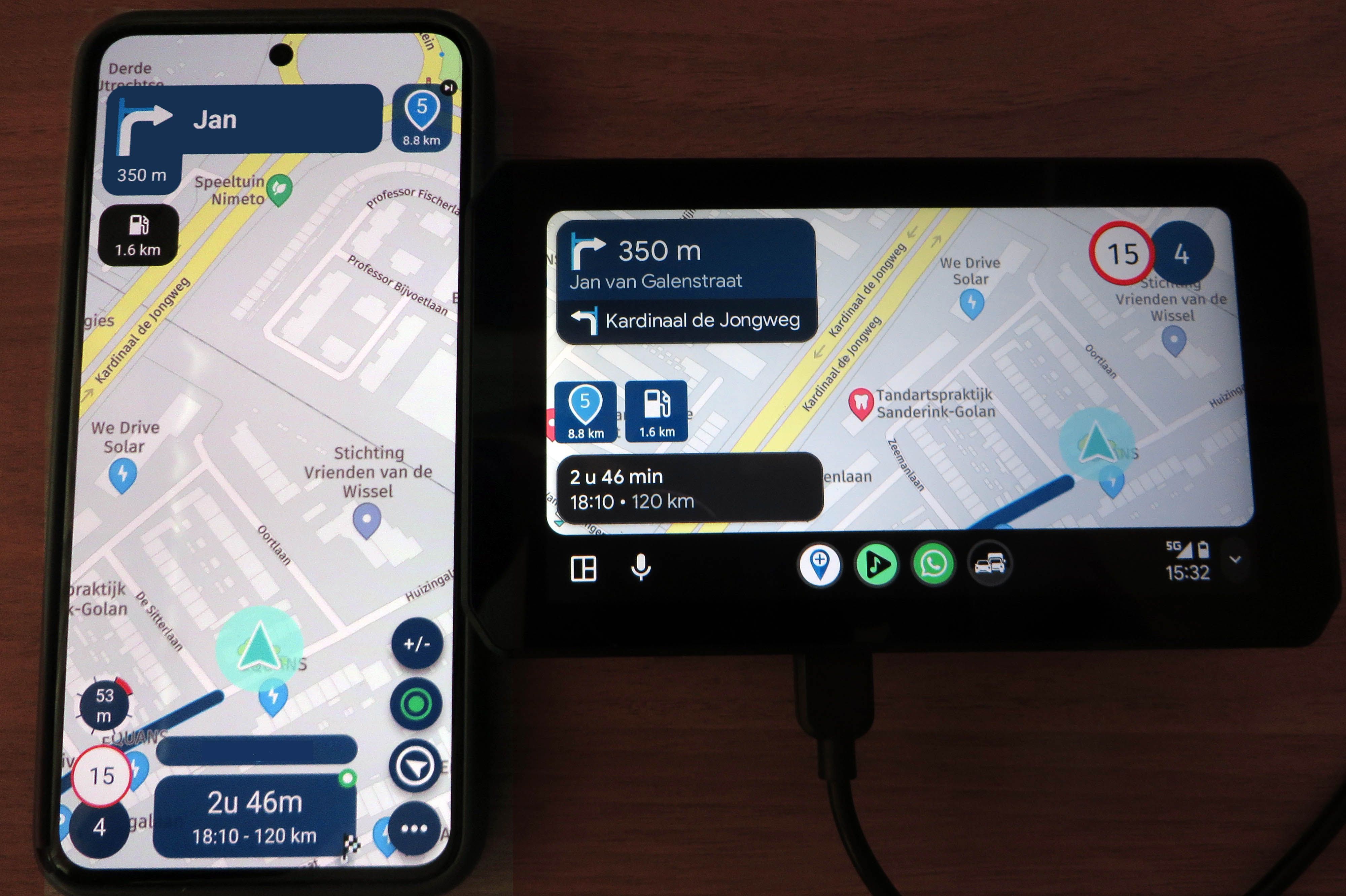
    I tried this, but all I can find is that whether the icons are at bottom/left depends on the screen resolution and you cannot change the position of the bar.

    1 Reply Last reply
    0
    • Lluis Arasanzundefined Offline
      Lluis Arasanzundefined Offline
      Lluis Arasanz
      wrote last edited by
      #7

      On Addroid Settings, go "Connected devices", select "Android Auto".
      On Screen, disable "Taskbar widgets" (or something similar, In my system is in Spanish).

      This forces to not use app widgets and lays icons on left.

      Perhaps this works.

      Lluis Arasanz

      • BMW F750GS
        MotoMediaLink HW Interface for BMW's WonderWheel device
      • Samsung A14 with Beta MyRoute-App (primary bike use)
        Tasker and MMLink SW for Android App Control
      • iPhone 14 with Beta MyRoute-App (personal and primary CP use)
      Léon Hassingundefined 1 Reply Last reply
      0
      • Léon Hassingundefined Offline
        Léon Hassingundefined Offline
        Léon Hassing
        wrote last edited by Léon Hassing
        #8

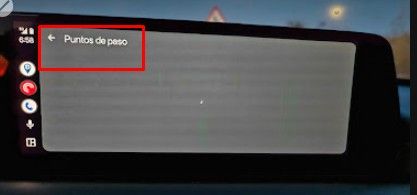
        Today I also checked if the altitude indicator is displayed in the Android Auto in my car (Peugeot 3008). Different screen, same phone (Pixel 8). Unfortunately, it is missing there as well.
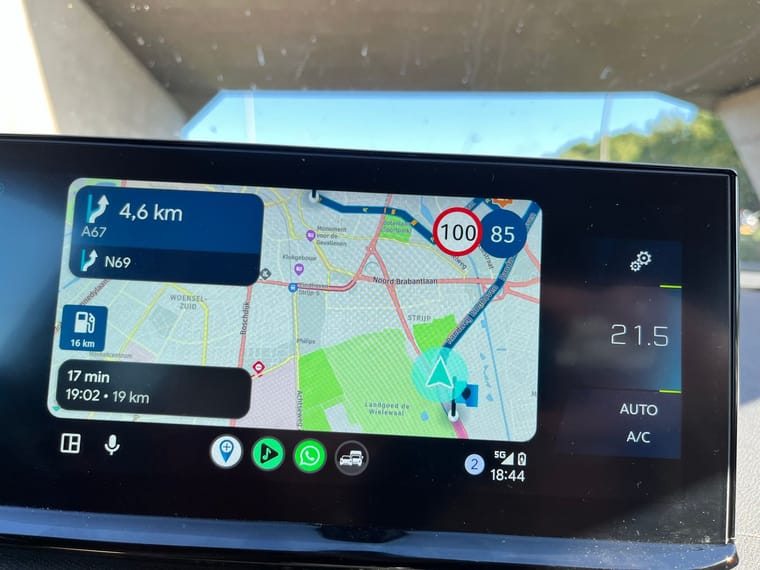
        AA Peugeot.jpeg

        1 Reply Last reply
        0
        • Lluis Arasanzundefined Lluis Arasanz

          On Addroid Settings, go "Connected devices", select "Android Auto".
          On Screen, disable "Taskbar widgets" (or something similar, In my system is in Spanish).

          This forces to not use app widgets and lays icons on left.

          Perhaps this works.

          Léon Hassingundefined Offline
          Léon Hassingundefined Offline
          Léon Hassing
          wrote last edited by
          #9

          @Lluis-Arasanz Hi Lluis. Thank you for your reply. Unfortunately the task bar remains at the bottom after disabling the "Taskbar widgets".

          1 Reply Last reply
          0
          • Corjan Meijerinkundefined Offline
            Corjan Meijerinkundefined Offline
            Corjan Meijerink
            Developer
            wrote last edited by
            #10

            It’s missing when:

            • either disabled
            • screen resolution to small

            Please go to myrouteapp.com/support to create a ticket. We can check your screen dimensions and decide if that resolution could in theory support it.

            Léon Hassingundefined 1 Reply Last reply
            1
            • Corjan Meijerinkundefined Corjan Meijerink

              It’s missing when:

              • either disabled
              • screen resolution to small

              Please go to myrouteapp.com/support to create a ticket. We can check your screen dimensions and decide if that resolution could in theory support it.

              Léon Hassingundefined Offline
              Léon Hassingundefined Offline
              Léon Hassing
              wrote last edited by
              #11

              @Corjan-Meijerink said:

              It’s missing when:

              • either disabled
              • screen resolution to small

              Please go to myrouteapp.com/support to create a ticket. We can check your screen dimensions and decide if that resolution could in theory support it.

              Done 👍

              1 Reply Last reply
              0
              • Nick van den Boschundefined Offline
                Nick van den Boschundefined Offline
                Nick van den Bosch
                wrote last edited by
                #12

                With me, it works on my Phone and it did work on mij AA screen... But for some reason today its gone. And also the speedlimit and the actual speed... Settings for those ar on and displayed on my samsung...

                1 Reply Last reply
                0
                • JP dundefined Offline
                  JP dundefined Offline
                  JP d
                  wrote last edited by
                  #13

                  On a side note I use miles for distance but prefer meters for altitude. Currently altitude is in feet 🤔

                  1 Reply Last reply
                  0
                  • TuonoPantsundefined Offline
                    TuonoPantsundefined Offline
                    TuonoPants
                    wrote last edited by
                    #14

                    For smaller screen why not move the altimeter to the empty space by the fuel stop icon, see my post here https://forum.myrouteapp.com/topic/11055/altimeter-location-on-aa-screens

                    1 Reply Last reply
                    1
                    • Aiello antoninoundefined Offline
                      Aiello antoninoundefined Offline
                      Aiello antonino
                      wrote last edited by Aiello antonino
                      #15

                      That would be a great idea, since that space isn't used in the end, so you could have a larger compass with bigger, more visible numbers! I made a post about the possibility of enlarging the compass…

                      1 Reply Last reply
                      0

                      Hello! It looks like you're interested in this conversation, but you don't have an account yet.

                      Getting fed up of having to scroll through the same posts each visit? When you register for an account, you'll always come back to exactly where you were before, and choose to be notified of new replies (either via email, or push notification). You'll also be able to save bookmarks and upvote posts to show your appreciation to other community members.

                      With your input, this post could be even better 💗

                      Register Login

                      Reply
                      • Reply as topic
                      Log in to reply
                      • Oldest to Newest
                      • Newest to Oldest
                      • Most Votes


                      ACTIVE USERS
                      Aiello antoninoundefined
                      Aiello antonino
                      Mzokkundefined
                      Mzokk
                      Corjan Meijerinkundefined
                      Corjan Meijerink
                      M. Schrijverundefined
                      M. Schrijver
                      Lluis Arasanzundefined
                      Lluis Arasanz
                      Léon Hassingundefined
                      Léon Hassing
                      JP dundefined
                      JP d
                      TuonoPantsundefined
                      TuonoPants
                      Nick van den Boschundefined
                      Nick van den Bosch
                      POPULAR TOPICS
                      • Waze warnings...
                        ATLastundefined
                        ATLast
                        0
                        10
                        128

                      • Back from vacation
                        Corjan Meijerinkundefined
                        Corjan Meijerink
                        8
                        8
                        63

                      • Na 5000km MyRoute-app: helemaal klaar met deze Bugware
                        Mzokkundefined
                        Mzokk
                        -3
                        25
                        623

                      • Moving the map
                        Dave J 0undefined
                        Dave J 0
                        0
                        17
                        310

                      • Route stuurt mij terug naar start punt bij Android Carplay
                        jhawijnandsundefined
                        jhawijnands
                        0
                        5
                        60

                      • Geen snelheidsweergave bij Android Auto
                        Leike Lodiersundefined
                        Leike Lodiers
                        0
                        7
                        117

                      • Suggestion for mobile app (battery saver)
                        Corjan Meijerinkundefined
                        Corjan Meijerink
                        3
                        18
                        614

                      • Mac to Garmin Zumo XT* GPX Transfer
                        Van Hammée Lucundefined
                        Van Hammée Luc
                        3
                        8
                        369

                      MY GROUPS
                      • Login

                      • Login or register to search.
                      • First post
                        Last post
                      0
                      • Categories
                      • Recent
                      • Popular
                      • Support
                      • MyRoute-app