Exporting MRA Planned Routes to a Garmin XT3
-

Hi Folks,
Hopefully, this is a softball question. Is exporting MRA planned routes to a Garmin XT3 using the Garmin Tread app working well?
The reason for my question is I just downsized from a Harley-Davidson Road Glide to a Harley-Davidson Heritage Classic; 700+ lbs instead of 900+ lbs. One thing I know I will miss is the large screen and imbedded GPS on the Road Glide. I could usually control all my navigation functions with just my thumbs using the handle bar buttons. For me, the benefits of moving to a smaller bike outweigh this feature.
I am fairly experienced in creating MRA planned routes, and then exporting them to the Harley Ride Planner app just for the purpose of transferring them to my Road Glide via Bluetooth. I don't think I will have an issue figuring out how to us the Garmin Tread app in it's place. I'm just wondering how the MRA community likes the XT3, and it's predecessor, the XT2.
Sam
-

I'm no longer a fan of Garmin devices - now I'm enthusiast of MyRoute-App. But I can remember how to deal with Garmin...
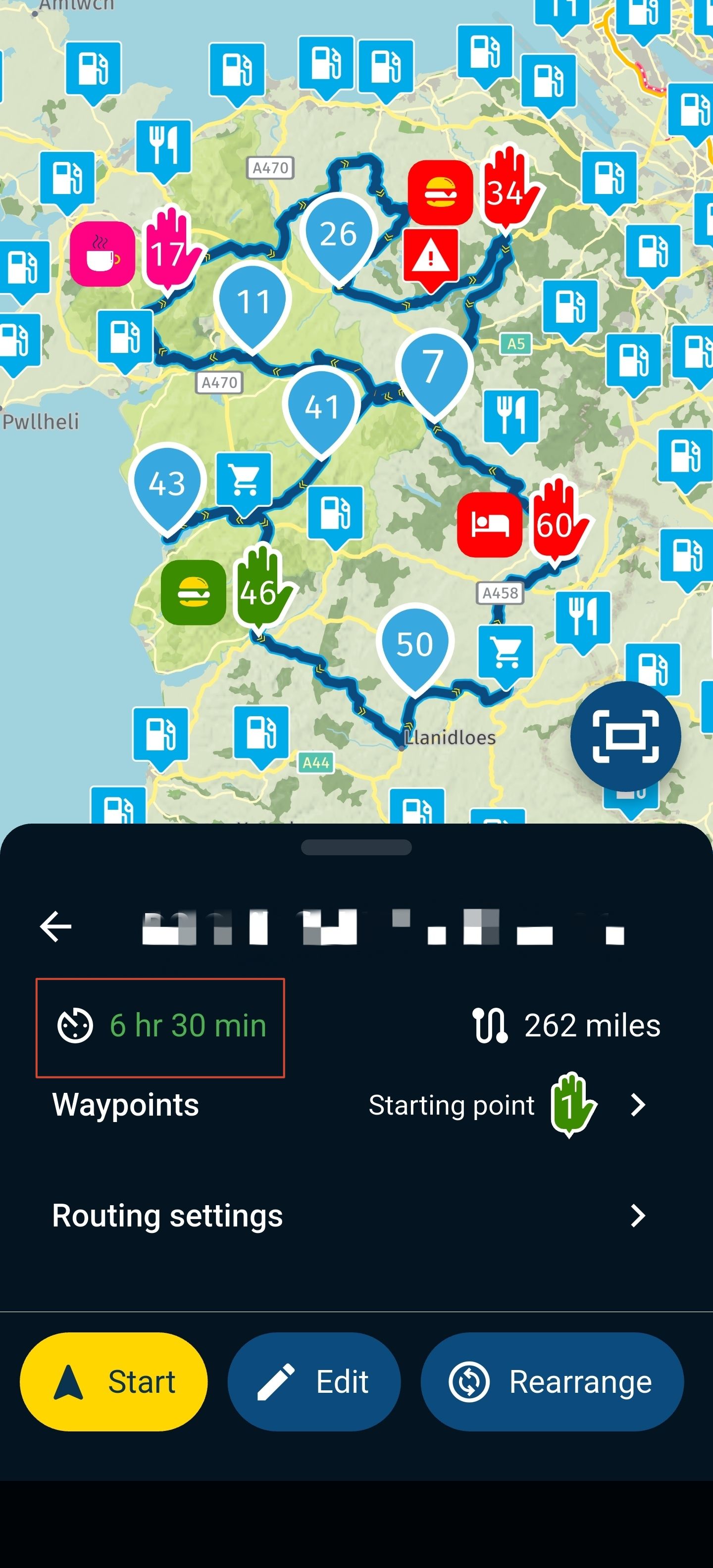
MRA doesn't have a connector to Garmin Thread. You can export a planned route (or track) as gpx file. Then you can upload this gpx file to Garmin Thread. This Thread app will then sync the route down to Garmin device.
Nothing is impossible ;-)
In past: GARMIN Zumo 210->GARMIN Zumo 395->GARMIN XT=> now: DMD T865-X + MyRoute-App, LocusMaps, OsmAnd.
In past: GARMIN MapSource ->GARMIN BaseCamp->Tyre->Kurviger->Calimoto=> now: MRA-Routplanner. -
I'm no longer a fan of Garmin devices - now I'm enthusiast of MyRoute-App. But I can remember how to deal with Garmin...
MRA doesn't have a connector to Garmin Thread. You can export a planned route (or track) as gpx file. Then you can upload this gpx file to Garmin Thread. This Thread app will then sync the route down to Garmin device.

@Guzzist Can this be done using the MRA mobile app? Open route, tap the download icon and select .gpx 1.1 now tap the Download button and then tap Export. Does the Garmin Tread app appear to export the file to?
Always willing to help if I can.
Triumph Tiger 1200 XRT called Tina.
MRA Navigation Next and SilverFox BJ8 -
@Guzzist Can this be done using the MRA mobile app? Open route, tap the download icon and select .gpx 1.1 now tap the Download button and then tap Export. Does the Garmin Tread app appear to export the file to?
@Nick-Carthew said in Exporting MRA Planned Routes to a Garmin XT3:
@Guzzist Can this be done using the MRA mobile app? Open route, tap the download icon and select .gpx 1.1 now tap the Download button and then tap Export. Does the Garmin Tread app appear to export the file to?
...I think, it's the same: creating an export (gpx) from MRA - or as you mentioned by MyRoute-App. Then uploading to Tread app. Could be: if the Tread App is installed on mobile, and you longpress on the just created gpx file and select in the context menu "open by" and select the Tread app - it will instantly be uploaded. But may in the default folder "unsorted". By the long way for upload, you can select a specific destination folder.
By the way: if there is a mobile in place with MyRoute-App installed - why not using it for navigation directly?
-
Hi Folks,
Hopefully, this is a softball question. Is exporting MRA planned routes to a Garmin XT3 using the Garmin Tread app working well?
The reason for my question is I just downsized from a Harley-Davidson Road Glide to a Harley-Davidson Heritage Classic; 700+ lbs instead of 900+ lbs. One thing I know I will miss is the large screen and imbedded GPS on the Road Glide. I could usually control all my navigation functions with just my thumbs using the handle bar buttons. For me, the benefits of moving to a smaller bike outweigh this feature.
I am fairly experienced in creating MRA planned routes, and then exporting them to the Harley Ride Planner app just for the purpose of transferring them to my Road Glide via Bluetooth. I don't think I will have an issue figuring out how to us the Garmin Tread app in it's place. I'm just wondering how the MRA community likes the XT3, and it's predecessor, the XT2.
Sam

Just use the connector on the website, if you use a windows PC, unfortunally the connector and a mac are not working together. In that case use the export to the tread app using gpx 1.1 or a track
-

Ik heb een vrazg, ik heb de xt3 nu heb ik van motoplus een route gedownload. Ik dacht dat het niet gelukt was, dus heb ik hem weer gedownload. Nu staat hij 2 x in mijn xt3, de ene is met de magenta kleur lijn. En de andere heb ik ook die kleur ,maar met blauwe balletjes en gelevlaggetjes. Nu heb ik dit voor het eerst gedaan, maar nu weet ik niet welke ik moet nemen en is die ene nu die onderweg wat verteld
Hello! It looks like you're interested in this conversation, but you don't have an account yet.
Getting fed up of having to scroll through the same posts each visit? When you register for an account, you'll always come back to exactly where you were before, and choose to be notified of new replies (either via email, or push notification). You'll also be able to save bookmarks and upvote posts to show your appreciation to other community members.
With your input, this post could be even better 💗
Register Login-
 0584
0584
-
0451
-
 17303
17303
-
013404
-
0251
-
 59539
59539
-
-
2146.2k