
App behaviour when in offline mode at a construction site
-
@Brian-McG Yes, I’m familiar with this video, and I also understand how it works – it’s simply brilliant.
The reason I’m considering using this option more often is, that due to some outdated traffic updates from Here, I’m sometimes receiving information I don’t actually want.
Thanks for the tips from the community

I’ll just give it a go.
A Bavarian would say:
"Schau ma moi, dann segn mas scha"



@Peter-Zehentreiter said in App behaviour when in offline mode at a construction site:
due to some outdated traffic updates from Here, I’m sometimes receiving information I don’t actually want.
You can also simply disable all traffic options in your settings - functional tab if you don't want that info.
I am just an enthusiastic MRA user, and hope you will be one too!
Most motorcycle problems are caused by the nut that connects the handlebar to the saddle.
Check out RideSleepRepeat.eu, a biker community for sharing stays across Europe
-
@Peter-Zehentreiter said in App behaviour when in offline mode at a construction site:
due to some outdated traffic updates from Here, I’m sometimes receiving information I don’t actually want.
You can also simply disable all traffic options in your settings - functional tab if you don't want that info.

@Con-Hennekens said in App behaviour when in offline mode at a construction site:
You can also simply disable all traffic options in your settings - functional tab if you don't want that info.
Hi Con, I’m not sure if this setting will solve my problem?
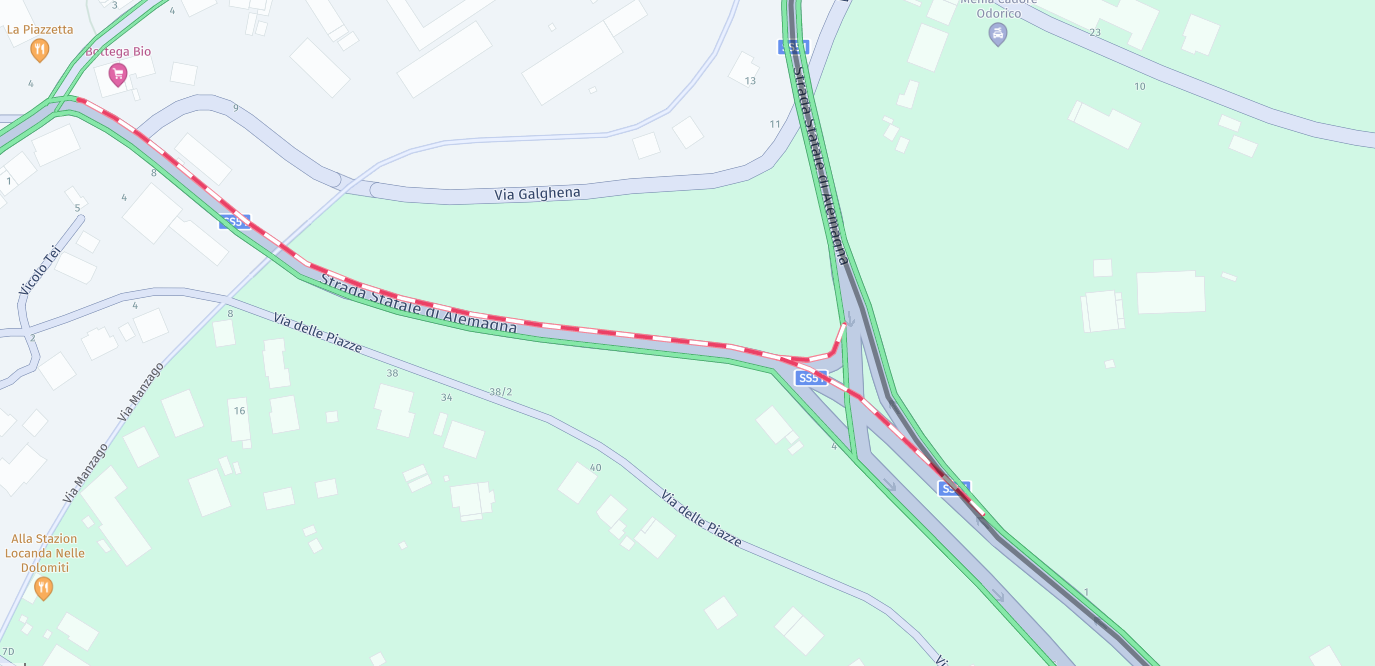
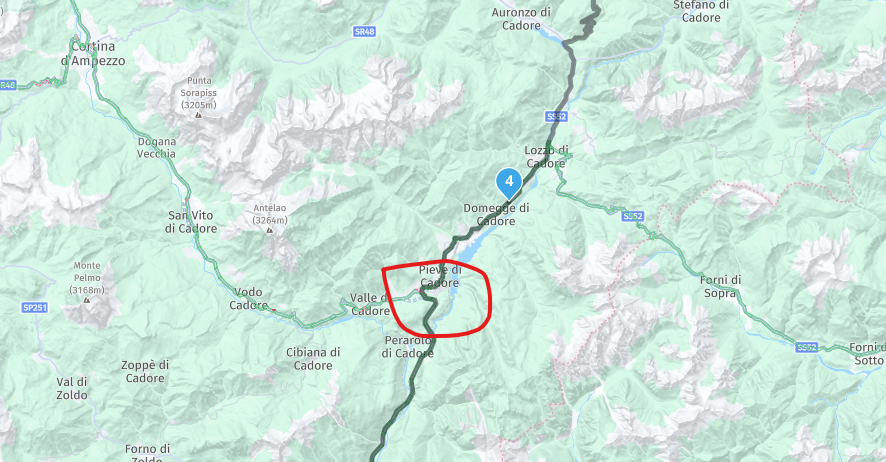
A week ago on Sunday, I wanted to drive this route, but the problem started at the spot I’ve marked in red: the app refused to let me continue, or rather, kept telling me to turn back because the route was supposedly closed.
Ultimately, according to the app’s instructions, I was supposed to drive via Cortina d’Ampezzo, even though the roadworks had already finished.
I’ve just disabled all traffic settings in the app and started the route; the closure still appears on the map, and I don’t think the app will ignore the closure at that point because of that.
It may well be that I no longer receive any information, but the route through the roadworks will still be blocked.
I am therefore looking for a practical solution to this problem.
https://www.myrouteapp.com/de/social/route/13124967?mode=share
 [link text](link url)
 -
@Peter-Zehentreiter, Ah yes... We were discussing a similar thing yesterday amongst Alpha Testers. My theory is that some longer roadblocks are being registered in the map itself instead of through traffic info. A bit like seasonal closures, but I cannot get confirmation. Is the closure not relevant anymore? Try to update your maps and see what happens. Please report back, thanks!
I am just an enthusiastic MRA user, and hope you will be one too!
Most motorcycle problems are caused by the nut that connects the handlebar to the saddle.
Check out RideSleepRepeat.eu, a biker community for sharing stays across Europe
-
@Peter-Zehentreiter, Ah yes... We were discussing a similar thing yesterday amongst Alpha Testers. My theory is that some longer roadblocks are being registered in the map itself instead of through traffic info. A bit like seasonal closures, but I cannot get confirmation. Is the closure not relevant anymore? Try to update your maps and see what happens. Please report back, thanks!
@Con-Hennekens said in App behaviour when in offline mode at a construction site:
Try to update your maps and see what happens
You mean the offline maps?
BMW R 1250 GS
MRA Navigation & SilverFox C1 Controller
DMD-NOR7E 7"
SPC Universal mount
Motorola Edge 40 "offline"
Sena SLR 3
Sena 50 R -
@Con-Hennekens said in App behaviour when in offline mode at a construction site:
Try to update your maps and see what happens
You mean the offline maps?
@Peter-Zehentreiter, yep
I am just an enthusiastic MRA user, and hope you will be one too!
Most motorcycle problems are caused by the nut that connects the handlebar to the saddle.
Check out RideSleepRepeat.eu, a biker community for sharing stays across Europe
-
@Con-Hennekens I’ve updated the maps; I think it’s now version 2.18.
The glitch was practically gone by last week.
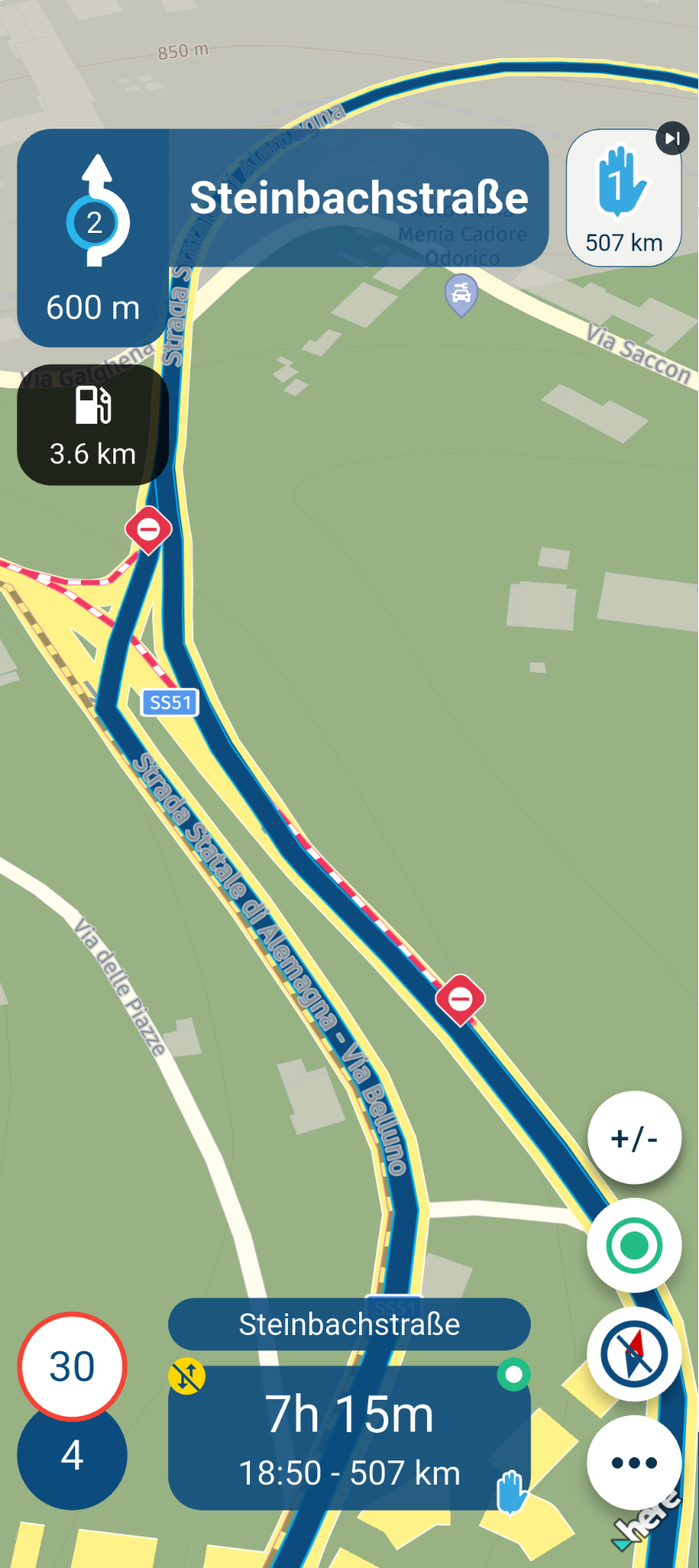
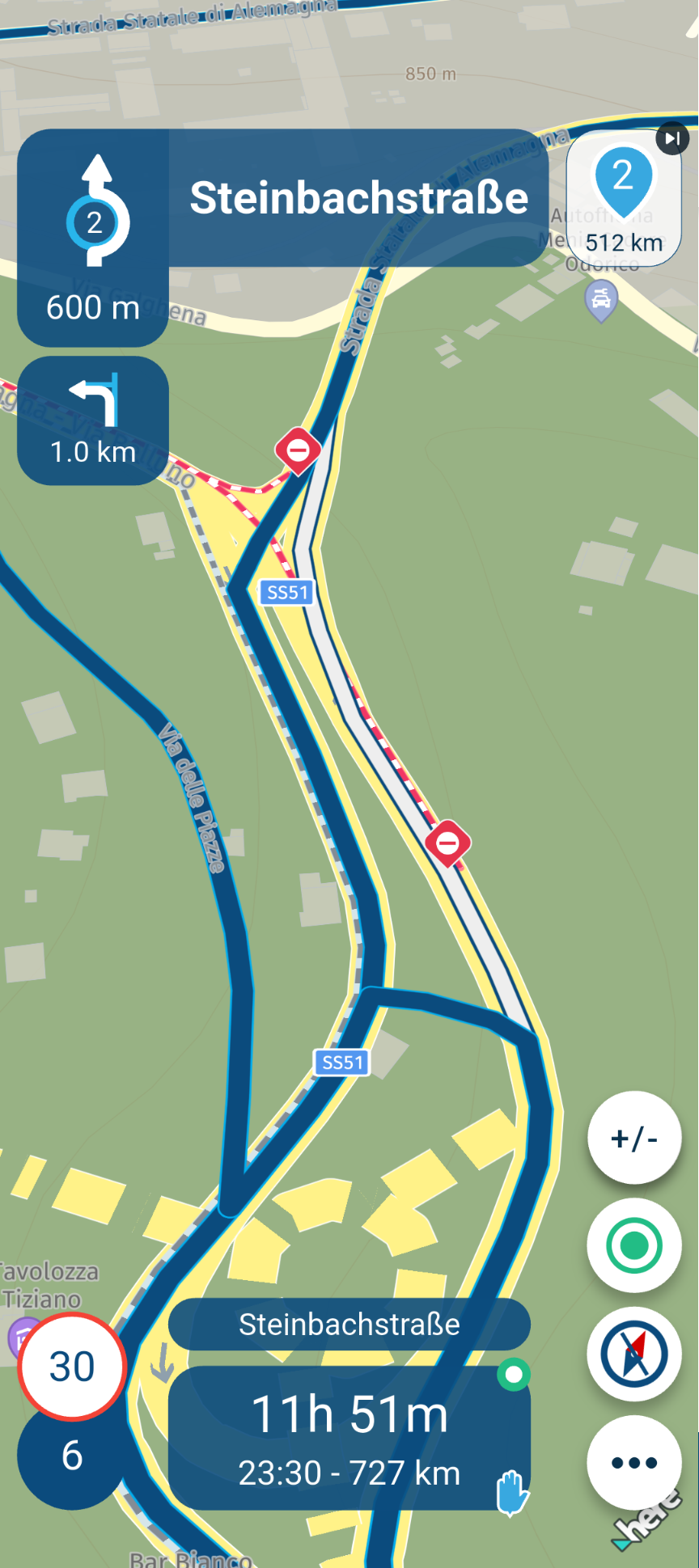
Attached are 4 screenshots…
1x Route with online traffic information enabled
1x Route with offline traffic information disabled
1x Track with online traffic information enabled
1x Track with offline traffic information disabled
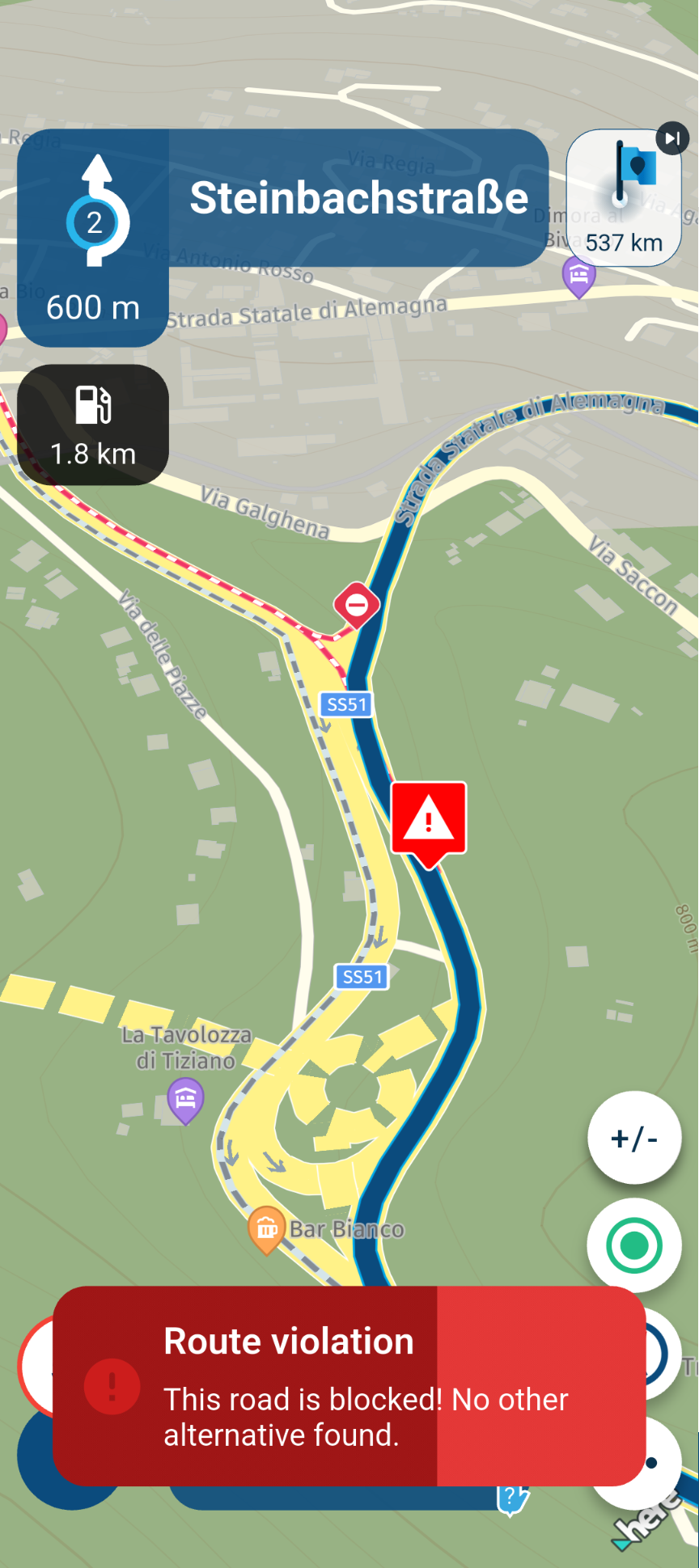
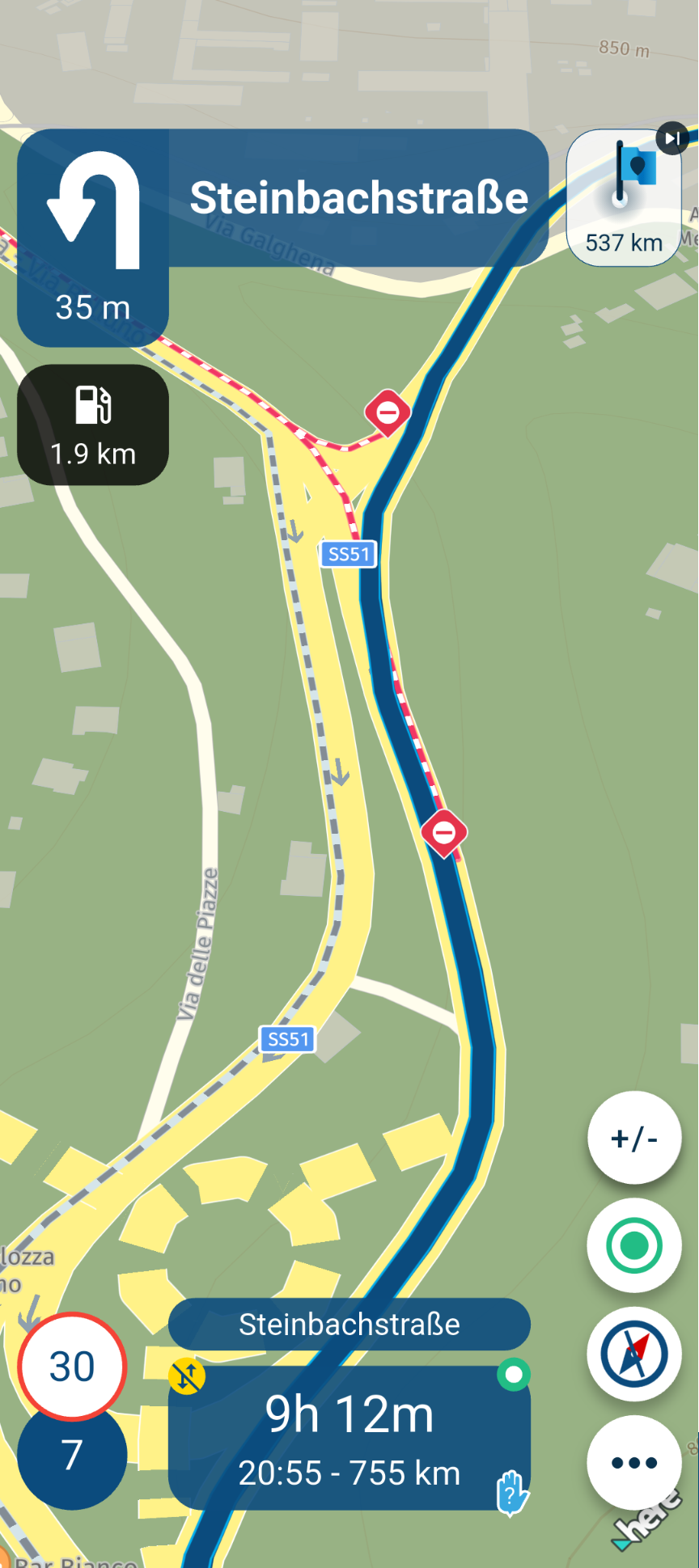
-
@Peter-Zehentreiter, It is clear that the closure in your case is still there after updating. We have another example at hand where the closure indeed disappeared after a map upgrade. That seems to support my theory that closures sometimes are in the map data instead of the traffic info.
-
@Con-Hennekens I’ve updated the maps; I think it’s now version 2.18.
The glitch was practically gone by last week.
Attached are 4 screenshots…
1x Route with online traffic information enabled
1x Route with offline traffic information disabled
1x Track with online traffic information enabled
1x Track with offline traffic information disabled

Hi @Peter-Zehentreiter is the shared route "Marostica_Lienz" just an example to illustrate the issue or is this the route you plan to use?
This error maybe because for this route the avoidance "Highways" is enabled
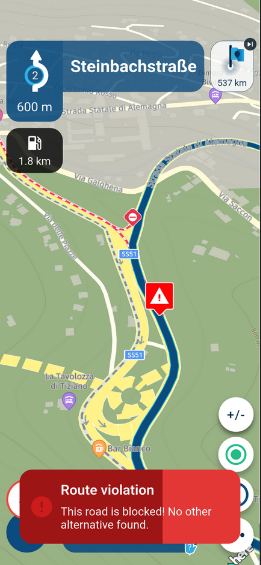
the aviodance maybe limiting the options that the routing calculation can use when trying to recalculate around the constructionBlackView BV7100, Android 12
Navigate "Routes as Tracks" in Offline mode with Offline Maps
No Wifi, no internet, no interruptions, works well -
Hi @Peter-Zehentreiter is the shared route "Marostica_Lienz" just an example to illustrate the issue or is this the route you plan to use?
This error maybe because for this route the avoidance "Highways" is enabled
the aviodance maybe limiting the options that the routing calculation can use when trying to recalculate around the construction
@Brian-McG Both... it’s to show how road closures behave with the various settings on the map and in the navigation system.
I drove the route the week before last.
Enabled highways aren’t relevant here, because there aren’t any highways in this area.
The option was included because, shortly before the destination, a motorway might have been a viable alternative.
-
@Peter-Zehentreiter, It is clear that the closure in your case is still there after updating. We have another example at hand where the closure indeed disappeared after a map upgrade. That seems to support my theory that closures sometimes are in the map data instead of the traffic info.
To come back at this shortly:
It is clear that the closure in your case is still there after updating. We have another example at hand where the closure indeed disappeared after a map upgrade. That seems to support my theory that closures sometimes are in the map data instead of the traffic info.
I think we must reconsider this. I think what we see is a caching method in action. Map updates do not seem to influence closures afterall. App updates however do. So at an app update apparently the cache is deleted.
Hello! It looks like you're interested in this conversation, but you don't have an account yet.
Getting fed up of having to scroll through the same posts each visit? When you register for an account, you'll always come back to exactly where you were before, and choose to be notified of new replies (either via email, or push notification). You'll also be able to save bookmarks and upvote posts to show your appreciation to other community members.
With your input, this post could be even better 💗
Register Login

-
 0728
0728
-
0867
-
 81655.4k
-
0344
-
 01089
01089
-
 0579
0579
-
1833
-
0257

