How to navigate a track?
-
@Bouke-Ent said in How to navigate a track?:
wpt in a track file
wpts are not part of a track file; that's a common misunderstanding. Unlike VIA points, that are part of a route, there is no link between wpts and tracks in any way even if they are part of the same GPX file.

@Martin-Wilcke said in How to navigate a track?:
wpts are not part of a track file; that's a common misunderstanding.
Actually, that is the common misunderstanding.
Waypoints do not have to be on the track, but that does not mean they are not part of it. In navigation going back long before motorbikes were invented, a turn point was commonly defined by following a specified heading until a given waypoint (distinguishing feature usually off the track) was observed on a specified bearing. So yes, when importing a track, it is important to import any specified waypoints defined in the track file. Whether MRA uses them as part of its calculations is irrelevant. You must accept that if they were important enough to the creator of the track to be included in the file, then they are probably just as important to the user of the track.
-
@Martin-Wilcke said in How to navigate a track?:
wpts are not part of a track file; that's a common misunderstanding.
Actually, that is the common misunderstanding.
Waypoints do not have to be on the track, but that does not mean they are not part of it. In navigation going back long before motorbikes were invented, a turn point was commonly defined by following a specified heading until a given waypoint (distinguishing feature usually off the track) was observed on a specified bearing. So yes, when importing a track, it is important to import any specified waypoints defined in the track file. Whether MRA uses them as part of its calculations is irrelevant. You must accept that if they were important enough to the creator of the track to be included in the file, then they are probably just as important to the user of the track.

I'm talking about GPX, specifically its structure and semantics.
A GPX file (implementation) or GPX container (model) might have multiple tracks and waypoints. All these elements are at the same level; they are not nested or linked in any way. Whatever the creator's intention was, you can't tell from looking at a GPX which waypoint belongs to which track. If you want to do so, you need some clues, rules, guessing - whatever.
That's why some Apps (e.g., DMD) prefer to import a GPX as a bundle to keep the content cohesive.
MRA, however, takes a different approach: you have to import tracks and waypoints in individual steps into different RouteLab areas. In particular, you don't end up with waypoints appearing in a route-track's "manage" tab in the "POI" section - that's what this thread is about, and that's what @guzzist is asking for.
@Paul-Smith-3 said in How to navigate a track?:
So yes, when importing a track, it is important to import any specified waypoints defined in the track file.
While still talking about GPX: there is no "track file", and there never was.
-

I blieve, we have the same understanding, but may using other words to explain - or translation does it not in best sense.
MRA does it in it's own way and sepereates data in stricktly separated areas:
- Tracklogs - which sould collect only own logged travels (as tracks)
- Routes - which collects own or received routes and received tracks (here called Route-Tracks)
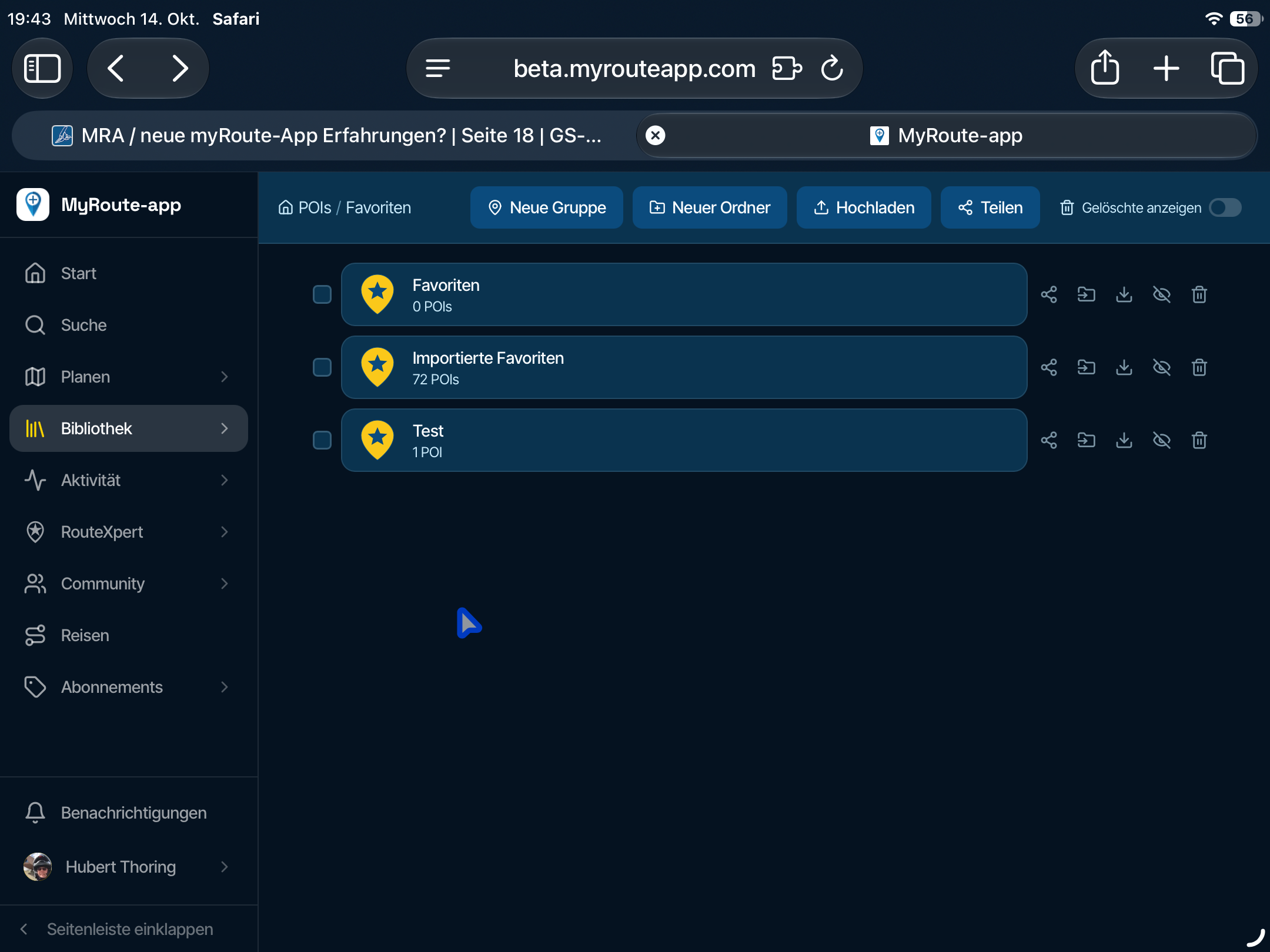
- POI - which collects Points of Interests (in gpx standard named as <wpt>
For the moment, I will not discuss this.
But I'm asking towards development: based on given build in MRA - if a gpx is going to be imported (which contains a route <rte> and <wpt>. Can we get a solution:
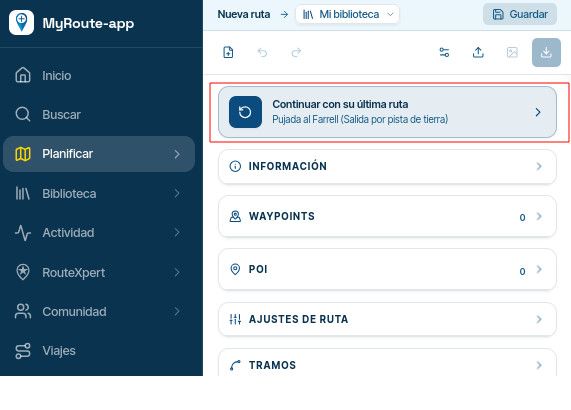
- to import in one hit the <rte> into the area "Routes" (as route) - and the <wpt> into the area "Routes" / Section "Point of Interest" / tab "Manage"?
- to Import in one hit the <trk> into area "Routes" (as Route-Track) - and the <wpt> into the area "Routes" / Section "Point of Interest" / tab "Manage"?
But yes, I see: this will change a paradigma in MRA, because until now Route-Tracks can't have Points of Interest.
And I consider: what if a gpx file does contain both <rte> and <trk> - and if there are also <wpt> in?
I believe we need 2 import actions: one for Route and another for Route-Track. Or it could be automated, to get both in one hit - because this is the case in current MRA build if there are 2 routes or 2 tracks in one gpx file to be imported (it creates that separated).
And I also consider: in this case, a gpx file does contain <rte> and <trk> and <wpt>. To which one sould be the imported <wpt> belong to? To the Route, to the Route-Track, or to both?
I prefer to both, because if to one of them it's not necessary to get the <wpt> - it's more easy to delete them (one by one), as to enter them (one by one) with search of position afterwards.Yes, other Apps can show more than one track in the same map; MRA doesn't. But I think, there is no need to change this in MRA also.
I can imagine, this would not be a big effort, but a "masterpiece" - which resolves the problems we are discussing here and makes many users happy. And brings MRA again a step vorward in relation to DMD

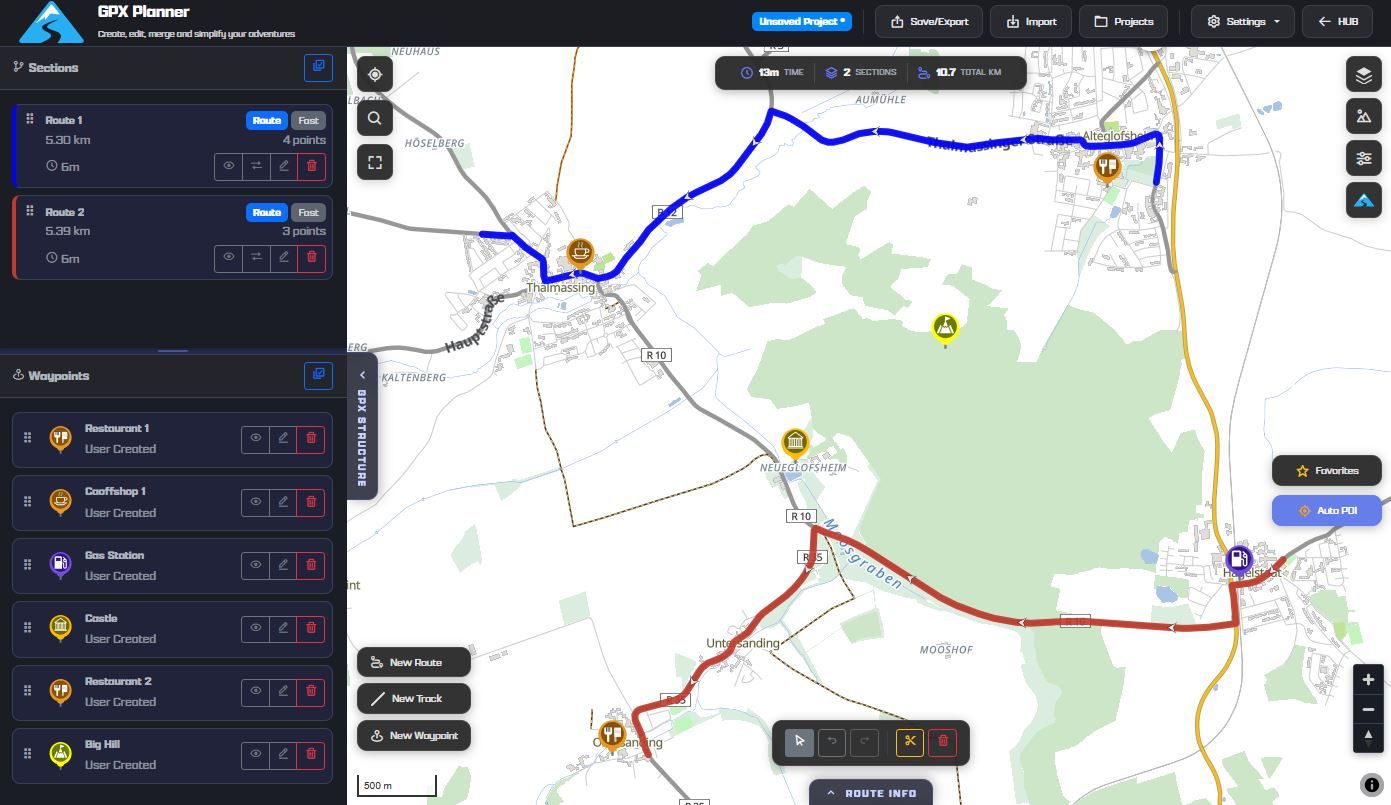
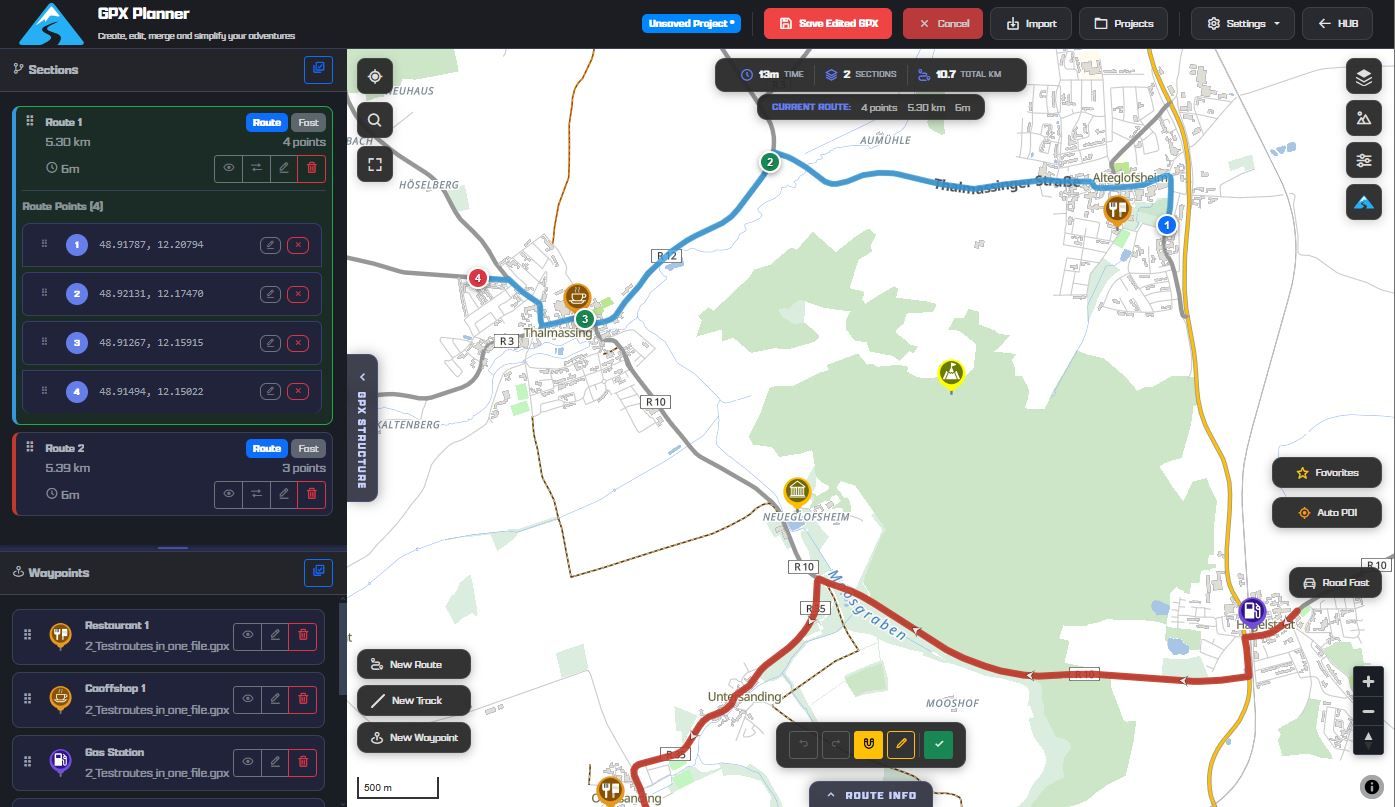
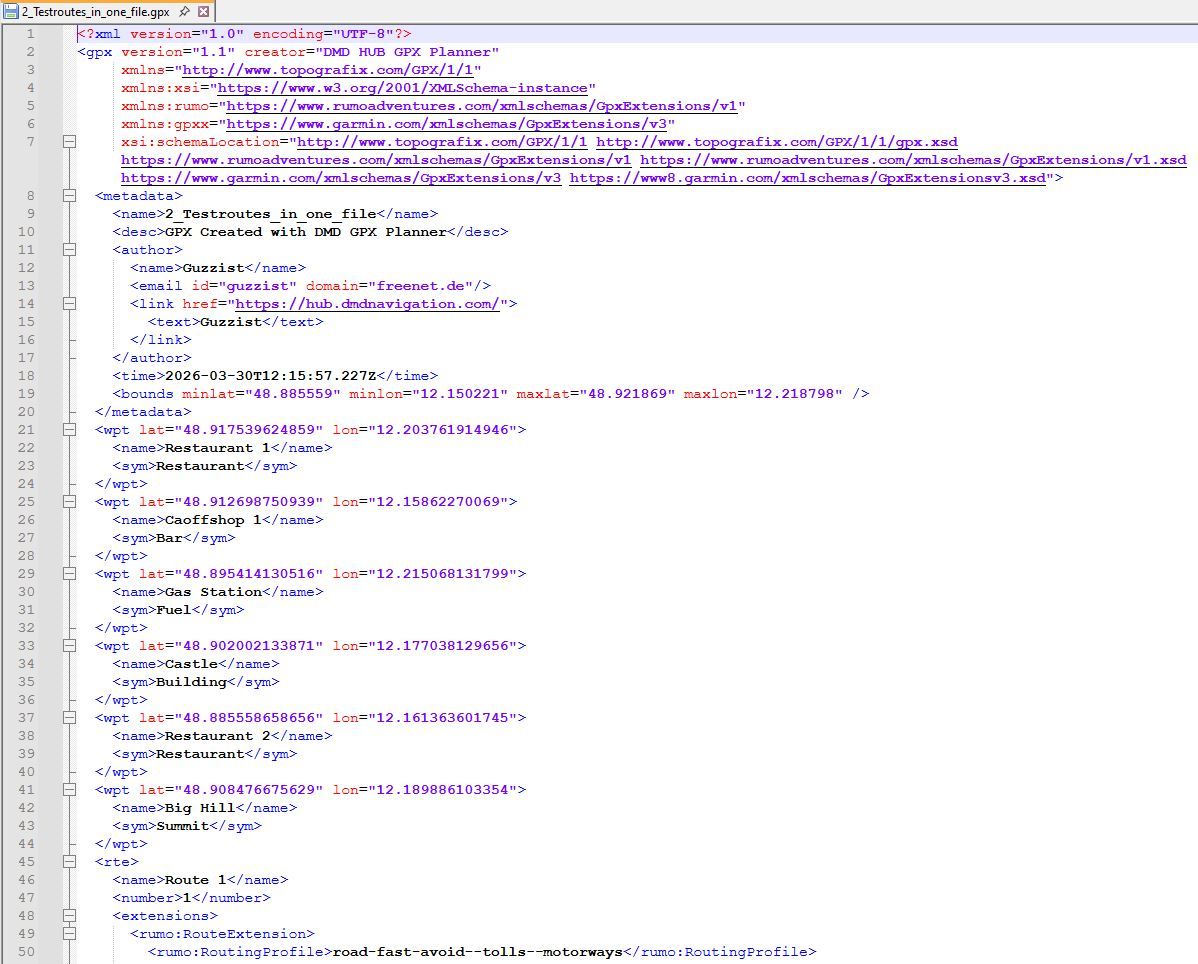
I know, many users are there, who will love it - but the "louder" ones are those with Carplay issues...Bay the way: DMD does also exactly was gpx standard is: showing groupwise content of a a gpx file. All routes <rte>, all tracks <trk>, all waypoints <wpt>. But they don't belong to each other; they are only in one file.
The only belongings are trackpoints <trkpt> which belongs to tracks <trk>.
And routepoints <rtept> which belongs to <rte>.
(see attached images)
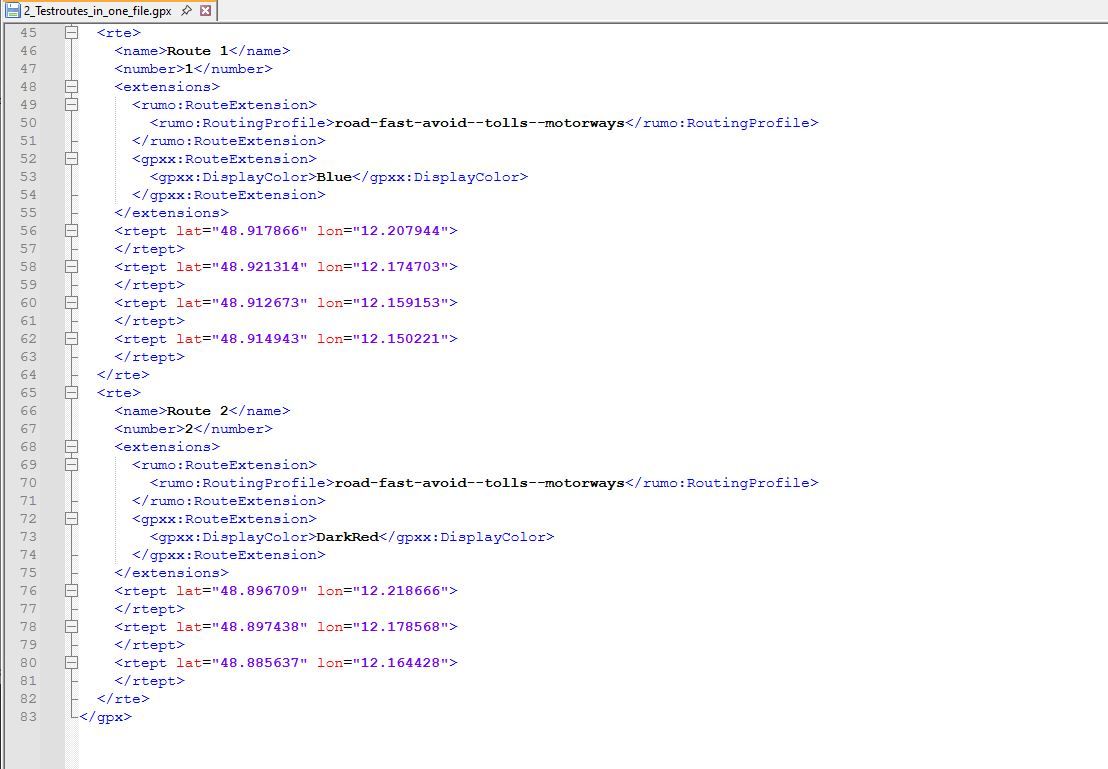
Nothing is impossible ;-)
In past: GARMIN Zumo 210->GARMIN Zumo 395->GARMIN XT=> now: DMD T865-X + MyRoute-App, LocusMaps, OsmAnd.
In past: GARMIN MapSource ->GARMIN BaseCamp->Tyre->Kurviger->Calimoto=> now: MRA-Routplanner. -
I blieve, we have the same understanding, but may using other words to explain - or translation does it not in best sense.
MRA does it in it's own way and sepereates data in stricktly separated areas:
- Tracklogs - which sould collect only own logged travels (as tracks)
- Routes - which collects own or received routes and received tracks (here called Route-Tracks)
- POI - which collects Points of Interests (in gpx standard named as <wpt>
For the moment, I will not discuss this.
But I'm asking towards development: based on given build in MRA - if a gpx is going to be imported (which contains a route <rte> and <wpt>. Can we get a solution:
- to import in one hit the <rte> into the area "Routes" (as route) - and the <wpt> into the area "Routes" / Section "Point of Interest" / tab "Manage"?
- to Import in one hit the <trk> into area "Routes" (as Route-Track) - and the <wpt> into the area "Routes" / Section "Point of Interest" / tab "Manage"?
But yes, I see: this will change a paradigma in MRA, because until now Route-Tracks can't have Points of Interest.
And I consider: what if a gpx file does contain both <rte> and <trk> - and if there are also <wpt> in?
I believe we need 2 import actions: one for Route and another for Route-Track. Or it could be automated, to get both in one hit - because this is the case in current MRA build if there are 2 routes or 2 tracks in one gpx file to be imported (it creates that separated).
And I also consider: in this case, a gpx file does contain <rte> and <trk> and <wpt>. To which one sould be the imported <wpt> belong to? To the Route, to the Route-Track, or to both?
I prefer to both, because if to one of them it's not necessary to get the <wpt> - it's more easy to delete them (one by one), as to enter them (one by one) with search of position afterwards.Yes, other Apps can show more than one track in the same map; MRA doesn't. But I think, there is no need to change this in MRA also.
I can imagine, this would not be a big effort, but a "masterpiece" - which resolves the problems we are discussing here and makes many users happy. And brings MRA again a step vorward in relation to DMD
I know, many users are there, who will love it - but the "louder" ones are those with Carplay issues...Bay the way: DMD does also exactly was gpx standard is: showing groupwise content of a a gpx file. All routes <rte>, all tracks <trk>, all waypoints <wpt>. But they don't belong to each other; they are only in one file.
The only belongings are trackpoints <trkpt> which belongs to tracks <trk>.
And routepoints <rtept> which belongs to <rte>.
(see attached images)
I understand and agree with all the facts and details you pointed out.
Just one more question: I mentioned the TET S GPX file in the other thread, which contains 21 <trk> and 760 <wpt>.
What is your preferred solution here: creating 21 route-tracks and inserting 760 POIs in the "POI / manage" tab for each of the 21 route-tracks?
-
I understand and agree with all the facts and details you pointed out.
Just one more question: I mentioned the TET S GPX file in the other thread, which contains 21 <trk> and 760 <wpt>.
What is your preferred solution here: creating 21 route-tracks and inserting 760 POIs in the "POI / manage" tab for each of the 21 route-tracks?
@Martin-Wilcke do you intend to drive all that TET sections in one ride? That will last 2-3 Months...
My longest rides to Morocco and round Italy lasts each 5 Weeks. I splitted the routes in parts - one for each rinding day.In your case, I would import the gpx to get all <wpt> as Point of Interest. Then I would import the gpx again to get the tracks. If all the sections are in one gpx, you will get one object (Route-Track) for each section.
Then open one of the Route-Tracks and select in the options "rework the track" - this will convert it to a route. Now in this Route, you can go to Waypoints and activate in Tab "Bibliothek" your before imported POI list. This will populate all POIs in the route (you will see it only in a lower zoom level).
If you then open MRA Navigation App, open one of these routes to navigate, then you will also see all that POI. Before, you need to have activated synchronisation between MRA-Navigation with MRA-Roueplanner. -
my use is otherway arround. i make route in MRA planner. if it is an option in the Here map. If Here does not want to make a route and OSM wants then i switch to OSM map. I make my route and if it is done i will add Poi. If done i make a gpx track and poi. now i download gpx and upload it to other app that support OSM maps or convert a track to be able to navigate. OSMAND and Bmaps (dutch app on android) are my most use. both show track and poi on the screen. MRA Next is perfect for road or path that Here knows. but in some part OSM maps are giving more road. I am not a offroad biker.... just like to ride small backroads, farmroad of gravelpasses. my option now is to use 2 phone. 1 with MRA Next for the parts that Here knows and 1 for showing the track.
-
my use is otherway arround. i make route in MRA planner. if it is an option in the Here map. If Here does not want to make a route and OSM wants then i switch to OSM map. I make my route and if it is done i will add Poi. If done i make a gpx track and poi. now i download gpx and upload it to other app that support OSM maps or convert a track to be able to navigate. OSMAND and Bmaps (dutch app on android) are my most use. both show track and poi on the screen. MRA Next is perfect for road or path that Here knows. but in some part OSM maps are giving more road. I am not a offroad biker.... just like to ride small backroads, farmroad of gravelpasses. my option now is to use 2 phone. 1 with MRA Next for the parts that Here knows and 1 for showing the track.
@Bouke-Ent I understand your point, because I'm doing the same - but I think, a bit more elegant. I don't use 2 devices, but only one: T-865X from DMD. They offer also smaller devices and the possible best app for navigating tracks - DMD2. Devices and app are manufactured from riders for riders.
The devices are based on Android, therefore you can install additional apps to the DMD2 app.
Because I'm riding also offroad as well as onroad, I use the probably best app for onroad: MyRoute-App. And parallel for offroad the DMD2 app, LocusMap and OsmAnd. Just that app, which is the best for current situation.For me the best: driven by the same gpx fike, I can run all apps parallel. Just by push one hardware button, I can switch through all apps - backwards and forwards.
-
my budget is not so big to buy a dmd. i use cheap android phone without sim for showing the track. for me bmaps is a nice small app that looks like the old kurviger pro v1. when i want more detail i have also older osmand with more info/details. bmaps reads the track and wpt.....
it would be nice to have it all in MRA Next....
i am allready happy with show track on freeride mode.
again thanks to point this to me in this topic.
-
my budget is not so big to buy a dmd. i use cheap android phone without sim for showing the track. for me bmaps is a nice small app that looks like the old kurviger pro v1. when i want more detail i have also older osmand with more info/details. bmaps reads the track and wpt.....
it would be nice to have it all in MRA Next....
i am allready happy with show track on freeride mode.
again thanks to point this to me in this topic.

@Bouke-Ent There are many other alternatives to the DMD2, which in my opinion are overrated and overpriced. On the other hand, all manufacturers are focusing on CarPlay/Android Auto, both in cars and motorcycles. There's no going back. It's not the future anymore, it's the present. Your option of a simple smartphone is just as valid as any DMD2 product. And I'm not just saying this based on hearsay; I'm speaking from personal experience (I bought a DMD1 when nobody knew about it yet...). Cheers!
-
I'm a bit confused and wonder if development was running in a strange direction with "navigate route as track"...?
I know the sense of this, but my intention is, to get a gpx file which contains a track only and navigate by this.If I import such a file as Track or as Route-Track - the result is always the same - no matter which preferences I select: I get always a blue and a white line, if I start navigation with. That's annoying! I know, I should follow in this case the white line. But this forces unnecessary extra concentration!
The only mitigation I found is: select this Track or Route-Track for navigation, but start as "free ride"! Result: you will get only a blue line and you can navigate by clearly following the line (as usually for track navigation).Same issue is reported by @Martin Wilcke https://forum.myrouteapp.com/post/75062
Second issue: if gpx files contains waypoints <wpt> (POI), the import procedure operates that like stepchilds!
In case, gpx is imported as track, this points will never be imported!
In case, gpx is imported as Route-Track, this points will never be imported!
In case, gpx is imported as Route, this points will be imported as shaping points!
But why? The export procedure does it correctly.
@Guzzist said in How to navigate a track?:
Second issue: if gpx files contains waypoints <wpt> (POI), the import procedure operates that like stepchilds!
In case, gpx is imported as track, this points will never be imported!
In case, gpx is imported as Route-Track, this points will never be imported!
In case, gpx is imported as Route, this points will be imported as shaping points!
But why? The export procedure does it correctly.I fully agree, but I think it has to do with the database structure (I believe POI is added later??)
the fully exported GPX file (route-track-POI) from MRA wil also not be the same when imported again in MRA
-
@Guzzist said in How to navigate a track?:
Second issue: if gpx files contains waypoints <wpt> (POI), the import procedure operates that like stepchilds!
In case, gpx is imported as track, this points will never be imported!
In case, gpx is imported as Route-Track, this points will never be imported!
In case, gpx is imported as Route, this points will be imported as shaping points!
But why? The export procedure does it correctly.I fully agree, but I think it has to do with the database structure (I believe POI is added later??)
the fully exported GPX file (route-track-POI) from MRA wil also not be the same when imported again in MRA
@BertM said in How to navigate a track?:
the fully exported GPX file (route-track-POI) from MRA wil also not be the same when imported again in MRA
i have same problem, but then i only focus on track and poi. track can be imported from gpx file but poi (wpt) are not.
i get comments that i want to change subject but this is in my case the point. wpt are not imported from gpx file if import is only based on track.
other ways i did not look at.
Hello! It looks like you're interested in this conversation, but you don't have an account yet.
Getting fed up of having to scroll through the same posts each visit? When you register for an account, you'll always come back to exactly where you were before, and choose to be notified of new replies (either via email, or push notification). You'll also be able to save bookmarks and upvote posts to show your appreciation to other community members.
With your input, this post could be even better 💗
Register Login
-
 0725
0725
-
 1422454
-
 0518
0518
-
 1525
1525
-
 0415
0415
-
1575
-
0422
-
07424