
Route lines not showing
-

I have been a user since you started & am having more problems with route lines than I ever had. When I build a route, more times than I care to count route lines are not showing between cities. It is not due to road closures, or small hard to identify roads, but large highways & well known routes. I am in the USA, but have used your software throughout, Italy, Austria, Switzerland, Spain, & Norway. I travel a lot by Motorcycle.
-

I don't understand... Can you elaborate, preferably with a screenshot?
-
I have been a user since you started & am having more problems with route lines than I ever had. When I build a route, more times than I care to count route lines are not showing between cities. It is not due to road closures, or small hard to identify roads, but large highways & well known routes. I am in the USA, but have used your software throughout, Italy, Austria, Switzerland, Spain, & Norway. I travel a lot by Motorcycle.

@Mike-Morrill A screenshot as @Con-Hennekens asked for would be helpful but to really understand and discover the problem it would be better if you could share your route.
Sharing your route from MRA is far better than just forwarding the .gpx files as sharing will show what map and settings you are using.
To share your route, open the route and click the Share button top right, choose the Link option and copy and paste the URL web address into your reply. If the privacy of the route is not public you’ll get the opportunity to change this after clicking the Link option. -
ik heb hetzelfde probleem vandaag.
hier de link : https://www.myrouteapp.com/nl/social/route/12860220?mode=share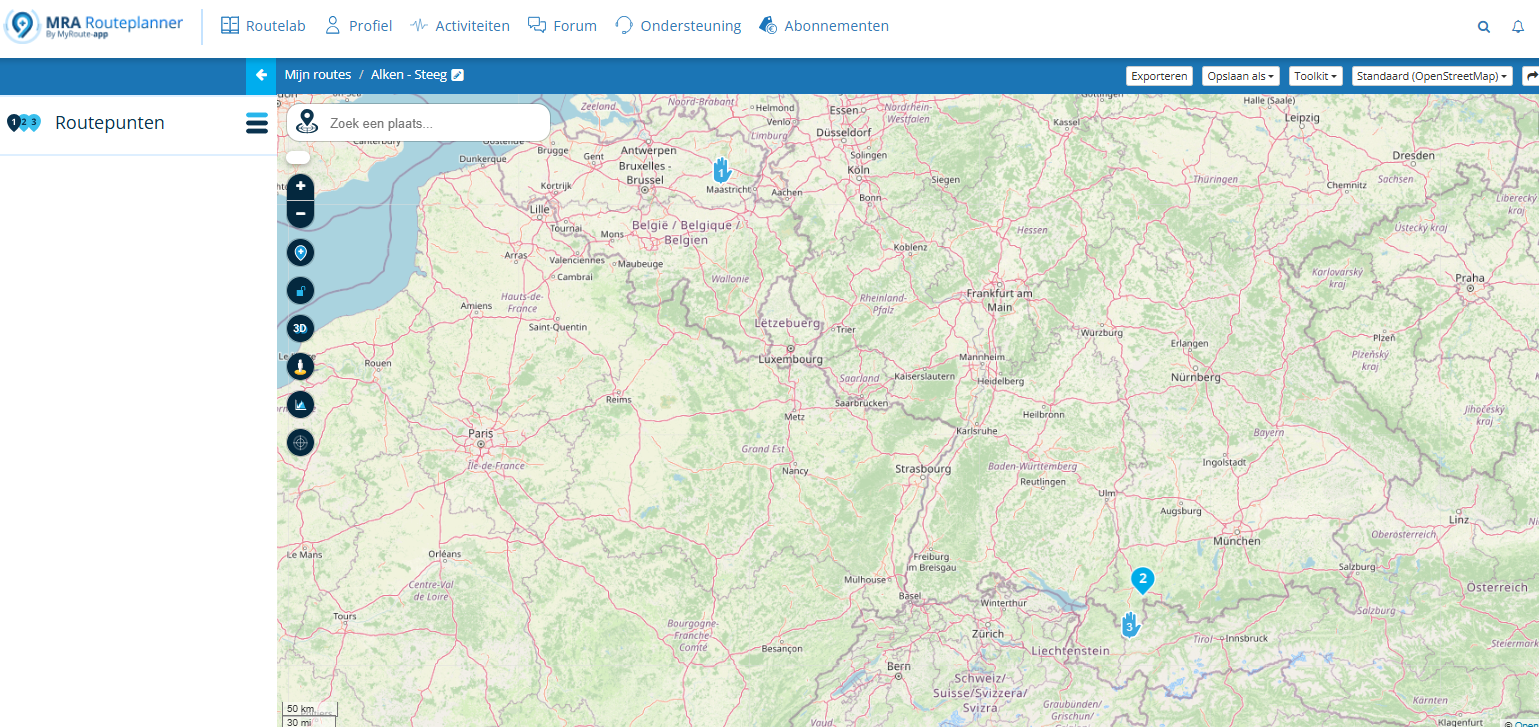
-
ik heb hetzelfde probleem vandaag.
hier de link : https://www.myrouteapp.com/nl/social/route/12860220?mode=share
@Patrick-65 Wijzig de planningkaart naar HERE.
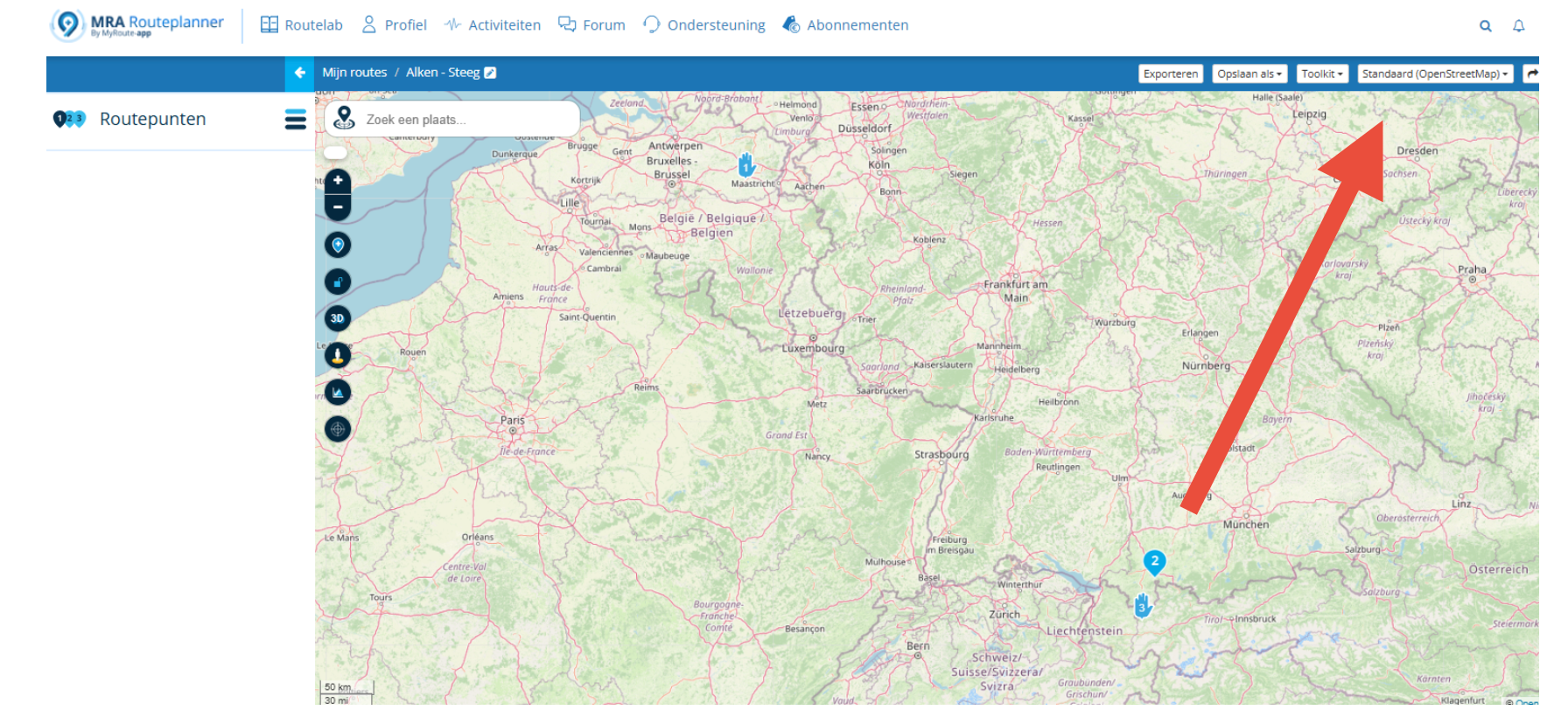
Change the planning map to HERE. -
ik heb hetzelfde probleem vandaag.
hier de link : https://www.myrouteapp.com/nl/social/route/12860220?mode=share
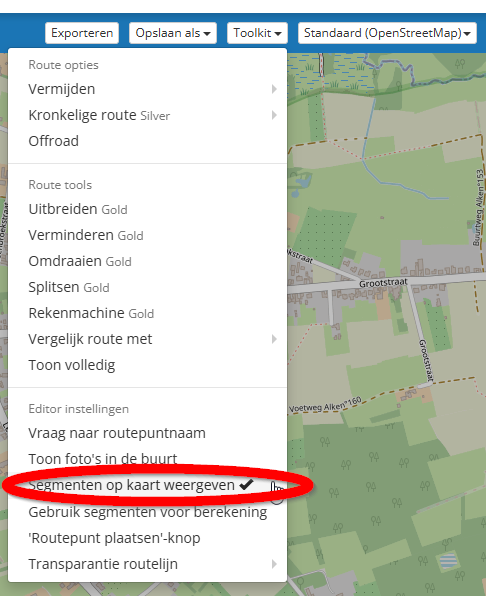
@Patrick-65, It looks like you are using motorbike transport mode in the OSM map. That is not supported, but not the reason for what happens. I deducted the problem to be related to the use of Segments on OSM map. If you disable this function in the toolkit, the planner acts normal. (Show segments on map).
-
waarom dient de knop om segmenten te gebruiken dan??
Dit was net handig om op sommige stukken snelwegen te vermijden... -
waarom dient de knop om segmenten te gebruiken dan??
Dit was net handig om op sommige stukken snelwegen te vermijden...
@Patrick-65 Dat is het nog steeds. Alleen moet je je werkwijze wellicht iets aanpassen! Als je in de OSM-kaart je route maakt met segmenten, dan zet je die - zodra je klaar bent - om naar de Here kaart. Je krijgt dan een waarschuwing dat je verder gaat in een kopie van je route. De segmenten zijn dan in je route opgenomen. Voordeel is nu dat je met navigeren geen problemen hebt omdat de app natuurlijk ook gebruikmaakt van de Here-kaart.
-
waarom dient de knop om segmenten te gebruiken dan??
Dit was net handig om op sommige stukken snelwegen te vermijden...
@Patrick-65 said in Route lines not showing:
waarom dient de knop om segmenten te gebruiken dan??
Dit was net handig om op sommige stukken snelwegen te vermijden...Die functionaliteit kun je dus nog steeds gewoon gebruiken, mits je de aangegeven optie uit zet. Dat betreft alléén de weergave van de segmenten op de kaart. Bij de routepunten zie je die nog steeds gewoon staan. Ik geef je deze tip alleen maar als workaround, zodat jij verder kan met je planning. Het onderliggende probleem zal moeten worden opgelost door het dev-team.
-
het lukt me niet om de segmenten toe te voegen. waar staat deze optie bij de routepunten?
Als ik verander (met auto) naar OSM, zie ik geen routelijnen. -
het lukt me niet om de segmenten toe te voegen. waar staat deze optie bij de routepunten?
Als ik verander (met auto) naar OSM, zie ik geen routelijnen.
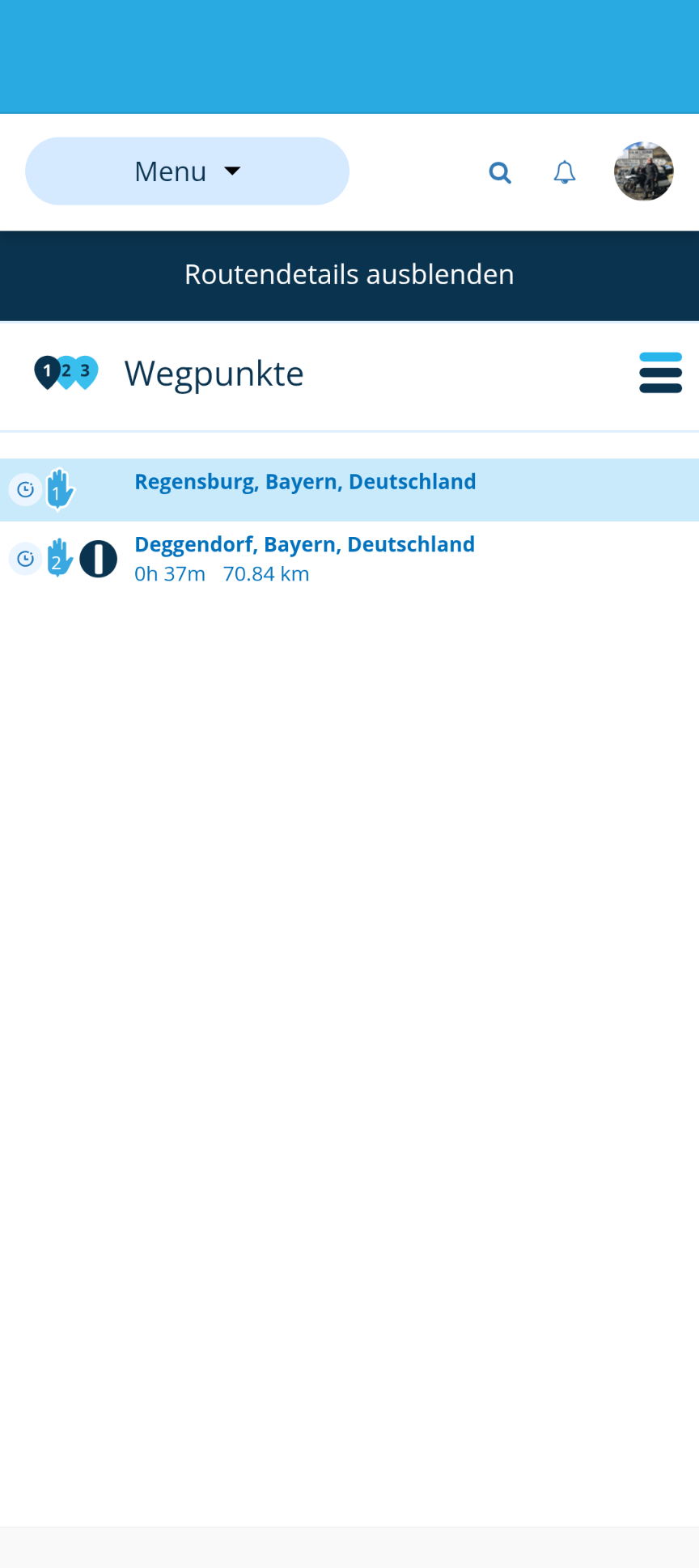
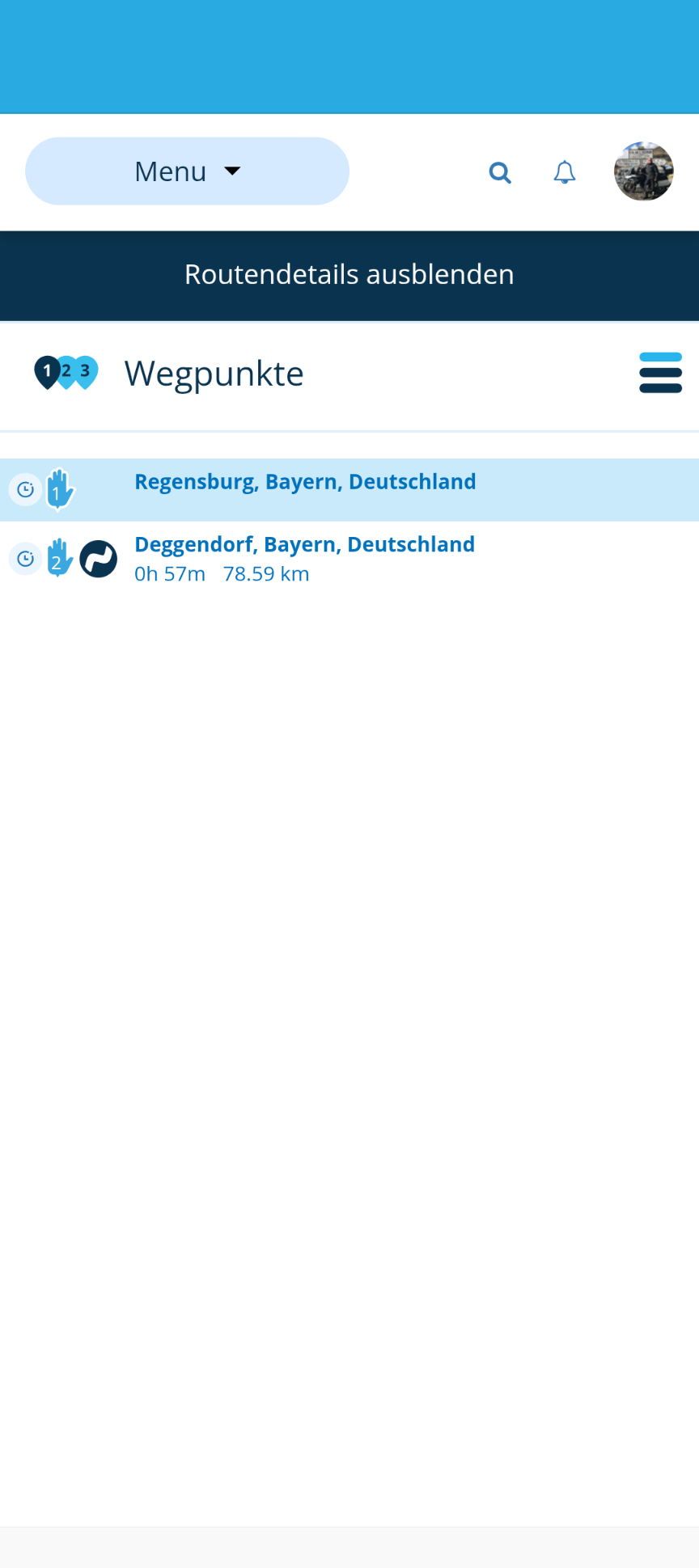
@Patrick-65 Zet in OSM minstens 2 punten, dan kun je segmenten en de kromming aanpassen

-

I Found a thread of my interest...
I see thread is opened in English...
I see 2 answers in English, but...
Someone writes in Dutch or German (i do not know) and ALL post is written on different language that started.Perhaps YOU know Dutch or German, not me. And perhaps not Thread stated knows also.
Is so difficult to follow initial Language? What happes if every one writes in his language?
Empiezo a estar cansado de esta desconsideración al resto de usuarios del Foro.
Regards
-

That the problem of this Forum.
We used to have a rule that posts should be written in the same language they start in. Unfortunately, everyone here writes however they like.
I use DeepL as a browser add-on to translate other languages directly when I highlight text. -

I use the Chrome browser and turn on translate. Works well.
-
I Found a thread of my interest...
I see thread is opened in English...
I see 2 answers in English, but...
Someone writes in Dutch or German (i do not know) and ALL post is written on different language that started.Perhaps YOU know Dutch or German, not me. And perhaps not Thread stated knows also.
Is so difficult to follow initial Language? What happes if every one writes in his language?
Empiezo a estar cansado de esta desconsideración al resto de usuarios del Foro.
Regards
@Lluis-Arasanz said in Route lines not showing:
Is so difficult to follow initial Language? What happes if every one writes in his language?
I have seen multiple posts by you not honoring the same principle I believe.
Deepl is your friend, don't lose respect for people in this community please (yes I use deepl too).That being said:
@Jörgen said in Route lines not showing:
We used to have a rule that posts should be written in the same language they start in.
The actual "rule" was dedicated to the BETA categories, and said that posts should preferably be started in English or in Dutch (being the by far biggest group of people at that time) and replied to in the original language or in English. Maybe the amount of German speaking people has caught up by now, that's possible. I can read English and German (and Dutch) pretty well, but must admit that the frequency (and maybe the too elaborate writing style of some) sometimes keeps me from continuing.
Personally I would have no problem with the forum being English completely, but that might be a bridge too far for many. In the meantime I scan most foreign messages on interesting keywords, and translate only if my interest is triggered. Don't make too big of a problem about everything

Hello! It looks like you're interested in this conversation, but you don't have an account yet.
Getting fed up of having to scroll through the same posts each visit? When you register for an account, you'll always come back to exactly where you were before, and choose to be notified of new replies (either via email, or push notification). You'll also be able to save bookmarks and upvote posts to show your appreciation to other community members.
With your input, this post could be even better 💗
Register Login-
 0745
0745
-
1514
-
0524
-
06251
-
 06232
06232
-
04134
-
 17202
17202
-
0356