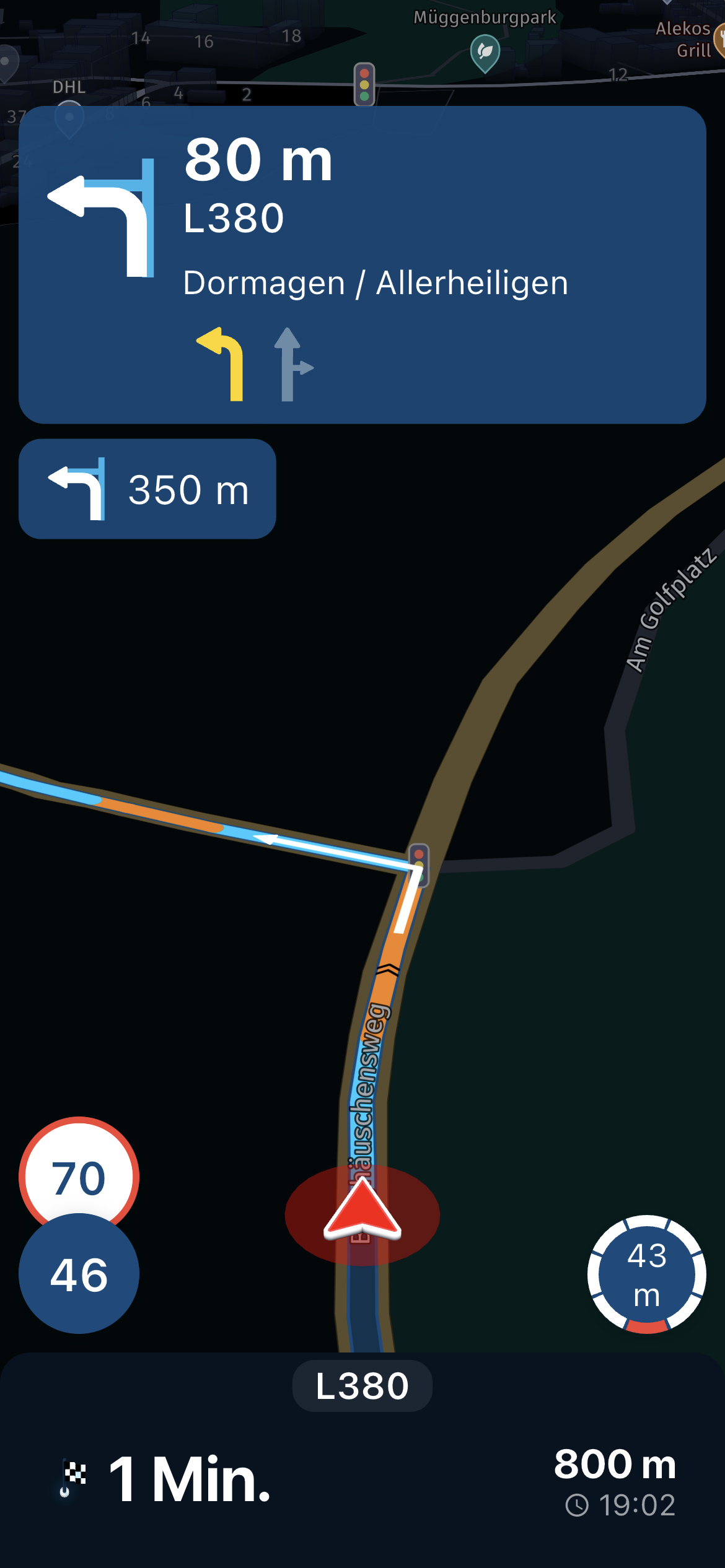
Avoid part of the route if offline even with wp
-

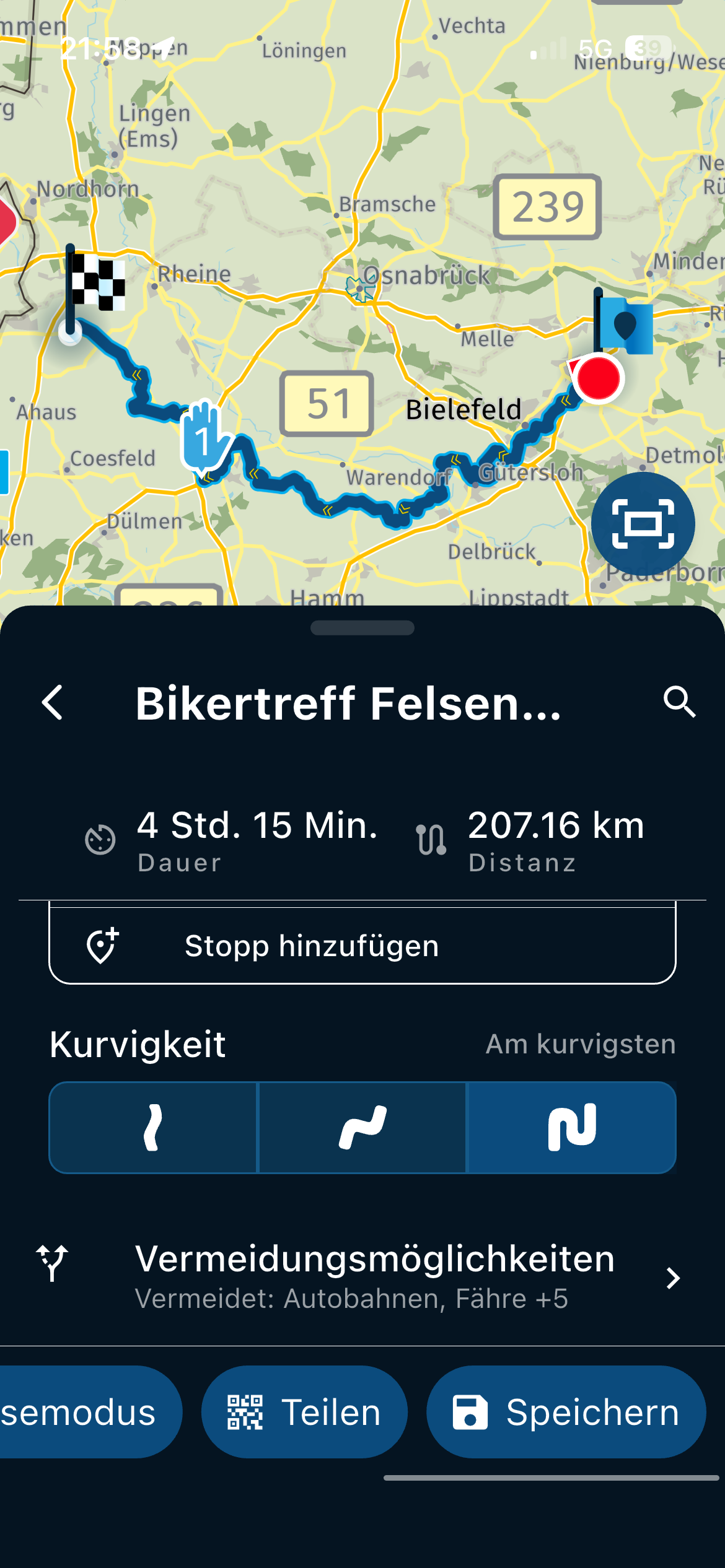
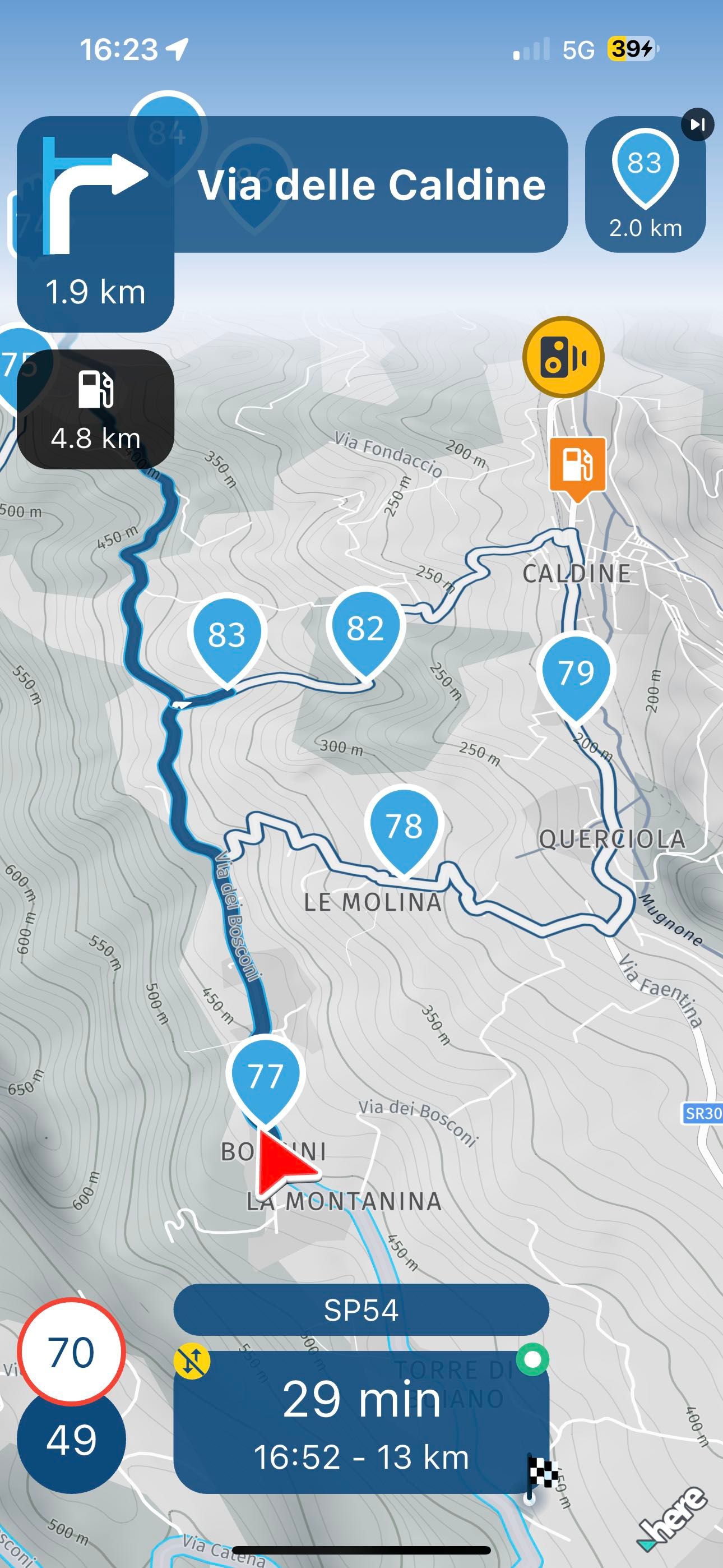
Yesterday I tried the app a bit, there were a couple of places where there was not much connection and the app got stuck (frozen, it's already the second time it happens, first more successful), but even worse, after I opened the path library, the library was synchronized, I loaded the route I was doing and that was blocked (all this of course where there was connection), I started it, then I activated offline navigation, what you see in the photo happened... it prevented me from being a good part of the route despite the fact that there were 6 crossing points, that I had put To force the path in those roads, they are very secondary roads... I knew that offline navigation is not as accurate as when you are online, but in this case, where there are crossing points, is it normal?
-

Did you happen to skip any waypoints? Because the next point is 83 and you're at 77
-

Hey @Aiello-antonino ,
Hey @Hans-van-de-Ven-MR.MRA,
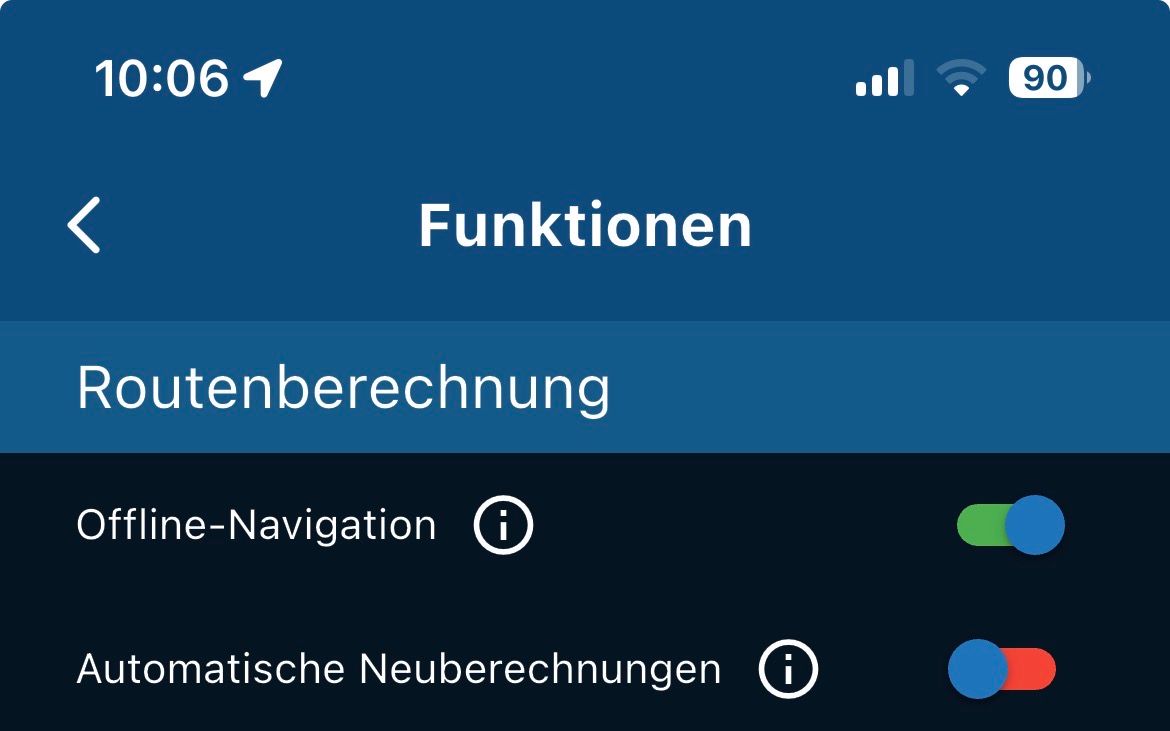
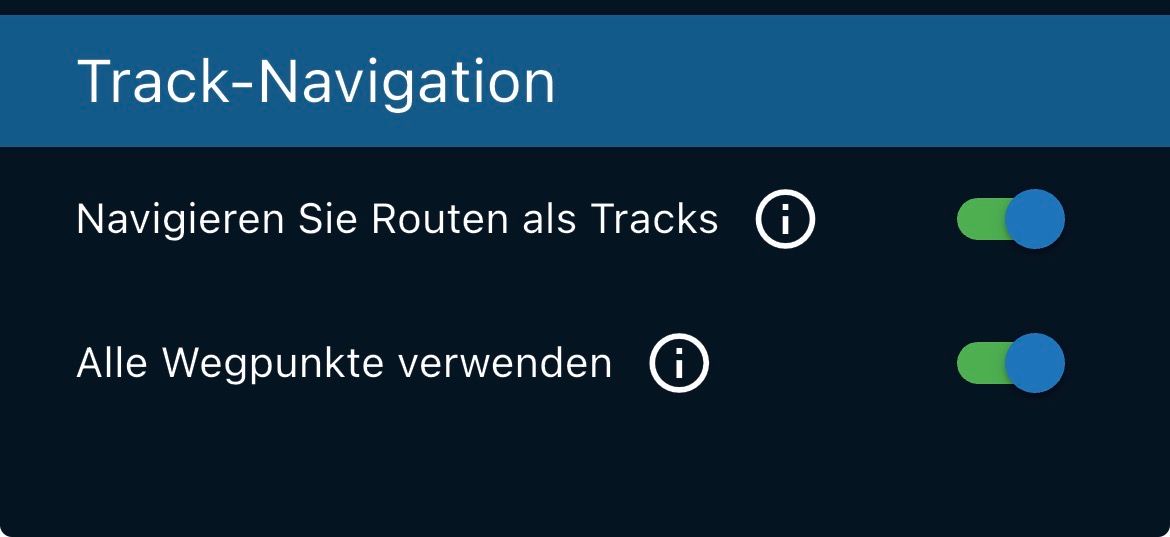
It could be due to a construction site or closure that was still taken into account online when opening for the first time before you went offline, or during the started ride if the route has a lot of turns could have caused an automatic skipping of waypoints (WP).I actually recommend the following in the mountains for driving a beautiful route.
In the account, navigation settings, functions to set the switches so..
- You should only skip waypoints yourself because skipping a route with a lot of turns in the Automatic WP is already crazy

Also:
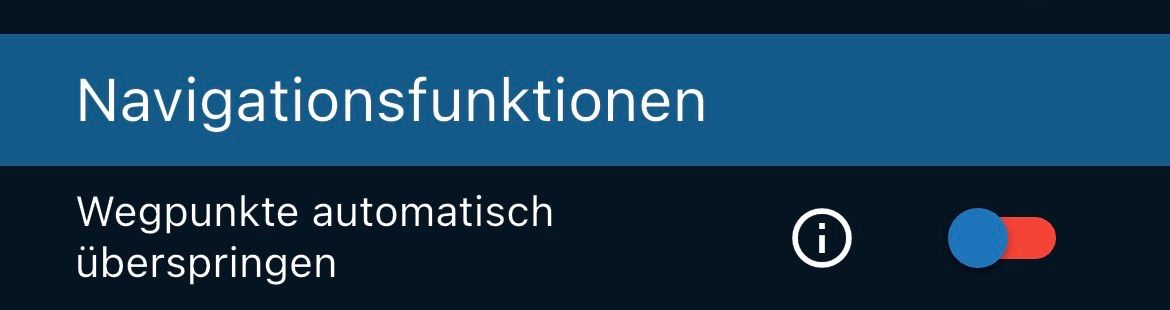
VG Hubert
Beta Test "Next App" dazu die Hardware .
iPad 9. Gen iOS 26.7/ iPhone 16e iOS 26.7/ Navi iPhone Xr iOS 18.7.10 / PC mit MS Win11 /❗️MyRoute-App im Cradel und Remotek-One❗️ Info zu MRA & Remotek One - You should only skip waypoints yourself because skipping a route with a lot of turns in the Automatic WP is already crazy
-
Hey @Aiello-antonino ,
Hey @Hans-van-de-Ven-MR.MRA,
It could be due to a construction site or closure that was still taken into account online when opening for the first time before you went offline, or during the started ride if the route has a lot of turns could have caused an automatic skipping of waypoints (WP).I actually recommend the following in the mountains for driving a beautiful route.
In the account, navigation settings, functions to set the switches so..
- You should only skip waypoints yourself because skipping a route with a lot of turns in the Automatic WP is already crazy
Also:
@Hubert-Thoring This is my normal configuration when I travel, when I activate the offline mode I don't change anything because it has always worked well... I had already done that route and I had no problems but it had always been online, I don't understand why it has to jump from point 77 to point 83 without going from point 78, 79 etc... as you can see I didn't activate the automatic start the Way point so I don't understand why you go to point 80 83…
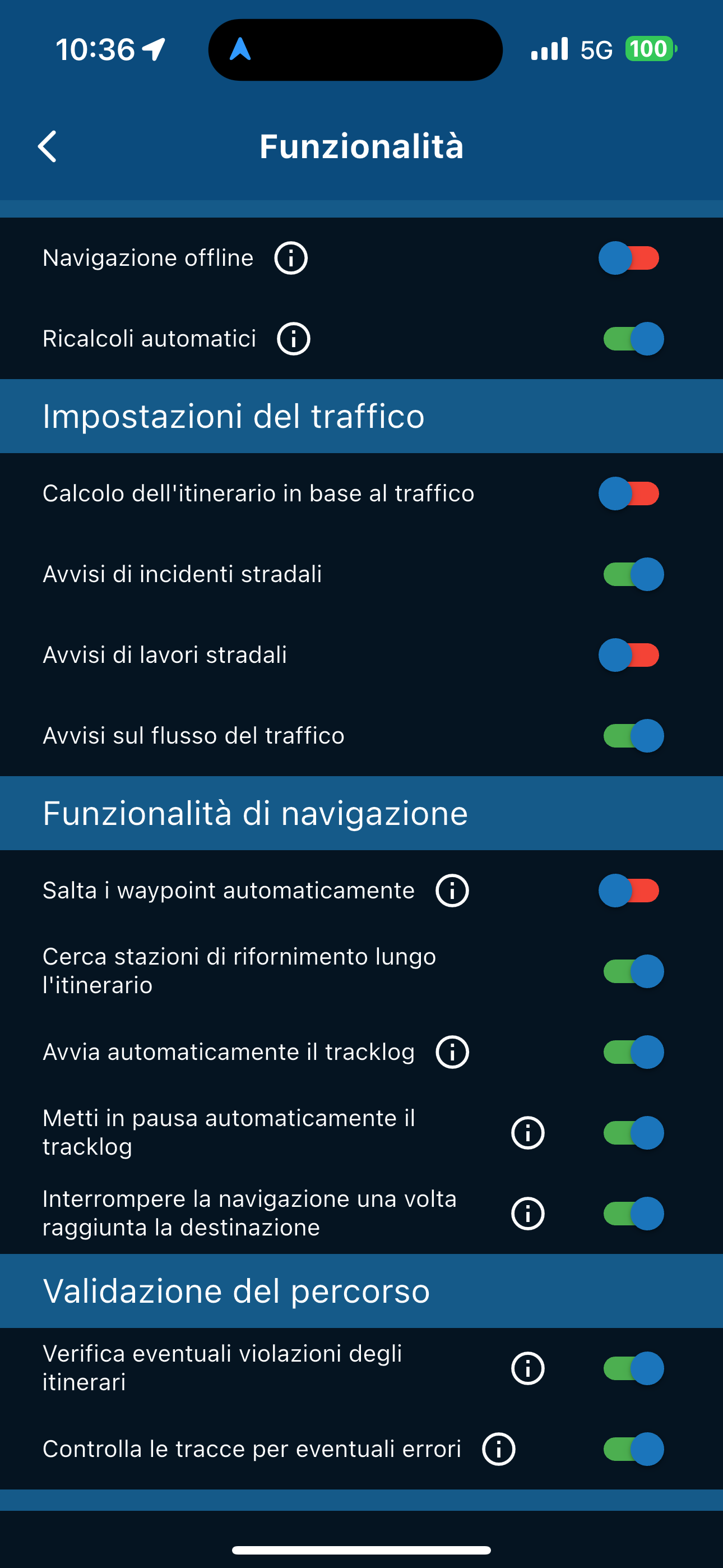
- You should only skip waypoints yourself because skipping a route with a lot of turns in the Automatic WP is already crazy
-
Is it this route, I have looked for it and it seems to be no problem for me.
MRA V5.0.2-442 auf einem iPhone Xr mit iOS 18.7.3
From Münster in Germany NRW a bit far to test it on site...
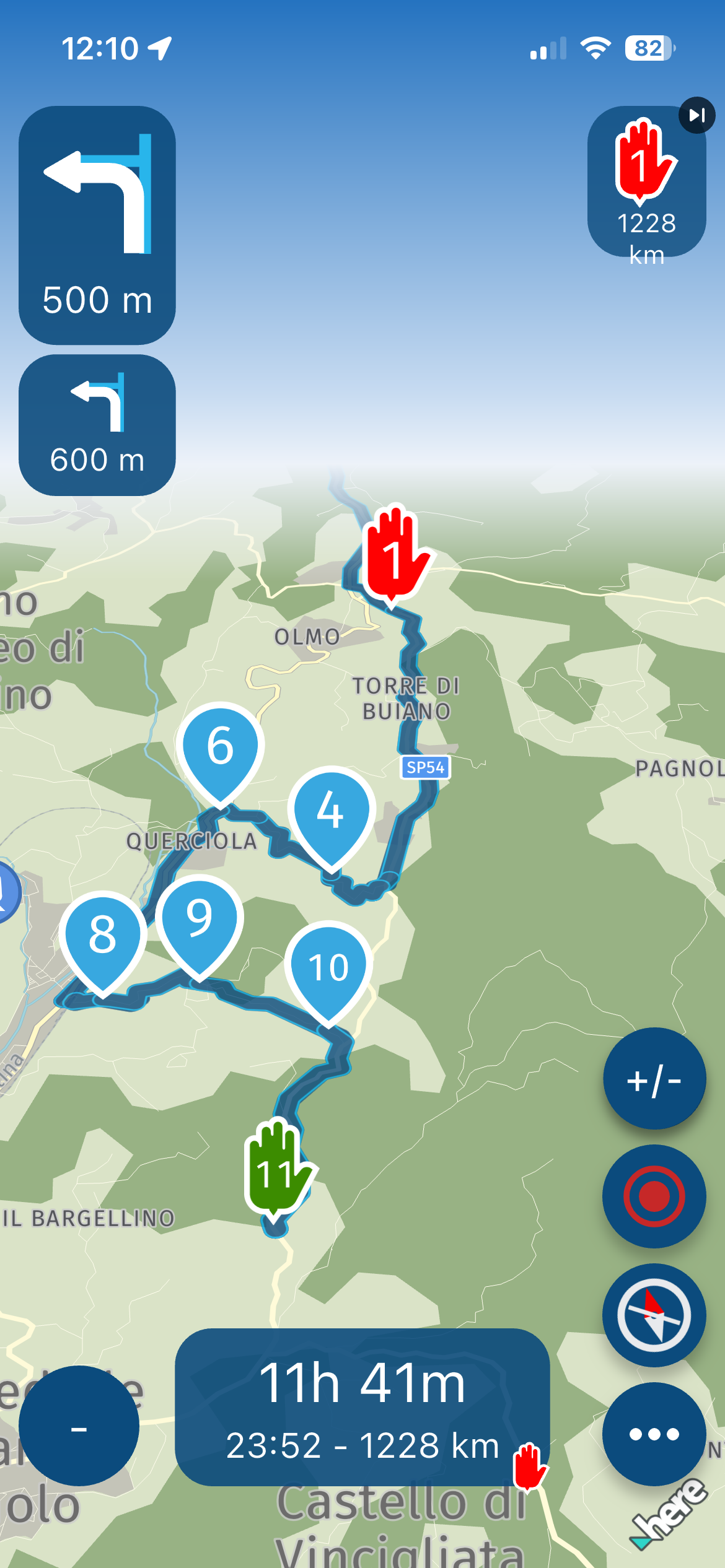
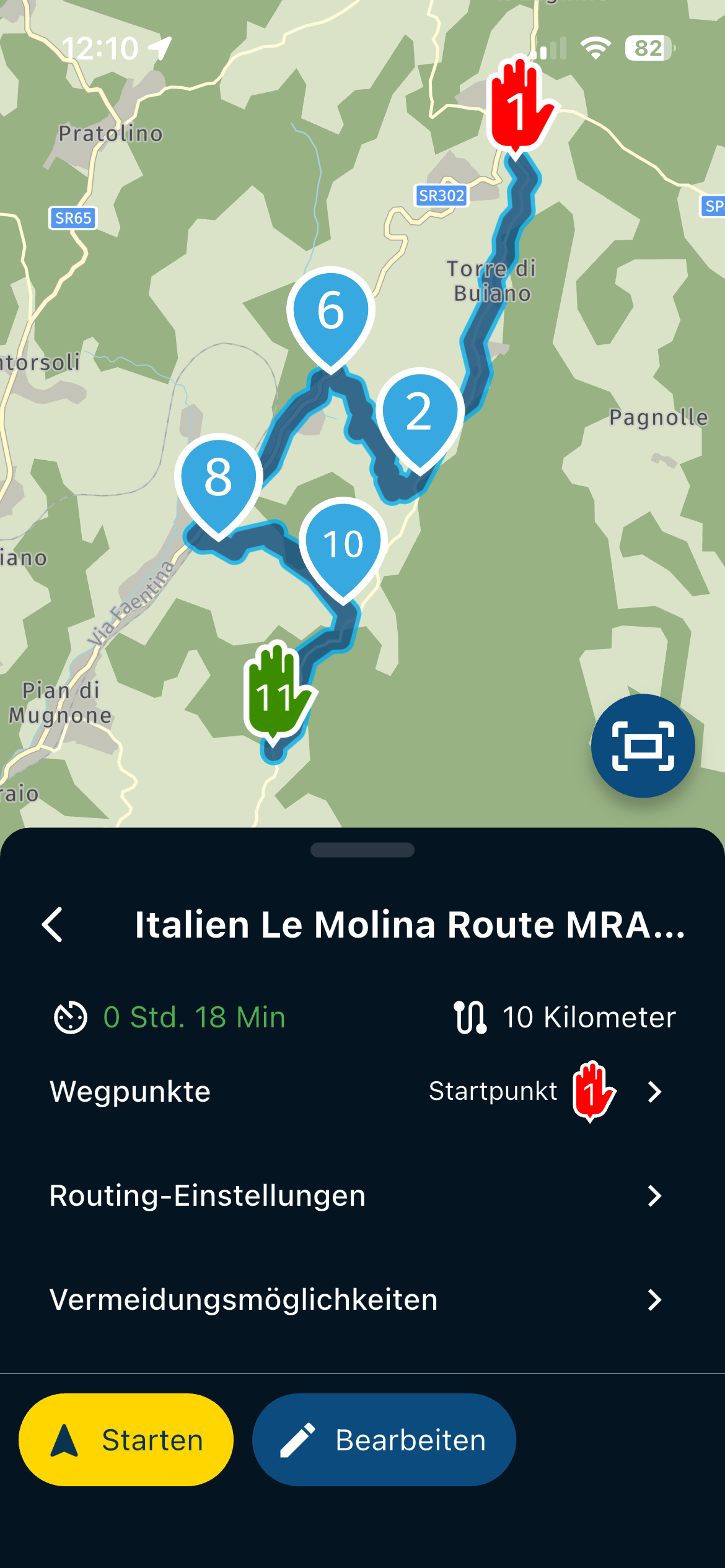
-
-
Yesterday I tried the app a bit, there were a couple of places where there was not much connection and the app got stuck (frozen, it's already the second time it happens, first more successful), but even worse, after I opened the path library, the library was synchronized, I loaded the route I was doing and that was blocked (all this of course where there was connection), I started it, then I activated offline navigation, what you see in the photo happened... it prevented me from being a good part of the route despite the fact that there were 6 crossing points, that I had put To force the path in those roads, they are very secondary roads... I knew that offline navigation is not as accurate as when you are online, but in this case, where there are crossing points, is it normal?

@Aiello-antonino, The skipping routine checks for the next 10 waypoints for which one is nearest. For me it makes perfect sense in this case to skip to 83. Were you starting this route at WP77? In that case you probably have "start from nearest route point" enabled.
-
@Aiello-antonino
Which MRA version are you currently using ?That would be my setting for the V5.0.2-442 with an iPhone Xr on iOS …
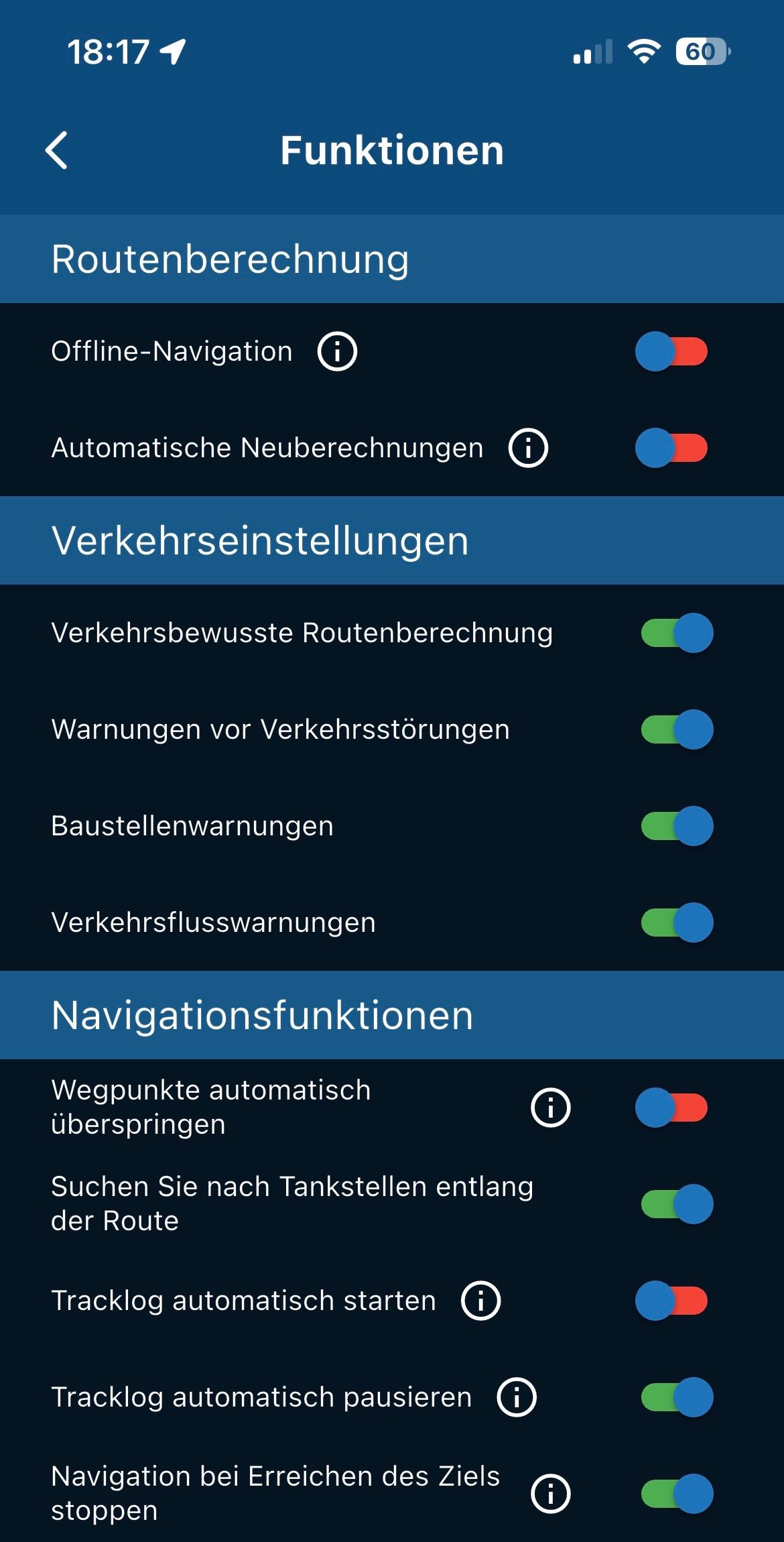
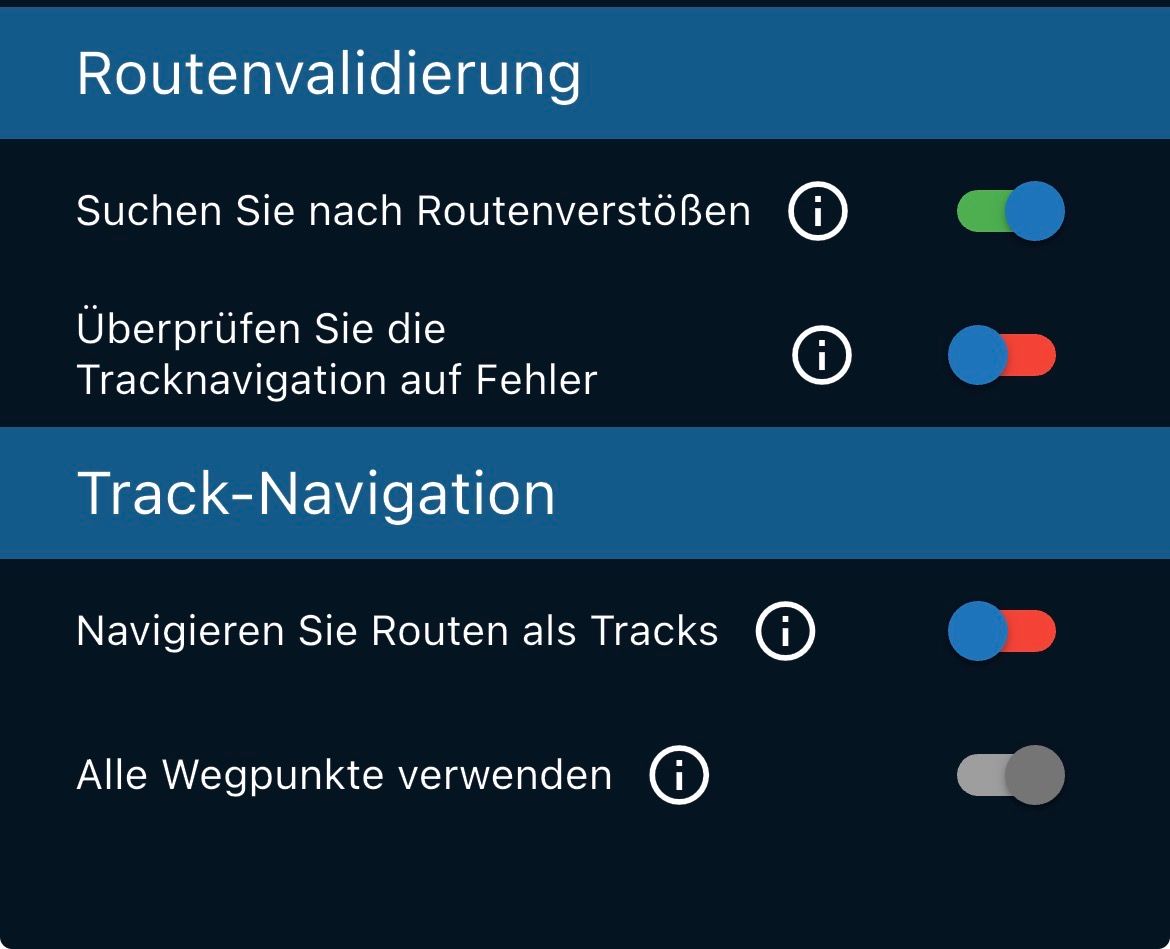
VG Hubert
Beta Test "Next App" dazu die Hardware .
iPad 9. Gen iOS 26.7/ iPhone 16e iOS 26.7/ Navi iPhone Xr iOS 18.7.10 / PC mit MS Win11 /❗️MyRoute-App im Cradel und Remotek-One❗️ Info zu MRA & Remotek One -
@Aiello-antonino, The skipping routine checks for the next 10 waypoints for which one is nearest. For me it makes perfect sense in this case to skip to 83. Were you starting this route at WP77? In that case you probably have "start from nearest route point" enabled.
@Con-Hennekens No, I didn't start from point 77, I took the screenshot at that time, I had started much earlier, even if I check now everything is ok, but yesterday it was like that, and I couldn't understand why, as already written the app had also frozen after a short time that I started from point 69...
-
@Aiello-antonino
Which MRA version are you currently using ?That would be my setting for the V5.0.2-442 with an iPhone Xr on iOS …
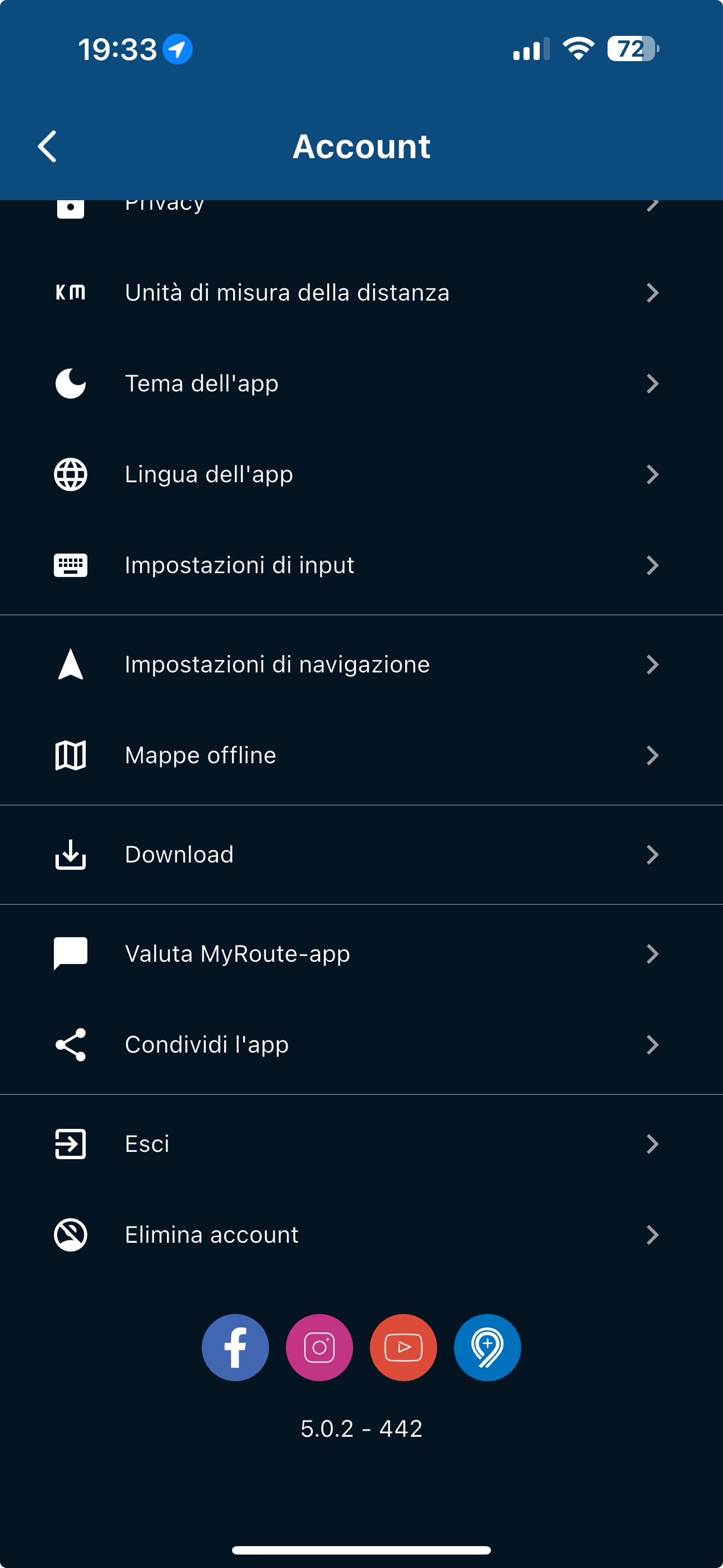
@Hubert-Thoring stessa versione su iOS 18.7.2, iPhone 16 plus..
-

@Aiello-antonino Switching to offline navigation isn't the cause. I think all previous problems during the route (connection losses ,etc) have causes this bevaviour. What happened when you start your route fresh from point 77. Did it skip to 83 also?
-
I can't tell you that, I didn't do this test... when I saw that he would skip all those crossing points, I already knew the route and I turned around... but he kept telling me to go back
-
I can't tell you that, I didn't do this test... when I saw that he would skip all those crossing points, I already knew the route and I turned around... but he kept telling me to go back
@Aiello-antonino, in such a case you can manually skip to the waypoint you desire.

Hello! It looks like you're interested in this conversation, but you don't have an account yet.
Getting fed up of having to scroll through the same posts each visit? When you register for an account, you'll always come back to exactly where you were before, and choose to be notified of new replies (either via email, or push notification). You'll also be able to save bookmarks and upvote posts to show your appreciation to other community members.
With your input, this post could be even better 💗
Register Login-
926236
-
 524195
-
 18251.7k
-
 57491
57491
-
0641
-
0631
-
1226214
-
 0560
0560