MRA and Color
-

Can I change the route color in the myRoute app? I have different route segments and would like to, for example, display the on-road part in blue and the off-road part in red. Is this possible, and if so, how? Otherwise, I'll have to edit the route in other tools that support this. Thank you for your help.
Best Regards - cu on my channel
https://www.youtube.com/@rideonwithfriendsJuergen
-
Can I change the route color in the myRoute app? I have different route segments and would like to, for example, display the on-road part in blue and the off-road part in red. Is this possible, and if so, how? Otherwise, I'll have to edit the route in other tools that support this. Thank you for your help.

@RideOnWithFriends
Unfortunately, that’s not possible — especially not while navigating in the mobile app.
You can display an overview of your complete route using different colors, though. To do that, you need to save the off-road sections as separate routes and then merge them with the other sections. But that's in the website planner only! You can find instructions on how to do this in the help files of the Routeplanner.🏍️ BMW K1600GT-P (2013) | Nolan N100-5 with Sena 30K
📱 iOS on iPhone 13 & 16 (mounted on Quadlock or AliExpress extention on BMW-cradle)
🚙 Apple CarPlay in VW T-Roc
💻 Routelab on MacBook Air & iMac (Golden Gate & Ventura) -
@RideOnWithFriends
Unfortunately, that’s not possible — especially not while navigating in the mobile app.
You can display an overview of your complete route using different colors, though. To do that, you need to save the off-road sections as separate routes and then merge them with the other sections. But that's in the website planner only! You can find instructions on how to do this in the help files of the Routeplanner.
Thank you very much!!!
Unfortunately, this is very cumbersome and time-consuming. -

@RideOnWithFriends ;
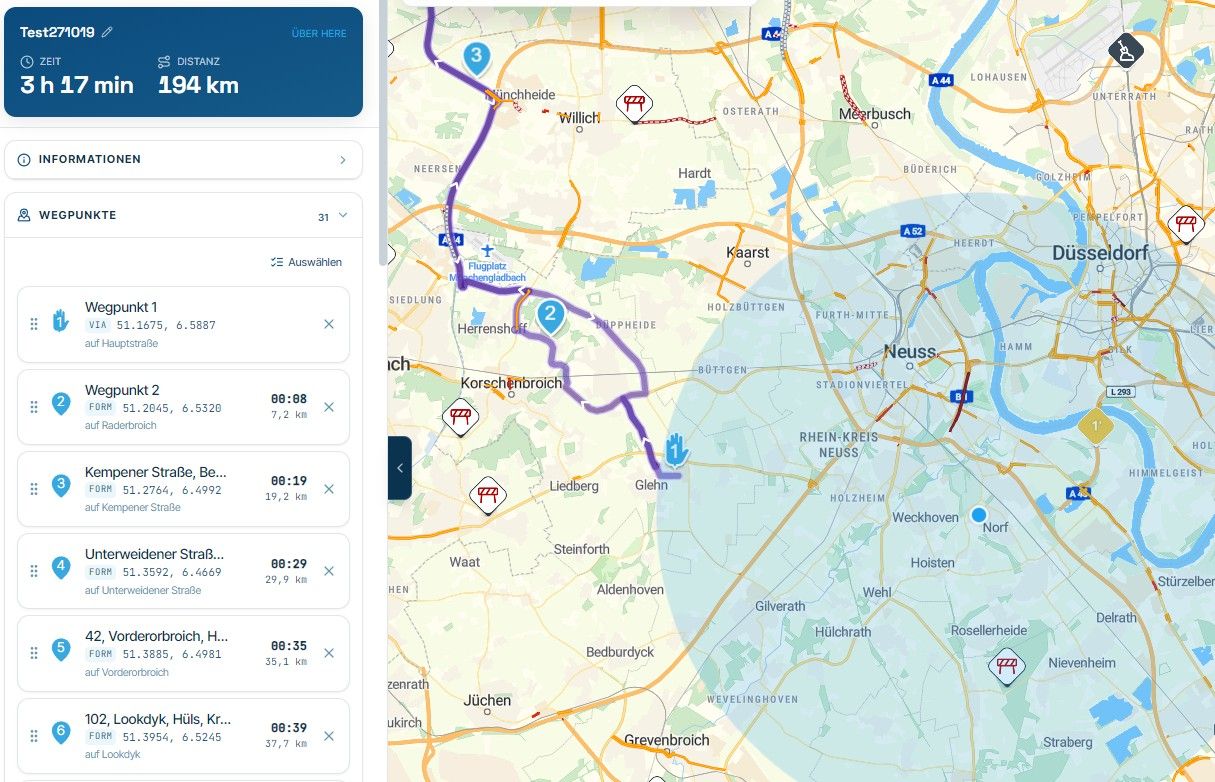
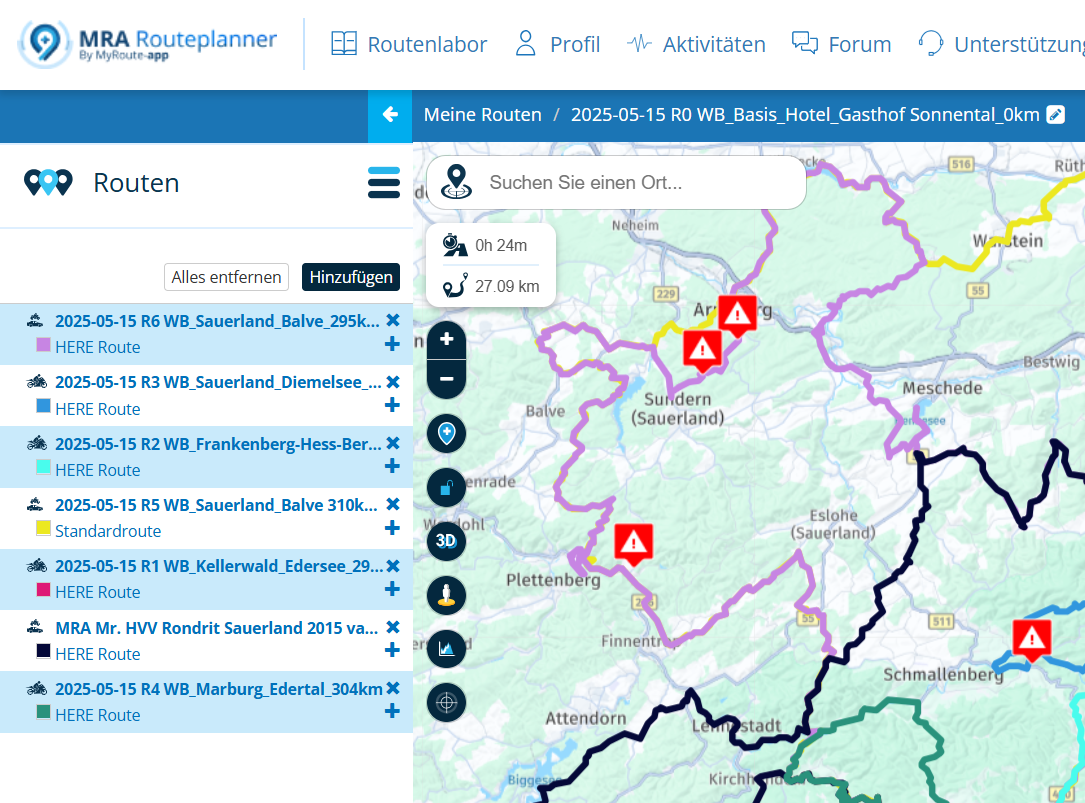
Hallo Juergen, nein umständlich ist das nicht. Im normal Fall hat man sowieso die Routen in einem Ordner abgelegt. Öffne diesen Ordner dazu der erste Route und dann kann man mit zwei klicks die Rouren alle sichtbar machen und sorag die Farben auswählen, so zeige ich meien Freunden immer alle Routen auf einen Blick. WP1 und WP2 ist die Route vom Hotel zur Tankstelle, die öffne ich und zeige dann alle anderen Routen auf diesem Weg ganz schnell und einfach, farben lassen sich dort ändern.
VGHi Juergen, no, it's not complicated at all. Normally, you'd have all your routes saved in a folder anyway. Open that folder, select the first route, and then with two clicks you can make all the routes visible and even choose their colors. That's how I always show my friends all the routes at a glance. WP1 and WP2 are the route from the hotel to the gas station; I'll open them and then quickly and easily show all the other routes along this path; the colors can be changed there.
Cheers!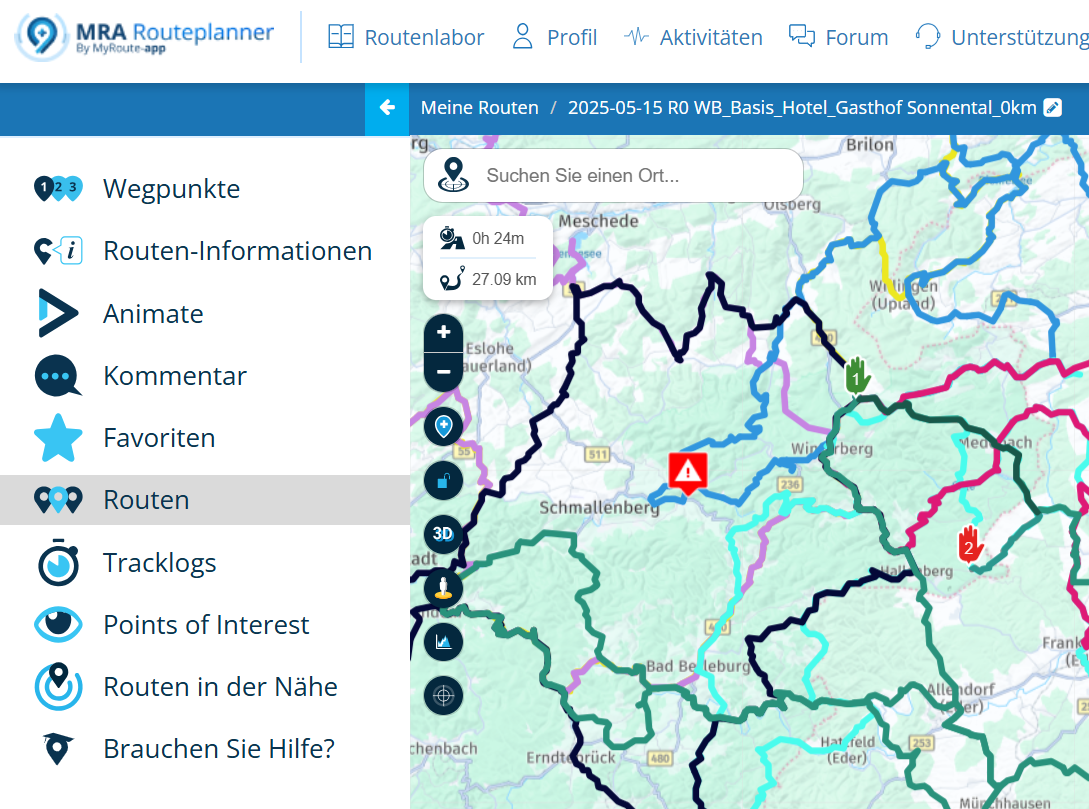
-
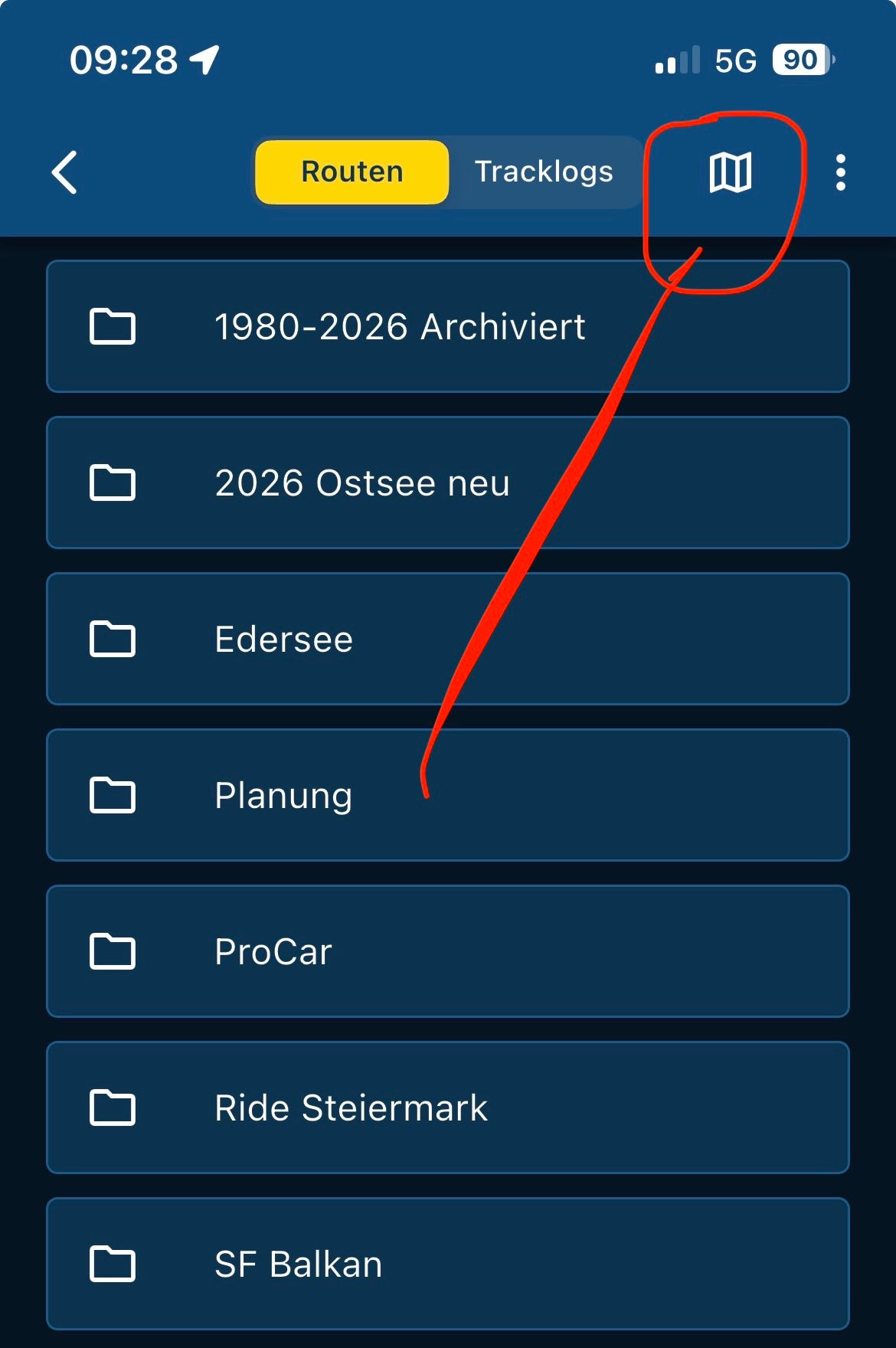
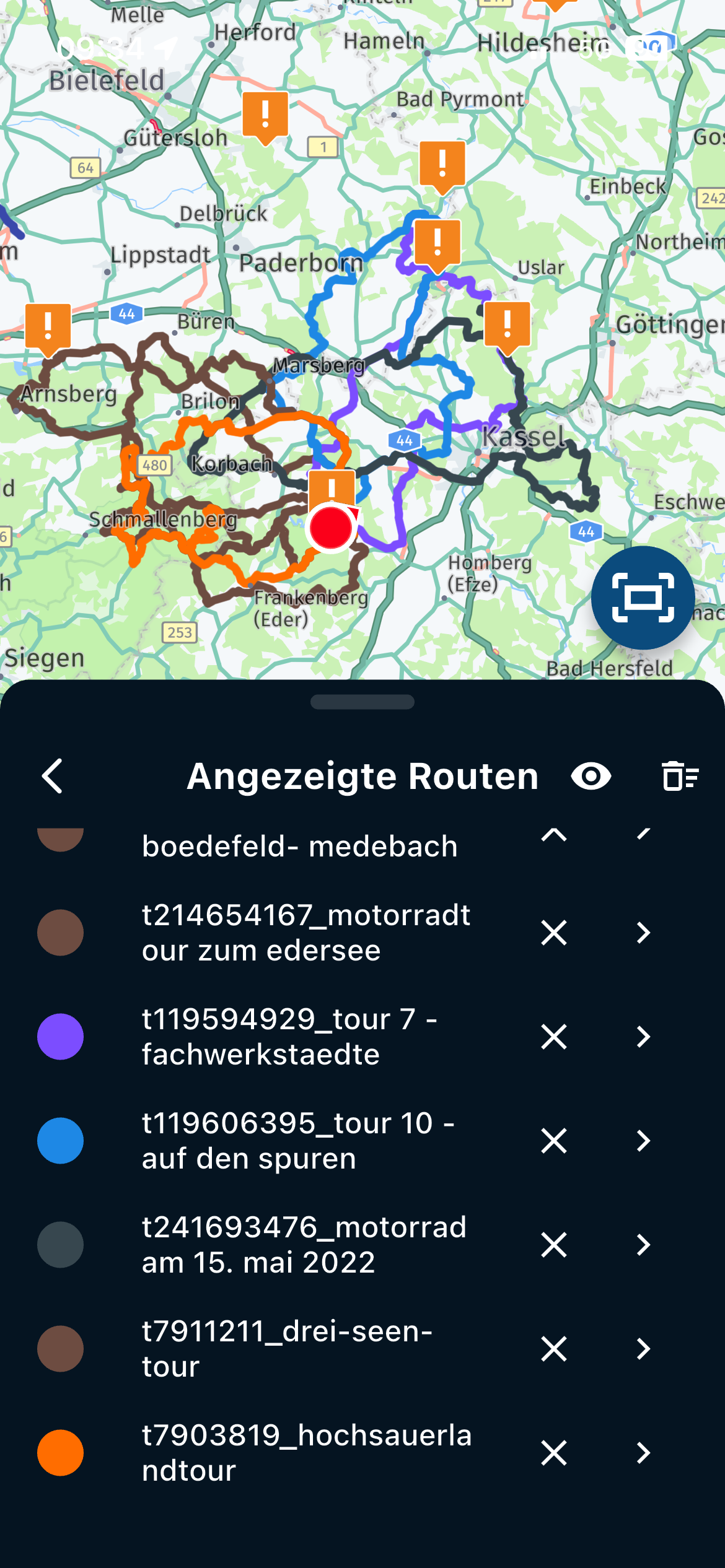
Mittlerweile geht das auch sehr gut in der App …
Hello! It looks like you're interested in this conversation, but you don't have an account yet.
Getting fed up of having to scroll through the same posts each visit? When you register for an account, you'll always come back to exactly where you were before, and choose to be notified of new replies (either via email, or push notification). You'll also be able to save bookmarks and upvote posts to show your appreciation to other community members.
With your input, this post could be even better 💗
Register Login-
 17125
17125
-
 06124
06124
-
 0492
0492
-
 0414
0414
-
 06305
06305
-
0316
-
 0210
0210
-
0211