Skip to content
  • Categories
  • Recent
  • Popular
  • Support
  • MyRoute-app
Collapse
Brand Logo

MRA Community Forum

  1. Home
  2. General Discussion
  3. Exporting Route To Garmin

Exporting Route To Garmin

Scheduled Pinned Locked Moved General Discussion
4 Posts 2 Posters 733 Views 1 Watching
  • Oldest to Newest
  • Newest to Oldest
  • Most Votes
Reply
  • Reply as topic
Log in to reply
This topic has been deleted. Only users with topic management privileges can see it.
  • Neil Goodallundefined Offline
    Neil Goodallundefined Offline
    Neil Goodall
    wrote on last edited by
    #1

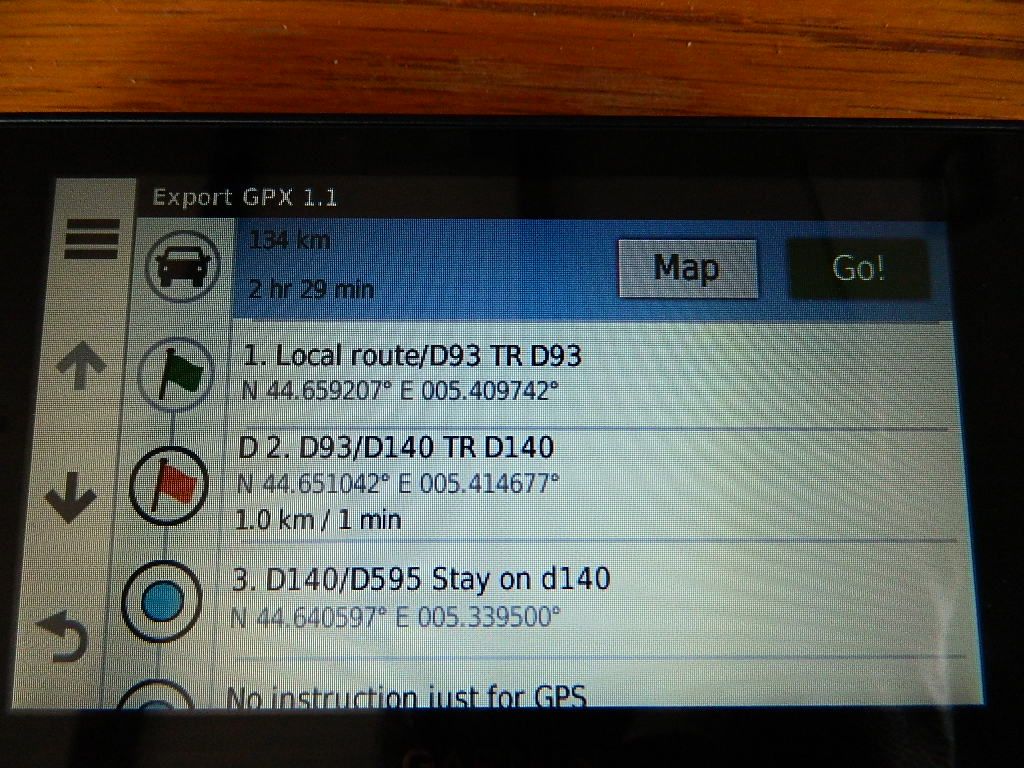
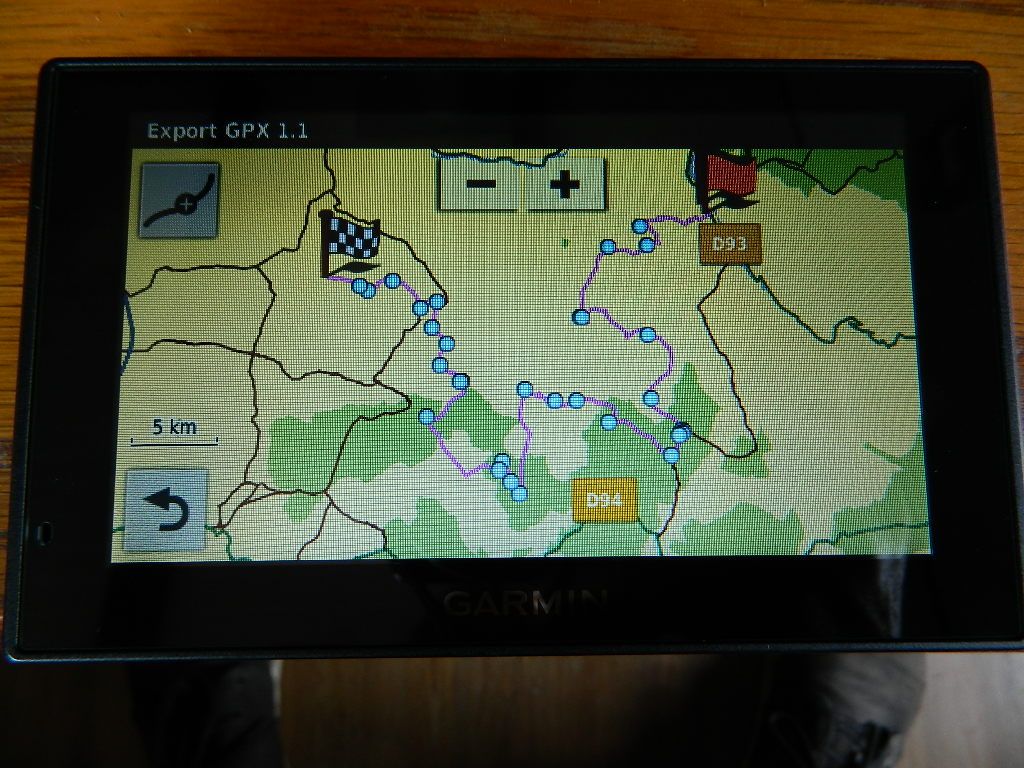
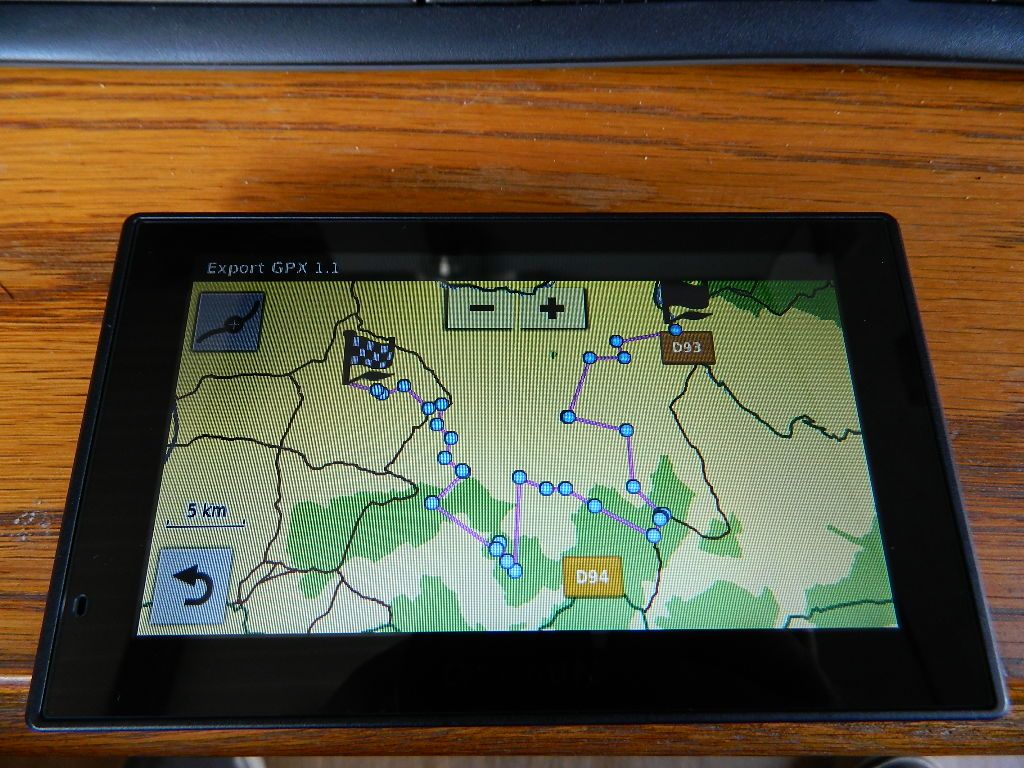
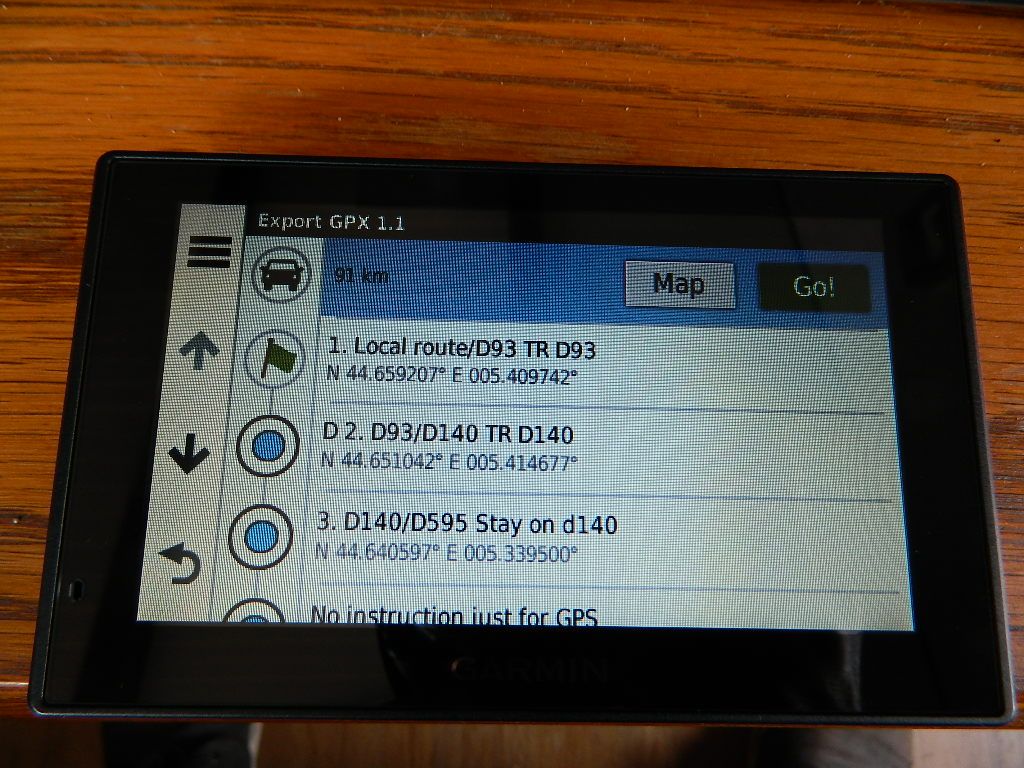
    When exporting a GPX 1.1 route to my Garmin using the 'Export' button the results on the device are odd. Upon opening the route in the application/Trips option and navigating from there the route is shown in 'straight lines' NOT on the roads. However, if you return to the list of instructions and tap on the blue dot (shaping point I think) the Garmin recalculates the route and then when looking on the map the route follows the roads. If I export as a GPX 1.0 file my route is split into 2 (I suppose it's a GPX 1.0 limitation) but it does store the route as all waypoints (orange flags)
    DSCN6527.JPG DSCN6528.JPG DSCN6529.JPG DSCN6530.JPG

    Reinhard-32undefined 1 Reply Last reply
    0
    • Neil Goodallundefined Neil Goodall

      When exporting a GPX 1.1 route to my Garmin using the 'Export' button the results on the device are odd. Upon opening the route in the application/Trips option and navigating from there the route is shown in 'straight lines' NOT on the roads. However, if you return to the list of instructions and tap on the blue dot (shaping point I think) the Garmin recalculates the route and then when looking on the map the route follows the roads. If I export as a GPX 1.0 file my route is split into 2 (I suppose it's a GPX 1.0 limitation) but it does store the route as all waypoints (orange flags)
      DSCN6527.JPG DSCN6528.JPG DSCN6529.JPG DSCN6530.JPG

      Reinhard-32undefined Offline
      Reinhard-32undefined Offline
      Reinhard-32
      wrote on last edited by
      #2

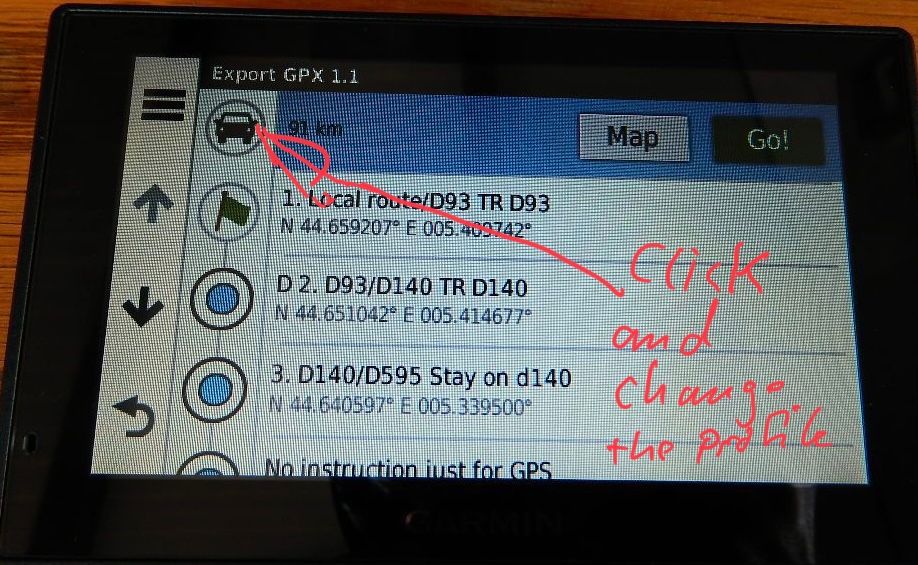
      @Neil-Goodall You didn’t mention which device you’re using. If it is a ZumoXT than the GPX 1.1 (beta) is usefull. In other cases you can use th GPX 1.1 format. After importing the route into the Device it endet up with straight lines. Then click to the car symbol and change the profile. The route will calculated. After that click the symbol angain and switch back to the original profile. A recalculation starts again and the route will follow the streets..
      202EE98E-E696-48F4-9260-3D85ACAF0B4E.jpeg

      Kindly regards
      Reinhard

      Montana 700i and Mac

      1 Reply Last reply
      0
      • Neil Goodallundefined Offline
        Neil Goodallundefined Offline
        Neil Goodall
        wrote on last edited by
        #3

        Thanks for the suggestion Reinhard but this is a Garmin and the car symbol doesn't do anything when tapped.

        Reinhard-32undefined 1 Reply Last reply
        0
        • Neil Goodallundefined Neil Goodall

          Thanks for the suggestion Reinhard but this is a Garmin and the car symbol doesn't do anything when tapped.

          Reinhard-32undefined Offline
          Reinhard-32undefined Offline
          Reinhard-32
          wrote on last edited by
          #4

          @Neil-Goodall Ok, I have a ZumoXT and my suggestion was based on it.
          But can you tab at the first waypoint symbol without alarm and change it to alarm visa versa ? That initiates a new calculation at my ZumoXT and maybe at your device as well.

          Kindly regards
          Reinhard

          Montana 700i and Mac

          1 Reply Last reply
          0
          Reply
          • Reply as topic
          Log in to reply
          • Oldest to Newest
          • Newest to Oldest
          • Most Votes


          ACTIVE USERS
          Reinhard-32undefined
          Reinhard-32
          Neil Goodallundefined
          Neil Goodall
          POPULAR TOPICS
          • Remotek-One Exchange of experiences
            Hubert Thoringundefined
            Hubert Thoring
            0
            96
            29.2k

          • Geen gespoken aan aanwijzingen bij de navigatie app
            john de beijerundefined
            john de beijer
            0
            12
            147

          • MyRoute-App on the TomTom Rider
            Marinus van Deudekomundefined
            Marinus van Deudekom
            2
            6
            124

          • Shaping points and Via points
            Herman Veldhuizenundefined
            Herman Veldhuizen
            0
            12
            310

          • Some routes opening slow and some fast
            Corjan Meijerinkundefined
            Corjan Meijerink
            0
            9
            316

          • How to navigate a track?
            BertMundefined
            BertM
            1
            27
            1.5k

          • It is not possible to download multiple routes via the app (Routes Lab), but it works via the website
            richtea999undefined
            richtea999
            0
            2
            70

          • Next+ 1st impressions
            Paul Smith 3undefined
            Paul Smith 3
            1
            3
            213
          MY GROUPS
          • Login

          • Login or register to search.
          • First post
            Last post
          0
          • Categories
          • Recent
          • Popular
          • Support
          • MyRoute-app