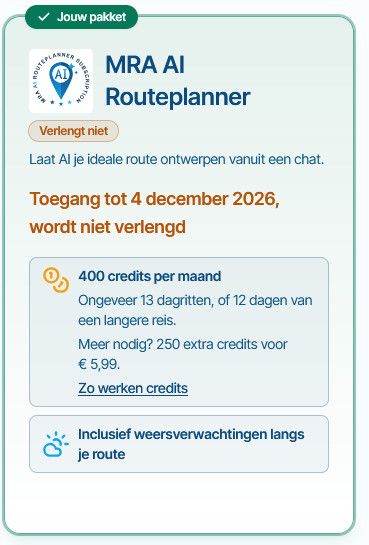
Kaart niet zichtbaar
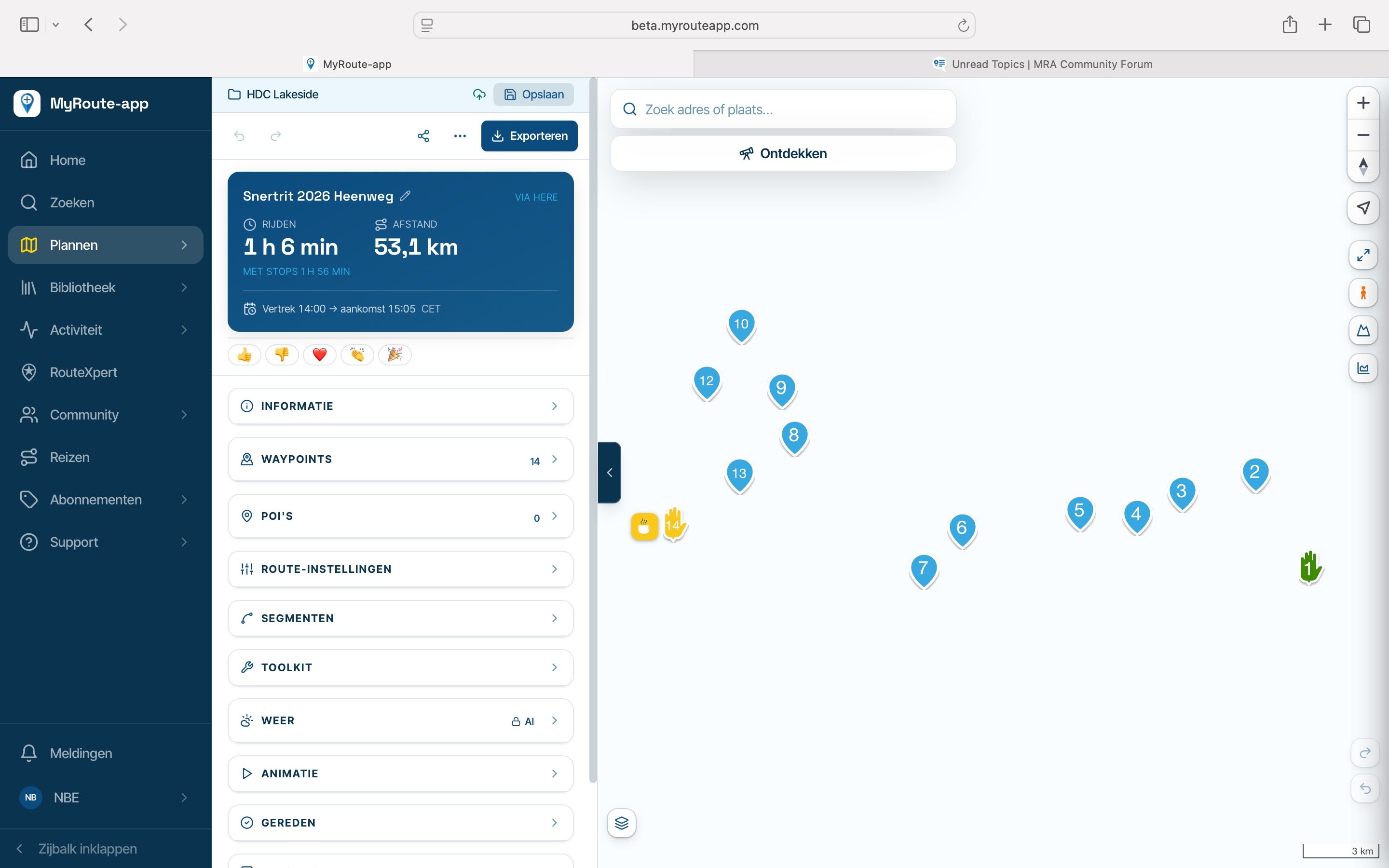
-
@Nico-Beerepoot Bedankt, hier heb ik echt wat aan! Dat je geen kubus ziet betekent dat Safari op jouw Mac helemaal geen WebGL kan tekenen, en dat heeft onze kaart nodig. Het ligt dus niet aan je route of je instellingen, en andere sites die WebGL gebruiken doen het bij jou ook niet.
Kun je Firefox of Chrome eens proberen? Iemand met dezelfde klacht op een andere website had daar succes mee in Firefox.
Nog twee vragen, dan kan ik gericht verder zoeken:
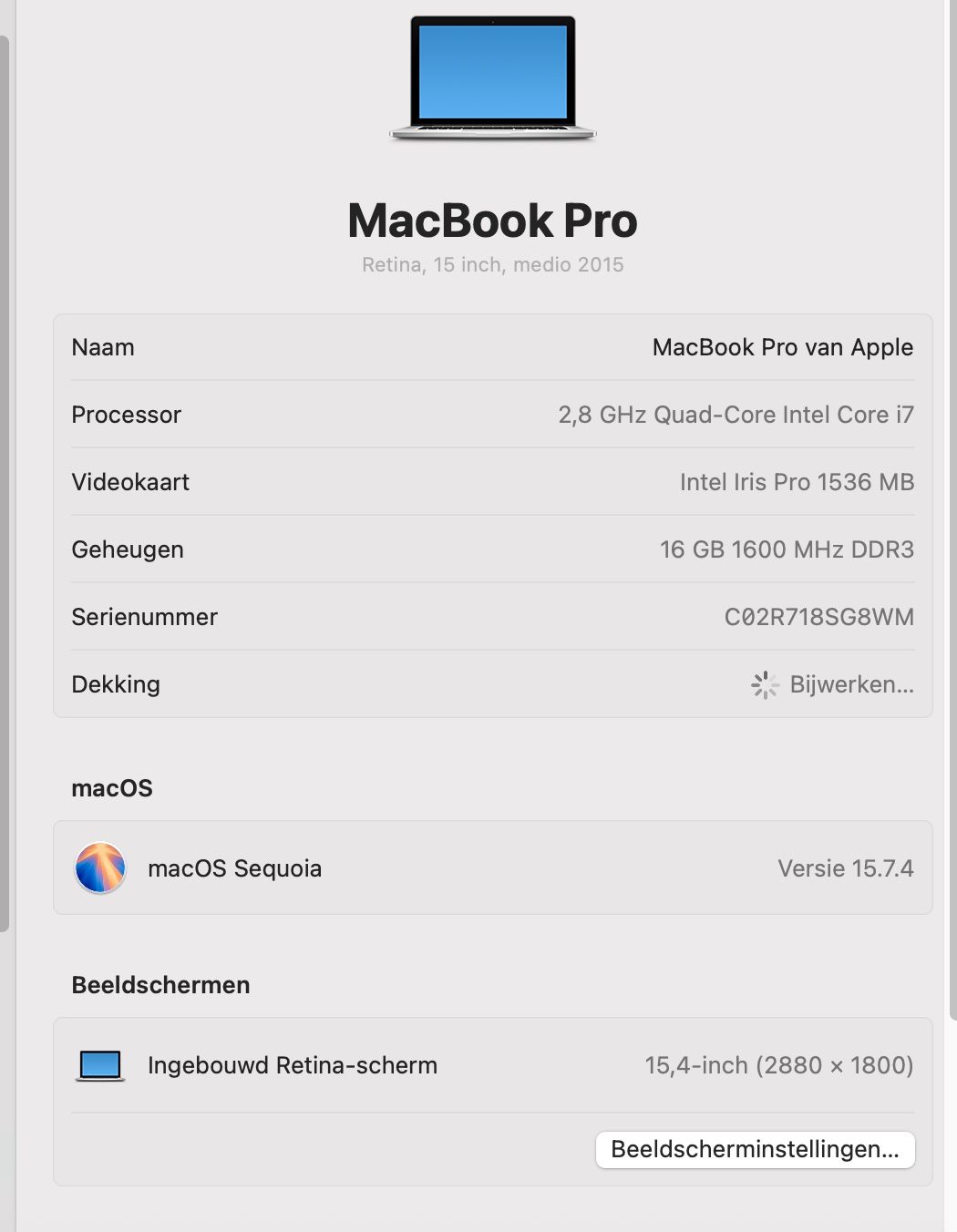
- Welk model staat er bij Apple-menu > Over deze Mac (bijvoorbeeld MacBook Pro 15-inch, 2017), en welke grafische kaart staat erbij?
- Heb je macOS Sequoia gewoon via Software-update gekregen, of met OpenCore Legacy Patcher geïnstalleerd?

Bouwjaar 2015 vlgs mij
macOS Sequoia is geïnstalleerd met OCLP maar dat heb ik niet zelf gedaan, dat is voor mij een beetje te spannend.
-
@Nico-Beerepoot Bedankt, hier heb ik echt wat aan! Dat je geen kubus ziet betekent dat Safari op jouw Mac helemaal geen WebGL kan tekenen, en dat heeft onze kaart nodig. Het ligt dus niet aan je route of je instellingen, en andere sites die WebGL gebruiken doen het bij jou ook niet.
Kun je Firefox of Chrome eens proberen? Iemand met dezelfde klacht op een andere website had daar succes mee in Firefox.
Nog twee vragen, dan kan ik gericht verder zoeken:
- Welk model staat er bij Apple-menu > Over deze Mac (bijvoorbeeld MacBook Pro 15-inch, 2017), en welke grafische kaart staat erbij?
- Heb je macOS Sequoia gewoon via Software-update gekregen, of met OpenCore Legacy Patcher geïnstalleerd?
-
De volgende melding krijg ik in Chrome:
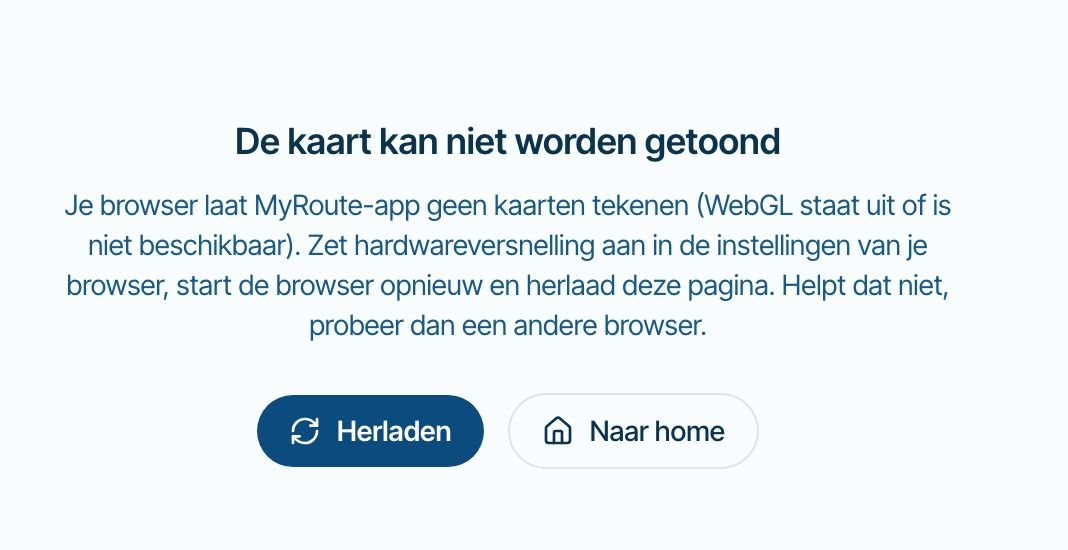

@Nico-Beerepoot Bedankt, nu is het duidelijk. Jouw MacBook Pro uit 2015 krijgt van Apple officieel geen macOS meer na Monterey, en Sequoia draait erop via OpenCore Legacy Patcher. Meer mensen met zo'n Mac melden dat WebGL dan niet meer werkt in Safari en Chrome, ook op andere kaartsites. Het ligt dus niet aan je route of je account, en ik kan het vanaf onze kant niet oplossen. Hardwareversnelling aanzetten zal hier ook niet helpen.
Er is nog één browser om te proberen: Firefox (https://www.mozilla.org/nl/firefox/). Iemand met hetzelfde probleem op een andere website heeft het daarmee opgelost. Je hoeft verder niets aan je Mac te veranderen. Laat je weten of de kaart in Firefox wel werkt?
Helaas valt er voor mij dus niet heel veel te doen

-
@Guzzist Yours sounds different, because the cube works, so WebGL does run on your tablet. Which tablet and browser is it? And when you open a route, does a notice "The map isn't loading" appear after about 10 seconds?
Thank you @corjan-meijerink for investigation.
My Tablet is a:
SAMSUNG Galaxy Tab S8 5G (Model SM-X706B)
One UI-Version: 8.0
Android: 16
Browser: DuckDuckGo, Version 5.300.0By this Browser no map style is beeing presented (only position on white ground) with excaptions: all Google maps are beeing presented. Test WebGL was ok.
By Browser Google Crome (Version: 156.0.8078.79) everything is working correkt, all map styles and all map layers are beeing presented.
To compare - my Smartphone is a:
ASUS ZenFone 8 (Model ASUS_Ioo6D)
Android: 13
Browser: DuckDuckGo, Version 5.300.0
By this Browser, everything is working correkt, all map styles and all map layers are beeing presented.By Browser Google Crome (Version: 156.0.8078.79) everything is working correkt, all map styles and all map layers are beeing presented.
By Browser Firefox (Version 159.0) everything is working correkt, all map styles and all map layers are beeing presented.
A notice "The map isn't loading" doesn't appear at any device or any browser.
Thanks @Guzzist, that's very helpful. Chrome works on the same tablet, so the tablet can draw the map, and the problem is something in DuckDuckGo there.
I found one way to get a map like yours: the browser's storage for saved map tiles failing, which leaves the map empty without any message. I've fixed that for the next release. I can't test on your tablet, so I don't know yet if this is your problem. Could you check three things in DuckDuckGo on the tablet?
- On the white map, do you see the blue line of your route, or only the waypoint pins?
- Tap the layers button and choose Michelin or OpenTopoMap. Does that map appear?
- Clear DuckDuckGo's data with the Fire button (the flame icon), sign in again and reopen the route. Does the map come back? This closes your tabs and signs you out of websites.
Until the next release, Chrome on the tablet is the safe choice.
-
 This post is deleted!
-
@Nico-Beerepoot Bedankt, nu is het duidelijk. Jouw MacBook Pro uit 2015 krijgt van Apple officieel geen macOS meer na Monterey, en Sequoia draait erop via OpenCore Legacy Patcher. Meer mensen met zo'n Mac melden dat WebGL dan niet meer werkt in Safari en Chrome, ook op andere kaartsites. Het ligt dus niet aan je route of je account, en ik kan het vanaf onze kant niet oplossen. Hardwareversnelling aanzetten zal hier ook niet helpen.
Er is nog één browser om te proberen: Firefox (https://www.mozilla.org/nl/firefox/). Iemand met hetzelfde probleem op een andere website heeft het daarmee opgelost. Je hoeft verder niets aan je Mac te veranderen. Laat je weten of de kaart in Firefox wel werkt?
Helaas valt er voor mij dus niet heel veel te doen
@Corjan-Meijerink
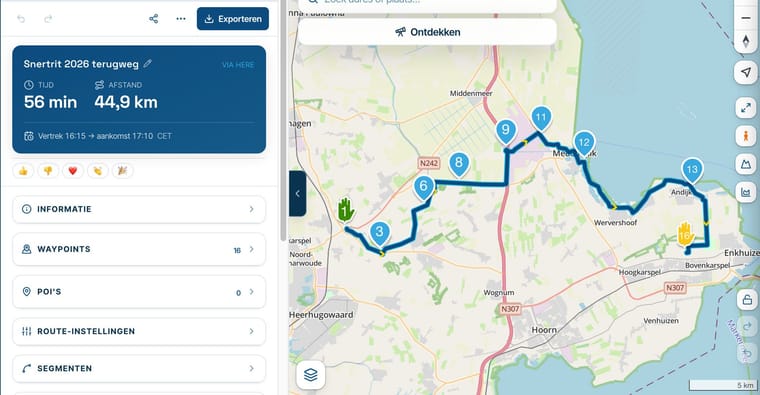
Tis ff een omweg, maar in firefox doet ie het wel.Bedankt voor alle hulp!
Groet,
Nico Beerepoot
-
Kijk dat is dan toch fijn!

-
Thanks @Guzzist, that's very helpful. Chrome works on the same tablet, so the tablet can draw the map, and the problem is something in DuckDuckGo there.
I found one way to get a map like yours: the browser's storage for saved map tiles failing, which leaves the map empty without any message. I've fixed that for the next release. I can't test on your tablet, so I don't know yet if this is your problem. Could you check three things in DuckDuckGo on the tablet?
- On the white map, do you see the blue line of your route, or only the waypoint pins?
- Tap the layers button and choose Michelin or OpenTopoMap. Does that map appear?
- Clear DuckDuckGo's data with the Fire button (the flame icon), sign in again and reopen the route. Does the map come back? This closes your tabs and signs you out of websites.
Until the next release, Chrome on the tablet is the safe choice.

Thanks @Guzzist, that's very helpful. Could you check three things in DuckDuckGo on the tablet?
- On the white map, do you see the blue line of your route, or only the waypoint pins?
- Tap the layers button and choose Michelin or OpenTopoMap. Does that map appear?
- Clear DuckDuckGo's data with the Fire button (the flame icon), sign in again and reopen the route. Does the map come back? This closes your tabs and signs you out of websites.
-
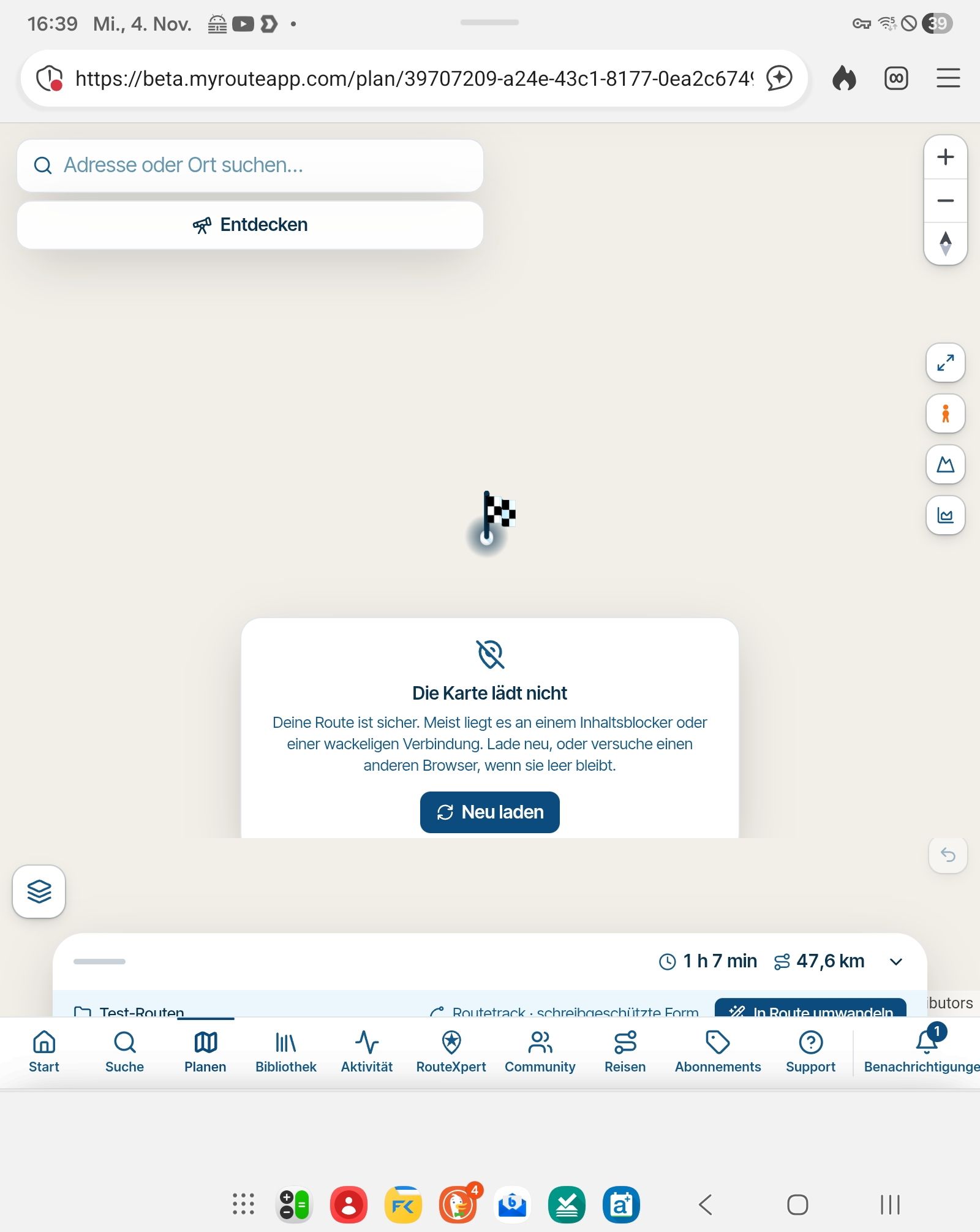
answer to #1: no, where the map and the route line should appear, there is only white background and a "race flag" which may indicate the start ord end point of the route. No route line.
And after a while, a message pops up and informs: "The map can't be loaded". -
answer to #2: no map layer is workin (not michelin, not OpenTopoMap not others) - only GoogleMaps
-
answer to #3: Clear DuckDuckGo's data by the Fire button, doesn't help.
Nothing is impossible ;-)
In past: GARMIN Zumo 210->GARMIN Zumo 395->GARMIN XT=> now: DMD T865-X + MyRoute-App, LocusMaps, OsmAnd.
In past: GARMIN MapSource ->GARMIN BaseCamp->Tyre->Kurviger->Calimoto=> now: MRA-Routplanner. -
Thanks @Guzzist, that's very helpful. Could you check three things in DuckDuckGo on the tablet?
- On the white map, do you see the blue line of your route, or only the waypoint pins?
- Tap the layers button and choose Michelin or OpenTopoMap. Does that map appear?
- Clear DuckDuckGo's data with the Fire button (the flame icon), sign in again and reopen the route. Does the map come back? This closes your tabs and signs you out of websites.
-
answer to #1: no, where the map and the route line should appear, there is only white background and a "race flag" which may indicate the start ord end point of the route. No route line.
And after a while, a message pops up and informs: "The map can't be loaded". -
answer to #2: no map layer is workin (not michelin, not OpenTopoMap not others) - only GoogleMaps
-
answer to #3: Clear DuckDuckGo's data by the Fire button, doesn't help.
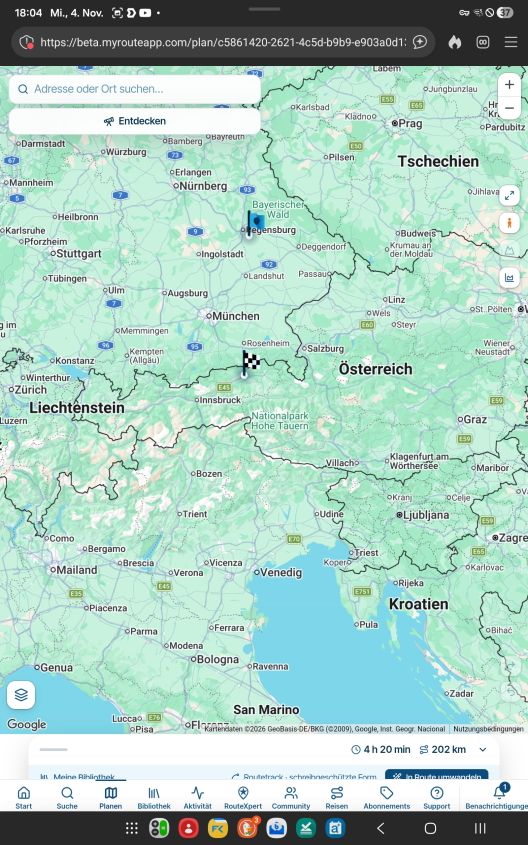
@Guzzist Your answers and the screenshot help a lot. They rule out what I fixed: browser storage isn't the cause, since the Fire button didn't help. Your tablet's graphics seem fine too, because the map does draw its pale background. What's missing is everything that gets prepared in the background before it can be drawn, including the map tiles and your route line. That background work seems to stall in DuckDuckGo on your tablet, and the message you now see is a new check noticing it.
I can't test DuckDuckGo on your tablet here, so the next release will report what fails there, without anything personal. Please now open a route in DuckDuckGo once. That should tell us whether I can fix this from our side.
One check you could do now: tap the shield icon to the left of the address in DuckDuckGo, turn off the privacy protection for this site and reload. Does the map come back?
Until then, Chrome on the tablet is the safe choice.
-
Brave heart @corjan-meijerink I'm totally excited about your hard and quick work. I'm one of your greatest fans...
I checked again, on it's still the same: only GoogleMaps will be loaded in MRA Planner. And it shows only Start- and End point of a route. The line itself of the route is still missing.
The privacy protection for this site (Shield icon) was and is off.
-
Thanks @Guzzist, and thanks for testing again. That gave us the answer.
On your tablet, DuckDuckGo never finishes reading a type of temporary data inside the page (browser "blobs"). The map needs that to start its background work and to decode its images, so it stays empty. Google's maps appear because they don't depend on this. It isn't your route, your account or the privacy setting. Chrome on that tablet and DuckDuckGo on your phone both work, so it looks like something in how DuckDuckGo runs on that tablet.
Two things may clear it, in this order:
- Update "Android System WebView" in the Play Store and restart DuckDuckGo. DuckDuckGo uses it to show web pages.
- If that doesn't help: Android Settings, Apps, DuckDuckGo, Storage, Clear data, or reinstall the app. This goes further than the Fire button and removes DuckDuckGo's bookmarks and saved logins, so save those first.
If the map stays empty, Chrome on the tablet is the way to go.
Let me know the result!
Hello! It looks like you're interested in this conversation, but you don't have an account yet.
Getting fed up of having to scroll through the same posts each visit? When you register for an account, you'll always come back to exactly where you were before, and choose to be notified of new replies (either via email, or push notification). You'll also be able to save bookmarks and upvote posts to show your appreciation to other community members.
With your input, this post could be even better 💗
Register Login


-
01036
-
01153
-
 11081
-
21160
-
 1770
-
 0724
-
0721
-
0712