Skip to content
  • Categories
  • Recent
  • Popular
  • Support
  • MyRoute-app
Collapse
Brand Logo

MRA Community Forum

  1. Home
  2. The MyRoute-app
  3. [App] Android Auto & CarPlay
  4. Always show screen speed in AA

Always show screen speed in AA

Scheduled Pinned Locked Moved [App] Android Auto & CarPlay
2 Posts 1 Posters 77 Views
  • Oldest to Newest
  • Newest to Oldest
  • Most Votes
Reply
  • Reply as topic
Log in to reply
This topic has been deleted. Only users with topic management privileges can see it.
  • b0hd1
    b0hd1
    b0hd1
    wrote last edited by
    #1

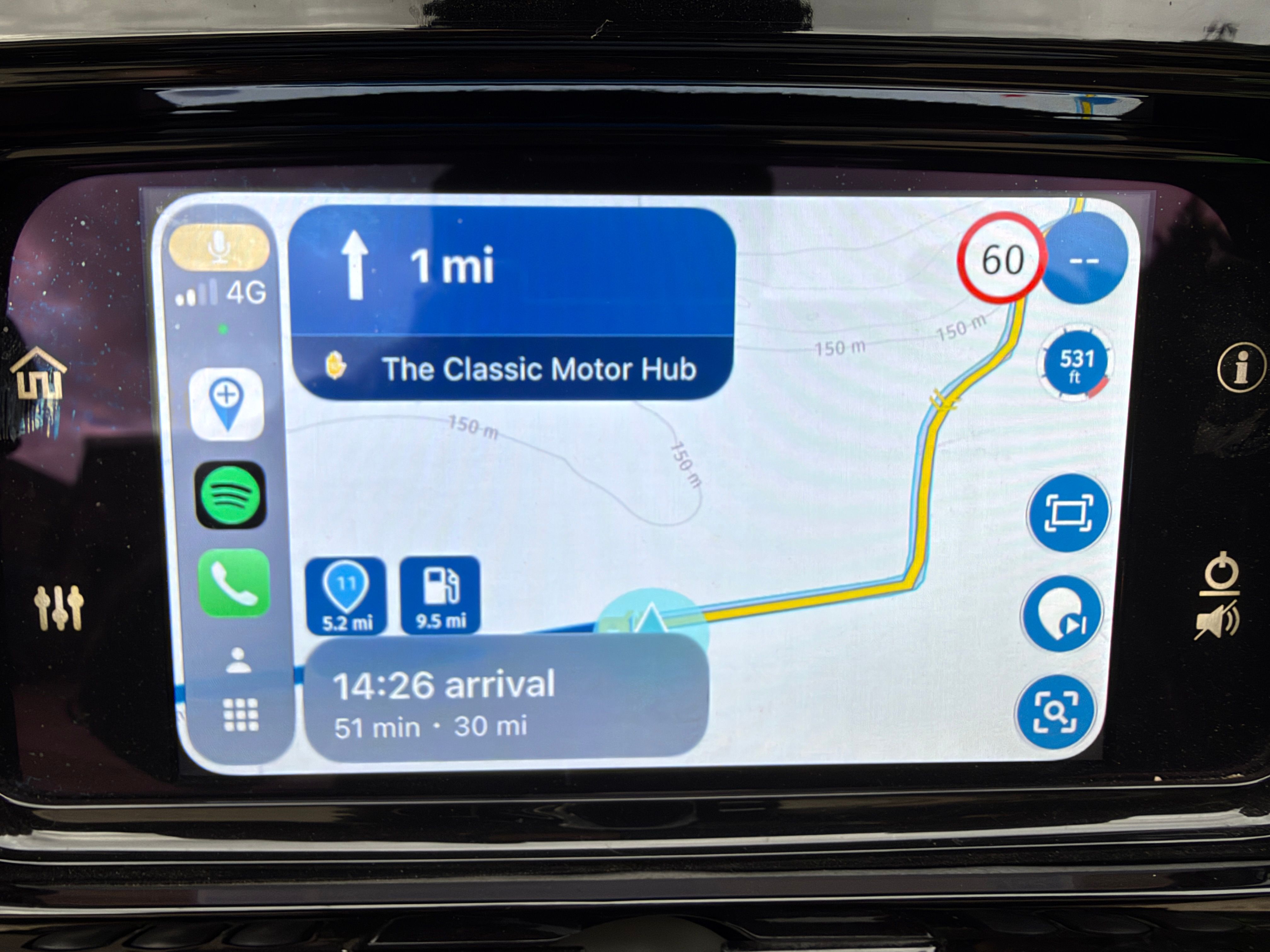
    In Android Auto, when we are not interacting with the screen, it displays the speed in the top-right corner (photo 1).
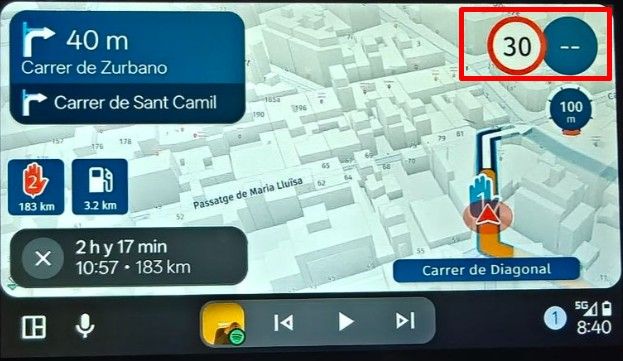
    image.jpeg

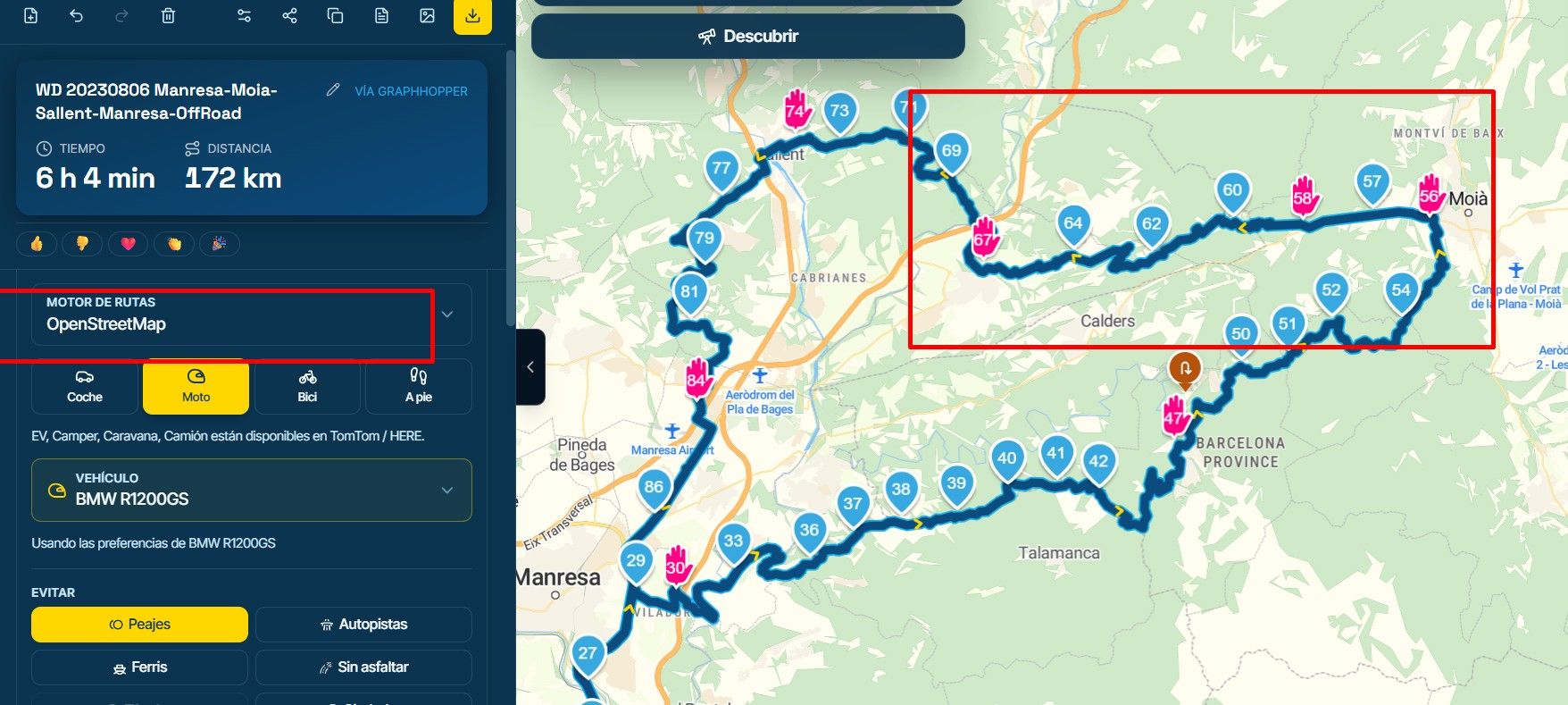
    The problem is that whenever we interact with the screen for any reason, it disappears. And if we don’t touch anything, it takes about 10 seconds to appear (which is too long; half that time would be sufficient). However, this issue could be completely resolved if it were displayed, for example, in the area I’ve marked with a red box in the second photo.
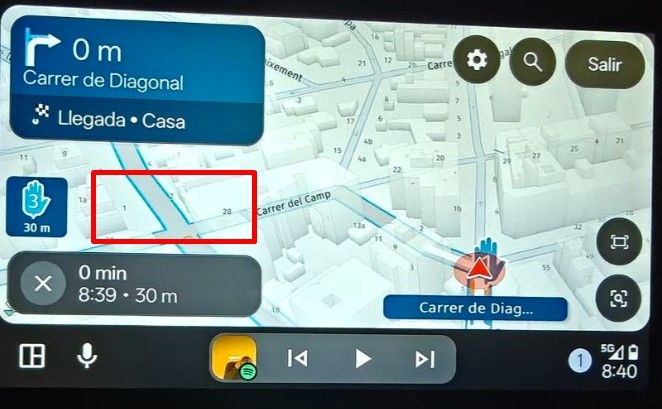
    image.jpeg

    Best regards!!

    Creator and administrator of the largest MRA groups.

    • https://t.me/MRa_by_b0hd1
    • https://www.myrouteapp.com/group/messages/7007
    • YouTube: @demco17
    • Ex-routexpert, current beta tester and MRA expert. Creator of tutorials, manuals, and MRA user trainer.
    1 Reply Last reply
    0
    • b0hd1
      b0hd1
      b0hd1
      wrote last edited by
      #2

      I thought the problem occurred with any A/A, but this morning I discovered that’s not the case. It seems that if the screen is larger, the speed data always remains visible.
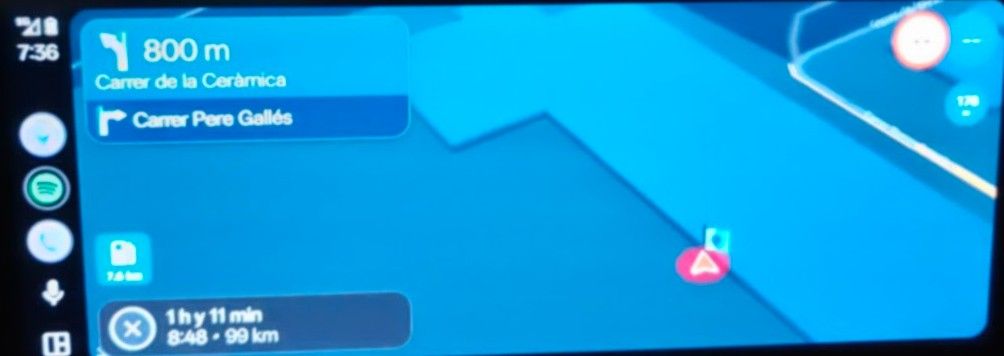
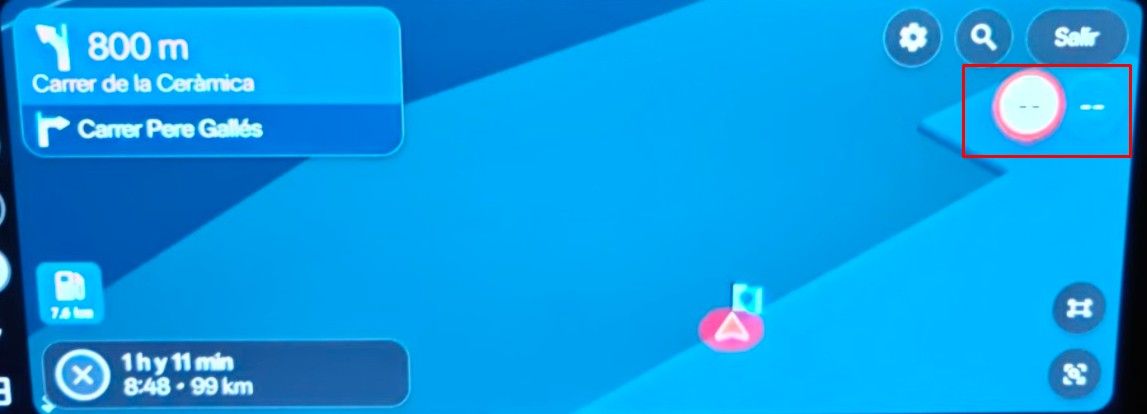
      image.jpeg

      image.jpeg

      However, if that same screen is split to view another application, the issue reappears.

      Greetings. Oscar.
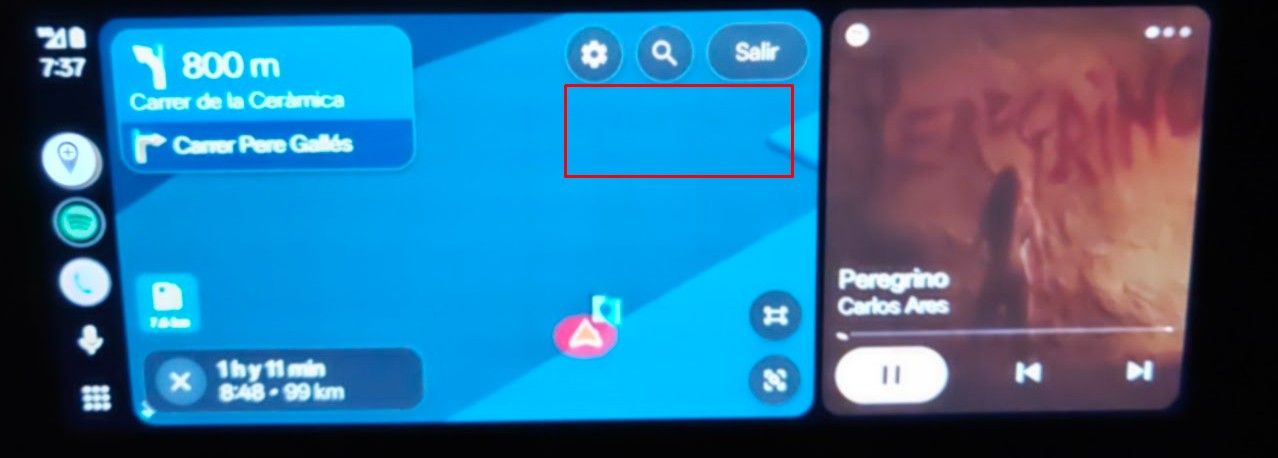
      image.jpeg

      Creator and administrator of the largest MRA groups.

      • https://t.me/MRa_by_b0hd1
      • https://www.myrouteapp.com/group/messages/7007
      • YouTube: @demco17
      • Ex-routexpert, current beta tester and MRA expert. Creator of tutorials, manuals, and MRA user trainer.
      1 Reply Last reply
      0

      Hello! It looks like you're interested in this conversation, but you don't have an account yet.

      Getting fed up of having to scroll through the same posts each visit? When you register for an account, you'll always come back to exactly where you were before, and choose to be notified of new replies (either via email, or push notification). You'll also be able to save bookmarks and upvote posts to show your appreciation to other community members.

      With your input, this post could be even better 💗

      Register Login
      Reply
      • Reply as topic
      Log in to reply
      • Oldest to Newest
      • Newest to Oldest
      • Most Votes


      ACTIVE USERS
      b0hd1
      b0hd1
      POPULAR TOPICS
      • Opgeslagen routes met TOMTOM kaart laden niet meer.
        Jan Weerheim
        Jan Weerheim
        0
        6
        36

      • Lock route editing
        b0hd1
        b0hd1
        0
        7
        15

      • Group ride
        M. Schrijver
        M. Schrijver
        0
        5
        129

      • Laat bijbehorende POI zien
        Albert van den Elsen
        Albert van den Elsen
        2
        4
        24

      • Carplay vehicle location/arrow in wrong place
        Corjan Meijerink
        Corjan Meijerink
        1
        6
        154

      • Save locations/positions
        Lluis Arasanz
        Lluis Arasanz
        0
        4
        27

      • How do you navigate off-road routes with Next?
        Hubert Thoring
        Hubert Thoring
        0
        4
        17

      • MRA Routeplanner, Zumo XT and a list of waypoints
        BertM
        BertM
        0
        12
        2.6k

      MY GROUPS
      • Login

      • Login or register to search.
      • First post
        Last post
      0
      • Categories
      • Recent
      • Popular
      • Support
      • MyRoute-app