Always show screen speed in AA
-

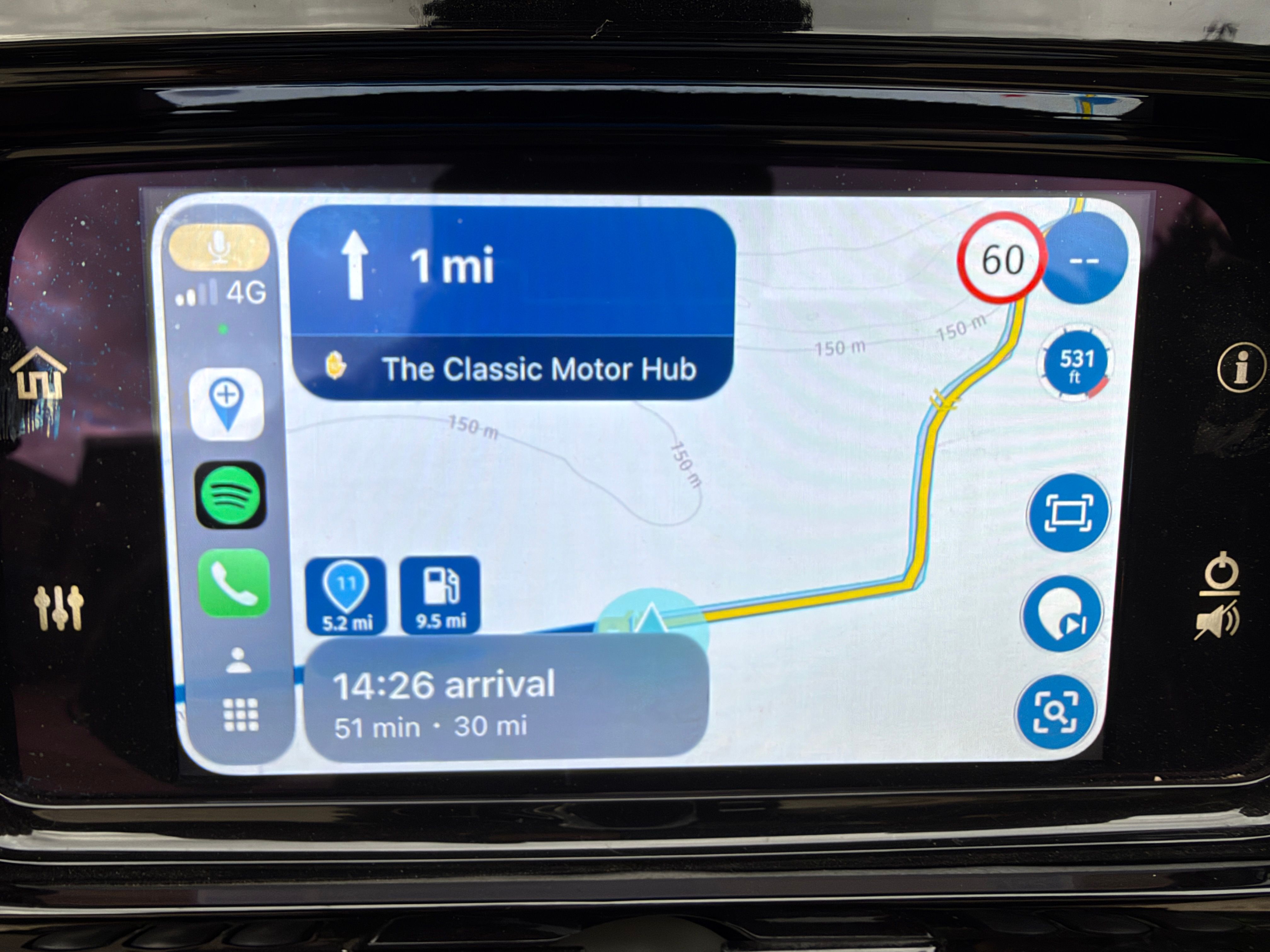
In Android Auto, when we are not interacting with the screen, it displays the speed in the top-right corner (photo 1).
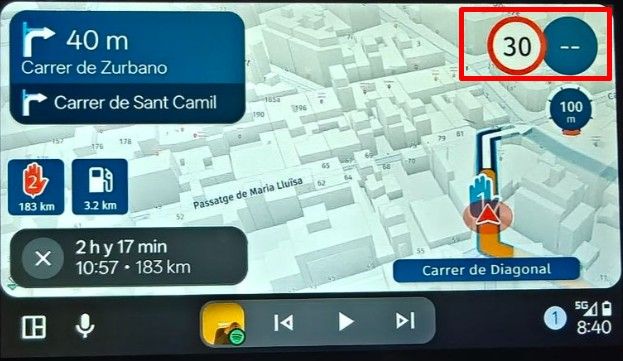
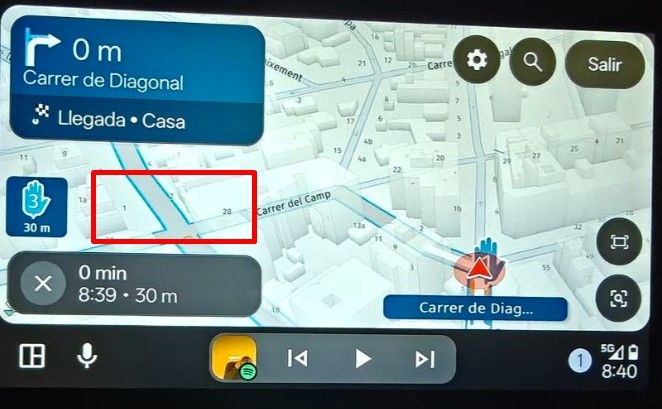
The problem is that whenever we interact with the screen for any reason, it disappears. And if we don’t touch anything, it takes about 10 seconds to appear (which is too long; half that time would be sufficient). However, this issue could be completely resolved if it were displayed, for example, in the area I’ve marked with a red box in the second photo.
Best regards!!
Hello! It looks like you're interested in this conversation, but you don't have an account yet.
Getting fed up of having to scroll through the same posts each visit? When you register for an account, you'll always come back to exactly where you were before, and choose to be notified of new replies (either via email, or push notification). You'll also be able to save bookmarks and upvote posts to show your appreciation to other community members.
With your input, this post could be even better 💗
Register Login-
 01842
01842
-
 01058
01058
-
 0487
0487
-
 05193
05193
-
 0327
0327
-
025
-
1253
-