Upgrading from Zumo XT to XT2
-
I appreciate the discussion of alternate navigation devices, but for me the Garmin is a simpler, more reliable solution. John S has done a nice job of outlining some of the advantages. For me, the Garmin with the Migsel mount puts the display exactly where I want it. It's easily visible without taking my eyes too far off the road. It works well with gloves, and mounts and unmounts in milliseconds. It always has maps, and in no way is it reliant on an internet connection. When I'm off the bike, it's in my automobile.
So, back to my original question, does anyone have comments regarding the newer version of the Zumo XT using routes developed with MRA?
I was not aware that there is now an XT3 model available.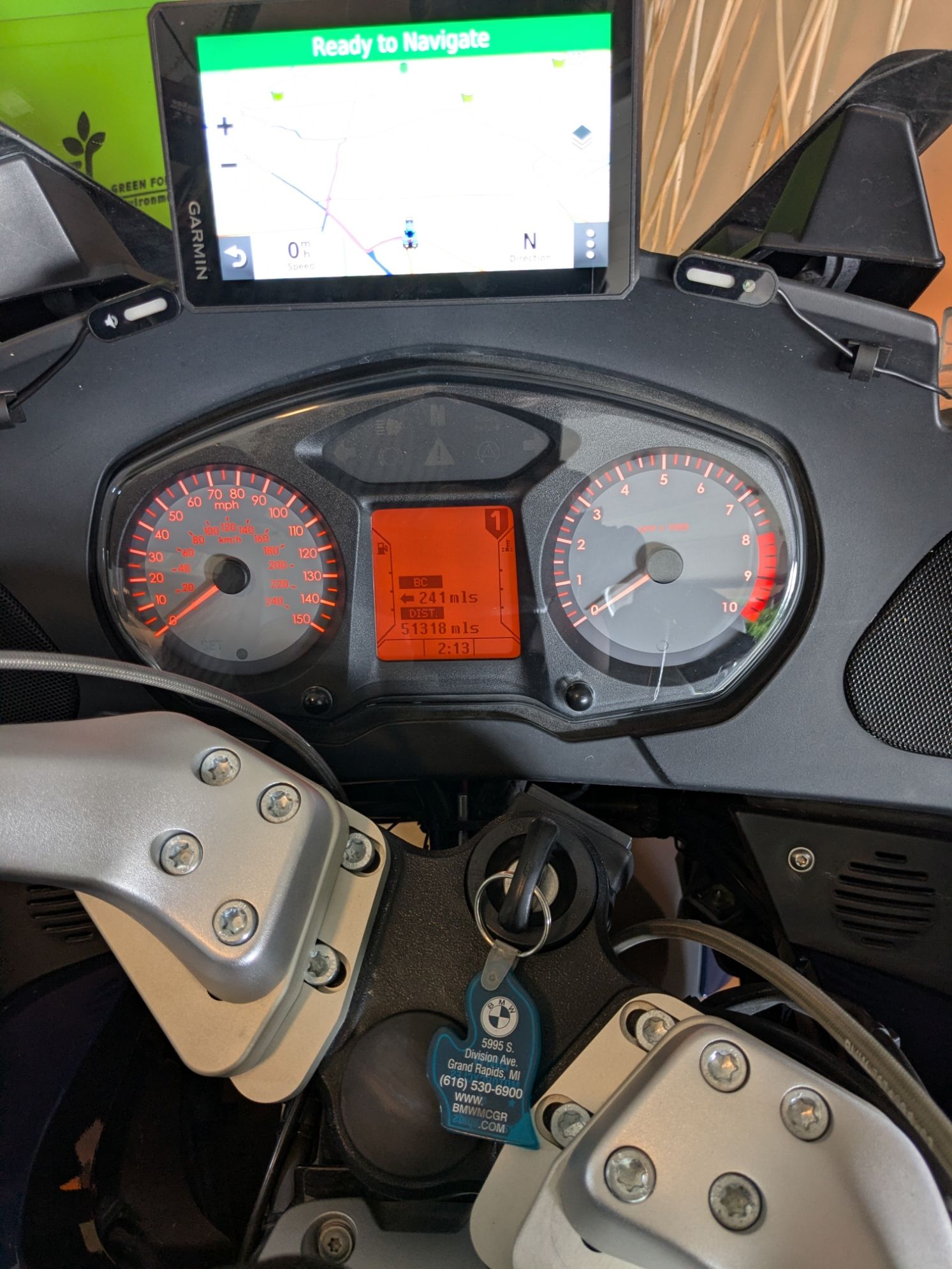

So, back to my original question, does anyone have comments regarding the newer version of the Zumo XT using routes developed with MRA?
I was not aware that there is now an XT3 model available.Hey Don. I'm a long-time user of the Zumo XT executing routes developed with MRA Routeplanner. I'm a huge fan of Routeplanner, even though I still use Basecamp (BC) for very occasional special cases.
The Zumo XT3 has been out for about 6-months. The only reason I bought it was because I misplaced my XT and needed an immediate replacement. I've since found that XT
 but I'm so impressed with the XT3 that it's the only model I'll use moving forward.
Now to your question -- The XT3 is perfectly compatible with routes developed in MRA Routeplanner. I've only had my XT3 for a couple of months, but I developed several routes, many longer and complex, without any execution issues. The updated 3D Maps going from the XT to the XT3 are eye-popping and make the navigation experience even more compelling.
Be aware that the XT2/XT3 devices are designed to make greater use of the Garmin Explore DB. This is Garmin's attempt to create a HW ecosystem similar to what Apple has done across their devices. What this means is that whatever routes you create are kept in their storage Cloud, where different pieces of your routes (Collections) are available for use in other Garmin devices you might own. It sounds good in concept, but there are high chances that your routes will be manipulated in ways you don't intend. It's been a serious problem that has been the subject of many social media forums. Many users have thrown their hands up out of frustration and given up Garmin altogether. The answer is to NOT enable external storage (Explore DB) when you install the Tread app, which is the XT Drive app equivalent. The downside is that you'll have to copy your GPX files manually to the XT2/XT3 device. The advantage is that your route will in no way be manipulated/altered. I've used the manual method forever, so I personally didn't look at it as a downside at all.
BTW, if you haven't tried the MRA GPX 1.2 download format, give it a shot. There is a great topic explaining how it works in the Export Assistance Forum:
https://forum.myrouteapp.com/topic/11124/gpx-versions-1.1-vs-1.2-for-garmin-visually-explained/181
Good luck with whatever you decide.
-
Thanks John, performing a factory reset on the XT has restored connections in both PC (USB Connect) and Android Drive app. I do appreciate the info regarding the XT3. From what I've read, the power connections to the XT3 are now 12V in place of 5V. That's not an issue for me, as it takes one more part (12V to 5V converter) out of the wiring on the bike. I'm assuming all connections are through the gold pressure contacts in the mounting plate.
Have you used the XT3 in an automobile? How is the 12V requirement implemented in that case?
I'll look at the GPX 1.2 format as you suggest. When I was originally getting things configured with the XT and MRA, once I found a combination that worked reliably I stopped experimenting. -
John, I'm somewhat familiar with the Explore issues that I see in the XT. I have little green flags all over my routes, destinations that I once searched on the GPS. I deleted the Explore app from my phone, and have not spent the time to figure out a way to make them all disappear. I don't mind having a Garmin on line database of places I've searched, but I don't want them cluttering my map view.
-
John, I'm somewhat familiar with the Explore issues that I see in the XT. I have little green flags all over my routes, destinations that I once searched on the GPS. I deleted the Explore app from my phone, and have not spent the time to figure out a way to make them all disappear. I don't mind having a Garmin on line database of places I've searched, but I don't want them cluttering my map view.
John, I'm somewhat familiar with the Explore issues that I see in the XT. I have little green flags all over my routes, destinations that I once searched on the GPS. I deleted the Explore app from my phone, and have not spent the time to figure out a way to make them all disappear. I don't mind having a Garmin on line database of places I've searched, but I don't want them cluttering my map view.
Don, I'm not an expert on everything Explore DB. I just know enough about it that I've avoided it from day #1.
Too many users have had issues with it. I want nothing to do with any SW that can manipulate route components. The manual method of a wired copy of your GPX file from your computer to the GPX folder on your XT bypasses any unwanted manipulation. Additionally, I store all my routes on the SD Card within the Garmin, which protects against internal storage corruption issues. Ask me how I know...
From what I've read, Explore is like a virus that is very difficult to eliminate once you enable it. I wish I could offer the correct steps, but some Internet searches should provide the answers you need. What I can say with certainty is that eliminating Explore and using the manual copy technique will provide a stable environment for MRA to XT transfers. I've never had a glitch going down this route.
-
I've been using a Garmin Zumo XT for several years with MRA. Generally I've had good luck. Recently my XT has been giving me problems, inventing bizarre routing from the MRA route, and failing to connect reliably using either the Drive app on my Pixel phone or USB cable to my Win11 computer. I'm frustrated, and considering replacing the XT.
I'm curious how the XT2 performs with MRA. If users have specific feedback I'd love to hear about it.
Thanks in advance!

@Don-Stauffer ...let me help to find the best solution for you. I don’t want to persuade you – at best, I want to get you thinking...
I have been using Garmin Devices for decades. But at some point, I was frustrated with navigation, planning, data transfer, performance, overheating and map correctness! I tried several devices and apps at smartphones. But nothing satisfied.
Similarly, Android Auto and CarPlay devices aren’t a solution for me, as they’re ‘dumb’ devices that can only mirror a smartphone – and even then, with fewer features.I discovered MRA and came to love it for my detailed travel planning. I wouldn’t have needed it just to find my way to the nearest ice-cream parlour. And I was able to transfer all my routes from Garmin Basecamp and continue to use MRA as an archive.
But as well as route planning, MyRouteApp also offers route navigation. I found this app much better than others on the market too. Best of all: routes planned in MRA no longer need to be laboriously transferred to the Navi device via file transfer – there’s wireless automatic synchronisation; that's a game changer!After comparing lots of different Navis, I found that a DMD model was the best choice for me. The manufacturer designs the hardware and software specifically for the tough and harsh conditions of off-road driving – in heat, cold, wet weather, bright sunshine and under heavy vibration.
That does come at a price, of course. Standard rubberised outdoor devices may be cheaper – but they didn’t last the test for me.
The devices run on Android, so the MyRoute Navigation Next app can be installed without any problems. And it works perfectly alongside the DMD2 app, which is preinstalled on the device. So I use the MyRoute app for on-road navigation and the DMD2 app for off-road navigation.The next game-changer is a remote control from DMD – a small button mounted on the handlebars – pre-wired with connectors. This allows you to operate the app without taking your hands off the handlebars and without having to take off your gloves.
But I could go on and on about it here; why not give it a go at a trade fair – I reckon you’ll be impressed too.
-
I appreciate your enthusiasm for the DMD / Android solution. I've already worked out the mechanical, electrical and software requirements for the Garmin. It's old fashioned, I admit. But it fits my old school BMW very nicely, and I'm not very keen on starting over with a new system. I'm not sure you appreciate how limited the cockpit area is on an older RT. I'm now in my 5th decade of touring, and I value simplicity over new features. Navigation assistance with minimal distraction is my ultimate goal.
-
@John-S-Parry Con wasn't talking about a normal phone but the rugged versions of phones and tablets. They perform under Hush conditions like you mentioned.
If you compare an Garmin XT 3 to my T865X tablet it will be quite obvious that mine is not alone better but its multifunctional
If you compare an Garmin XT 3 to my T865X tablet it will be quite obvious that mine is not alone better but its multifunctional
I'm here to learn. How is the T865X tablet "better"? A more detailed explanation would be appreciated.
-
John, I'm somewhat familiar with the Explore issues that I see in the XT. I have little green flags all over my routes, destinations that I once searched on the GPS. I deleted the Explore app from my phone, and have not spent the time to figure out a way to make them all disappear. I don't mind having a Garmin on line database of places I've searched, but I don't want them cluttering my map view.
Don, I'm not an expert on everything Explore DB. I just know enough about it that I've avoided it from day #1.
Too many users have had issues with it. I want nothing to do with any SW that can manipulate route components. The manual method of a wired copy of your GPX file from your computer to the GPX folder on your XT bypasses any unwanted manipulation. Additionally, I store all my routes on the SD Card within the Garmin, which protects against internal storage corruption issues. Ask me how I know...
From what I've read, Explore is like a virus that is very difficult to eliminate once you enable it. I wish I could offer the correct steps, but some Internet searches should provide the answers you need. What I can say with certainty is that eliminating Explore and using the manual copy technique will provide a stable environment for MRA to XT transfers. I've never had a glitch going down this route.
@John-S-Parry Thanks John, I'll look more into the Explore and Garmin interface / interference at some point. I have spent some time with 3rd party GPX editors, and have in mind a stand-alone file of 'permanent' destinations that I could maintain and use off-line. Like many others, I started routing with Basecamp, but never found it intuitive or easy to use in any way, even after working through several tutorials.
We'll see what future versions of the Route App have for Favorite and POI support, that could replace the need for any independent Garmin or GPX archive.
I do appreciate your help and comments!
-
@Con-Hennekens said:
why would you prefer a locked-in old-design one-purpose device over a modern flexible rugged and much cheaper phone or tablet? To be honest I can think of only one thing: glove operation. Which can be overcome with the right gloves or a remote control.
I can think of many reasons, from the perspective of a Garmin XT3......
At the physical device level. The Garmin doesn't overheat. It can tolerate Death Valley USA level heat and other abuses that a phone can't. Additionally, the Garmin screen is completely readable in glare, while the phone isn't.
Operationally, the Garmin utilizes 3D terrain maps that put any phone app to shame. It's like operating a video game watching you route progress through mountains, canyons and valleys. One of the crown jewels of the device are the dynamically captured Trip Data metrics which can be selected in different combinations and displayed on the screen. Another cool feature is the ability to start a secondary route to an unplanned search point and then easily restart your main route when you reach that destination. All of this happens without altering your main route at all. Then there are the off-route recalculation options that are a completely different subject.
Is the Garmin a one-purpose device? To a degree. I prefer to call it a specialized device that can perform navigation at the highest functional level. This isn't a knock on the MRA app specifically. Phones simply have limitations. If your navigation requirements exceed those limitations, the Garmin is your device.
Ideally, you mount your Phone and the Garmin side-by-side (I do). Then you get the best of all worlds to cover most possible situations

At the physical device level. The Garmin doesn't overheat. It can tolerate Death Valley USA level heat and other abuses that a phone can't. Additionally, the Garmin screen is completely readable in glare, while the phone isn't.
This is largely depends on the choice of phone. Mine is military specced with a 3000 Nits brightness. More than enough to be used with a matte screenprotector to reduce glare.
And on the Android side, the rugged versions of phones I've researched don't provide the full functionality of regular phones for everyday use.
Motorola has a large lineup of these military specced high brightness phones. The Edge 60 Neo for example can be bought for around 225 euro, and is perfectly fit to be used as a daily phone. If you are a high-end phone user perhaps it is not your thing, but choosing a Zumo also means an extra device. I bought my motorola dedicated for navigation alongside my daily pixel.
But yes, a Zumo can be, under specific conditions, be preferable. It would be very bad if it could not...
 I did not mean to start a flame war, thanks for your motivation in favor of an XT3.
 -
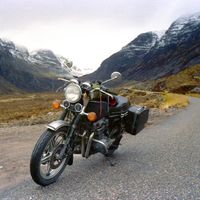
FWIW I have a Zumo XT but now use MRA for navigation. Part of the reason is that my honda Africa Twin adventure sports has a built in AA/CP screen (Made by Garmin!!) I can control the map and waypoint skipping etc from the bar buttons on the Honda. I've found the app to be reliable for me for over a year and 5 multi day trips. I still use the Zumo XT and have it mounted on the Honda as I still have a use for proximity alerted POI's and I use it as a backup with all of my planned routes on the Zumo and I also run the track of the route on the Zumo. I had a look at the XT2 when It came out and a couple of things Garmin did put me off it. Number one was that you can't bluetooth routes to other Garmin devices on the XT2 and I often lead groups and this facility was important. For the XT2 and I believe 3 you can only share directly with Zumo's that can run Tread?? John would probably be able to correct me on this. For me this is not so important now as I can connect older Zumo devices to my phone and transfer routes via a Garmin Lead. In your scenario since you already have an XT give the routing app a go for a while and if you don't get on with it its no loss. I too used Garmin devices for over 20 years and their hardware is good and reliable. Unlike others I have no issue using Basecamp and still use it for POI handling along with POI loader. I also still use it to combine daily track files for tours and have no issue creating routes on it. For me the USP of MRA is the ability to create routes quickly on the fly when I'm on tour and the ability to access them on any device anywhere. Garmin's software support and the routing algorithms they use for their devices after the 390/590 range no longer suit my needs. Its good that we are now spoilt for choice though.
-
At the physical device level. The Garmin doesn't overheat. It can tolerate Death Valley USA level heat and other abuses that a phone can't. Additionally, the Garmin screen is completely readable in glare, while the phone isn't.
This is largely depends on the choice of phone. Mine is military specced with a 3000 Nits brightness. More than enough to be used with a matte screenprotector to reduce glare.
And on the Android side, the rugged versions of phones I've researched don't provide the full functionality of regular phones for everyday use.
Motorola has a large lineup of these military specced high brightness phones. The Edge 60 Neo for example can be bought for around 225 euro, and is perfectly fit to be used as a daily phone. If you are a high-end phone user perhaps it is not your thing, but choosing a Zumo also means an extra device. I bought my motorola dedicated for navigation alongside my daily pixel.
But yes, a Zumo can be, under specific conditions, be preferable. It would be very bad if it could not...
I did not mean to start a flame war, thanks for your motivation in favor of an XT3.
@Con-Hennekens said:
But yes, a Zumo can be, under specific conditions, be preferable. It would be very bad if it could not... I did not mean to start a flame war, thanks for your motivation in favor of an XT3.
Con, no flame war.
I don't have stock ownership in Garmin, and would stop using Garmin devices in a minute if I felt there is a superior (for me) alternative.At a practical level, a military grade phone (as you pointed out) would meet durability standards. I'm not sure that I could personally live with that kind of a phone as a primary everyday device, given the added weight/bulk, and a less than highest end camera. At least that what I've read about this class of phones. And of course, it's not Apple.

HW aside, there are the many functional differences between a phone app (MRA or otherwise) and an XT3. I outlined many, and they're features I wouldn't want to live without leaving an XT3.
I respect your loyalty towards the MRA phone app. I have the same allegiance towards MRA Routeplanner. I do hope the MRA app continues to evolve and someday reach a level of stability I could live with.
-
FWIW I have a Zumo XT but now use MRA for navigation. Part of the reason is that my honda Africa Twin adventure sports has a built in AA/CP screen (Made by Garmin!!) I can control the map and waypoint skipping etc from the bar buttons on the Honda. I've found the app to be reliable for me for over a year and 5 multi day trips. I still use the Zumo XT and have it mounted on the Honda as I still have a use for proximity alerted POI's and I use it as a backup with all of my planned routes on the Zumo and I also run the track of the route on the Zumo. I had a look at the XT2 when It came out and a couple of things Garmin did put me off it. Number one was that you can't bluetooth routes to other Garmin devices on the XT2 and I often lead groups and this facility was important. For the XT2 and I believe 3 you can only share directly with Zumo's that can run Tread?? John would probably be able to correct me on this. For me this is not so important now as I can connect older Zumo devices to my phone and transfer routes via a Garmin Lead. In your scenario since you already have an XT give the routing app a go for a while and if you don't get on with it its no loss. I too used Garmin devices for over 20 years and their hardware is good and reliable. Unlike others I have no issue using Basecamp and still use it for POI handling along with POI loader. I also still use it to combine daily track files for tours and have no issue creating routes on it. For me the USP of MRA is the ability to create routes quickly on the fly when I'm on tour and the ability to access them on any device anywhere. Garmin's software support and the routing algorithms they use for their devices after the 390/590 range no longer suit my needs. Its good that we are now spoilt for choice though.
I had a look at the XT2 when It came out and a couple of things Garmin did put me off it. Number one was that you can't bluetooth routes to other Garmin devices on the XT2 and I often lead groups and this facility was important. For the XT2 and I believe 3 you can only share directly with Zumo's that can run Tread??
I understand your points regarding the XTs and the sharing of routes. It's definitely a weak point in Garmin world. I don't know what Tread can or can't do in this regard, because I don't have external storage (Explore DB) activated in the app. My "neutered" version of Tread provides me traffic alerts and control of music on my phone -- that's it. When I lead rides, I distribute GPX files the old-fashioned way, which as you know is cumbersome, and doesn't always work as planned.
In your scenario since you already have an XT give the routing app a go for a while and if you don't get on with it its no loss.
Back in late 2024, I actually did make an honest attempt to learn and use the MRA Phone app. I think I did achieve some proficiency. I certainly liked the Sync function for seamlessly transferring routes through the MRA cloud from Routeplanner to the phone. But I ran into a few problems that frustrated me and tempered my enthusiasm. The primary issue was finding that off-line vs on-line doesn't necessary calculate the same. I posted a topic at the time, outlining in detail how the two versions differed and contrasted with the XT calculation. Corjan responded (I'm paraphrasing) with "What do you want me to do about it"? I was a bit shocked to get a response like that. But his message was that it's a HERE issue and his hands were tied. It's the same response we get to many of the outstanding problems today. It simply not acceptable to me that I couldn't trust consistency of route calculation at all layers of MRA.
Regardless, with my overall testing, it always went back to my XT having navigation functionality that didn't (and currently doesn't) exist in the app. As I mentioned to Con, I hope the app does evolve to a point where I can re-consider it in the future.
-
@Con-Hennekens said:
But yes, a Zumo can be, under specific conditions, be preferable. It would be very bad if it could not... I did not mean to start a flame war, thanks for your motivation in favor of an XT3.
Con, no flame war.
I don't have stock ownership in Garmin, and would stop using Garmin devices in a minute if I felt there is a superior (for me) alternative.At a practical level, a military grade phone (as you pointed out) would meet durability standards. I'm not sure that I could personally live with that kind of a phone as a primary everyday device, given the added weight/bulk, and a less than highest end camera. At least that what I've read about this class of phones. And of course, it's not Apple.
HW aside, there are the many functional differences between a phone app (MRA or otherwise) and an XT3. I outlined many, and they're features I wouldn't want to live without leaving an XT3.
I respect your loyalty towards the MRA phone app. I have the same allegiance towards MRA Routeplanner. I do hope the MRA app continues to evolve and someday reach a level of stability I could live with.
I respect your loyalty towards the MRA phone app.
I cannot deny that some fellows became friends
(or I would not dare... ), but it is not about loyalty. At the time I was really struggling many years already with Mapsource as well as Basecamp, looking at the same videos trying to find out how it works again. It did never stick. When I learned about MRA planner I was still using a zumo (I went from Streetpilot 2610 to Zumo 660 and Zumo 390). The planner was a real nobrainer compared to the Garmin alternatives. Then MRA came With Navigation (which in our circle we call "Previous" by now ) I tried it for a few rides, and I never felt the need to pick up the Zumo again. So not just loyalty, but also the genuine belief that it works great as an ecosystem. And you are right to add "for me", because that's actually what it is. I am a tourer, I don't do off road, make most of my own routes. We just have different use cases or methods I think.
 -
I had a look at the XT2 when It came out and a couple of things Garmin did put me off it. Number one was that you can't bluetooth routes to other Garmin devices on the XT2 and I often lead groups and this facility was important. For the XT2 and I believe 3 you can only share directly with Zumo's that can run Tread??
I understand your points regarding the XTs and the sharing of routes. It's definitely a weak point in Garmin world. I don't know what Tread can or can't do in this regard, because I don't have external storage (Explore DB) activated in the app. My "neutered" version of Tread provides me traffic alerts and control of music on my phone -- that's it. When I lead rides, I distribute GPX files the old-fashioned way, which as you know is cumbersome, and doesn't always work as planned.
In your scenario since you already have an XT give the routing app a go for a while and if you don't get on with it its no loss.
Back in late 2024, I actually did make an honest attempt to learn and use the MRA Phone app. I think I did achieve some proficiency. I certainly liked the Sync function for seamlessly transferring routes through the MRA cloud from Routeplanner to the phone. But I ran into a few problems that frustrated me and tempered my enthusiasm. The primary issue was finding that off-line vs on-line doesn't necessary calculate the same. I posted a topic at the time, outlining in detail how the two versions differed and contrasted with the XT calculation. Corjan responded (I'm paraphrasing) with "What do you want me to do about it"? I was a bit shocked to get a response like that. But his message was that it's a HERE issue and his hands were tied. It's the same response we get to many of the outstanding problems today. It simply not acceptable to me that I couldn't trust consistency of route calculation at all layers of MRA.
Regardless, with my overall testing, it always went back to my XT having navigation functionality that didn't (and currently doesn't) exist in the app. As I mentioned to Con, I hope the app does evolve to a point where I can re-consider it in the future.

Regardless, with my overall testing, it always went back to my XT having navigation functionality that didn't (and currently doesn't) exist in the app. As I mentioned to Con, I hope the app does evolve to a point where I can re-consider it in the future.
You are comparing the app from 2 years ago to a brand new XT3. You leave out that the app has had a couple of major make overs since then.
What functionality do you find in that XT3 that you dont find in MRA Next anno 2026.
That would be a fair ComparisonHonda Goldwing GL1500,
Honda Silverwing GL 650
DMD2 T865X 8 inch Android tablet using MRA next for navigation
Garmin XT sold
Samsung S24FE mounted on a Quadlock and using Android Auto in my car -
Regardless, with my overall testing, it always went back to my XT having navigation functionality that didn't (and currently doesn't) exist in the app. As I mentioned to Con, I hope the app does evolve to a point where I can re-consider it in the future.
You are comparing the app from 2 years ago to a brand new XT3. You leave out that the app has had a couple of major make overs since then.
What functionality do you find in that XT3 that you dont find in MRA Next anno 2026.
That would be a fair Comparison
You are comparing the app from 2 years ago to a brand new XT3. You leave out that the app has had a couple of major make overs since then.
What functionality do you find in that XT3 that you dont find in MRA Next anno 2026.
That would be a fair ComparisonYou never did answer my question asking if you have extensive (or any) XT experience. If you don't, much of what I describe isn't going to make much sense or have the impact that it should. Regardless, I outlined some of the major differences in post#3. if you dispute any of those or want clarification, I'm happy to have a discussion.
-
You are comparing the app from 2 years ago to a brand new XT3. You leave out that the app has had a couple of major make overs since then.
What functionality do you find in that XT3 that you dont find in MRA Next anno 2026.
That would be a fair ComparisonYou never did answer my question asking if you have extensive (or any) XT experience. If you don't, much of what I describe isn't going to make much sense or have the impact that it should. Regardless, I outlined some of the major differences in post#3. if you dispute any of those or want clarification, I'm happy to have a discussion.
@John-S-Parry Yes I did use an XT device for a couple of years and the main reason for me to switch to the T865X was the multiple attempts of that XT to mess up my ride. This is due to way Garmin devices handle routes that are not made with Garmin. I've written a couple of post back then discribing how Garmin is discriminating route not made with Garmin devices and ofr software. Branche protection you could say.
The screen of that XT and the visibility made decide to search for a rugged tablet wit h at least the 1000 nits like the XT has. I also wanted such a device to handle MRA routes like they were intended. Thus quiting the Garmin algorithme.
The few advantages you mentioned in post #3 to me are more user prefered gadgets. I tend to plan my trips carefully and thus there is no need to ad different peaces of other routes along the way.
In the end I've found the T865X more capable to fill my needs. MRA runs perfect on it with all it's features and om top of that a 1300 + nits screens witch is even better than the XT's screen.
I hope this answers your questions. -
@John-S-Parry Yes I did use an XT device for a couple of years and the main reason for me to switch to the T865X was the multiple attempts of that XT to mess up my ride. This is due to way Garmin devices handle routes that are not made with Garmin. I've written a couple of post back then discribing how Garmin is discriminating route not made with Garmin devices and ofr software. Branche protection you could say.
The screen of that XT and the visibility made decide to search for a rugged tablet wit h at least the 1000 nits like the XT has. I also wanted such a device to handle MRA routes like they were intended. Thus quiting the Garmin algorithme.
The few advantages you mentioned in post #3 to me are more user prefered gadgets. I tend to plan my trips carefully and thus there is no need to ad different peaces of other routes along the way.
In the end I've found the T865X more capable to fill my needs. MRA runs perfect on it with all it's features and om top of that a 1300 + nits screens witch is even better than the XT's screen.
I hope this answers your questions.
Yes I did use an XT device for a couple of years and the main reason for me to switch to the T865X was the multiple attempts of that XT to mess up my ride. This is due to way Garmin devices handle routes that are not made with Garmin. I've written a couple of post back then discribing how Garmin is discriminating route not made with Garmin devices and ofr software. Branche protection you could say.
I don't know what to say about this. I've spent the last few years using MRA Routeplanner to create routes for the XT, and now the XT3. I've used both the HERE and OSM base maps for creating GPX files imported into the Garmin. I sometimes even use inRoute (Apple Maps) to create GPX files for XT import. We're talking literally hundreds of routes. That seems like a lot, but I lead rides that span weeks and sometimes crisscross the USA. Being retired and having time is great.
I've NEVER encountered what you described. There isn't a Garmin conspiracy to tank routes not developed with Basecamp. You seem experienced, and I mean no disrespect, but there is something on the user side here. Besides my own experience, I ride with many who develop routes in Kurviger, Scenic and Calimoto for import into the XT, our most used group device. Again, I'd know if Garmin was playing games. I wouldn't be able to avoid it. They're not.The few advantages you mentioned in post #3 to me are more user prefered gadgets. I tend to plan my trips carefully and thus there is no need to ad different peaces of other routes along the way.
I plan carefully too. And I'm a firm believer in following a route as planned. But none of us are so perfect that we know exactly where we're going to be at all times during the day, and with crystal ball vision for planning accordingly. Sometimes you have to make a diversion for reasons unanticipated, especially when riding with a group. That's the nature of life. And the "Look Ahead" feature in the XT/XT2/XT3 handles it eloquently. You not only locate where you need to go (sometimes well off the main route), but you can automatically add this diversion as a via point to your route. Maybe it's a USA thing where we have vast open spaces, but it can be a life saver under certain circumstances.
We can go on. I can expand on the other items I mentioned, but it's not necessary at this point. The message is that the XT series is incredibly competent if you understand it and know how to manipulate its advanced functions. It's not perfect, and of course there are things I'd like changed. But its core navigation functionality is solid. I wouldn't use it otherwise.
-
@John-S-Parry Yes I did use an XT device for a couple of years and the main reason for me to switch to the T865X was the multiple attempts of that XT to mess up my ride. This is due to way Garmin devices handle routes that are not made with Garmin. I've written a couple of post back then discribing how Garmin is discriminating route not made with Garmin devices and ofr software. Branche protection you could say.
The screen of that XT and the visibility made decide to search for a rugged tablet wit h at least the 1000 nits like the XT has. I also wanted such a device to handle MRA routes like they were intended. Thus quiting the Garmin algorithme.
The few advantages you mentioned in post #3 to me are more user prefered gadgets. I tend to plan my trips carefully and thus there is no need to ad different peaces of other routes along the way.
In the end I've found the T865X more capable to fill my needs. MRA runs perfect on it with all it's features and om top of that a 1300 + nits screens witch is even better than the XT's screen.
I hope this answers your questions.
@Marinus-van-Deudekom I'd have to say I use Basecamp routes and MRA routes interchangeably on the XT my other Zumo's without issue and have transferred many Basecamp routes to MRA without issue and used them via the navigation app. The only point of note is that MRA prepared routes transferred to Garmin devices do not transfer Via points to Zumo favourites as they are imbedded in the routes rather than separate entities as they are in Basecamp prepared GPX files.
-
Yes I did use an XT device for a couple of years and the main reason for me to switch to the T865X was the multiple attempts of that XT to mess up my ride. This is due to way Garmin devices handle routes that are not made with Garmin. I've written a couple of post back then discribing how Garmin is discriminating route not made with Garmin devices and ofr software. Branche protection you could say.
I don't know what to say about this. I've spent the last few years using MRA Routeplanner to create routes for the XT, and now the XT3. I've used both the HERE and OSM base maps for creating GPX files imported into the Garmin. I sometimes even use inRoute (Apple Maps) to create GPX files for XT import. We're talking literally hundreds of routes. That seems like a lot, but I lead rides that span weeks and sometimes crisscross the USA. Being retired and having time is great.
I've NEVER encountered what you described. There isn't a Garmin conspiracy to tank routes not developed with Basecamp. You seem experienced, and I mean no disrespect, but there is something on the user side here. Besides my own experience, I ride with many who develop routes in Kurviger, Scenic and Calimoto for import into the XT, our most used group device. Again, I'd know if Garmin was playing games. I wouldn't be able to avoid it. They're not.The few advantages you mentioned in post #3 to me are more user prefered gadgets. I tend to plan my trips carefully and thus there is no need to ad different peaces of other routes along the way.
I plan carefully too. And I'm a firm believer in following a route as planned. But none of us are so perfect that we know exactly where we're going to be at all times during the day, and with crystal ball vision for planning accordingly. Sometimes you have to make a diversion for reasons unanticipated, especially when riding with a group. That's the nature of life. And the "Look Ahead" feature in the XT/XT2/XT3 handles it eloquently. You not only locate where you need to go (sometimes well off the main route), but you can automatically add this diversion as a via point to your route. Maybe it's a USA thing where we have vast open spaces, but it can be a life saver under certain circumstances.
We can go on. I can expand on the other items I mentioned, but it's not necessary at this point. The message is that the XT series is incredibly competent if you understand it and know how to manipulate its advanced functions. It's not perfect, and of course there are things I'd like changed. But its core navigation functionality is solid. I wouldn't use it otherwise.
@John-S-Parry let's agree to disagree. Have fun riding
-
I appreciate your enthusiasm for the DMD / Android solution. I've already worked out the mechanical, electrical and software requirements for the Garmin. It's old fashioned, I admit. But it fits my old school BMW very nicely, and I'm not very keen on starting over with a new system. I'm not sure you appreciate how limited the cockpit area is on an older RT. I'm now in my 5th decade of touring, and I value simplicity over new features. Navigation assistance with minimal distraction is my ultimate goal.
@Don-Stauffer / @john-s-parry ...at the point to share routes (p.e. as group leader) with other participants - there is one point more, I see an advantage for MyRouteApp: it's not needed any longer to share gpx files cumbersome wireless, or by cable or mail, or...
Simply use an Event in MRA Routeplanner and share your route with participants. If they use MyRoute Navigation Next too - the route(s) will be synched immediately wireless. With no hassle, any of the participants Navi calculates a different route layout!
And because I said: at the moment, where MyRouteApp isn't good enough for offroad riding - and therefore I use DMD Hard- and Software parallel. The DMD2 app can do the same: share the route with other participants, simply by synchronise. This group ride function can additionally share the position of each rider on the map of each! Incl. SOS button to send "help please" to the other participants. That are incredible higher levels in navigation; it's more than pure navigation.
Compared with GARMIN, it looks like GARMIN simply failed to recognise the signs of the modern times and is effectively selling outdated solutions. And more, almost every new device came with a new subsystem for loading GPX files onto the sat-nav or managing routes. That’s not just a nuisance – it’s infuriating!
I’ve been riding motorbikes and driving cars for 50 years – new ones from time to time. And every time, I’ve had to learn a new system. But as the saying goes: ‘Learning – or riding a motorbike – keeps you young’!
Nothing is impossible ;-)
In past: GARMIN Zumo 210->GARMIN Zumo 395->GARMIN XT=> now: DMD T865-X + MyRoute-App, LocusMaps, OsmAnd.
In past: GARMIN MapSource ->GARMIN BaseCamp->Tyre->Kurviger->Calimoto=> now: MRA-Routplanner.

Hello! It looks like you're interested in this conversation, but you don't have an account yet.
Getting fed up of having to scroll through the same posts each visit? When you register for an account, you'll always come back to exactly where you were before, and choose to be notified of new replies (either via email, or push notification). You'll also be able to save bookmarks and upvote posts to show your appreciation to other community members.
With your input, this post could be even better 💗
Register Login
-
 0729
0729
-
0868
-
 81655.4k
-
0346
-
01090
-
1833
-
0263
-
16266