Problem with Route Animate/Video maker
-

Hello,
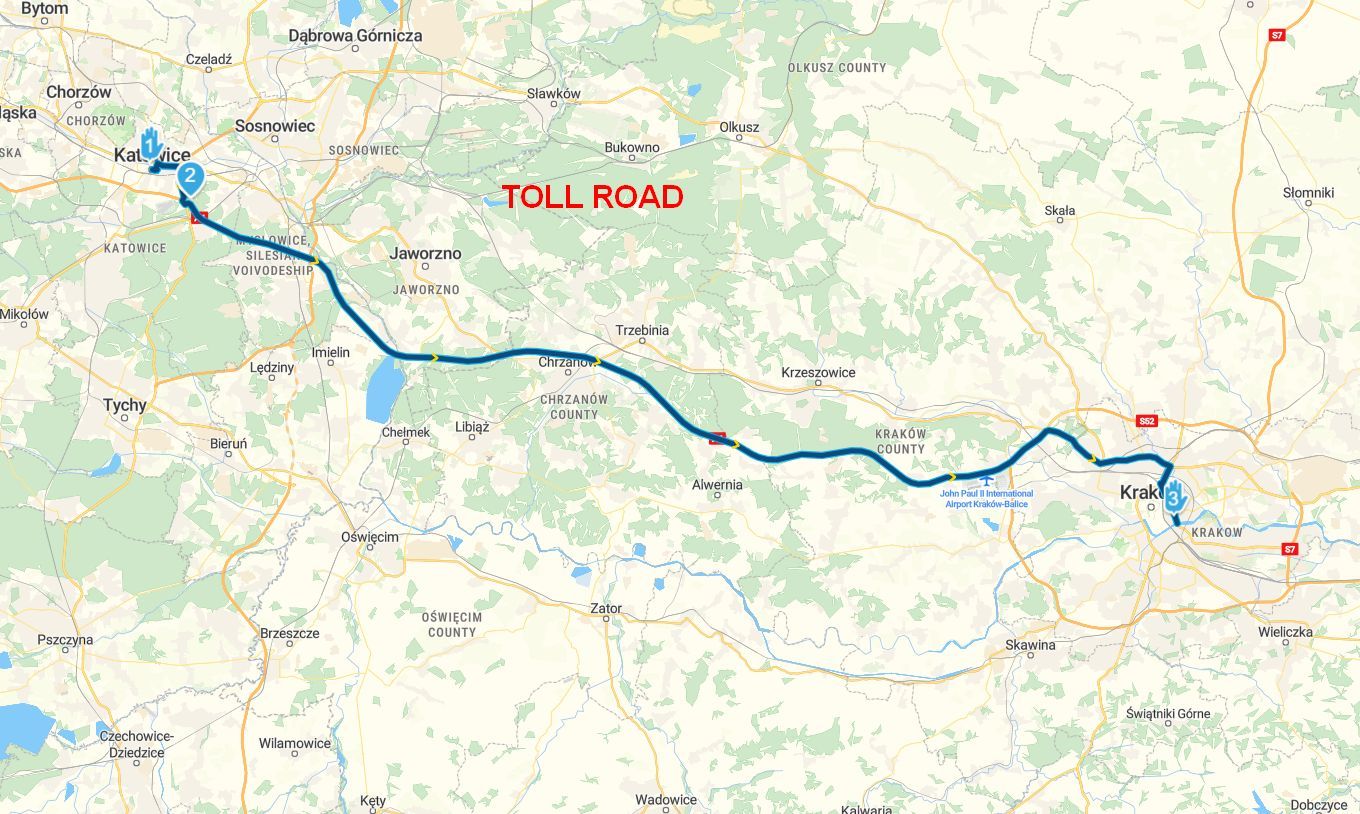
I wanted to create a video of a route that goes back and forth along the same road and includes some information at certain waypoints.
The video starts normally, and the first waypoint is displayed with its information, but then the order gets mixed up. It doesn’t continue in order (2, 3, 4, 5, etc.); instead, every waypoint on the route is displayed with additional information, regardless of its order.
To me, this is a bug; the displayed information should follow the order, e.g., 1–30, even if the route goes back along the same road.Is the problem clear?
Hardware
iPhone 12 pro (iOS 26.2.1)
iPad (7.Gen.) 18.7.3
Oukitel RT3 Pro (Andr. 14)
Wireless CarPlay mit (Elebest C650)
Wired CarPlay (SEAT Arona - 2021)
MRA Workshops in Deutsch sind hier zu finden -
Hello,
I wanted to create a video of a route that goes back and forth along the same road and includes some information at certain waypoints.
The video starts normally, and the first waypoint is displayed with its information, but then the order gets mixed up. It doesn’t continue in order (2, 3, 4, 5, etc.); instead, every waypoint on the route is displayed with additional information, regardless of its order.
To me, this is a bug; the displayed information should follow the order, e.g., 1–30, even if the route goes back along the same road.Is the problem clear?

@Jörgen I've sen it happen also. I think that the animator is not actually following ALL the shaping points.
-
Yes, that's right. But he has to follow some kind of trail—so why not this one?
-
no clue what so ever maybe @corjan-meijerink knows
-

I think, the Video feature is broken down since a long time...
Nothing is impossible ;-)
In past: GARMIN Zumo 210->GARMIN Zumo 395->GARMIN XT=> now: DMD T865-X + MyRoute-App, LocusMaps, OsmAnd.
In past: GARMIN MapSource ->GARMIN BaseCamp->Tyre->Kurviger->Calimoto=> now: MRA-Routplanner. -
I think, the Video feature is broken down since a long time...
@Guzzist no it's not broken af you can see in my RX routes in the library. But like @jörgen saw I have had the same problem quite some time ago. Always when s route doubles a piece of road. But I dont know what is causing this du that's why hope @corjan-meijerink knows
Hello! It looks like you're interested in this conversation, but you don't have an account yet.
Getting fed up of having to scroll through the same posts each visit? When you register for an account, you'll always come back to exactly where you were before, and choose to be notified of new replies (either via email, or push notification). You'll also be able to save bookmarks and upvote posts to show your appreciation to other community members.
With your input, this post could be even better 💗
Register Login-
034209
-
 2241338
-
 01152
01152
-
 015201
-
0848
-
 016137
-
 1864
1864
-
722283