Skip to content
  • Categories
  • Recent
  • Popular
  • Support
  • MyRoute-app
Collapse
Brand Logo

MRA Community Forum

  1. Home
  2. MyRoute-app Routeplanner
  3. [Web] Problems, Bugs and other Issues
  4. OSM off-road segment does not work/draw straight line

OSM off-road segment does not work/draw straight line

Scheduled Pinned Locked Moved [Web] Problems, Bugs and other Issues
2 Posts 2 Posters 189 Views 2 Watching
  • Oldest to Newest
  • Newest to Oldest
  • Most Votes
Reply
  • Reply as topic
Log in to reply
This topic has been deleted. Only users with topic management privileges can see it.
  • Yannick_van_Vugt Offline
    Yannick_van_Vugt Offline
    Yannick_van_Vugt
    wrote on last edited by Yannick_van_Vugt
    #1

    The title already gives away the issue.

    Yes, it can be bypassed another way. No, it is not expected behaviour.


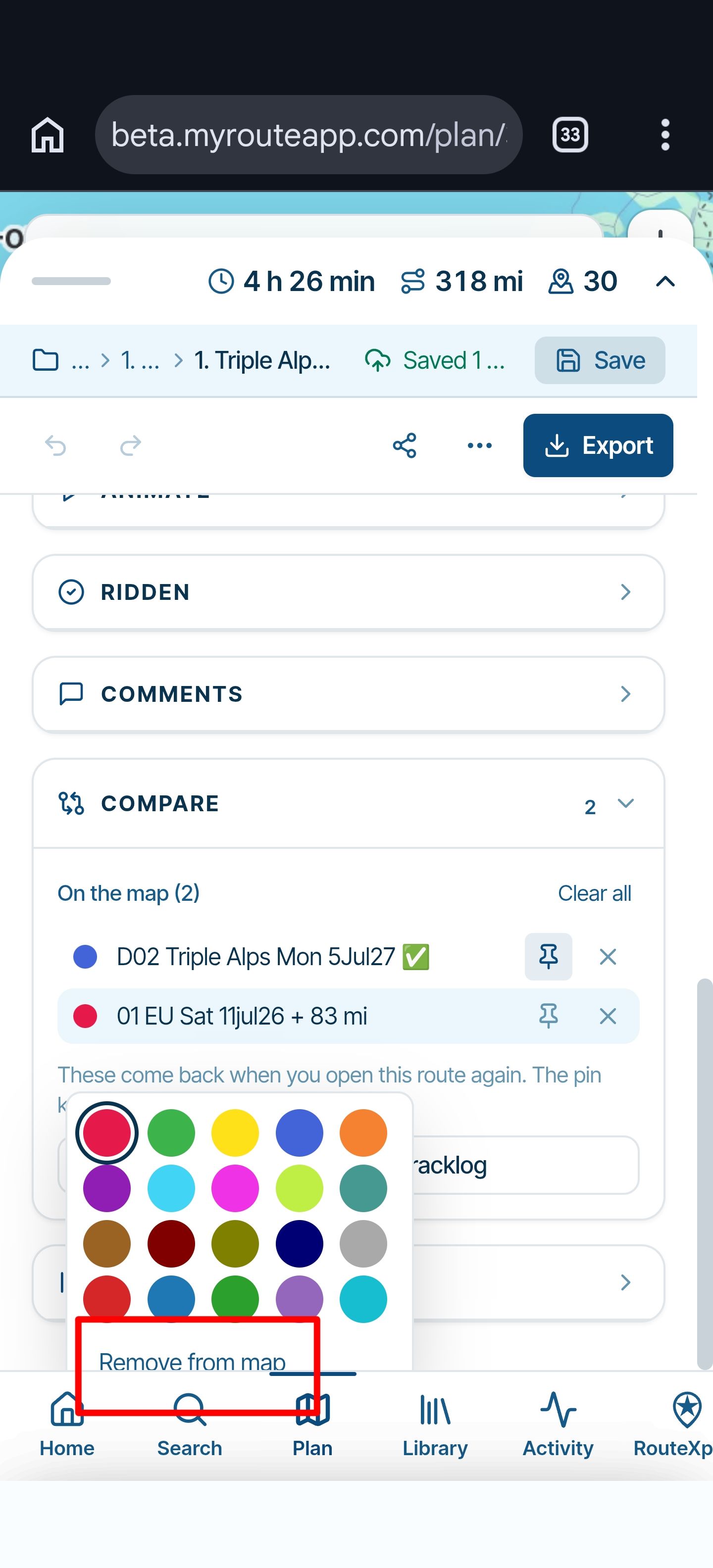
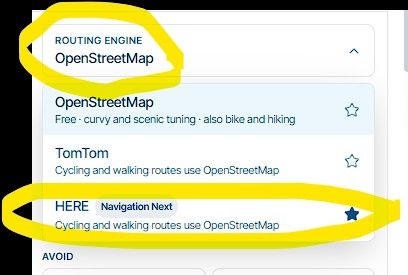
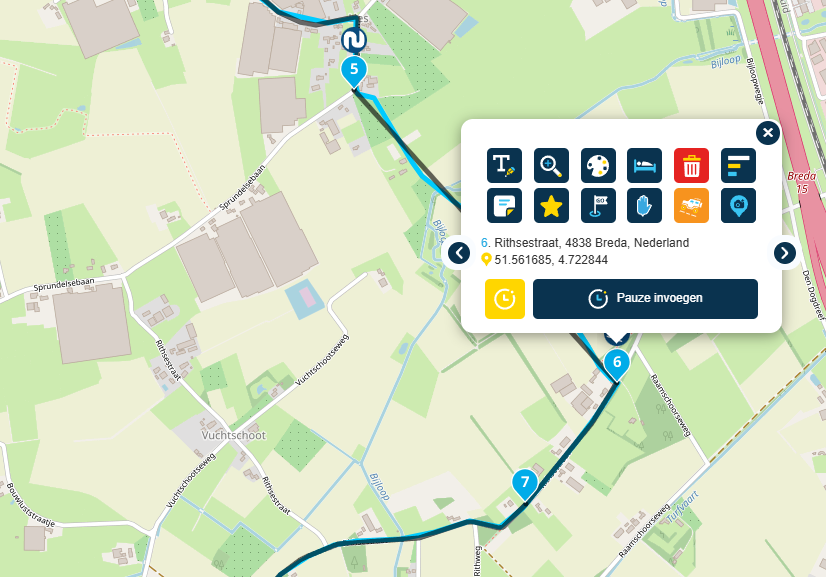
    With OSM planning we have the option for different segments, these segments allow for somewhat curvy, curvy, very curvy, fastest, off-road and custom. The off-road segment does not work, it should draw a straight line towards the route-point selected and speed up your work by doing it in the left hand menu, but it only calculates the quickest on-road route. Using the (universal) skip function on the route-point itself does work, but it's a lot more work when trying to create an off-road track and needing to go to each individual point to enable the skip function there. It also does not create any harmony and overview.
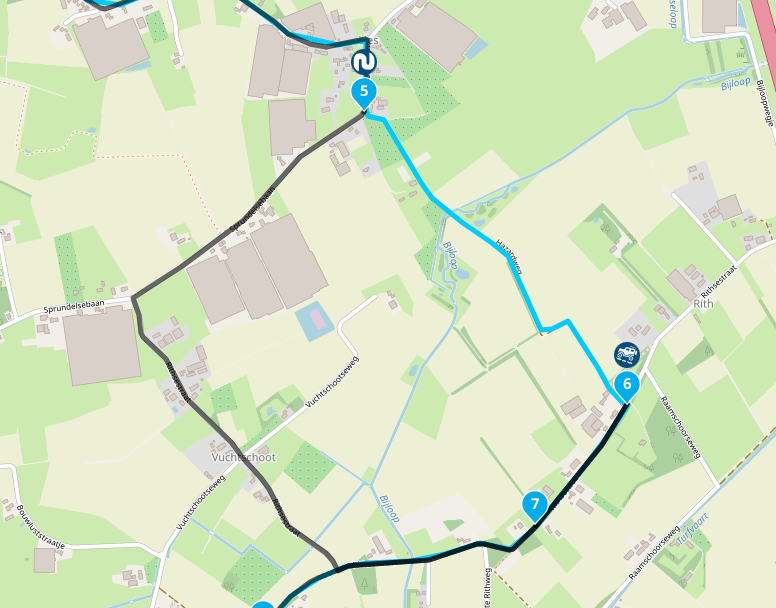
    Schermafbeelding 2026-07-15 005618.png

    Schermafbeelding 2026-07-15 011220.png

    📷: YannickvanVugt | 🏍️: DutchTransalp

    Guzzist 1 Reply Last reply
    1
    • Yannick_van_Vugt Yannick_van_Vugt

      The title already gives away the issue.

      Yes, it can be bypassed another way. No, it is not expected behaviour.


      With OSM planning we have the option for different segments, these segments allow for somewhat curvy, curvy, very curvy, fastest, off-road and custom. The off-road segment does not work, it should draw a straight line towards the route-point selected and speed up your work by doing it in the left hand menu, but it only calculates the quickest on-road route. Using the (universal) skip function on the route-point itself does work, but it's a lot more work when trying to create an off-road track and needing to go to each individual point to enable the skip function there. It also does not create any harmony and overview.

      Schermafbeelding 2026-07-15 005618.png

      Schermafbeelding 2026-07-15 011220.png

      Guzzist Offline
      Guzzist Offline
      Guzzist
      Valued contributor
      wrote on last edited by
      #2

      @Yannick_van_Vugt ...yes, I can reproduce it: in the segment setup it's not working. Only in the waypoint setup it works.
      I was not aware before, because if I plan for offroad, verry often route line is following pathes through the forest. Only sometimes, if the route line will not follow a path, I use the "offroad function" for a waypoint...

      Nothing is impossible ;-)
      In past: GARMIN Zumo 210->GARMIN Zumo 395->GARMIN XT=> now: DMD T865-X + MyRoute-App, LocusMaps, OsmAnd.
      In past: GARMIN MapSource ->GARMIN BaseCamp->Tyre->Kurviger->Calimoto=> now: MRA-Routplanner.

      1 Reply Last reply
      1

      Hello! It looks like you're interested in this conversation, but you don't have an account yet.

      Getting fed up of having to scroll through the same posts each visit? When you register for an account, you'll always come back to exactly where you were before, and choose to be notified of new replies (either via email, or push notification). You'll also be able to save bookmarks and upvote posts to show your appreciation to other community members.

      With your input, this post could be even better 💗

      Register Login
      Reply
      • Reply as topic
      Log in to reply
      • Oldest to Newest
      • Newest to Oldest
      • Most Votes


      ACTIVE USERS
      Guzzist
      Guzzist
      Yannick_van_Vugt
      Yannick_van_Vugt
      POPULAR TOPICS
      • "The selected profile only works in the HERE / TomTom map"
        Rob Verhoeff
        Rob Verhoeff
        0
        19
        255

      • Carpuride BMW unit stalling or restarting
        siebo vd berg
        siebo vd berg
        0
        17
        504

      • Transport modes?
        John S Parry
        John S Parry
        0
        3
        66

      • Navigation Route Line Colour
        Rob Verhoeff
        Rob Verhoeff
        3
        5
        892

      • Little issues, night mode in tunnel, recalculation
        Hubert Thoring
        Hubert Thoring
        0
        11
        102

      • MRA 5.2.2 (489) Avoidances are not taken into account///Vermeidungen werden nicht berücksichtigt
        Hubert Thoring
        Hubert Thoring
        0
        2
        25

      • No navigation instructions
        Hans-Udo Erdmenger
        Hans-Udo Erdmenger
        0
        8
        387

      • Google maps and Streetview
        Stevedo 6 0
        Stevedo 6 0
        1
        14
        754

      MY GROUPS
      • Login

      • Login or register to search.
      • First post
        Last post
      0
      • Categories
      • Recent
      • Popular
      • Support
      • MyRoute-app