Have a Track available along with the Route
-

Can we please implement the ability to have the Track along with the planned Route?
It should be dynamically synched as the route is modified, hopefully...
Currently I am not aware of a way to have the Track without first saving a route and than importing it back into the Route Planner as a track...
If there is - please let me know.
If anyone is curious as to WHY I want a track - there are a number of reasons...
Thank you! -
Can we please implement the ability to have the Track along with the planned Route?
It should be dynamically synched as the route is modified, hopefully...
Currently I am not aware of a way to have the Track without first saving a route and than importing it back into the Route Planner as a track...
If there is - please let me know.
If anyone is curious as to WHY I want a track - there are a number of reasons...
Thank you!
@Lenny-O I think what you want us already there. The white original line, representing the track
-
Can we please implement the ability to have the Track along with the planned Route?
It should be dynamically synched as the route is modified, hopefully...
Currently I am not aware of a way to have the Track without first saving a route and than importing it back into the Route Planner as a track...
If there is - please let me know.
If anyone is curious as to WHY I want a track - there are a number of reasons...
Thank you!
Hi @Lenny-O it would help if you could explain why, the reason will guide the answers you get...
without a reason I have to guess you want a track available for some navigation device other than MRA navigation because as @Marinus-van-Deudekom says if you are using MRA navigation you just have to enable the function in the Navigation app to show the track
if your using another navigation device such as Garmin then you can save the route planned in MRA as a GPX 1.1 file & when it is imported / transferred to th the Garmin nav both a route & a track will be available
third guess is the above 2 answers don't answer your question,
at the moment the way you are getting a track into MRA is the way around it & I don't believe there is another way within MRA
I also dont see what use a synced track, which is a just a copy of the route, would be used for within MRAI think more info is required to justify the case for synced tracks
-
Can we please implement the ability to have the Track along with the planned Route?
It should be dynamically synched as the route is modified, hopefully...
Currently I am not aware of a way to have the Track without first saving a route and than importing it back into the Route Planner as a track...
If there is - please let me know.
If anyone is curious as to WHY I want a track - there are a number of reasons...
Thank you!
@Lenny-O said in Have a Track available along with the Route:
Can we please implement the ability to have the Track along with the planned Route?
It should be dynamically synched as the route is modified,Like @Marinus-van-Deudekom mentioned, this already exists. It's just not presented as a separate entry, but is indeed used to present the white line while navigating, and to enable the "Navigate route as track" feature.
Currently I am not aware of a way to have the Track without first saving a route and than importing it back into the Route Planner as a track.
No there indeed is no feature to save a route as a track directly into your library.
If anyone is curious as to WHY I want a track - there are a number of reasons...
I know there are a number of reasons, but I am interested in your specific reasons. Maybe your reasons are so great that they could help developers to take action

-
Thank you, guys!
Well, my main reason is that I am a part of a BMW riders club and on our Website we post the rides with 2 screenshots. One of the destination and the other is the Track of the Route.
It would be so much easier for me to just bring up a Track in Route Planner directly, take a snapshot and post it to the Web.
Another reason is to share the proposed Track with friends who are not MRA members. They can see the whole Track without being inundated with the shaping points, etc,....
Hope that helps... Just a convenience thing. I don't think it really is a big deal to implement, is it?Have a look.
-
Thank you, guys!
Well, my main reason is that I am a part of a BMW riders club and on our Website we post the rides with 2 screenshots. One of the destination and the other is the Track of the Route.
It would be so much easier for me to just bring up a Track in Route Planner directly, take a snapshot and post it to the Web.
Another reason is to share the proposed Track with friends who are not MRA members. They can see the whole Track without being inundated with the shaping points, etc,....
Hope that helps... Just a convenience thing. I don't think it really is a big deal to implement, is it?Have a look.
@Lenny-O if I am reading your post correctly then I think what your after is already possible with MRA without the need for any form of syncs for tracks
firstly I am going to assume by snapshot you mean a screenshot of the page, so just a picture of the route &
you want this to be a clean uncluttered image of the path of the planned trip with no waypointsthe simplest way to achieve this is to just create a new blank route
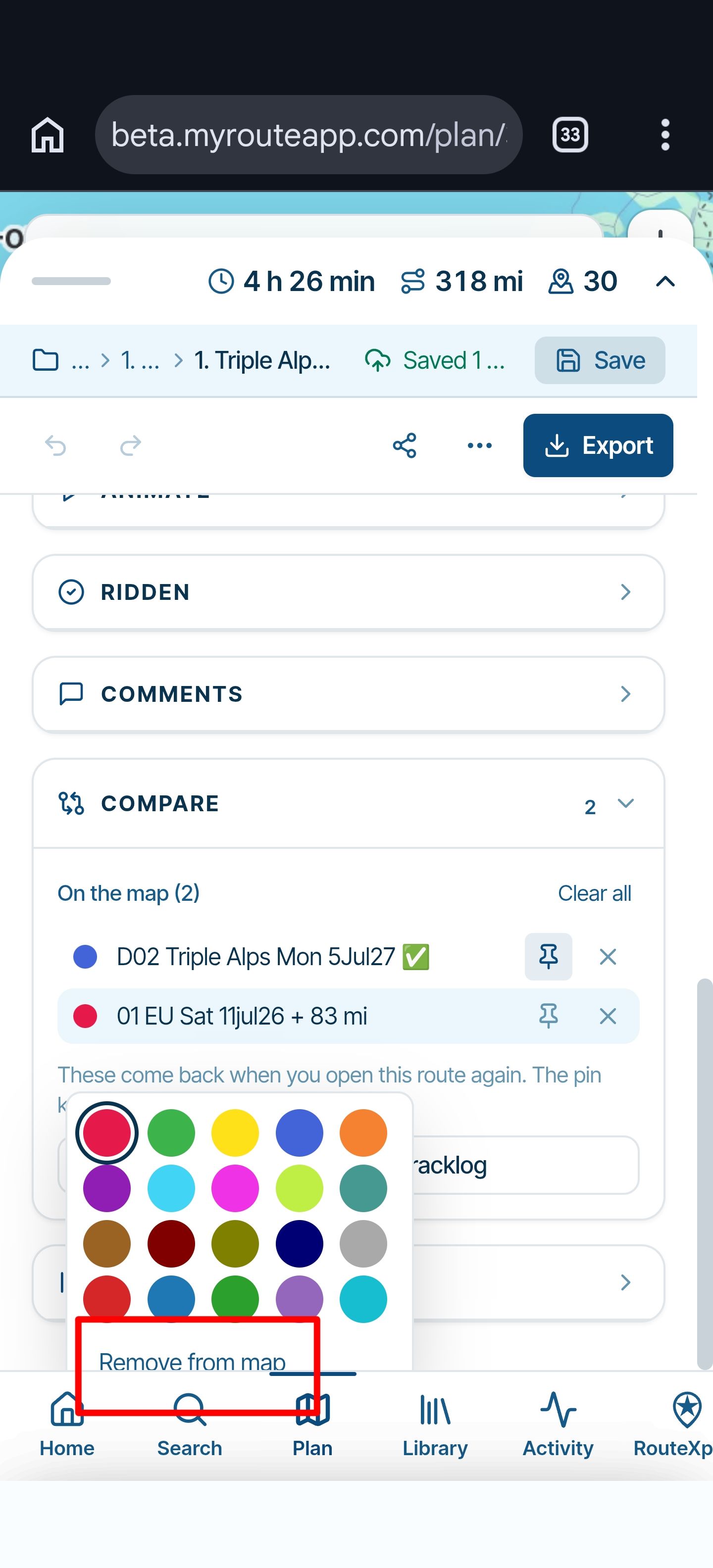
then go to the side menu & select Routes > Add & add the route you want to screenshot
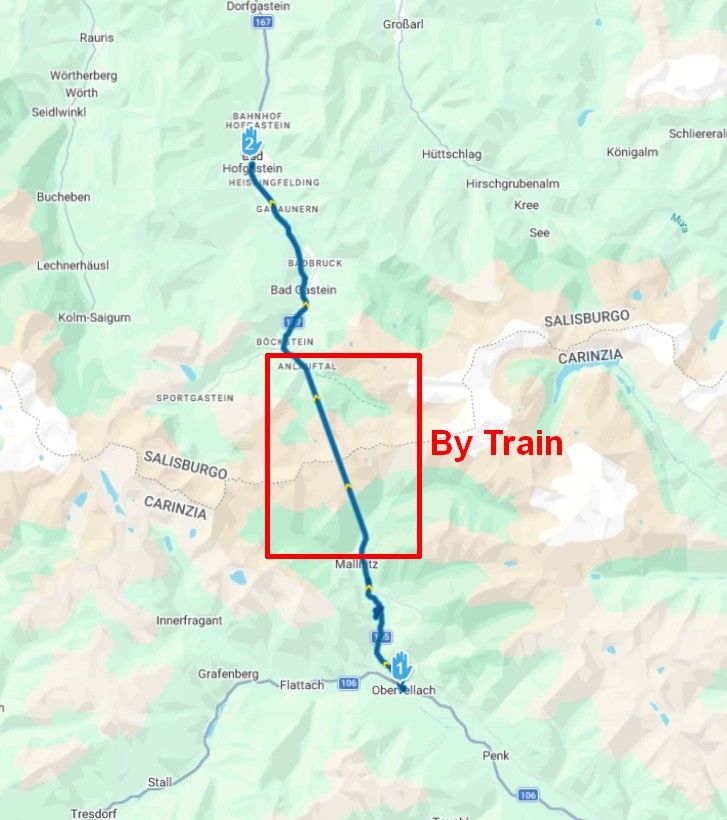
you should be able to get a result something like this on the right
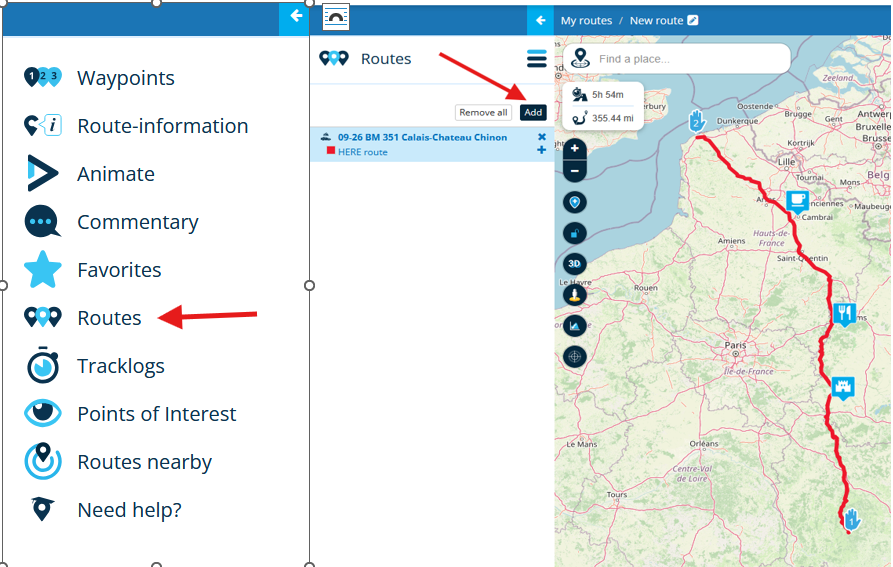
you can even choose what colour you want the pseudo track to be & if you wanted also add in a few "Points of Interest" to make it a bit more informative

-
Thank you, guys!
Well, my main reason is that I am a part of a BMW riders club and on our Website we post the rides with 2 screenshots. One of the destination and the other is the Track of the Route.
It would be so much easier for me to just bring up a Track in Route Planner directly, take a snapshot and post it to the Web.
Another reason is to share the proposed Track with friends who are not MRA members. They can see the whole Track without being inundated with the shaping points, etc,....
Hope that helps... Just a convenience thing. I don't think it really is a big deal to implement, is it?Have a look.
@Lenny-O said in Have a Track available along with the Route:
Just a convenience thing. I don't think it really is a big deal to implement, is it?
I think not indeed, but I don't think much development is being done on the current web application anymore. There is an entirely new web application in the making. Perhaps that one will contain this feature you are asking for (amongst many others!
).
Hello! It looks like you're interested in this conversation, but you don't have an account yet.
Getting fed up of having to scroll through the same posts each visit? When you register for an account, you'll always come back to exactly where you were before, and choose to be notified of new replies (either via email, or push notification). You'll also be able to save bookmarks and upvote posts to show your appreciation to other community members.
With your input, this post could be even better 💗
Register Login-
 01146
01146
-
 01152
01152
-
 11297
11297
-
 0976
0976
-
0835
-
 21162
21162
-
0714
-
0837