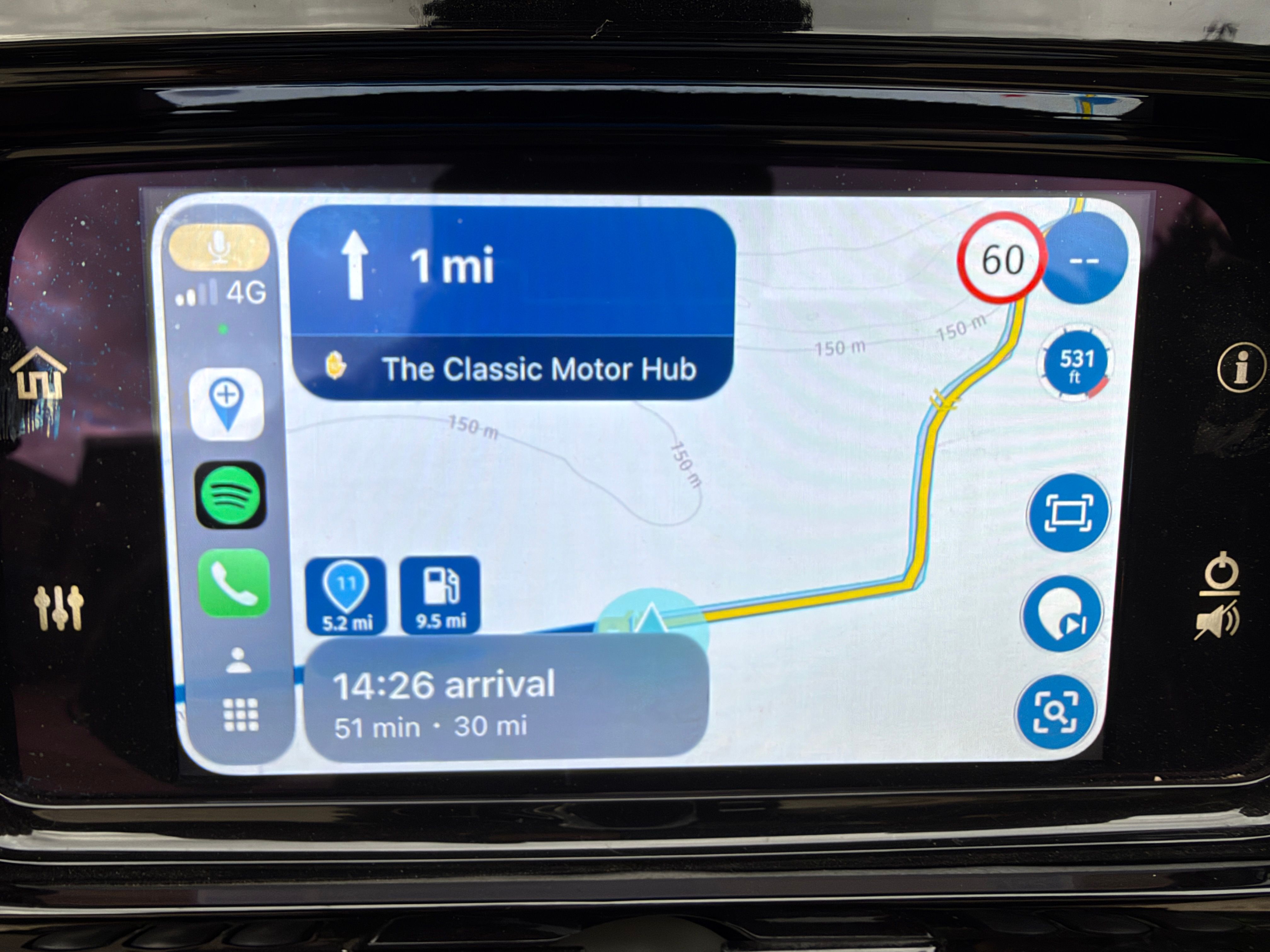
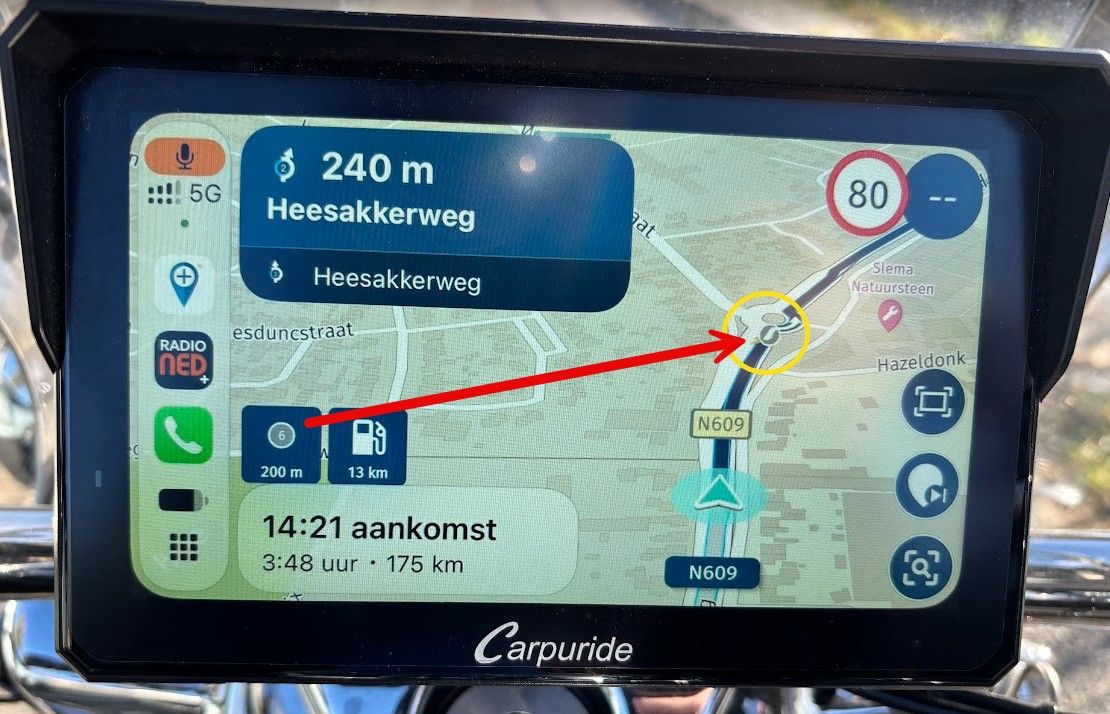
MRA MyRoute app version 4.3.9 - 395 - only shows a very much zoomed in route.
-
I would also like to see more in the dynamic view mode. Currently, about a third of the screen in horizontal orientation is lost for the sky. I'm afraid the only solution for now is the top view mode where you can select another zoom.

@Stanisław if that’s the case, check your tilt configuration. Might be a good idea to lower it. Due to a fixed issue your own configuration might not be suitable anymore.
-

Will be tested this weekend

-
We fixed some zoom issues in this update.
What are your visual settings? Perhaps it is a good idea to check them / reconfigure it!
@Corjan-Meijerink I know you did tackle some issues, however since the update my zoom is off.
How should I set the visual settings according to you? For they were fine before the update.
-
@Corjan-Meijerink I know you did tackle some issues, however since the update my zoom is off.
How should I set the visual settings according to you? For they were fine before the update.

@Inge-Bakermans said in MRA MyRoute app version 4.3.9 - 395 - only shows a very much zoomed in route.:
How should I set the visual settings according to you?
Go to your app-setting!
Menubars upper left corner > Account upper right corner > Navigation settings > Map layer > adjust Default zoom correction and/or Tilt correction. -
Did check and standard zoom correction is 0,0 - tiltcorrection is also 0,0.
This should not cause the route to be way too much zoomed in, right? -
Did check and standard zoom correction is 0,0 - tiltcorrection is also 0,0.
This should not cause the route to be way too much zoomed in, right?
@Inge-Bakermans Yep, that should show plenty of map and almost no tilt.
-
Perhaps share a screenshot of what you are seeing and verify if you're not driving in the topdown modus (with fixed zoom).
-
In my case the tiltcorrection was +8 so it could be wrong setting
-
Will try to do that Corjan.
Drove with settings at 0 and still very little zoom.
Will take a photo with my phone of the tablet and post it. -
-
How do I check the not driving in fixed zoom btw?

@Inge-Bakermans Press the compass sign
"during navigation mode" and watch the pop up showing the current mode.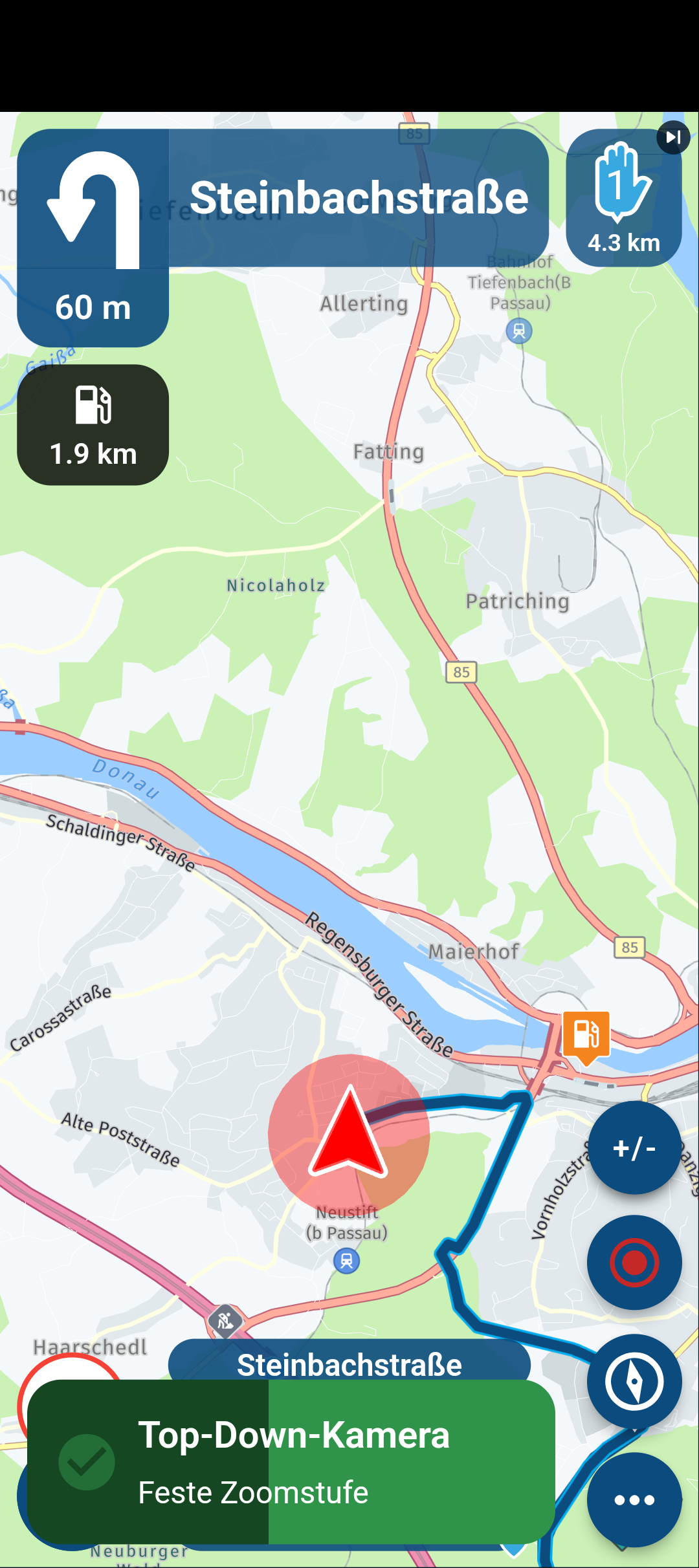
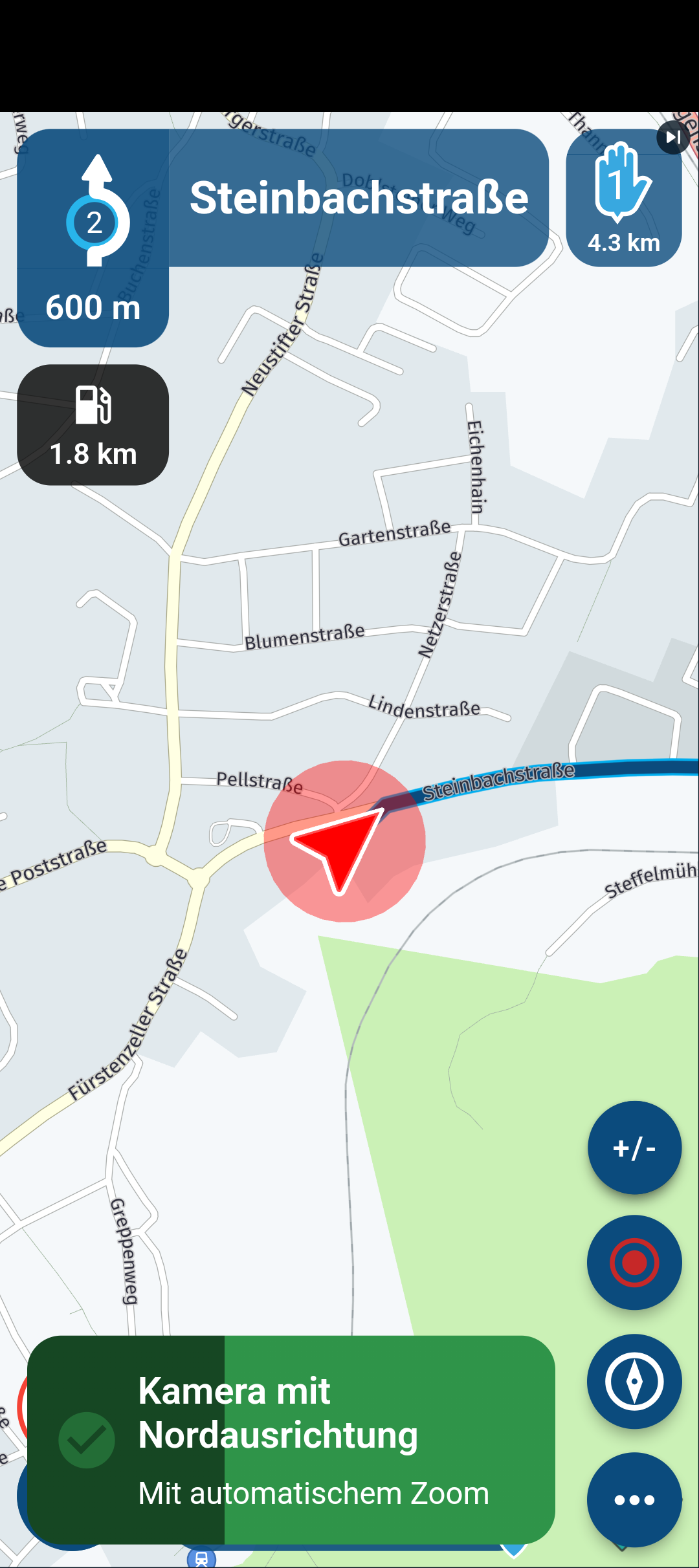
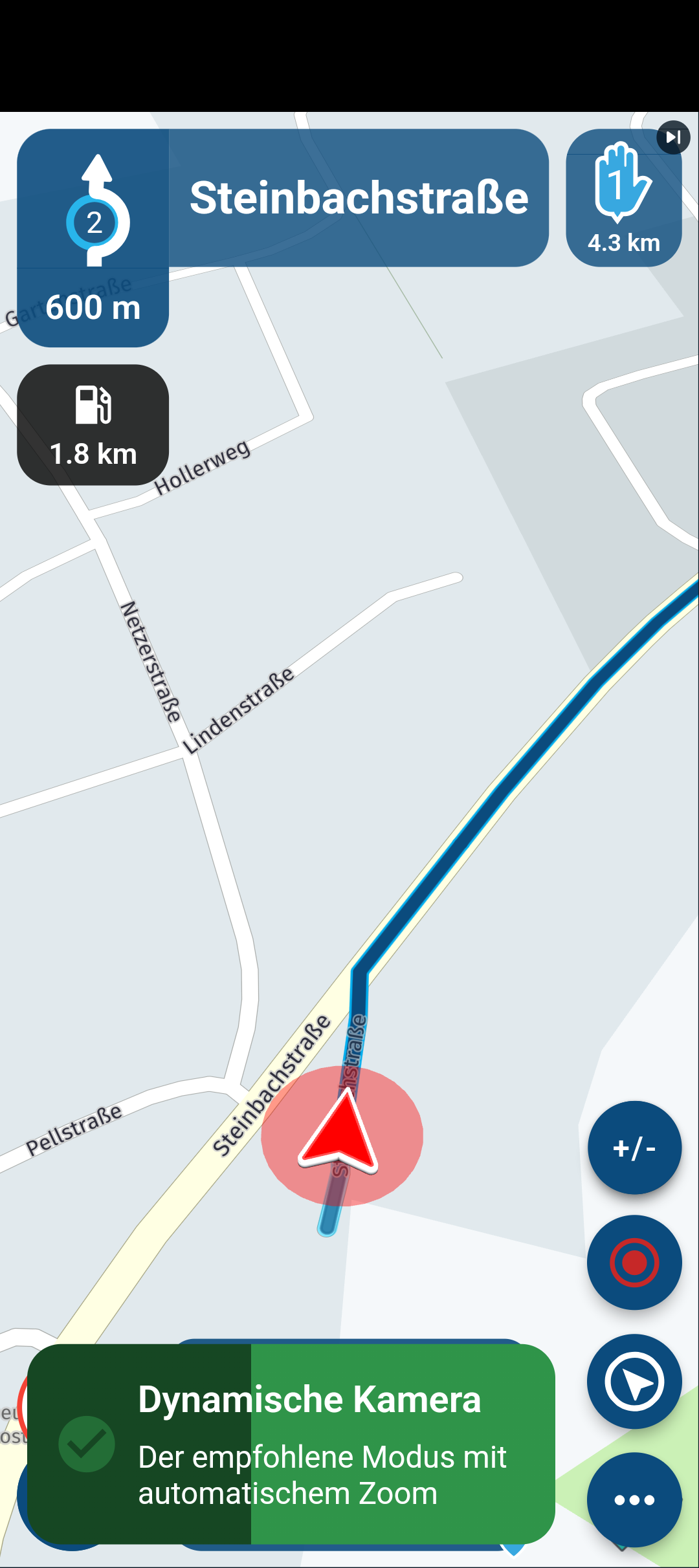
-
I have done about 1 kkm during the weekend, with the settings tilt correction = 0, it seems ok now - about 300 m ahead visible in the dynamic mode. I use 8'' tablet in horizontal view. Thanks @Corjan-Meijerink !
-
-
Peter thanks for the photos - will try the pressing of the compass tomorrow when driving.
Have set it for now on dynamic camera on the tablet - landscape. -
Corjan, dit is wat ik zie.
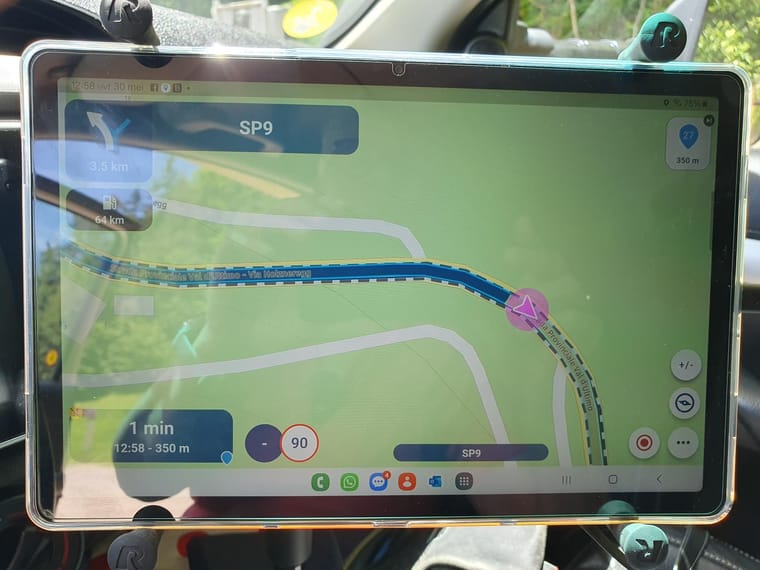
@Inge-Bakermans that for sure is not dynamic. Indeed tap the compass to switch to it
-
Peter thanks for the photos - will try the pressing of the compass tomorrow when driving.
Have set it for now on dynamic camera on the tablet - landscape.
@Inge-Bakermans, Your opening post was in English, so I will continue in English. What is it exactly that is not good on your screenshot?
-
Am on the road so my apologies for the late reply. have indeed been tapping the compass and have it now way more zommed out - just like I like it. Thanks guys for the help.
Hello! It looks like you're interested in this conversation, but you don't have an account yet.
Getting fed up of having to scroll through the same posts each visit? When you register for an account, you'll always come back to exactly where you were before, and choose to be notified of new replies (either via email, or push notification). You'll also be able to save bookmarks and upvote posts to show your appreciation to other community members.
With your input, this post could be even better 💗
Register Login-
 01844
01844
-
16126
-
 05152
05152
-
 0420
0420
-
 0416
0416
-
07274
-
 0319
0319
-
0345