Carpe Iter BMW Controller issue
-

I have the Carpe Iter BMW 4 button control, and a DMD T865X tablet on which I'm running MyRouteApp. The BMW "Wonder Wheel" will zoom the map in and out, but the only button that works out of the 4 is the bottom one. That button brings up the routing menu which I can't exit unless I touch the screen instead of panning the map which it's supposed to do.
I have the Carpe Iter connector software set to its single profile setting (MyRouteApp) instead of automatic and I have the Carpe Iter BMW Control set as my interface in MyRouteApp. Obviously the controller is paired properly as the control wheel zooms the map in and out, and one button does work although it doesn't do what it's supposed to do.
I do have the DMD OBDII bluetooth dongle installed and I thought that may possibly be interfering with the CI controller, but since it's working reliably zooming in and out and the bottom button consistently works I doubt that's the problem.
I have opened a support ticket with CI but I thought I'd check here as well. I LOVE both the DMD tablet and the MRA app combination, but the CI interface would make it even better if I can get it to work as advertised.
Does anyone have any suggestions on what else to try? Does anyone have the Carpe Iter control working reliably with MRA?
Thanks,
Steve
-
I got it to work!
I changed the input setting in MRA from Carpe Iter BMW Controller to just Carpe Iter, and in the CI Controller app I changed the "auto detect" setting and chose just MRA.
The Wonder Wheel works as a zoom up and down control, and a quick tap to the left brings up a very useful CI menu that allows you to lock and unlock the screen, adjust the brightness and volume, etc. A quick tap to the right will change the perspective from overhead to an angled view and back.
The buttons pan up, down, left and right. Zooming with the Wonderwheel will re-center the map.
This is exactly the functionality that I was hoping for.
Steve Jarrell
Western North Carolina USLifetime Routeplanner Gold & Navigation Next
2025 BMW R1300GS
2025 Can-Am Spyder
DMD T865-X 8" Tablet
Garmin XT3 -
I got it to work!
I changed the input setting in MRA from Carpe Iter BMW Controller to just Carpe Iter, and in the CI Controller app I changed the "auto detect" setting and chose just MRA.
The Wonder Wheel works as a zoom up and down control, and a quick tap to the left brings up a very useful CI menu that allows you to lock and unlock the screen, adjust the brightness and volume, etc. A quick tap to the right will change the perspective from overhead to an angled view and back.
The buttons pan up, down, left and right. Zooming with the Wonderwheel will re-center the map.
This is exactly the functionality that I was hoping for.

@Steve-Jarrell Gu Question It's controled via wunderwheel or via "extra" controller ?
-
@Steve-Jarrell Gu Question It's controled via wunderwheel or via "extra" controller ?
@Chudy Both.
Here's a link to a post by @corjan-meijerink regarding the integration. My previous post also explains what the Wonder Wheel and the buttons do on my bike.
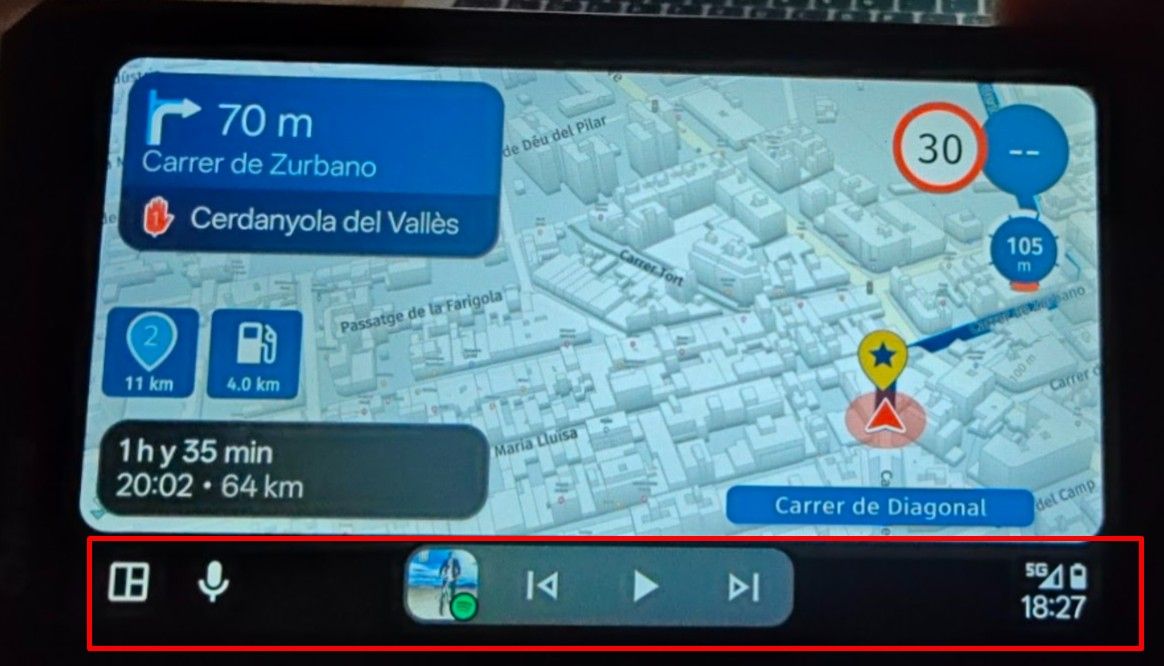
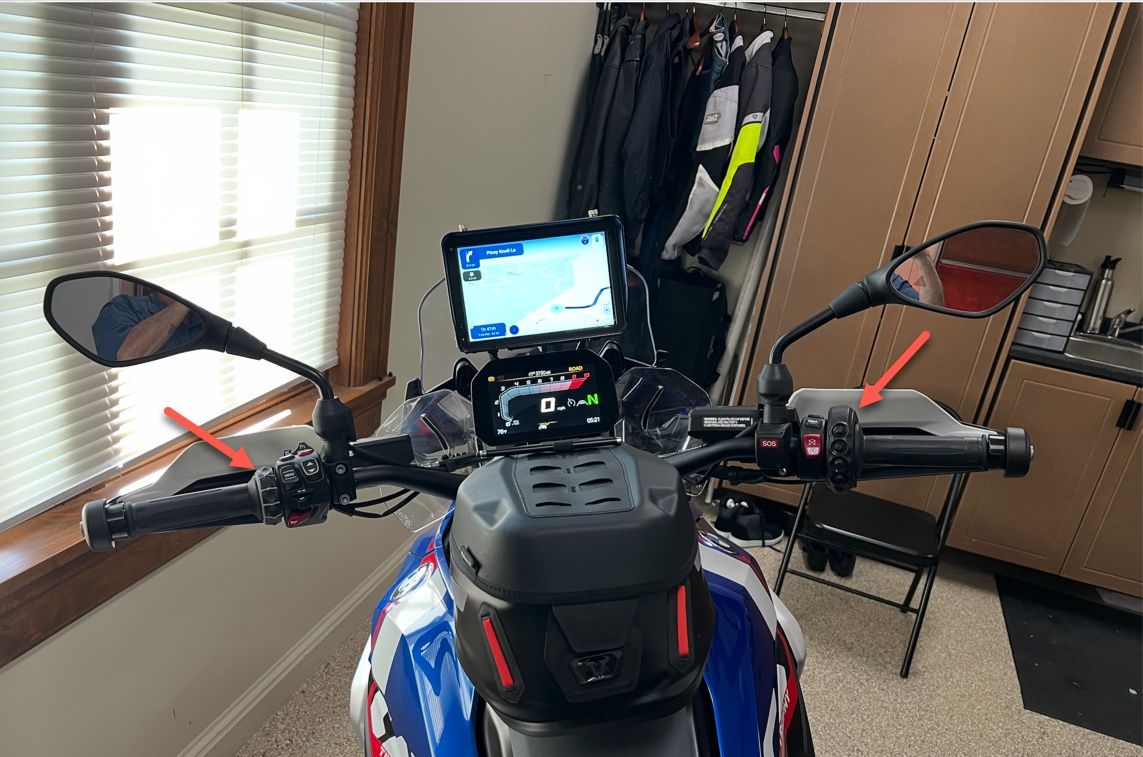
Here's a picture of mine.
Steve Jarrell
Western North Carolina USLifetime Routeplanner Gold & Navigation Next
2025 BMW R1300GS
2025 Can-Am Spyder
DMD T865-X 8" Tablet
Garmin XT3 -
@Chudy Both.
Here's a link to a post by @corjan-meijerink regarding the integration. My previous post also explains what the Wonder Wheel and the buttons do on my bike.
Here's a picture of mine.

@Steve-Jarrell are you using the carpe iter controller app or carpe iter ngh app. with the NGH app you can arrange the buttons the way you like them. For example you can use the 4 button controller to skip a waypoint or center you're card or to set you're sound.
R1250GS. Started with a Zumo 550, BMW nav IV, Carpe-iter and now Chigee met MRA app.
-
@Steve-Jarrell are you using the carpe iter controller app or carpe iter ngh app. with the NGH app you can arrange the buttons the way you like them. For example you can use the 4 button controller to skip a waypoint or center you're card or to set you're sound.
@Leike-Lodiers The only things that I can do with the buttons and the Wonder Wheel are what I posted before. I do not use the app. There may be more functionality that I haven't discovered but this is all that I do with it for now.
I'll have to experiment with the app(s) when I get a chance. Thanks for the information!
"The Wonder Wheel works as a zoom up and down control, and a quick tap to the left brings up a very useful CI menu that allows you to lock and unlock the screen, adjust the brightness and volume, etc. A quick tap to the right will change the perspective from overhead to an angled view and back.
The buttons pan up, down, left and right. Zooming with the Wonderwheel will re-center the map.
This is exactly the functionality that I was hoping for."
Hello! It looks like you're interested in this conversation, but you don't have an account yet.
Getting fed up of having to scroll through the same posts each visit? When you register for an account, you'll always come back to exactly where you were before, and choose to be notified of new replies (either via email, or push notification). You'll also be able to save bookmarks and upvote posts to show your appreciation to other community members.
With your input, this post could be even better 💗
Register Login-
 02036
02036
-
 0727
0727
-
 08283
08283
-
 0519
0519
-
 010680
-
 0487
0487
-
04134
-
1368