Skip to content
  • Categories
  • Recent
  • Popular
  • Support
  • MyRoute-app
Collapse
Brand Logo

MRA Community Forum

  1. Home
  2. The MyRoute-app
  3. [App] Android Auto & CarPlay
  4. Problem with Apple CarPlay display

Problem with Apple CarPlay display
Scheduled Pinned Locked Moved [App] Android Auto & CarPlay
3 Posts 2 Posters 1.1k Views 2 Watching
  • Oldest to Newest
  • Newest to Oldest
  • Most Votes
Reply
  • Reply as topic
Log in to reply
This topic has been deleted. Only users with topic management privileges can see it.
  • UltraStarundefined Offline
    UltraStarundefined Offline
    UltraStar
    wrote on last edited by
    #1

    I have iPhone 11P, iOS version 17.6.1. Recently I have rented the car, and used the Apple CarPlay for the first time.
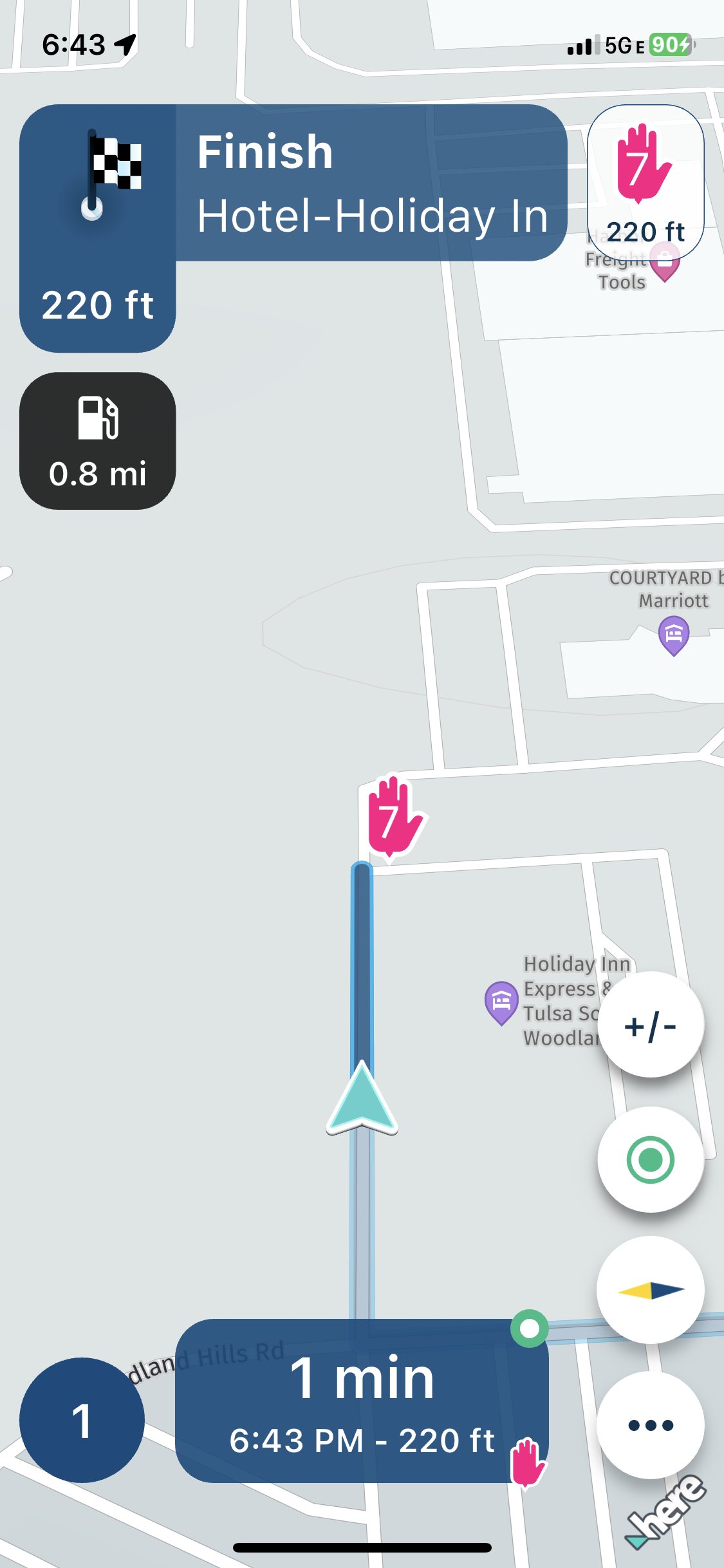
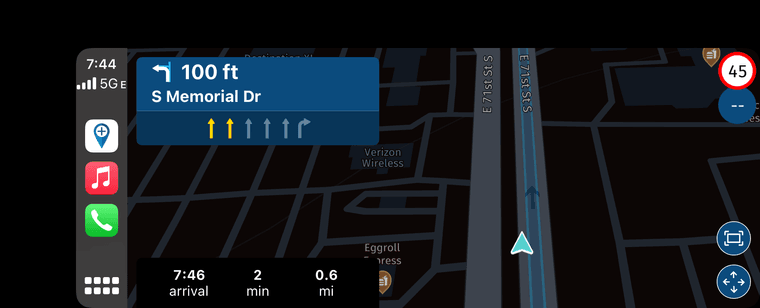
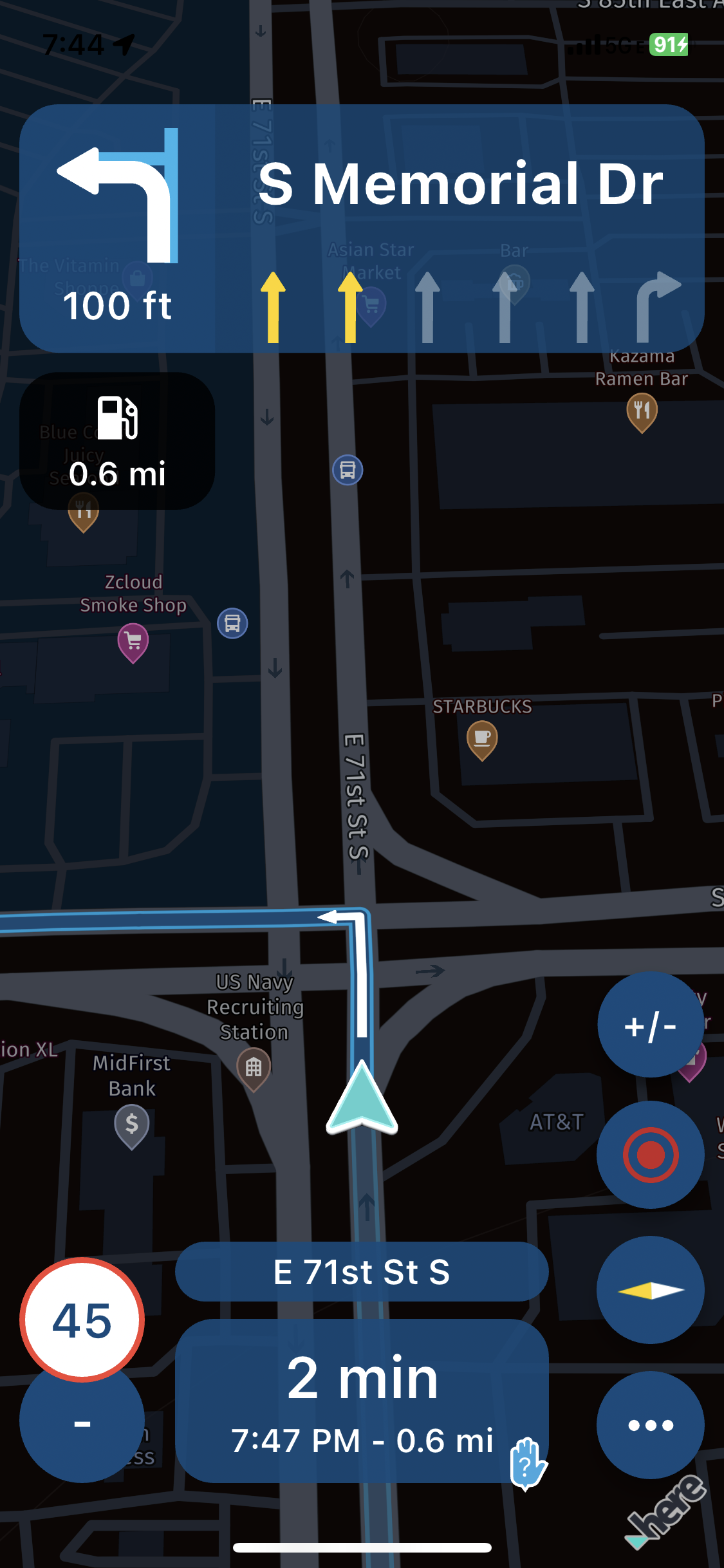
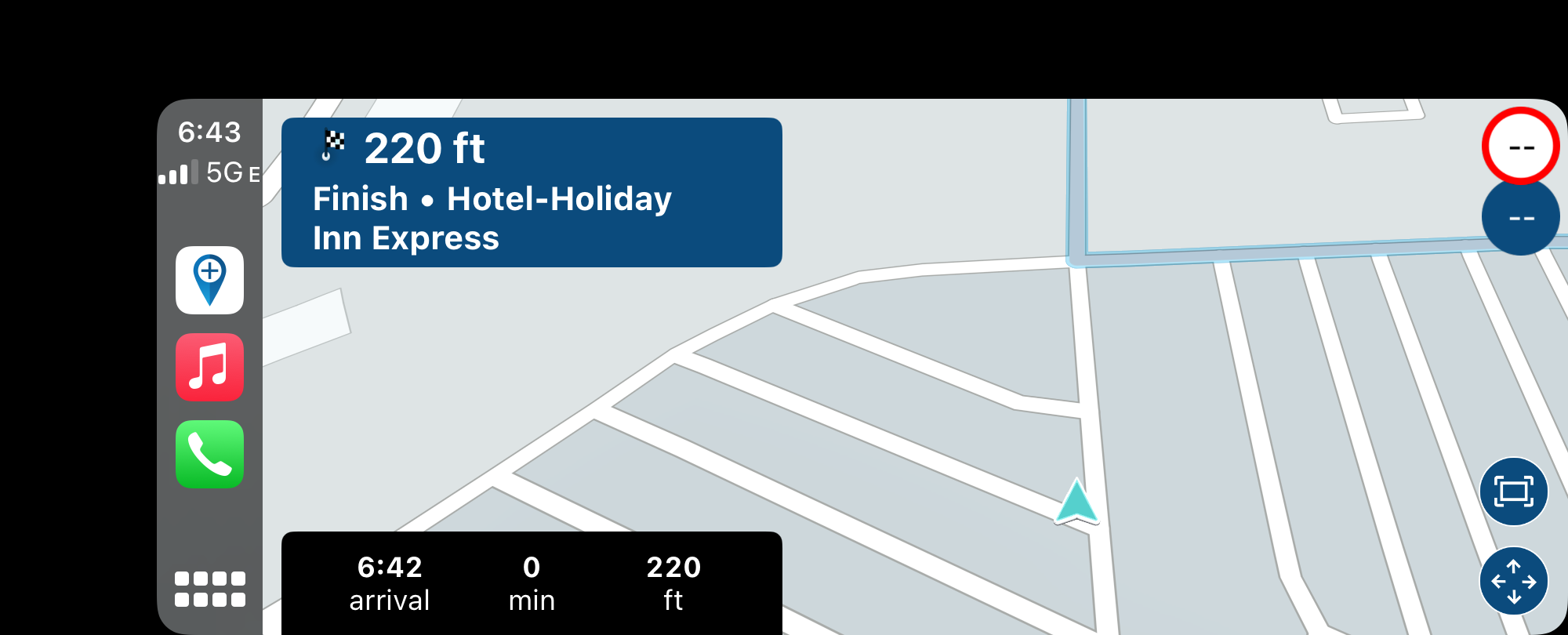
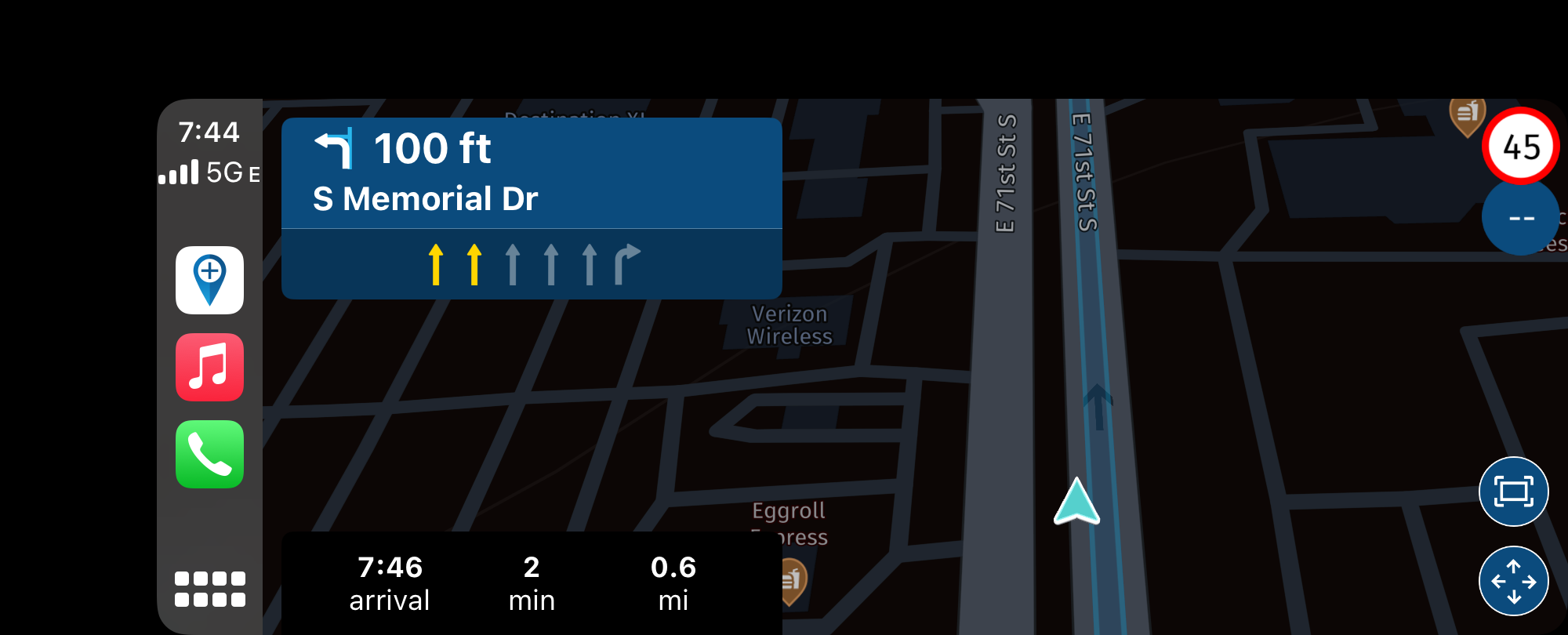
    I have started the route that I have prepared previously in MyRoute app Routeplanner. A while after starting a route, the car display was getting out of sync. The position marker was way behind the current location. The phone display was all fine. That happened to me on multiple occasions.
    Car display:
    IMG_3703.PNG
    Phone display:
    IMG_3704.PNG
    Car display:
    IMG_3710.PNG
    Phone display:
    IMG_3711.PNG
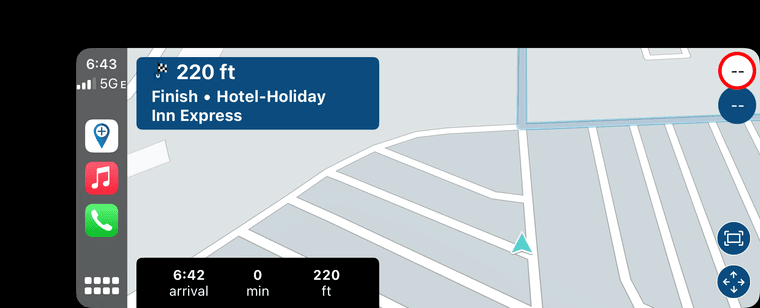
    Also, if you look at the video (sorry, it is little bit shaky,) there is something wrong with the display of the distance to the next turn. It slides to the left and the readings jump randomly. in ex.: it displays 0.8 mi, then 0.7 mi, then - just for a second, the display rectangle slides to the left, and new display shows 1.9 mi, and immediately jumps back to 0.7 miles. That also happened to me on multiple occasions.
    Oops, I do not have enough privileges to upload a video.

    Corjan Meijerinkundefined 1 Reply Last reply
    0
    • UltraStarundefined UltraStar

      I have iPhone 11P, iOS version 17.6.1. Recently I have rented the car, and used the Apple CarPlay for the first time.
      I have started the route that I have prepared previously in MyRoute app Routeplanner. A while after starting a route, the car display was getting out of sync. The position marker was way behind the current location. The phone display was all fine. That happened to me on multiple occasions.
      Car display:
      IMG_3703.PNG
      Phone display:
      IMG_3704.PNG
      Car display:
      IMG_3710.PNG
      Phone display:
      IMG_3711.PNG
      Also, if you look at the video (sorry, it is little bit shaky,) there is something wrong with the display of the distance to the next turn. It slides to the left and the readings jump randomly. in ex.: it displays 0.8 mi, then 0.7 mi, then - just for a second, the display rectangle slides to the left, and new display shows 1.9 mi, and immediately jumps back to 0.7 miles. That also happened to me on multiple occasions.
      Oops, I do not have enough privileges to upload a video.

      Corjan Meijerinkundefined Offline
      Corjan Meijerinkundefined Offline
      Corjan Meijerink
      Developer
      wrote on last edited by
      #2

      @UltraStar have you seen the announcement about the 3D elevation?

      I鈥檇 recommend turning that the elevation difference off for now (map style settings) 馃檪

      UltraStarundefined 1 Reply Last reply
      0
      • Corjan Meijerinkundefined Corjan Meijerink

        @UltraStar have you seen the announcement about the 3D elevation?

        I鈥檇 recommend turning that the elevation difference off for now (map style settings) 馃檪

        UltraStarundefined Offline
        UltraStarundefined Offline
        UltraStar
        wrote on last edited by
        #3

        @Corjan-Meijerink Thanks. I have seen that, and done that. I'll test it next time. 馃檪

        1 Reply Last reply
        0

        Hello! It looks like you're interested in this conversation, but you don't have an account yet.

        Getting fed up of having to scroll through the same posts each visit? When you register for an account, you'll always come back to exactly where you were before, and choose to be notified of new replies (either via email, or push notification). You'll also be able to save bookmarks and upvote posts to show your appreciation to other community members.

        With your input, this post could be even better 馃挆

        Register Login
        Reply
        • Reply as topic
        Log in to reply
        • Oldest to Newest
        • Newest to Oldest
        • Most Votes


        ACTIVE USERS
        Corjan Meijerinkundefined
        Corjan Meijerink
        UltraStarundefined
        UltraStar
        POPULAR TOPICS
        • Navigation stopped working during Tour
          Thomas Neumeyerundefined
          Thomas Neumeyer
          1
          65
          4.2k

        • New enlarge fuelstation icon gone to soon or not?
          Bouke Entundefined
          Bouke Ent
          0
          7
          189

        • Best way to set my Garmin Zumo XT to play well with the MRA?
          Travellexxieundefined
          Travellexxie
          0
          16
          446

        • How to find hotels in the desktop app?
          Peter Zehentreiterundefined
          Peter Zehentreiter
          0
          3
          32

        • Update 5.1.0
          Eric Col贸n 3 0undefined
          Eric Col贸n 3 0
          0
          3
          161

        • Navigation arrow still not stable
          Corjan Meijerinkundefined
          Corjan Meijerink
          1
          14
          459

        • Altitude does not match
          Corjan Meijerinkundefined
          Corjan Meijerink
          0
          11
          115

        • V5.1.0 - 462 New altitude/heading shows incorrect Data
          J枚rgenundefined
          J枚rgen
          0
          24
          628

        MY GROUPS
        • Login

        • Login or register to search.
        • First post
          Last post
        0
        • Categories
        • Recent
        • Popular
        • Support
        • MyRoute-app