Skip to content
  • Categories
  • Recent
  • Popular
  • Support
  • MyRoute-app
Collapse
Brand Logo

MRA Community Forum

  1. Home
  2. General Discussion
  3. Export 1.2 gpx

Export 1.2 gpx

Scheduled Pinned Locked Moved General Discussion
43 Posts 11 Posters 24.4k Views 4 Watching
  • Oldest to Newest
  • Newest to Oldest
  • Most Votes
Reply
  • Reply as topic
Log in to reply
This topic has been deleted. Only users with topic management privileges can see it.
  • Henrik Müller Henrik Müller

    @Hans-van-de-Ven-MRA-Master

    I dont know the terms NTU or NT maps?

    Why:

    1. Looking at the XT screen the small dots (Via points) are more discrete than the orange pole and flag

    2. As I remember, my XT will give me a verbal notifikation when I use stop points, and having a route with a lot points will give a lot useless information,

    3, The shaping point is the standard point at MRA, changing them into Stop point are not preferable.

    Again, it worked in the Beta version

    My question is why have the MRA team changed it?

    / Henrik

    HABVEN aka MrMRA
    HABVEN aka MrMRA
    HABVEN aka MrMRA
    Valued contributor
    wrote on last edited by
    #12

    @Henrik-Müller

    You can create your route as usual, with shaping and viapoints, only the viapoints are visible on the XT.
    You can see it as a track with viapoints , but the shapingpoints shape the route.

    BMW BMW Connected Ride Navigator/Garmin Zumo XT3/XT2/XT//Tourstart/ MyRouteapp (The App)/...
    Een dag niet gelachen is een dag niet geleefd / Een route is net zo goed als deze uitgezet is.

    Steve Lynch 1 Reply Last reply
    0
    • HABVEN aka MrMRA HABVEN aka MrMRA

      @Henrik-Müller

      You can create your route as usual, with shaping and viapoints, only the viapoints are visible on the XT.
      You can see it as a track with viapoints , but the shapingpoints shape the route.

      Steve Lynch
      Steve Lynch
      Steve Lynch
      Valued contributor
      wrote on last edited by Steve Lynch
      #13

      @Hans-van-de-Ven-MRA-Master

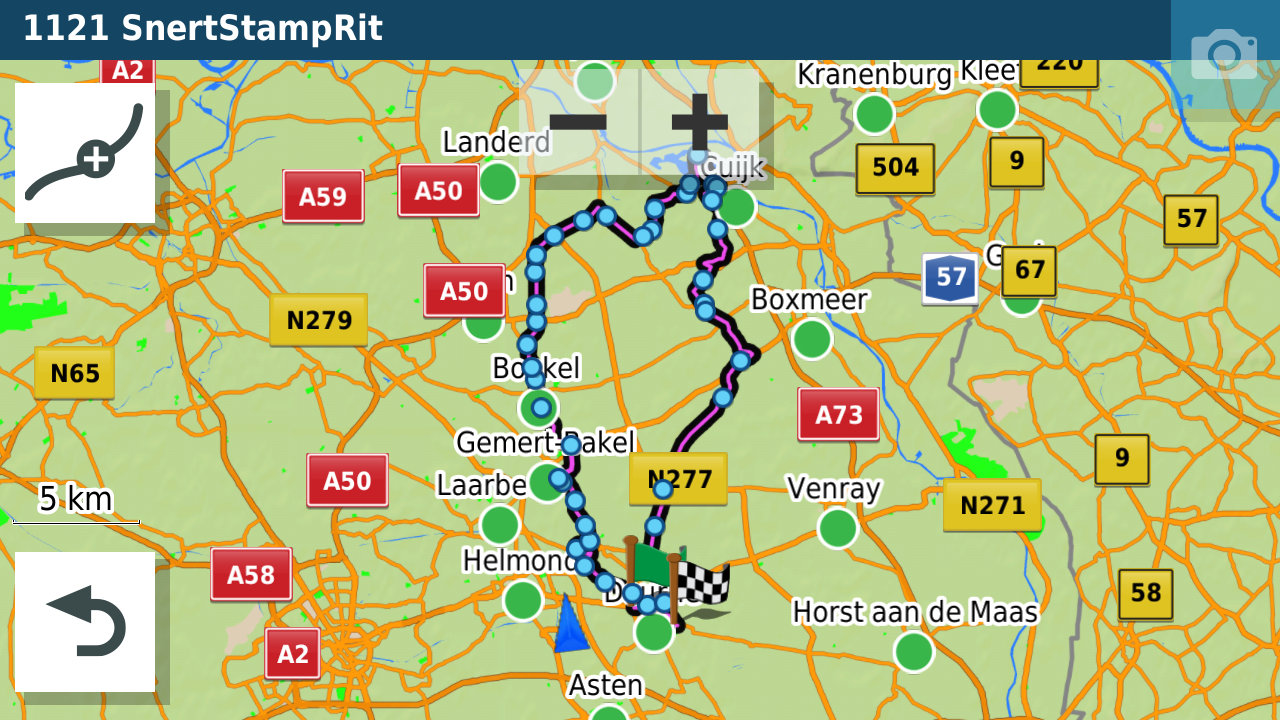
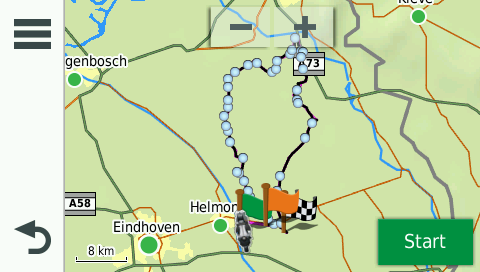
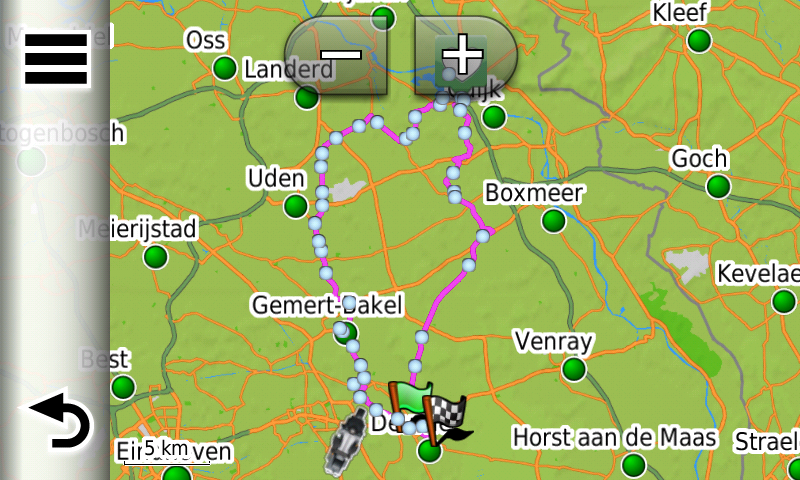
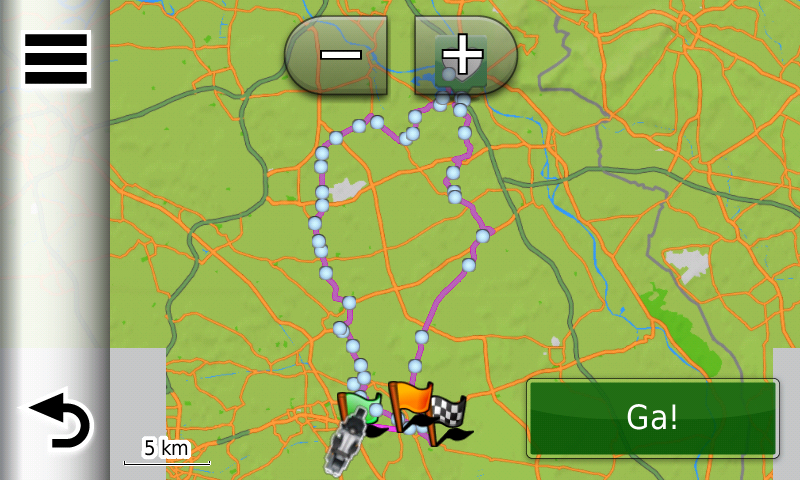
      I have to agree with all the other users who are saying that we want to actually see the shaping points (Blue Dots) on the XT map.
      As we could on the XT with the previous Beta version.
      My personal preference is to never use Via Points.
      When I create a new route I don’t know at what point I might need a coffee or at what point in time I am going to get hungry.
      I like to make those decisions whilst actually riding the route.
      What do i do if I want to skip part of the of the route for some reason?
      If we can’t see the shaping points how can we skip them?

      You don’t stop riding when you get old, you get old when you stop riding.

      HABVEN aka MrMRA Nick Dawson 2 Replies Last reply
      1
      • Steve Lynch Steve Lynch

        @Hans-van-de-Ven-MRA-Master

        I have to agree with all the other users who are saying that we want to actually see the shaping points (Blue Dots) on the XT map.
        As we could on the XT with the previous Beta version.
        My personal preference is to never use Via Points.
        When I create a new route I don’t know at what point I might need a coffee or at what point in time I am going to get hungry.
        I like to make those decisions whilst actually riding the route.
        What do i do if I want to skip part of the of the route for some reason?
        If we can’t see the shaping points how can we skip them?

        HABVEN aka MrMRA
        HABVEN aka MrMRA
        HABVEN aka MrMRA
        Valued contributor
        wrote on last edited by
        #14

        @Steve-Lynch
        Hi @Steve,

        If you never use waypoints in your route, you can simply use the track gpx 1.1 (Track and POI) or the track sent with the gpx 1.2 and have your Navigati convert it into a journey. Make the track visible and, if you want to skip a part of the route, you can drive back to the planned route.
        The formation points are no longer visible and have already been skipped automatically.

        BMW BMW Connected Ride Navigator/Garmin Zumo XT3/XT2/XT//Tourstart/ MyRouteapp (The App)/...
        Een dag niet gelachen is een dag niet geleefd / Een route is net zo goed als deze uitgezet is.

        Steve Lynch Dave J 0 2 Replies Last reply
        0
        • HABVEN aka MrMRA HABVEN aka MrMRA

          @Steve-Lynch
          Hi @Steve,

          If you never use waypoints in your route, you can simply use the track gpx 1.1 (Track and POI) or the track sent with the gpx 1.2 and have your Navigati convert it into a journey. Make the track visible and, if you want to skip a part of the route, you can drive back to the planned route.
          The formation points are no longer visible and have already been skipped automatically.

          Steve Lynch
          Steve Lynch
          Steve Lynch
          Valued contributor
          wrote on last edited by Steve Lynch
          #15

          @Hans-van-de-Ven-MRA-Master

          Hi Hans

          Just for clarity it is just Via Points that I never use for the reasons stated above.
          I can still get my shaping points visible by using the 1.0 export and selecting the convert option as below.

          20211031_060637_resized.jpg

          Screenshot_20211031-061342_Gallery.jpg

          You don’t stop riding when you get old, you get old when you stop riding.

          1 Reply Last reply
          0
          • HABVEN aka MrMRA HABVEN aka MrMRA

            @Steve-Lynch
            Hi @Steve,

            If you never use waypoints in your route, you can simply use the track gpx 1.1 (Track and POI) or the track sent with the gpx 1.2 and have your Navigati convert it into a journey. Make the track visible and, if you want to skip a part of the route, you can drive back to the planned route.
            The formation points are no longer visible and have already been skipped automatically.

            Dave J 0
            Dave J 0
            Dave J 0
            Valued contributor
            wrote on last edited by Dave J 0
            #16

            @Hans-van-de-Ven-MRA-Master I think you are missing the point that we liked how the beta version worked and the change with the released version is not what we expected. Why can we not have back the previous beta export functionality (blue dots on my XT as well as via/waypoints)? You may not agree but a lot of us liked having these exported and visible for our own different reasons and different nav use.

            Kind Regards. Help where I can.
            Ducati Multistrada V4 Rally
            iPhone 18 Pro
            CHIGEE AIO-6 LTE
            Google Pixel 6 Pro - mounted on SP Connect Plus
            Ex Garmin XT2 and XT1 as well as Ex TomTom Rider User

            HABVEN aka MrMRA 2 Replies Last reply
            2
            • Dave J 0 Dave J 0

              @Hans-van-de-Ven-MRA-Master I think you are missing the point that we liked how the beta version worked and the change with the released version is not what we expected. Why can we not have back the previous beta export functionality (blue dots on my XT as well as via/waypoints)? You may not agree but a lot of us liked having these exported and visible for our own different reasons and different nav use.

              HABVEN aka MrMRA
              HABVEN aka MrMRA
              HABVEN aka MrMRA
              Valued contributor
              wrote on last edited by
              #17

              @Dave-J-0
              Hi @Dave,

              I understand the question about the formation points, but the choice to change the gpx 1.1 (Beta) is that it can now be used for all Zumo devices with the NTU card (XT, 590, 346, BMW Navigator 6), and there is no need to create a separate gpx file for each Zumo.
              You can only put 29 waypoints in a route today without the Zumo splitting them.
              What do you use the formation points for if I may ask Dave?

              BMW BMW Connected Ride Navigator/Garmin Zumo XT3/XT2/XT//Tourstart/ MyRouteapp (The App)/...
              Een dag niet gelachen is een dag niet geleefd / Een route is net zo goed als deze uitgezet is.

              Dave J 0 1 Reply Last reply
              0
              • Dave J 0 Dave J 0

                @Hans-van-de-Ven-MRA-Master I think you are missing the point that we liked how the beta version worked and the change with the released version is not what we expected. Why can we not have back the previous beta export functionality (blue dots on my XT as well as via/waypoints)? You may not agree but a lot of us liked having these exported and visible for our own different reasons and different nav use.

                HABVEN aka MrMRA
                HABVEN aka MrMRA
                HABVEN aka MrMRA
                Valued contributor
                wrote on last edited by
                #18

                @Dave-J-0
                Hi Dave,

                If you use / import route from the gpx 1.0 and gpx 1.1 into your Zumo, all formation points are seen as waypoints, therefore you will get the message that the route is being split.
                The advice was always to use the Track. With the release of the XT, the Beta version of the gpx 1.1 was used to test whether
                the via points could be worked. So the waypoints only worked on the XT, but not on the older Zumos because all formation points were seen as waypoints, and you don't want that either. How Garmin handles this is Garmin's secret and they won't reveal it.

                I will submit the request for Beta version for the XT to MRA.

                BMW BMW Connected Ride Navigator/Garmin Zumo XT3/XT2/XT//Tourstart/ MyRouteapp (The App)/...
                Een dag niet gelachen is een dag niet geleefd / Een route is net zo goed als deze uitgezet is.

                Steve Lynch Stefan Trucksäß 2 Replies Last reply
                1
                • HABVEN aka MrMRA HABVEN aka MrMRA

                  @Dave-J-0
                  Hi @Dave,

                  I understand the question about the formation points, but the choice to change the gpx 1.1 (Beta) is that it can now be used for all Zumo devices with the NTU card (XT, 590, 346, BMW Navigator 6), and there is no need to create a separate gpx file for each Zumo.
                  You can only put 29 waypoints in a route today without the Zumo splitting them.
                  What do you use the formation points for if I may ask Dave?

                  Dave J 0
                  Dave J 0
                  Dave J 0
                  Valued contributor
                  wrote on last edited by
                  #19

                  @Hans-van-de-Ven-MRA-Master I use via/flag points as definite stops that I must get too for facilities and RV. The formation/shaping allows me to see the points that I had planned to ‘go through’ but I can skip one or more of these on the device if I need/want with the device then recalculating to the next formation point - I can also see the points on the map overview if I am looking on how many I need/want to skip. Having just a track showing in the background means I have to manually route back to the track further along with the device trying to route me back to the original track and/or next via (not sure as I have not tried live yet). I do have the track on in the background as a safeguard against strange routing calculation that devices can do ‘on the day’ but, for me, a whole level of functionality has been removed by not having the formation/shaping points included in the ‘trip’. I am aware that there is a limit to via/waypoints on Zumo but you can have a large number of formation/shaping points between these via points. I have also had a TomTom previously where track was king but the Zumo works differently and it took me a while to get used to this different approach but I now like it. I hope this all makes sense.

                  I understand that you want a common export for Zumo models but this change from the beta is forcing me to use my device in a backward step way. I am somewhat disappointed with what was released from what I had come to expect from the beta. MRA was my Basecamp(yuk) alternative and it worked well, please find a way to re-implement what we had in the beta.

                  Kind Regards. Help where I can.
                  Ducati Multistrada V4 Rally
                  iPhone 18 Pro
                  CHIGEE AIO-6 LTE
                  Google Pixel 6 Pro - mounted on SP Connect Plus
                  Ex Garmin XT2 and XT1 as well as Ex TomTom Rider User

                  1 Reply Last reply
                  2
                  • HABVEN aka MrMRA HABVEN aka MrMRA

                    @Dave-J-0
                    Hi Dave,

                    If you use / import route from the gpx 1.0 and gpx 1.1 into your Zumo, all formation points are seen as waypoints, therefore you will get the message that the route is being split.
                    The advice was always to use the Track. With the release of the XT, the Beta version of the gpx 1.1 was used to test whether
                    the via points could be worked. So the waypoints only worked on the XT, but not on the older Zumos because all formation points were seen as waypoints, and you don't want that either. How Garmin handles this is Garmin's secret and they won't reveal it.

                    I will submit the request for Beta version for the XT to MRA.

                    Steve Lynch
                    Steve Lynch
                    Steve Lynch
                    Valued contributor
                    wrote on last edited by
                    #20

                    @Hans-van-de-Ven-MRA-Master said in Export 1.2 gpx:

                    I will submit the request for Beta version for the XT to MRA.

                    Thank you Hans. 👍

                    You don’t stop riding when you get old, you get old when you stop riding.

                    1 Reply Last reply
                    0
                    • Reinhard-32
                      Reinhard-32
                      Reinhard-32
                      wrote on last edited by
                      #21

                      Today I have tested the new GPX 1.2 format with my ZumoXT. If you use this format, the newcalculation must swiched off. Otherwise the route will be destroyed.
                      I have created a route only with shaping point ( points without alarm). After the import into my ZumoXT via Garmin Drive app the route was exactly the same as planned in MRA. Everything looks good. Then I forces the ZumoXT to a new calculation. This ends up with a route from start to destination. In my case from home start to home. The route was only 100 m long.
                      When I use a route in the older beta formart then a new calculation follows the shaping points.
                      Conclusion: MRA shold use the shapingpoints in the GPX 1.2 format.

                      Kindly regards
                      Reinhard

                      Montana 700i and Mac

                      HABVEN aka MrMRA 1 Reply Last reply
                      1
                      • Reinhard-32 Reinhard-32

                        Today I have tested the new GPX 1.2 format with my ZumoXT. If you use this format, the newcalculation must swiched off. Otherwise the route will be destroyed.
                        I have created a route only with shaping point ( points without alarm). After the import into my ZumoXT via Garmin Drive app the route was exactly the same as planned in MRA. Everything looks good. Then I forces the ZumoXT to a new calculation. This ends up with a route from start to destination. In my case from home start to home. The route was only 100 m long.
                        When I use a route in the older beta formart then a new calculation follows the shaping points.
                        Conclusion: MRA shold use the shapingpoints in the GPX 1.2 format.

                        HABVEN aka MrMRA
                        HABVEN aka MrMRA
                        HABVEN aka MrMRA
                        Valued contributor
                        wrote on last edited by HABVEN aka MrMRA
                        #22

                        @Reinhard-32

                        Thanks for the reply. If you don't use via-points (point with alarm) then it is better to use the track.

                        BMW BMW Connected Ride Navigator/Garmin Zumo XT3/XT2/XT//Tourstart/ MyRouteapp (The App)/...
                        Een dag niet gelachen is een dag niet geleefd / Een route is net zo goed als deze uitgezet is.

                        1 Reply Last reply
                        0
                        • HABVEN aka MrMRA
                          HABVEN aka MrMRA
                          HABVEN aka MrMRA
                          Valued contributor
                          wrote on last edited by HABVEN aka MrMRA
                          #23

                          Hi all,

                          From the developers, if you don't use via-points, you can use the gpx 1.1 file.
                          I did a small test with a route, starting from home to the first point of the route, with recalculation ON.
                          The route is NOT distroyed, see pictures below: (tack is black in the background)

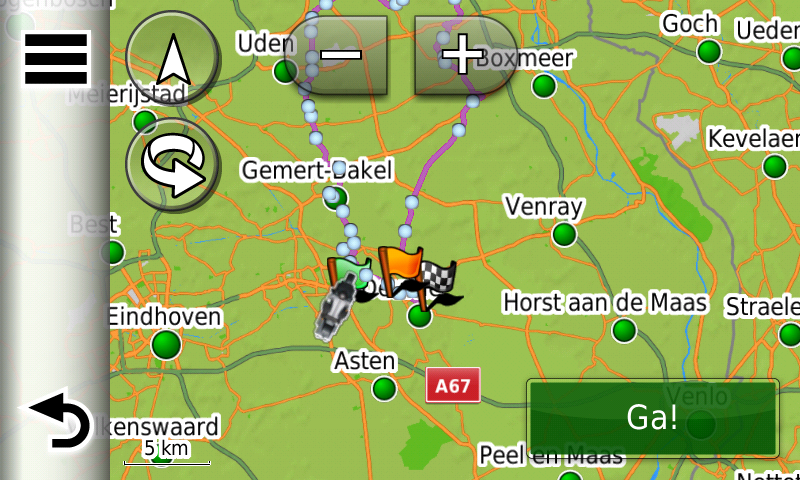
                          Route exported as Garmin Zumo gpx 1.1, all the shaping points are there.
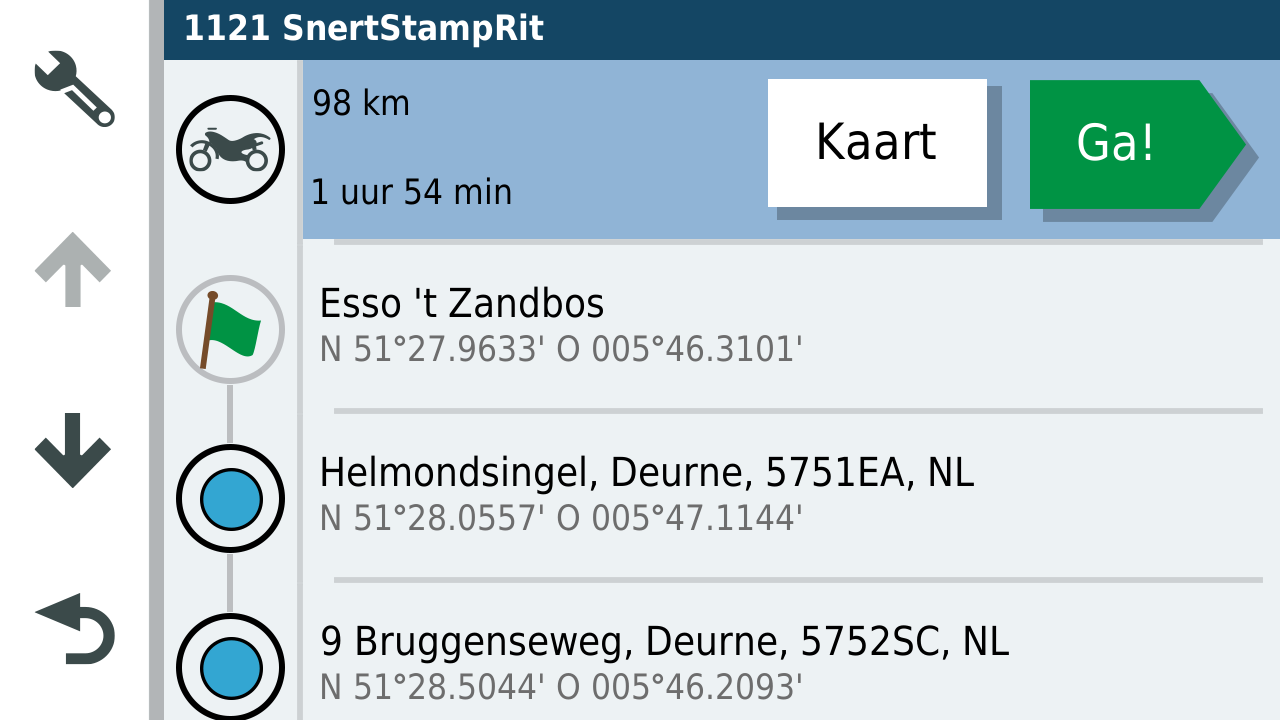
                          11585.png

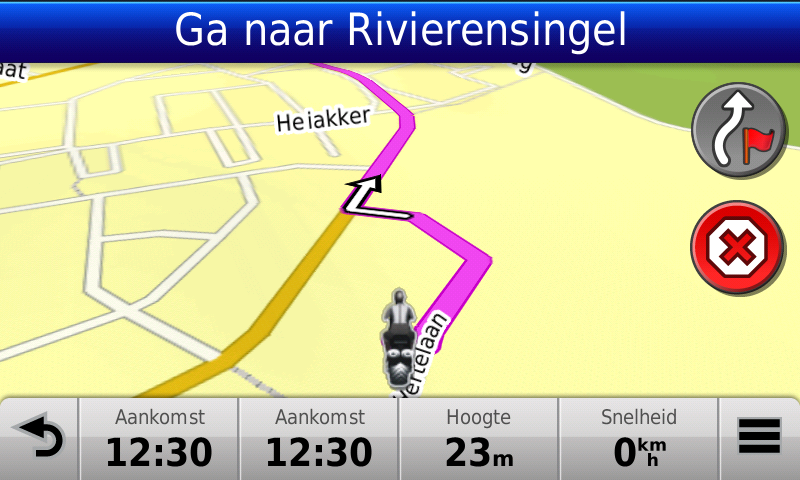
                          The route in my XT.
                          12187.png

                          The route, recalculated from my home to the first point on the route:
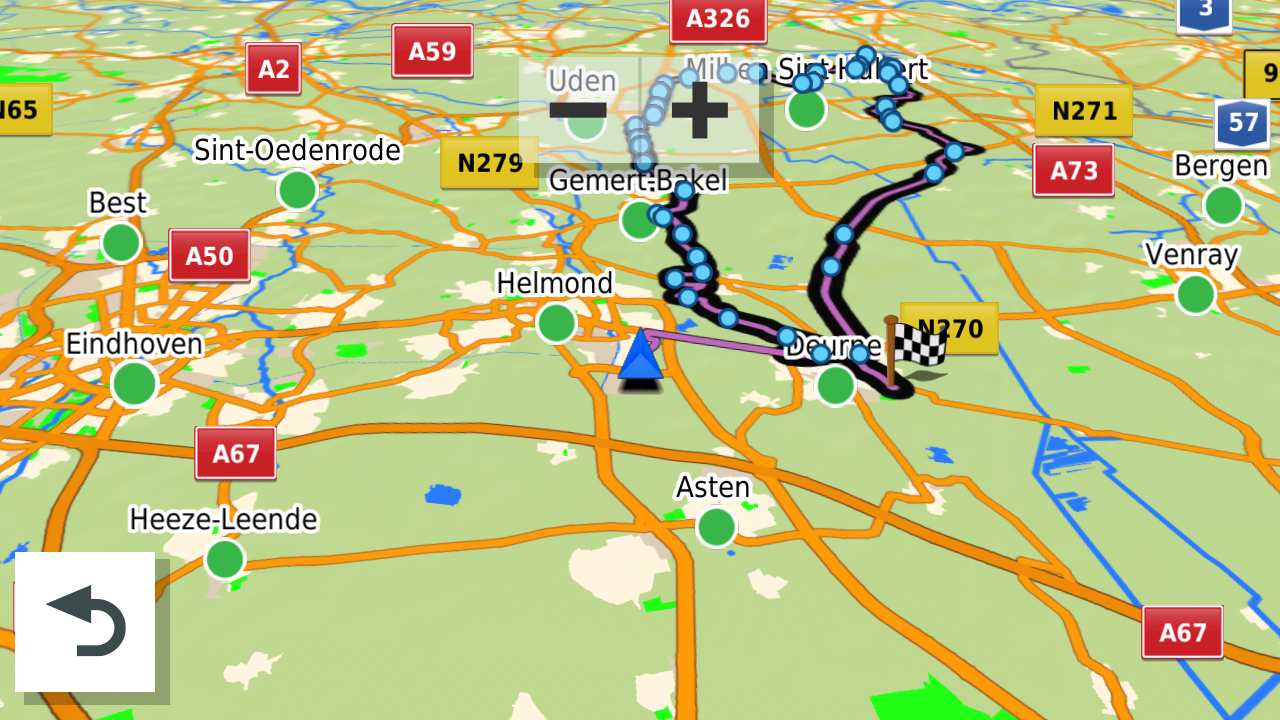
                          20216.png

                          Only the via-points are not in this file,
                          Special for the users who want via-points (places where you will sop or drive by) is the Garmin Zumo gpx 1.2 file
                          The gpx 1.2 is basicly an Unflagged route

                          Hope this wil help?

                          BMW BMW Connected Ride Navigator/Garmin Zumo XT3/XT2/XT//Tourstart/ MyRouteapp (The App)/...
                          Een dag niet gelachen is een dag niet geleefd / Een route is net zo goed als deze uitgezet is.

                          1 Reply Last reply
                          0
                          • HABVEN aka MrMRA
                            HABVEN aka MrMRA
                            HABVEN aka MrMRA
                            Valued contributor
                            wrote on last edited by
                            #24

                            Hi all, test in the Zumo 346 gpx 1.1

                            The route with shaping points:
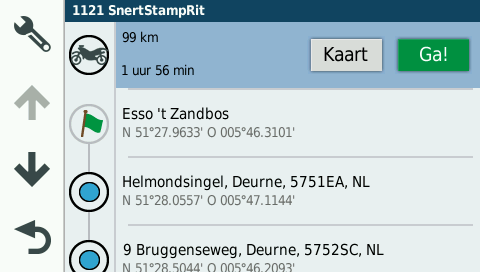
                            8912.png

                            Route as picture:
                            20178.png

                            Option to start the route, DO NOT CHOOSE THE END POINT!, because you wil be directed to the end point.
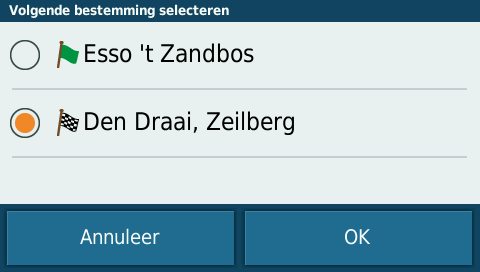
                            11070.png

                            Choose the starting point of the route!
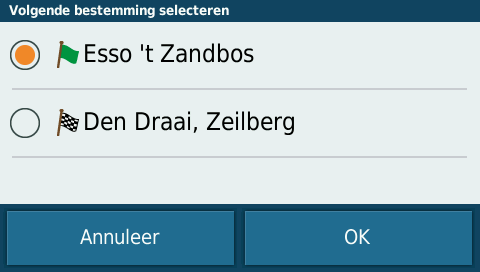
                            17025.png

                            Directed to the startpoint and the route is not destroyed.
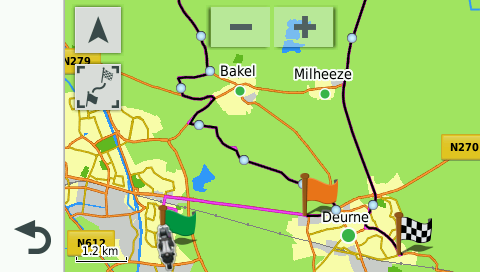
                            25573.png

                            BMW BMW Connected Ride Navigator/Garmin Zumo XT3/XT2/XT//Tourstart/ MyRouteapp (The App)/...
                            Een dag niet gelachen is een dag niet geleefd / Een route is net zo goed als deze uitgezet is.

                            1 Reply Last reply
                            0
                            • HABVEN aka MrMRA
                              HABVEN aka MrMRA
                              HABVEN aka MrMRA
                              Valued contributor
                              wrote on last edited by
                              #25

                              Hi all, test in de BMW Navigator 6 with the gpx 1.1 file

                              Route with shaping points:
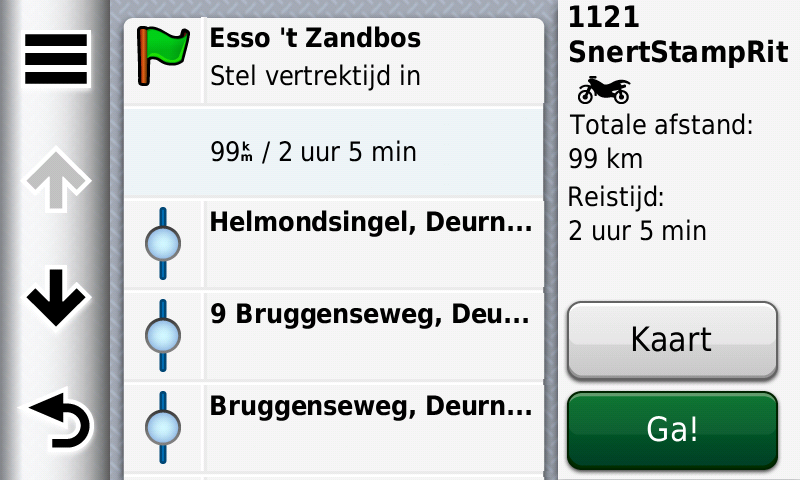
                              3868.png

                              Route as picture
                              6235.png

                              Start option, choose the start location
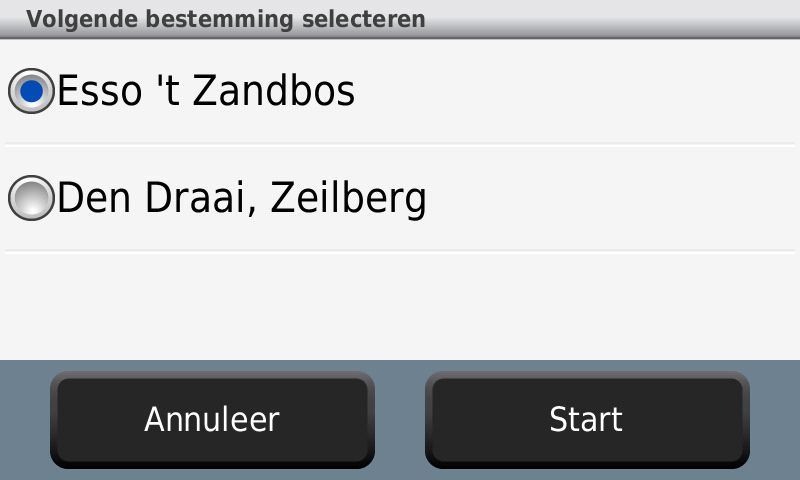
                              9718.png

                              route = OK
                              10598.png

                              12821.png

                              14560.png

                              Directed to the start location and route is not destroyed.
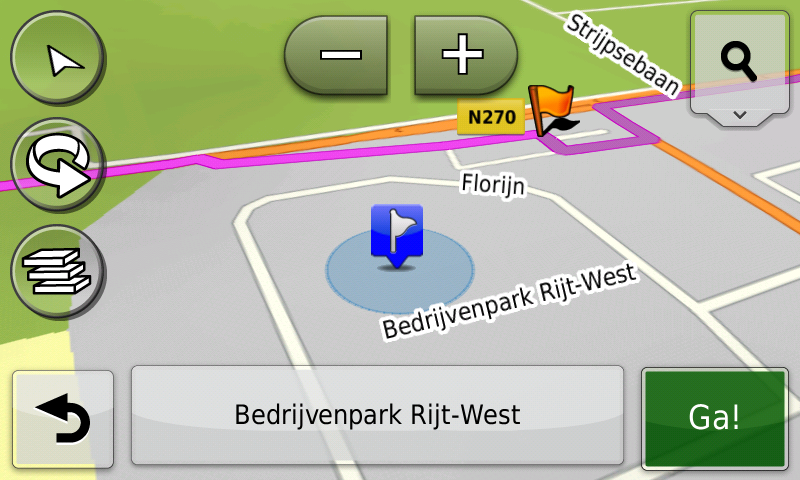
                              18122.png

                              BMW BMW Connected Ride Navigator/Garmin Zumo XT3/XT2/XT//Tourstart/ MyRouteapp (The App)/...
                              Een dag niet gelachen is een dag niet geleefd / Een route is net zo goed als deze uitgezet is.

                              1 Reply Last reply
                              0
                              • HABVEN aka MrMRA
                                HABVEN aka MrMRA
                                HABVEN aka MrMRA
                                Valued contributor
                                wrote on last edited by
                                #26

                                Hi all, test in the Zumo 660 with the gpx 1.0 and 1.1 file (same results)

                                The 660 creates .bmp files, unfortunally this fileformat is not supported on the forum.

                                The 660 shows all shaping points as via-points (flags)
                                First drive to the starting point before you start the route, otherwise the route wil be destroyed.

                                BMW BMW Connected Ride Navigator/Garmin Zumo XT3/XT2/XT//Tourstart/ MyRouteapp (The App)/...
                                Een dag niet gelachen is een dag niet geleefd / Een route is net zo goed als deze uitgezet is.

                                1 Reply Last reply
                                1
                                • HABVEN aka MrMRA HABVEN aka MrMRA

                                  @Dave-J-0
                                  Hi Dave,

                                  If you use / import route from the gpx 1.0 and gpx 1.1 into your Zumo, all formation points are seen as waypoints, therefore you will get the message that the route is being split.
                                  The advice was always to use the Track. With the release of the XT, the Beta version of the gpx 1.1 was used to test whether
                                  the via points could be worked. So the waypoints only worked on the XT, but not on the older Zumos because all formation points were seen as waypoints, and you don't want that either. How Garmin handles this is Garmin's secret and they won't reveal it.

                                  I will submit the request for Beta version for the XT to MRA.

                                  Stefan Trucksäß
                                  Stefan Trucksäß
                                  Stefan Trucksäß
                                  wrote on last edited by
                                  #27

                                  @Hans-van-de-Ven-MRA-Master

                                  I created a new route for testing and testet it last Sunday.

                                  The good news: the route works. But shaping points are not displayed but they are existing. The defined route with all detours shows it.

                                  Unfortunately there are a few points to criticise:

                                  The import in the navigator, - i.e. the time the navigator needs to import the route - is veeeeery slow. A route with 8 viapoints and 29 shaping points needed more than 6 minutes. With Beta 1.2, such a route needed about 30 seconds. ????

                                  Shaping points are not displayed after the import. Neither in the map nor in the list. If I have to make a change in the navigator on the way (e.g. when a street is blocked), how can I change a shaping point into a via point? I can't. I can change a via point into a shaping point in the navigator. The shaping point then will be displayed. The recalculation now takes a few seconds.

                                  The export (Save as) with GPX 1.2 works. In other programmes like Tyre or ITN converter only via points are imported, in kuviger.de via and shaping points. After copying a GPX-file edited by kuviger.de into the Navigator, only Viapoints are displayed again.

                                  Despite all the joy that GPX 1.2 finally works on the Navigator, the lack of shaping points is a clear step backwards. I can only agree: please bring back the shaping points.

                                  Grüße aus dem Schwabenland
                                  Stefan

                                  HABVEN aka MrMRA 1 Reply Last reply
                                  1
                                  • Stefan Trucksäß Stefan Trucksäß

                                    @Hans-van-de-Ven-MRA-Master

                                    I created a new route for testing and testet it last Sunday.

                                    The good news: the route works. But shaping points are not displayed but they are existing. The defined route with all detours shows it.

                                    Unfortunately there are a few points to criticise:

                                    The import in the navigator, - i.e. the time the navigator needs to import the route - is veeeeery slow. A route with 8 viapoints and 29 shaping points needed more than 6 minutes. With Beta 1.2, such a route needed about 30 seconds. ????

                                    Shaping points are not displayed after the import. Neither in the map nor in the list. If I have to make a change in the navigator on the way (e.g. when a street is blocked), how can I change a shaping point into a via point? I can't. I can change a via point into a shaping point in the navigator. The shaping point then will be displayed. The recalculation now takes a few seconds.

                                    The export (Save as) with GPX 1.2 works. In other programmes like Tyre or ITN converter only via points are imported, in kuviger.de via and shaping points. After copying a GPX-file edited by kuviger.de into the Navigator, only Viapoints are displayed again.

                                    Despite all the joy that GPX 1.2 finally works on the Navigator, the lack of shaping points is a clear step backwards. I can only agree: please bring back the shaping points.

                                    HABVEN aka MrMRA
                                    HABVEN aka MrMRA
                                    HABVEN aka MrMRA
                                    Valued contributor
                                    wrote on last edited by
                                    #28

                                    @Stefan-Trucksäß

                                    Hallo Stefan,
                                    Lesen Sie sorgfältig, das gpx 1.1 hat sowohl Formation als auch Wegpunkte. Funktioniert nur bei Zumos mit NTU-Karte, also auch beim Navigator 6. An der Langsamkeit des Imports können wir nichts ändern, es hängt vom Gerät ab, wie schnell es die Daten verarbeiten kann.
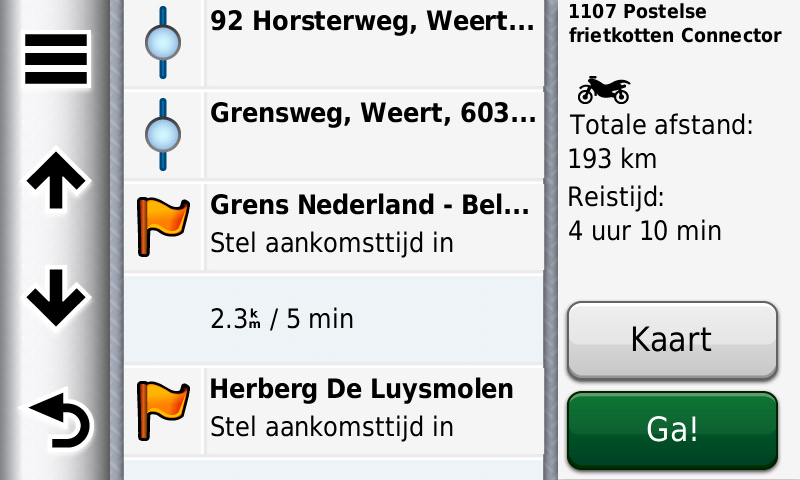
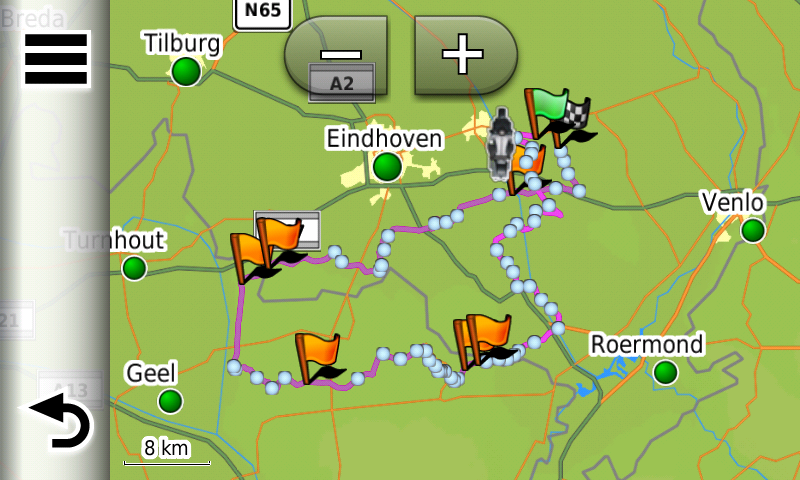
                                    06.png

                                    07.png

                                    BMW BMW Connected Ride Navigator/Garmin Zumo XT3/XT2/XT//Tourstart/ MyRouteapp (The App)/...
                                    Een dag niet gelachen is een dag niet geleefd / Een route is net zo goed als deze uitgezet is.

                                    Stefan Trucksäß 1 Reply Last reply
                                    0
                                    • HABVEN aka MrMRA HABVEN aka MrMRA

                                      @Stefan-Trucksäß

                                      Hallo Stefan,
                                      Lesen Sie sorgfältig, das gpx 1.1 hat sowohl Formation als auch Wegpunkte. Funktioniert nur bei Zumos mit NTU-Karte, also auch beim Navigator 6. An der Langsamkeit des Imports können wir nichts ändern, es hängt vom Gerät ab, wie schnell es die Daten verarbeiten kann.

                                      06.png

                                      07.png

                                      Stefan Trucksäß
                                      Stefan Trucksäß
                                      Stefan Trucksäß
                                      wrote on last edited by Stefan Trucksäß
                                      #29

                                      @Hans-van-de-Ven-MRA-Master
                                      Hello Hans,

                                      GPX 1.1 can transmit shaping points and via points, Obviously. However, when importing GPX 1.1, only shaping points are transferred. I have to change the shaping points into via points manually. Why should I do this when GPX 1.2 transfers BOTH types. The shaping points are there, you just should make them visible and editable again.

                                      Since yesterday I have a Zumo XT. The import is indeed much faster than with Navigator 6.

                                      Grüße aus dem Schwabenland
                                      Stefan

                                      HABVEN aka MrMRA Steve Lynch 2 Replies Last reply
                                      0
                                      • Stefan Trucksäß Stefan Trucksäß

                                        @Hans-van-de-Ven-MRA-Master
                                        Hello Hans,

                                        GPX 1.1 can transmit shaping points and via points, Obviously. However, when importing GPX 1.1, only shaping points are transferred. I have to change the shaping points into via points manually. Why should I do this when GPX 1.2 transfers BOTH types. The shaping points are there, you just should make them visible and editable again.

                                        Since yesterday I have a Zumo XT. The import is indeed much faster than with Navigator 6.

                                        HABVEN aka MrMRA
                                        HABVEN aka MrMRA
                                        HABVEN aka MrMRA
                                        Valued contributor
                                        wrote on last edited by HABVEN aka MrMRA
                                        #30

                                        @Stefan-Trucksäß

                                        When you are in the planner, change a shapingpiont into a viapunt. Then export to the device

                                        BMW BMW Connected Ride Navigator/Garmin Zumo XT3/XT2/XT//Tourstart/ MyRouteapp (The App)/...
                                        Een dag niet gelachen is een dag niet geleefd / Een route is net zo goed als deze uitgezet is.

                                        1 Reply Last reply
                                        0
                                        • Steve Lynch Steve Lynch

                                          @Hans-van-de-Ven-MRA-Master

                                          I have to agree with all the other users who are saying that we want to actually see the shaping points (Blue Dots) on the XT map.
                                          As we could on the XT with the previous Beta version.
                                          My personal preference is to never use Via Points.
                                          When I create a new route I don’t know at what point I might need a coffee or at what point in time I am going to get hungry.
                                          I like to make those decisions whilst actually riding the route.
                                          What do i do if I want to skip part of the of the route for some reason?
                                          If we can’t see the shaping points how can we skip them?

                                          Nick Dawson
                                          Nick Dawson
                                          Nick Dawson
                                          wrote on last edited by
                                          #31

                                          @Steve-Lynch I use viewpoints for coffee stops and lunch stops as this is another way of making sure that everyone in a group gets to the same place and a chance for stragglers to catch up. Having a coffee stop mid morning then lunch etc. means that if someone falls behind, they are never that far behind.

                                          Like you, skipping a shaping point causes a problem. Perhaps there are roadworks or a diversion. If you skip and go to the next point, the GPS will skip the next viapoint (ignoring the viapoint).

                                          To get round this I publish two files for each route with the 2nd one having all the shaping points converted to a viapoint and, to keep them tidy, I rename them with the prefix Z which means that you can find them if needed but they are not mixed in with your normal day to day files.

                                          Another option would be to pass the diversion following the signs then start the route again with the next point being the next viapoint. This would however skip any shaping points that you had planned.

                                          I am of course working with groups of Riders. Had I been solo, I would do as you do and not plan coffee stops etc.
                                          Steve Lynch 1 Reply Last reply
                                          2

                                          Hello! It looks like you're interested in this conversation, but you don't have an account yet.

                                          Getting fed up of having to scroll through the same posts each visit? When you register for an account, you'll always come back to exactly where you were before, and choose to be notified of new replies (either via email, or push notification). You'll also be able to save bookmarks and upvote posts to show your appreciation to other community members.

                                          With your input, this post could be even better 💗

                                          Register Login


                                          Reply
                                          • Reply as topic
                                          Log in to reply
                                          • Oldest to Newest
                                          • Newest to Oldest
                                          • Most Votes


                                          • 1
                                          • 2
                                          • 3
                                          ACTIVE USERS
                                          HABVEN aka MrMRA
                                          HABVEN aka MrMRA
                                          Dave J 0
                                          Dave J 0
                                          Guzt
                                          Guzt
                                          Reinhard-32
                                          Reinhard-32
                                          Nick Dawson
                                          Nick Dawson
                                          Kevin Buckley
                                          Kevin Buckley
                                          Steve Lynch
                                          Steve Lynch
                                          Henrik Müller
                                          Henrik Müller
                                          Robert Bürgisser
                                          Robert Bürgisser
                                          Stefan Trucksäß
                                          Stefan Trucksäß
                                          Bepperling
                                          Bepperling
                                          POPULAR TOPICS
                                          • Routing issue
                                            Stefan Hummelink
                                            Stefan Hummelink
                                            0
                                            8
                                            28

                                          • Live tracking
                                            Stefan Hummelink
                                            Stefan Hummelink
                                            14
                                            22
                                            459

                                          • Default view opennig RoutePlanner
                                            Lluis Arasanz
                                            Lluis Arasanz
                                            0
                                            5
                                            18

                                          • More personalized dashboard
                                            Rob Verhoeff
                                            Rob Verhoeff
                                            1
                                            5
                                            26

                                          • Search from AA Auto not working
                                            peha
                                            peha
                                            0
                                            8
                                            430

                                          • A13 Favorites and POIs how is the difference now in the new planner
                                            Corjan Meijerink
                                            Corjan Meijerink
                                            0
                                            4
                                            17

                                          • Zichtbaarheid secundaire wegen
                                            Corjan Meijerink
                                            Corjan Meijerink
                                            1
                                            5
                                            81

                                          • Temperature scale for the UK
                                            Corjan Meijerink
                                            Corjan Meijerink
                                            0
                                            4
                                            22

                                          MY GROUPS
                                          • Login

                                          • Login or register to search.
                                          • First post
                                            Last post
                                          0
                                          • Categories
                                          • Recent
                                          • Popular
                                          • Support
                                          • MyRoute-app