Skip to content
  • Categories
  • Recent
  • Popular
  • Support
  • MyRoute-app
Collapse
Brand Logo

MRA Community Forum

  1. Home
  2. MyRoute-app Routeplanner
  3. [Web] Problems, Bugs and other Issues
  4. How to manipulate routes?

How to manipulate routes?

Scheduled Pinned Locked Moved [Web] Problems, Bugs and other Issues
7 Posts 4 Posters 1.8k Views 2 Watching
  • Oldest to Newest
  • Newest to Oldest
  • Most Votes
Reply
  • Reply as topic
Log in to reply
This topic has been deleted. Only users with topic management privileges can see it.
  • Jerry Jamesundefined Offline
    Jerry Jamesundefined Offline
    Jerry James
    wrote on last edited by
    #1

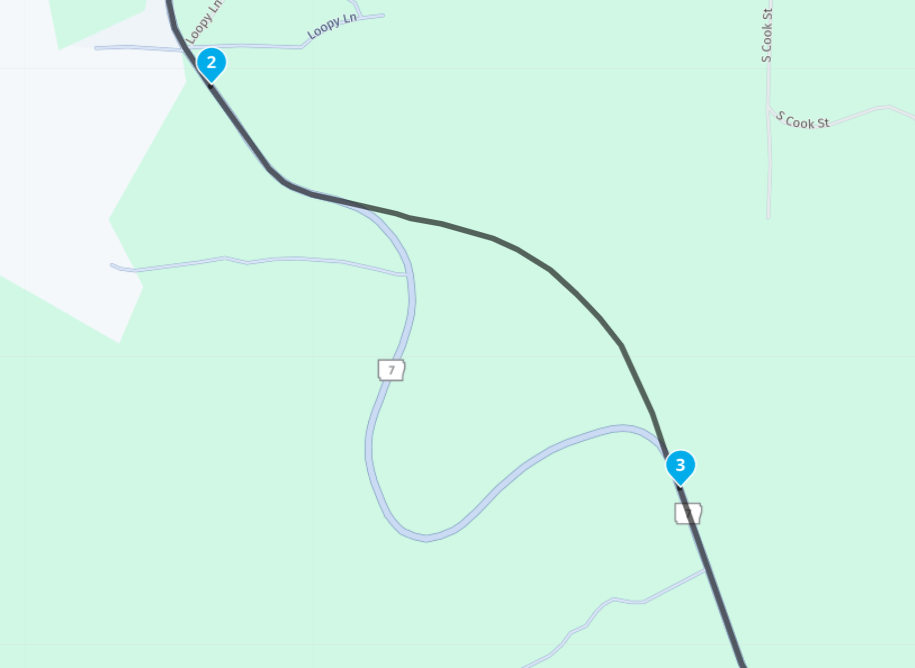
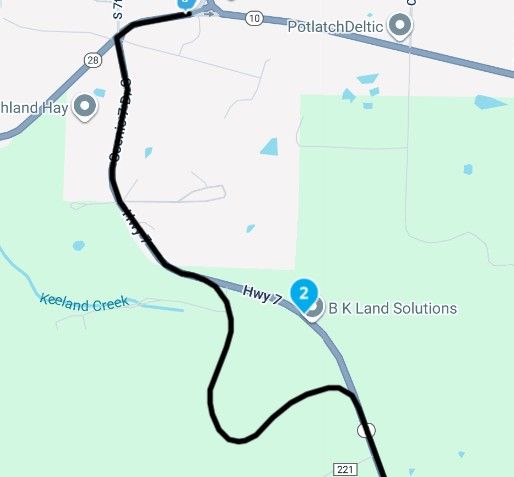
    I have been noticing that when I try and chart a route, the route will do its own thing, even when a waypoint is in place. Am i missing something?
    Screenshot 2025-09-08 102437.jpg

    Thank you in advance for the help.

    Jerry

    Rob Verhoeffundefined 1 Reply Last reply
    0
    • Jerry Jamesundefined Jerry James

      I have been noticing that when I try and chart a route, the route will do its own thing, even when a waypoint is in place. Am i missing something?

      Screenshot 2025-09-08 102437.jpg

      Thank you in advance for the help.

      Jerry

      Rob Verhoeffundefined Offline
      Rob Verhoeffundefined Offline
      Rob Verhoeff
      Alpha tester
      wrote on last edited by Rob Verhoeff
      #2

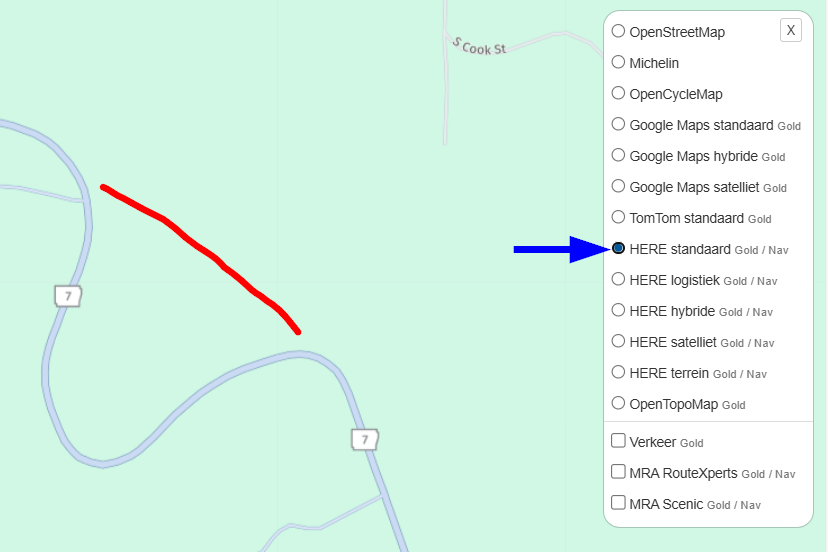
      @Jerry-James The only explanation I can see is that the map provider (Here) has not included Highway 7 in it's map. Since MRA navigates using that specific map. See picture below:
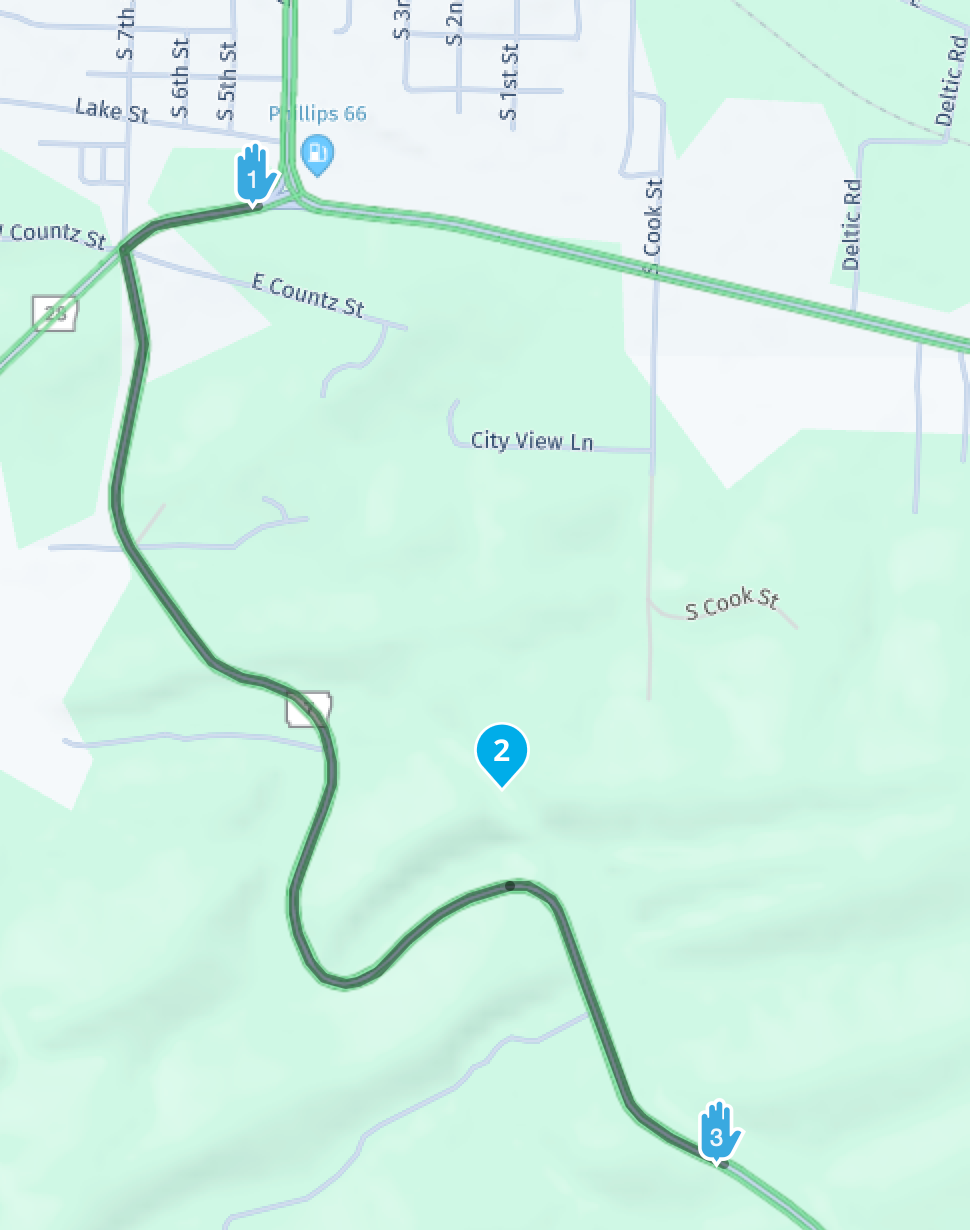
      Scherm­afbeelding 2025-09-08 om 22.35.58.png

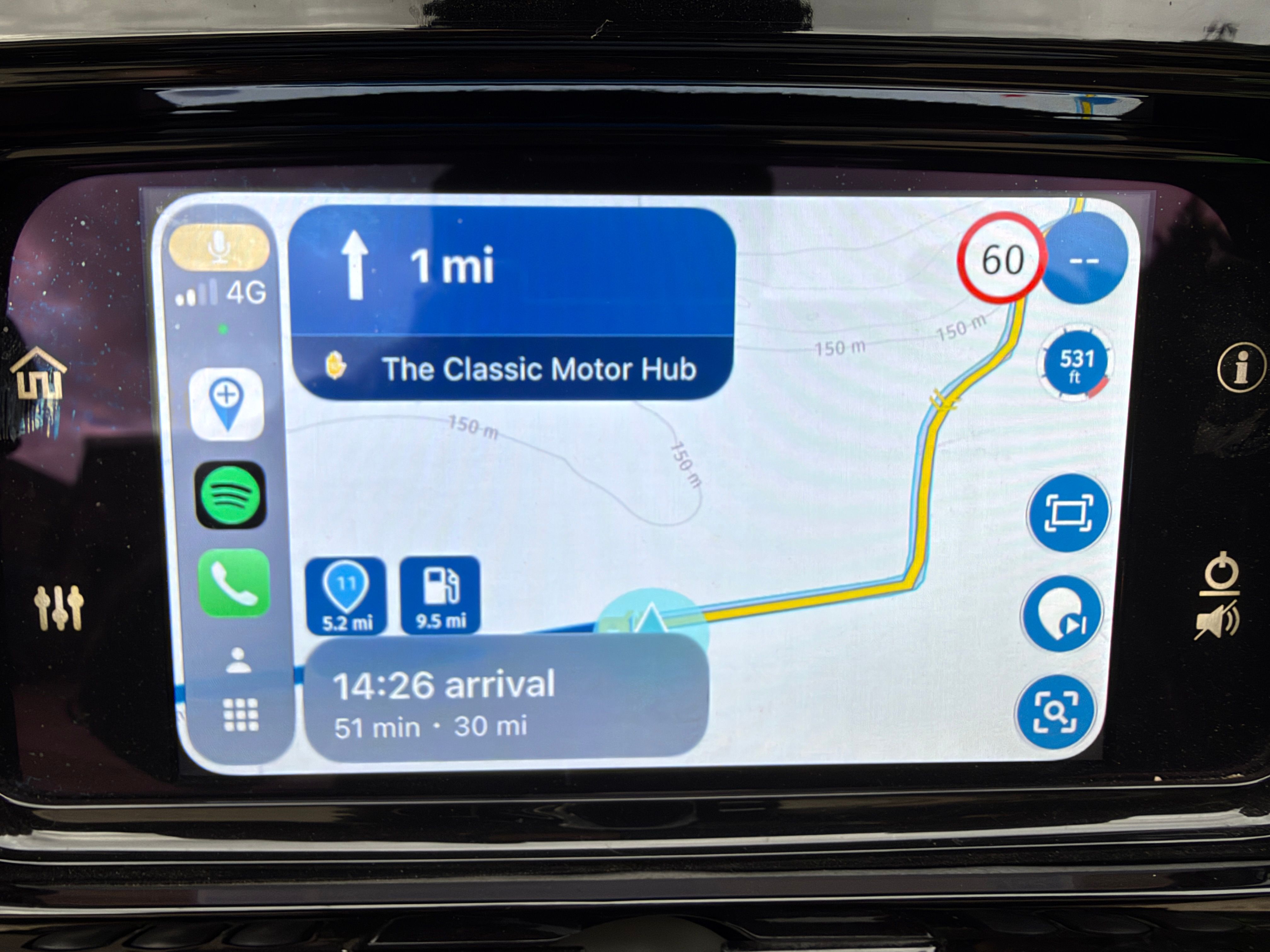
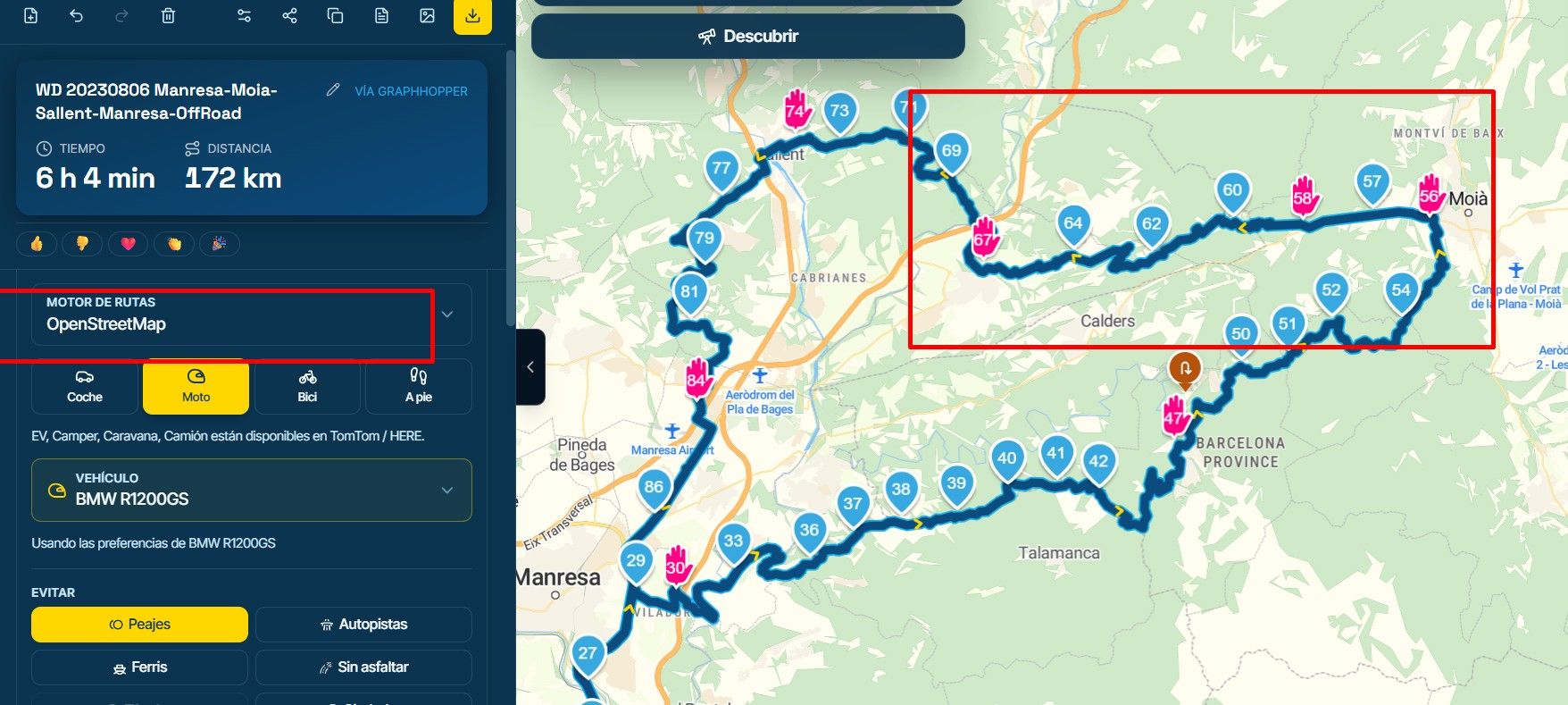
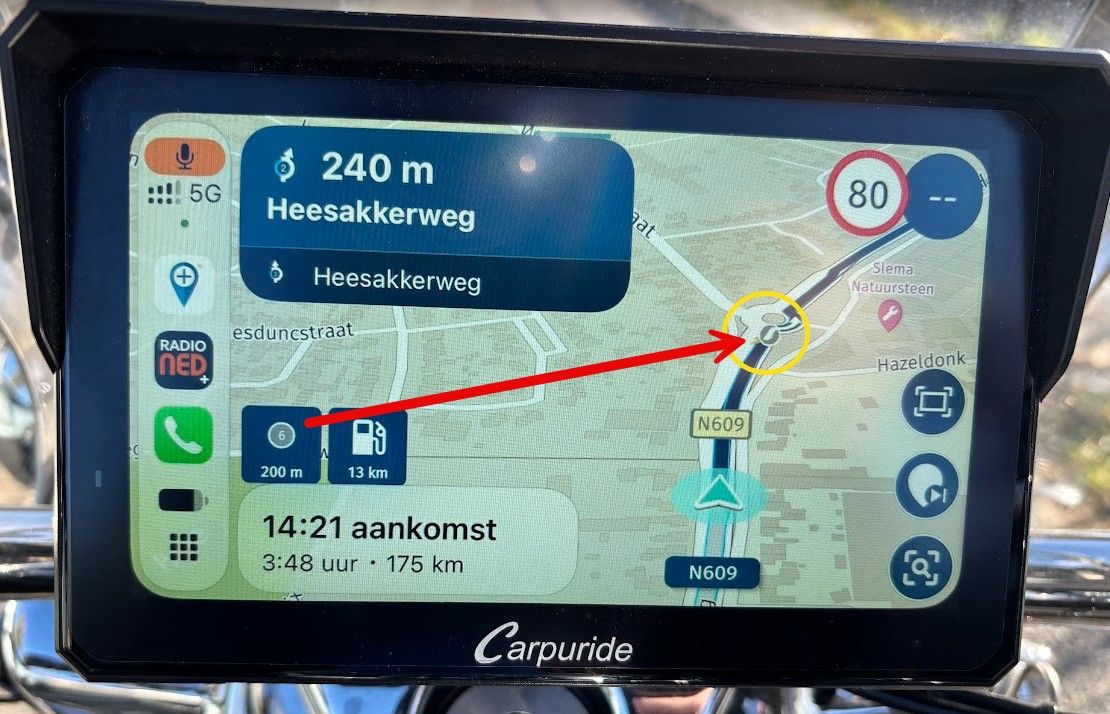
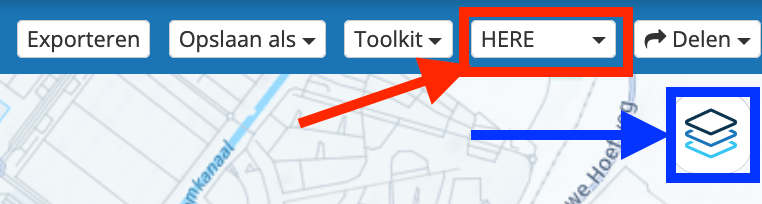
      MRA uses the Here-map for navigation with de MRA-app (red arrow). The blue arrow maps you can use as an overlay. These maps have no impact on the actual routeplanning.
      Menubalk met overlay.png

      You can report map errors with this link: https://mapfeedback.here.com/#/report

      BMW K1600GT-P (2013) | Nolan N100-5 with Sena 30K
      iOS on iPhone 13 & 16 (mounted on Quadlock or AliExpress extention on BMW-cradle)
      Apple CarPlay in VW T-Roc
      Routelab on MacBook Air & iMac (Tahoe & Ventura)

      1 Reply Last reply
      1
      • JP dundefined Offline
        JP dundefined Offline
        JP d
        wrote on last edited by
        #3

        Also look out for ( seasonal closures)

        Rob Verhoeffundefined 1 Reply Last reply
        0
        • JP dundefined JP d

          Also look out for ( seasonal closures)

          Rob Verhoeffundefined Offline
          Rob Verhoeffundefined Offline
          Rob Verhoeff
          Alpha tester
          wrote on last edited by
          #4

          @JP-d You can't seasonal close a road that's not there 😉 (in Here map).

          BMW K1600GT-P (2013) | Nolan N100-5 with Sena 30K
          iOS on iPhone 13 & 16 (mounted on Quadlock or AliExpress extention on BMW-cradle)
          Apple CarPlay in VW T-Roc
          Routelab on MacBook Air & iMac (Tahoe & Ventura)

          JP dundefined 1 Reply Last reply
          0
          • nomkoundefined Offline
            nomkoundefined Offline
            nomko
            wrote on last edited by
            #5

            Wel... Just had a look in Google Maps.

            It seems that the "road" which @Jerry-James tried to ride is actual not even there anymore if you have to believe Google maps (image 1).

            So, what goes wrong here?

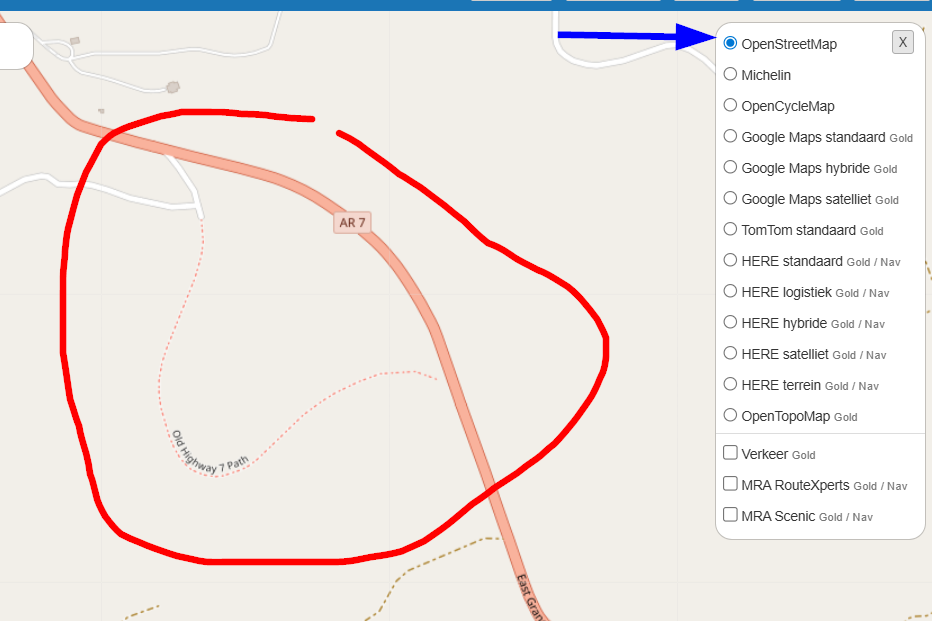
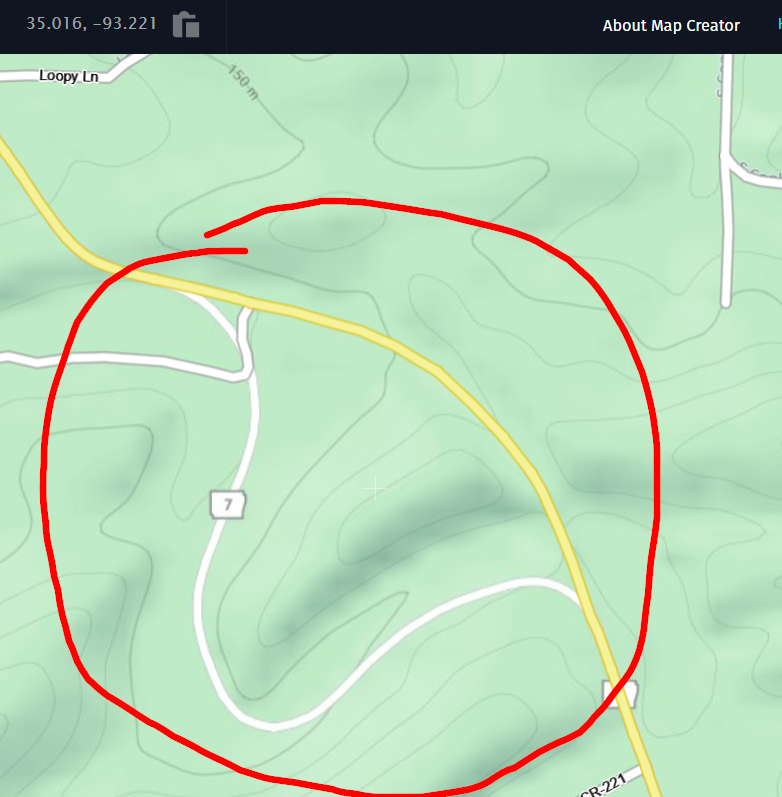
            HERE is at fault, it still shows the old route and does not have the new road layout (image 2)

            However, OSM does show the correct route!

            So, as said already, HERE is at fault. Best to do is report this matter to HERE using this link:
            https://mapfeedback.here.com/#/report

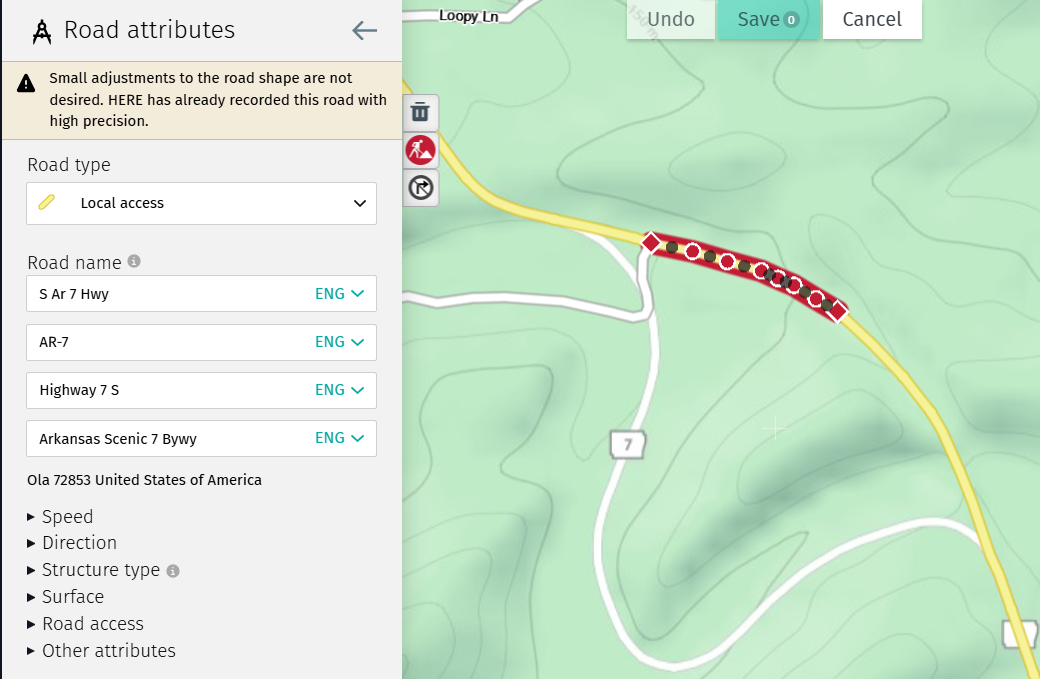
            But does that will have any effect? Looking in HERE Map Creator, that particular part of the road is already added on the map (image 4 & 5).

            But when i plot a route on this road, i see that my route follows the road as it should. No detours, no strange "off-road adventures", nothing. It follows the road as it is (image 6)

            Best is (if you need HERE) is have HERE as your default map and use another map (like OSM) as an overlay map to check if everything goes well. But looking at image 6... It might be a glitch on the HERE map (???)...

            image 1
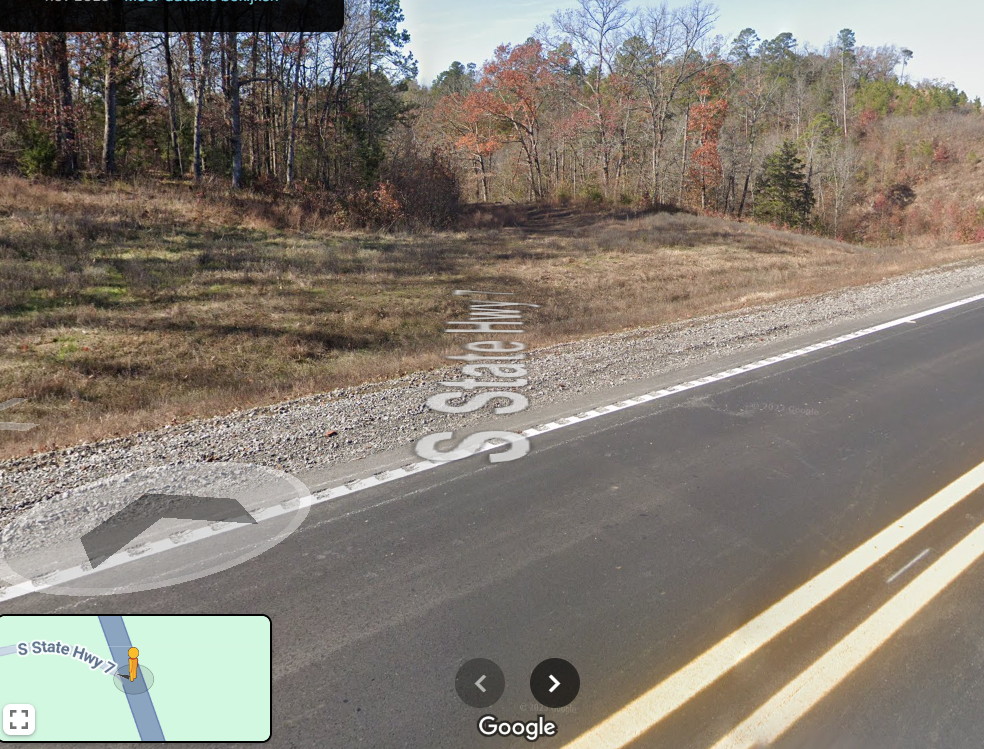
            5c84db30-ba1e-4b9b-a5dd-33a5c377e11a-image.png

            image 2
            4dd5d3ba-cd15-4de3-94df-a7728f5da937-image.png

            image 3
            5ea1e644-f213-4dd1-bbd0-cb0157e949b8-image.png

            image 4
            cf2eed4f-3d5f-464f-b3b5-5ed7435fb343-image.png

            image 5
            10ca5abd-c7fe-42dd-9450-0073a557326e-image.png

            image 6
            fef8fae2-aeee-418d-bcb9-2b5ba637f857-image.png

            | MRA Gold Member |
            | Garmin Zumo XT + BMW K1200GT |
            | MRA Next + Kawasaki Z650 |

            1 Reply Last reply
            1
            • Rob Verhoeffundefined Rob Verhoeff

              @JP-d You can't seasonal close a road that's not there 😉 (in Here map).

              JP dundefined Offline
              JP dundefined Offline
              JP d
              wrote on last edited by
              #6

              @Rob-Verhoeff Correct pal, but when planning if you haven't turned off seasonal closure it will route you a different way. 🍻

              nomkoundefined 1 Reply Last reply
              0
              • JP dundefined JP d

                @Rob-Verhoeff Correct pal, but when planning if you haven't turned off seasonal closure it will route you a different way. 🍻

                nomkoundefined Offline
                nomkoundefined Offline
                nomko
                wrote on last edited by
                #7

                @JP-d said in How to manipulate routes?:

                but when planning if you haven't turned off seasonal closure it will route you a different way.

                Also correct, some roads are indeed closed during a season or only during the weekends. By turning off seasonal closure you are able to plot a route over such roads.

                If not turned off, you will be directed over other roads which you might don't like or want.

                | MRA Gold Member |
                | Garmin Zumo XT + BMW K1200GT |
                | MRA Next + Kawasaki Z650 |

                1 Reply Last reply
                1

                Hello! It looks like you're interested in this conversation, but you don't have an account yet.

                Getting fed up of having to scroll through the same posts each visit? When you register for an account, you'll always come back to exactly where you were before, and choose to be notified of new replies (either via email, or push notification). You'll also be able to save bookmarks and upvote posts to show your appreciation to other community members.

                With your input, this post could be even better 💗

                Register Login
                Reply
                • Reply as topic
                Log in to reply
                • Oldest to Newest
                • Newest to Oldest
                • Most Votes


                ACTIVE USERS
                Rob Verhoeffundefined
                Rob Verhoeff
                nomkoundefined
                nomko
                JP dundefined
                JP d
                Jerry Jamesundefined
                Jerry James
                POPULAR TOPICS
                • deleting entries from the device limit list
                  Corjan Meijerinkundefined
                  Corjan Meijerink
                  0
                  5
                  86

                • Managing POIs and Favorites - Do POIs show up in other routes?
                  Laryundefined
                  Lary
                  0
                  3
                  45

                • Exporteren vanuit MRA naar Garmin XT lukt niet.
                  Hans van de Ven MR.MRAundefined
                  Hans van de Ven MR.MRA
                  0
                  5
                  100

                • Please bring back GPX export from Navigation mode
                  Marinus van Deudekomundefined
                  Marinus van Deudekom
                  0
                  2
                  78

                • POI import anomalies
                  Mzokkundefined
                  Mzokk
                  0
                  4
                  148

                • Android beta 5.1
                  undefined
                  2
                  1
                  19

                • Hulp gevraagd bij instellingen
                  Rob Verhoeffundefined
                  Rob Verhoeff
                  0
                  5
                  273

                • Navigation stopped working during Tour
                  Rob Verhoeffundefined
                  Rob Verhoeff
                  1
                  24
                  2.3k

                MY GROUPS
                • Login

                • Login or register to search.
                • First post
                  Last post
                0
                • Categories
                • Recent
                • Popular
                • Support
                • MyRoute-app