
Pop up can't be cleared
-
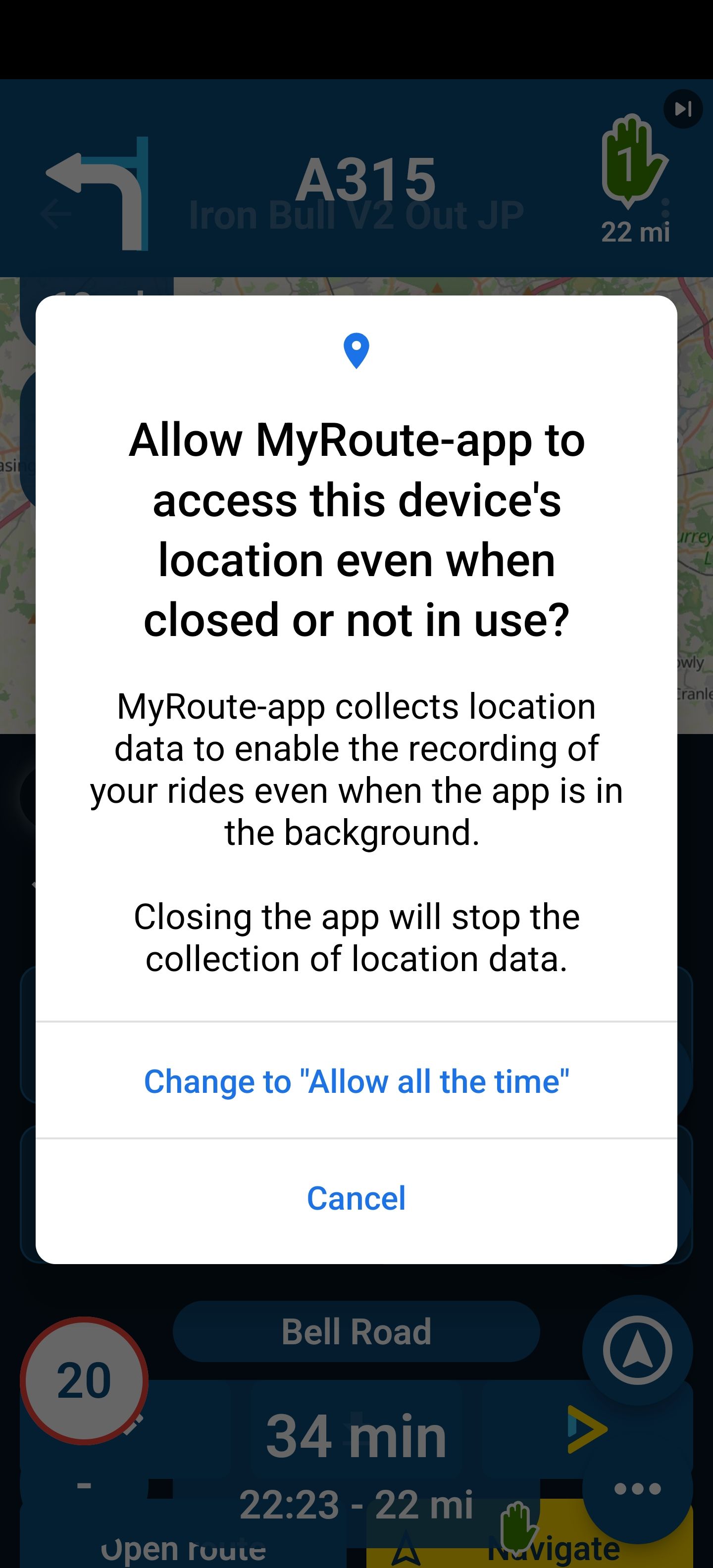
Recently, when this pop up appears I can't clear it by pressing (Cancel). I have to go to the home screen and then return to the Nav app.
Anyone else have this issue?
-
Recently, when this pop up appears I can't clear it by pressing (Cancel). I have to go to the home screen and then return to the Nav app.
Anyone else have this issue?
-

@JP-d The app looks like it's in a bit of a funny state - there's a via point on top of the Navigate button.
-
@JP-d The app looks like it's in a bit of a funny state - there's a via point on top of the Navigate button.

@richtea999 It's only after a clean install that this happens.
A lot of things happening at the same time.
The popup from the OS blocks the animation transition below.Not too much to worry about but you have a sharp eye

-
@JP-d That's interesting.
Nothing changed regarding this as it's a popup from the OS.I would recommend selecting "Allow all the time"

There is a very good reason why we ask it.
@Corjan-Meijerink Thanks for the reply. I'm worried location collection even when the app isn't in use would drain my battery.
-
@Corjan-Meijerink Thanks for the reply. I'm worried location collection even when the app isn't in use would drain my battery.
@JP-d Definitely not!
If you aren't navigating / using the app we won't even use the location.It's just than when declining this permission and using Android Auto while your phone is locked or switching to another app in general will cause the phone to stop sending location updates.
-
@richtea999 It's only after a clean install that this happens.
A lot of things happening at the same time.
The popup from the OS blocks the animation transition below.Not too much to worry about but you have a sharp eye
@Corjan-Meijerink I cleared the Nav app's Cache and that fixed the problem. I can can now click the cancel button.
Hello! It looks like you're interested in this conversation, but you don't have an account yet.
Getting fed up of having to scroll through the same posts each visit? When you register for an account, you'll always come back to exactly where you were before, and choose to be notified of new replies (either via email, or push notification). You'll also be able to save bookmarks and upvote posts to show your appreciation to other community members.
With your input, this post could be even better 💗
Register Login-
 011749
-
 06171
06171
-
09101
-
 05189
05189
-
06159
-
111531
-
05151
-
 0213
0213


