Skip to content
  • Categories
  • Recent
  • Popular
  • Support
  • MyRoute-app
Collapse
Brand Logo

MRA Community Forum

  1. Home
  2. Routes & Tracks
  3. Track and routes

Track and routes

Scheduled Pinned Locked Moved Routes & Tracks
6 Posts 3 Posters 1.5k Views 2 Watching
  • Oldest to Newest
  • Newest to Oldest
  • Most Votes
Reply
  • Reply as topic
Log in to reply
This topic has been deleted. Only users with topic management privileges can see it.
  • Mike 6mundefined Offline
    Mike 6mundefined Offline
    Mike 6m
    wrote on last edited by
    #1

    I made some tracks with MyRoute-app and now I want to save or change them as routes.

    In another topic I read, just open it and choose for route. But I not get that choice.
    I get: MOVE, SAVE AS and SHARE.

    Stanisławundefined 1 Reply Last reply
    0
    • Mike 6mundefined Mike 6m

      I made some tracks with MyRoute-app and now I want to save or change them as routes.

      In another topic I read, just open it and choose for route. But I not get that choice.
      I get: MOVE, SAVE AS and SHARE.

      Stanisławundefined Offline
      Stanisławundefined Offline
      Stanisław
      Valued contributor
      wrote on last edited by
      #2

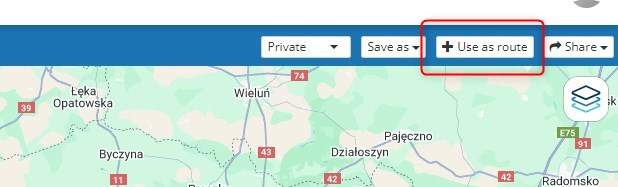
      @Mike-6m Open the track and try to use this button in the planner:
      a2fd00ee-a394-4384-ab31-b9d93cb820ce-obraz.png

      --
      Regards
      Staszek

      Mike 6mundefined 1 Reply Last reply
      0
      • Stanisławundefined Stanisław

        @Mike-6m Open the track and try to use this button in the planner:
        a2fd00ee-a394-4384-ab31-b9d93cb820ce-obraz.png

        Mike 6mundefined Offline
        Mike 6mundefined Offline
        Mike 6m
        wrote on last edited by
        #3

        @Stanisław thanks, but how can import screenshot in this reply? Using my Samsung galaxy 😊. In the top I see a photo, but when I click on that I get ![alt text](image url)
        [ALT TEXT] (IMAGE URL)

        Nick Carthewundefined Stanisławundefined 3 Replies Last reply
        0
        • Mike 6mundefined Mike 6m

          @Stanisław thanks, but how can import screenshot in this reply? Using my Samsung galaxy 😊. In the top I see a photo, but when I click on that I get ![alt text](image url)
          [ALT TEXT] (IMAGE URL)

          Nick Carthewundefined Offline
          Nick Carthewundefined Offline
          Nick Carthew
          RouteXpert
          wrote on last edited by
          #4

          @Mike-6m
          If you are using the app.
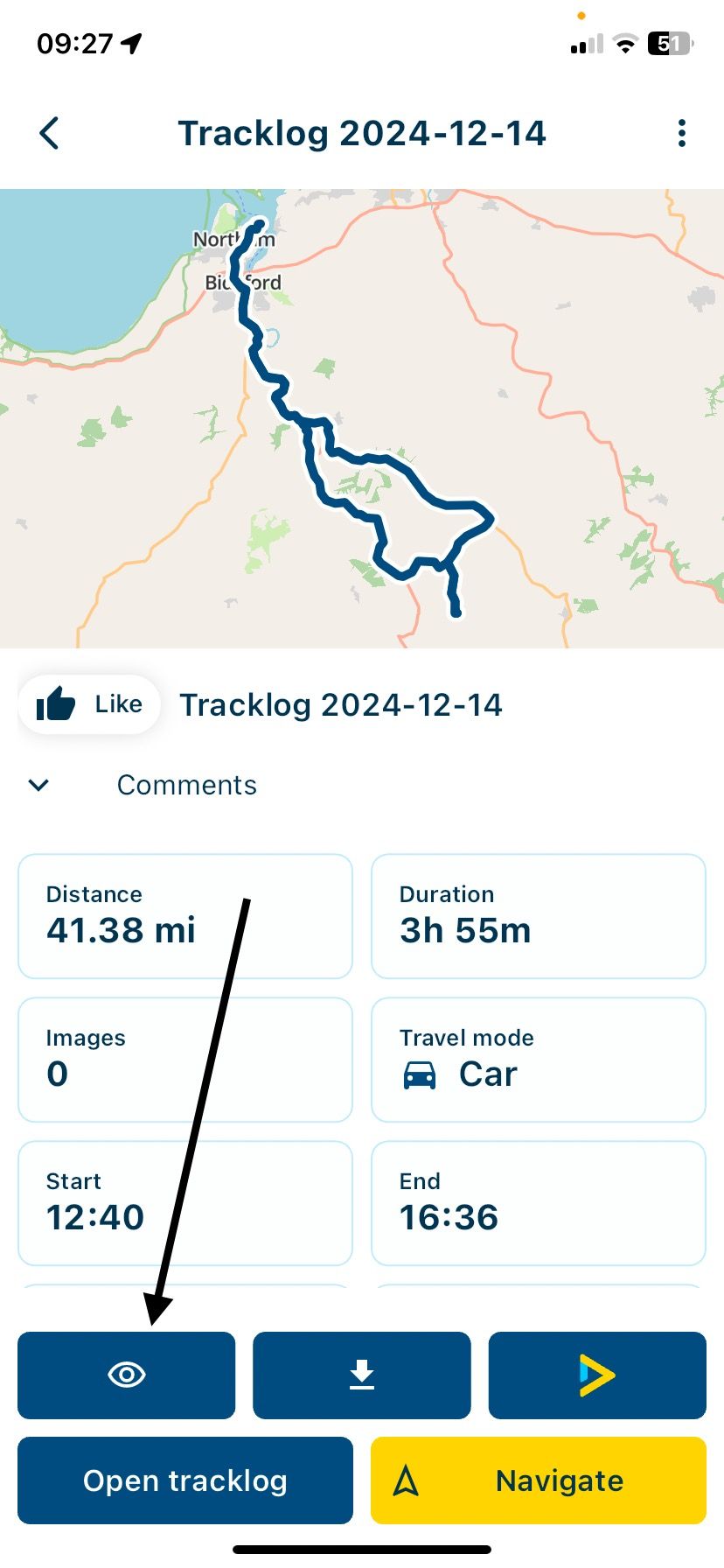
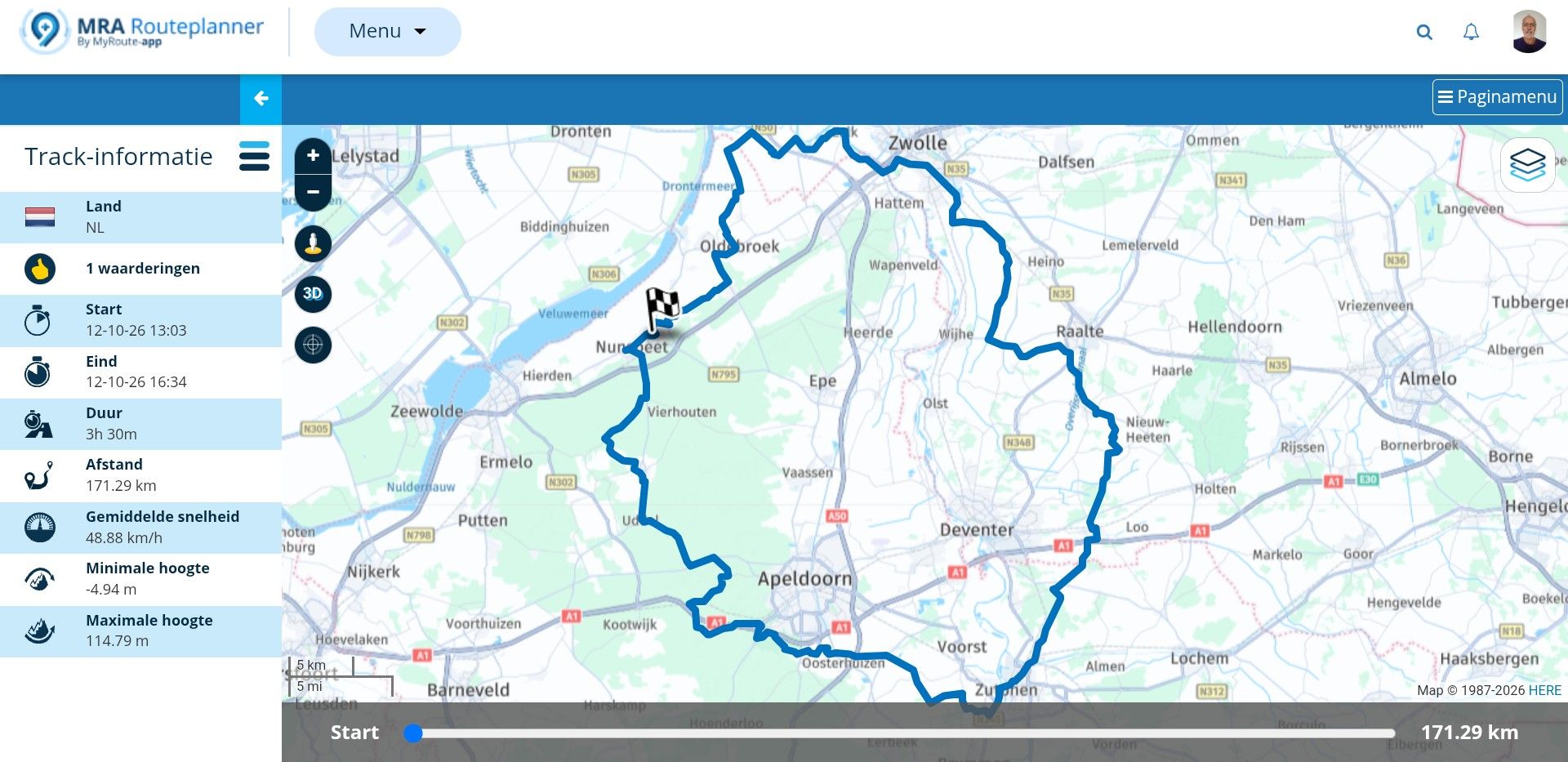
          Open the tracklog and tap the view icon.

          IMG_4340.jpeg

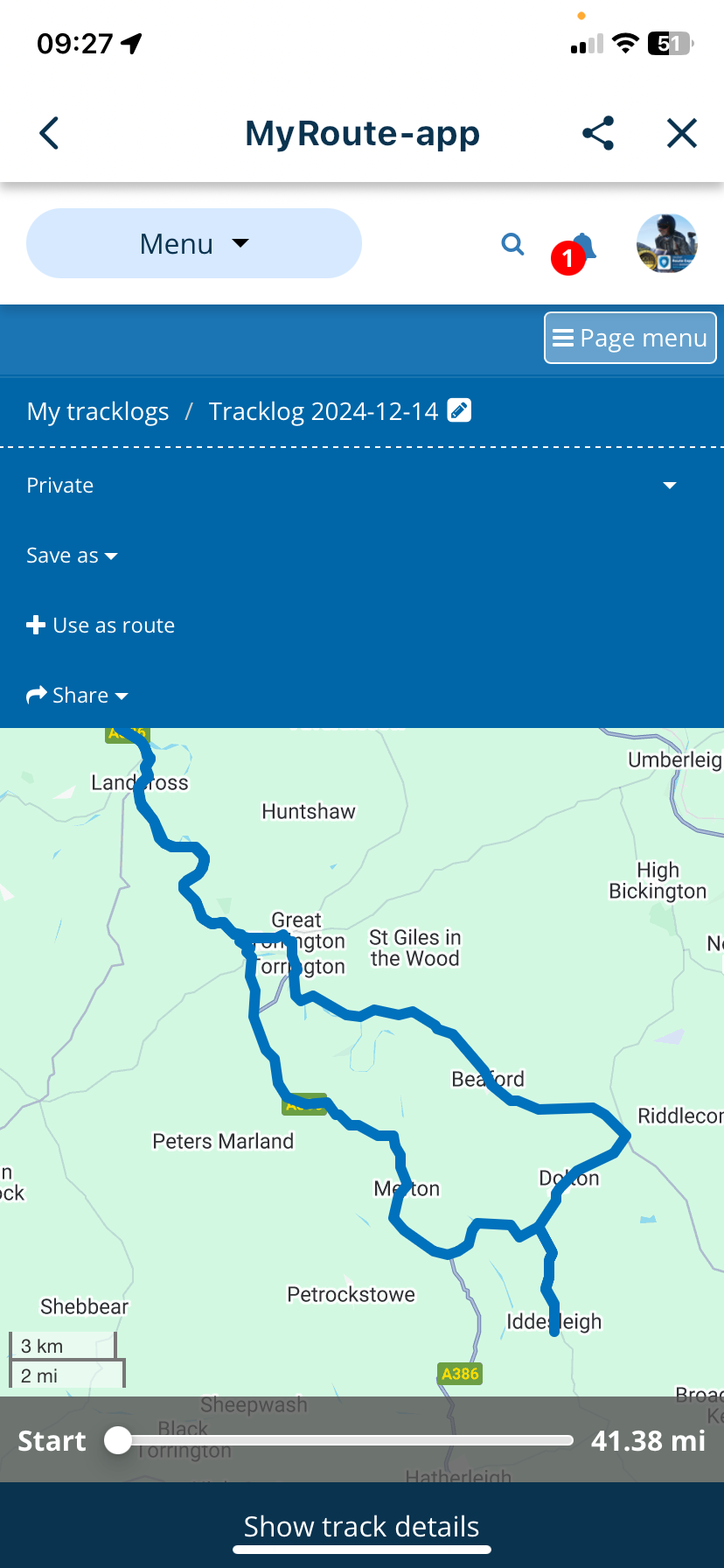
          Now tap Page menu and then tap + Use as route
          IMG_4341.png

          This will add route points and convert your tracklog to a route.

          Always willing to help if I can.
          Triumph Tiger 1200 XRT called Tina.
          MRA Navigation Next and SilverFox BJ8

          1 Reply Last reply
          0
          • Mike 6mundefined Mike 6m

            @Stanisław thanks, but how can import screenshot in this reply? Using my Samsung galaxy 😊. In the top I see a photo, but when I click on that I get ![alt text](image url)
            [ALT TEXT] (IMAGE URL)

            Nick Carthewundefined Offline
            Nick Carthewundefined Offline
            Nick Carthew
            RouteXpert
            wrote on last edited by
            #5

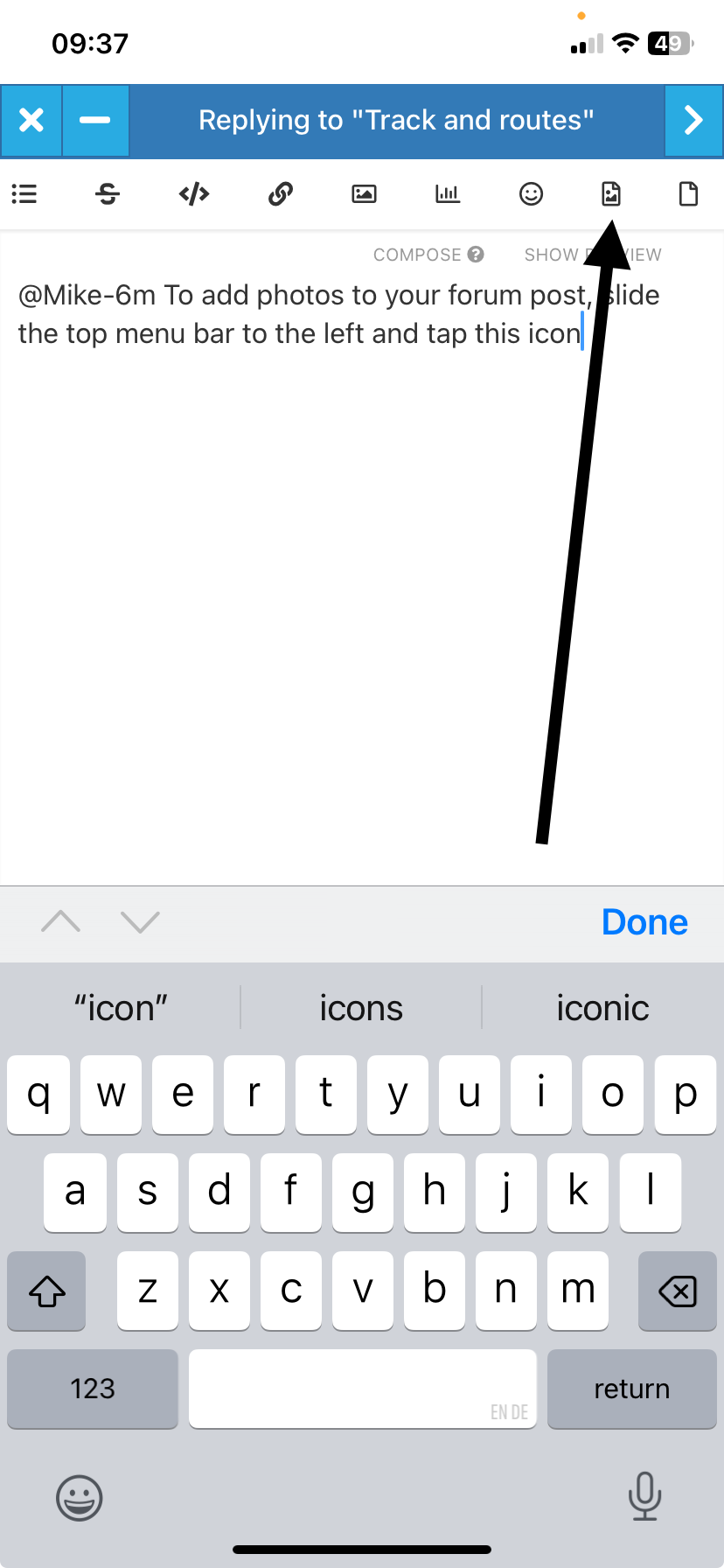
            @Mike-6m To add photos to your forum post, slide the top menu bar to the left and tap this icon

            b5e5ffab-d1ee-404f-9ecd-2797c76de8d4-image.png

            Always willing to help if I can.
            Triumph Tiger 1200 XRT called Tina.
            MRA Navigation Next and SilverFox BJ8

            1 Reply Last reply
            0
            • Mike 6mundefined Mike 6m

              @Stanisław thanks, but how can import screenshot in this reply? Using my Samsung galaxy 😊. In the top I see a photo, but when I click on that I get ![alt text](image url)
              [ALT TEXT] (IMAGE URL)

              Stanisławundefined Offline
              Stanisławundefined Offline
              Stanisław
              Valued contributor
              wrote on last edited by
              #6

              @Mike-6m said in Track and routes:

              @Stanisław thanks, but how can import screenshot in this reply? Using my Samsung galaxy 😊. In the top I see a photo, but when I click on that I get ![alt text](image url)
              [ALT TEXT] (IMAGE URL)

              @Mike-6m Sorry, I use a computer to read this forum and post to it.
              --
              Regards
              Staszek

              1 Reply Last reply
              0

              Hello! It looks like you're interested in this conversation, but you don't have an account yet.

              Getting fed up of having to scroll through the same posts each visit? When you register for an account, you'll always come back to exactly where you were before, and choose to be notified of new replies (either via email, or push notification). You'll also be able to save bookmarks and upvote posts to show your appreciation to other community members.

              With your input, this post could be even better 💗

              Register Login
              Reply
              • Reply as topic
              Log in to reply
              • Oldest to Newest
              • Newest to Oldest
              • Most Votes


              ACTIVE USERS
              Nick Carthewundefined
              Nick Carthew
              Stanisławundefined
              Stanisław
              Mike 6mundefined
              Mike 6m
              POPULAR TOPICS
              • V5.1.0 - 462 New altitude/heading shows incorrect Data
                Mzokkundefined
                Mzokk
                0
                12
                144

              • Best way to set my Garmin Zumo XT to play well with the MRA?
                Mzokkundefined
                Mzokk
                0
                9
                115

              • Navigation arrow still not stable
                Corjan Meijerinkundefined
                Corjan Meijerink
                1
                8
                167

              • Seasonal closures affect not only seasonal road closures (mountain passes and the like) but also closures due to roadworks. This is why the route takes you through the closure even during planning, even though Here is actually aware of it.
                Herman Veldhuizenundefined
                Herman Veldhuizen
                3
                8
                189

              • Live Map Updates
                Guzzistundefined
                Guzzist
                0
                6
                107

              • Being instructed to turn off at each next Junction
                John B 1undefined
                John B 1
                0
                6
                106

              • My route app
                Hub 1undefined
                Hub 1
                0
                5
                66

              • Jack from Netherlands
                Leike Lodiersundefined
                Leike Lodiers
                1
                4
                95

              MY GROUPS
              • Login

              • Login or register to search.
              • First post
                Last post
              0
              • Categories
              • Recent
              • Popular
              • Support
              • MyRoute-app