Skip to content
  • Categories
  • Recent
  • Popular
  • Support
  • MyRoute-app
Collapse
Brand Logo

MRA Community Forum

  1. Home
  2. The MyRoute-app
  3. [App] Suggestions and Discussion
  4. Unclear tracklog direction

Unclear tracklog direction

Scheduled Pinned Locked Moved [App] Suggestions and Discussion
6 Posts 4 Posters 972 Views 3 Watching
  • Oldest to Newest
  • Newest to Oldest
  • Most Votes
Reply
  • Reply as topic
Log in to reply
This topic has been deleted. Only users with topic management privileges can see it.
  • Makroundefined Offline
    Makroundefined Offline
    Makro
    wrote on last edited by
    #1

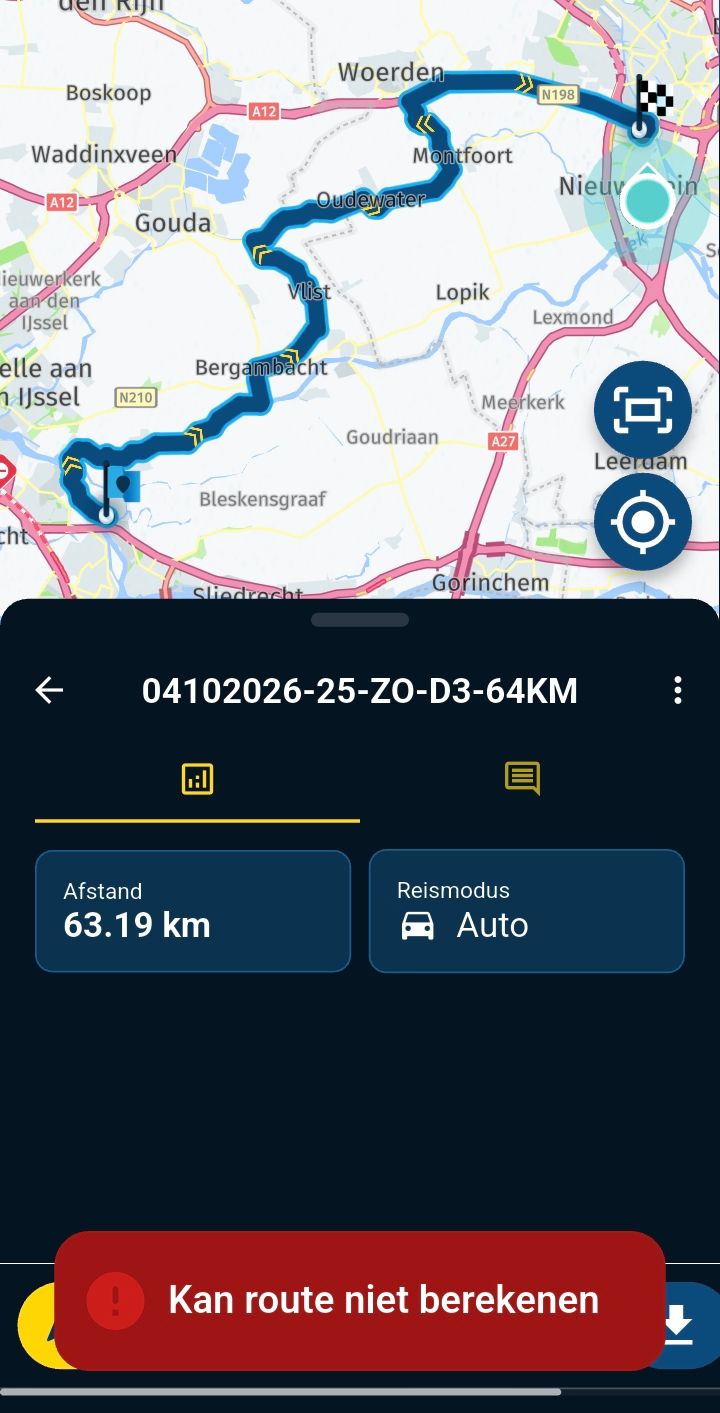
    Viewing a tracklog shows the track as a line. It is not obvious which end is start and end, until it is opened, only then does start and end icons appear. I suggest to add one or more arrows to the line.

    Best regards, Makro

    Rob Verhoeffundefined 1 Reply Last reply
    0
    • Makroundefined Makro

      Viewing a tracklog shows the track as a line. It is not obvious which end is start and end, until it is opened, only then does start and end icons appear. I suggest to add one or more arrows to the line.

      Rob Verhoeffundefined Online
      Rob Verhoeffundefined Online
      Rob Verhoeff
      Alpha tester
      wrote on last edited by Rob Verhoeff
      #2

      @Makro The direction is obvious since the startflag is green saying "Go" and the destionationflag is a "Finish"flag. Therefore it's important not to start tracking and stop tracking at the same point. However, 1 or 2 arrows in the route that dispay's the direction could help.
      BMW K1600GT-P (2013) | Nolan N100-5 with Sena 30K
      iOS on iPhone 13 & 16 (mounted on Quadlock or AliExpress extention on BMW-cradle)
      Apple CarPlay in VW T-Roc
      Routelab on MacBook Air & iMac (Tahoe & Ventura)

      Makroundefined 1 Reply Last reply
      0
      • Peter Bijnsdorpundefined Offline
        Peter Bijnsdorpundefined Offline
        Peter Bijnsdorp
        wrote on last edited by
        #3

        Goed idee om een track te voorzin van pijlen welke de rijrichting aangeven, vaak moet men inzoomen om te zien waar de start of waar het einde is om de rijrichting te zien.

        Als er pijlen op staan dan weet je het zonder eerst een handeling te hoeven verrichten nl inzoomen.

        1 Reply Last reply
        0
        • Motobummlerundefined Offline
          Motobummlerundefined Offline
          Motobummler
          wrote on last edited by
          #4

          I agree with the request. Especially if you have a route that you drive twice (there and back), it is sometimes unpleasant. You feel safer when you can immediately recognise the direction of the track.

          iPhone XR (iOS 18.01)
          iPhone 11 (iOS 18.01)
          Oukitel RT3 (Android 13) + 64GB SD without SIM / connecting with tethering
          Wired CarPlay (KIA Sportage PHEV - 2022)

          1 Reply Last reply
          0
          • Rob Verhoeffundefined Rob Verhoeff

            @Makro The direction is obvious since the startflag is green saying "Go" and the destionationflag is a "Finish"flag. Therefore it's important not to start tracking and stop tracking at the same point. However, 1 or 2 arrows in the route that dispay's the direction could help.

            Makroundefined Offline
            Makroundefined Offline
            Makro
            wrote on last edited by
            #5

            @Rob-Verhoeff said in Unclear tracklog direction:

            @Makro The direction is obvious since the startflag is green saying "Go" and the destionationflag is a "Finish"flag.

            Hi Rob.
            I was referring to the first track log view, shown in the app.
            So, start the app, go to "Routes and tracklogs" -> Tracklogs -> click any of your tracks.
            There are no flags and no arrow(s).

            Best regards, Makro

            Rob Verhoeffundefined 1 Reply Last reply
            0
            • Makroundefined Makro

              @Rob-Verhoeff said in Unclear tracklog direction:

              @Makro The direction is obvious since the startflag is green saying "Go" and the destionationflag is a "Finish"flag.

              Hi Rob.
              I was referring to the first track log view, shown in the app.
              So, start the app, go to "Routes and tracklogs" -> Tracklogs -> click any of your tracks.
              There are no flags and no arrow(s).

              Rob Verhoeffundefined Online
              Rob Verhoeffundefined Online
              Rob Verhoeff
              Alpha tester
              wrote on last edited by
              #6

              @Makro said in Unclear tracklog direction:

              There are no flags and no arrow(s).

              Go one step further and there you see the flags. I don't know if it is possible to show those flags in the screen you described.

              BMW K1600GT-P (2013) | Nolan N100-5 with Sena 30K
              iOS on iPhone 13 & 16 (mounted on Quadlock or AliExpress extention on BMW-cradle)
              Apple CarPlay in VW T-Roc
              Routelab on MacBook Air & iMac (Tahoe & Ventura)

              1 Reply Last reply
              0

              Hello! It looks like you're interested in this conversation, but you don't have an account yet.

              Getting fed up of having to scroll through the same posts each visit? When you register for an account, you'll always come back to exactly where you were before, and choose to be notified of new replies (either via email, or push notification). You'll also be able to save bookmarks and upvote posts to show your appreciation to other community members.

              With your input, this post could be even better 💗

              Register Login
              Reply
              • Reply as topic
              Log in to reply
              • Oldest to Newest
              • Newest to Oldest
              • Most Votes


              ACTIVE USERS
              Rob Verhoeffundefined
              Rob Verhoeff
              Makroundefined
              Makro
              Peter Bijnsdorpundefined
              Peter Bijnsdorp
              Motobummlerundefined
              Motobummler
              POPULAR TOPICS
              • Update 5.1 - CarPlay / Android Auto improvements and more!
                Lluis Arasanzundefined
                Lluis Arasanz
                7
                5
                55

              • Mixed mode route
                Mike Luca 0undefined
                Mike Luca 0
                0
                5
                114

              • Motorrad Streckensperrung melden oder einpflegen?
                Mopetenpitundefined
                Mopetenpit
                0
                5
                103

              • 3rd device - cannot delete it
                Corjan Meijerinkundefined
                Corjan Meijerink
                0
                8
                185

              • Layers, stack routes on POI maps
                Con Hennekensundefined
                Con Hennekens
                1
                5
                174

              • Rondrit maken en vervolgens navigeren lukt niet
                Marinus van Deudekomundefined
                Marinus van Deudekom
                0
                9
                364

              • MRA V5.0.4 (451) MRA App Absturz
                Hubert Thoringundefined
                Hubert Thoring
                0
                13
                88

              • V5.1.0 - 458 Same Point in Route Cycles to First Instance if Later Point Selected - CarPlay
                Dave J 0undefined
                Dave J 0
                0
                11
                104

              MY GROUPS
              • Login

              • Login or register to search.
              • First post
                Last post
              0
              • Categories
              • Recent
              • Popular
              • Support
              • MyRoute-app