Skip to content
  • Categories
  • Recent
  • Popular
  • Support
  • MyRoute-app
Collapse
Brand Logo

MRA Community Forum

  1. Home
  2. [Beta] The MyRoute-app
  3. [Beta] Announcements
  4. Endurance test MRA Navigation Next

Endurance test MRA Navigation Next

Scheduled Pinned Locked Moved [Beta] Announcements
6 Posts 3 Posters 113 Views 1 Watching
  • Oldest to Newest
  • Newest to Oldest
  • Most Votes
Reply
  • Reply as topic
Log in to reply
This topic has been deleted. Only users with topic management privileges can see it.
  • Michel van Hagen MRA-Founderundefined Offline
    Michel van Hagen MRA-Founderundefined Offline
    Michel van Hagen MRA-Founder
    Administrator
    wrote on last edited by
    #1

    Extreme test of 1052 km in almost 19 hours with various tips & tricks on how you can navigate wonderfully carefree with MRA Navigation Next!

    >> Read more

    “People don’t take trips, trips take people.” – John Steinbeck

    Stanisławundefined Siepermann- Ronaldundefined 2 Replies Last reply
    4
    • Michel van Hagen MRA-Founderundefined Michel van Hagen MRA-Founder

      Extreme test of 1052 km in almost 19 hours with various tips & tricks on how you can navigate wonderfully carefree with MRA Navigation Next!

      >> Read more

      Stanisławundefined Offline
      Stanisławundefined Offline
      Stanisław
      Valued contributor
      wrote on last edited by
      #2

      @Michel-van-Hagen-MRA-Founder Interesting relation - thank you! There is one small part not translated to English, could you complete it?

      --
      Regards
      Staszek

      Michel van Hagen MRA-Founderundefined 1 Reply Last reply
      1
      • Stanisławundefined Stanisław

        @Michel-van-Hagen-MRA-Founder Interesting relation - thank you! There is one small part not translated to English, could you complete it?

        Michel van Hagen MRA-Founderundefined Offline
        Michel van Hagen MRA-Founderundefined Offline
        Michel van Hagen MRA-Founder
        Administrator
        wrote on last edited by
        #3

        @Stanisław Okay now?

        “People don’t take trips, trips take people.” – John Steinbeck

        Stanisławundefined 1 Reply Last reply
        0
        • Michel van Hagen MRA-Founderundefined Michel van Hagen MRA-Founder

          @Stanisław Okay now?

          Stanisławundefined Offline
          Stanisławundefined Offline
          Stanisław
          Valued contributor
          wrote on last edited by
          #4

          @Michel-van-Hagen-MRA-Founder One more:
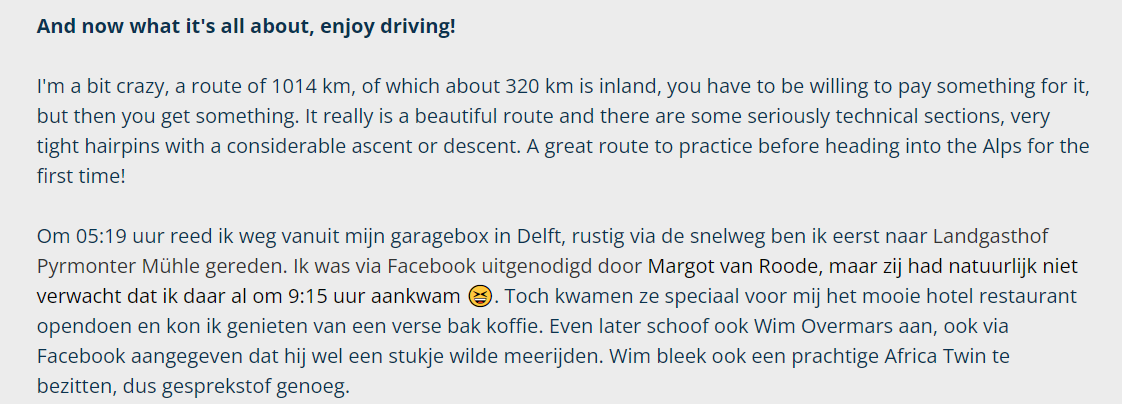
          3f88013a-a52e-4235-851c-80b5714997db-obraz.png

          --
          Regards
          Staszek

          1 Reply Last reply
          0
          • Michel van Hagen MRA-Founderundefined Michel van Hagen MRA-Founder

            Extreme test of 1052 km in almost 19 hours with various tips & tricks on how you can navigate wonderfully carefree with MRA Navigation Next!

            >> Read more

            Siepermann- Ronaldundefined Offline
            Siepermann- Ronaldundefined Offline
            Siepermann- Ronald
            wrote on last edited by Siepermann- Ronald
            #5

            @Michel-van-Hagen-MRA-Founder
            Heb met veel belangstelling je verslag gelezen. Met betrekking tot de melding op het Honda scherm 'wil je een headset pairen' even het volgende:
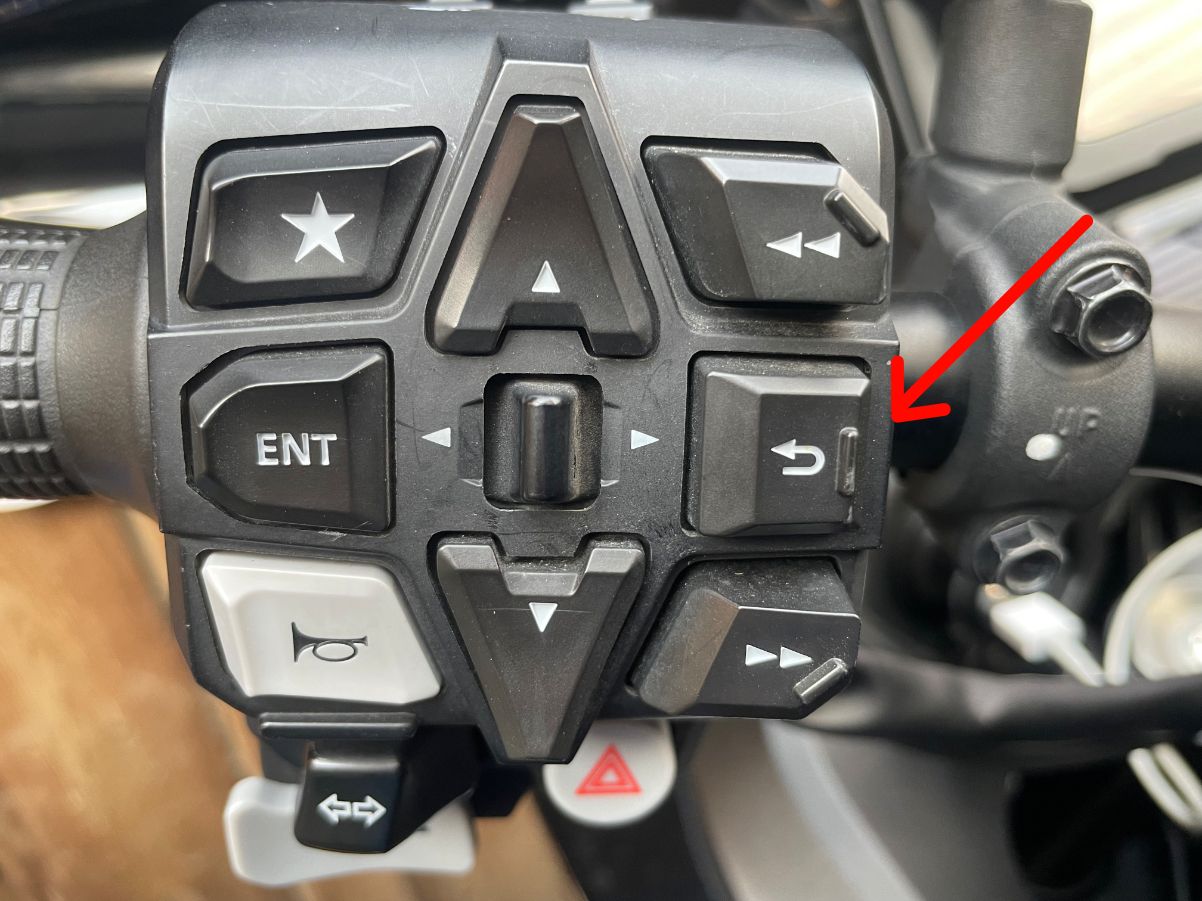
            Na het opnieuw starten van de motor en het verschijnen van de headset pairing moet je de Return-knop zo'n 20 tot 30 seconden ingedrukt houden. Hierna zie je inderdaad dat, in mijn geval de CarlinKit 4.0 gaat opstarten.
            De Apple Carplay werkt hierna weer als vanouds.

            I read your report with great interest. With regard to the message on the Honda screen 'do you want to pair a headset', the following:
            After restarting the engine and the headset pairing appears, press and hold the Return button for about 20 to 30 seconds. After this you will indeed see that, in my case, the CarlinKit 4.0 will start up.
            The Apple Carplay then worked as usual again.

            Honda NT1100DCT, iPhone 12Pro, CarlinKit 4.0
            IMG_0717.jpg

            Michel van Hagen MRA-Founderundefined 1 Reply Last reply
            1
            • Siepermann- Ronaldundefined Siepermann- Ronald

              @Michel-van-Hagen-MRA-Founder
              Heb met veel belangstelling je verslag gelezen. Met betrekking tot de melding op het Honda scherm 'wil je een headset pairen' even het volgende:
              Na het opnieuw starten van de motor en het verschijnen van de headset pairing moet je de Return-knop zo'n 20 tot 30 seconden ingedrukt houden. Hierna zie je inderdaad dat, in mijn geval de CarlinKit 4.0 gaat opstarten.
              De Apple Carplay werkt hierna weer als vanouds.

              I read your report with great interest. With regard to the message on the Honda screen 'do you want to pair a headset', the following:
              After restarting the engine and the headset pairing appears, press and hold the Return button for about 20 to 30 seconds. After this you will indeed see that, in my case, the CarlinKit 4.0 will start up.
              The Apple Carplay then worked as usual again.

              Honda NT1100DCT, iPhone 12Pro, CarlinKit 4.0

              IMG_0717.jpg

              Michel van Hagen MRA-Founderundefined Offline
              Michel van Hagen MRA-Founderundefined Offline
              Michel van Hagen MRA-Founder
              Administrator
              wrote on last edited by
              #6

              @Siepermann-Ronald said in Endurance test MRA Navigation Next:

              @Michel-van-Hagen-MRA-Founder
              Heb met veel belangstelling je verslag gelezen. Met betrekking tot de melding op het Honda scherm 'wil je een headset pairen' even het volgende:
              Na het opnieuw starten van de motor en het verschijnen van de headset pairing moet je de Return-knop zo'n 20 tot 30 seconden ingedrukt houden. Hierna zie je inderdaad dat, in mijn geval de CarlinKit 4.0 gaat opstarten.
              De Apple Carplay werkt hierna weer als vanouds.

              I read your report with great interest. With regard to the message on the Honda screen 'do you want to pair a headset', the following:
              After restarting the engine and the headset pairing appears, press and hold the Return button for about 20 to 30 seconds. After this you will indeed see that, in my case, the CarlinKit 4.0 will start up.
              The Apple Carplay then worked as usual again.

              Honda NT1100DCT, iPhone 12Pro, CarlinKit 4.0

              IMG_0717.jpg

              Bij mij ging dat vanzelf. Dus iPhone verbonden met Ottocast. Headset was leeg. Pairen met headset genegeerd en na ongeveer 20 seconden verscheen de route op het scherm. Maar zal jouw optie ook eens proberen een volgende keer.

              “People don’t take trips, trips take people.” – John Steinbeck

              1 Reply Last reply
              0

              Hello! It looks like you're interested in this conversation, but you don't have an account yet.

              Getting fed up of having to scroll through the same posts each visit? When you register for an account, you'll always come back to exactly where you were before, and choose to be notified of new replies (either via email, or push notification). You'll also be able to save bookmarks and upvote posts to show your appreciation to other community members.

              With your input, this post could be even better 💗

              Register Login
              Reply
              • Reply as topic
              Log in to reply
              • Oldest to Newest
              • Newest to Oldest
              • Most Votes


              ACTIVE USERS
              Stanisławundefined
              Stanisław
              Michel van Hagen MRA-Founderundefined
              Michel van Hagen MRA-Founder
              Siepermann- Ronaldundefined
              Siepermann- Ronald
              POPULAR TOPICS
              • Navigation stopped working during Tour
                Thomas Neumeyerundefined
                Thomas Neumeyer
                1
                65
                4.3k

              • No altitude on Android Auto screen
                Léon Hassingundefined
                Léon Hassing
                0
                11
                280

              • hoe/waar kan ik zien of MRA de laatste update heeft?
                olaf Scherpenisseundefined
                olaf Scherpenisse
                0
                4
                83

              • How to find hotels in the desktop app?
                Peter Zehentreiterundefined
                Peter Zehentreiter
                0
                3
                148

              • volume loopt terug
                Bart De Medtsundefined
                Bart De Medts
                0
                2
                16

              • Altitude does not match
                Bart De Medtsundefined
                Bart De Medts
                0
                13
                131

              • Update 5.1.0
                RetiredWingManundefined
                RetiredWingMan
                0
                4
                276

              • Vreemde BUG in de bèta versie én de gewone versie
                Bart 9a 0undefined
                Bart 9a 0
                1
                5
                189

              MY GROUPS
              • Login

              • Login or register to search.
              • First post
                Last post
              0
              • Categories
              • Recent
              • Popular
              • Support
              • MyRoute-app