
Routing on iPad not possible
-

Hi,
I tried the routing on an iPad (actually to show the smal arrow).
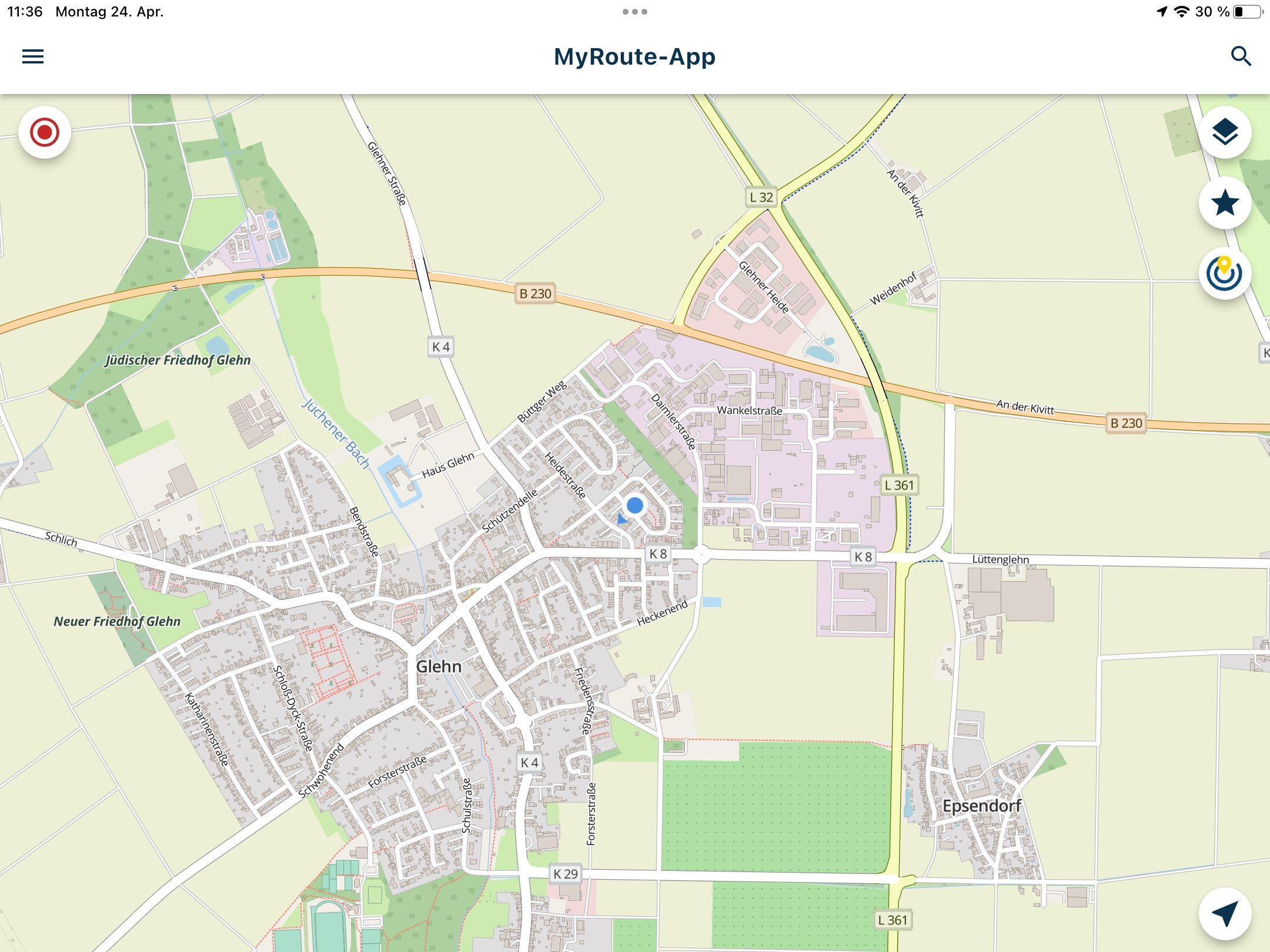
But routing does not work on my iPad (Ver. 7, iOS 16.3)When I start MRA Next, my position is seen.
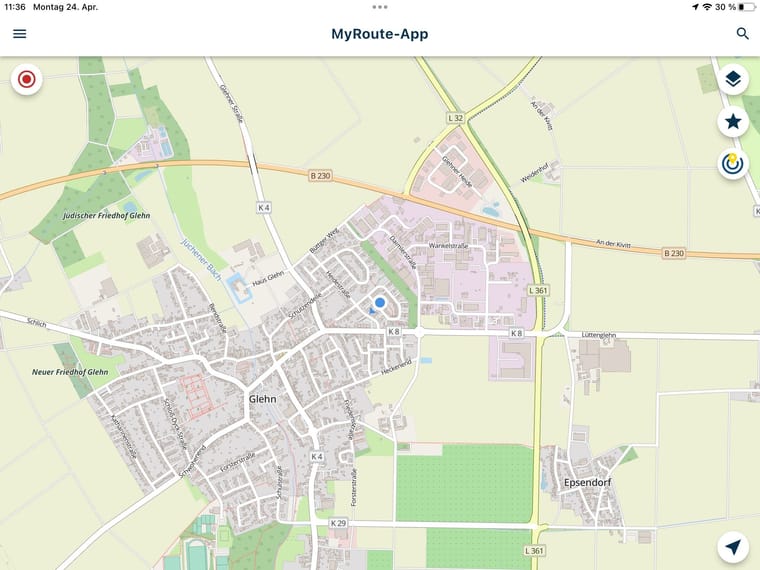
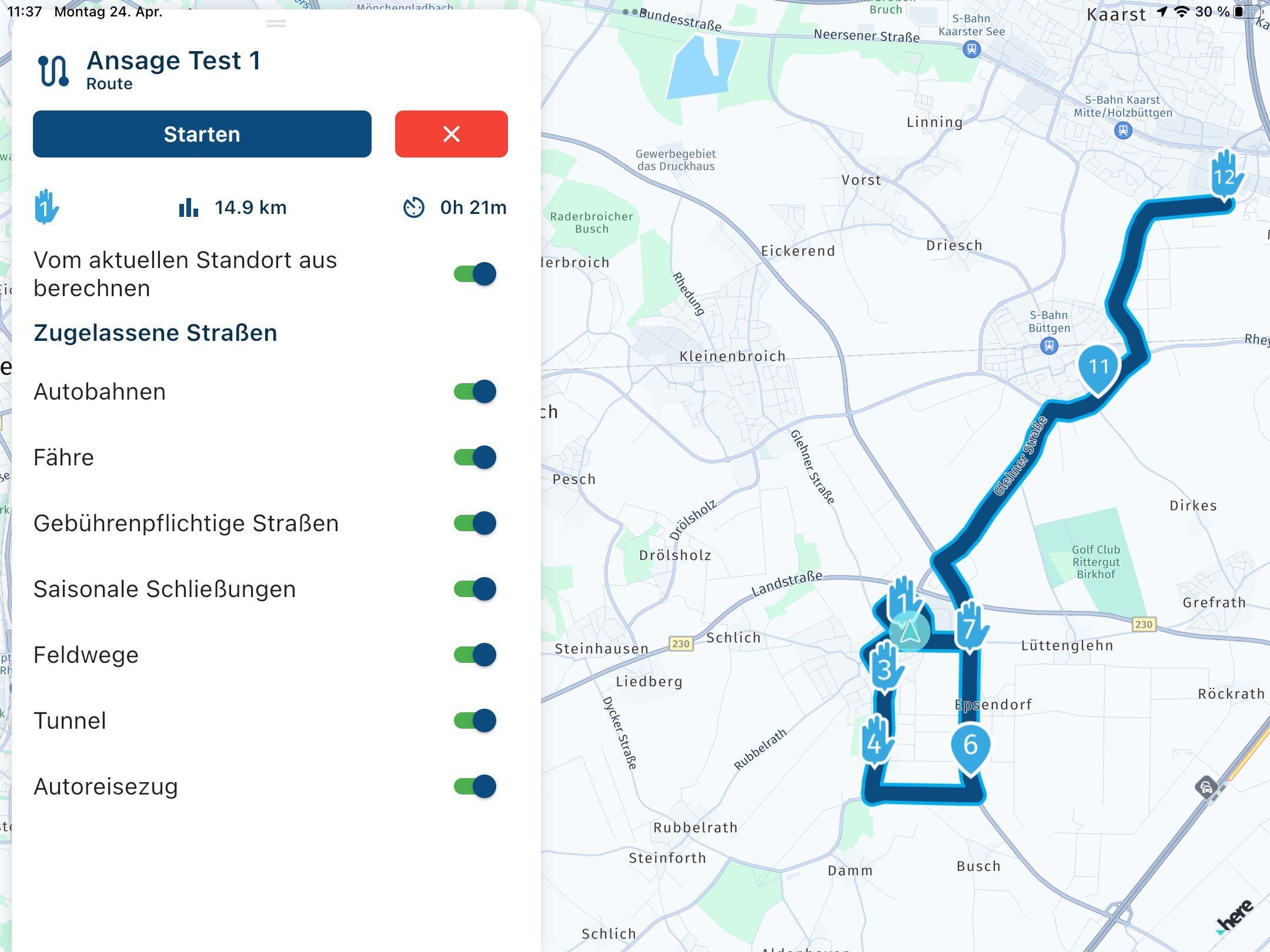
Then I select a route (test-route).
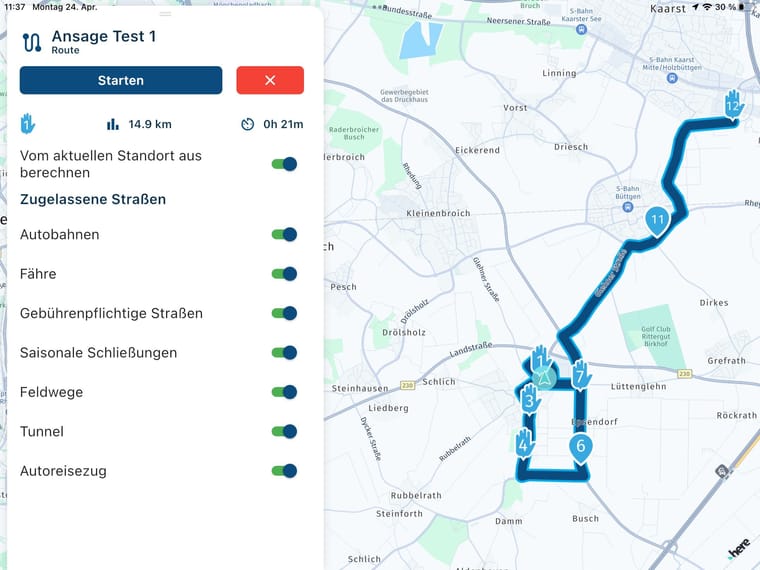
Current position is still seen.
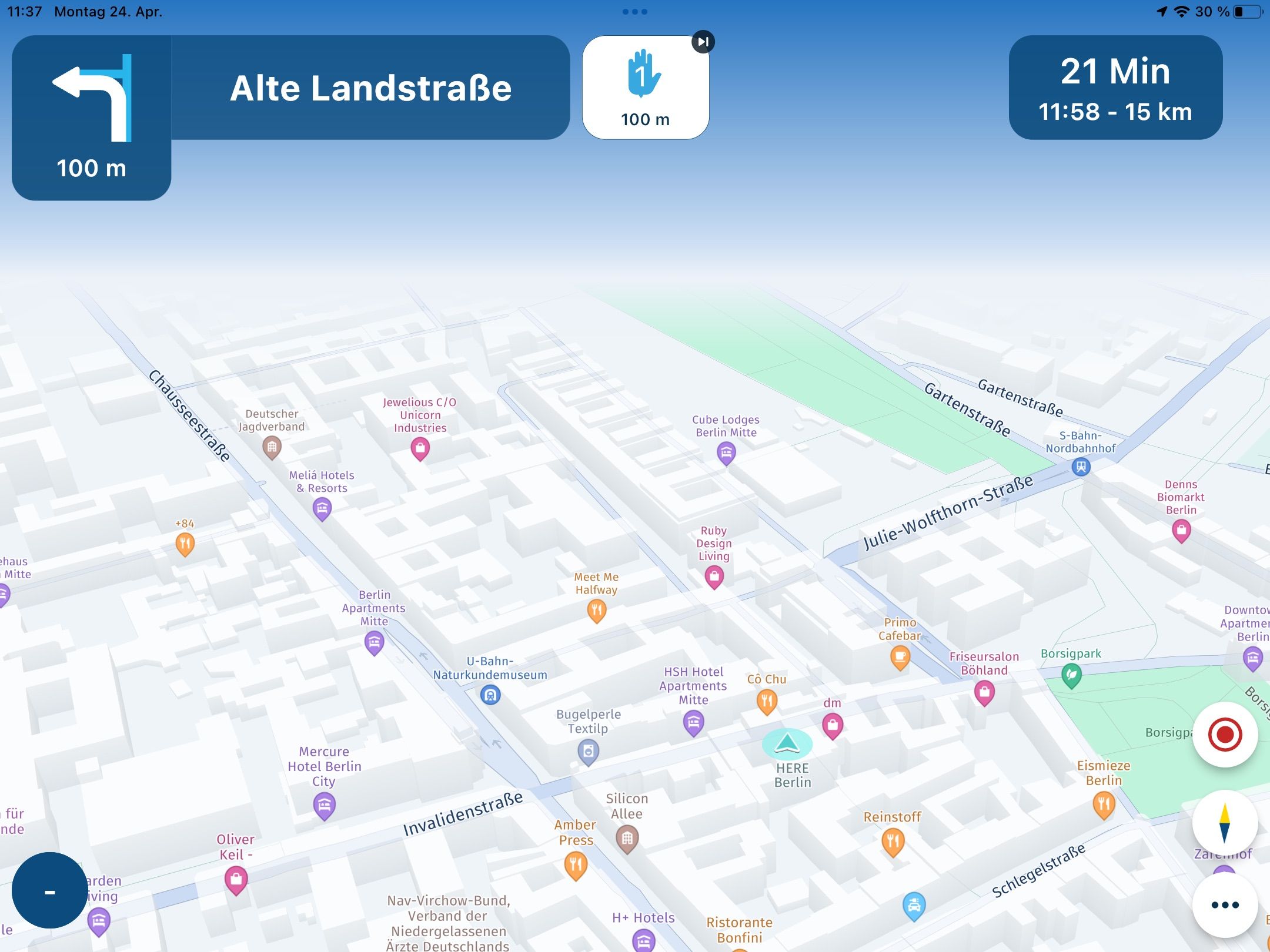
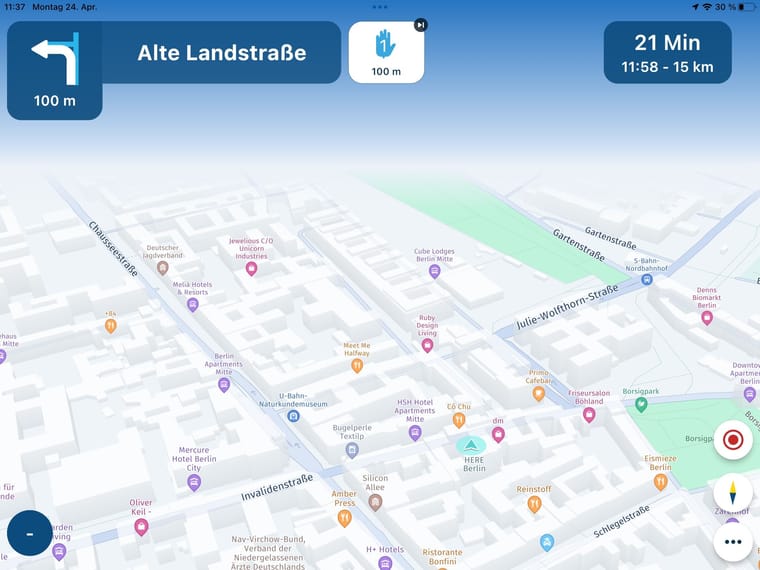
And when I start navigation, then I suddenly find myself in Berlin.
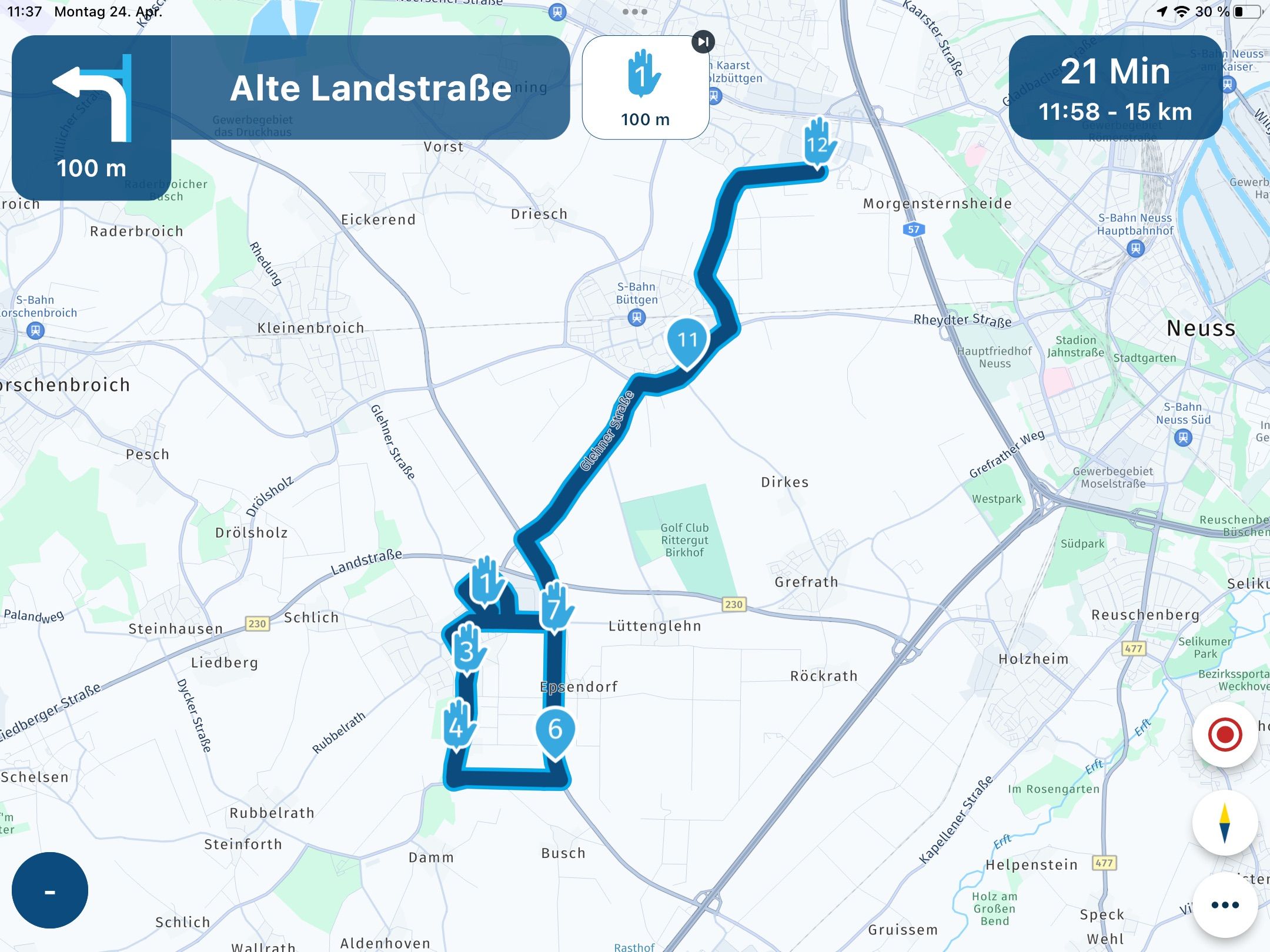
When I click on Route overview, the arrow on current position is gone.
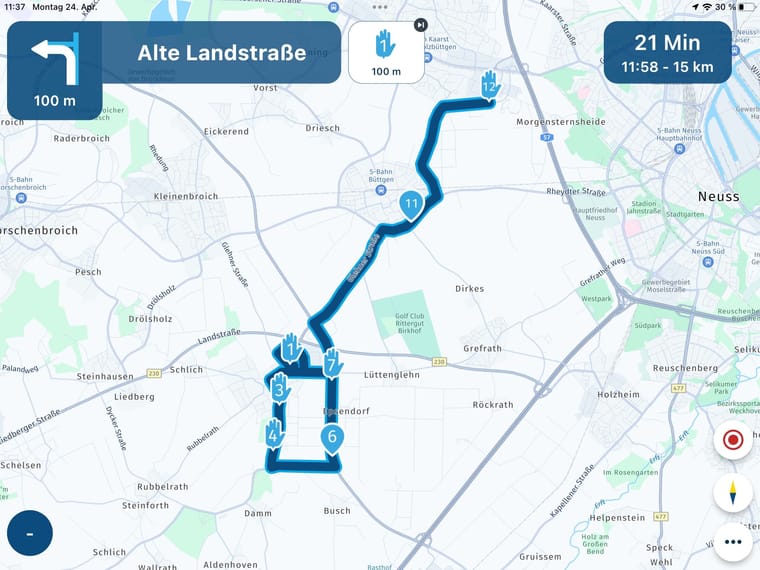
Looks like GPS position is lost after start.
Hardware
iPhone 12 pro (iOS 26.2.1)
iPad (7.Gen.) 18.7.3
Oukitel RT3 Pro (Andr. 14)
Wireless CarPlay mit (Elebest C650)
Wired CarPlay (SEAT Arona - 2021)
MRA Workshops in Deutsch sind hier zu finden -
Hi,
I tried the routing on an iPad (actually to show the smal arrow).
But routing does not work on my iPad (Ver. 7, iOS 16.3)When I start MRA Next, my position is seen.
Then I select a route (test-route).
Current position is still seen.
And when I start navigation, then I suddenly find myself in Berlin.When I click on Route overview, the arrow on current position is gone.
Looks like GPS position is lost after start.

@Jörgen I had exactly the same problem earlier today.
I then move outside and the problem was gone. -
I will try.
I thought I had a GPS signal, because the phone works in the same place, no message about missing signal appears on the screen and I see my current position when I start. -
No, outside is the same.
Other routing apps are working inside as well.
-

Thanks, we’ll have a look
-
Jörgen referenced this topic on
Hello! It looks like you're interested in this conversation, but you don't have an account yet.
Getting fed up of having to scroll through the same posts each visit? When you register for an account, you'll always come back to exactly where you were before, and choose to be notified of new replies (either via email, or push notification). You'll also be able to save bookmarks and upvote posts to show your appreciation to other community members.
With your input, this post could be even better 💗
Register Login-
 01222
01222
-
0817
-
 0724
0724
-
 1516
1516
-
 0525
0525
-
0482
-
 0421
0421
-
 24119
24119




