Warning of errors in calculation
-

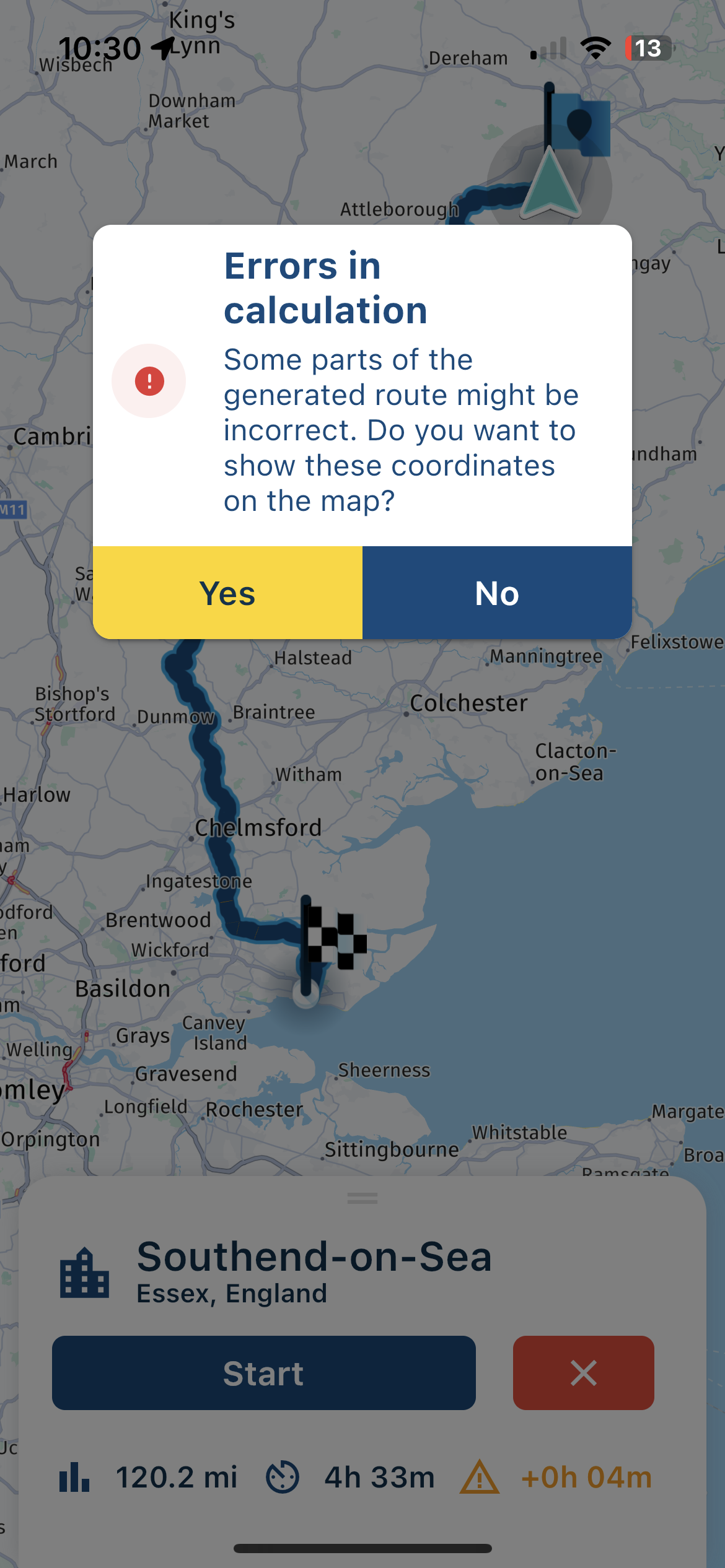
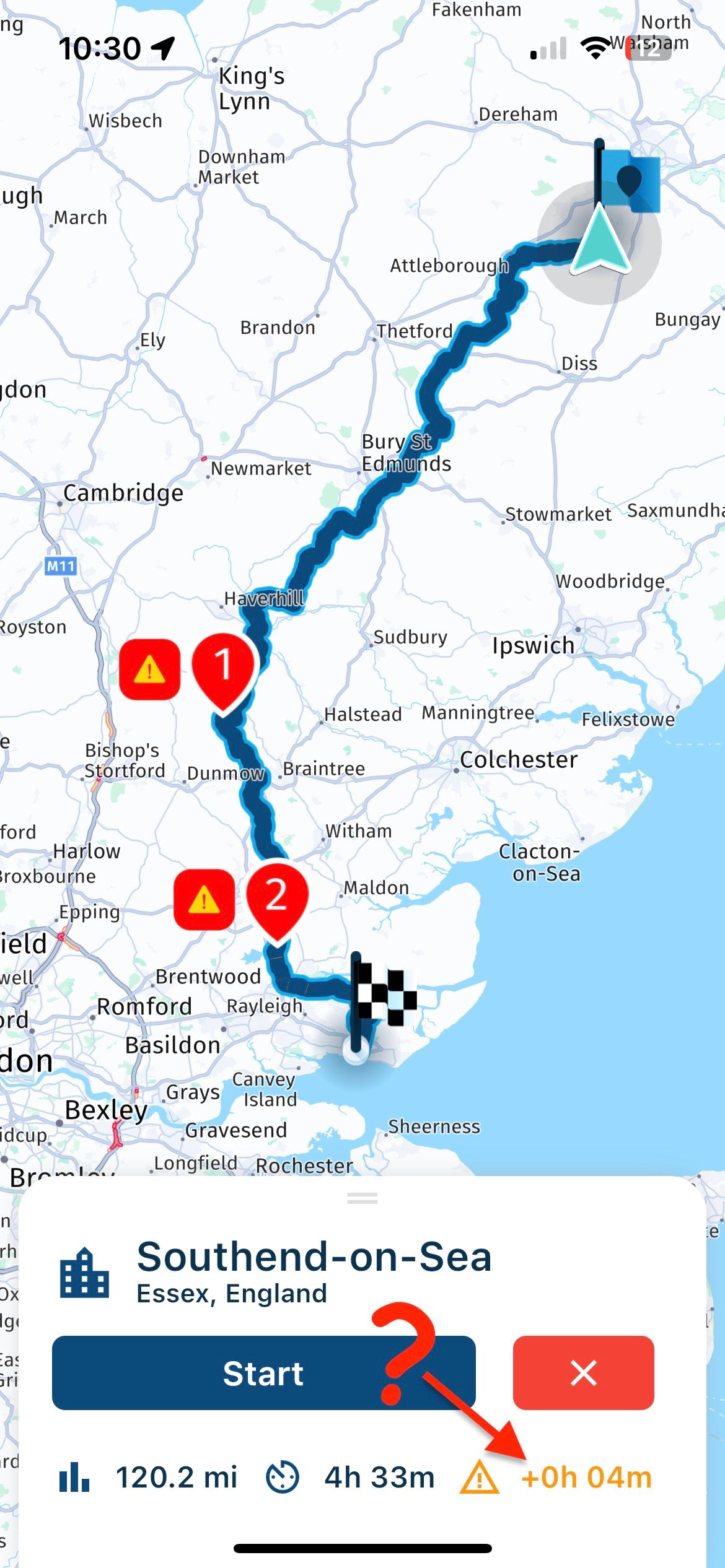
When planning an ‘A to B’ route I often receive a warning of errors in the calculation. These errors are numbered on the route and highlighted with exclamation marks, however there is no further detail of what the problem is, or what to do about it - see attached screenshots. The highlighted areas don’t appear to be associated with congestion, roadworks or closures. Can I still navigate the route? There is also an orange time notification, which I have highlighted, again no explanation of what this means. Interestingly these error notifications only seem to occur with ‘A to B’ routes, not when navigating a pre-planned route with waypoints.
Can anyone shed light on this mystery?
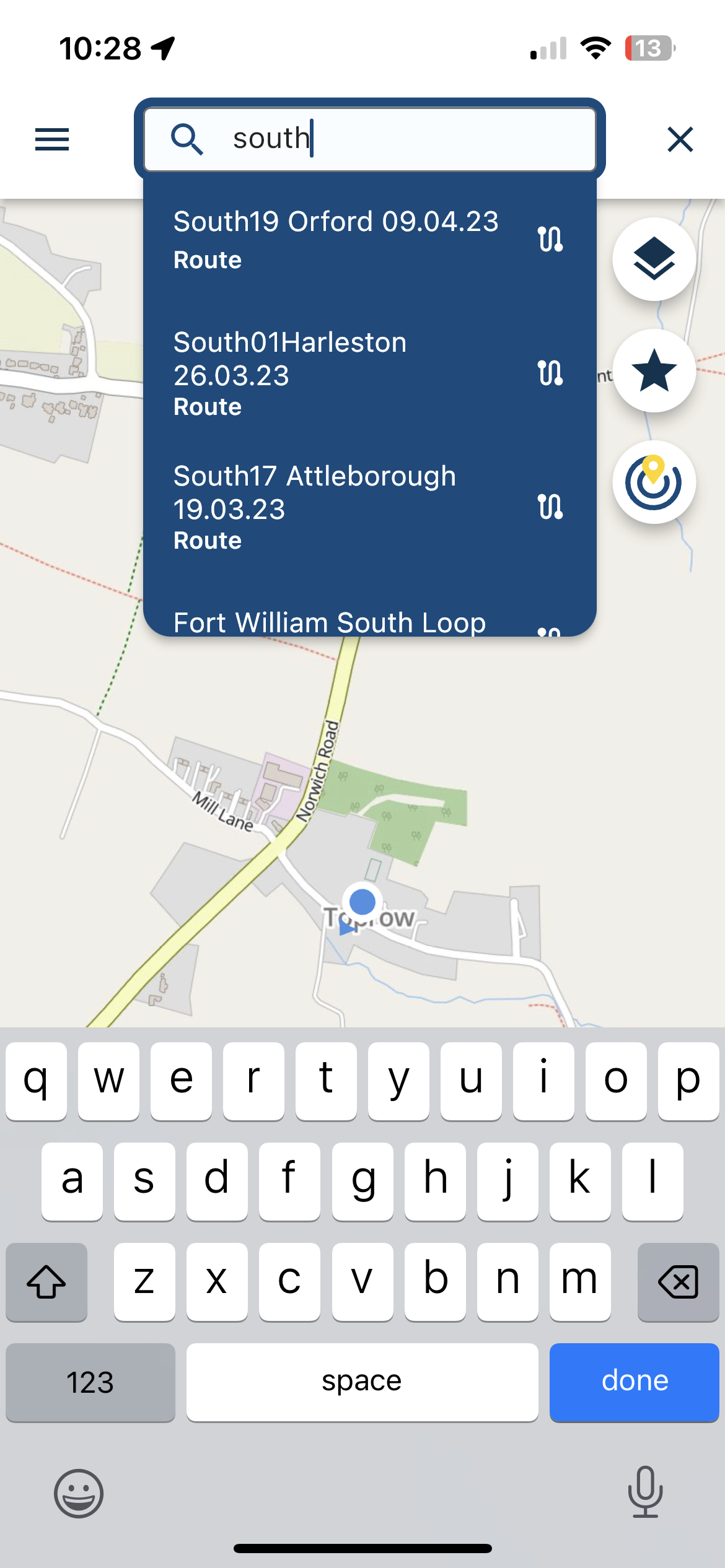
On a related point, I have noticed that searching for a destination will also flag up my saved routes, if as in the case of the attached screenshot, the name of the destination is included in the route title. I was searching for 'Southend'. Not a big problem, but I do not think this is necessary or a benefit - if wanted a route I would go to that screen of the app.
-
When planning an ‘A to B’ route I often receive a warning of errors in the calculation. These errors are numbered on the route and highlighted with exclamation marks, however there is no further detail of what the problem is, or what to do about it - see attached screenshots. The highlighted areas don’t appear to be associated with congestion, roadworks or closures. Can I still navigate the route? There is also an orange time notification, which I have highlighted, again no explanation of what this means. Interestingly these error notifications only seem to occur with ‘A to B’ routes, not when navigating a pre-planned route with waypoints.
Can anyone shed light on this mystery?
On a related point, I have noticed that searching for a destination will also flag up my saved routes, if as in the case of the attached screenshot, the name of the destination is included in the route title. I was searching for 'Southend'. Not a big problem, but I do not think this is necessary or a benefit - if wanted a route I would go to that screen of the app.
Personally I ignore the warnings.
They have never had an impact on a Route-Track for me. -
When planning an ‘A to B’ route I often receive a warning of errors in the calculation. These errors are numbered on the route and highlighted with exclamation marks, however there is no further detail of what the problem is, or what to do about it - see attached screenshots. The highlighted areas don’t appear to be associated with congestion, roadworks or closures. Can I still navigate the route? There is also an orange time notification, which I have highlighted, again no explanation of what this means. Interestingly these error notifications only seem to occur with ‘A to B’ routes, not when navigating a pre-planned route with waypoints.
Can anyone shed light on this mystery?
On a related point, I have noticed that searching for a destination will also flag up my saved routes, if as in the case of the attached screenshot, the name of the destination is included in the route title. I was searching for 'Southend'. Not a big problem, but I do not think this is necessary or a benefit - if wanted a route I would go to that screen of the app.

@David-Bonner thanks for the feedback!
Regarding the errors in calculation, they just hint at locations where something might be wrong. Think about differences in mal data between OSM and HERE (as routes are generated with OSM). Also road closures, 180 degree turns etc might be a location with an error. There is nothing you can do about the errors (at this stage), they simply inform you. Ignoring them is a great idea as @Steve-Lynch said.
The search functionality will be improved in a later stage!

-
Corjan Meijerink referenced this topic on
Hello! It looks like you're interested in this conversation, but you don't have an account yet.
Getting fed up of having to scroll through the same posts each visit? When you register for an account, you'll always come back to exactly where you were before, and choose to be notified of new replies (either via email, or push notification). You'll also be able to save bookmarks and upvote posts to show your appreciation to other community members.
With your input, this post could be even better 💗
Register Login-
 034212
-
 2241365
-
01153
-
0850
-
 1866
1866
-
 015208
-
2643
-
 722288