Skip to content
  • Categories
  • Recent
  • Popular
  • Support
  • MyRoute-app
Collapse
Brand Logo

MRA Community Forum

  1. Home
  2. General Discussion
  3. Sygic works with GPX import again

Sygic works with GPX import again

Scheduled Pinned Locked Moved General Discussion
11 Posts 7 Posters 8.5k Views 3 Watching
  • Oldest to Newest
  • Newest to Oldest
  • Most Votes
Reply
  • Reply as topic
Log in to reply
This topic has been deleted. Only users with topic management privileges can see it.
  • Reinhard-32undefined Reinhard-32

    Re: Sygic Connectivity Issue
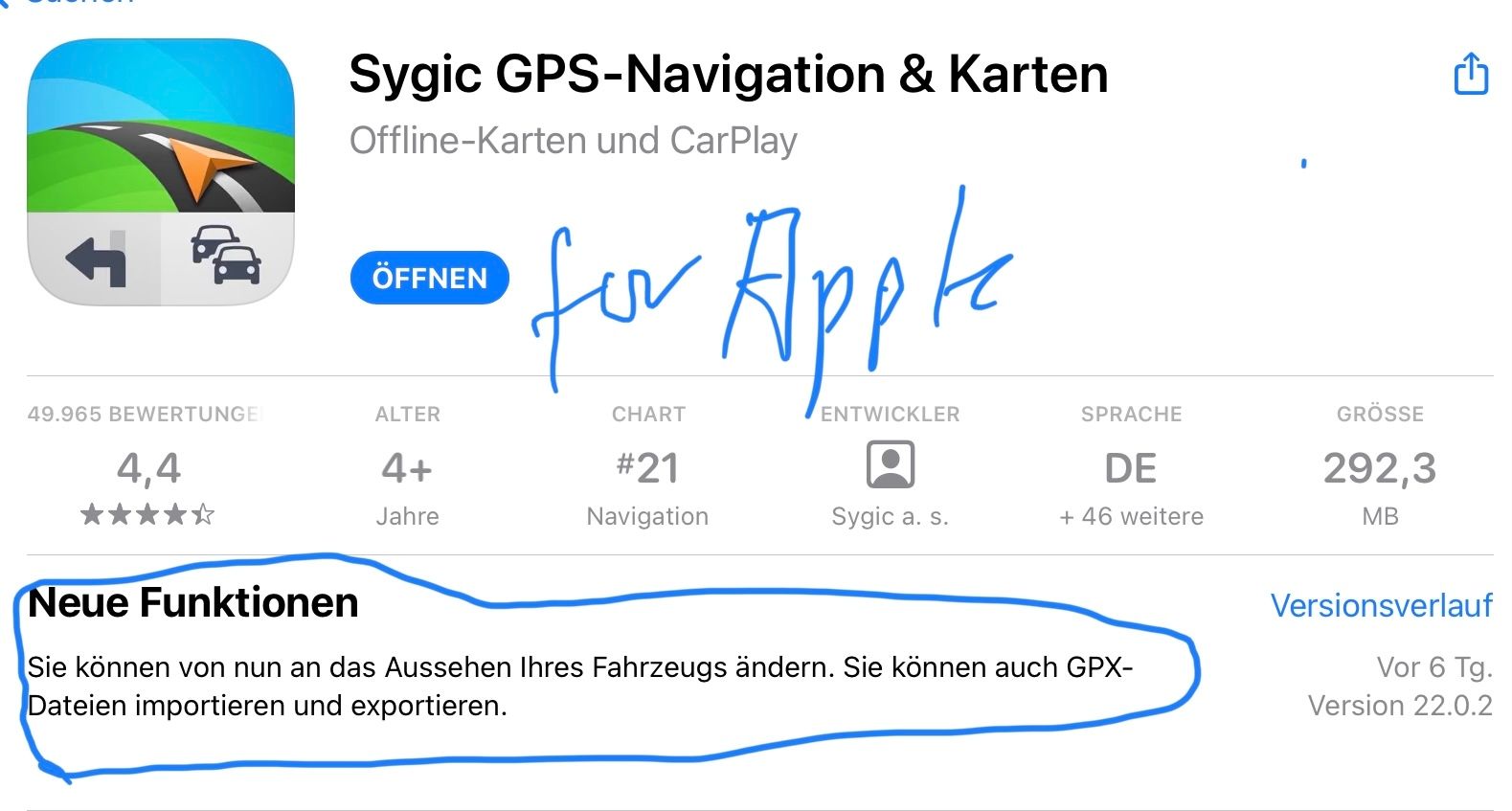
    With the last update sygic added the option for route import in the gpx format. On my IPad I exported a route in gpx 1.1 format and shared the route to sygic.
    BE66431B-F308-4DD8-8BB1-911CC65C7C40.jpeg

    Hans van de Ven MR.MRAundefined Offline
    Hans van de Ven MR.MRAundefined Offline
    Hans van de Ven MR.MRA
    Valued contributor
    wrote on last edited by
    #2

    @reinhard-32

    Thanks @Reinhard-32

    Garmin Zumo XT3/XT2/XT/BMW Connected Ride Navigator/MyRouteapp (The App)/...
    Een dag niet gelachen is een dag niet geleefd / Een route is net zo goed als deze uitgezet is.

    1 Reply Last reply
    0
    • Patrick Bijnsdorpundefined Offline
      Patrick Bijnsdorpundefined Offline
      Patrick Bijnsdorp
      wrote on last edited by
      #3

      How did you import the file into Sygic if you don’t mind me asking.

      Reinhard-32undefined 1 Reply Last reply
      0
      • Patrick Bijnsdorpundefined Patrick Bijnsdorp

        How did you import the file into Sygic if you don’t mind me asking.

        Reinhard-32undefined Offline
        Reinhard-32undefined Offline
        Reinhard-32
        wrote on last edited by Reinhard-32
        #4

        @patrick-bijnsdorp

        Steps at my IPhone / I PAD

        1. Within MRA safe your route as gpx 1.1 file on your phone.
        2. Navigate with your file manager to this file in the download folder on your phone.
        3. Klick the file and send/share it to sygic.
        4. Sygic will start and shows the route.

        Kindly regards
        Reinhard

        Montana 700i and Mac

        Con Hennekensundefined Patrick Bijnsdorpundefined Herko ter Horstundefined Mopetenpitundefined 4 Replies Last reply
        0
        • Reinhard-32undefined Reinhard-32

          @patrick-bijnsdorp

          Steps at my IPhone / I PAD

          1. Within MRA safe your route as gpx 1.1 file on your phone.
          2. Navigate with your file manager to this file in the download folder on your phone.
          3. Klick the file and send/share it to sygic.
          4. Sygic will start and shows the route.
          Con Hennekensundefined Offline
          Con Hennekensundefined Offline
          Con Hennekens
          Alpha tester
          wrote on last edited by
          #5

          I was ready to say it works for Android also. But it doesn't. No matter in what format I save the gpx, after opening it Sygic it calculates the fastest way from startpoint to endoint, and no shaping points are visible.

          I am just an enthusiastic MRA user, and hope you will be one too!

          Most motorcycle problems are caused by the nut that connects the handlebar to the saddle.

          Check out RideSleepRepeat.eu, a biker community for sharing stays across Europe

          1 Reply Last reply
          0
          • Reinhard-32undefined Reinhard-32

            @patrick-bijnsdorp

            Steps at my IPhone / I PAD

            1. Within MRA safe your route as gpx 1.1 file on your phone.
            2. Navigate with your file manager to this file in the download folder on your phone.
            3. Klick the file and send/share it to sygic.
            4. Sygic will start and shows the route.
            Patrick Bijnsdorpundefined Offline
            Patrick Bijnsdorpundefined Offline
            Patrick Bijnsdorp
            wrote on last edited by
            #6

            @reinhard-32 thnx! It does work really easy.

            1 Reply Last reply
            0
            • Reinhard-32undefined Reinhard-32

              @patrick-bijnsdorp

              Steps at my IPhone / I PAD

              1. Within MRA safe your route as gpx 1.1 file on your phone.
              2. Navigate with your file manager to this file in the download folder on your phone.
              3. Klick the file and send/share it to sygic.
              4. Sygic will start and shows the route.
              Herko ter Horstundefined Offline
              Herko ter Horstundefined Offline
              Herko ter Horst
              wrote on last edited by Herko ter Horst
              #7

              @reinhard-32 said in Sygic works with GPX import again:

              @patrick-bijnsdorp

              Steps at my IPhone / I PAD

              1. Within MRA safe your route as gpx 1.1 file on your phone.
              2. Navigate with your file manager to this file in the download folder on your phone.
              3. Klick the file and send/share it to sygic.
              4. Sygic will start and shows the route.

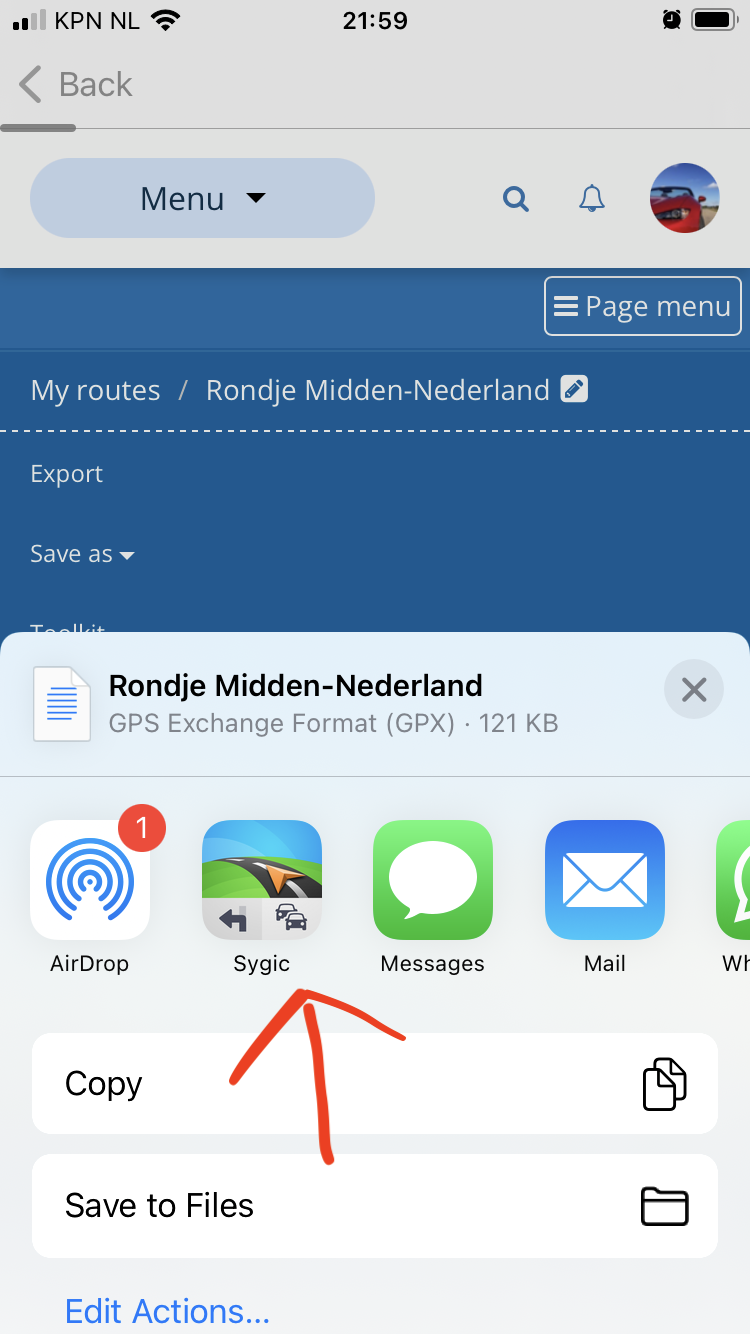
              Step 2 and 3 are not needed. When saving the route as GPX 1.1, you can select Sygic directly, instead of saving to a file/download folder.
              IMG_1469.PNG

              1 Reply Last reply
              0
              • Reinhard-32undefined Reinhard-32

                @patrick-bijnsdorp

                Steps at my IPhone / I PAD

                1. Within MRA safe your route as gpx 1.1 file on your phone.
                2. Navigate with your file manager to this file in the download folder on your phone.
                3. Klick the file and send/share it to sygic.
                4. Sygic will start and shows the route.
                Mopetenpitundefined Offline
                Mopetenpitundefined Offline
                Mopetenpit
                wrote on last edited by
                #8

                @reinhard-32
                When I do the import on my iPhone (current version), I only get the start and end points on Sygic - i.e. one track. Can I also "have" the route points? Or is the premium version necessary for this?

                Peter

                Reinhard-32undefined 1 Reply Last reply
                0
                • Mopetenpitundefined Mopetenpit

                  @reinhard-32
                  When I do the import on my iPhone (current version), I only get the start and end points on Sygic - i.e. one track. Can I also "have" the route points? Or is the premium version necessary for this?

                  Peter

                  Reinhard-32undefined Offline
                  Reinhard-32undefined Offline
                  Reinhard-32
                  wrote on last edited by Reinhard-32
                  #9

                  @mopetenpit The same here. I have made a test. I send a Roundtrip with at least 40 waypoints in different gpx formats from MRA to Sygic. As a result the routes in Sygic was completely visible but contained only 2 waypoints, the first and the last waypoint and nothing between. When you export this route from Sygic and import this in MRA I found a little route between the first an the last point.
                  I use Sygic for testing and not on a regular basis.

                  Kindly regards
                  Reinhard

                  Montana 700i and Mac

                  Mopetenpitundefined 1 Reply Last reply
                  0
                  • Reinhard-32undefined Reinhard-32

                    @mopetenpit The same here. I have made a test. I send a Roundtrip with at least 40 waypoints in different gpx formats from MRA to Sygic. As a result the routes in Sygic was completely visible but contained only 2 waypoints, the first and the last waypoint and nothing between. When you export this route from Sygic and import this in MRA I found a little route between the first an the last point.
                    I use Sygic for testing and not on a regular basis.

                    Mopetenpitundefined Offline
                    Mopetenpitundefined Offline
                    Mopetenpit
                    wrote on last edited by
                    #10

                    @reinhard-32
                    Danke!

                    1 Reply Last reply
                    0
                    • Massimo qundefined Offline
                      Massimo qundefined Offline
                      Massimo q
                      wrote on last edited by
                      #11

                      I too have tried in every way to import a route created with MRA into Sygic. The GPX 1.1 file opened in Sygic contains only the starting and ending point, without waypoints, and is completely useless. The only way to create a route and import it into Sygic now seems to be using the web application maps.sygic.com. If there is no solution I think I will delete Sygic from my iPhone 12

                      1 Reply Last reply
                      0

                      Hello! It looks like you're interested in this conversation, but you don't have an account yet.

                      Getting fed up of having to scroll through the same posts each visit? When you register for an account, you'll always come back to exactly where you were before, and choose to be notified of new replies (either via email, or push notification). You'll also be able to save bookmarks and upvote posts to show your appreciation to other community members.

                      With your input, this post could be even better 💗

                      Register Login
                      Reply
                      • Reply as topic
                      Log in to reply
                      • Oldest to Newest
                      • Newest to Oldest
                      • Most Votes


                      ACTIVE USERS
                      Con Hennekensundefined
                      Con Hennekens
                      Mopetenpitundefined
                      Mopetenpit
                      Hans van de Ven MR.MRAundefined
                      Hans van de Ven MR.MRA
                      Reinhard-32undefined
                      Reinhard-32
                      Herko ter Horstundefined
                      Herko ter Horst
                      Massimo qundefined
                      Massimo q
                      Patrick Bijnsdorpundefined
                      Patrick Bijnsdorp
                      POPULAR TOPICS
                      • Update 5.1 - CarPlay / Android Auto improvements and more!
                        Corjan Meijerinkundefined
                        Corjan Meijerink
                        18
                        74
                        3.8k

                      • Navigation stopped working during Tour
                        Thomas Neumeyerundefined
                        Thomas Neumeyer
                        1
                        44
                        3.2k

                      • 6 crashes
                        white.mouseundefined
                        white.mouse
                        0
                        8
                        199

                      • Favorite
                        Con Hennekensundefined
                        Con Hennekens
                        0
                        5
                        106

                      • iPhone wordt veel te heet tijdens navigeren
                        Rob Verhoeffundefined
                        Rob Verhoeff
                        1
                        5
                        163

                      • Apple Car Play
                        Ewout Dundefined
                        Ewout D
                        0
                        5
                        120

                      • What3words
                        Tony 13undefined
                        Tony 13
                        1
                        4
                        131

                      • Updated beta! 5.1 (462)
                        white.mouseundefined
                        white.mouse
                        10
                        6
                        193

                      MY GROUPS
                      • Login

                      • Login or register to search.
                      • First post
                        Last post
                      0
                      • Categories
                      • Recent
                      • Popular
                      • Support
                      • MyRoute-app