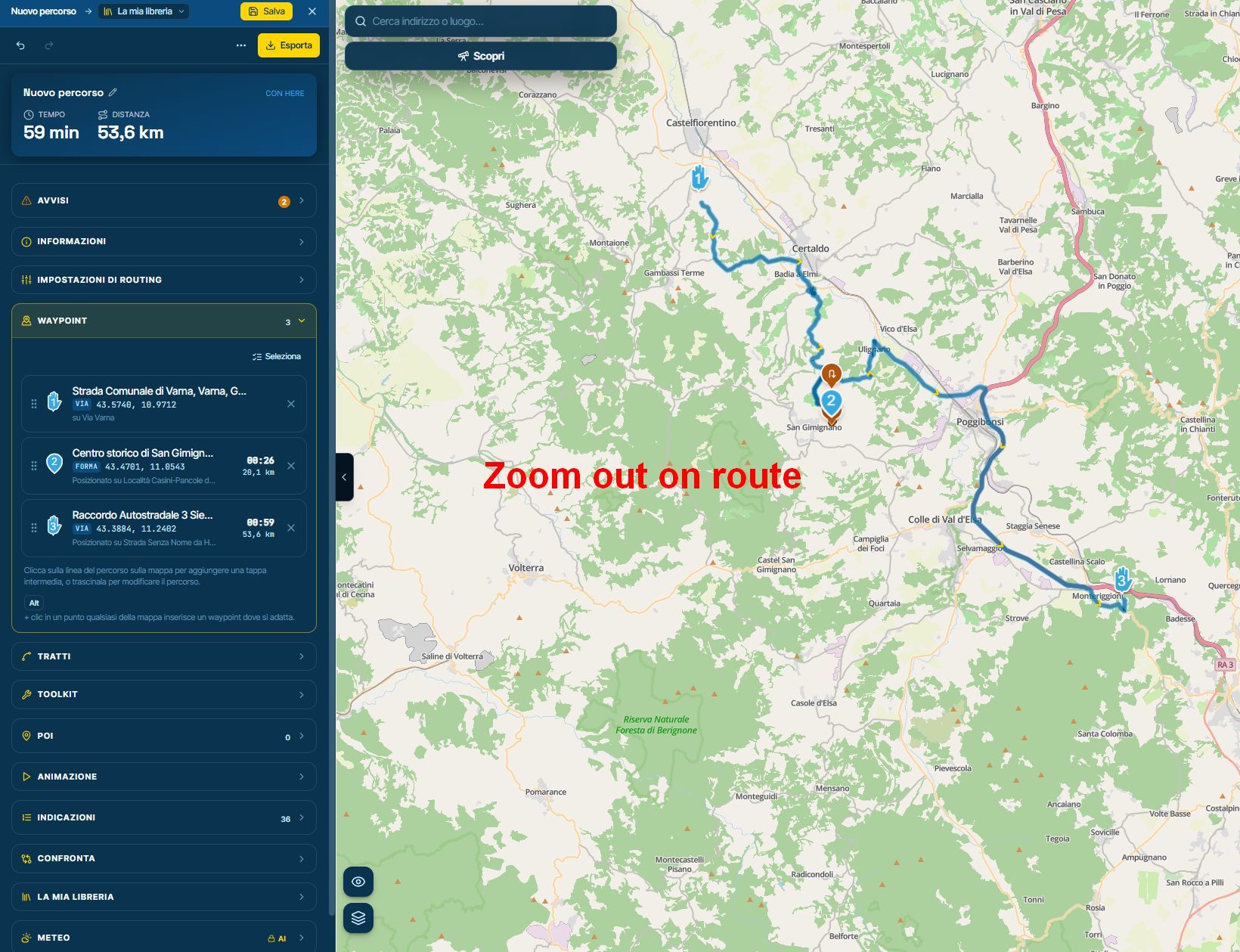
Frame the route "F" zoom out too much.
-
Hi,
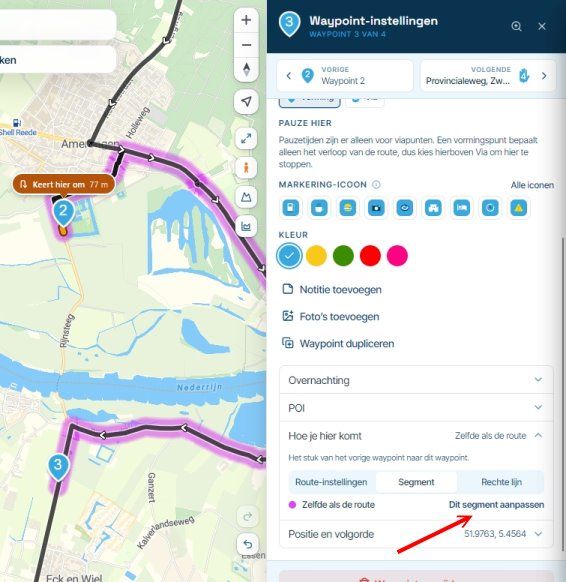
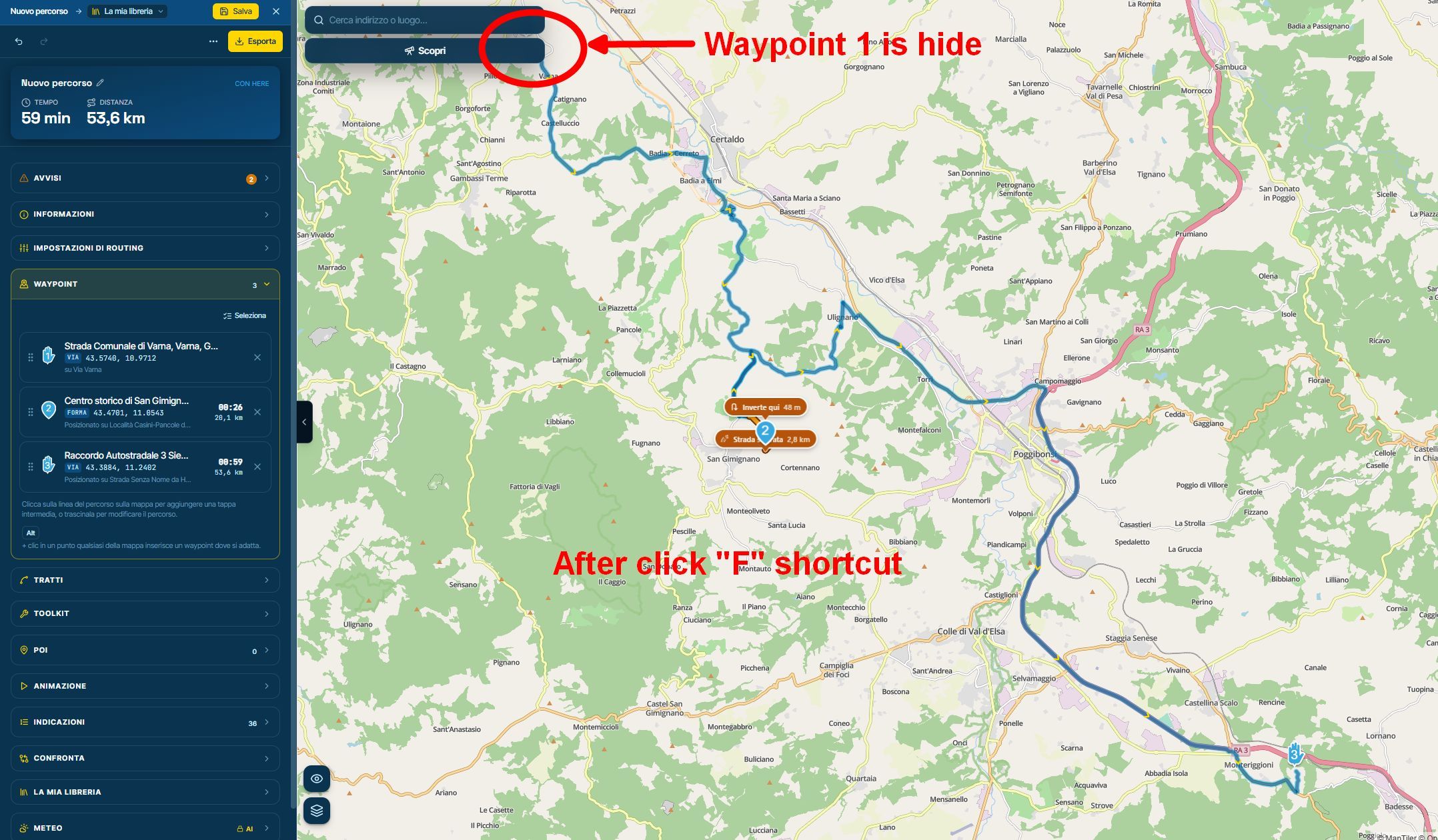
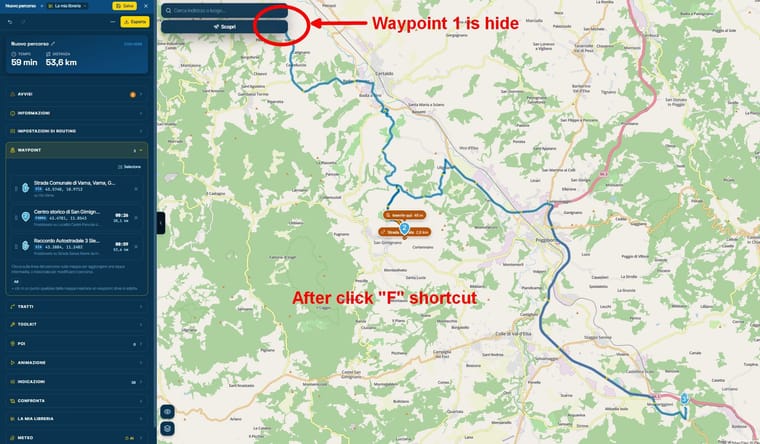
If I zoom in on a route and then want to view the entire route in full-screen mode ("F" shortcut), the "Search" and "Discover" bars end up covering a waypoint.
I propose 3 solutions:-
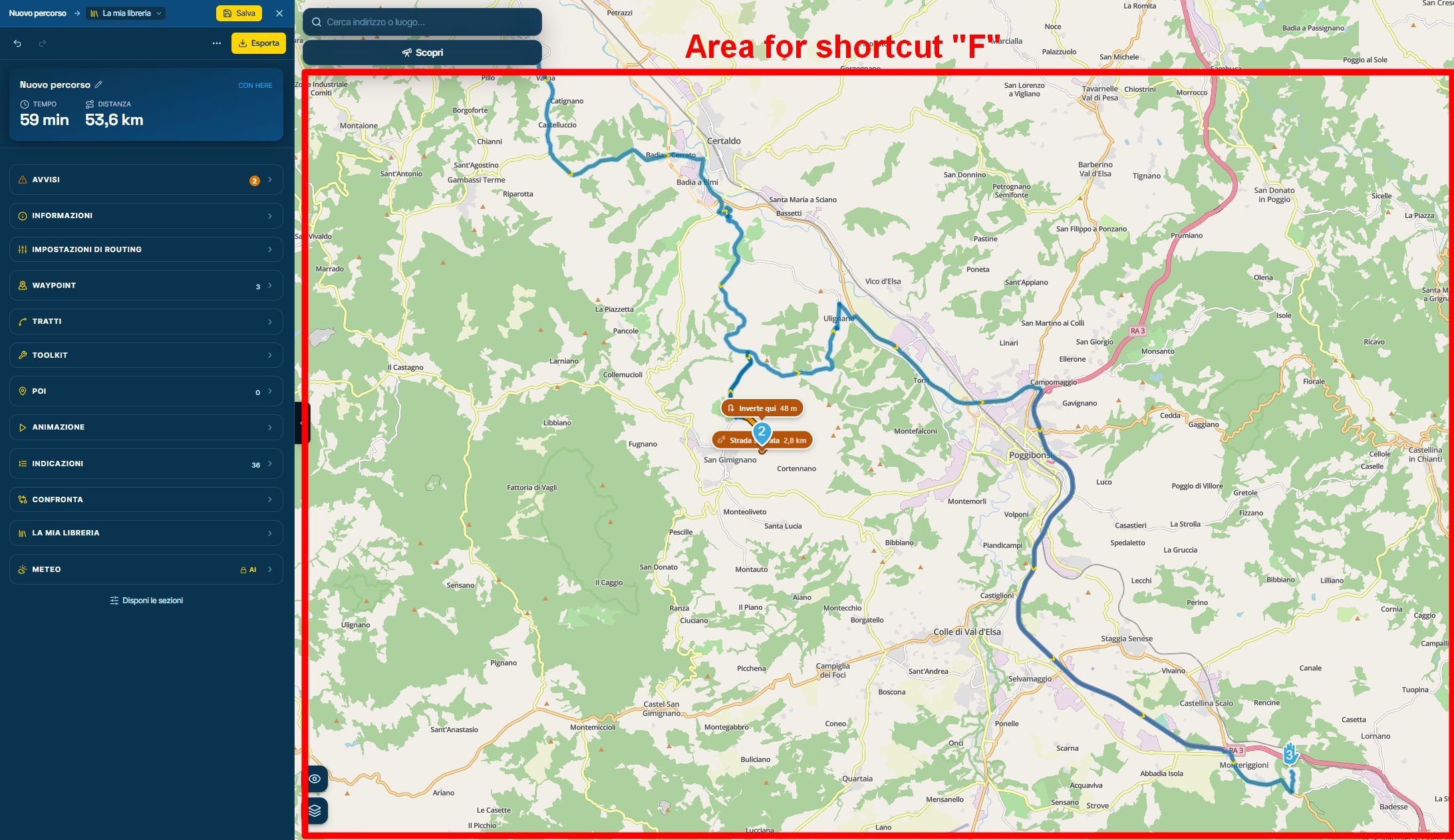
Reduce the width of the "Search" and "Discover" bars and adjust the "F" shortcut's view so that it excludes the vertical section of the map corresponding to the width of those bars.
-
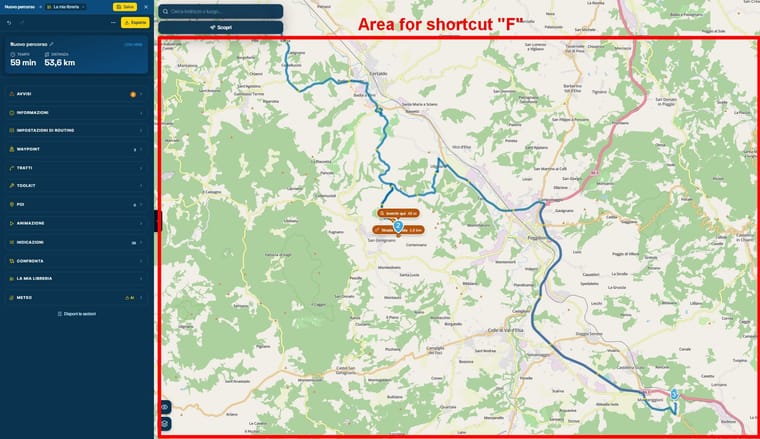
Configure the "F" shortcut so that it frames the route within the area on the map located below the "Search" and "Discover" bars.
-
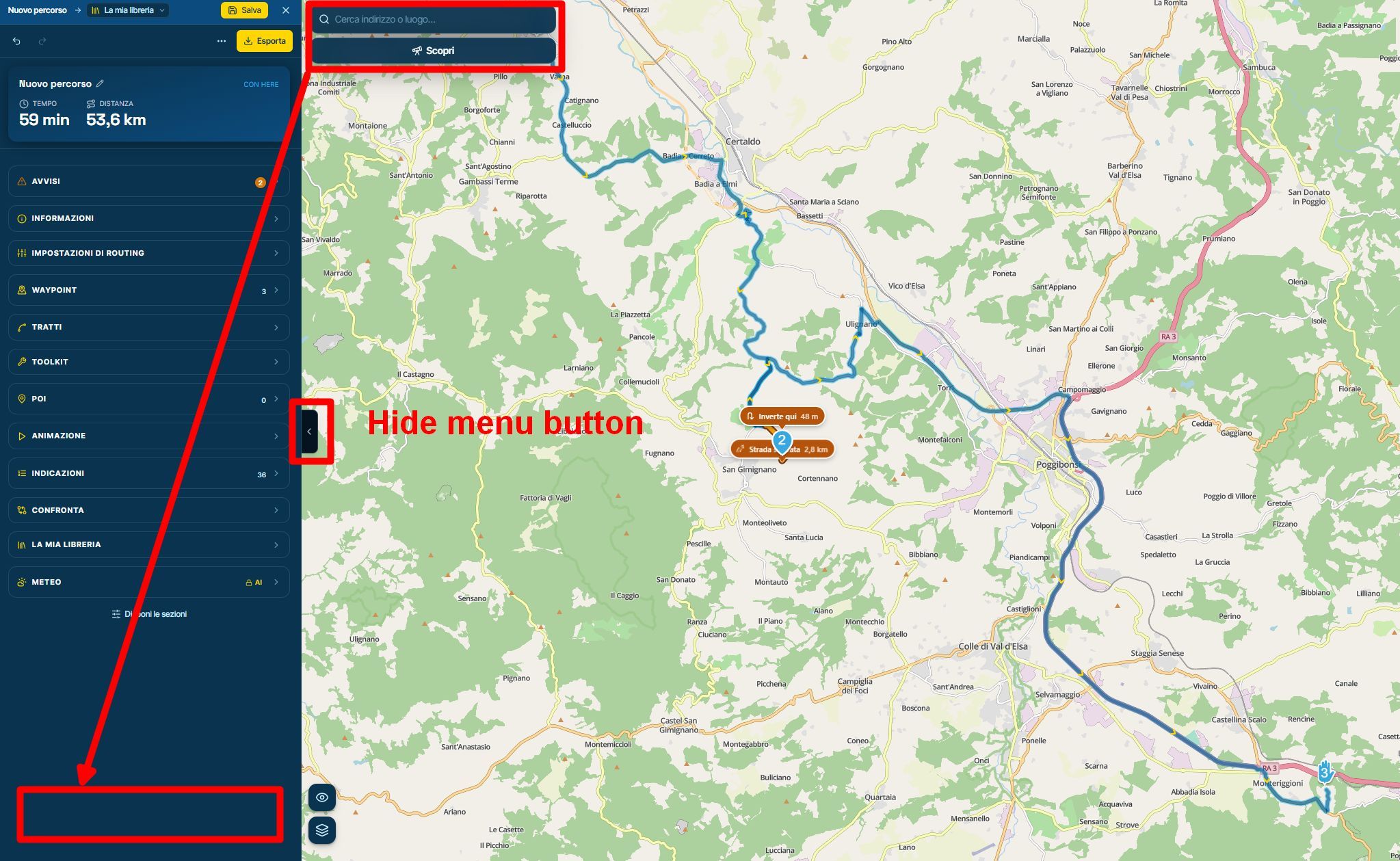
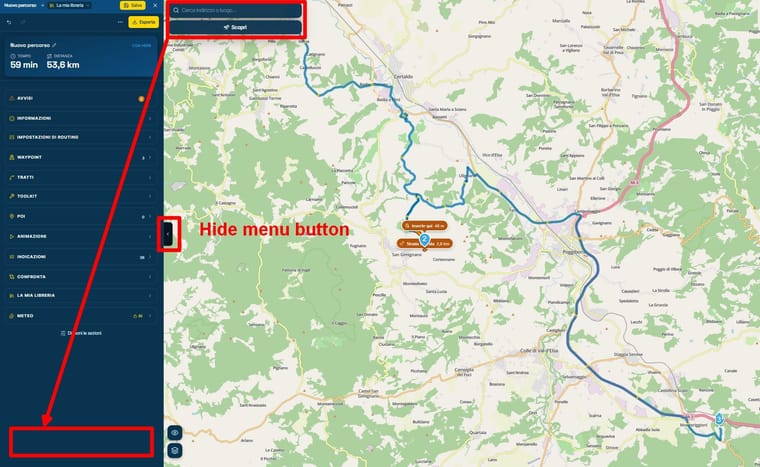
Move the "Search" and "Discover" bars into the route-planning menu, leaving the map completely clear and allowing them to be hidden along with the rest of the routing menu.
Thanks
-
Hello! It looks like you're interested in this conversation, but you don't have an account yet.
Getting fed up of having to scroll through the same posts each visit? When you register for an account, you'll always come back to exactly where you were before, and choose to be notified of new replies (either via email, or push notification). You'll also be able to save bookmarks and upvote posts to show your appreciation to other community members.
With your input, this post could be even better 💗
Register Login-
 1862
-
0787
-
 0632
-
 2513.2k
-
015423
-
 0313
-
 0328
-
 0338