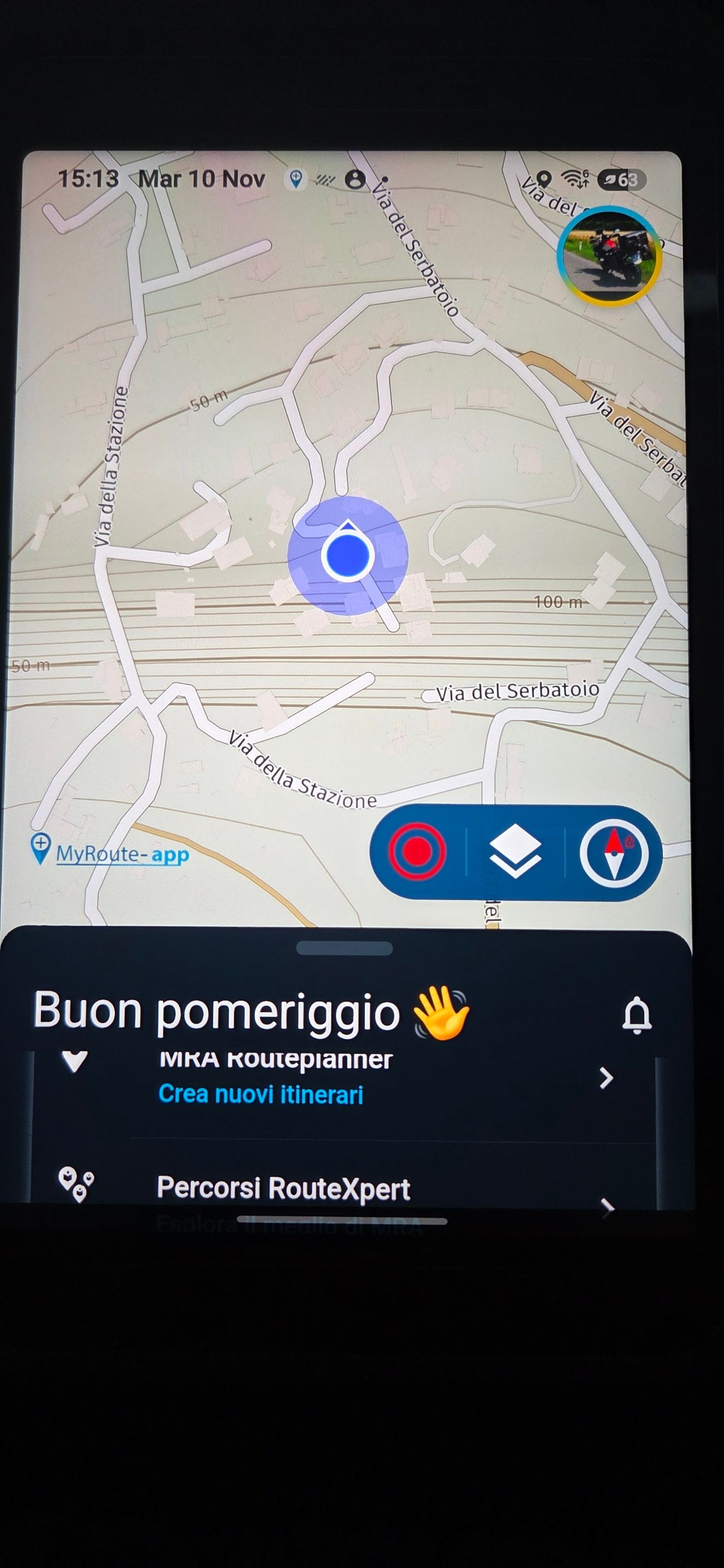
When I tap the compass, the map rotates and zooms in.
-

Hello,
In the Destination menu I noticed that when you tap the compass, the map is correctly reoriented with North at the top, but it also performs a very strong zoom-in.
On a tablet or mobile device it is quite common to rotate the map unintentionally. In those situations, the goal is usually just to restore the correct orientation, not to change the zoom level. As a result, after tapping the compass, it is necessary to manually adjust the map again to return to the previous zoom level.
In the attached example screenshots, I intentionally rotated the Europe map and then tapped the compass. The map immediately centered on my GPS position and zoomed in almost to the maximum level.
Is this intended behavior, or could the compass simply reset the map orientation while keeping the current zoom level unchanged?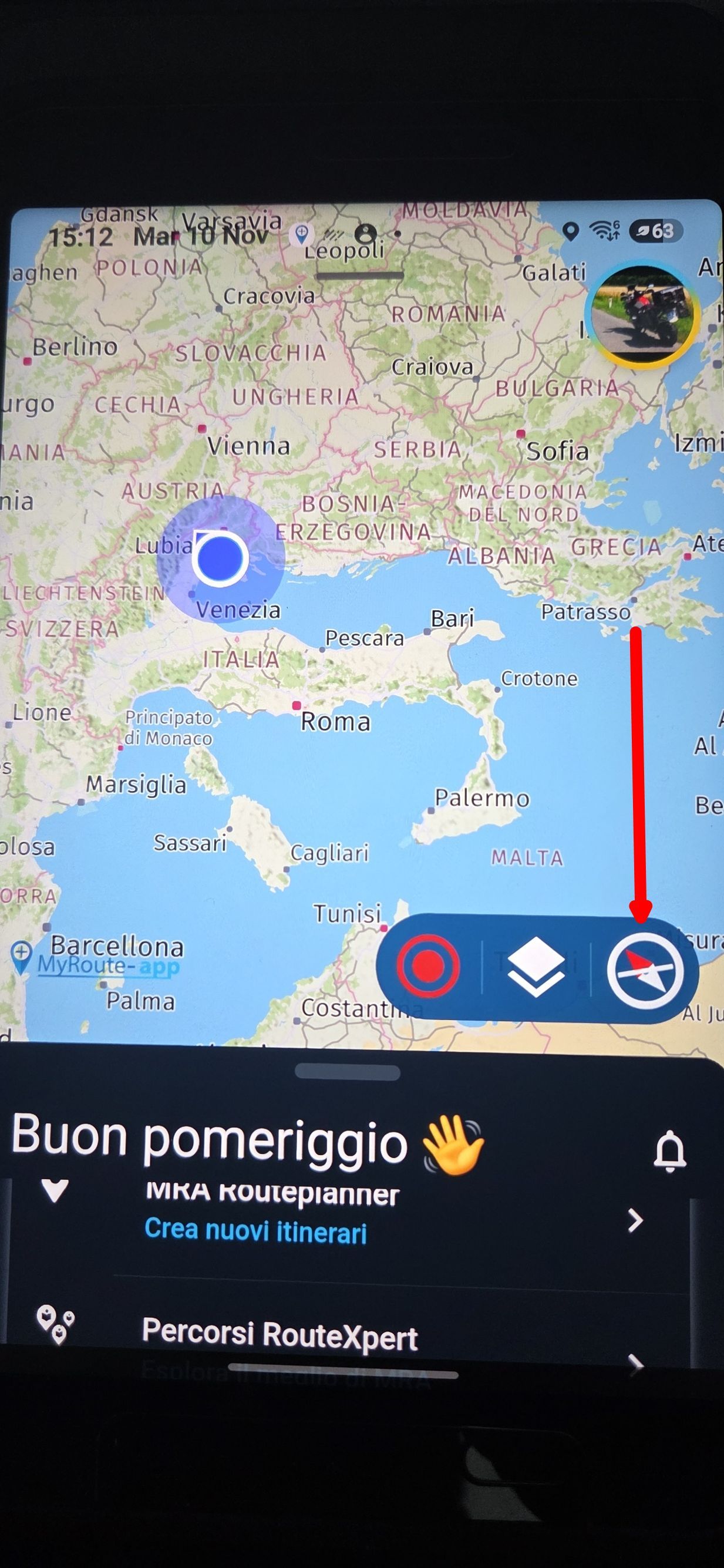
Thanks
-

Won't be changed

-
Corjan Meijerink locked this topic
Hello! It looks like you're interested in this conversation, but you don't have an account yet.
Getting fed up of having to scroll through the same posts each visit? When you register for an account, you'll always come back to exactly where you were before, and choose to be notified of new replies (either via email, or push notification). You'll also be able to save bookmarks and upvote posts to show your appreciation to other community members.
With your input, this post could be even better 💗
Register Login-
1416135
-
0752
-
 012249
-
018116
-
0535
-
 07144
-
 1443
-
0433