Skip to content
  • Categories
  • Recent
  • Popular
  • Support
  • MyRoute-app
Collapse
Brand Logo

MRA Community Forum

  1. Home
  2. [App-Beta] The MyRoute-app
  3. [App-Beta] Problems, Bugs and other Issues
  4. MRA 6.00 (515) - Voice Options with iPhone 18 Pro

MRA 6.00 (515) - Voice Options with iPhone 18 Pro

Scheduled Pinned Locked Moved [App-Beta] Problems, Bugs and other Issues
3 Posts 2 Posters 46 Views 2 Watching
  • Oldest to Newest
  • Newest to Oldest
  • Most Votes
Reply
  • Reply as topic
Log in to reply
This topic has been deleted. Only users with topic management privileges can see it.
  • Dave J 0
    Dave J 0
    Dave J 0
    Valued contributor
    wrote last edited by Dave J 0
    #1

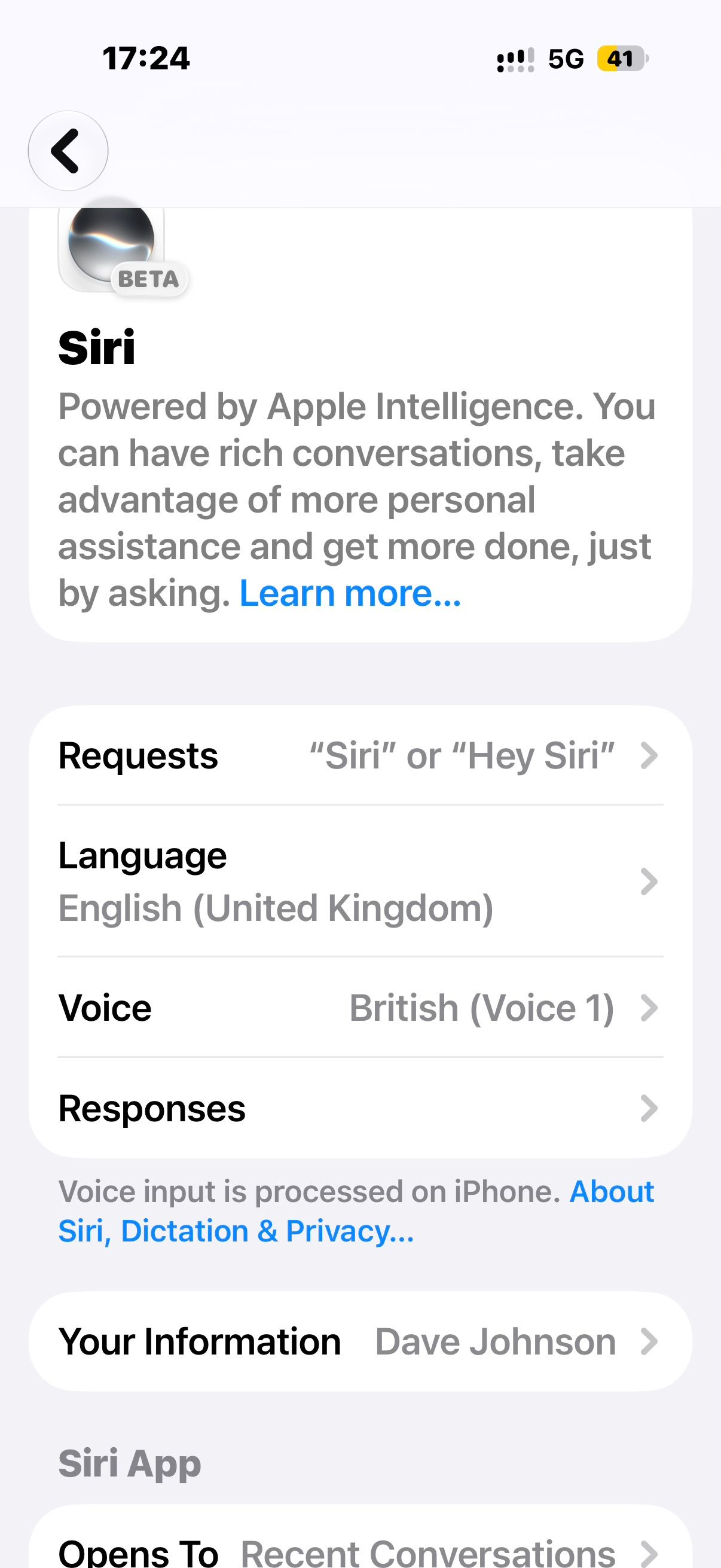
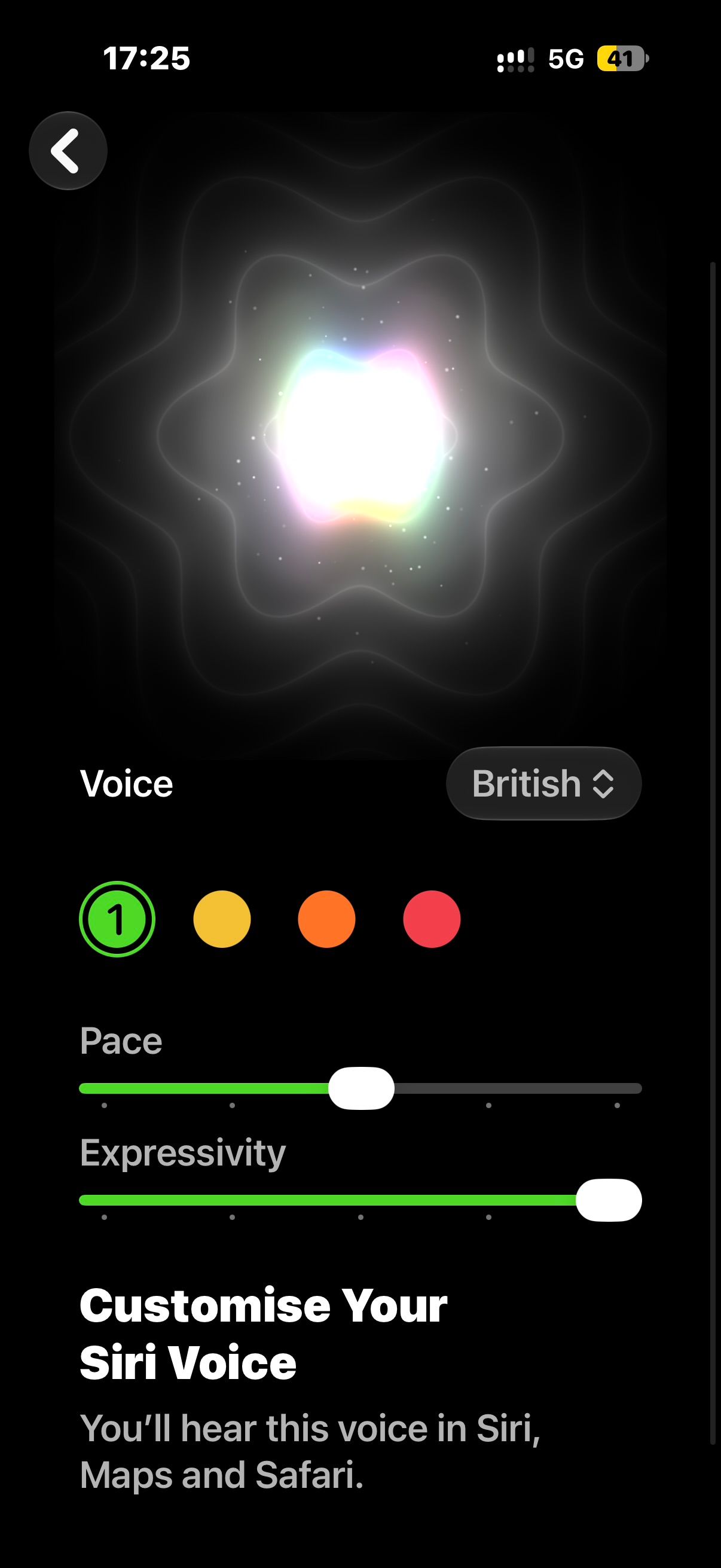
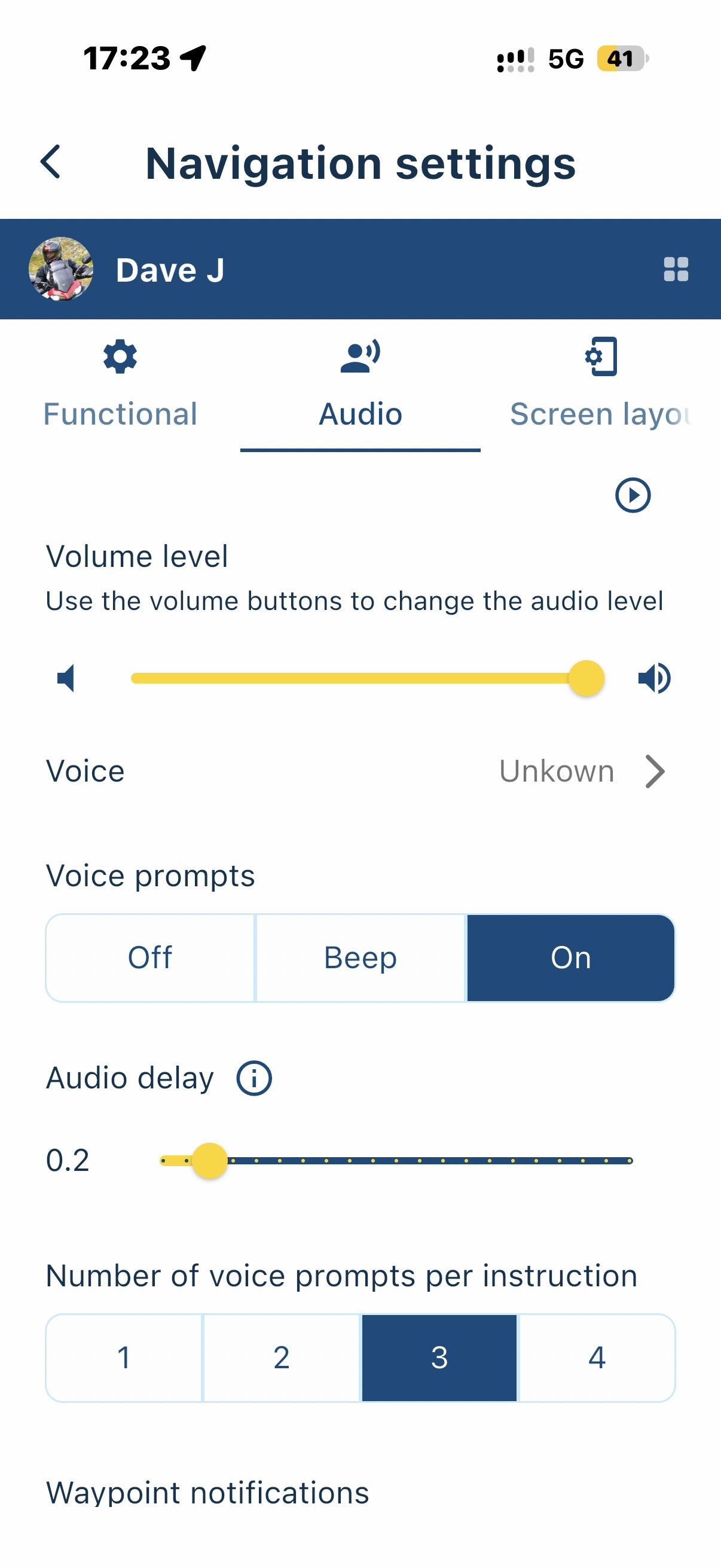
    Just upgraded my iPhone to an 18 Pro and I am no longer able to set the previous ‘enhanced’ voices that were available with Siri for MRA; I only have access to the ‘robotic’ basic voices and not the new customisable Siri voices.

    Basic voices:
    IMG_0002.jpeg IMG_0003.jpeg

    New Siri Voices:
    IMG_0004.jpeg IMG_0005.jpeg

    Kind Regards. Help where I can.
    Ducati Multistrada V4 Rally
    iPhone 18 Pro
    CHIGEE AIO-6 LTE
    Google Pixel 6 Pro - mounted on SP Connect Plus
    Ex Garmin XT2 and XT1 as well as Ex TomTom Rider User

    Nick Carthew 1 Reply Last reply
    0
    • Dave J 0 Dave J 0

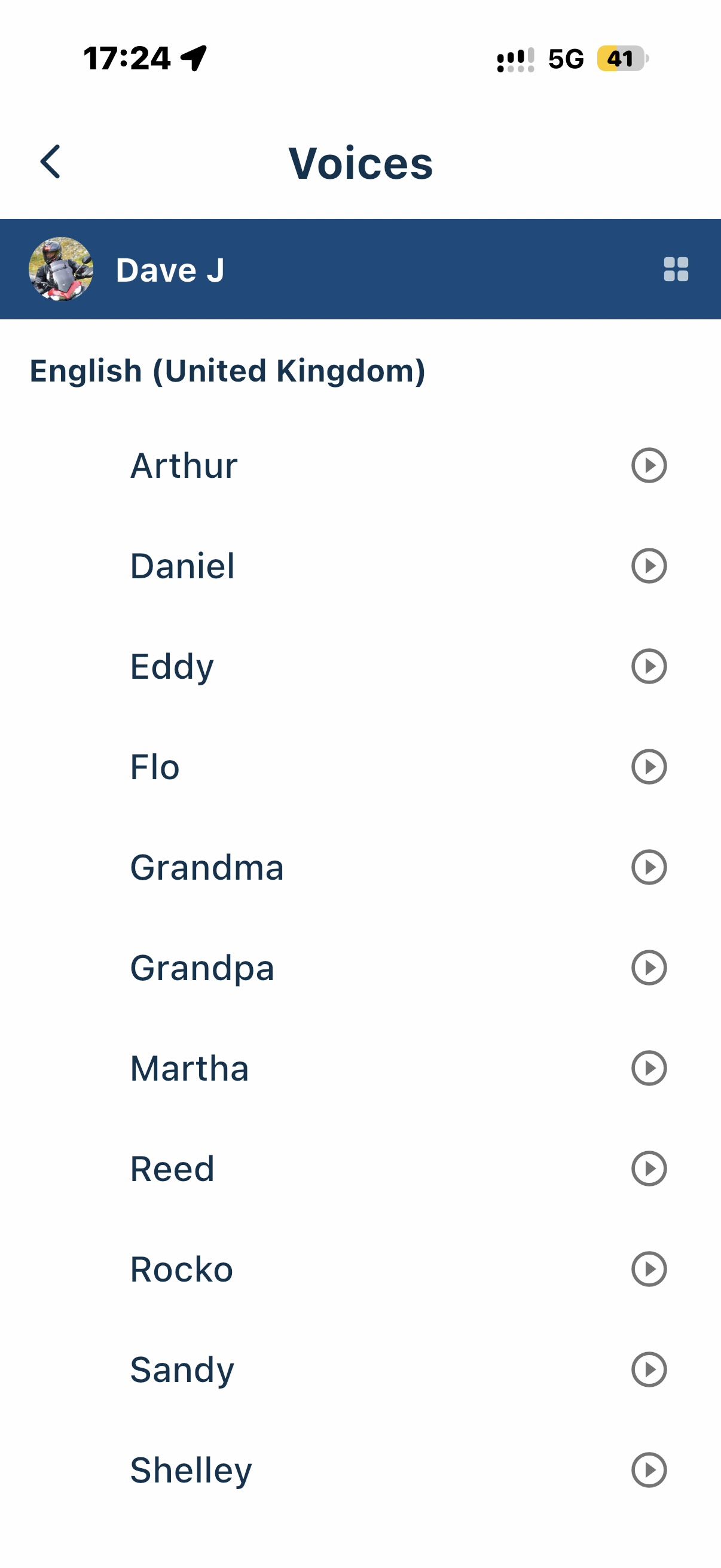
      Just upgraded my iPhone to an 18 Pro and I am no longer able to set the previous ‘enhanced’ voices that were available with Siri for MRA; I only have access to the ‘robotic’ basic voices and not the new customisable Siri voices.

      Basic voices:
      IMG_0002.jpeg IMG_0003.jpeg

      New Siri Voices:
      IMG_0004.jpeg IMG_0005.jpeg

      Nick Carthew
      Nick Carthew
      Nick Carthew
      RouteXpert
      wrote last edited by Nick Carthew
      #2

      @Dave-J-0 Choose a new voice from the iPhone settings. Accessibility > Read and speak > Voices > English > Voice : Now select your voice, I use Serena (premium).

      Now choose Serena in the Audio section of the app.

      Always willing to help if I can.
      Triumph Tiger 1200 XRT called Tina.
      MRA Navigation Next and SilverFox BJ8

      Dave J 0 1 Reply Last reply
      0
      • Nick Carthew Nick Carthew

        @Dave-J-0 Choose a new voice from the iPhone settings. Accessibility > Read and speak > Voices > English > Voice : Now select your voice, I use Serena (premium).

        Now choose Serena in the Audio section of the app.

        Dave J 0
        Dave J 0
        Dave J 0
        Valued contributor
        wrote last edited by
        #3

        @Nick-Carthew thank you. I had forgotten about the voices in Accessibility (3 years since the last iPhone change) and Serena is the one. Still like to link with the new customisable Siri voices though. 😎😁

        Kind Regards. Help where I can.
        Ducati Multistrada V4 Rally
        iPhone 18 Pro
        CHIGEE AIO-6 LTE
        Google Pixel 6 Pro - mounted on SP Connect Plus
        Ex Garmin XT2 and XT1 as well as Ex TomTom Rider User

        1 Reply Last reply
        0

        Hello! It looks like you're interested in this conversation, but you don't have an account yet.

        Getting fed up of having to scroll through the same posts each visit? When you register for an account, you'll always come back to exactly where you were before, and choose to be notified of new replies (either via email, or push notification). You'll also be able to save bookmarks and upvote posts to show your appreciation to other community members.

        With your input, this post could be even better 💗

        Register Login
        Reply
        • Reply as topic
        Log in to reply
        • Oldest to Newest
        • Newest to Oldest
        • Most Votes


        ACTIVE USERS
        Nick Carthew
        Nick Carthew
        Dave J 0
        Dave J 0
        POPULAR TOPICS
        • Website update - More maps, better Street View, embeds and a lot of your feedback
          rpluckengmail.com
          rpluckengmail.com
          19
          34
          227

        • Kaart niet zichtbaar
          Corjan Meijerink
          Corjan Meijerink
          0
          22
          150

        • Google maps
          Stanisław
          Stanisław
          0
          13
          148

        • RouteXpert display on the map
          Corrado Miniati 0
          Corrado Miniati 0
          0
          9
          71

        • New update 6.0.0 - An absolute masterpiece, ready for Routeplanner Next
          Emanuele 5
          Emanuele 5
          15
          30
          2.0k

        • Comparison route remains on map
          Corjan Meijerink
          Corjan Meijerink
          0
          7
          55

        • Here Terrain maps style
          Corjan Meijerink
          Corjan Meijerink
          0
          33
          261

        • Map viewing options
          Peter Zehentreiter
          Peter Zehentreiter
          2
          13
          171

        MY GROUPS
        • Login

        • Login or register to search.
        • First post
          Last post
        0
        • Categories
        • Recent
        • Popular
        • Support
        • MyRoute-app