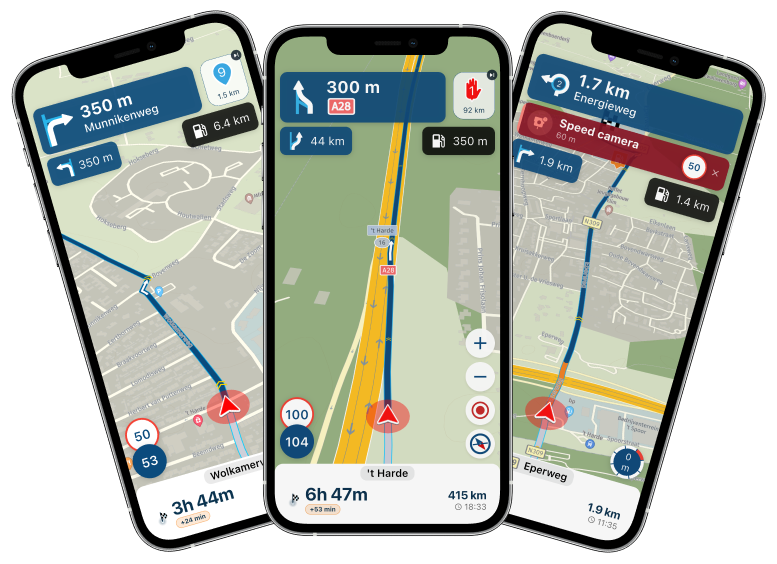
Carpe Iter Adventure Control and Carpuride
-

Hi everyone,
I bought the Carpe Itel Adventure Control, which arrived yesterday, and I’m installing it today.
I downloaded the Carp Iter app and successfully established a Bluetooth connection. I also switched the profile to MyRouteapp, and it actually works—but only on the app on my phone, not on my Carpuride.
I can use the controller to zoom, move left, move right, etc., but it has no effect on Carpuride. Why not? While navigating, I keep my phone in the tank bag and navigate exclusively with Carpuride.
How can I get the Carpe Itel Adventure Control to work with Carpuride as well?
Best regards,
Massimo -

@massimo-cardone
You have to connect the Carpe Itel Adventure Control to the Carpuride on Android, and then start the MRA app sep. on the Carpuride on Android, select the controller under input settings, this has nothing to do with your mobile phone.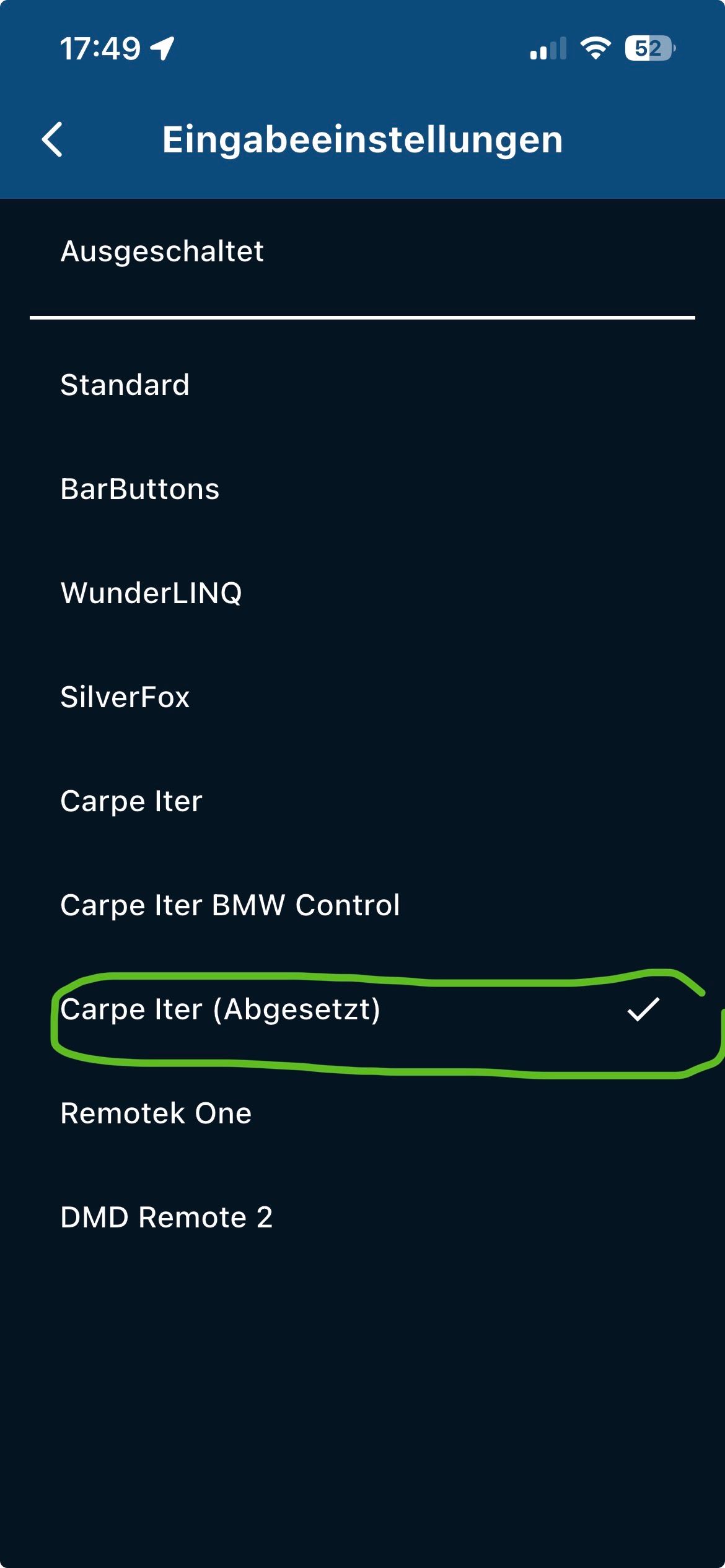
-
Hello Hubert
Thank you very much for the input. I immediately went to the garage after your post, disconnected the Bluetooth connection to my mobile phone and tried to establish a Bluetooth connection with the Carpuride, but that doesn't work.
-
@massimo-cardone
Now I just noticed it... the devices come from different companies !!-
Carpuride is a CarPlay / Android display depending on the model you can operate it with the WW.
-
Carpe-iter has is a tablet on Android
-
The Carpe-Itel Adventure Control is only for the tablet, so you can then control the apps on the tablet
Do you have something that probably doesn't fit together or how do I see it?
Which Carpuride display did you even buy?
Do you happen to drive a BMW with navigation system mount in which you put the Carpuride, as for example with an R1250GS with WW?
Then read the manual of the two parts.
VG

-
-
@massimo-cardone
So, according to your description, I now suspect that you run an Android phone with MRA and have now running Android Auto on the Carpuride to see MRA navigation on the display.Now you want to control the app with the Carpe Itel Adventure Control,...
That's actually not possible !!!
-
not under CarPlay (CP)
-
not under Android Auto (AA)
An unreleased solution:
I use Remotek One as a BT keyboard, so I can zoom +/- and skip waypoints when a mobile phone screen is switched on.
This is also transferred to a CP display..!
I don't know if that's possible with the Carpe Itel Adventure Control.
So pair with the mobile phone and leave the display of the mobile phone on, then +/- zoom and AA pairing and see if it works ...
For Carpuride Display there are as I said solutions for the BMW navi bracket the WW e.g. B. the W702BS
-
-
I have a Carpuride W702S Pro and ride a Ducati Multistrada, not a BMW. Okay, so I bought something that doesn’t work the way I expected and isn’t compatible. Great. As a result, the fault lies with me.
But why doesn’t Carpe Iter state this clearly somewhere on their website? It’s very likely that it’s mentioned somewhere. After all, they support various navigation apps like Calimoto, Kurviger, and MyRoute-app, etc. They should know that these days, many motorcyclists use such displays via Apple CarPlay or Android Auto.
So they really should have posted this prominently somewhere. As I said, I’m not looking for someone to blame, and I don’t want to shift the blame away from myself, but a note like that would have been helpful.
Now I’ve thrown EUR 175 out the window. Great!
-
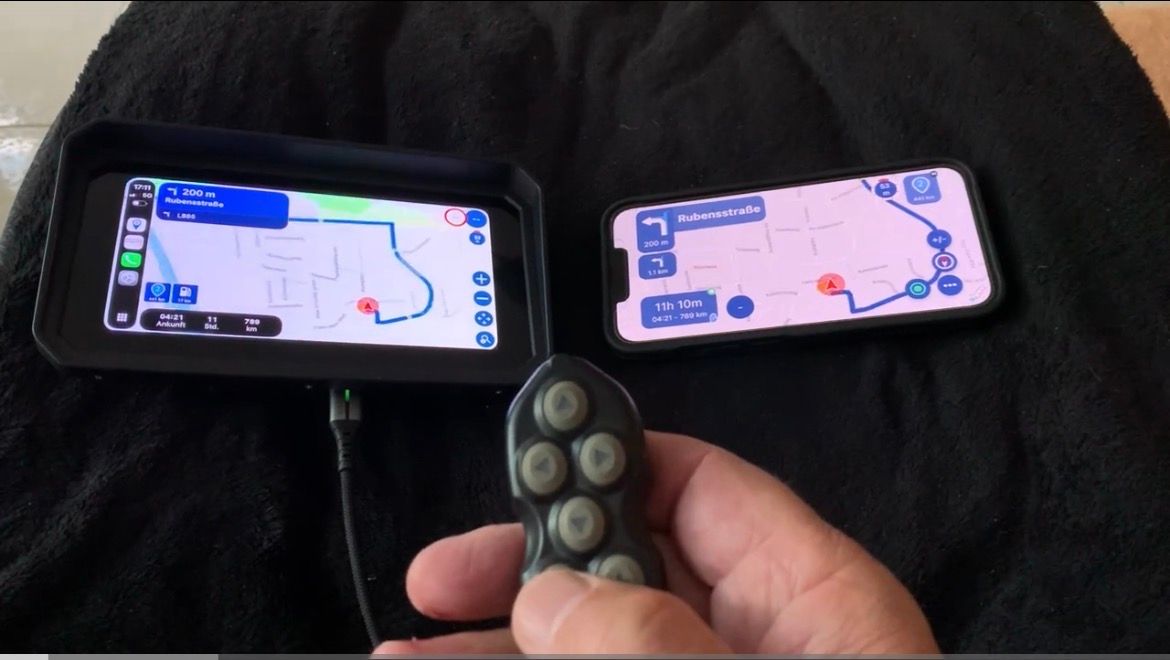
Test it with the mobile phone display on, see the video. I have a Remotek One as a BT keyboard, but this application is not officially supported for CP / AA but works in this example.
On the left a CP display and on the right iPhone Xr
Aoocci BM6/BM7
Motorradbildschirm für BMWHere, however, test with the Remotek One
-
When I installed everything yesterday, that’s exactly how it was. Both the mobile phone screen and the Carpuride display were switched on.
However, as I’ve already mentioned, only the mobile phone responded to commands from Carpe Iter; the Carpuride display did not. -
I have finally received a detailed response regarding my issue. The fact is that the Carpe Iter controller cannot be used with Android Auto or CarPlay. The commands work perfectly on the mobile phone, but due to a limitation, they are not forwarded to Android Auto or CarPlay.
Here is the detailed response from Carpe Iter:
Hi Massimo,
I completely understand why you wanted to add it to your setup, operating a touchscreen with thick motorcycle gloves is exactly why we created our controllers.
However, the behavior you are experiencing is due to a strict system limitation of Android Auto and Apple CarPlay.
Why is this happening?
The Carpuride W702S Pro is essentially a projection screen for Android Auto / Apple CarPlay. These platforms are completely locked down by Google and Apple. Our Carpe Iter controllers connect via Bluetooth to your phone and send commands to the phone's native operating system. Unfortunately, Google and Apple do not allow third-party Bluetooth controllers to pass screen interactions (like panning or zooming a map) from the phone through to the projected display on the Carpuride.Because of this block in the Android Auto/CarPlay architecture, the inputs are registered on your phone's screen, but they are not mirrored to the Carpuride screen.
Sadly, there is no workaround, app, or setting that can bypass this restriction. It is a limitation baked into Android Auto and Apple CarPlay themselves.
To get the full functionality of the Adventure Control (panning, zooming, app switching), the controller needs to be paired with a device running a full, native Android operating system mounted on your handlebars, such as a Caretta or CiPad.
Best regards, -
With the Aoocci BM6/BM7 display it seems to be different, or it is due to the combination MyRouteApp and the Remotek One, I can't contribute more.
VG
Hello! It looks like you're interested in this conversation, but you don't have an account yet.
Getting fed up of having to scroll through the same posts each visit? When you register for an account, you'll always come back to exactly where you were before, and choose to be notified of new replies (either via email, or push notification). You'll also be able to save bookmarks and upvote posts to show your appreciation to other community members.
With your input, this post could be even better 💗
Register Login-
 024694
-
 7818
7818
-
 012222
-
 0480
0480
-
19214
-
013211
-
0261
-
 0122.4k