Preview
-

Evening All, just a quick question, I've been watching the last two online trainings which spurred me on to using the app.
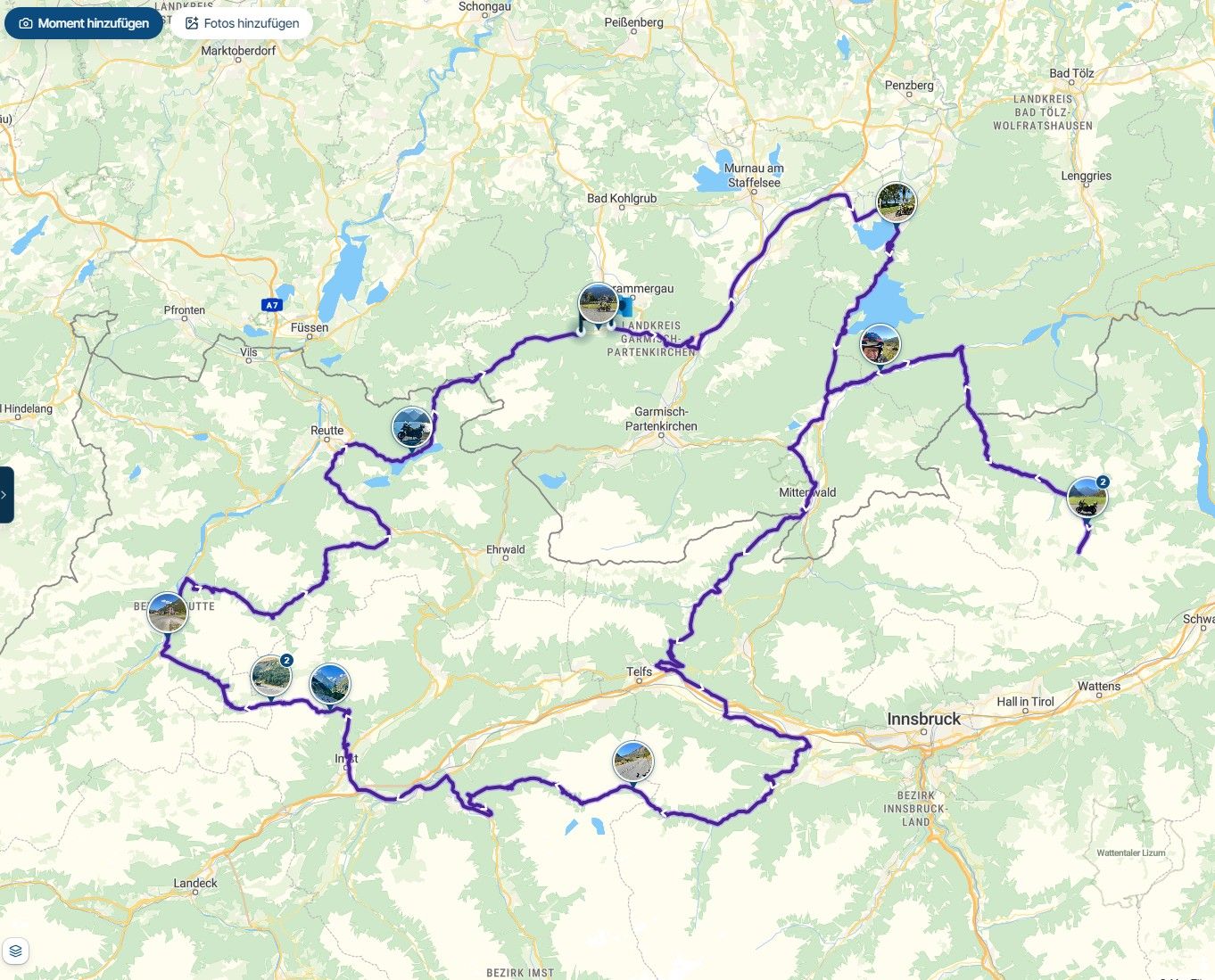
I did at the weekend and it all went horribly wrong. I thought I had created the perfect route, but from early on it kept telling me to turn around
 ️
️
I have no idea why this happened, but I need to investigate so I don't have a repeat performance later in the year when further from home.
Is there a way I can get a demo of my route ?
That way I can probably figure out where I went wrong ?
Cheers, -
Evening All, just a quick question, I've been watching the last two online trainings which spurred me on to using the app.
I did at the weekend and it all went horribly wrong. I thought I had created the perfect route, but from early on it kept telling me to turn around️
I have no idea why this happened, but I need to investigate so I don't have a repeat performance later in the year when further from home.
Is there a way I can get a demo of my route ?
That way I can probably figure out where I went wrong ?
Cheers,
@Iain-Cochrane-0 Reading your question, I suspect you're being routed back to the starting point of your route. That starting point is always a via point (hand symbol). You must visit that point obligatorily. Since there are no other noticeable "symptoms" in your question, this is what it makes me think. I think that starting point is placed too close to the location where you are at the moment you start navigation. It's better to place that starting point a few hundred meters away from the actual location where you are at that moment! The navigation will then automatically guide you over the starting point.
-

If you share the route here by making it public, there may be something obvious that somebody will spot (using 'via's rather than waypoints, the wrong routing engine compared to the device, etc, etc).
Adjust your exact home address if its in the route - for privacy, of course.
-
@Iain-Cochrane-0 Reading your question, I suspect you're being routed back to the starting point of your route. That starting point is always a via point (hand symbol). You must visit that point obligatorily. Since there are no other noticeable "symptoms" in your question, this is what it makes me think. I think that starting point is placed too close to the location where you are at the moment you start navigation. It's better to place that starting point a few hundred meters away from the actual location where you are at that moment! The navigation will then automatically guide you over the starting point.
@Rob-Verhoeff
Many thanks Rob, that makes sense, and maybe I just made the start point too close.
I will try the route again at some point with a relocated start point.
Cheers, -
If you share the route here by making it public, there may be something obvious that somebody will spot (using 'via's rather than waypoints, the wrong routing engine compared to the device, etc, etc).
Adjust your exact home address if its in the route - for privacy, of course.
@richtea999
Many thanks for your quick reply,
Here'sthe route,
https://www.myrouteapp.com/en/social/route/12930170?mode=share -
@richtea999
Many thanks for your quick reply,
Here'sthe route,
https://www.myrouteapp.com/en/social/route/12930170?mode=share
@Iain-Cochrane-0 Since your route only contains two via points (start and end), I suspect that you somehow skipped the starting point, and the navigation therefore keeps trying to send you back until you have actually “hit” that point.
-
Thank you Rob, I will move the start point and do the route again soon.
Cheers, -

Make shore youre gps device is fully started before you leave the starting point. Move youre starting point a bit further away from where you actually start to avoid you miss it when you leave.
R1250GS. Started with a Zumo 550, BMW nav IV, Carpe-iter and now Chigee met MRA app.
-
Make shore youre gps device is fully started before you leave the starting point. Move youre starting point a bit further away from where you actually start to avoid you miss it when you leave.
@Leike-Lodiers Hi, some good points raised here from my question. I think my navigation device was fully booted up, but perhaps not
 ️. I will move the start point a little bit further away and re run the first part of the route. I can do that quite easily without having to redo the entire route.
Thanks everyone for their input. -
@Rob-Verhoeff
Many thanks Rob, that makes sense, and maybe I just made the start point too close.
I will try the route again at some point with a relocated start point.
Cheers,
@Iain-Cochrane-0, What @Rob-Verhoeff said indeed. If you are on your way and this happens, simply skip the waypoint.
-
-
That's interesting, how do I do that ?
@Iain-Cochrane-0, press the waypoint number tile in the upper right corner of your phone. In case you are using a Android Auto or Carplay (which is not mentioned) you will need to open the menu to find the skip button.
-
Thanks, I will explore that option.
Hello! It looks like you're interested in this conversation, but you don't have an account yet.
Getting fed up of having to scroll through the same posts each visit? When you register for an account, you'll always come back to exactly where you were before, and choose to be notified of new replies (either via email, or push notification). You'll also be able to save bookmarks and upvote posts to show your appreciation to other community members.
With your input, this post could be even better 💗
Register Login-
 0730
0730
-
0869
-
 81655.5k
-
0349
-
0275
-
16277
-
 0268
0268
-
1215