Anyone tried Ridernav R7M with MRA via AA yet?
-
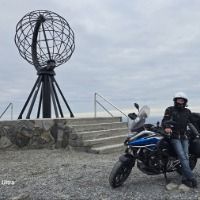
OK, I promised feedback on using the RiderNav R7M on a 8.500 km trip to Noordkaap last June 2026. I drive a BMW R1300GSA and use the R7M with Apple CarPlay. My iPhone, on which I run the MRA app, is in my top case, connected to USB power.
Overall, I am very pleased with the R7M. The screen is very clear and big, it has a touch screen function which is very convenient and works much faster than using the WonderWheel.
First, I had stuff to learn about the MRA app. I found that on remote places, the MRA screen would go blanc (buttons were there, no map however). I learned that I had to download the maps of the countries where I rode and put the app on off-line, than all went well from there on. The R7M experience. First of all, there was always good CarPlay connection - just start the bike and after a jew seconds, the MRA screen would pop up. Switching to Apple Music for starting music en switching back to MRA, just by touching the screen, perfect. During 4 weeks of riding, it happened 3 times that while riding, the R7M just restarted. Screen goes black and starts up again. You don't have to do anything, it comes back on immediately itself. Not a real issue, but I mention it anyway. What happened more often, is that the connection with the WonderWheel stopped. Restarting does reconnect the connection, but not nice. It happened once every 2 days of riding. In the end it was no issue for me, because using the Wonderwheel to navigate the buttons in CarPlay is a hassle. I found out that using the touch screen is soooo much easier, I never uses the Wonderwheel anyway. So, overall I am very happy and do recommend the R7M/Carplay/MRA combination to all BMW drives. A great screen for a very competitive price in my opinion. -
Every app has indeed their own quirks. But to my opnion. MRA must be used in a smaller bandwith to get to work correct. There is less room for user errors for the app to handle.
Other apps can handle user error better without giving problems.Every app has indeed their own quirks. But to my opnion. MRA must be used in a smaller bandwith to get to work correct. There is less room for user errors for the app to handle.
Other apps can handle user error better without giving problems.Exactly my point.
Let’s just say that is why I personally am not a good match for MRA. (though I am with a range of other navigation apps, that’s for sure ) Simply because I don't want complexity when I'm out on the road and want to focus on the experience of the ride, instead of navigation support that keeps pulling me over because I’ve probably done something wrong again.
However, the fact that my setup crashes 6 to 8 times a day makes it unusable for me (for me, that is).
I don't experience these crash issues with other apps, so that is where my driving pleasure lies.
-
OK, I promised feedback on using the RiderNav R7M on a 8.500 km trip to Noordkaap last June 2026. I drive a BMW R1300GSA and use the R7M with Apple CarPlay. My iPhone, on which I run the MRA app, is in my top case, connected to USB power.
Overall, I am very pleased with the R7M. The screen is very clear and big, it has a touch screen function which is very convenient and works much faster than using the WonderWheel.
First, I had stuff to learn about the MRA app. I found that on remote places, the MRA screen would go blanc (buttons were there, no map however). I learned that I had to download the maps of the countries where I rode and put the app on off-line, than all went well from there on. The R7M experience. First of all, there was always good CarPlay connection - just start the bike and after a jew seconds, the MRA screen would pop up. Switching to Apple Music for starting music en switching back to MRA, just by touching the screen, perfect. During 4 weeks of riding, it happened 3 times that while riding, the R7M just restarted. Screen goes black and starts up again. You don't have to do anything, it comes back on immediately itself. Not a real issue, but I mention it anyway. What happened more often, is that the connection with the WonderWheel stopped. Restarting does reconnect the connection, but not nice. It happened once every 2 days of riding. In the end it was no issue for me, because using the Wonderwheel to navigate the buttons in CarPlay is a hassle. I found out that using the touch screen is soooo much easier, I never uses the Wonderwheel anyway. So, overall I am very happy and do recommend the R7M/Carplay/MRA combination to all BMW drives. A great screen for a very competitive price in my opinion.Wow, great story!
Unfortunate for you that the Ridernav R7M malfunctioned a few times. (To date, 3000km, I haven't had these problems)
I completely agree with your conclusion, the Ridernav R7M is the best you can buy for the price

(Aspirants, take note: it is always available with a 25% discount)
-
Can someone please, give me a complete list of buttons / features I would not see running MRA Nav App on R7M, compared to what I am used to seeing on the Phone.
In my quick test I just noticed a few.Any other quirks or issues I need to know running from my Android S25 Ultra?
Any hints dealing with "issues" / differences are much appreciated!
Juat want to weigh my options.Thank you all!
-
I don't have CP or AA, but the disadvantages would be from my point of view as far as I've noticed:
Disadvantages CP / AA
-
two devices, the display and the mobile phone
-
Mobile phone gets very warm
-
Skipping WP is not so easy
-
Zooming is not so easy
-
the CP / AA coupling causes problems
-
no direct remote control with BT
-
Type of operation wander over the display
-
Display usually only horizontal
Mobile phone advantages
-
all MyRouteApp functions
-
Control via BT keyboard directly possible
-
Navigation map zoom +/-
-
Skip WP Double click (DC) right
-
Call menu / search function
-
etc.
-
Mobile phone horizontal and vertical
My solution is an iPhone Xr in BMW Cradel with inductive charging, with the MyRouteApp with full function, the BT keyboard from Remotek One for direct zooming +/- and WP skip with DC right
VG Hubert
Beta Test "Next App" dazu die Hardware .
iPad 9. Gen iOS 26.6.1/ iPhone 16e iOS 26.6.1 / Navi iPhone Xr iOS 18.7.10 / PC mit MS Win11 /❗️MyRoute-App im Cradel und Remotek-One❗️ Info zu MRA & Remotek One -
-
I don't have CP or AA, but the disadvantages would be from my point of view as far as I've noticed:
Disadvantages CP / AA
-
two devices, the display and the mobile phone
-
Mobile phone gets very warm
-
Skipping WP is not so easy
-
Zooming is not so easy
-
the CP / AA coupling causes problems
-
no direct remote control with BT
-
Type of operation wander over the display
-
Display usually only horizontal
Mobile phone advantages
-
all MyRouteApp functions
-
Control via BT keyboard directly possible
-
Navigation map zoom +/-
-
Skip WP Double click (DC) right
-
Call menu / search function
-
etc.
-
Mobile phone horizontal and vertical
My solution is an iPhone Xr in BMW Cradel with inductive charging, with the MyRouteApp with full function, the BT keyboard from Remotek One for direct zooming +/- and WP skip with DC right
I don't have CP or AA, but the disadvantages would be from my point of view as far as I've noticed:
Disadvantages CP / AA
-
two devices, the display and the mobile phone
-
Mobile phone gets very warm
-
Skipping WP is not so easy
-
Zooming is not so easy
-
the CP / AA coupling causes problems
-
no direct remote control with BT
-
Type of operation wander over the display
-
Display usually only horizontal
- First two points are valid. You could say it is a disadvantage. But that is a personal preference. AA/ACP has their advantages. Button sizes and functionality is setup for use on the road. The smartphone it is designed to use with the phone in your hand.
- AutoSkip is big irritation point of mine. Regardless phone or AA/ACP. Because auto shouldn't exist at all. From that point of view. It isn't an issue.
- Zooming is typical MRA issue. When using other navigation apps. Autozoom behave on AA/ACP exactly the same as on the phone.
- AA/ACP connection issues are valid. But everybody has their own experience. So difficult to predict and rule out.
- Most AA/ACP have touchscreens so BT remote controls are not necessary. Besides that. Controlling the app when riding is something you should avoid (safety issue). When the app works well, there is no need to control the app.
- Type of operation? Do not know what you mean?
- Horizontal navigation is the right one. Vertical navigation has no advantages at all. The map is tilted a bit in vertical position that's all. Only because people are used to hold their phone vertical, the option is there. Your view with your eyes is also horizontal. Never seen a person with 2 eyes on top of each other for vertical view
-
-
@lenny-o @peter-zehentreiter
Yes, but the app in vertical is already good !!
Hint: Carpuride W712D Can be vertical and that as CP / AA Display
Handy an der R1250GS im BMW Cradel
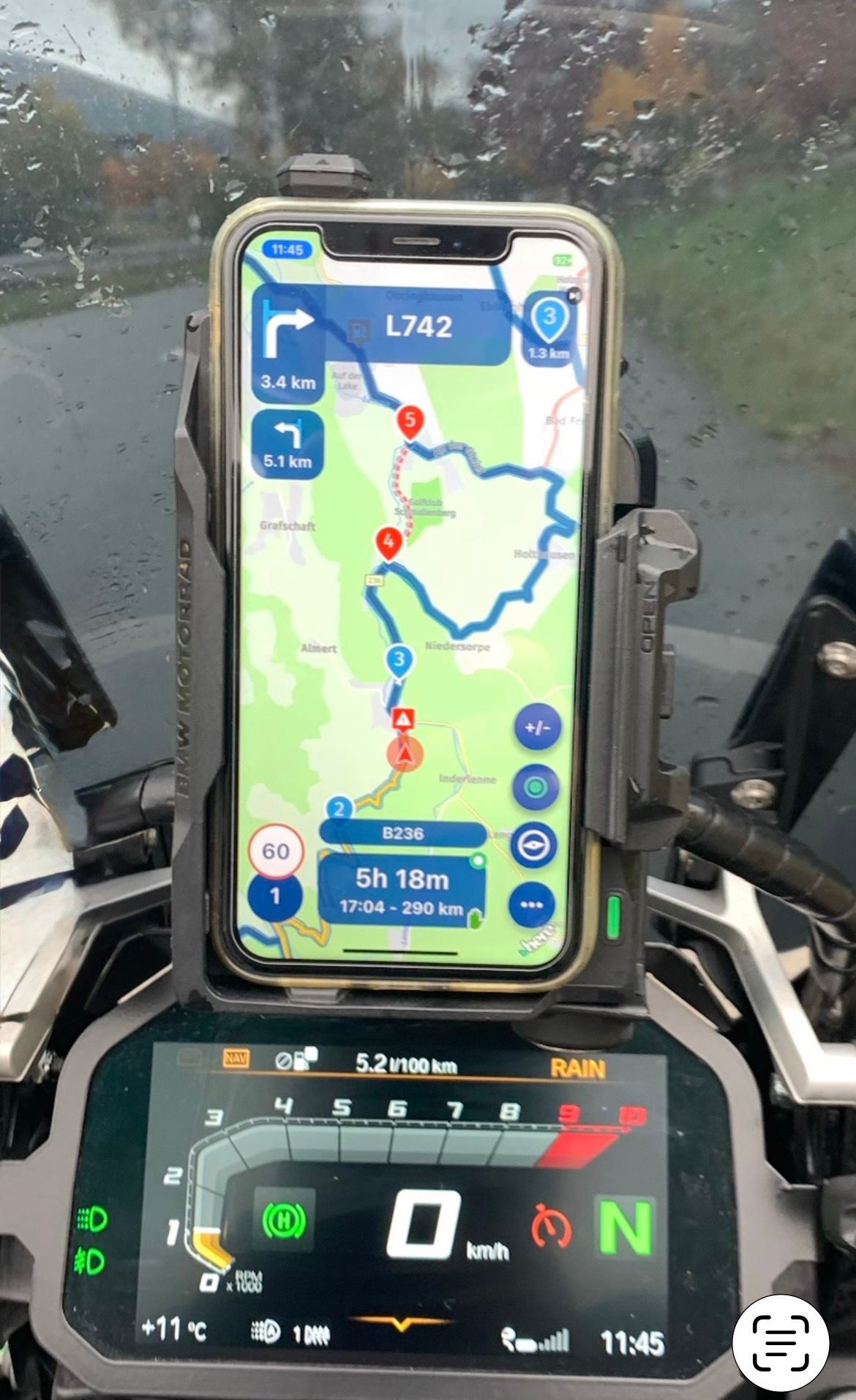
Das W712D
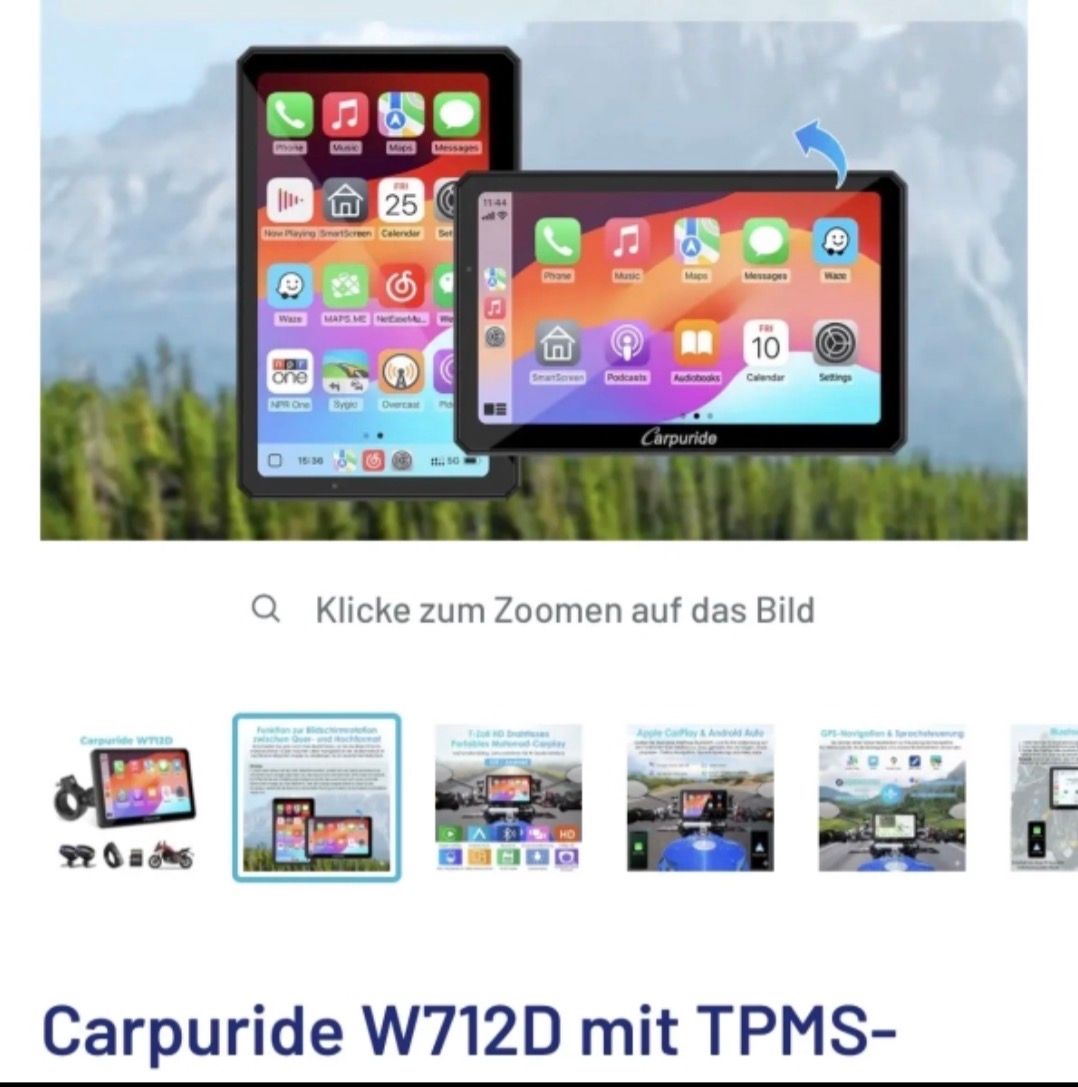
VG Hubert
Beta Test "Next App" dazu die Hardware .
iPad 9. Gen iOS 26.6.1/ iPhone 16e iOS 26.6.1 / Navi iPhone Xr iOS 18.7.10 / PC mit MS Win11 /❗️MyRoute-App im Cradel und Remotek-One❗️ Info zu MRA & Remotek One -
@lenny-o @peter-zehentreiter
Yes, but the app in vertical is already good !!
Hint: Carpuride W712D Can be vertical and that as CP / AA Display
Handy an der R1250GS im BMW Cradel
Das W712D
@lenny-o @peter-zehentreiter
Yes, but the app in vertical is already good !!
Hint: Carpuride W712D Can be vertical and that as CP / AA Display
Handy an der R1250GS im BMW Cradel
Das W712D
Nooo! First of all you need the W702BS or BS pro for BMW if you want Wonderwheel support. These BS models fit in the oem BMW navi cradle and therefore can only be mounted horizontally.
Furthermore, Carpuride 7 inch models are blocking a bit of the view of your TFT screen when mounted horizontally, and if you mount the 712 (the one you do not need) vertically, it practically covers half of your TFT screen on a R1250GS and at the top it will rub against the windscreen....Nice setup you have with you phone in a phone cradle. I tried that once but the wireless charger was disturbing my key-free signal...
And, more important to me, that way you have no touchscreen that works with cloves on, screen not bright enough in the sunlight and no Wonderwheel support... -
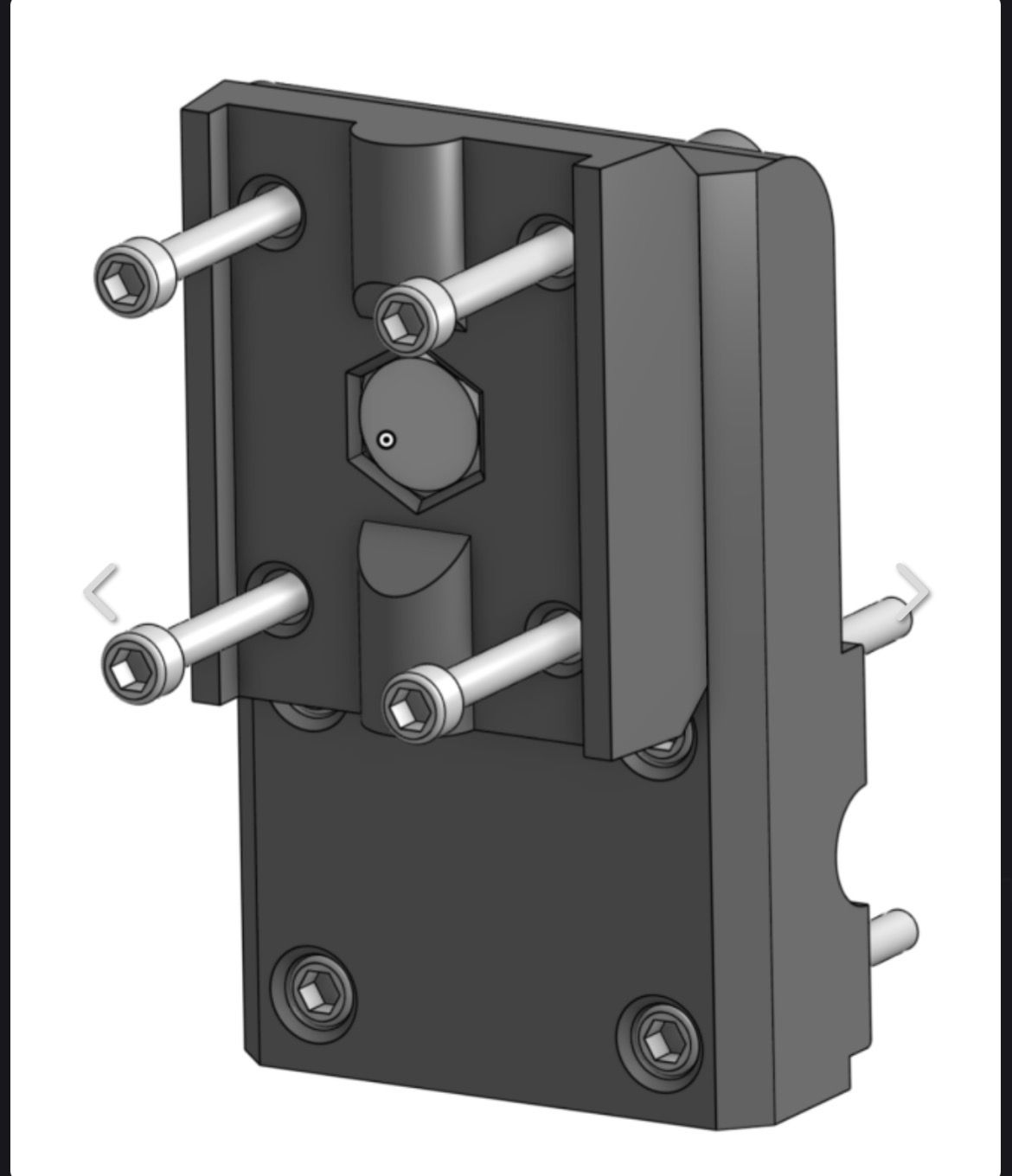
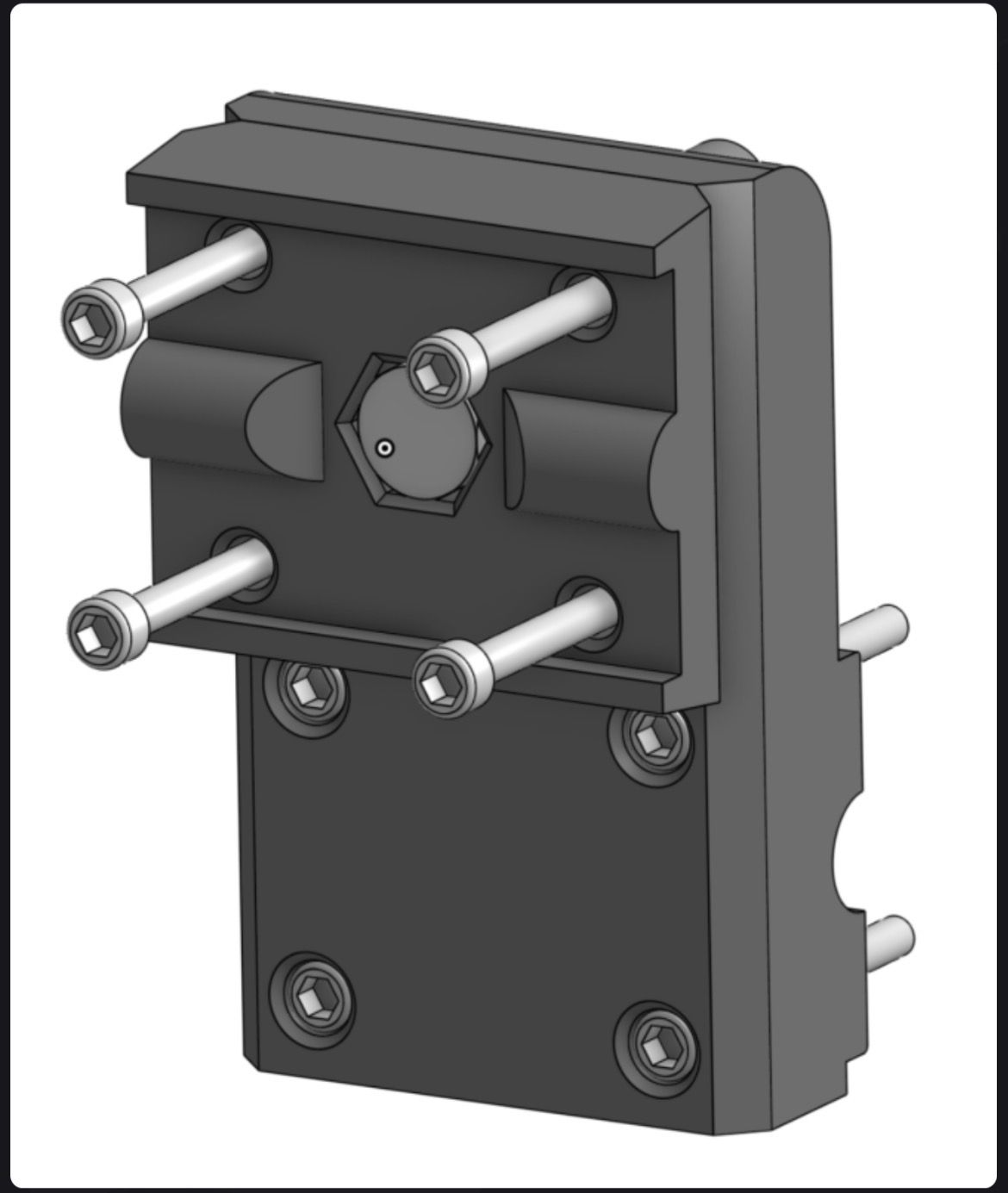
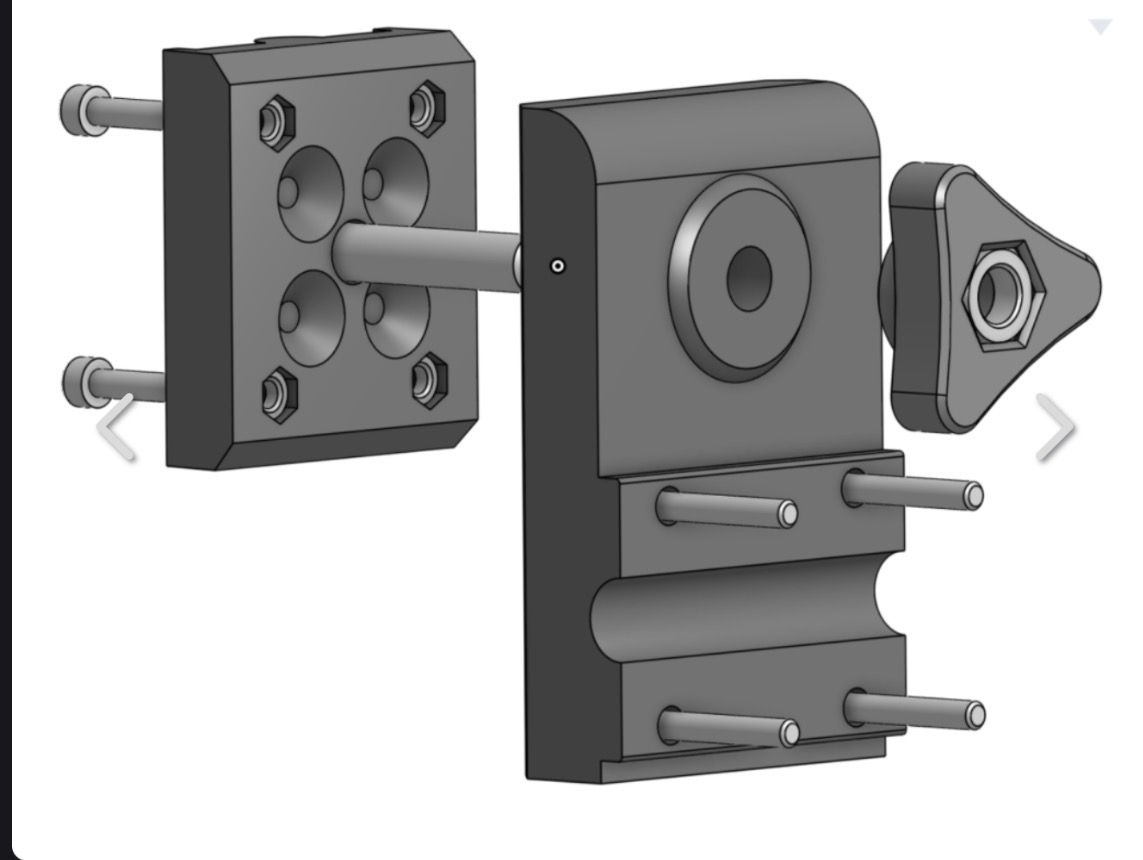
There is a solution to this... is still being tested
VG Hubert
Beta Test "Next App" dazu die Hardware .
iPad 9. Gen iOS 26.6.1/ iPhone 16e iOS 26.6.1 / Navi iPhone Xr iOS 18.7.10 / PC mit MS Win11 /❗️MyRoute-App im Cradel und Remotek-One❗️ Info zu MRA & Remotek One -
There is a solution to this... is still being tested
There is a solution to this... is still being tested
Does it support the Wonderwheel? I don’t see a connector...
And that doesn’t change the fact that you need a W702BS; otherwise, the Wonderwheel won’t work. (and I'm not shore the BS model can be used vertically; specs do not mention it...) -
This is just an adapter to flexibly rotate the original BMW bracket by 90 ".
The display is a sep. Topic.
Which display can be horizontal and vertical and still compatible with the WW has to be clarified by someone else.
A CP or AA display can also be operated with the glove finger not everyone needs the WW,
-
Can someone please, give me a complete list of buttons / features I would not see running MRA Nav App on R7M, compared to what I am used to seeing on the Phone.
In my quick test I just noticed a few.Any other quirks or issues I need to know running from my Android S25 Ultra?
Any hints dealing with "issues" / differences are much appreciated!
Juat want to weigh my options.Thank you all!
@Lenny-O said:
Can someone please, give me a complete list of buttons / features I would not see running MRA Nav App on R7M, compared to what I am used to seeing on the Phone.
In my quick test I just noticed a few.Any other quirks or issues I need to know running from my Android S25 Ultra?
Any hints dealing with "issues" / differences are much appreciated!
Juat want to weigh my options.Thank you all!
I understand your question, but the list is too long...
You can answer the question more quickly by turning it around: which functions do you have at your disposal? That answer is easier to find -
I don't have CP or AA, but the disadvantages would be from my point of view as far as I've noticed:
Disadvantages CP / AA
-
two devices, the display and the mobile phone
-
Mobile phone gets very warm
-
Skipping WP is not so easy
-
Zooming is not so easy
-
the CP / AA coupling causes problems
-
no direct remote control with BT
-
Type of operation wander over the display
-
Display usually only horizontal
Mobile phone advantages
-
all MyRouteApp functions
-
Control via BT keyboard directly possible
-
Navigation map zoom +/-
-
Skip WP Double click (DC) right
-
Call menu / search function
-
etc.
-
Mobile phone horizontal and vertical
My solution is an iPhone Xr in BMW Cradel with inductive charging, with the MyRouteApp with full function, the BT keyboard from Remotek One for direct zooming +/- and WP skip with DC right
The question was about the missing buttons while running AA or AC. Yet, you shoot from the hip with a list of pros and cons you think exist, even though you don't actually use AA or AC yourself.
The problems and limitations imposed by AA and AC are significant, and you can only really articulate them if you’ve experienced them firsthand.
It strikes me that most know-it-alls dismiss all criticism of MRA as mere chatter, without acknowledging that there is a group of users who are genuinely facing serious issues.
Just my opinion... -
-
Well... the curiosity got the better of me and I bought the Ridernav R7M.
First, I noticed that many users install the R7M in the BMW cradle positioned from the factory. It offsetts the R7M to the side and would drive me crazy! I don't know how it may not for others....
The solution is really simple! Cut a couple of zipties holding the cable to get some slack (there is plenty on my R1250GSA), loosen 4 screws and just slide the cradle mount to the side and aline the TFT and the R7M. Then put a couple of new zipties to tie down the cable. Easy-peasy!
I keep my phone in my small tank bag. I am in Florida in the middle of the summer heat with temps up to 96-106 degrees Farenheight. That's HOT!
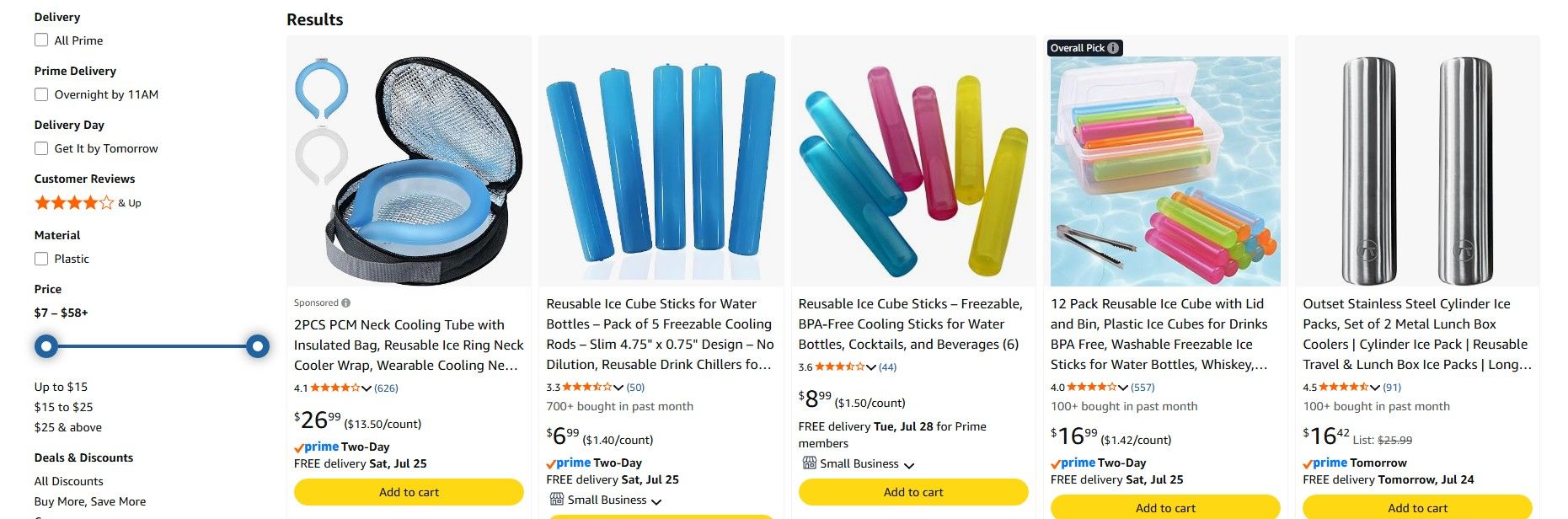
So, I put a couple of these frozen cooling tubes into as small plasic bag and throw them into the tank bag next to the phone. Works pretty good!
Now, as to the R7M itself.
I use it with my Android Samsung S25 Ultra and my Sena-50S and also with the SRL-3 in my Shoei helmet. To connect everything to work properly I followed the suggested steps on the Ridernav Web page.
The R7M is the HUB. But unlike with Zumo XT, R7M requires your Sena paired to the R7M in phone pairing mode and also paired to your phone in a "second mobil phone" pairing protocol. Without this last step I could not here the music or directions, even though some claim that it works fine... Not for me.
As to running the MRA on R7M - much better than I expected. Yes, it looks different with some limitations compared to the Phone navigation, but so far I did not run into any issues.
It is an early report, as I did not take any long trips with it and so far everything is in the "shake-out" mode.
To be continued.....Positive emotions are worth every penny ;)
-
Well... the curiosity got the better of me and I bought the Ridernav R7M.
First, I noticed that many users install the R7M in the BMW cradle positioned from the factory. It offsetts the R7M to the side and would drive me crazy! I don't know how it may not for others....
The solution is really simple! Cut a couple of zipties holding the cable to get some slack (there is plenty on my R1250GSA), loosen 4 screws and just slide the cradle mount to the side and aline the TFT and the R7M. Then put a couple of new zipties to tie down the cable. Easy-peasy!
I keep my phone in my small tank bag. I am in Florida in the middle of the summer heat with temps up to 96-106 degrees Farenheight. That's HOT!
So, I put a couple of these frozen cooling tubes into as small plasic bag and throw them into the tank bag next to the phone. Works pretty good!
Now, as to the R7M itself.
I use it with my Android Samsung S25 Ultra and my Sena-50S and also with the SRL-3 in my Shoei helmet. To connect everything to work properly I followed the suggested steps on the Ridernav Web page.
The R7M is the HUB. But unlike with Zumo XT, R7M requires your Sena paired to the R7M in phone pairing mode and also paired to your phone in a "second mobil phone" pairing protocol. Without this last step I could not here the music or directions, even though some claim that it works fine... Not for me.
As to running the MRA on R7M - much better than I expected. Yes, it looks different with some limitations compared to the Phone navigation, but so far I did not run into any issues.
It is an early report, as I did not take any long trips with it and so far everything is in the "shake-out" mode.
To be continued.....@Lenny-O
What a nice and clear story! I have my phone in an SP-Connect mount. This ensures it gets sufficient cooling from the airflow. (i.e., up to about 35 degrees; when it started heading towards 40 degrees, it really struggled, but I don't blame it for that)I'm curious to hear the continuation of the story!




Hello! It looks like you're interested in this conversation, but you don't have an account yet.
Getting fed up of having to scroll through the same posts each visit? When you register for an account, you'll always come back to exactly where you were before, and choose to be notified of new replies (either via email, or push notification). You'll also be able to save bookmarks and upvote posts to show your appreciation to other community members.
With your input, this post could be even better 💗
Register Login



-
 115606
-
 617782
-
0599
-
 0697
0697
-
0382
-
312305
-