Skip to content
  • Categories
  • Recent
  • Popular
  • Support
  • MyRoute-app
Collapse
Brand Logo

MRA Community Forum

  1. Home
  2. MyRoute-app Routeplanner
  3. [Web] Problems, Bugs and other Issues
  4. Routes List Menu, Select Multiple Routes and ‘Save as’

Routes List Menu, Select Multiple Routes and ‘Save as’

Scheduled Pinned Locked Moved [Web] Problems, Bugs and other Issues
2 Posts 2 Posters 22 Views 1 Watching
  • Oldest to Newest
  • Newest to Oldest
  • Most Votes
Reply
  • Reply as topic
Log in to reply
This topic has been deleted. Only users with topic management privileges can see it.
  • Big Al 1undefined Offline
    Big Al 1undefined Offline
    Big Al 1
    wrote last edited by
    #1

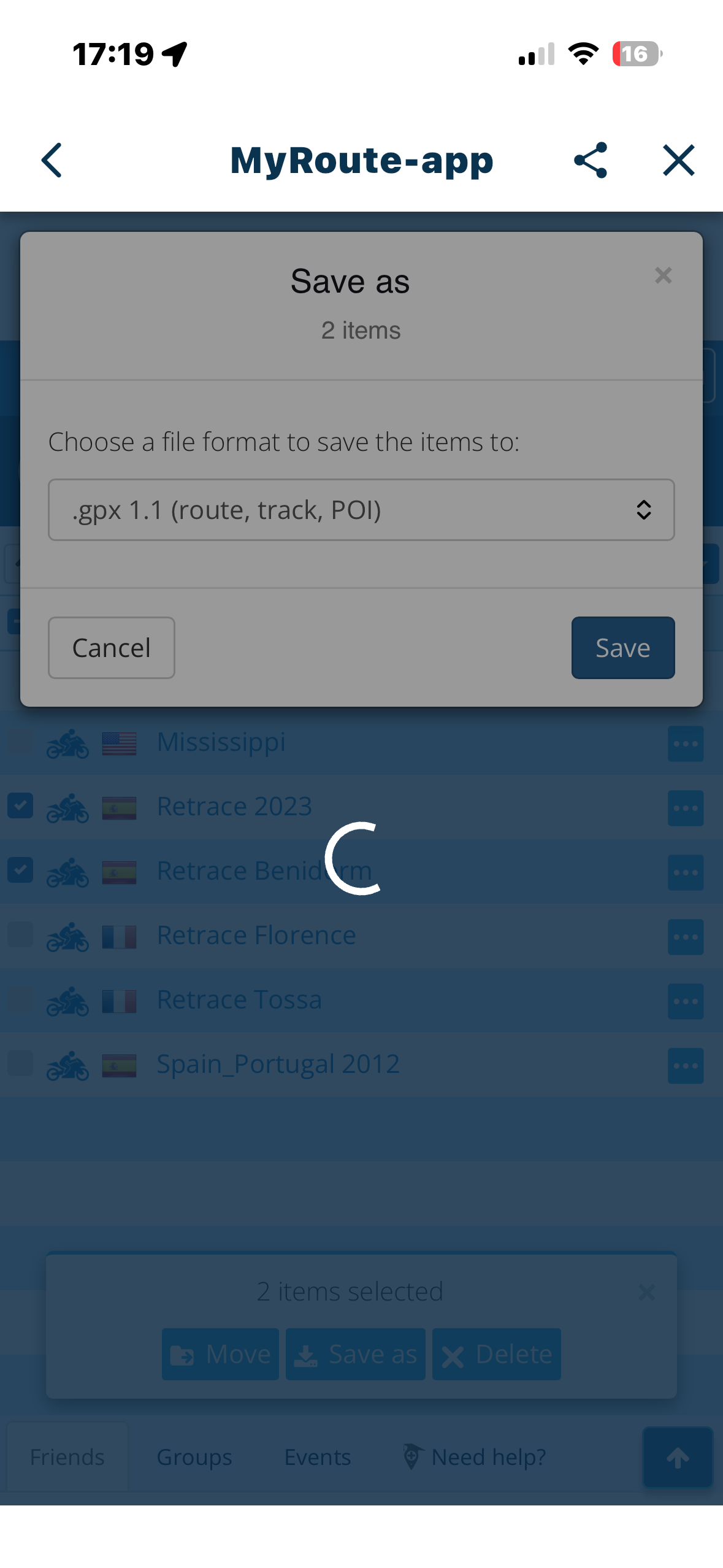
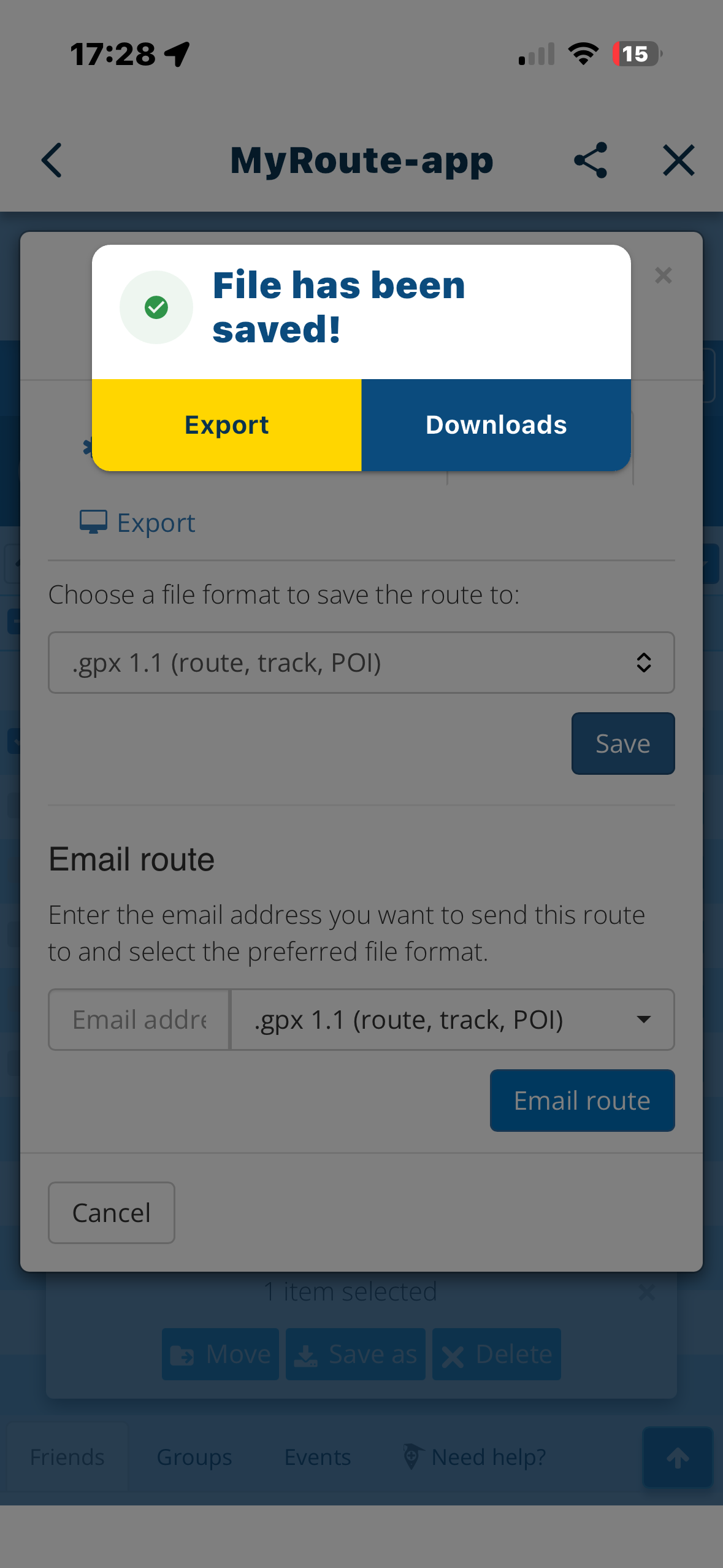
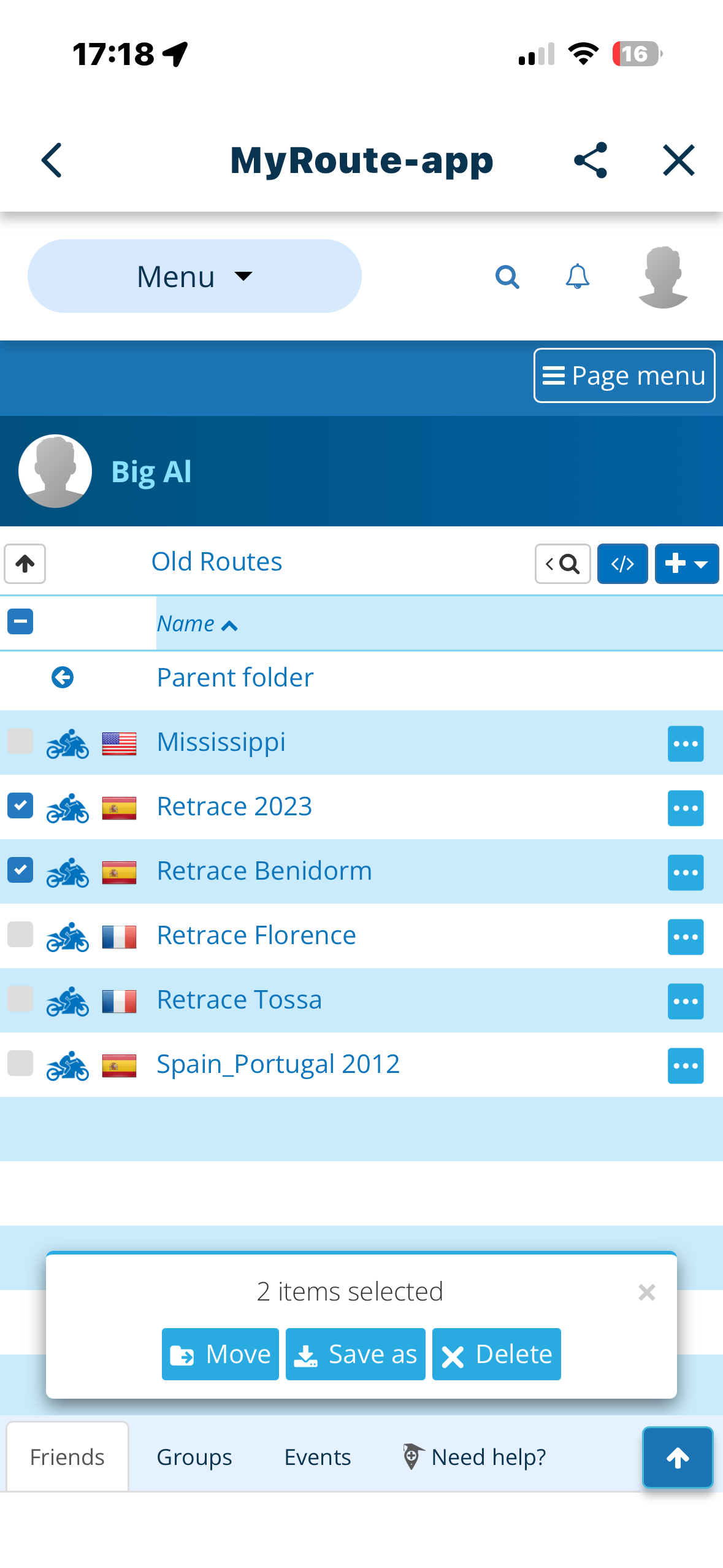
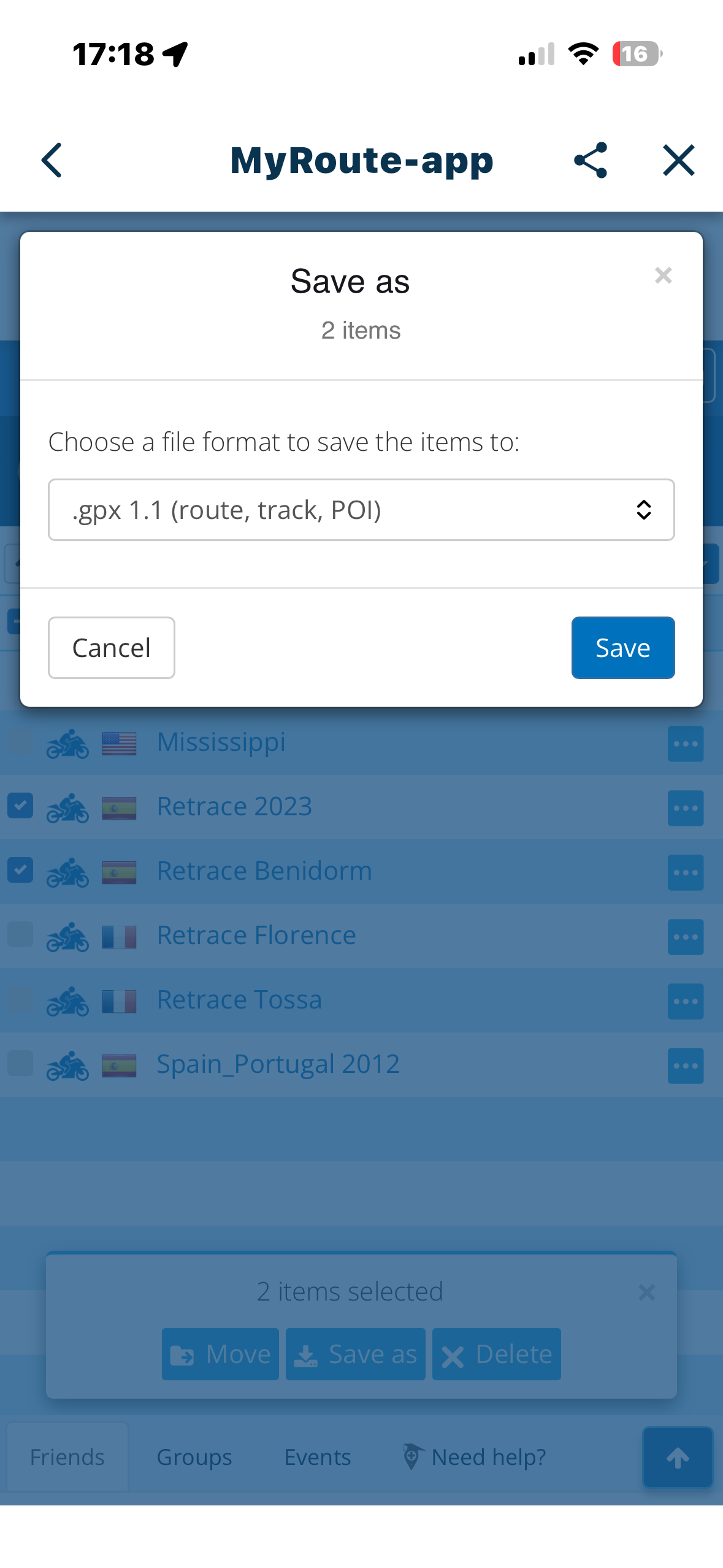
    From the “Routes” list, ‘select’ more than one route by ticking in the leftmost box. Click ‘Save as’ at the bottom of the screen and select the type (.GPX 1.1 etc). This results in a ‘Please Wait’ meassge followed closely by the rotating circle (busy)…..and that’s it. Seems like the program is in a loop.
    I suspect there is a hidden “File has been saved……..Export/Download” (see photo) dialogue in the background going unanswered on multiple selects . Works OK when only one file is selected.
    e621fb2d-7298-44e2-8030-6ca8b6000858-image.png 797f0dda-2ff0-4b07-a3b2-d57a1fb3033a-image.png 15e14bec-0df7-41ac-868b-903a87a0c98f-image.png 07e867e1-2913-4c42-a74e-2a7bccf982cc-image.png

    Nick Carthewundefined 1 Reply Last reply
    0
    • Big Al 1undefined Big Al 1

      From the “Routes” list, ‘select’ more than one route by ticking in the leftmost box. Click ‘Save as’ at the bottom of the screen and select the type (.GPX 1.1 etc). This results in a ‘Please Wait’ meassge followed closely by the rotating circle (busy)…..and that’s it. Seems like the program is in a loop.
      I suspect there is a hidden “File has been saved……..Export/Download” (see photo) dialogue in the background going unanswered on multiple selects . Works OK when only one file is selected.
      e621fb2d-7298-44e2-8030-6ca8b6000858-image.png 797f0dda-2ff0-4b07-a3b2-d57a1fb3033a-image.png 15e14bec-0df7-41ac-868b-903a87a0c98f-image.png 07e867e1-2913-4c42-a74e-2a7bccf982cc-image.png

      Nick Carthewundefined Offline
      Nick Carthewundefined Offline
      Nick Carthew
      RouteXpert
      wrote last edited by
      #2

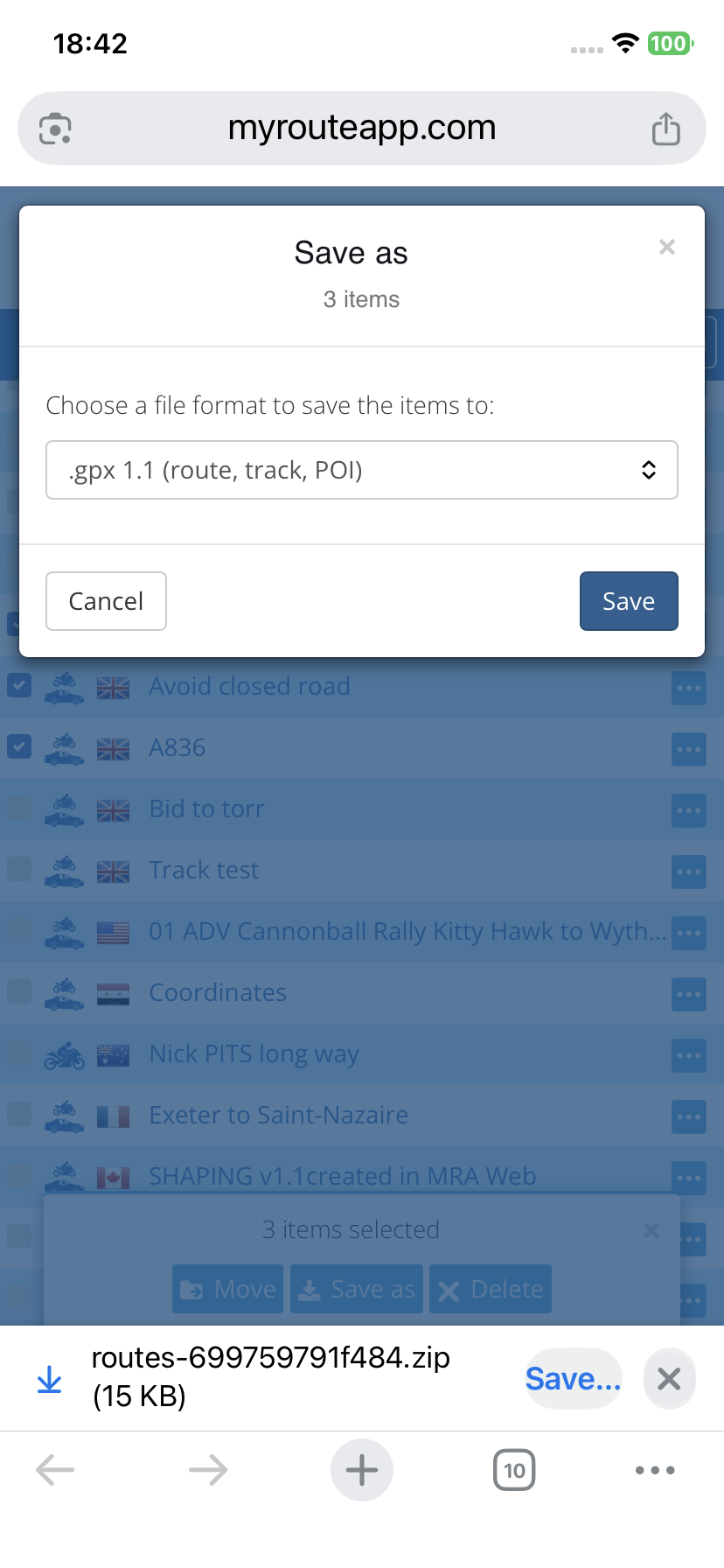
      @Big-Al-1 I have never saved multiple files from my phone so I replicated your test. I get the option to save the 3 chosen files in a Zip folder to my Files folder.

      IMG_5537.png

      Always willing to help if I can.
      Triumph Tiger 1200 XRT called Tina.
      MRA Navigation Next and SilverFox BJ8

      1 Reply Last reply
      0
      Reply
      • Reply as topic
      Log in to reply
      • Oldest to Newest
      • Newest to Oldest
      • Most Votes


      ACTIVE USERS
      Nick Carthewundefined
      Nick Carthew
      Big Al 1undefined
      Big Al 1
      POPULAR TOPICS
      • using Mra on 2 devices.
        Rob Verhoeffundefined
        Rob Verhoeff
        0
        3
        46

      • Update 5.0.3 - Device management
        richard 3vundefined
        richard 3v
        10
        47
        985

      • Unable to stop navigation
        Con Hennekensundefined
        Con Hennekens
        0
        13
        437

      • Routes List Menu, Select Multiple Routes and ‘Save as’
        Nick Carthewundefined
        Nick Carthew
        0
        2
        22

      • MRA lagging and freezing on AA
        undefined
        0
        1
        33

      • Problem with announcing via points
        Marinus van Deudekomundefined
        Marinus van Deudekom
        0
        25
        558

      • Cannot open app on CarPlay. It says Navigation Next subscription need
        Jan Slendebroekundefined
        Jan Slendebroek
        0
        7
        410
      MY GROUPS
      • Login

      • Login or register to search.
      • First post
        Last post
      0
      • Categories
      • Recent
      • Popular
      • Support
      • MyRoute-app