Skip to content
  • Categories
  • Recent
  • Popular
  • Support
  • MyRoute-app
Collapse
Brand Logo

MRA Community Forum

  1. Home
  2. General Discussion
  3. How to make a shaping point that *won't* announce?

How to make a shaping point that *won't* announce?

Scheduled Pinned Locked Moved General Discussion
3 Posts 2 Posters 416 Views
  • Oldest to Newest
  • Newest to Oldest
  • Most Votes
Reply
  • Reply as topic
Log in to reply
This topic has been deleted. Only users with topic management privileges can see it.
  • Dennis Lyonundefined Offline
    Dennis Lyonundefined Offline
    Dennis Lyon
    wrote on last edited by
    #1

    Hello all, I have a Garmin 390lm that will only accept 29 waypoints. Anything more than that and it splits into 2 routes. I have a route that contains 48 waypoints but I need to convert all but 5 of them to shaping points that won't announce. It's a long story, but basecamp is not an option. Is there a way to do this in MRA or any other app? Thank you!

    PAD 0undefined 1 Reply Last reply
    0
    • Dennis Lyonundefined Dennis Lyon

      Hello all, I have a Garmin 390lm that will only accept 29 waypoints. Anything more than that and it splits into 2 routes. I have a route that contains 48 waypoints but I need to convert all but 5 of them to shaping points that won't announce. It's a long story, but basecamp is not an option. Is there a way to do this in MRA or any other app? Thank you!

      PAD 0undefined Offline
      PAD 0undefined Offline
      PAD 0
      wrote on last edited by PAD 0
      #2

      @Dennis-Lyon It's one of those 'easy when you know how' tasks!

      In MRA Route Planner, select the relevant waypoint (i.e. mouse or track pad click for non touch screen, touch for touch screens!)
      8DD3DABF-9BA4-412E-B4D4-48F8F13616ED.jpeg

      And you will see:

      54508C1D-8A48-45F5-A42B-D5B12E84ADD2.jpeg

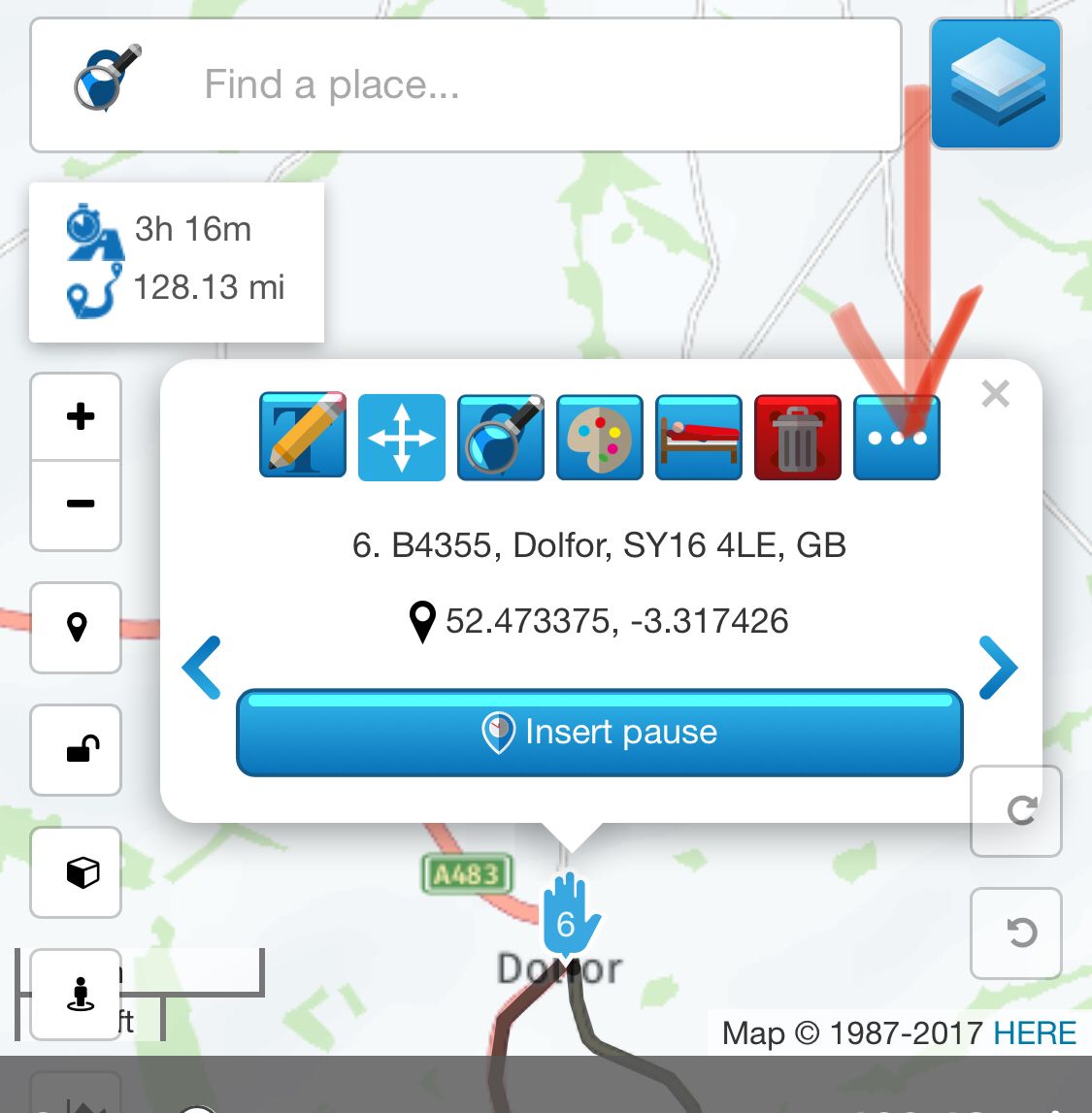
      Select the three dots icon and you will see:
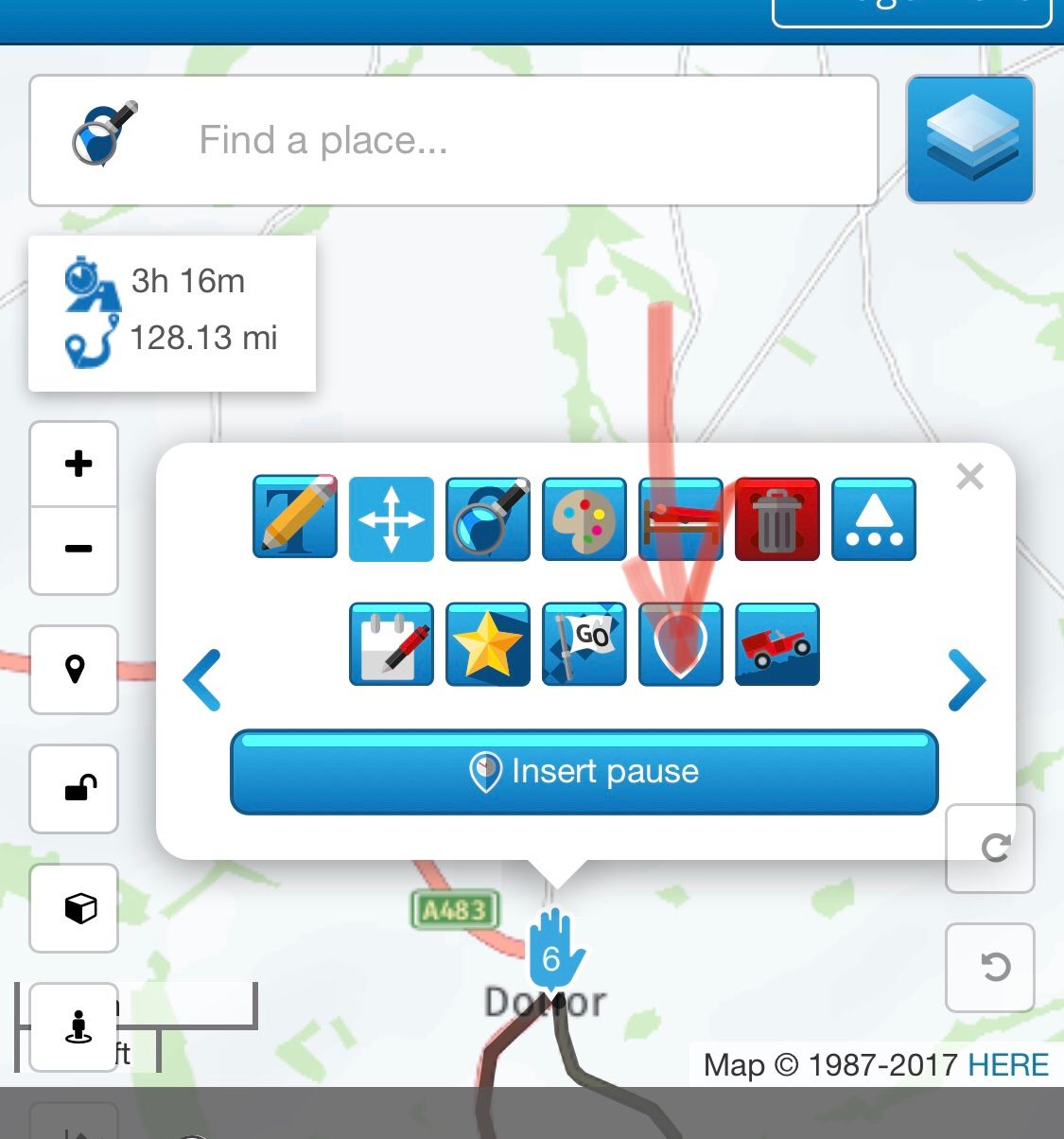
      CF9BD930-8C8B-4E79-88E0-C5633A230560.jpeg

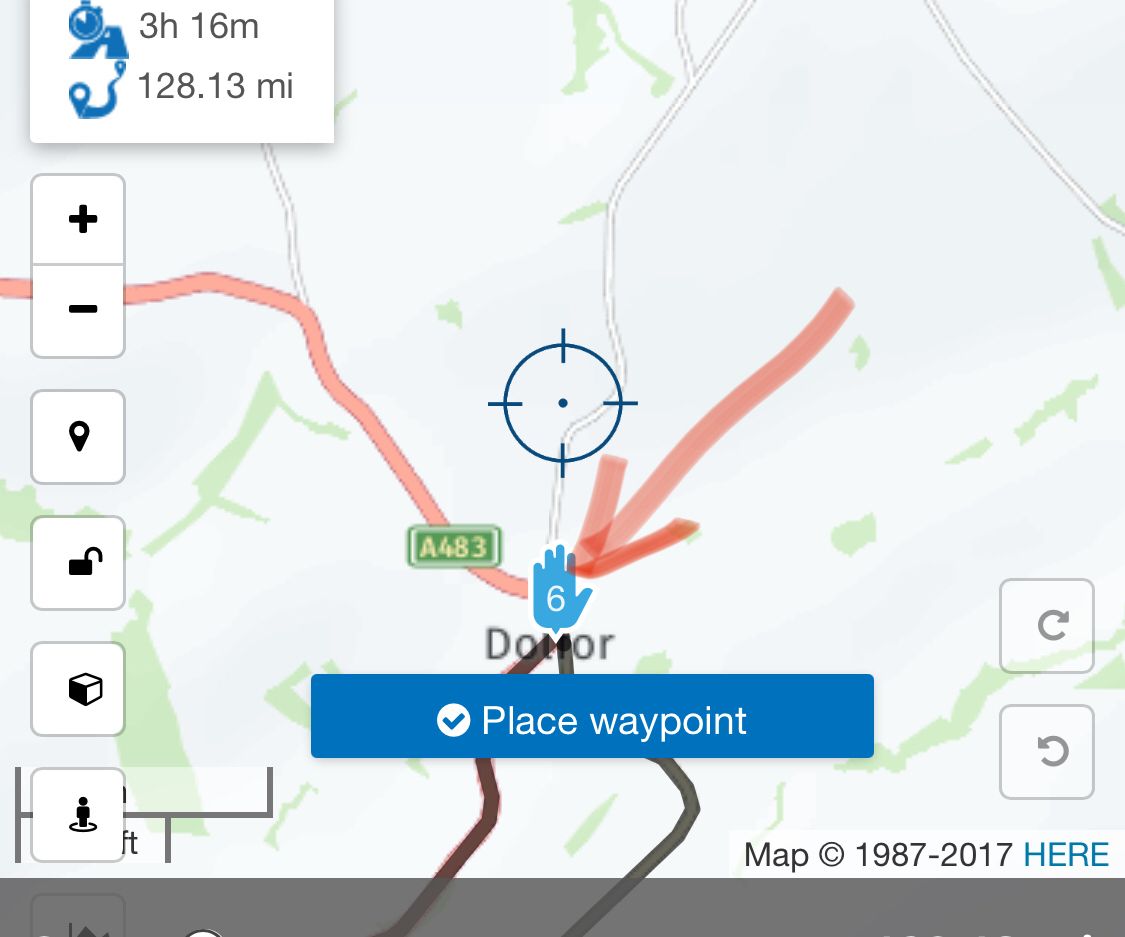
      Select the waypoint hand symbol and it will change to a shaping point
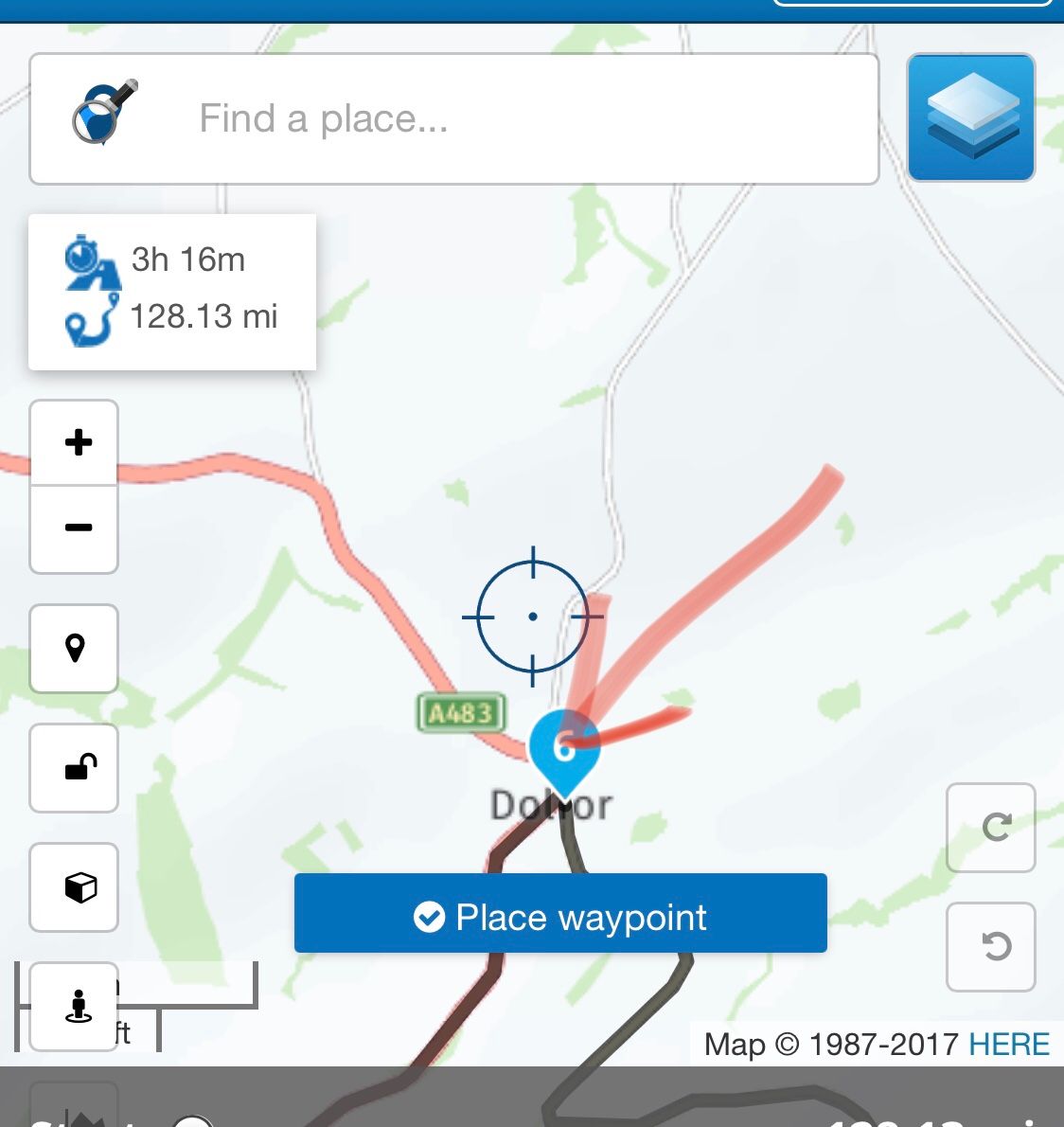
      F8BE4233-82B5-4DBA-A1A8-A68E598B3D0B.jpeg

      And vice versa of course!

      1 Reply Last reply
      1
      • Dennis Lyonundefined Offline
        Dennis Lyonundefined Offline
        Dennis Lyon
        wrote on last edited by
        #3

        Thank you!

        1 Reply Last reply
        0
        Reply
        • Reply as topic
        Log in to reply
        • Oldest to Newest
        • Newest to Oldest
        • Most Votes


        ACTIVE USERS
        Dennis Lyonundefined
        Dennis Lyon
        PAD 0undefined
        PAD 0
        POPULAR TOPICS
        • Informatie tussen routeplanner en navigatie klopt niet
          Lex.Kloet.RXundefined
          Lex.Kloet.RX
          0
          4
          70

        • MRA CarPlay mit Remotek One
          Con Hennekensundefined
          Con Hennekens
          0
          17
          3.0k

        • optie om deze mooie routes te exporteren?
          Lex.Kloet.RXundefined
          Lex.Kloet.RX
          0
          5
          183

        • Link to other User not working
          Jörgenundefined
          Jörgen
          0
          4
          162

        • App Problems and account not recognised
          Con Hennekensundefined
          Con Hennekens
          0
          2
          38

        • Feature Request: Parity for Favorites – Folders for organization
          Nick Carthewundefined
          Nick Carthew
          0
          2
          20

        • Map of United States Interstates
          Nick Carthewundefined
          Nick Carthew
          0
          2
          53

        • Navigatie met Smartphone die GPS-sateliet ontvangst heeft.
          M. Schrijverundefined
          M. Schrijver
          0
          10
          436
        MY GROUPS
        • Login

        • Login or register to search.
        • First post
          Last post
        0
        • Categories
        • Recent
        • Popular
        • Support
        • MyRoute-app