Offline Track Navigation - Path Errors with Large Distance Between Points
-

I know this is not normal & not how MRA is intended to be used, in fact it could be said to be bad practice or poor planning but I think this example may give a clue to why there are complaints about MRA unexpectedly deviating from highways
There is something strange in the path calculation that goes wrong when the distance between 2 points is large ~>80 miles (130km) if Offline & Track navigation are enabled
The calculated path can/will deviate from a simple direct path down a motorway to leaving via an off ramp, re-routing around a load of side roads & sometimes even jumping up/down off of elevated roads before continuingTo test this I simply create a 2 point route larger than > 80 miles starting at an on ramp & finishing at an off ramp
The web planner will show me a distance & time for the route
Open the route in the App & the same distance & time are displayed before the navigation is started
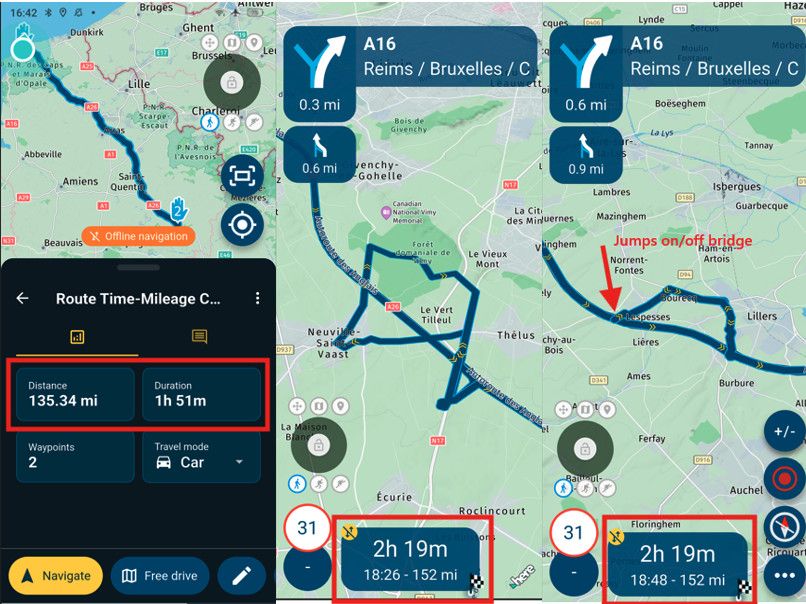
When the navigation starts the route is recalculated & it is immediately obvious that something is wrong because the mileage & time increases
Inspecting the new calculated route, incorrect / unexpected deviations off of the motorway are easy to findShorten the route so it includes the areas where the unexpected deviation occurred & the path follows the correct direct route along the motorway
It is the large distance/time between points that seems to cause the unexpected deviationsOnline & disabling track navigation the problem does not appear
It has nothing to do with traffic or road worksI don’t really care / am not expecting a fix for this as I rarely plan trips with large sections of motorway,
it is just something I noticed when testing to try & answer this other question on the forum
Just thought maybe as it is a very reproducible error it may give a clue as to where in the path calculation sometimes an error can occur -

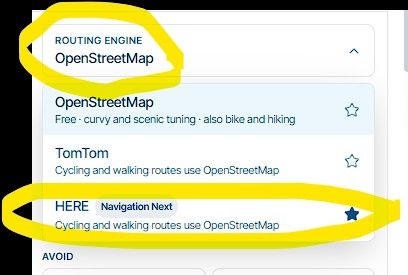
I don't think it's a mistake; you really should check the track navigation settings before setting off—this is something you can and generally ought to do before starting a route or track. In your case, it is indeed track navigation, since you are talking about a route from point A to point B. Track navigation assumes a route with at least some curves—meaning it generally avoids motorways. Even if you start by getting onto a motorway on-ramp, the system will always take the next logical exit to get you onto a more winding route.
VG
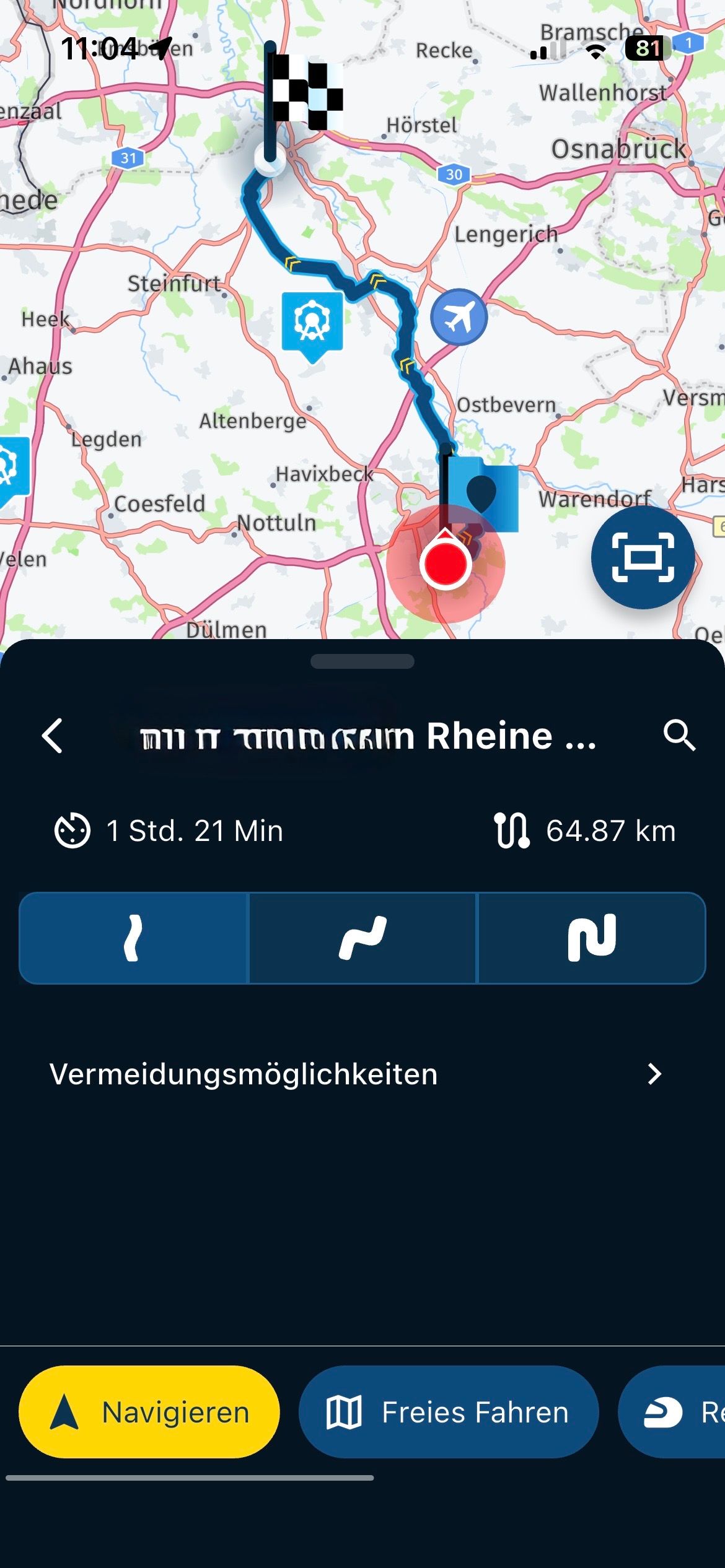
Siehe die Fotos:
Selection slightly curvy ..
Avoidances …
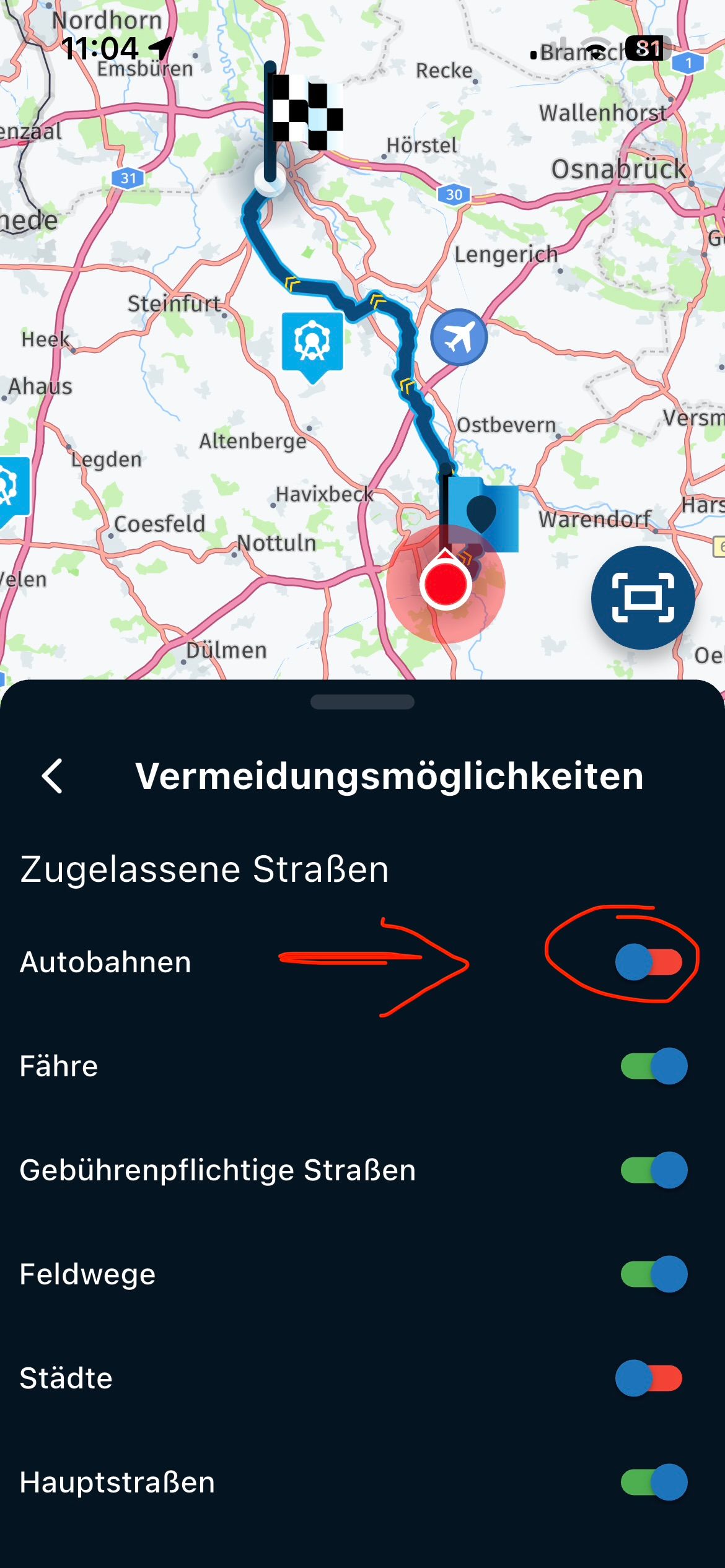
VG Hubert
iPad 9. G iOS 27.2.0/iPhone 16e iOS 27.2.0/ iPhone Xr iOS 18.7.11 / PC Win11 /
❗️MRA & BMW Cradel & Remotek One & Navi Halter3D Druck Senkrecht ❗️ -
I don't think it's a mistake; you really should check the track navigation settings before setting off—this is something you can and generally ought to do before starting a route or track. In your case, it is indeed track navigation, since you are talking about a route from point A to point B. Track navigation assumes a route with at least some curves—meaning it generally avoids motorways. Even if you start by getting onto a motorway on-ramp, the system will always take the next logical exit to get you onto a more winding route.
VG
Siehe die Fotos:
Selection slightly curvy ..
Avoidances …
sorry @Hubert-Thoring the routing all seems to work perfectly with a 2 point route if it is a shorter distance
WITHOUT changing any settings, just increasing the distance the routing calculator will suddenly start taking crazy detoursthis has nothing to do with motorway per-se, the motorways are just an simple repeatable way to demonstrate the issue & make it easy to see where the routing calculator goes wrong
it is very simple for anyone to test, just create a 2 point route far enough apart & try to navigate it as a track offlinefor me the fact that these detours can occur points to a problem somewhere in the routing calculator / algorithm
as it is very repeatable problem I would think it relatively simple to find the root cause
fixing the root cause of this issue may also resolve other routing glitches of which we hear of many on this forumthanks for the reply
BlackView BV7100, Android 12
Navigate "Routes as Tracks" in Offline mode with Offline Maps
No Wifi, no internet, no interruptions, works well -
sorry @Hubert-Thoring the routing all seems to work perfectly with a 2 point route if it is a shorter distance
WITHOUT changing any settings, just increasing the distance the routing calculator will suddenly start taking crazy detoursthis has nothing to do with motorway per-se, the motorways are just an simple repeatable way to demonstrate the issue & make it easy to see where the routing calculator goes wrong
it is very simple for anyone to test, just create a 2 point route far enough apart & try to navigate it as a track offlinefor me the fact that these detours can occur points to a problem somewhere in the routing calculator / algorithm
as it is very repeatable problem I would think it relatively simple to find the root cause
fixing the root cause of this issue may also resolve other routing glitches of which we hear of many on this forumthanks for the reply
seems distance is not the main factor with this oddity, it can also occur for a simple 2 point route with <20 miles between them
increasing the distance just makes it easier to spot as there are more opportunities / a higher probability of it going wrong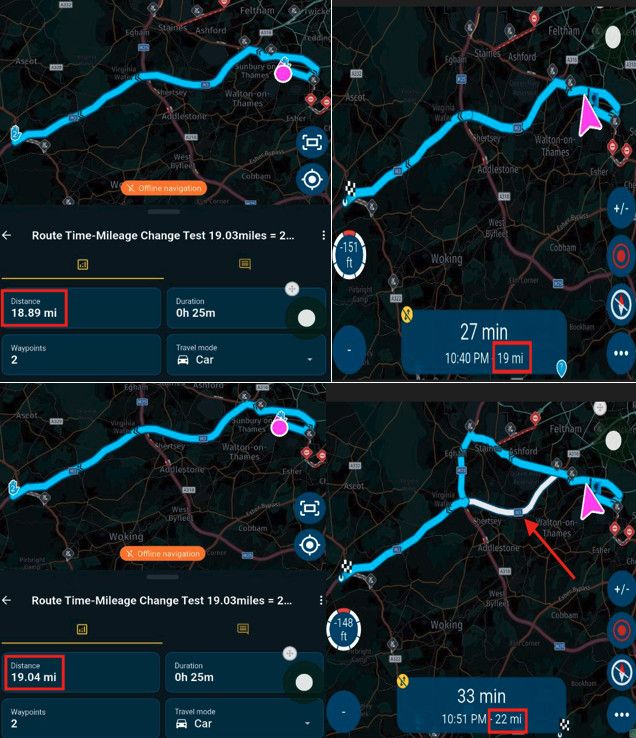
simply moving point #2 half a mile further up the road results in the calculation for the offline track navigation route deviating by 3 miles when the navigation is started
the only settings enabled are "offline navigation", "navigatie route as track" & "use all waypoints"
no other settings are enabled or changed between testsit appears the oddity is a bit random but somehow related to distance
-

A few weeks ago I rode a route that I have done many times.
on this occasion the NN did exactly as you describe here. tried to send me off and back on the motorway at almost every junction.
I had 1 start point 400m away from my house and the next shaping point was located at the end of the motorway section. I did not need anymore as I know the route, it was a means of getting to the twisty toads and these two points were circa 50miles (80KM) apart. only reason I had the two initial points was to give me a rough arrival time. route as track
I sent the log files to the devs, did not get an explanation, which I wasn't really looking for, the answer I received was, they would use the findings from the log files to help with updates. which was my intention when I sent the log files.
curiouser and curiouser
Hello! It looks like you're interested in this conversation, but you don't have an account yet.
Getting fed up of having to scroll through the same posts each visit? When you register for an account, you'll always come back to exactly where you were before, and choose to be notified of new replies (either via email, or push notification). You'll also be able to save bookmarks and upvote posts to show your appreciation to other community members.
With your input, this post could be even better 💗
Register Login-
 11293
11293
-
 01144
01144
-
0834
-
 21161
21161
-
0833
-
 0741
0741
-
 0726
0726
-
010100