Skip to content
  • Categories
  • Recent
  • Popular
  • Support
  • MyRoute-app
Collapse
Brand Logo

MRA Community Forum

  1. Home
  2. [App-Beta] The MyRoute-app
  3. [App-Beta] Problems, Bugs and other Issues
  4. Color of Via points issue

Color of Via points issue
Scheduled Pinned Locked Moved [App-Beta] Problems, Bugs and other Issues
5 Posts 3 Posters 57 Views 2 Watching
  • Oldest to Newest
  • Newest to Oldest
  • Most Votes
Reply
  • Reply as topic
Log in to reply
This topic has been deleted. Only users with topic management privileges can see it.
  • Jörgen
    Jörgen
    Jörgen
    Valued contributor
    wrote on last edited by
    #1

    Hi,

    we use the colors for shaping and via points as internal code for special information.
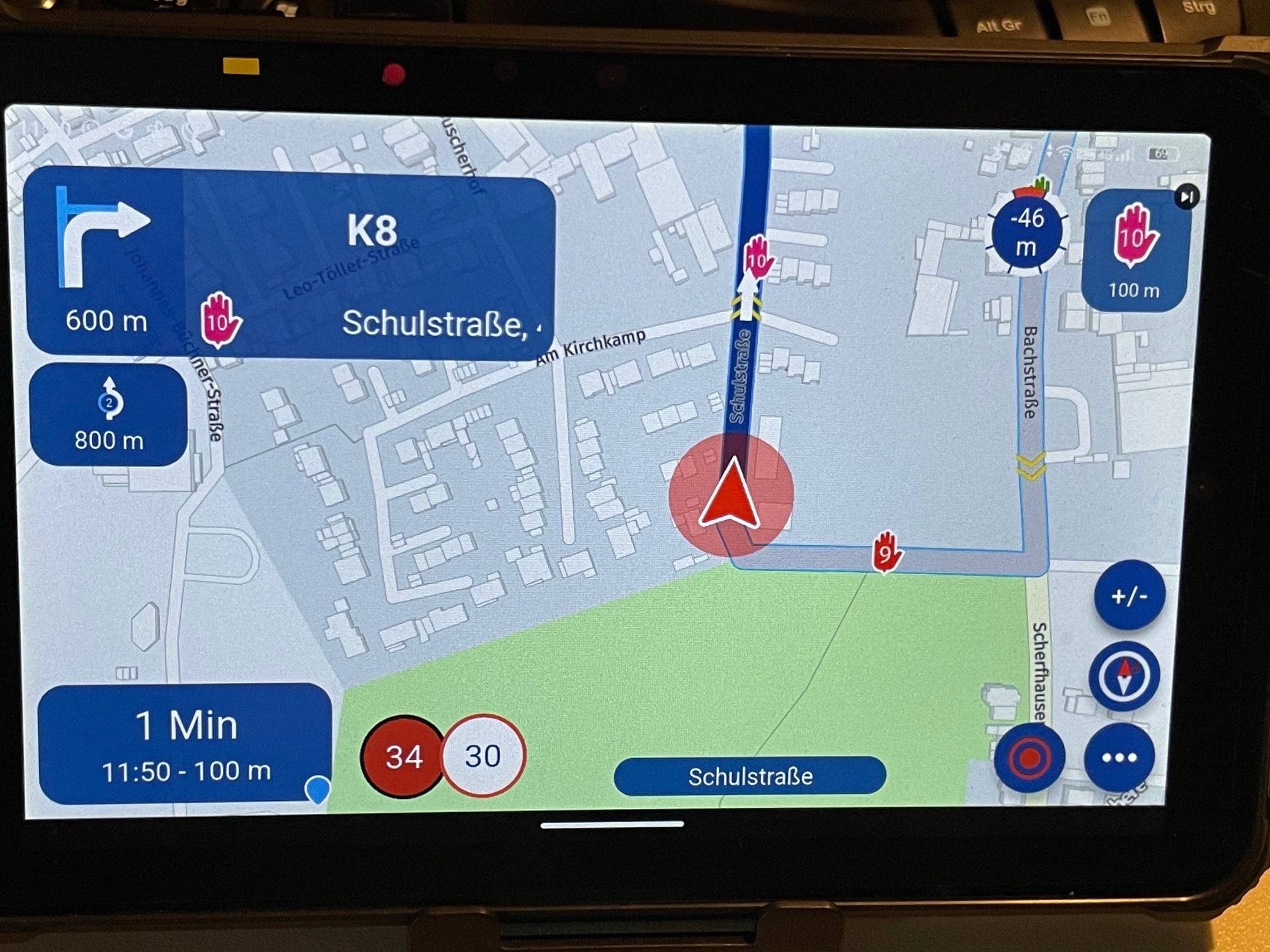
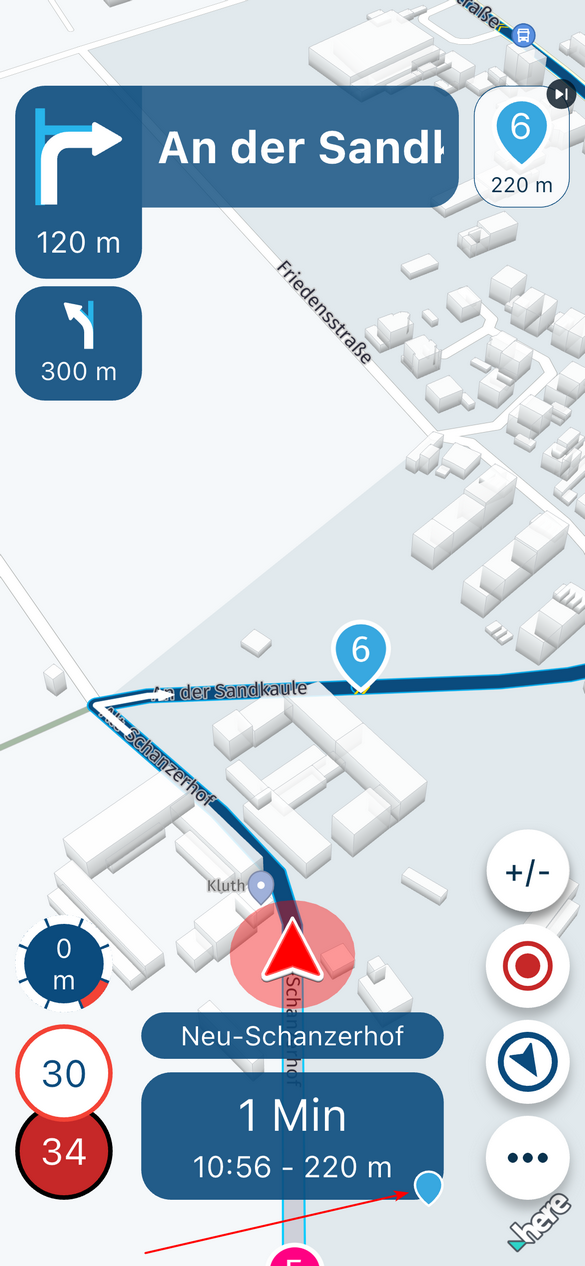
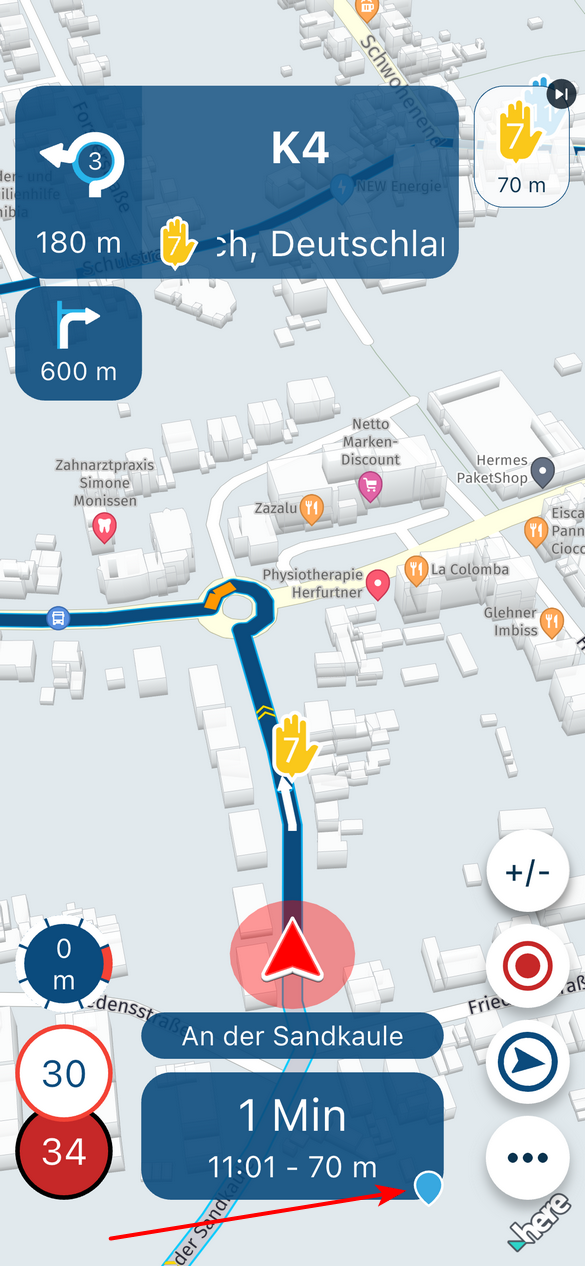
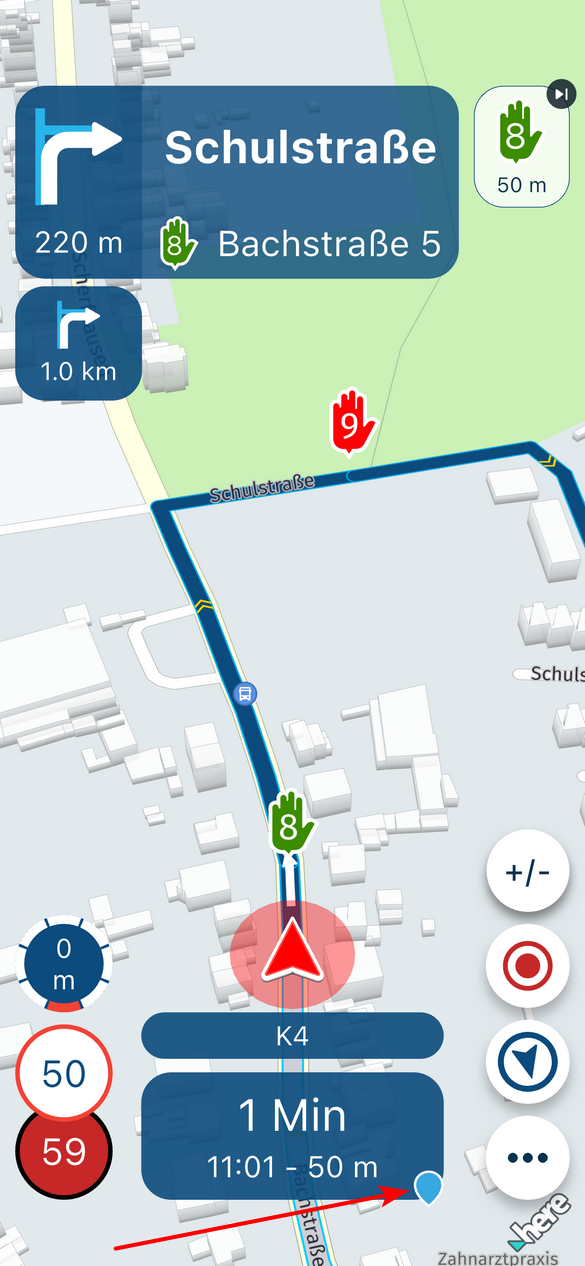
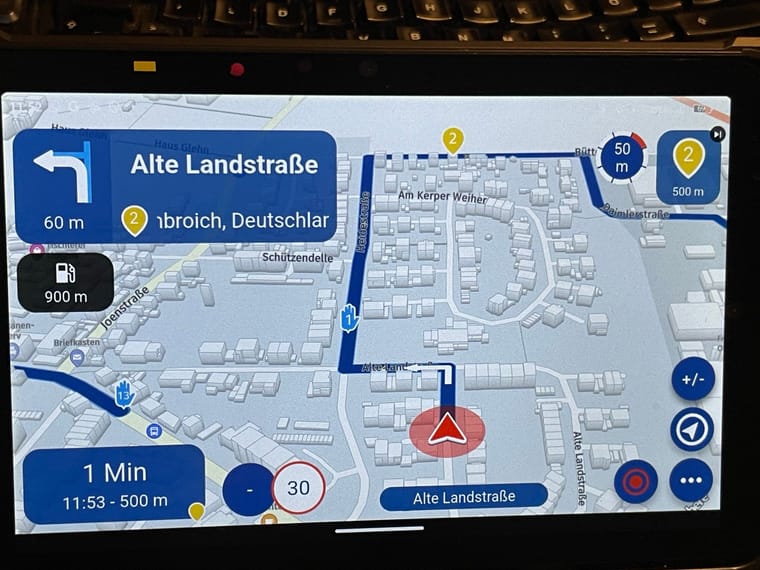
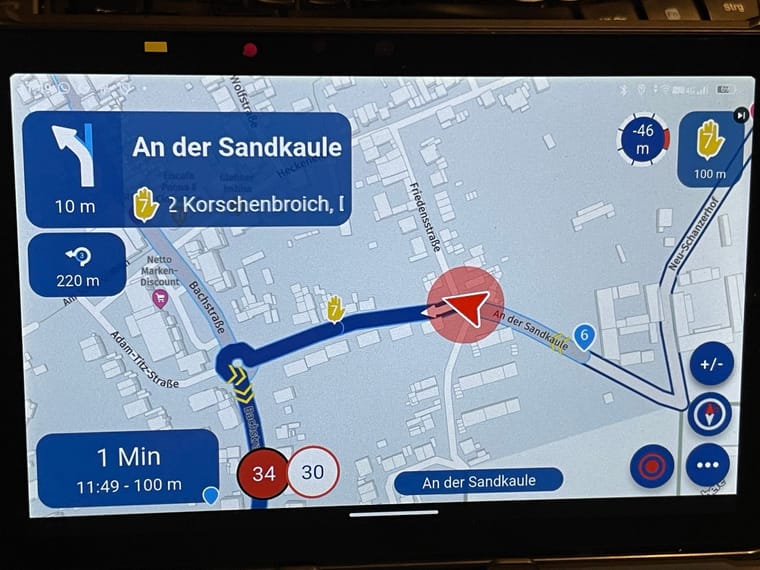
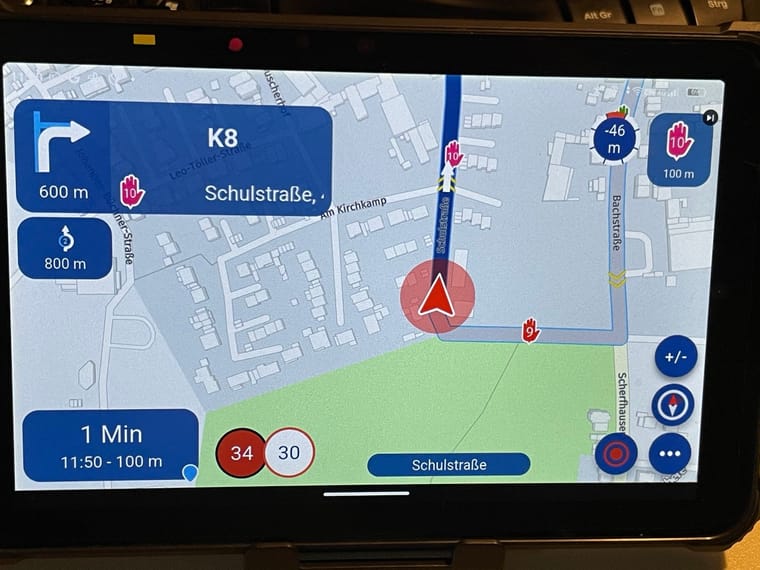
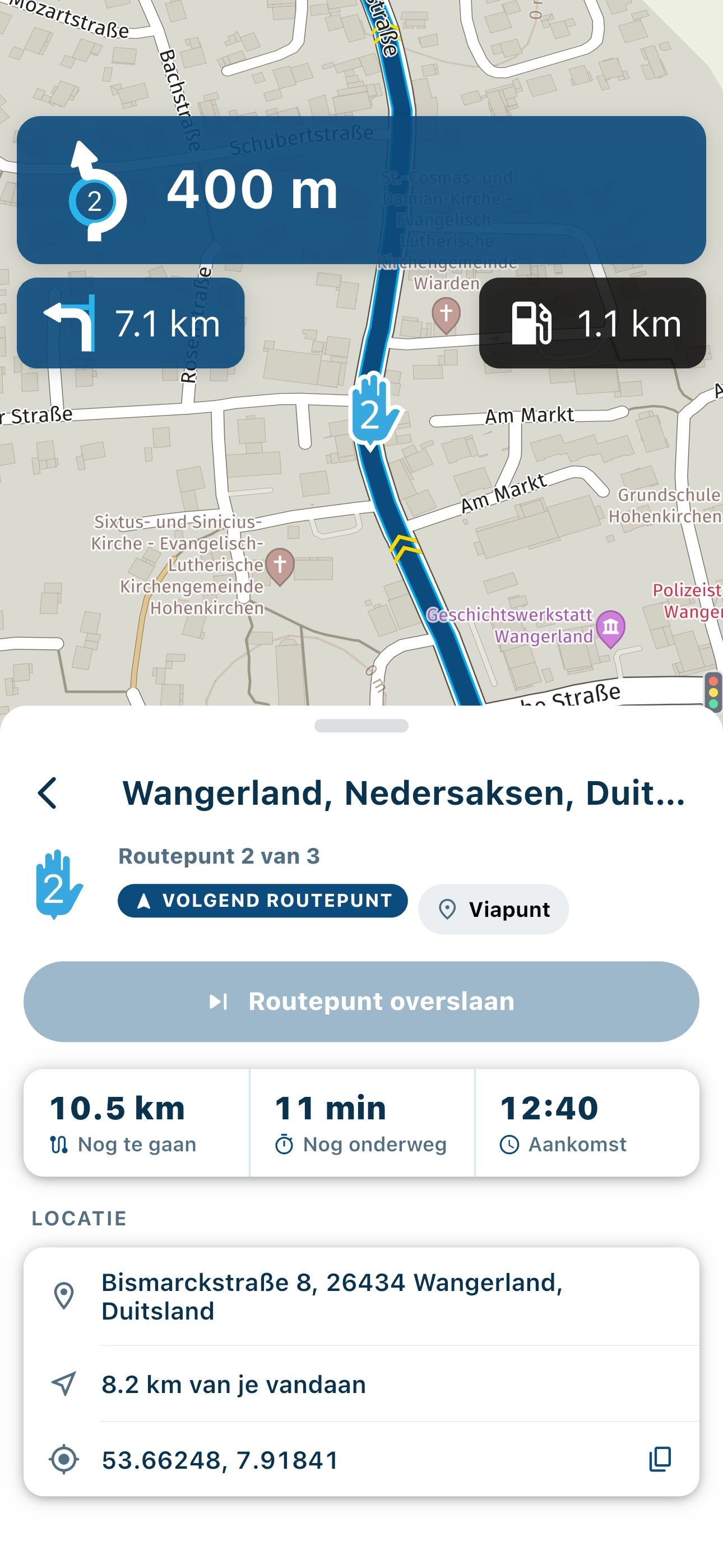
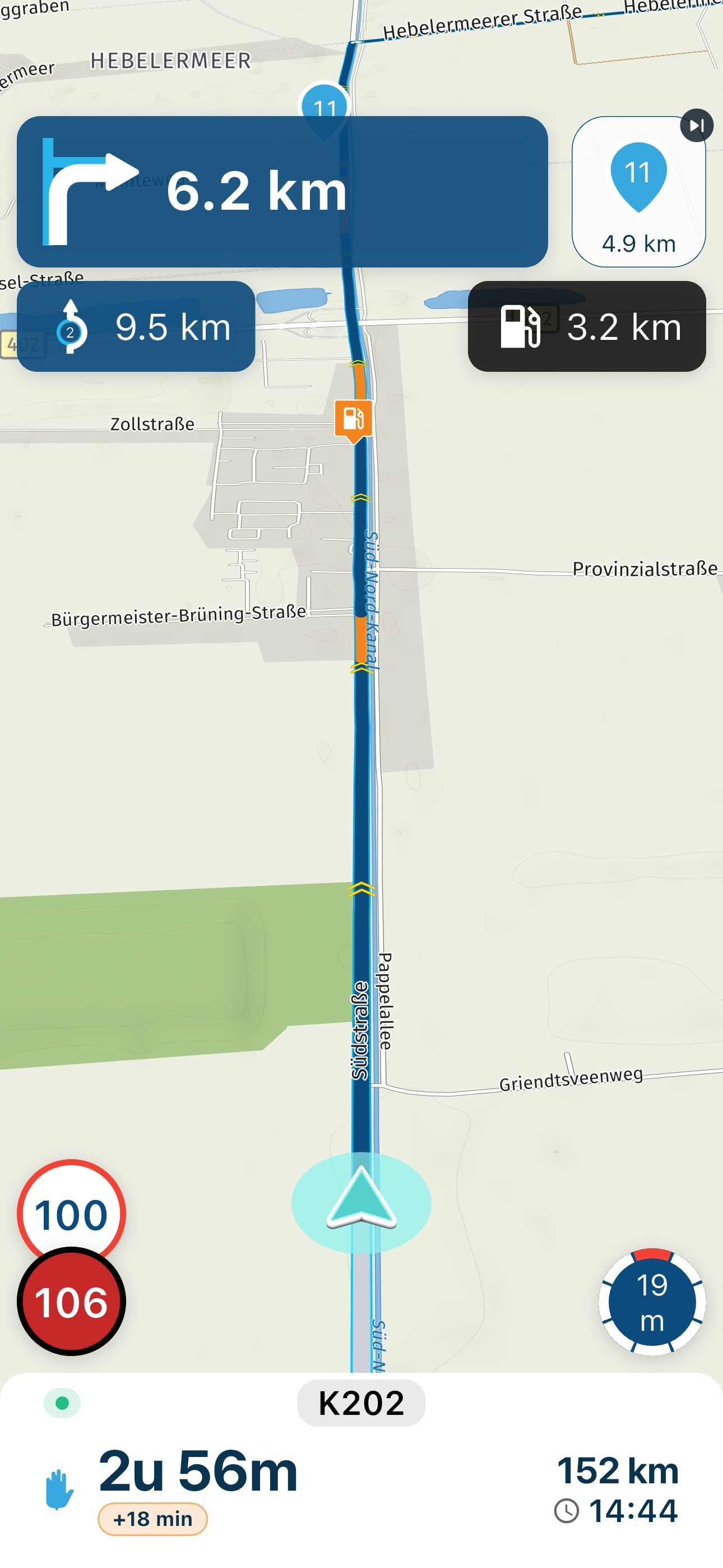
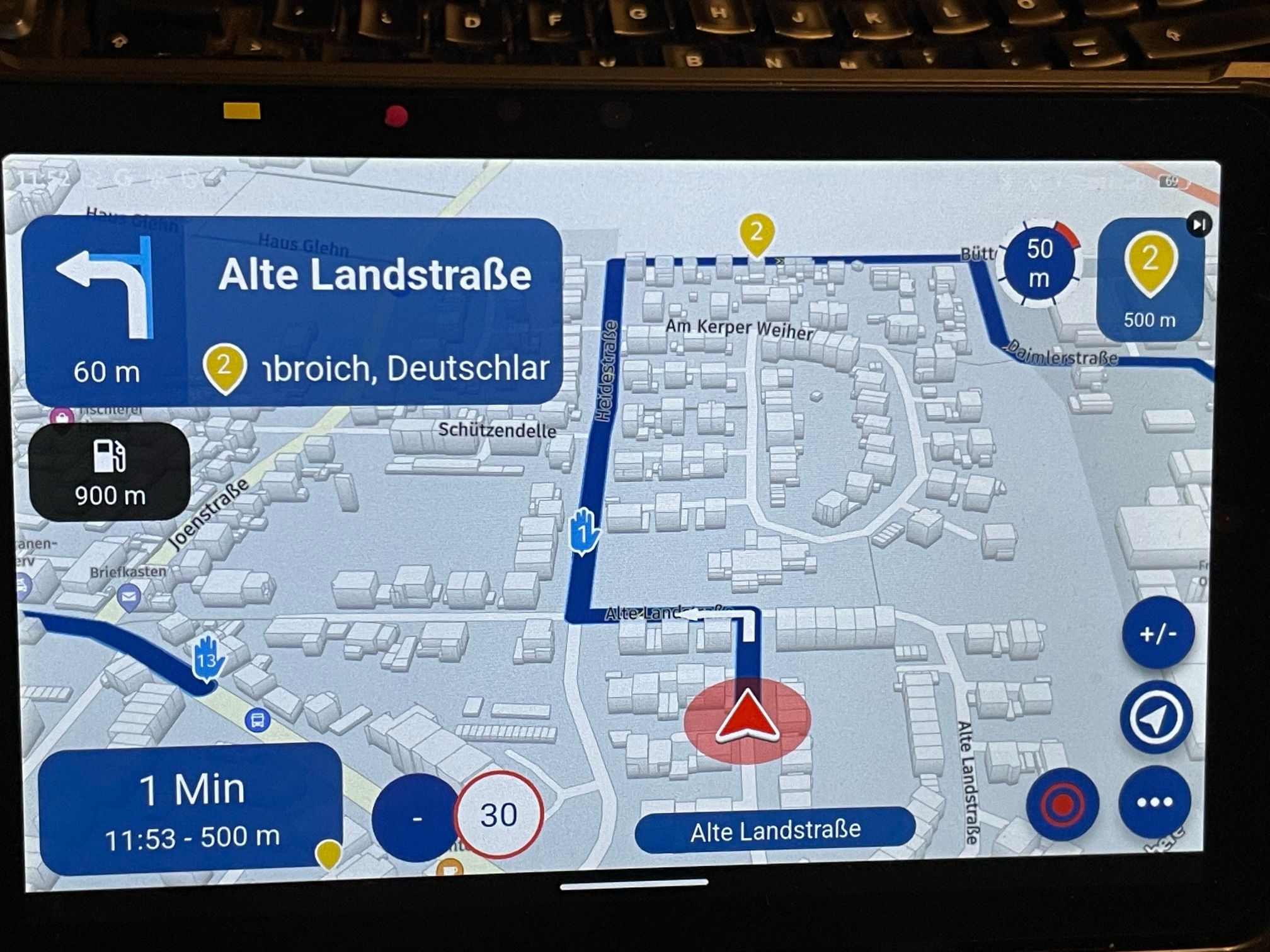
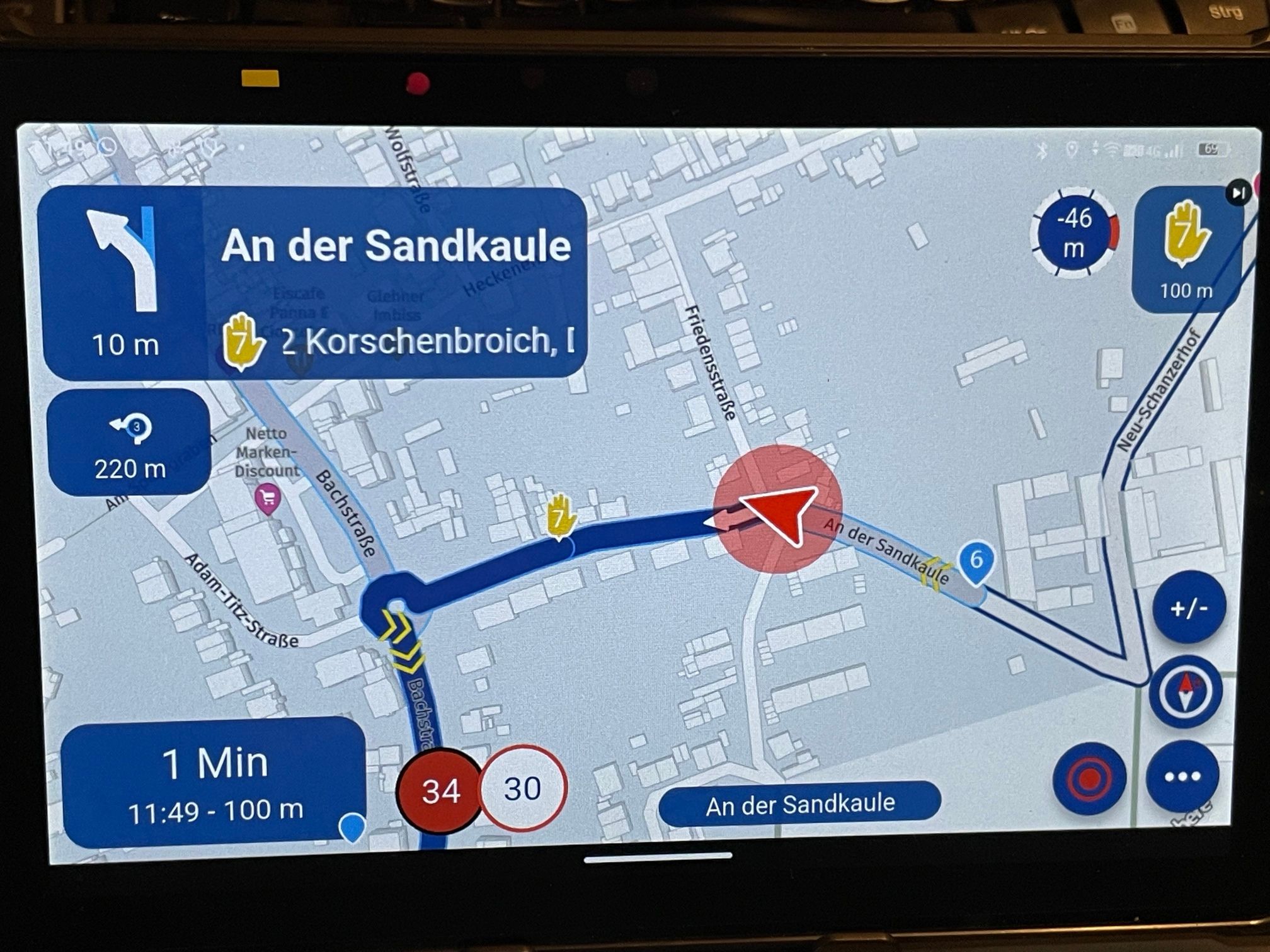
    During the last drive I noticed that the display color on screen for via points does not match with the settings.

    On iOS (iphone)
    IMG_0301.PNG
    Shaping point OK

    IMG_0302.PNG
    Via point not OK

    IMG_0303.PNG
    Via point not OK

    On Android the same.
    IMG_0309.JPG
    Shaping point OK

    IMG_0306.JPG

    IMG_0308.JPG
    Via point not OK

    Hardware
    iPhone 12 pro (iOS 26.2.1)
    iPad (7.Gen.) 18.7.3
    Oukitel RT3 Pro (Andr. 14)
    Wireless CarPlay mit (Elebest C650)
    Wired CarPlay (SEAT Arona - 2021)
    MRA Workshops in Deutsch sind hier zu finden

    Nick Carthew 1 Reply Last reply
    0
    • Jörgen Jörgen

      Hi,

      we use the colors for shaping and via points as internal code for special information.
      During the last drive I noticed that the display color on screen for via points does not match with the settings.

      On iOS (iphone)
      IMG_0301.PNG
      Shaping point OK

      IMG_0302.PNG
      Via point not OK

      IMG_0303.PNG
      Via point not OK

      On Android the same.
      IMG_0309.JPG
      Shaping point OK

      IMG_0306.JPG

      IMG_0308.JPG
      Via point not OK

      Nick Carthew
      Nick Carthew
      Nick Carthew
      RouteXpert
      wrote on last edited by
      #2

      @Jörgen The ETA box can show the time and distance to the next waypoint or via point or end of the route. Tap the ETA box to scroll through. When you have it set to show the next waypoint a blue shaping point is used.
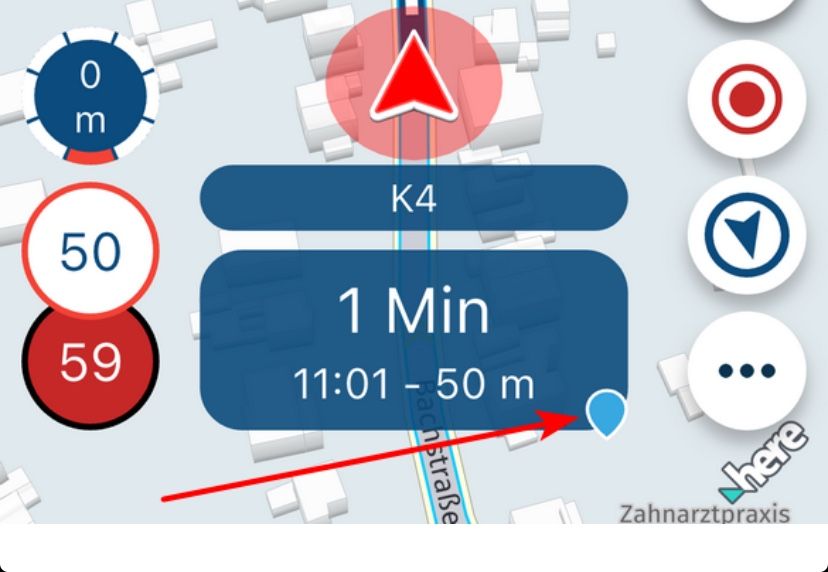
      6992896f-513a-47bc-b465-0d38b997a468-image.jpeg

      Always willing to help if I can.
      Triumph Tiger 1200 XRT called Tina.
      MRA Navigation Next and SilverFox BJ8

      1 Reply Last reply
      0
      • Jörgen
        Jörgen
        Jörgen
        Valued contributor
        wrote on last edited by
        #3

        Hi Nick, the first part is correct, but the second isn't.
        I took another look at it and only then understood the logic behind it.
        MRA does display the correct color; it's just that the display logic is different than I thought and depends on the setting.

        1. Display (normal): remaining time and distance to the destination (no color, just a black-and-white checkered flag)
        2. Display: Remaining time and distance to the next shaping point (the correct color is shown as an inverted drop)
        3. Display: Remaining time and distance to the next via point.
          (the correct color is shown as a hand)

        If I select Display 2, the correct color of the next shaping point is shown. If there are via points in between, they aren’t displayed.
        So here, only the next SP is shown.

        If I select display 3, the correct color of the next via point is displayed. If there are shaping points in between, they are not displayed.
        So here, only the next VP is shown.
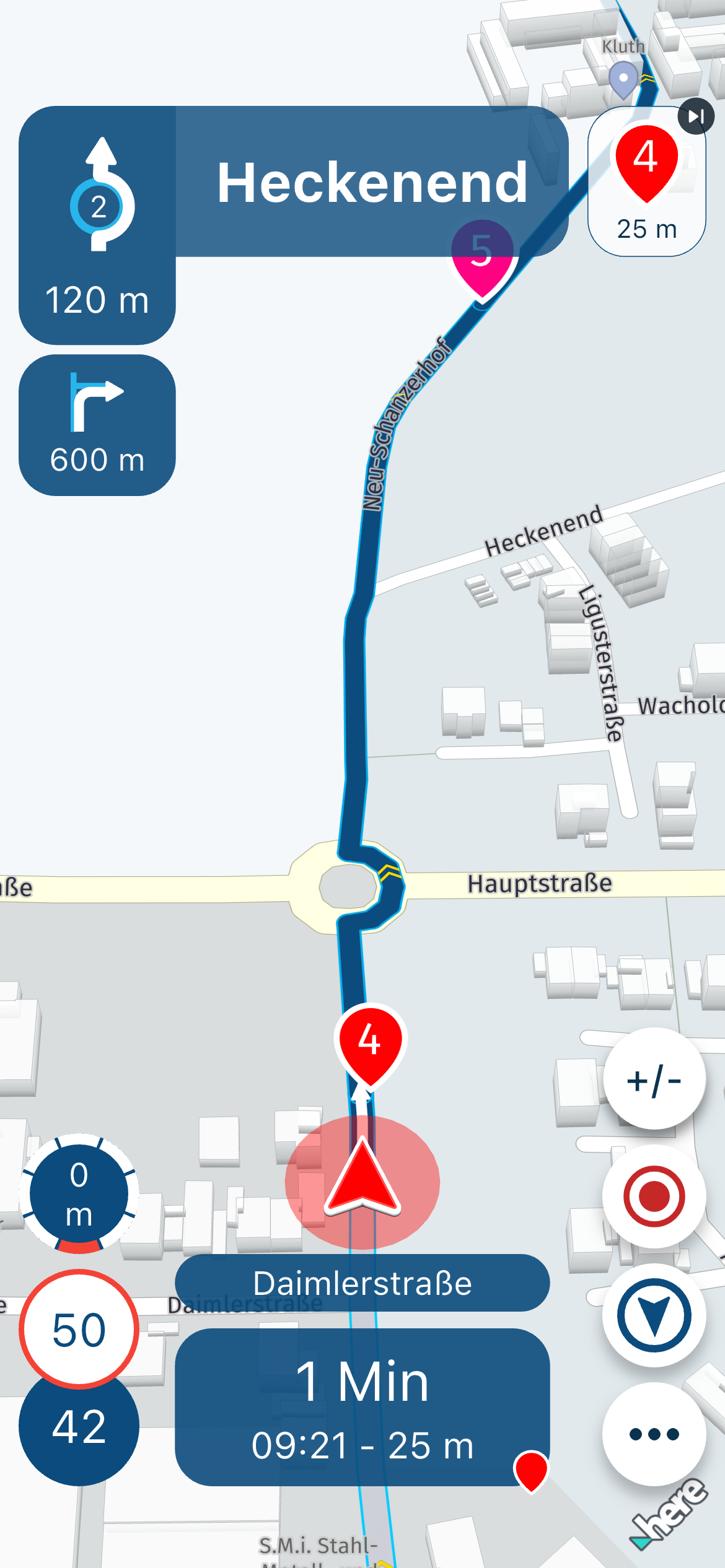
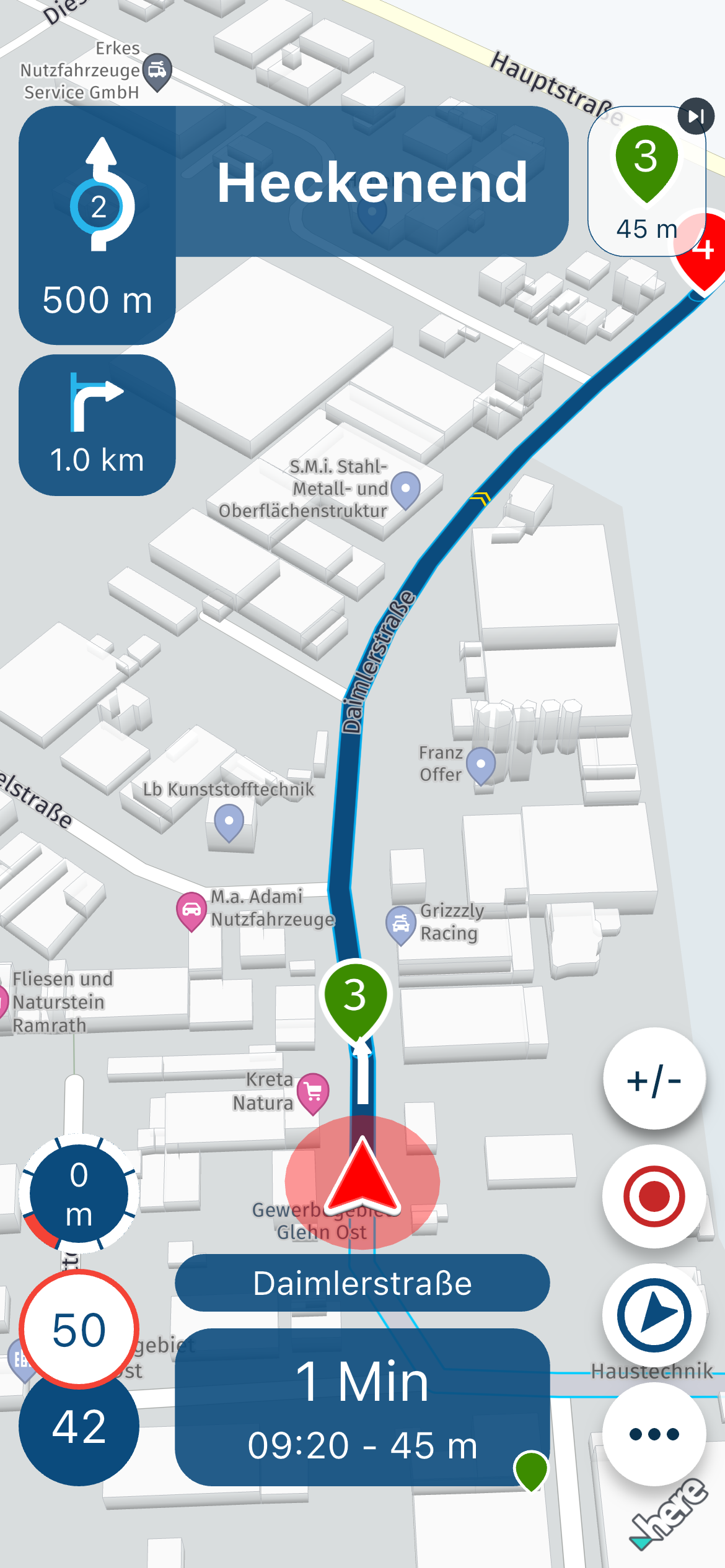
        IMG_0315.PNG
        IMG_0314.PNG

        Hardware
        iPhone 12 pro (iOS 26.2.1)
        iPad (7.Gen.) 18.7.3
        Oukitel RT3 Pro (Andr. 14)
        Wireless CarPlay mit (Elebest C650)
        Wired CarPlay (SEAT Arona - 2021)
        MRA Workshops in Deutsch sind hier zu finden

        1 Reply Last reply
        0
        • Corjan Meijerink
          Corjan Meijerink
          Corjan Meijerink
          Developer
          wrote on last edited by
          #4

          I'll get this fixed

          1 Reply Last reply
          1
          • Jörgen
            Jörgen
            Jörgen
            Valued contributor
            wrote on last edited by
            #5

            Hi Corjan, after taking a second look at the logic behind the display, I don't think there's a mistake.

            1. Display (normal): remaining time and distance to the destination (no color, just a black-and-white checkered flag)
            2. Display: Remaining time and distance to the next shaping point (the correct color is shown as an inverted drop)
            3. Display: Remaining time and distance to the next via point. (the correct color is shown as a hand)

            If shaping and via points are mixed on the route it will show only the next coming one (with the right color) depending on the setting 2. or 3.

            Hardware
            iPhone 12 pro (iOS 26.2.1)
            iPad (7.Gen.) 18.7.3
            Oukitel RT3 Pro (Andr. 14)
            Wireless CarPlay mit (Elebest C650)
            Wired CarPlay (SEAT Arona - 2021)
            MRA Workshops in Deutsch sind hier zu finden

            1 Reply Last reply
            1

            Hello! It looks like you're interested in this conversation, but you don't have an account yet.

            Getting fed up of having to scroll through the same posts each visit? When you register for an account, you'll always come back to exactly where you were before, and choose to be notified of new replies (either via email, or push notification). You'll also be able to save bookmarks and upvote posts to show your appreciation to other community members.

            With your input, this post could be even better 💗

            Register Login
            Reply
            • Reply as topic
            Log in to reply
            • Oldest to Newest
            • Newest to Oldest
            • Most Votes


            ACTIVE USERS
            Jörgen
            Jörgen
            Corjan Meijerink
            Corjan Meijerink
            Nick Carthew
            Nick Carthew
            POPULAR TOPICS
            • Add delete route button to library
              Jörgen
              Jörgen
              0
              8
              10

            • Compatibility and synchronization of the "old" database with the new beta
              b0hd1
              b0hd1
              1
              5
              13

            • Strange translation
              Jörgen
              Jörgen
              0
              6
              14

            • Where is the "Routes" option?
              LennyO
              LennyO
              0
              5
              24

            • Crazy routing
              Rob Verhoeff
              Rob Verhoeff
              0
              4
              13

            • Foutmelding In MRA Next
              Rob Verhoeff
              Rob Verhoeff
              0
              4
              19

            • Kort voorstellen
              a white mouse on the motorbike
              a white mouse on the motorbike
              2
              4
              97

            • My Routeapp Stays questions
              Lluis Arasanz
              Lluis Arasanz
              0
              5
              22

            MY GROUPS
            • Login

            • Login or register to search.
            • First post
              Last post
            0
            • Categories
            • Recent
            • Popular
            • Support
            • MyRoute-app