Tracklog datapoints [Local time, speed, altitude, export CSV]
-

Feature request regarding tracklogs
A great addition would be the ability to have more data within tracklogs, as it currently only tracks your route and calculates your avg. speed based on start time, end time and recorded distance.
If each recorded datapoint also contains:
- Local time
- Current speed (based on GPS data)
- Altitude (based on map or GPS data)
- Direction / heading "NW (312°)"
Then, based on this information, even more data could be displayed.
Track information (additional information)
- Top speed
- Elevation gain/loss
Track point hover
- Time
- Speed
- Heading
- Distance from start
- Time from start
- Acceleration
- Vertical speed
- Route progress (%)
Since the track information is currently shown on the left, it would be great if clicking on an item would show the corresponding point on the map, or have matching color-coded markers on the map by default.
Hovering over the tracked line could display an information panel in the bottom-right corner of the map, showing the data for the selected point.
Possibly a dropdown menu with the options to:
- enable a colored line, based on your speed or altitude.
- select information shown in the information panel
There would be a lot of data to play with and make tracklogs way more interactive, interesting and fun, rather than only using the data to create new planned routes.
If we can also export this data to a CSV* for example, the data could also be used in other ways. Depending on the interval**, it could also be used as an overlay for action cam footage.
*The CSV would contain all kinds of columns, for example:
- elapsed time from start (in milliseconds)
- UTC time (epoch, or another usable standard)
- local time / timezone offset
- longitude
- latitude
- altitude
- speed
- heading in degrees
- distance traveled from start
- route progress (%)
- gps accuracy (m)
**Add the ability for the user to choose an interval, default or shorter, depending on how the data would be used. The default interval would remain suitable for normal MRA track logging. Users could optionally select a shorter interval, ranging from the default setting down to 16.67ms (60Hz)/20ms (50Hz)/100ms (10Hz), for example when the data is intended for an action cam overlay. (This uses more battery, and I know it will also mean more backend storage, but it's just an idea. Maybe make the high-frequency data only available for a month and then automatically reduce the data to the default MRA interval)
The main feature request is the additional track data, hover information panel, map markers and colored track visualization. The high-frequency logging and custom interval functionality are intended as optional extras.
-

Absolutely agree. It is unfortunate that I only found this post after I argued for precisely the same functionality as you describe over in the ‘Camper Forum’
Very strong support from this new user.
John
-
I have now successfully used the track log functionality of the app. This is the result in MyRoute ...
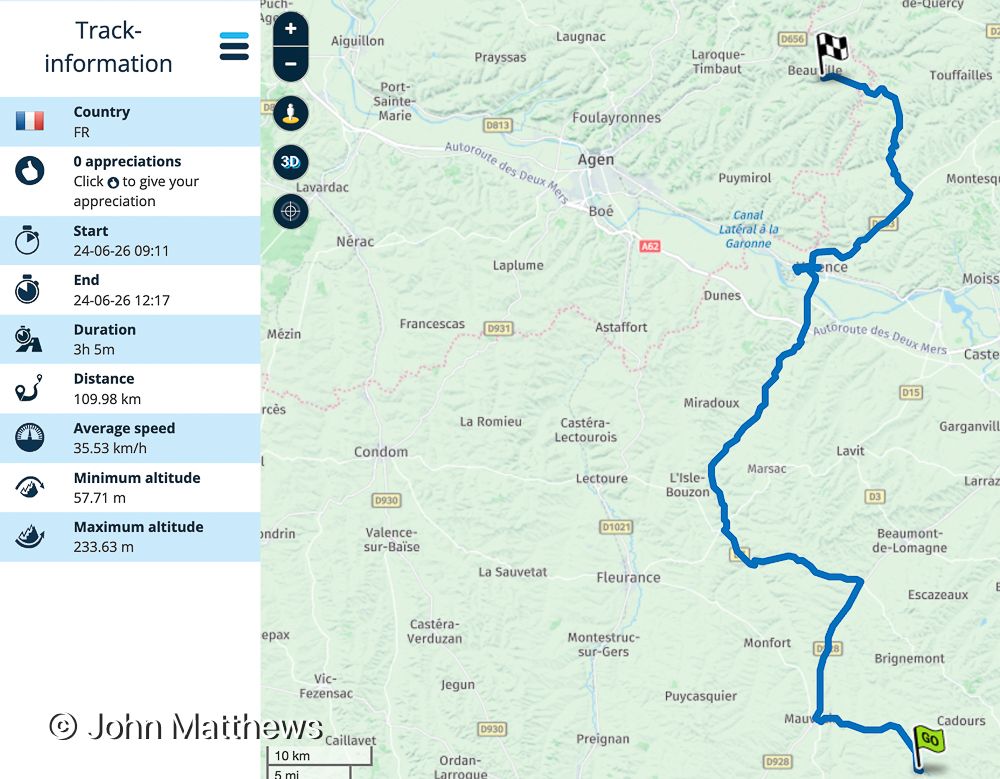
The track log includes a pause and resume, which worked faultlessly.
I then saved the track log as gpx 1.1 and imported into Basecamp to examined the file. This shows that the data that Yannick requested is captured (a question I asked in the Camper Forum). The highlighted entry is when the tracking was paused - 40 centigrade necessitated replenishing our bottles of water!
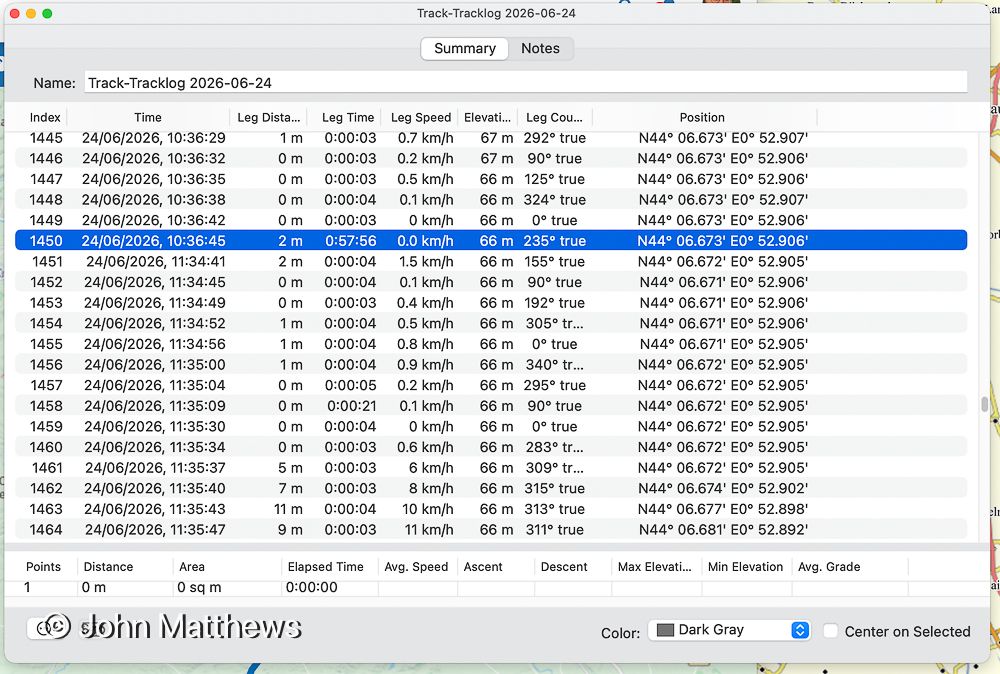
To add a pop-up window in MyRoute to display the captured information seems to be a very reasonable request to avoid migrating a data file to another application in order to display data MyRoute collected.
John
-
Here is an example of how the ability to access the full data can be used.
If you forget to pause recording when you enter a building the inevitable result of partial/complete loss of a gps signal is this ...
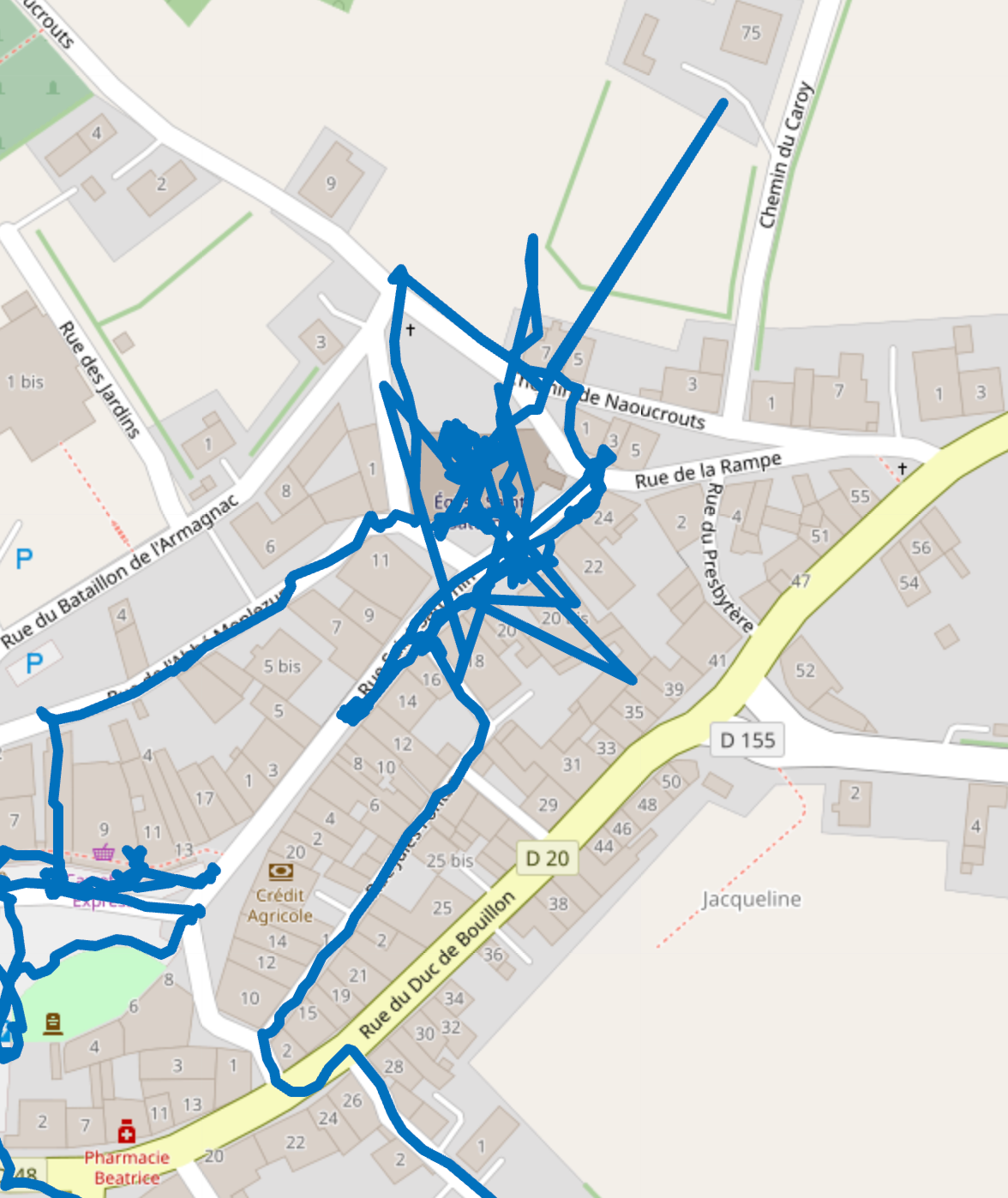
With access to data points it is possible to delete the spurious tracking so ...
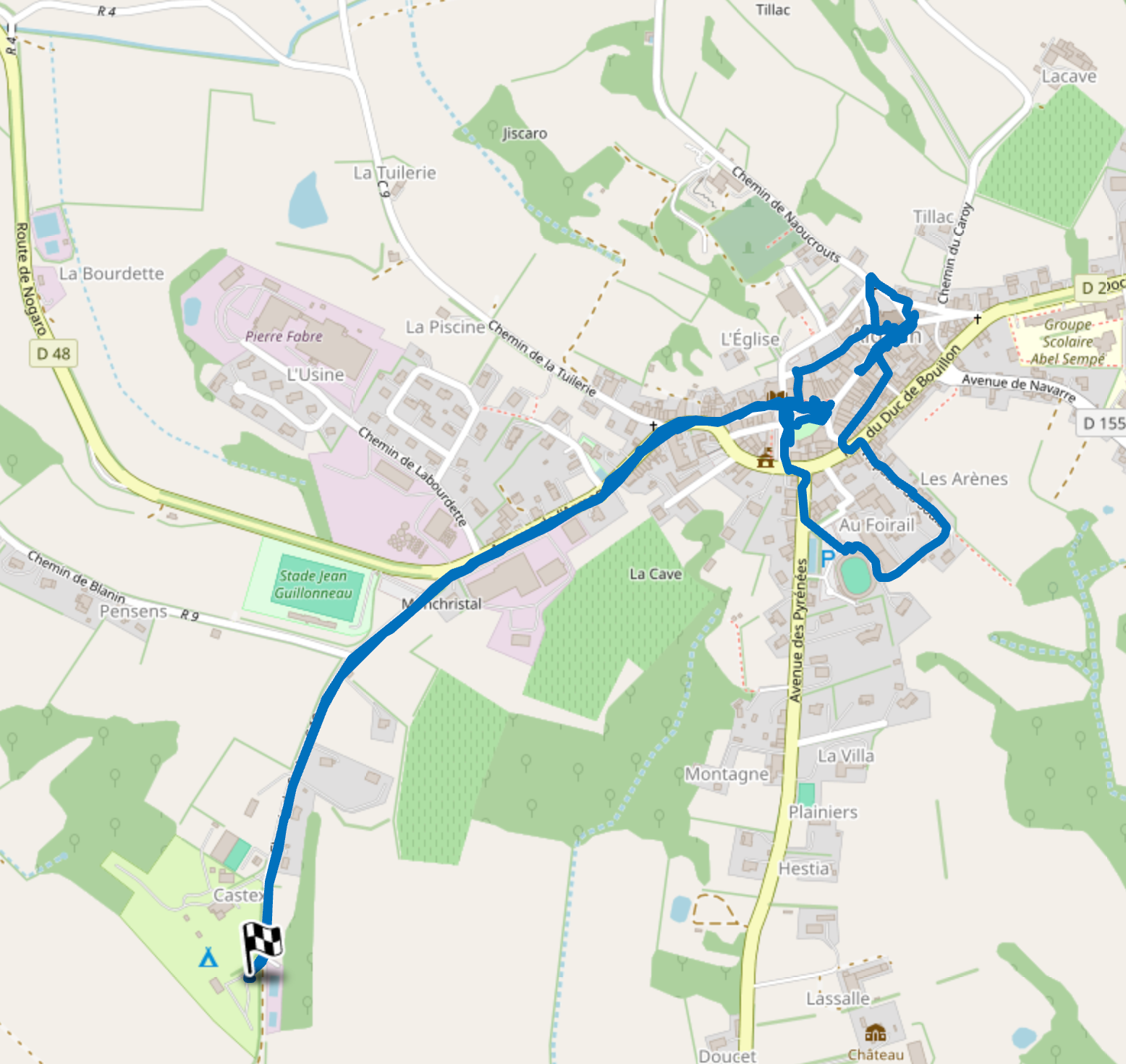
John
-
Much more information is available from the tracks.
Use gpxsee, https://sourceforge.net/projects/gpxsee/
RT -
This post is deleted!
Hello! It looks like you're interested in this conversation, but you don't have an account yet.
Getting fed up of having to scroll through the same posts each visit? When you register for an account, you'll always come back to exactly where you were before, and choose to be notified of new replies (either via email, or push notification). You'll also be able to save bookmarks and upvote posts to show your appreciation to other community members.
With your input, this post could be even better 💗
Register Login-
 08180
08180
-
 0518
0518
-
 010269
-
 0745
0745
-
0310
-
 0336
0336
-
 016802
-
0211