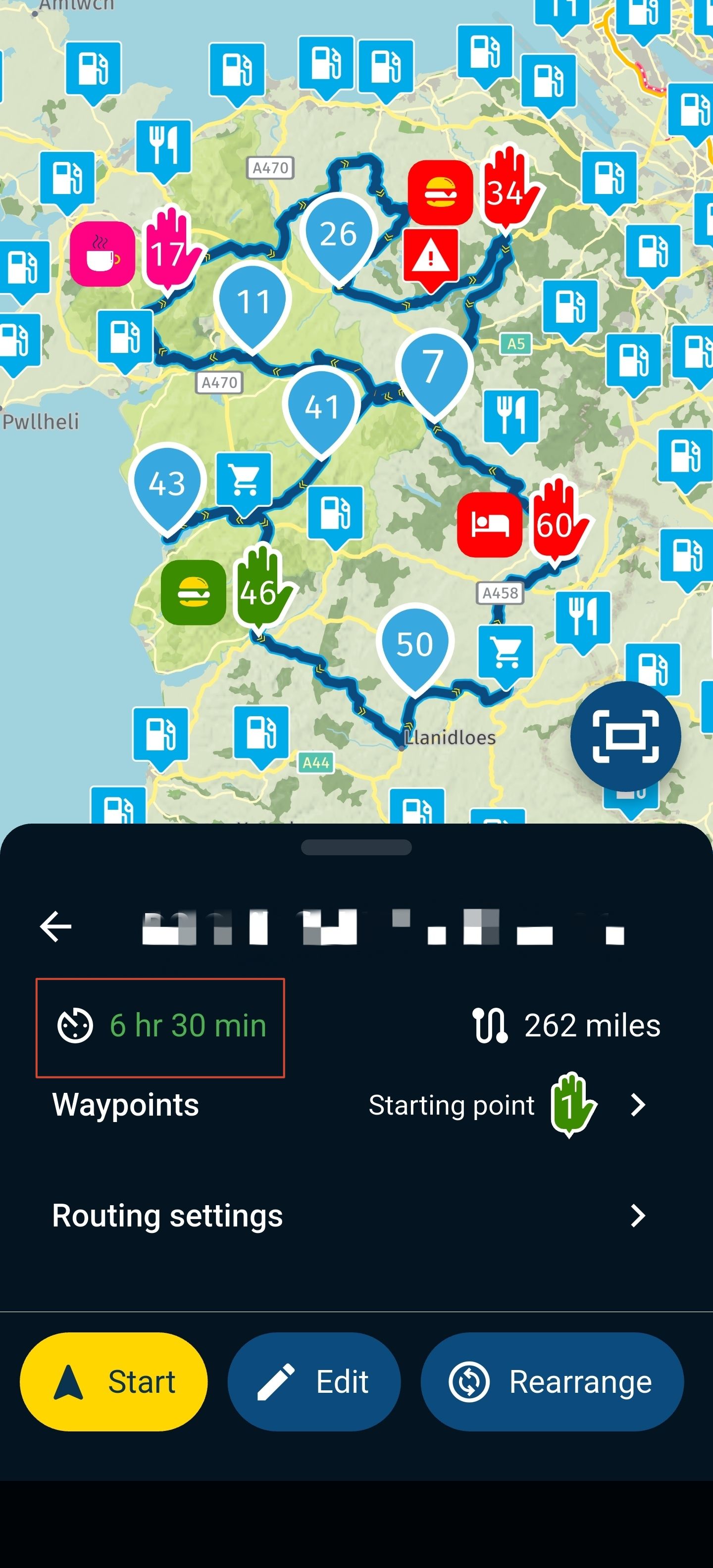
Track prefix name when exporting through web or andorid MyRouteApp
-

Hi. I am trying to organize my routes and tracks in the Zumo XT which I am using for navigation. For planning routes I use MyRouteApp web page, and then for transfering to Zumo XT I use Android MRA and Garmin Drive. I download gpx 1.1 and I get route and track to my Zumo XT.
If I download through web or with Android, my route name in Zumo XT is the same as in the MyRouteApp and this is OK. I noticed that if I don't use spaces in the route names, then Zumo XT shows the whole name with smaller font. If I use spaces, Zumo XT just shortens the name after one of the spaces...
Anyhow I find it problematic with Track name to which MyRouteApp (both web and Android) always adds "Track-" to the route name in MRA. This makes the track name really long and is not easily seen in Zumo XT Track App.
Is there a way to make this configurable? It would be perfect if I could define the prefix as "T-", which is much shorter.
Please also use this discussion to suggest how to organize routes and tracks in Garmin Zumo XT. Do you delete them from the device after every trip or once in a while? Do you just leave them be and scroll through them every time to find the route/track you want? I don't thing Zumo XT uses folders.
I currently use the route name structure like this "YYYY-MM-DD-Day1RouteNameWithoutSpaces". -
Hi. I am trying to organize my routes and tracks in the Zumo XT which I am using for navigation. For planning routes I use MyRouteApp web page, and then for transfering to Zumo XT I use Android MRA and Garmin Drive. I download gpx 1.1 and I get route and track to my Zumo XT.
If I download through web or with Android, my route name in Zumo XT is the same as in the MyRouteApp and this is OK. I noticed that if I don't use spaces in the route names, then Zumo XT shows the whole name with smaller font. If I use spaces, Zumo XT just shortens the name after one of the spaces...
Anyhow I find it problematic with Track name to which MyRouteApp (both web and Android) always adds "Track-" to the route name in MRA. This makes the track name really long and is not easily seen in Zumo XT Track App.
Is there a way to make this configurable? It would be perfect if I could define the prefix as "T-", which is much shorter.
Please also use this discussion to suggest how to organize routes and tracks in Garmin Zumo XT. Do you delete them from the device after every trip or once in a while? Do you just leave them be and scroll through them every time to find the route/track you want? I don't thing Zumo XT uses folders.
I currently use the route name structure like this "YYYY-MM-DD-Day1RouteNameWithoutSpaces".
@Boštjan-Kreutz MRA is exporting your route and track in a gpx file by exactly the names as you named your route and track. Also with blanc spaces in names!
So, it's up to you - if you intend to use this gpx files in other systems - to prevent blanc spaces in names. MRA is able to operate with blanc spaces, but other systems might not!You can check it easily by yourself: open a saved gpx file by a text editor - there you can see the names of routes and tracks inside.
If you are transferring a route from MRA by using format gpx 1.1(route, track, POI) to Garmin devices - then Garmin is doing by it's import routine that name formation, what you noticed.
In the Garmin devices, you will find routes in the route chapter and tracks in the track chapter. And if Garmin is shortening route/track names - it's also up to you to use proper (short) names in MRA during planning.About organising: MRA is the best place, to organise and keep your routes and tracks (if you don't use Garmin BaseCamp). So, if you are doing route planning in MRA, then the routes are "archived" in the same time. If you transferred a gpx file of such a route to a Garmin device, did your ride along this route, then afterwards the gpx in the Garmin is no longer needed and can be deleted. Usually, you don't have much space in Garmin device.
You can activate "Track Recording" in yor Garmin devices, can export after a ride this track as gpx file, and can import it to MRA. So you will have a complete History archived in MRA (planned route and completed ride).
But why so complicated? Why you don't use a mobile device with MyRoute-App for navigation, instead of using a Garmin for navigation? The big big advantage is: you can switch on automated synch between MRA and MyRoute-App on your mobile device. So you don't need any longer create gpx files and no file transfer. You can also log your ride in MyRoute-App, this will also be synched to MRA; then it's archived. Additionally: if you record your ride as track - and take photos by the mobile with MyRoute-App - then this photos will be included in the track, and also synched to MRA.
Try it - you will love it...

-
Thank you for your answer and advises you give.
Yes, in my configuration I think it will be best to just delete routes and track from Zumo XT every once in a while, since my main archive is MyRouteApp, where everything actually can be organize nicely.
For you statement, that Garmin is doing the name formation for tracks when importing, I don't think this is the case.
*@Guzzist said in Track prefix name when exporting through web or andorid MyRouteApp:If you are transferring a route from MRA by using format gpx 1.1(route, track, POI) to Garmin devices - then Garmin is doing by it's import routine that name formation, what you noticed.*
When I export directly from web app and open the gpx file in notepad, I can already see the formation <trk> "Track-"+MyName. So this is a MRA thing, Garmin doesn't have anything to do with it. For my case I would much prefer that the "Track-" would be shorten to "T-"

I understand your comment about using MRA navigation on mobile or android device. I also think this is the next best thing and in the future, I think I will upgrade in the direction of Carpuride or DMD or something similar with MRA navigation app. But for now I will use the Zumo XT until I can. It is not ideal but in general it works ok. I won't be able to sell it for a normal price since the presence of XT2 and XT3, so for now I cannot justify the purchase of new device.
Again thank you for your reply and contribution.
-
@Boštjan-Kreutz MRA is exporting your route and track in a gpx file by exactly the names as you named your route and track. Also with blanc spaces in names!
So, it's up to you - if you intend to use this gpx files in other systems - to prevent blanc spaces in names. MRA is able to operate with blanc spaces, but other systems might not!You can check it easily by yourself: open a saved gpx file by a text editor - there you can see the names of routes and tracks inside.
If you are transferring a route from MRA by using format gpx 1.1(route, track, POI) to Garmin devices - then Garmin is doing by it's import routine that name formation, what you noticed.
In the Garmin devices, you will find routes in the route chapter and tracks in the track chapter. And if Garmin is shortening route/track names - it's also up to you to use proper (short) names in MRA during planning.About organising: MRA is the best place, to organise and keep your routes and tracks (if you don't use Garmin BaseCamp). So, if you are doing route planning in MRA, then the routes are "archived" in the same time. If you transferred a gpx file of such a route to a Garmin device, did your ride along this route, then afterwards the gpx in the Garmin is no longer needed and can be deleted. Usually, you don't have much space in Garmin device.
You can activate "Track Recording" in yor Garmin devices, can export after a ride this track as gpx file, and can import it to MRA. So you will have a complete History archived in MRA (planned route and completed ride).
But why so complicated? Why you don't use a mobile device with MyRoute-App for navigation, instead of using a Garmin for navigation? The big big advantage is: you can switch on automated synch between MRA and MyRoute-App on your mobile device. So you don't need any longer create gpx files and no file transfer. You can also log your ride in MyRoute-App, this will also be synched to MRA; then it's archived. Additionally: if you record your ride as track - and take photos by the mobile with MyRoute-App - then this photos will be included in the track, and also synched to MRA.
Try it - you will love it...

@Guzzist said in Track prefix name when exporting through web or andorid MyRouteApp:
Why you don't use a mobile device with MyRoute-App for navigation, instead of using a Garmin for navigation?
Two massive advantages (for me) to using a Garmin XT over MRA Navigation.
-
Cost/peace of mind - Not using a £1000 phone exposed to the harshness of motorcycle riding - water, debris, vibration. I like having my phone tucked away, although could always find a cheaper old phone or other device so not the ultimate deciding factor.
-
Custom POIs with proximity warnings - as far as I'm aware MRA navigation cannot display custom POIs and give a proximity warning whether I am navigating a route or just free riding. I've been looking for alternative solutions for ages to use my custom POI database in something other than the XT (TomTom took away the feature years ago - which was why I moved to Garmin). This is the one feature that keeps me locked to Garmin.
-
-
Thank you for your answer and advises you give.
Yes, in my configuration I think it will be best to just delete routes and track from Zumo XT every once in a while, since my main archive is MyRouteApp, where everything actually can be organize nicely.
For you statement, that Garmin is doing the name formation for tracks when importing, I don't think this is the case.
*@Guzzist said in Track prefix name when exporting through web or andorid MyRouteApp:If you are transferring a route from MRA by using format gpx 1.1(route, track, POI) to Garmin devices - then Garmin is doing by it's import routine that name formation, what you noticed.*
When I export directly from web app and open the gpx file in notepad, I can already see the formation <trk> "Track-"+MyName. So this is a MRA thing, Garmin doesn't have anything to do with it. For my case I would much prefer that the "Track-" would be shorten to "T-"
I understand your comment about using MRA navigation on mobile or android device. I also think this is the next best thing and in the future, I think I will upgrade in the direction of Carpuride or DMD or something similar with MRA navigation app. But for now I will use the Zumo XT until I can. It is not ideal but in general it works ok. I won't be able to sell it for a normal price since the presence of XT2 and XT3, so for now I cannot justify the purchase of new device.
Again thank you for your reply and contribution.
@Boštjan-Kreutz said in Track prefix name when exporting through web or andorid MyRouteApp:
For you statement, that Garmin is doing the name formation for tracks when importing, I don't think this is the case.
*@Guzzist said in Track prefix name when exporting through web or andorid MyRouteApp:If you are transferring a route from MRA by using format gpx 1.1(route, track, POI) to Garmin devices - then Garmin is doing by it's import routine that name formation, what you noticed.*
When I export directly from web app and open the gpx file in notepad, I can already see the formation <trk> "Track-"+MyName. So this is a MRA thing, Garmin doesn't have anything to do with it. For my case I would much prefer that the "Track-" would be shorten to "T-"
Oh - I'm so sorry, I was too careless, please appologise.

You are right! Now I double checked (both ways): export from MRA and export from MyRoute-App as gpx 1.1 (route,track, POI).
In both exports, the route name in gpx is still as entered originally.
But the track name get's the new prefix "Track-" !

-
@Guzzist said in Track prefix name when exporting through web or andorid MyRouteApp:
Why you don't use a mobile device with MyRoute-App for navigation, instead of using a Garmin for navigation?
Two massive advantages (for me) to using a Garmin XT over MRA Navigation.
-
Cost/peace of mind - Not using a £1000 phone exposed to the harshness of motorcycle riding - water, debris, vibration. I like having my phone tucked away, although could always find a cheaper old phone or other device so not the ultimate deciding factor.
-
Custom POIs with proximity warnings - as far as I'm aware MRA navigation cannot display custom POIs and give a proximity warning whether I am navigating a route or just free riding. I've been looking for alternative solutions for ages to use my custom POI database in something other than the XT (TomTom took away the feature years ago - which was why I moved to Garmin). This is the one feature that keeps me locked to Garmin.
@Will-Brooks said in Track prefix name when exporting through web or andorid MyRouteApp:
- Custom POIs with proximity warnings - as far as I'm aware MRA navigation cannot display custom POIs and give a proximity warning whether I am navigating a route or just free riding. I've been looking for alternative solutions for ages to use my custom POI database in something other than the XT (TomTom took away the feature years ago - which was why I moved to Garmin). This is the one feature that keeps me locked to Garmin.
Would you be so kind to explain in more detail on how you use your custom POIs in a pratical way? What kind of POI are we talking about here? Restaurants, sightseing monouments, friends houses and locations? Is this your personal POI database that you gathered through the years? How do you manage them (do you add them directly to Zumo XT?) and how do you have your Zumo XT configured to show them during the navigation of a route?
I find this interesting and would love to learn more about this.
Thanx
-
-
@Will-Brooks said in Track prefix name when exporting through web or andorid MyRouteApp:
- Custom POIs with proximity warnings - as far as I'm aware MRA navigation cannot display custom POIs and give a proximity warning whether I am navigating a route or just free riding. I've been looking for alternative solutions for ages to use my custom POI database in something other than the XT (TomTom took away the feature years ago - which was why I moved to Garmin). This is the one feature that keeps me locked to Garmin.
Would you be so kind to explain in more detail on how you use your custom POIs in a pratical way? What kind of POI are we talking about here? Restaurants, sightseing monouments, friends houses and locations? Is this your personal POI database that you gathered through the years? How do you manage them (do you add them directly to Zumo XT?) and how do you have your Zumo XT configured to show them during the navigation of a route?
I find this interesting and would love to learn more about this.
Thanx
@Boštjan-Kreutz My main use for these are "high risk" and/or speed camera locations.
I have a database of locations which I have supplemented myself personally. I use Garmin POILoader to create a POI file which I then add to my XT.
Under Driver Assistance in the settings menu of the XT there is a sub option of Proximity Alerts and under that you can check box for Custom POIs.
At a set distance I will get both an audio warning (you can add a sound file so it can be whatever you want rather than just a system sound) and by adding a corresponding BMP file for each CSV file I also get an icon appear on the map
-
@Will-Brooks said in Track prefix name when exporting through web or andorid MyRouteApp:
- Custom POIs with proximity warnings - as far as I'm aware MRA navigation cannot display custom POIs and give a proximity warning whether I am navigating a route or just free riding. I've been looking for alternative solutions for ages to use my custom POI database in something other than the XT (TomTom took away the feature years ago - which was why I moved to Garmin). This is the one feature that keeps me locked to Garmin.
Would you be so kind to explain in more detail on how you use your custom POIs in a pratical way? What kind of POI are we talking about here? Restaurants, sightseing monouments, friends houses and locations? Is this your personal POI database that you gathered through the years? How do you manage them (do you add them directly to Zumo XT?) and how do you have your Zumo XT configured to show them during the navigation of a route?
I find this interesting and would love to learn more about this.
Thanx

@Boštjan-Kreutz Similar to Will I run proximity alerted POI's for Picnic sites, Public Toilets, Dolmens and Ancient sites, Castles and WW2 defence heritage. Garmin devices do this sort of thing much better than MRA currently. That said I run MRA for navigation On my Africa Twin's Android Auto Screen and run the track of the route on the XT and use the XT for POI's. I started off looking for an alternative to Basecamp and my Zumo XT and have ended up using both

The Zumo XT also allows much more descriptive information to be stored with POI's loaded onto the device via POI loader. For example, there is an old WW2/Cold war listening station near me. I took the info from a govt website that publishes information about built heritage there are 2000+ WW2 sites listed in Northern Ireland.
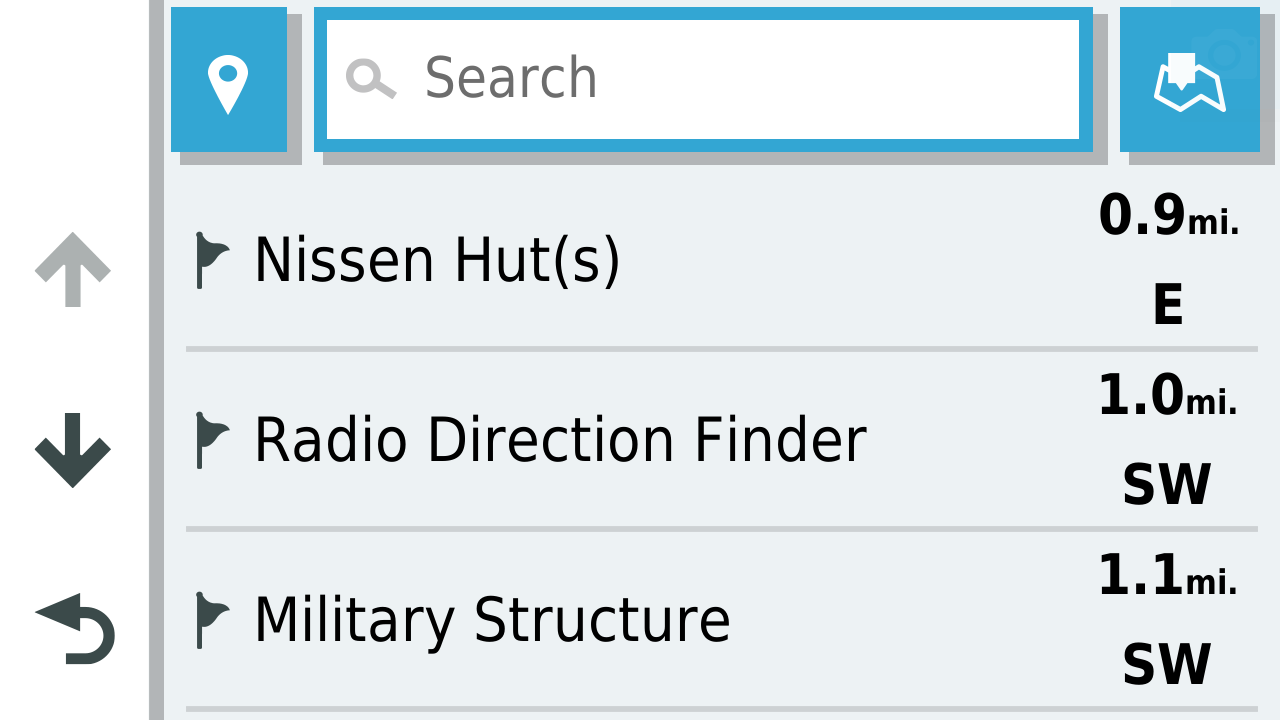
So if I pick the radio direction finder site I get this information
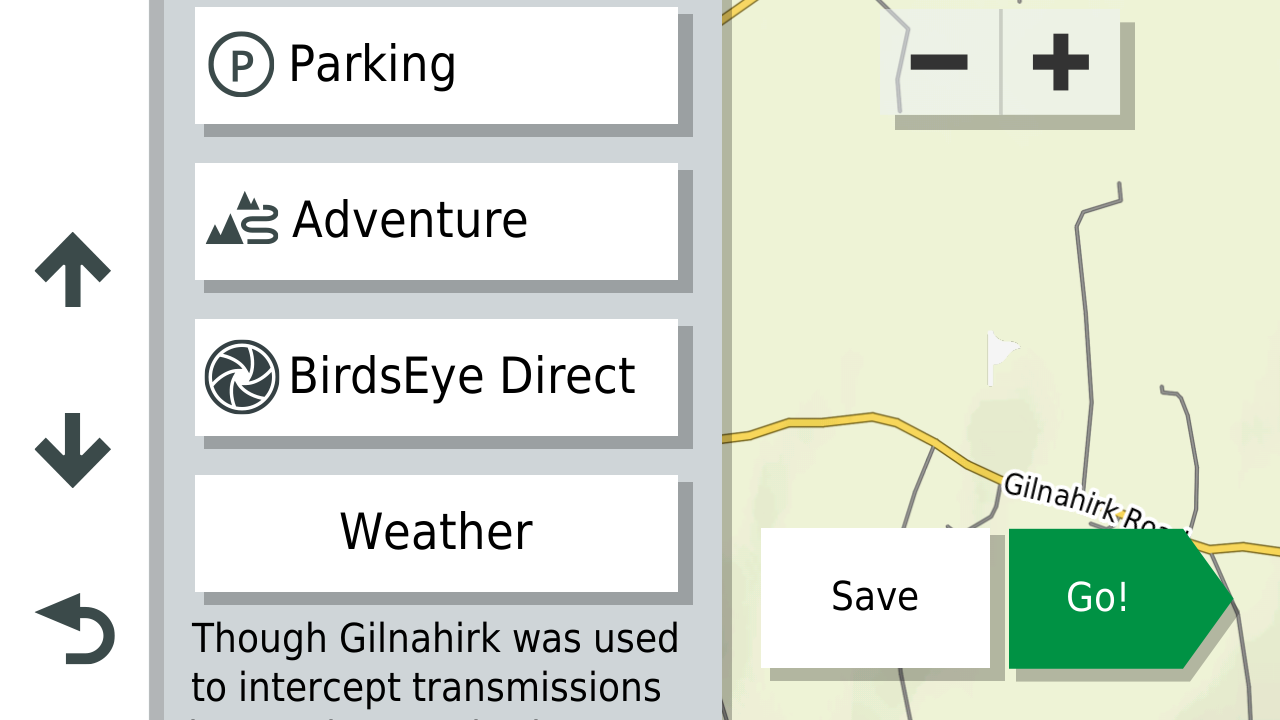
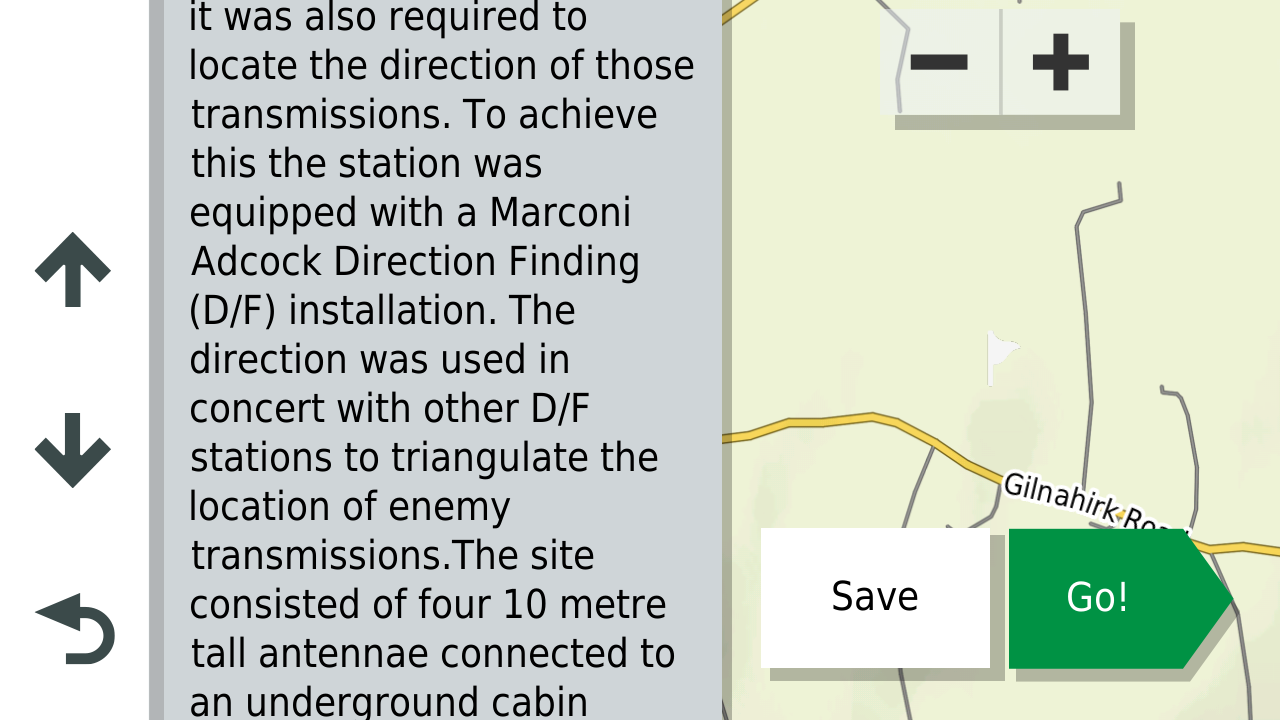
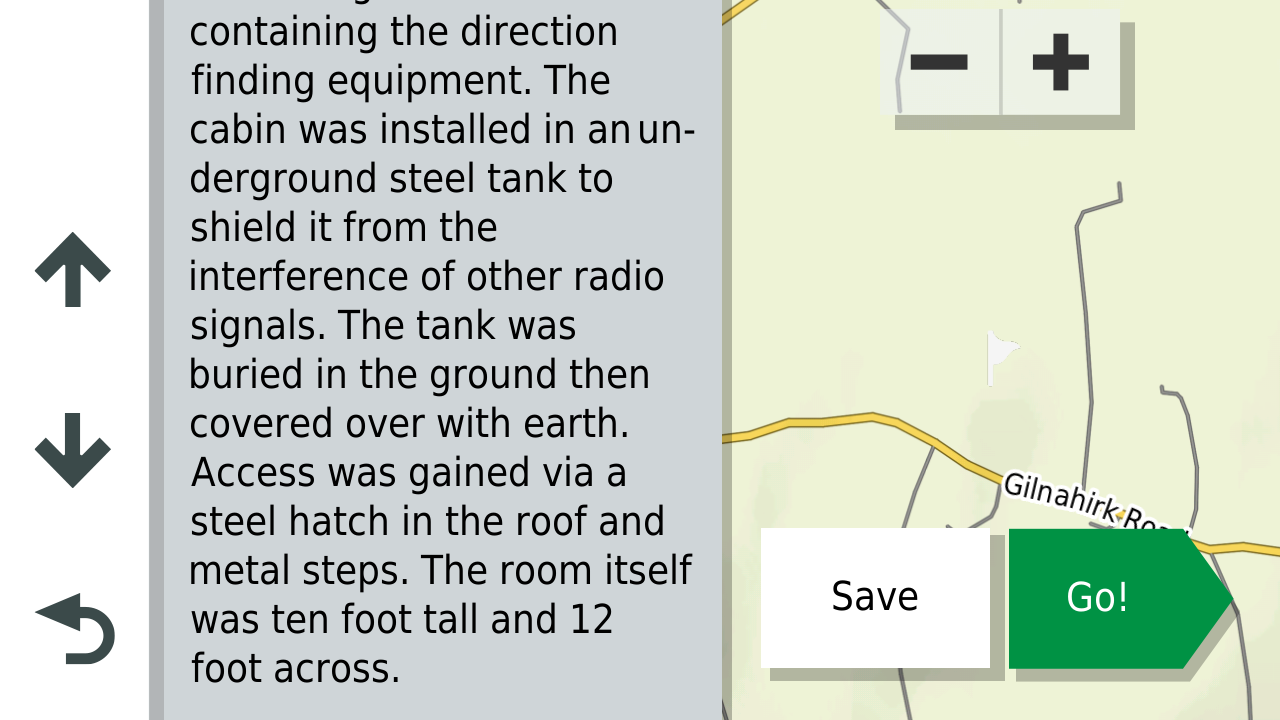
So extensive notes can be attached to Garmin custom POI's something that MRA's implementation of custom Poi's isn't quite capable of yet (and perhaps never will be as Garmin POI information is stored locally on your machine or the device whereas MRA's info is kept in the cloud and therefore I would imagine space is at a premium.
Hello! It looks like you're interested in this conversation, but you don't have an account yet.
Getting fed up of having to scroll through the same posts each visit? When you register for an account, you'll always come back to exactly where you were before, and choose to be notified of new replies (either via email, or push notification). You'll also be able to save bookmarks and upvote posts to show your appreciation to other community members.
With your input, this post could be even better 💗
Register Login-
 113363
-
 04101
04101
-
192.0k
-
0225
-
 0210
0210
-
0229
-
0227
-
 06117
06117