Could it be this easy?
-
I'm a huge fan of MRA, and use it exclusively for my MC route planning. It make me nervous when I import into the Garmin Zumo, when it says "CALCULATING"
I am still have an occasional problem where my Garmin Zumo XT doesn't follow the route (Recalculation is turned off)
I noticed you MUST PICK a routing option in the Zumo (Fastest, Shortest etc) Mine is set to fastest. But everyone that has a Garmin has this issue.
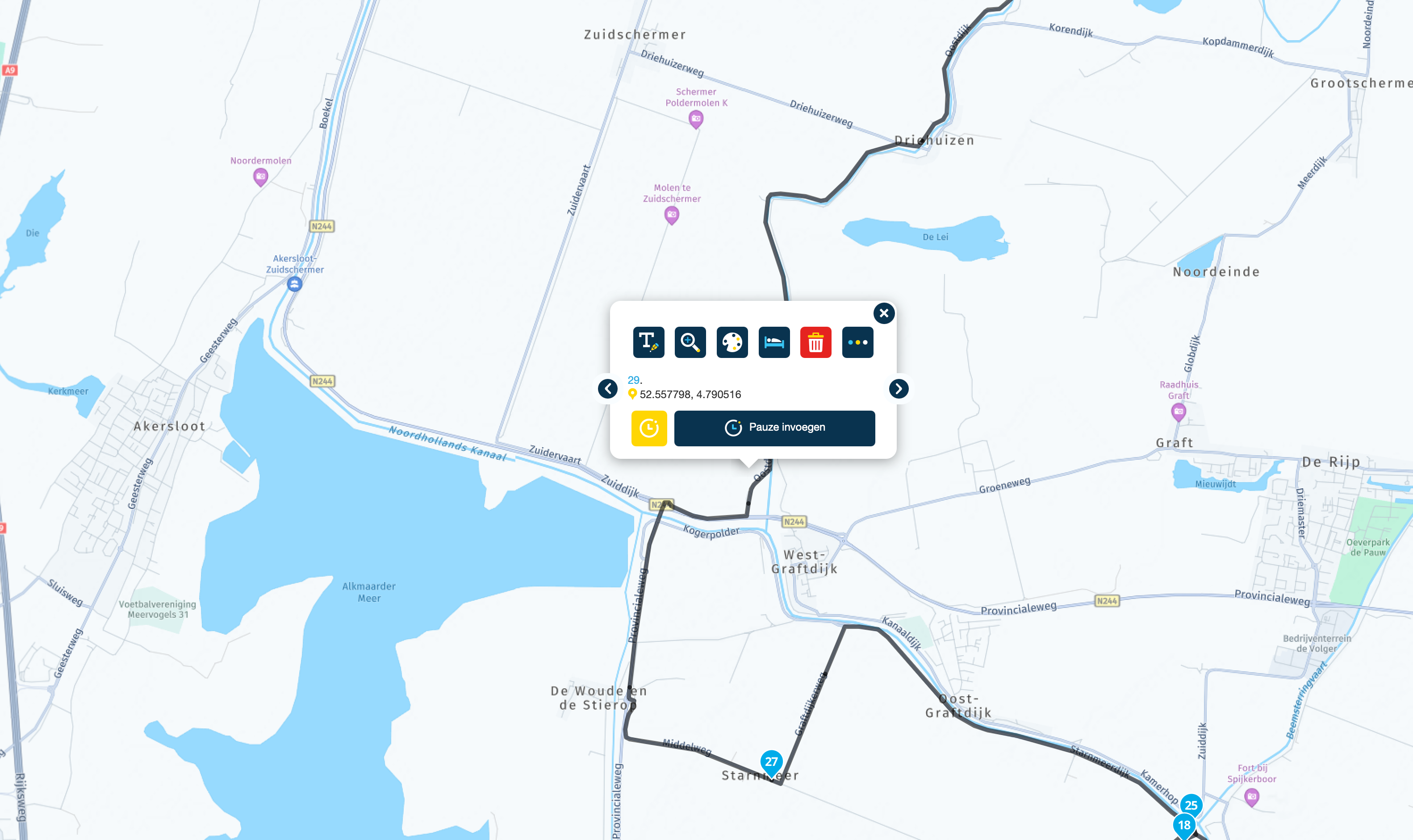
Is it as easy as just adding more shaping points?
I normally try to minimize the shaping points and VIA points to just what I need to make MRA shape the route I want. I think that may be fine for MRA, but with Garmin set to Fastest, if you don't have enough shaping points it will calculate the fastest route by ignoring the few shaping points you do have.
-
I'm a huge fan of MRA, and use it exclusively for my MC route planning. It make me nervous when I import into the Garmin Zumo, when it says "CALCULATING"
I am still have an occasional problem where my Garmin Zumo XT doesn't follow the route (Recalculation is turned off)
I noticed you MUST PICK a routing option in the Zumo (Fastest, Shortest etc) Mine is set to fastest. But everyone that has a Garmin has this issue.
Is it as easy as just adding more shaping points?
I normally try to minimize the shaping points and VIA points to just what I need to make MRA shape the route I want. I think that may be fine for MRA, but with Garmin set to Fastest, if you don't have enough shaping points it will calculate the fastest route by ignoring the few shaping points you do have.

The Zumo will always calculate the route, differences are often because the waypoints may be too far apart, causing the Zumo to choose a different route.
Would you mind sharing the URL of your route, so I can put your salt on my Zumo to check? Make sure the route is public.BMW BMW Connected Ride Navigator/Garmin Zumo XT3/XT2/XT//Tourstart/ MyRouteapp (The App)/...
Een dag niet gelachen is een dag niet geleefd / Een route is net zo goed als deze uitgezet is. -
The Zumo will always calculate the route, differences are often because the waypoints may be too far apart, causing the Zumo to choose a different route.
Would you mind sharing the URL of your route, so I can put your salt on my Zumo to check? Make sure the route is public. -
I'm a huge fan of MRA, and use it exclusively for my MC route planning. It make me nervous when I import into the Garmin Zumo, when it says "CALCULATING"
I am still have an occasional problem where my Garmin Zumo XT doesn't follow the route (Recalculation is turned off)
I noticed you MUST PICK a routing option in the Zumo (Fastest, Shortest etc) Mine is set to fastest. But everyone that has a Garmin has this issue.
Is it as easy as just adding more shaping points?
I normally try to minimize the shaping points and VIA points to just what I need to make MRA shape the route I want. I think that may be fine for MRA, but with Garmin set to Fastest, if you don't have enough shaping points it will calculate the fastest route by ignoring the few shaping points you do have.
@Greenham
If you use a Zumo XT (not XT2) and navigate with automatic recalculation turned off, you might want to consider using the GPX 1.2 export format (either "export" it via USB to your device or use "save as" and then transfer it via Germin Drive app).In a nutshell, you will end up with a route on your Garmin that behaves as accurately as a track with turn-by-turn indications and still announces the via points (not shaping points).
This was my preferred way to navigate with my Zumo XT, and that is why I love the feature "navigating routes as tracks" implemented to MRA NN with the latest update, as it behaves similarly.
If you want to learn more about GPX 1.1 versus GPX 1.2 you will find an excellent article here:
-
@Greenham
If you use a Zumo XT (not XT2) and navigate with automatic recalculation turned off, you might want to consider using the GPX 1.2 export format (either "export" it via USB to your device or use "save as" and then transfer it via Germin Drive app).In a nutshell, you will end up with a route on your Garmin that behaves as accurately as a track with turn-by-turn indications and still announces the via points (not shaping points).
This was my preferred way to navigate with my Zumo XT, and that is why I love the feature "navigating routes as tracks" implemented to MRA NN with the latest update, as it behaves similarly.
If you want to learn more about GPX 1.1 versus GPX 1.2 you will find an excellent article here:
@Martin-Wilcke
Thank you for the great answer. I do export as Zumo XT 1.2 and rarely have an issue. But I have now learned that have to FEW shaping points can/will cause the Zumo to look for the default selection (Fastest, Shortest, Curvy) if it doesn't have another shaping point close enough to the last.I'm still unclear on the value of export Route as a Track. Even after Serg's video I'm not sure what I am gaining. vs export to 1.2
Hello! It looks like you're interested in this conversation, but you don't have an account yet.
Getting fed up of having to scroll through the same posts each visit? When you register for an account, you'll always come back to exactly where you were before, and choose to be notified of new replies (either via email, or push notification). You'll also be able to save bookmarks and upvote posts to show your appreciation to other community members.
With your input, this post could be even better 💗
Register Login-
 01170
01170
-
 017800
-
 1793
1793
-
 08221
08221
-
 0587
0587
-
012724
-
 418222
-
0323