Skip to content
  • Categories
  • Recent
  • Popular
  • Support
  • MyRoute-app
Collapse
Brand Logo

MRA Community Forum

  1. Home
  2. The MyRoute-app
  3. [App] Problems, Bugs and other Issues
  4. Final route differs from original

Final route differs from original

Scheduled Pinned Locked Moved [App] Problems, Bugs and other Issues
2 Posts 2 Posters 520 Views 1 Watching
  • Oldest to Newest
  • Newest to Oldest
  • Most Votes
Reply
  • Reply as topic
Log in to reply
This topic has been deleted. Only users with topic management privileges can see it.
  • Hans Hüppiundefined Offline
    Hans Hüppiundefined Offline
    Hans Hüppi
    wrote on last edited by Hans Hüppi
    #1

    Last Thursday I planned a route in the Swiss alps with MyRouteApp, used the here map setting to have the same as on my mobile, and deactivated the seasonal closing check since they are unfortunately often wrong in the alps.

    I opened on my mobile the planned route, and all looked perfect as I planned on the PC: Screenshot_20231019-103122.jpg
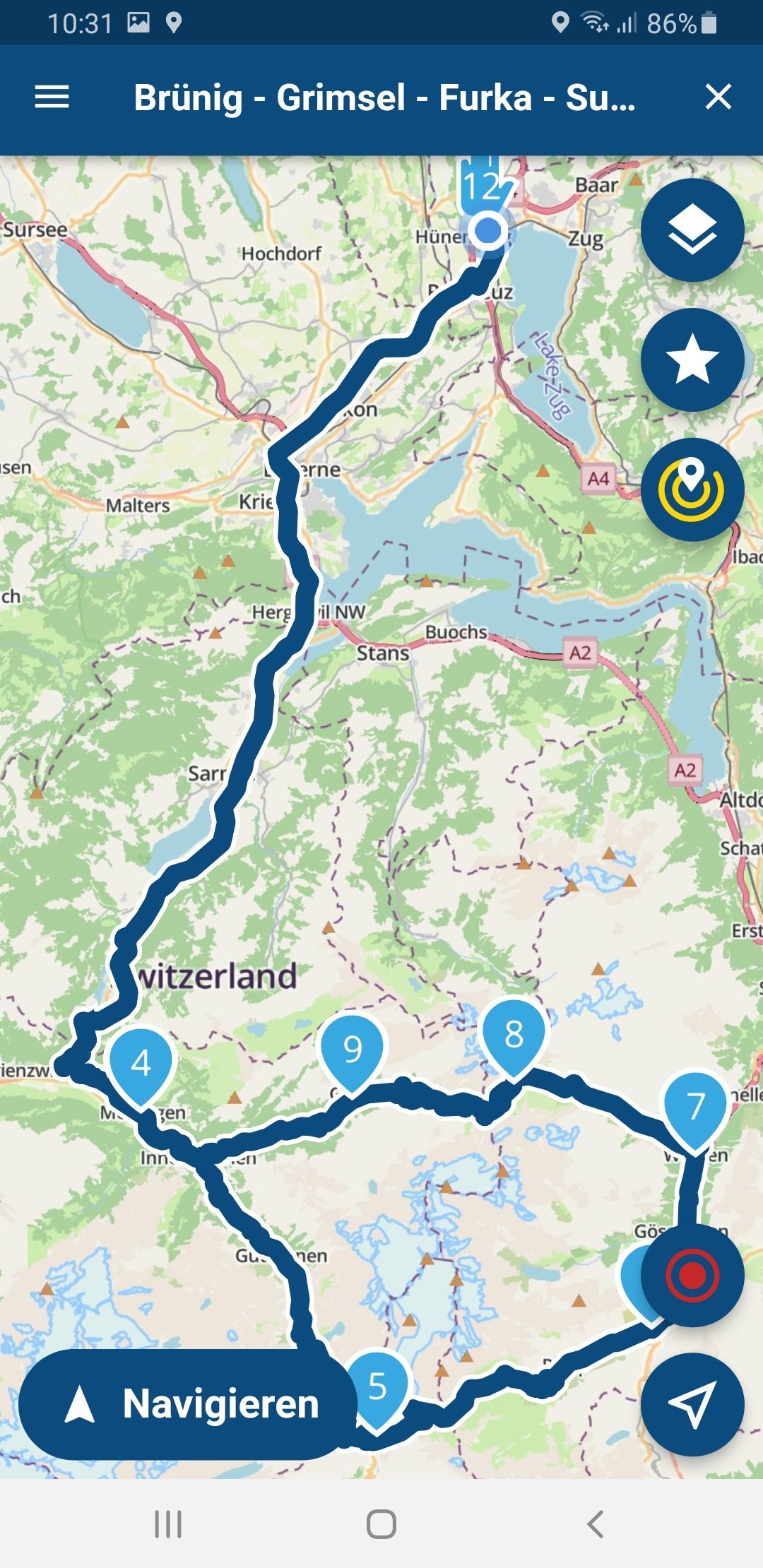
    I checked beforehand that all pass roads are open (one was closed over night 1800h-0800h, but I drove at daytime so all OK).

    But after hitting the navigation button the route suddenly changes (from waypoint 7 the route does not go direct to waypoint 8 anymore but makes a large loop):
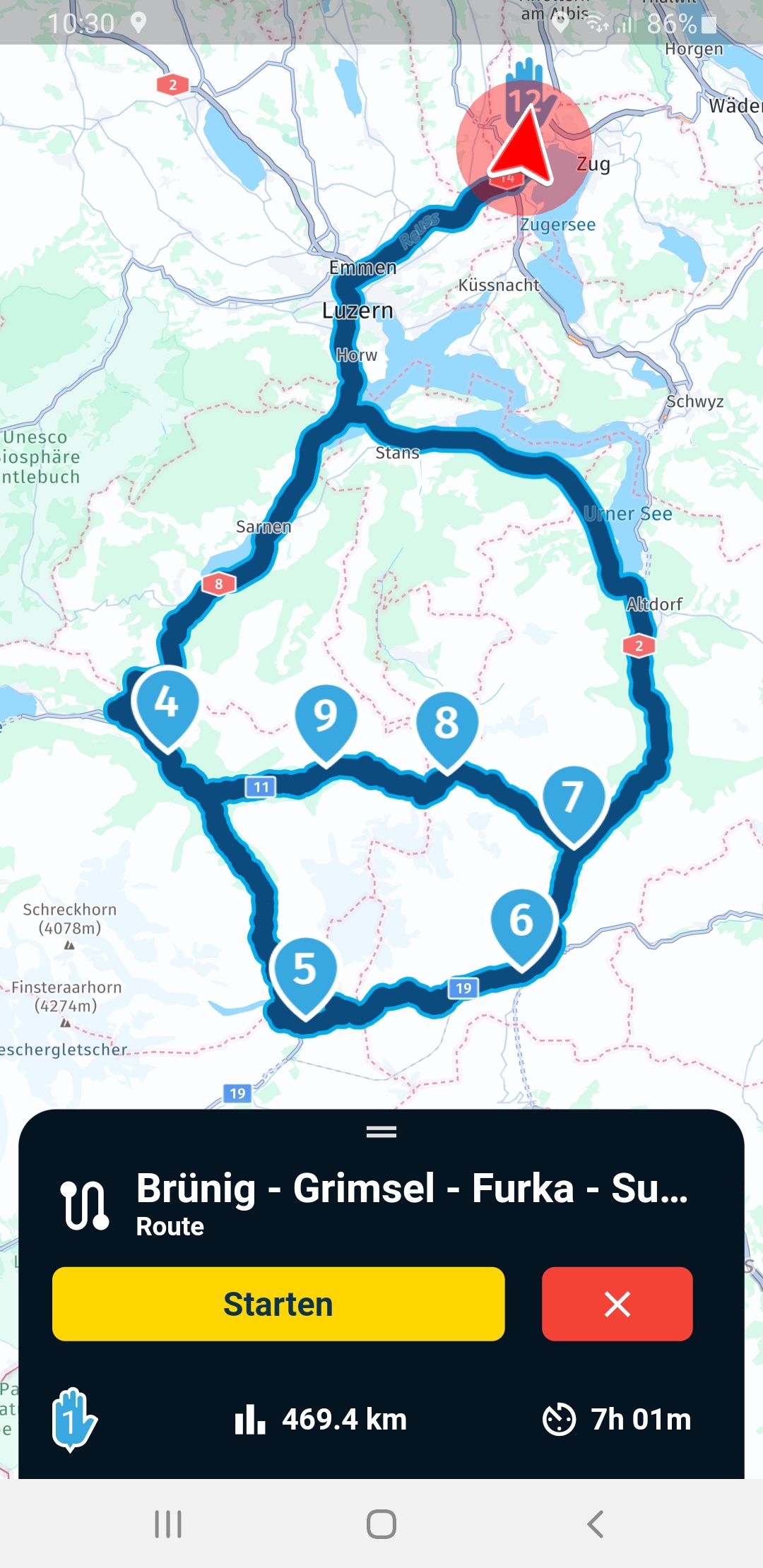
    Screenshot_20231019-103058.jpg

    I drove the route over the Sustenpass as planned since it was open, but MyRouteApp wanted to let me turn for quit a while.

    I was until now convinced that by selecting the here maps from the pulldown menu on the PC this was 100% identical with the maps on my mobile.

    Do I have a wrong setting in my navigation, or what can be the reason for this behavior?

    Groeten uit Zwitserland, Hans

    P.S. Had finally a great tour:
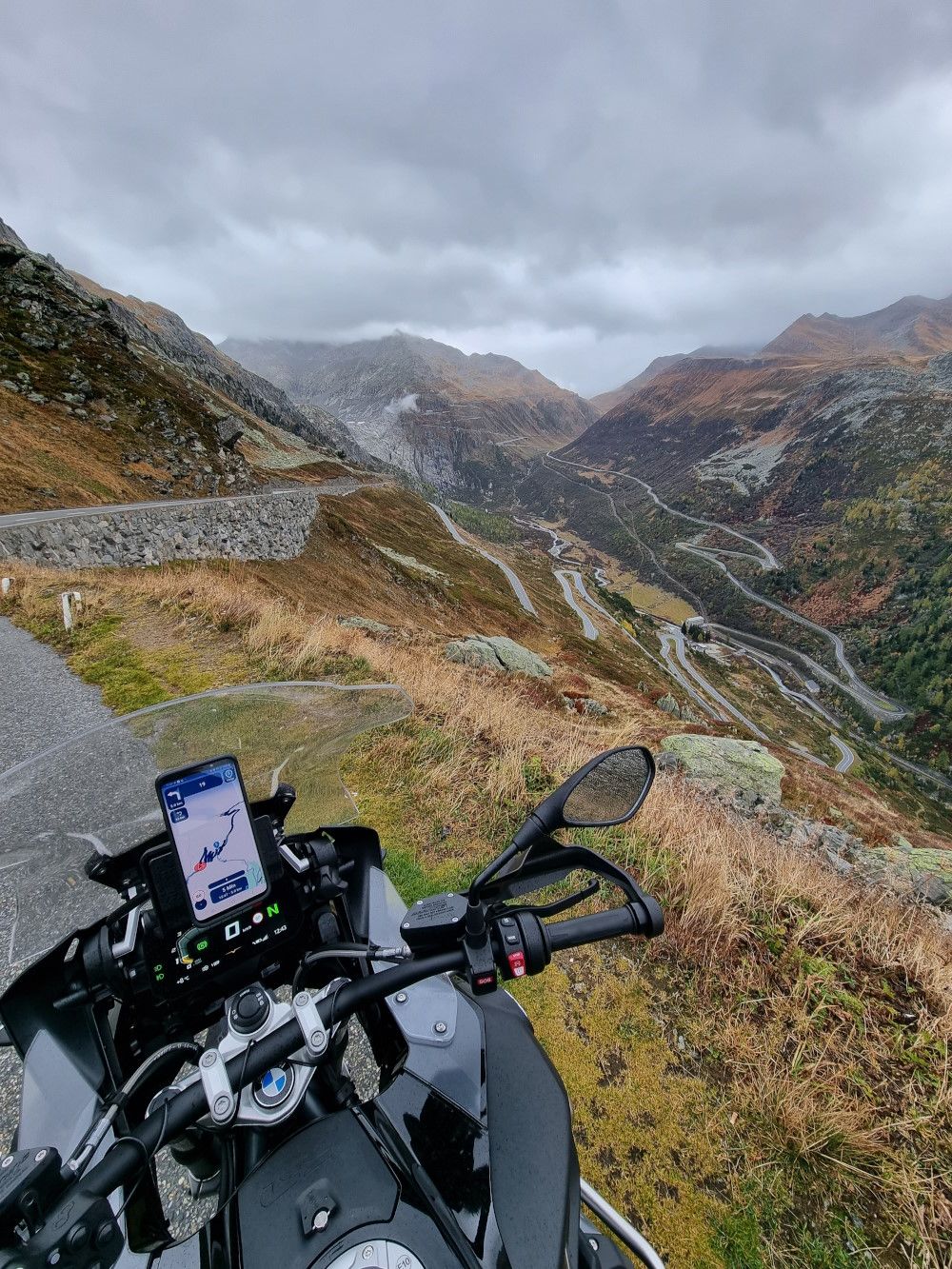
    20231019_124300_small.jpg

    Hans van de Ven MR.MRAundefined 1 Reply Last reply
    0
    • Hans Hüppiundefined Hans Hüppi

      Last Thursday I planned a route in the Swiss alps with MyRouteApp, used the here map setting to have the same as on my mobile, and deactivated the seasonal closing check since they are unfortunately often wrong in the alps.

      I opened on my mobile the planned route, and all looked perfect as I planned on the PC: Screenshot_20231019-103122.jpg

      I checked beforehand that all pass roads are open (one was closed over night 1800h-0800h, but I drove at daytime so all OK).

      But after hitting the navigation button the route suddenly changes (from waypoint 7 the route does not go direct to waypoint 8 anymore but makes a large loop):

      Screenshot_20231019-103058.jpg

      I drove the route over the Sustenpass as planned since it was open, but MyRouteApp wanted to let me turn for quit a while.

      I was until now convinced that by selecting the here maps from the pulldown menu on the PC this was 100% identical with the maps on my mobile.

      Do I have a wrong setting in my navigation, or what can be the reason for this behavior?

      Groeten uit Zwitserland, Hans

      P.S. Had finally a great tour:

      20231019_124300_small.jpg

      Hans van de Ven MR.MRAundefined Offline
      Hans van de Ven MR.MRAundefined Offline
      Hans van de Ven MR.MRA
      Valued contributor
      wrote on last edited by
      #2

      @Hans-Hüppi

      I think this is the problem: The pass is or will be closed (black lines) According to the map data of the traffic layer
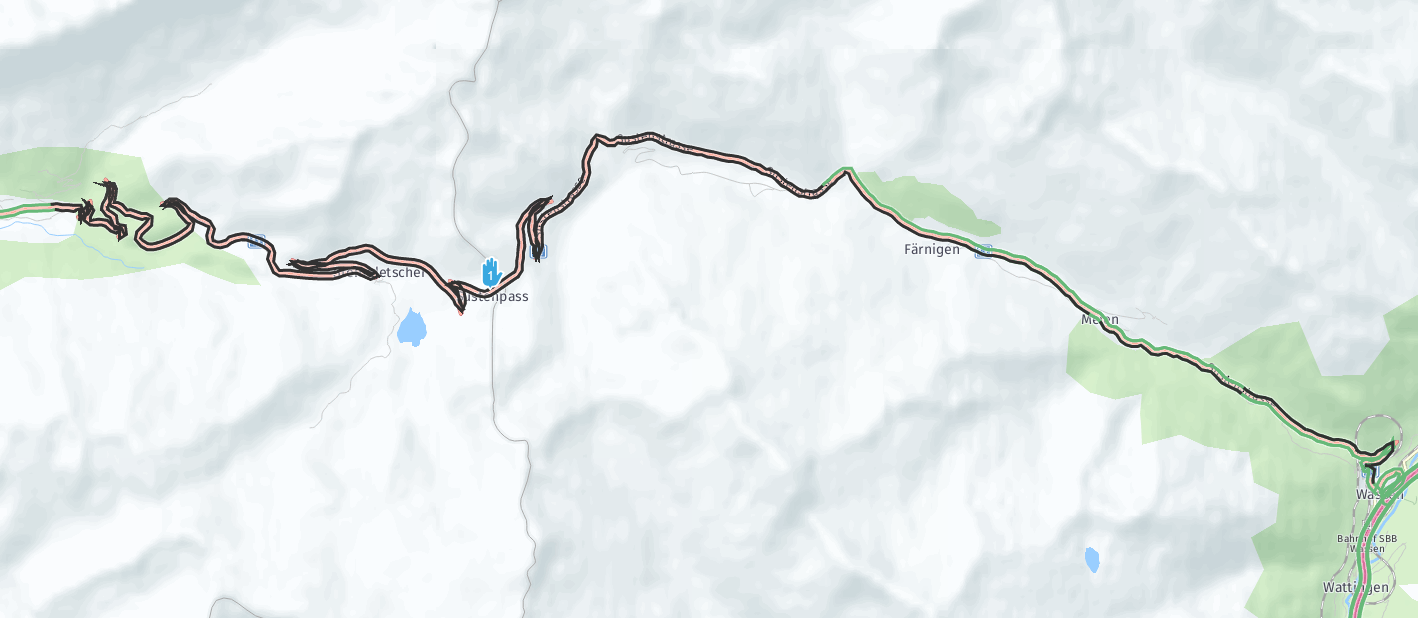
      4407c52b-4711-4580-b7a4-5517bf78d3b7-image.png

      Garmin Zumo XT3/XT2/XT/BMW Connected Ride Navigator/Tourstart/ MyRouteapp (The App)/...
      Een dag niet gelachen is een dag niet geleefd / Een route is net zo goed als deze uitgezet is.

      1 Reply Last reply
      0

      Hello! It looks like you're interested in this conversation, but you don't have an account yet.

      Getting fed up of having to scroll through the same posts each visit? When you register for an account, you'll always come back to exactly where you were before, and choose to be notified of new replies (either via email, or push notification). You'll also be able to save bookmarks and upvote posts to show your appreciation to other community members.

      With your input, this post could be even better 💗

      Register Login
      Reply
      • Reply as topic
      Log in to reply
      • Oldest to Newest
      • Newest to Oldest
      • Most Votes


      ACTIVE USERS
      Hans van de Ven MR.MRAundefined
      Hans van de Ven MR.MRA
      Hans Hüppiundefined
      Hans Hüppi
      POPULAR TOPICS
      • Reading out the name of the waypoint and associated notes
        Mzokkundefined
        Mzokk
        0
        15
        166

      • wrong routing
        John S Parryundefined
        John S Parry
        0
        8
        90

      • Synchronise a folder. Is it possible.
        Con Hennekensundefined
        Con Hennekens
        0
        12
        196

      • Updated beta! 5.2.1 (486)
        Nick Carthewundefined
        Nick Carthew
        3
        7
        46

      • MRA 5.2.1 (480] POIs that were set in the route lab remain in the route and cannot be switched off in the app.
        Con Hennekensundefined
        Con Hennekens
        0
        6
        40

      • Veekeersinfo en omleiden
        Herman Veldhuizenundefined
        Herman Veldhuizen
        0
        16
        327

      • Request login credentials
        Con Hennekensundefined
        Con Hennekens
        0
        7
        144

      • Move blocks of routepoints
        Yannick_van_Vugtundefined
        Yannick_van_Vugt
        0
        3
        38

      MY GROUPS
      • Login

      • Login or register to search.
      • First post
        Last post
      0
      • Categories
      • Recent
      • Popular
      • Support
      • MyRoute-app