Skip to content
  • Categories
  • Recent
  • Popular
  • Support
  • MyRoute-app
Collapse
Brand Logo

MRA Community Forum

  1. Home
  2. The MyRoute-app
  3. [App] Problems, Bugs and other Issues
  4. Upcoming waypoint - disabled, yet still displaying in route

Upcoming waypoint - disabled, yet still displaying in route

Scheduled Pinned Locked Moved [App] Problems, Bugs and other Issues
3 Posts 2 Posters 876 Views
  • Oldest to Newest
  • Newest to Oldest
  • Most Votes
Reply
  • Reply as topic
Log in to reply
This topic has been deleted. Only users with topic management privileges can see it.
  • Rajp
    Rajp
    Rajp
    wrote on last edited by
    #1
    • MyRoute-app (v4.0.2 - 203)
    • Lifetime subscriber to the route planner and the navigation app.
    • Online navigation

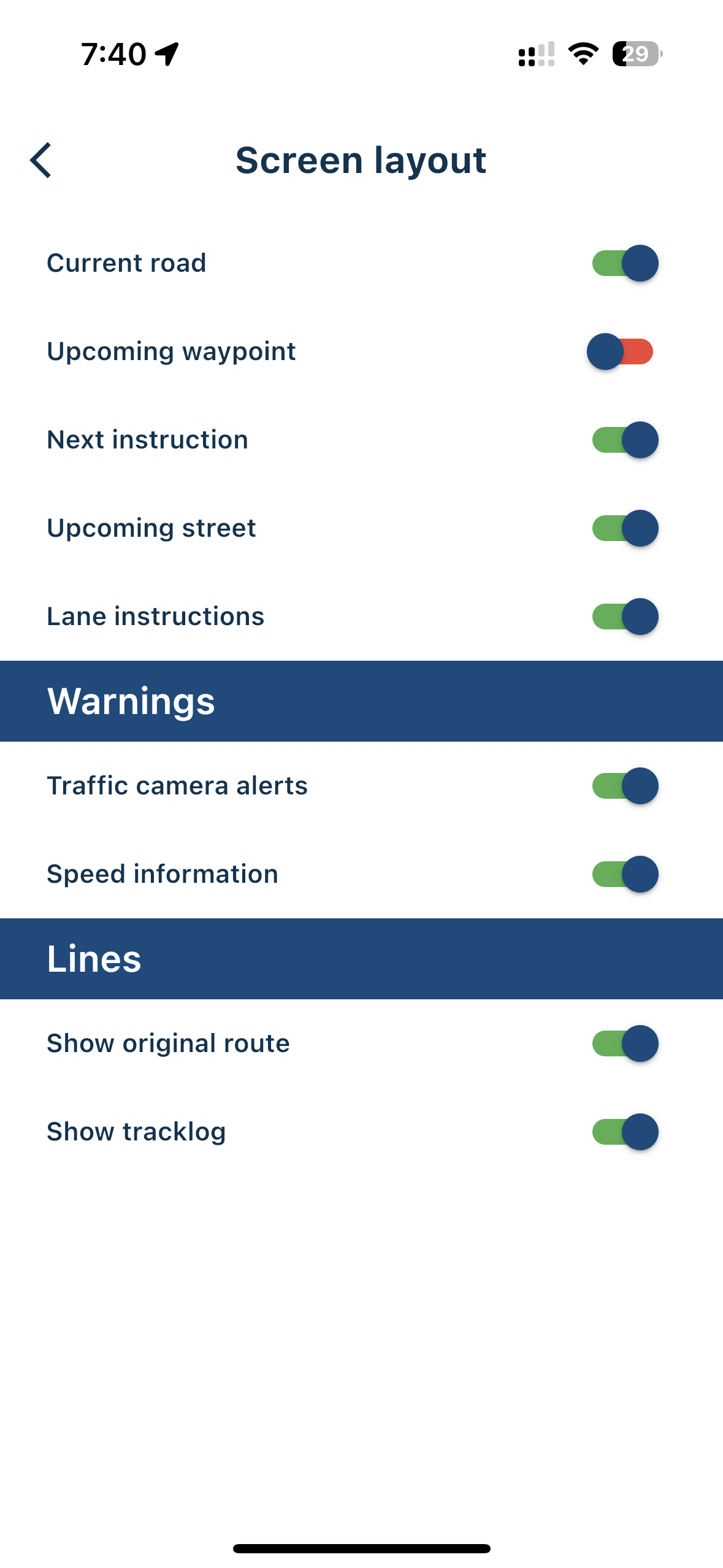
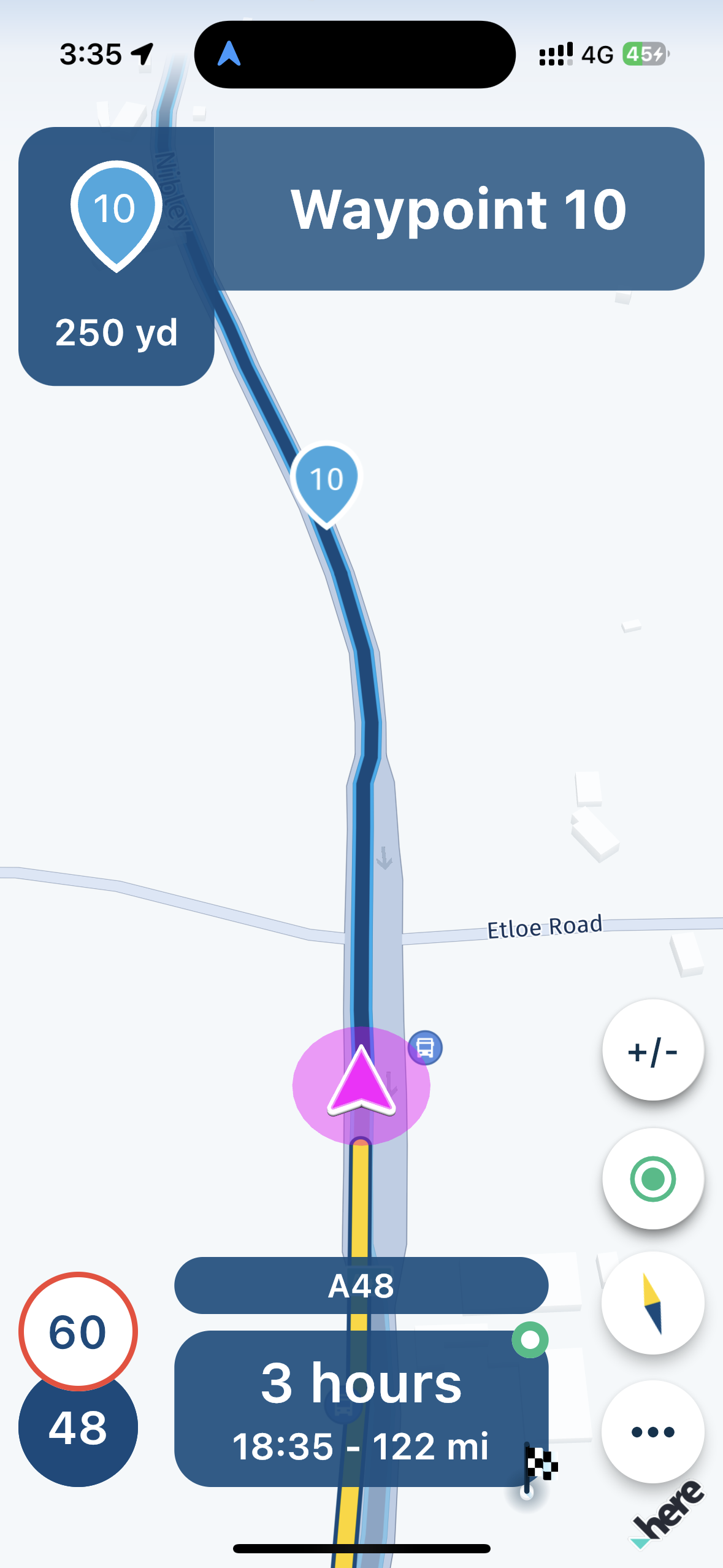
    I’ve toggled off “Upcoming waypoint” in screen layout menu, but I still see the waypoints on the map itself and in the next direction area - is this feature mean‘t to hide shaping points from the map and route instructions? If not, what is the purpose of this setting?
    IMG_4188.png IMG_4183.png

    Corjan Meijerink 1 Reply Last reply
    0
    • Rajp Rajp
      • MyRoute-app (v4.0.2 - 203)
      • Lifetime subscriber to the route planner and the navigation app.
      • Online navigation

      I’ve toggled off “Upcoming waypoint” in screen layout menu, but I still see the waypoints on the map itself and in the next direction area - is this feature mean‘t to hide shaping points from the map and route instructions? If not, what is the purpose of this setting?

      IMG_4188.png IMG_4183.png

      Corjan Meijerink
      Corjan Meijerink
      Corjan Meijerink
      Developer
      wrote on last edited by
      #2

      @Rajp Thanks for asking this!

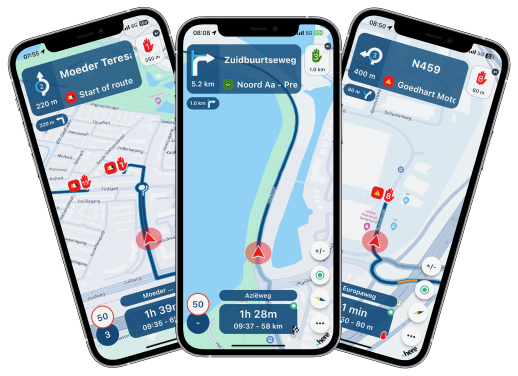
      The setting you disabled only hides the waypoint box in the top right of your screen. See the image below.
      render_wp_info.png

      Waypoints on the map are never hidden.
      The display of the waypoint top left (where you instructions should be) is improved in version 4.0.3 which will be released this week. The screenshot above nicely shows how it will be displayed as of then! 🎉

      Rajp 1 Reply Last reply
      0
      • Corjan Meijerink Corjan Meijerink

        @Rajp Thanks for asking this!

        The setting you disabled only hides the waypoint box in the top right of your screen. See the image below.

        render_wp_info.png

        Waypoints on the map are never hidden.
        The display of the waypoint top left (where you instructions should be) is improved in version 4.0.3 which will be released this week. The screenshot above nicely shows how it will be displayed as of then! 🎉

        Rajp
        Rajp
        Rajp
        wrote on last edited by
        #3

        @Corjan-Meijerink Thanks for clarifying - look forward to the next release 👍

        1 Reply Last reply
        0

        Hello! It looks like you're interested in this conversation, but you don't have an account yet.

        Getting fed up of having to scroll through the same posts each visit? When you register for an account, you'll always come back to exactly where you were before, and choose to be notified of new replies (either via email, or push notification). You'll also be able to save bookmarks and upvote posts to show your appreciation to other community members.

        With your input, this post could be even better 💗

        Register Login
        Reply
        • Reply as topic
        Log in to reply
        • Oldest to Newest
        • Newest to Oldest
        • Most Votes


        ACTIVE USERS
        Corjan Meijerink
        Corjan Meijerink
        Rajp
        Rajp
        POPULAR TOPICS
        • transfer from phone to zoom xt
          John S Parry
          John S Parry
          0
          26
          749

        • New beta! 6.0.0 (514)
          peha
          peha
          9
          12
          55

        • Using tracks
          superg
          superg
          0
          4
          40

        • Vraag over grensoverschreidend gebruik..
          Travellexxie
          Travellexxie
          0
          12
          254

        • Insert Pause removed from navigation
          Travellexxie
          Travellexxie
          0
          12
          318

        • Kan keuze voor voertuigbeperking worden ' onthouden' ?
          Travellexxie
          Travellexxie
          0
          2
          89

        • Route hervatten vanaf huidige locatie / Resume Route from Current Location
          Kirsten De Weerd
          Kirsten De Weerd
          1
          9
          230

        • Frozen marker.
          a white mouse on the motorbike
          a white mouse on the motorbike
          0
          4
          89

        MY GROUPS
        • Login

        • Login or register to search.
        • First post
          Last post
        0
        • Categories
        • Recent
        • Popular
        • Support
        • MyRoute-app